Introduction
Container Security Tools are like 24/7 security guards for your modern apps. Most apps today are built using “containers”—small, digital boxes that hold everything an app needs to run. These boxes are fast and easy to move, but they can also hide bugs or “security holes” that hackers love.
Container security tools are important because they watch these digital boxes from the moment they are made until the moment they are deleted. They help companies find weak spots in their code, block hackers from getting in, and make sure private data stays safe. For example, if a company is building a new banking app, these tools will check every “box” for viruses before it goes live. When picking a tool, you should look for one that is easy to set up, catches threats in real-time, and doesn’t slow down your app.
Best for: People who build and manage apps (Developers and Security Engineers) at growing companies. It is a “must-have” for businesses that handle sensitive info, like healthcare, finance, or online shopping.
Not ideal for: Individual bloggers or very tiny teams that only run one simple website. If you don’t use containers, you don’t need these specific tools.
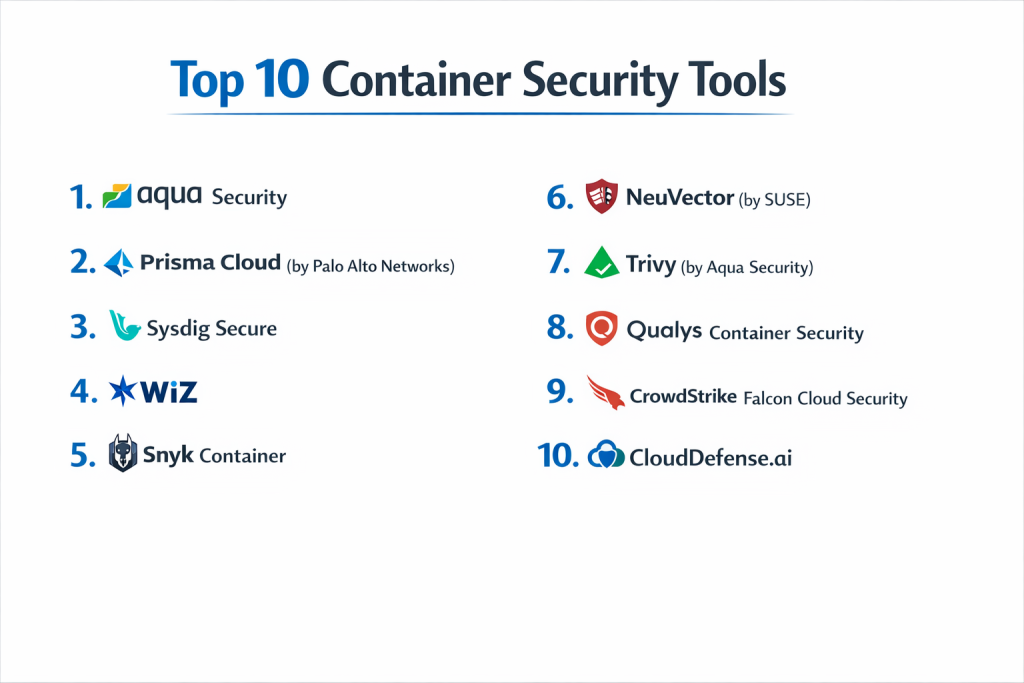
Top 10 Container Security Tools
1 — Aqua Security
Aqua is one of the most trusted names in the business. It covers the entire journey of a container, making sure it’s safe while it’s being built and while it’s running.
- Key Features:
- Full Lifecycle Protection: Watches your app from start to finish.
- Sandbox Testing: Runs your app in a “safe room” first to see if it acts weird.
- Kernel-Level Watch: Uses “eBPF” tech to see everything your app does deep down.
- Compliance Maps: Shows if you are following big security laws.
- Supply Chain Security: Checks the “ingredients” of your app for hidden bugs.
- Pros:
- Very powerful at actually stopping attacks, not just reporting them.
- Great for very large companies with thousands of containers.
- Cons:
- It can be expensive and a bit hard to learn for beginners.
- You might need a dedicated security person to manage it.
- Security & Compliance: SOC 2, HIPAA, GDPR, and PCI-DSS. Supports SSO.
- Support & Community: 24/7 expert help and very detailed online guides.
2 — Prisma Cloud (by Palo Alto Networks)
Prisma Cloud is like a “super-tool.” It combines container security with a bunch of other cloud protections into one big dashboard.
- Key Features:
- All-in-One Dashboard: See everything about your cloud in one spot.
- Vulnerability Scanning: Finds bugs in your container “layers.”
- Identity Protection: Makes sure only the right people can touch your apps.
- Micro-segmentation: Builds tiny walls around each app so hackers can’t spread.
- API Security: Protects the bridges that let different apps talk to each other.
- Pros:
- Best for huge companies that want one tool to do everything.
- Backed by a world-class team of security researchers.
- Cons:
- The screen can feel cluttered because it has so many features.
- It can be very expensive compared to smaller tools.
- Security & Compliance: FedRAMP, ISO 27001, and SOC 2.
- Support & Community: Huge global support network and certified partners.
3 — Sysdig Secure
Sysdig is a favorite for people who want to see every tiny detail. It’s based on “Falco,” a famous open-source project for catching hackers.
- Key Features:
- Live Threat Catching: Detects weird behavior the second it happens.
- Risk Sorting: Tells you which bugs are actually dangerous so you don’t waste time.
- K8s Activity Logs: Records every click and command inside your cluster.
- Cloud-to-App Linking: Shows how a container problem might affect your whole cloud.
- Posture Management: Checks if your cloud settings are safe.
- Pros:
- Excellent at “observability”—seeing exactly what is happening under the hood.
- Very good at reducing “alert noise” (too many warnings).
- Cons:
- Can be a bit tech-heavy for non-engineers.
- Installing its “agents” (watchers) can take some effort.
- Security & Compliance: SOC 2, HIPAA, and GDPR.
- Support & Community: Strong ties to the developer community and great tech workshops.
4 — Wiz
Wiz is famous for being “agentless.” This means you don’t have to install any extra software on your servers to start seeing security risks.
- Key Features:
- Risk Graph: Draws a map of how different risks connect to each other.
- Snapshot Scanning: “Takes a picture” of your data to find viruses.
- Secret Finder: Finds passwords you accidentally left in your code.
- Easy Setup: You can see your whole security picture in minutes.
- Cloud Posture: Finds simple mistakes in your cloud settings.
- Pros:
- Incredibly fast to set up and very easy to read.
- It doesn’t slow down your app at all.
- Cons:
- It’s better at finding problems than blocking them in real-time.
- The price is on the higher side.
- Security & Compliance: SOC 2, ISO 27001, and HIPAA.
- Support & Community: High-quality guides and very helpful customer success teams.
5 — Snyk Container
Snyk is built specifically for Developers. Instead of just giving you a list of problems, it tells you exactly how to fix them with one click.
- Key Features:
- Base Image Fixes: Suggests a safer “starting box” for your app.
- Auto-Patching: Offers to fix the code for you.
- IDE Integration: Works inside the tools developers use to write code.
- Kubernetes Scanning: Checks your cluster settings for weak spots.
- Open Source Scan: Checks if the free code you used is safe.
- Pros:
- Developers love it because it’s helpful, not annoying.
- Finds and fixes problems early, before they reach the real world.
- Cons:
- Not as strong at watching a “live” attack as tools like Aqua or Sysdig.
- The cost can grow quickly as your team gets bigger.
- Security & Compliance: ISO 27001, SOC 2, and GDPR.
- Support & Community: Massive community and a great free version for small projects.
6 — NeuVector (by SUSE)
NeuVector is unique because it focuses heavily on the network. It watches the traffic moving between your containers like a high-tech traffic cop.
- Key Features:
- Layer 7 Firewall: Can see inside the traffic to spot hidden attacks.
- Zero Trust Networking: Automatically blocks any talk that isn’t approved.
- Behavioral Learning: Learns how your app normally acts and flags anything weird.
- DLP (Data Loss Prevention): Makes sure sensitive info doesn’t leak out.
- Open Source Core: You can see the code behind the tool.
- Pros:
- Best-in-class for network security inside your containers.
- Open-source nature makes it very transparent.
- Cons:
- You have to install a “watcher” on every server node.
- The setup can be technical.
- Security & Compliance: SOC 2, GDPR, and HIPAA.
- Support & Community: Strong community and pro support from the company SUSE.
7 — Trivy (by Aqua Security)
Trivy is the world’s most popular Free tool for scanning containers. It’s simple, fast, and used by almost everyone.
- Key Features:
- Speedy Scanning: Finds bugs in seconds.
- Checks Everything: Scans images, code files, and cloud settings.
- Secret Detection: Finds hidden API keys.
- No-Fuss CLI: Runs as a simple command on your computer.
- SBOM Creation: Makes a list of every “ingredient” in your app.
- Pros:
- Completely free and open-source.
- Very easy to add to your daily work.
- Cons:
- No dashboard to see all your results in one place (unless you pay for Aqua).
- It doesn’t watch your app while it’s actually running.
- Security & Compliance: Varies (Open-source).
- Support & Community: Huge community on GitHub and lots of free tutorials.
8 — Qualys Container Security
Qualys is a giant in the security world. Their container tool is great for companies that already use Qualys to protect their regular office computers.
- Key Features:
- Massive Bug Database: Uses one of the world’s largest lists of known vulnerabilities.
- Unified Risk View: See your containers and regular servers on one screen.
- Registry Scanning: Checks your “box storage” for problems automatically.
- Runtime Sensor: A tiny watcher that follows your app wherever it runs.
- Policy Enforcement: Blocks any container that doesn’t meet your rules.
- Pros:
- Very stable and trusted by large, traditional companies.
- Highly accurate—it rarely gives “false alarms.”
- Cons:
- The interface can feel a bit old-fashioned.
- It can be complex to set up for modern “cloud-only” teams.
- Security & Compliance: FedRAMP, SOC 2, ISO 27001, and HIPAA.
- Support & Community: Global 24/7 support and professional training.
9 — CrowdStrike Falcon Cloud Security
CrowdStrike is famous for stopping hackers. Their cloud tool uses a single “smart agent” to protect your servers and everything running inside them.
- Key Features:
- Breach Prevention: Specifically designed to stop hackers in their tracks.
- Indicator of Attack: Finds threats based on how they act, not just what they look like.
- 24/7 Threat Hunting: Real people help watch your cloud for you.
- One Agent: One tiny piece of software does it all.
- Fast Forensics: Shows exactly what happened after a security event.
- Pros:
- One of the best in the world at stopping live attacks.
- Very easy to manage if you already use CrowdStrike.
- Cons:
- You have to install its software on your servers.
- Can be expensive for smaller teams.
- Security & Compliance: SOC 2, ISO 27001, and FedRAMP.
- Support & Community: Elite 24/7 support and a huge user group.
10 — CloudDefense.ai
CloudDefense.ai is a newer player that uses Artificial Intelligence to make security easier and faster.
- Key Features:
- AI-Powered Triage: Uses AI to tell you which bugs to fix first.
- Agentless Scan: Finds risks in minutes without heavy software.
- Unified Security: Covers code, containers, and cloud settings.
- Developer Friendly: Gives clear fix instructions for coders.
- Real-Time Monitoring: Watches for weird activity 24/7.
- Pros:
- Very modern and fast-moving.
- Good “all-in-one” choice for startups.
- Cons:
- Being newer, it has a smaller community than giants like Aqua or Qualys.
- Some advanced features are still being improved.
- Security & Compliance: SOC 2 and GDPR.
- Support & Community: Responsive support and easy-to-use documentation.
Comparison Table
| Tool Name | Best For | Platform Supported | Standout Feature | Rating (Gartner) |
| Aqua Security | Big Enterprises | AWS, Azure, GCP | Real-time Blocking | 4.8 / 5 |
| Prisma Cloud | Total Protection | All Clouds | Huge Multi-cloud Suite | 4.7 / 5 |
| Sysdig Secure | Seeing Details | K8s, Clouds | Live Observability | 4.6 / 5 |
| Wiz | Fast Visibility | AWS, Azure, GCP | Agentless Graph | 4.8 / 5 |
| Snyk Container | Developers | All Clouds | One-Click Code Fix | 4.7 / 5 |
| NeuVector | Network Security | Kubernetes | Layer 7 Firewall | 4.5 / 5 |
| Trivy | Free Scanning | Local, CI/CD | Open Source & Fast | N/A |
| Qualys | Large Orgs | Hybrid / Cloud | Massive Bug Database | 4.4 / 5 |
| CrowdStrike | Stopping Hacks | Cloud / Servers | 24/7 Threat Hunting | 4.7 / 5 |
| CloudDefense.ai | Startups | All Clouds | AI Risk Sorting | 4.5 / 5 |
Evaluation & Scoring of [Container Security Tools]
We grade these tools based on what matters most to a business.
| Criteria | Weight | What it means |
| Core Features | 25% | Does it find bugs and stop hackers? |
| Ease of Use | 15% | Can you use it without being a genius? |
| Integrations | 15% | Does it work with the tools you already have? |
| Compliance | 10% | Does it help you follow privacy laws? |
| Performance | 10% | Does it slow down your app? |
| Support | 10% | Can you get help when things break? |
| Price / Value | 15% | Is it worth the money? |
Which [Container Security Tool] Is Right for You?
Solo Users vs SMB vs Enterprise
- Solo/Hobbyist: Use Trivy. It’s free, fast, and does the job.
- Small Business (SMB): Go for Wiz or Snyk. They are easy to set up and don’t require a giant team.
- Enterprise: Aqua or Prisma Cloud are built for the heavy lifting of a global company.
Budget vs Premium
- Budget: Trivy (Free) or Snyk (Free version).
- Premium: CrowdStrike or Prisma Cloud. You are paying for the “best of the best” and expert help.
Feature Depth vs Ease of Use
- If you want it Simple, pick an Agentless tool like Wiz.
- If you want Power, pick an Agent-based tool like Sysdig or NeuVector.
Frequently Asked Questions (FAQs)
1. What is a Container?
Think of it like a digital lunchbox that has everything an app needs to run safely, so it works perfectly on any computer.
2. Why do I need a special tool for this?
Normal antivirus software can’t see inside these “boxes.” You need a tool that speaks the container language.
3. What is “Shift-Left” security?
It means finding bugs early (on the left side of the project timeline) instead of waiting until the app is already live.
4. What is a “Vulnerability”?
It’s just a fancy word for a bug or a weak spot that a hacker could use to get into your system.
5. What is an “Agent”?
A small piece of software you install on your server to watch it. Like a security camera for each room.
6. What is “Agentless”?
A tool that watches your cloud from the outside. Like a security guard walking the hallway instead of sitting in the room.
7. Does it slow down my website?
Most modern tools use very little power (less than 1%), so your users won’t notice anything.
8. Can I use more than one tool?
Yes! Many people use a free tool like Trivy while they write code and a big tool like Wiz once the app is live.
9. What is “Kubernetes” (K8s)?
It’s the “captain” that manages all your container boxes. Most container security tools are built to work with it.
10. How much do these cost?
It varies. Some are free, while others can cost thousands of dollars a month depending on how many servers you have.
Conclusion
The cloud is a great place to build, but you need a good lock on the door. Choosing a Container Security Tool is about finding the right balance for your team.
If you want speed and ease, go with Wiz. If you want to help your developers, pick Snyk. If you need to stop serious hackers in a big company, Aqua or CrowdStrike are the champions. No matter what you choose, the most important thing is to start watching your containers today!