Introduction
Many engineering teams work hard every day, but hard work alone does not always create high productivity. Developers may write code quickly, testers may find defects late, operations teams may struggle with deployment issues, and managers may wonder why releases are still delayed. This is where DevOps Training Improves Engineering Team Productivity becomes an important topic. DevOps training helps teams understand better ways to plan, build, test, release, monitor, and improve software. Beginners often feel confused because DevOps includes many ideas such as automation, CI/CD, cloud, containers, monitoring, collaboration, and security. Without proper training, teams may copy tools without understanding the process behind them. This blog explains DevOps training in a simple, practical, and trustworthy way so engineering teams can reduce confusion, avoid repeated mistakes, and build a more disciplined delivery culture.
Understanding How DevOps Training Improves Engineering Team Productivity
DevOps training teaches engineering teams how to work together across development, testing, operations, security, and business functions. In simple words, it helps people build software faster, safer, and with less confusion.
The main idea of DevOps is not only tools. It is a working culture where teams improve communication, automate repetitive tasks, test early, release carefully, and learn from feedback. When engineers understand this clearly, productivity improves because less time is wasted on manual work, unclear responsibility, repeated defects, and emergency fixes.
People search for How DevOps Training Improves Engineering Team Productivity because many organizations face slow releases, poor coordination, deployment failures, and frustrated teams. They want to know whether training can actually improve day-to-day engineering work.
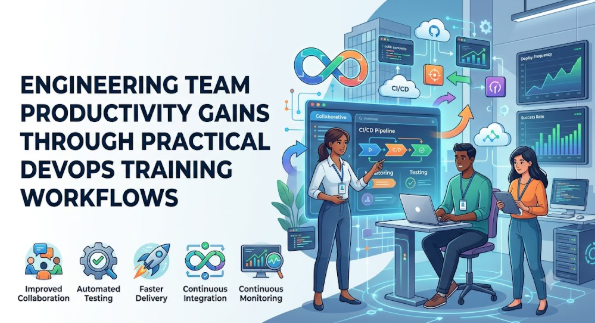
In real life, DevOps training is used in software companies, cloud teams, product teams, IT service companies, startups, enterprise technology departments, and digital businesses. For example, a team that manually deploys every release may spend hours checking files, fixing errors, and coordinating with operations. After DevOps training, the same team may learn how to create a CI/CD pipeline, automate tests, standardize deployments, and monitor production health.
A common misunderstanding is that DevOps means buying tools. The practical takeaway is that DevOps training works best when it improves people, process, and tools together.
Why DevOps Training Improves Engineering Team Productivity Is Important
DevOps training is important because software productivity is not only about writing more code. It is about delivering useful, reliable, secure, and maintainable software with fewer delays and fewer avoidable errors.
For engineering teams, productivity depends on clear workflows, faster feedback, fewer handoffs, better testing, strong automation, and shared responsibility. DevOps training teaches these habits in a structured way. It helps developers understand deployment challenges, helps operations teams understand development needs, and helps managers understand delivery bottlenecks.
A trained DevOps team can plan better because it knows how work moves from idea to production. It can reduce emotional decision-making during incidents because team members understand monitoring, rollback, root cause analysis, and post-incident learning. It can also improve long-term discipline by using version control, pipeline standards, infrastructure as code, and release checklists.
A practical scenario is a product team releasing updates every month with many last-minute bugs. The team blames developers, testers, and operations separately. After DevOps training, they identify the real issue: late testing, manual deployments, and poor environment consistency. By improving these areas, the team saves time and reduces release stress.
The better approach is to treat DevOps training as a productivity foundation, not as a one-time technical session.
The Real Problem Readers Face With DevOps Training and Productivity
The real problem is that many teams want better productivity but do not know where productivity is being lost. They may assume the issue is slow developers, weak tools, or lack of resources. In reality, the problem is often deeper.
Many engineering teams face unclear workflows. Developers finish code, but testing starts late. Testers find defects, but feedback is slow. Operations teams receive deployment requests without proper documentation. Security checks happen near the end. Managers track deadlines, but not the actual delivery bottlenecks.
Another problem is too much confusing advice online. Beginners see terms like Kubernetes, Docker, Jenkins, Terraform, GitOps, observability, SRE, and platform engineering. Without training, they may jump from one tool to another without understanding why the tool is needed.
Poor planning is also common. Teams start automation without defining standards. They create pipelines without quality gates. They use cloud platforms without cost and security awareness. They copy DevOps practices from large companies without checking whether those practices fit their own team size and maturity.
Unrealistic expectations create more pressure. Some people think DevOps training will instantly fix all delivery problems. That is not true. Training gives the team knowledge and direction, but improvement requires practice, measurement, leadership support, and regular review.
The right next step is to understand the current workflow, identify bottlenecks, train the team on core DevOps principles, and improve one area at a time.
How DevOps Training Improves Engineering Team Productivity Step by Step
Step 1: Build a Shared Understanding of DevOps
This step means helping everyone understand what DevOps really is. DevOps is a culture and practice that connects development, testing, operations, security, and business goals. It matters because productivity suffers when every team works in isolation. Beginners can apply this by learning basic DevOps concepts before jumping into tools. For example, a developer should understand why deployment reliability matters, not only how to write code. A common mistake is thinking DevOps belongs only to a DevOps engineer. The better approach is to make DevOps a shared responsibility across the engineering team.
Step 2: Map the Current Software Delivery Process
This step means looking at how work currently moves from planning to production. It matters because teams cannot improve what they do not understand. Beginners can apply this by writing down each stage: requirement, coding, review, testing, build, deployment, monitoring, and feedback. For example, if testing starts only after all coding is finished, delays are likely. A common mistake is blaming people without checking the workflow. The better approach is to find process gaps and remove bottlenecks carefully.
Step 3: Improve Collaboration Between Teams
This step focuses on better communication between developers, testers, operations, security, and managers. It matters because many productivity problems happen at handoff points. Beginners can apply this by using shared planning meetings, clear acceptance criteria, common documentation, and transparent status updates. For example, operations teams should know release changes before deployment day. A common mistake is working in silos and sharing information too late. The better approach is to create shared ownership from the beginning.
Step 4: Introduce Automation for Repetitive Work
This step means using automation for builds, tests, deployments, infrastructure setup, and routine checks. It matters because manual work is slow, inconsistent, and error-prone. Beginners can apply this by starting with simple automation such as automated builds and unit tests. For example, instead of manually checking whether code compiles, a pipeline can check every code change. A common mistake is trying to automate everything at once. The better approach is to automate high-frequency, high-risk tasks first.
Step 5: Learn CI/CD for Faster and Safer Delivery
CI/CD means continuous integration and continuous delivery or deployment. It matters because it helps teams test and release changes more regularly. Beginners can apply this by creating pipelines that build code, run tests, check quality, and prepare releases. For example, every code commit can trigger automated tests before merging. A common mistake is creating pipelines without proper checks. The better approach is to use CI/CD as a quality system, not just a deployment shortcut.
Step 6: Add Monitoring and Feedback Loops
This step means tracking application health, errors, performance, logs, and user-impacting issues. It matters because productivity does not end after deployment. Teams need to know whether software is working well in real environments. Beginners can apply this by learning basic monitoring, alerts, dashboards, and incident review practices. For example, if an API becomes slow after release, monitoring helps identify the issue quickly. A common mistake is monitoring only servers and ignoring user experience. The better approach is to monitor what matters to users and business outcomes.
Step 7: Use Continuous Improvement Practices
This step means learning from every release, incident, delay, and mistake. It matters because DevOps productivity improves over time, not in one day. Beginners can apply this through retrospectives, post-incident reviews, documentation updates, and small process improvements. For example, if deployment failed because of missing environment variables, the team can update the pipeline and checklist. A common mistake is fixing the immediate issue but not the root cause. The better approach is to build a learning culture.
Step 8: Measure Productivity With Meaningful Metrics
This step means using practical metrics to understand progress. It matters because teams may feel busy but still deliver slowly. Beginners can apply this by tracking deployment frequency, lead time, change failure rate, recovery time, defect trends, and team workload. For example, if deployment frequency improves but failures increase, the team must strengthen testing. A common mistake is measuring only the number of tasks completed. The better approach is to measure delivery speed, quality, stability, and team health together.
Key Factors That Influence DevOps Training and Productivity
Team Collaboration
Collaboration is one of the strongest factors in DevOps productivity. When developers, testers, operations, and security teams communicate early, they avoid last-minute surprises. DevOps training teaches teams how to share responsibility instead of passing blame. The common mistake is treating collaboration as only meetings. The better approach is to use shared goals, shared tools, and shared accountability.
Automation Maturity
Automation maturity means how well a team uses automation in daily work. A mature team automates builds, tests, deployments, infrastructure, and checks. This improves productivity because engineers spend less time on repetitive work. The mistake is automating unstable processes too early. The better approach is to first standardize the process and then automate it.
CI/CD Pipeline Quality
A pipeline should not only move code from one place to another. It should protect quality. DevOps training helps teams design pipelines with useful checks, approvals, test stages, and rollback options. The mistake is building a pipeline that is fast but unsafe. The better approach is to balance speed with reliability.
Testing Discipline
Testing discipline improves confidence. When teams test early and often, they reduce late-stage defects. DevOps training helps developers and testers understand automated testing, integration testing, regression checks, and quality gates. The mistake is depending only on manual testing at the end. The better approach is to shift testing earlier in the workflow.
Monitoring and Observability
Monitoring tells teams whether systems are healthy. Observability helps teams understand why something is happening. DevOps training improves productivity by teaching teams how to detect issues faster and respond better. The mistake is creating too many alerts. The better approach is to focus on meaningful alerts and clear incident response.
Security Awareness
Security is often delayed until the final stage, which creates rework and risk. DevOps training introduces security practices earlier in the development lifecycle. This is often called DevSecOps. The mistake is treating security as someone else’s job. The better approach is to include security checks in coding, review, testing, and deployment.
Leadership Support
Training alone cannot improve productivity if leaders do not support better practices. Managers must give teams time to learn, improve pipelines, write documentation, and reduce technical debt. The mistake is demanding faster delivery without improving the system. The better approach is to support both delivery and engineering health.
Continuous Learning
DevOps is not a one-time subject. Tools, platforms, practices, and delivery expectations keep changing. Teams need regular learning and review. The mistake is attending one training and never practicing it. The better approach is to connect training with real project improvements.
Detailed Breakdown of How DevOps Training Improves Engineering Team Productivity
DevOps Training Builds a Common Engineering Language
One major benefit of DevOps training is that it creates a common language across teams. Developers understand pipelines, testers understand automation needs, operations understand release requirements, and managers understand delivery risks. This reduces confusion because everyone can discuss software delivery using the same practical terms.
Without training, teams may use the same words but mean different things. For example, “ready for release” may mean code is complete to a developer, tested to a QA engineer, approved to a manager, and deployable to an operations engineer. DevOps training makes such meanings clearer.
DevOps Training Reduces Manual and Repetitive Work
Manual work reduces productivity because it consumes time and creates inconsistent results. Manual deployments, manual environment setup, manual testing, and manual configuration changes can all cause delays.
DevOps training teaches engineers how to identify repetitive tasks and automate them safely. This does not mean everything must be automated immediately. It means teams learn how to choose the right automation opportunities. A beginner-friendly example is automating code builds before automating full production deployment.
The common mistake is creating complex automation that only one person understands. The better approach is to create simple, documented, maintainable automation.
DevOps Training Improves Release Confidence
Many teams delay releases because they are afraid something will break. This fear is often reasonable when testing is weak, environments are inconsistent, and rollback plans are unclear.
DevOps training improves release confidence by teaching CI/CD, automated testing, version control, release planning, and monitoring. When the team can see that code has passed checks, deployment steps are clear, and rollback is possible, release anxiety reduces.
The better approach is not to release carelessly. The better approach is to build a system where releases are smaller, safer, and easier to verify.
DevOps Training Helps Teams Find Bottlenecks
Engineering productivity often gets blocked by hidden bottlenecks. Code review may be slow. Testing may take too long. Deployment approval may wait for one person. Environment setup may delay new developers. Incident response may lack ownership.
DevOps training teaches teams to look at the full delivery flow. This helps them identify where work is waiting, where defects are created, and where handoffs fail.
A common mistake is increasing pressure on engineers without fixing bottlenecks. The better approach is to improve the system so engineers can work more smoothly.
DevOps Training Strengthens Quality Ownership
In traditional workflows, quality may be treated as the tester’s responsibility. In DevOps, quality is shared. Developers write testable code, testers help define quality expectations, operations provide deployment feedback, and security teams guide safer practices.
Training helps teams understand that quality cannot be added only at the end. It must be built into planning, coding, review, testing, deployment, and monitoring.
This improves productivity because fewer defects reach later stages, and less time is wasted on rework.
DevOps Training Improves Incident Response
Incidents are stressful, but they are also learning opportunities. DevOps training teaches teams how to respond calmly, communicate clearly, use logs and metrics, restore service, and review root causes.
The mistake many beginners make is focusing only on who caused the incident. The better approach is to understand what system weakness allowed the incident to happen.
A team that learns from incidents improves over time. This reduces repeated failures and improves engineering confidence.
DevOps Training Supports Better Onboarding
New engineers often take weeks to understand setup instructions, environments, deployment steps, and team practices. DevOps training encourages documentation, automation, standard workflows, and clear tool usage.
This makes onboarding easier. A new developer can set up the project faster, understand the pipeline, follow contribution standards, and know how releases happen.
The better approach is to treat onboarding as part of team productivity, not as a separate HR activity.
DevOps Training Connects Technical Work With Business Value
Engineering teams are more productive when they understand why their work matters. DevOps training helps teams connect technical practices with user experience, release speed, reliability, security, and customer trust.
For example, automated testing is not just a technical activity. It protects users from broken features. Monitoring is not just a dashboard. It helps the business detect problems before users lose confidence.
The better approach is to measure productivity by useful delivery, not just activity.
Common Mistakes Beginners Make With DevOps Training
Following Random Advice
Beginners often copy DevOps advice from videos, blogs, or social media without checking whether it fits their team. This is risky because every team has different systems, skills, constraints, and goals. What works for a large enterprise may not work for a small team. The better approach is to learn principles first and apply tools based on actual needs.
Ignoring Culture and Focusing Only on Tools
Many beginners believe DevOps means Jenkins, Docker, Kubernetes, or cloud automation. Tools are useful, but they do not fix poor communication or unclear responsibility. This can lead to tool overload without productivity improvement. The better approach is to improve culture, process, and tools together.
Automating Broken Processes
Automation can make a good process faster, but it can also make a bad process fail faster. If release steps are unclear, automating them may create confusion. The better approach is to document, simplify, and standardize the process before automation.
Not Comparing Options
Teams sometimes choose tools because they are popular, not because they fit the team. This can increase cost, complexity, and maintenance burden. The better approach is to compare tools based on skill level, integration needs, security, scalability, and support.
Making Emotional Decisions During Incidents
When systems fail, teams may panic and make rushed changes. This can increase damage. DevOps training teaches calm incident response, rollback planning, and communication. The better approach is to prepare incident playbooks before problems happen.
Ignoring Security and Compliance
Beginners may focus only on speed. This is risky because insecure deployments, exposed secrets, weak access control, and poor logging can create serious problems. The better approach is to include security checks in the delivery process.
Depending Only on One Expert
Some teams depend on one DevOps expert for all deployments and fixes. This creates bottlenecks and risk. If that person is unavailable, productivity drops. The better approach is to share knowledge, document processes, and train multiple team members.
Not Reading Tool Documentation
Teams may install tools without understanding configuration, permissions, limitations, and best practices. This can create unstable systems. The better approach is to read documentation, test in safe environments, and review changes before production use.
Ignoring Measurement
Without metrics, teams cannot know whether DevOps training is improving productivity. The better approach is to measure delivery time, failure rate, recovery time, deployment frequency, and team feedback.
Treating Training as a One-Time Activity
One workshop cannot transform a team permanently. DevOps needs practice, review, and continuous improvement. The better approach is to connect training with real projects and repeat learning cycles.
Don’t Do This Checklist
- Do not buy tools before understanding your workflow.
- Do not automate unclear or unstable processes.
- Do not ignore testing to release faster.
- Do not keep deployment knowledge with only one person.
- Do not treat security as a final-stage activity.
- Do not measure productivity only by task count.
- Do not copy another company’s DevOps model blindly.
- Do not ignore documentation.
- Do not make panic changes during incidents.
- Do not stop learning after one training session.
Practical Real-Life Examples of DevOps Training and Productivity
Example 1: A Small Development Team With Slow Releases
A small product team releases updates once a month, but every release takes two stressful days. The mistake is depending on manual deployment and late testing. The better action is to learn CI/CD basics and automate build, test, and deployment steps gradually. The learning is that small automation improvements can reduce release pressure.
Example 2: A Beginner Developer Struggling With Environment Setup
A new developer spends one week setting up the local environment because instructions are outdated. The challenge is poor documentation and inconsistent setup. The better action is to use DevOps training to standardize environment setup with scripts or containers. The learning is that productivity starts from onboarding.
Example 3: A Testing Team Finding Bugs Too Late
A testing team finds major bugs just before release. The mistake is testing late in the delivery cycle. The better action is to introduce earlier testing, automated checks, and clear acceptance criteria. The learning is that DevOps improves productivity by reducing rework.
Example 4: An Operations Team Handling Repeated Deployment Failures
Operations engineers repeatedly fix deployment issues caused by missing configuration. The challenge is weak release preparation. The better action is to use infrastructure as code, configuration management, and deployment checklists. The learning is that repeat problems should become automation opportunities.
Example 5: A Startup Scaling Its Engineering Team
A startup grows from five engineers to twenty, but delivery becomes slower. The mistake is using informal practices that worked only for a small team. The better action is to train the team on branching strategy, CI/CD, code review, monitoring, and shared ownership. The learning is that team growth needs process maturity.
Table 1: Productivity Problems and DevOps Training Solutions
| Productivity Problem | What Usually Happens | DevOps Training Focus | Better Result |
|---|---|---|---|
| Slow releases | Manual steps delay deployment | CI/CD and release automation | Faster and more consistent releases |
| Repeated defects | Testing happens too late | Automated testing and quality gates | Fewer late-stage surprises |
| Poor collaboration | Teams work in silos | Shared ownership and communication | Better coordination |
| Deployment failures | Environments are inconsistent | Infrastructure as code and standardization | More reliable deployments |
| Long incident recovery | Teams lack response process | Monitoring and incident management | Faster learning and recovery |
| Weak onboarding | New engineers lack clear setup steps | Documentation and environment automation | Faster team contribution |
Table 2: DevOps Training Areas and Productivity Impact
| Training Area | What It Teaches | Productivity Benefit | Common Mistake Avoided |
|---|---|---|---|
| Version Control | Managing code changes properly | Cleaner collaboration | Working on untracked changes |
| CI/CD | Automated build, test, and release flow | Faster feedback | Manual release dependency |
| Containers | Consistent application environments | Fewer setup issues | “Works on my machine” problems |
| Cloud Basics | Using scalable infrastructure wisely | Better deployment planning | Poor resource management |
| Monitoring | Tracking system health | Faster issue detection | Blind production operation |
| DevSecOps | Adding security earlier | Safer delivery | Late security fixes |
Tools, Methods, and Frameworks Readers Can Use
Version Control Workflow
Version control helps teams manage code changes safely. It helps because engineers can track changes, review work, and recover from mistakes. Beginners can use Git-based workflows with branches, pull requests, and review rules. This avoids the mistake of making uncontrolled code changes.
CI/CD Pipeline Framework
A CI/CD pipeline automates build, test, and release steps. It helps teams receive quick feedback and reduce manual work. Beginners can start with a simple pipeline that builds the application and runs tests after every code change. This avoids the mistake of discovering problems only at release time.
Deployment Checklist
A deployment checklist is a practical list of tasks to complete before release. It helps teams avoid missing important steps. Beginners can include items such as version check, test status, rollback plan, approval, configuration review, and monitoring readiness. This avoids rushed and incomplete releases.
Incident Response Method
An incident response method helps teams handle production problems calmly. It includes detection, communication, investigation, recovery, and review. Beginners can use a simple incident document to record what happened and what was learned. This avoids panic-driven decision-making.
Automation Review Method
This method helps teams decide what to automate first. It focuses on tasks that are repetitive, risky, time-consuming, and clearly understood. Beginners can review weekly tasks and identify manual work that causes delays. This avoids wasting time on low-value automation.
Monitoring Dashboard
A monitoring dashboard shows the health of systems and applications. It helps teams notice issues before they become bigger problems. Beginners can track errors, response time, uptime, resource usage, and deployment impact. This avoids operating software blindly.
Root Cause Analysis
Root cause analysis helps teams understand why a problem happened. It is useful because fixing symptoms alone allows problems to repeat. Beginners can ask what failed, why it failed, how it was detected, and how it can be prevented. This avoids blame-focused problem-solving.
DevOps Maturity Assessment
A DevOps maturity assessment helps teams understand their current level. It reviews automation, collaboration, testing, security, deployment, monitoring, and learning culture. Beginners can use it to create a realistic improvement roadmap. This avoids trying to transform everything at once.
Expert Tips to Make Better Engineering Decisions
1. Learn the DevOps Principles Before Choosing Tools
This matters because tools are only useful when the team understands the problem being solved. Beginners should first learn concepts such as collaboration, automation, CI/CD, feedback, and continuous improvement. Apply this by mapping your workflow before selecting tools.
2. Start With One Pain Point
Trying to improve everything at once creates confusion. Choose one clear problem, such as slow builds, manual deployment, or delayed testing. Apply this by selecting the problem that wastes the most team time and improving it first.
3. Automate Repetitive Work Carefully
Automation saves time when the process is clear. It becomes risky when the process is unstable. Apply this by documenting the manual process first, then automating it step by step.
4. Keep Pipelines Simple in the Beginning
Complex pipelines are difficult for beginners to maintain. A simple pipeline with build and test checks is better than a complicated pipeline nobody understands. Apply this by adding new stages only when the team is ready.
5. Make Testing Part of Daily Development
Testing should not wait until release week. It matters because late defects create rework and stress. Apply this by running automated tests on every code change and reviewing failed tests quickly.
6. Use Monitoring as a Learning Tool
Monitoring is not only for emergencies. It helps teams understand application behavior. Apply this by reviewing logs, metrics, and alerts after releases to learn what changed.
7. Document Important Workflows
Documentation reduces dependency on individual people. It helps new engineers and prevents repeated questions. Apply this by writing simple setup, deployment, rollback, and incident response documents.
8. Protect Secrets and Access
DevOps teams often work with credentials, tokens, cloud accounts, and deployment permissions. Poor handling can create security risk. Apply this by using secret management, least privilege access, and regular access reviews.
9. Avoid Blame During Failures
Blame reduces learning. DevOps works better when teams focus on systems, not personal attacks. Apply this by asking what process failed and how to prevent recurrence.
10. Review Metrics Regularly
Metrics help teams see whether improvement is real. Apply this by reviewing deployment frequency, lead time, change failure rate, recovery time, and defect trends during team reviews.
11. Train the Whole Team, Not Only One Person
DevOps productivity improves when knowledge is shared. Training only one person can create a bottleneck. Apply this by involving developers, testers, operations, and managers in learning sessions.
12. Improve Gradually and Consistently
DevOps is a long-term discipline. Small improvements repeated over time are more reliable than sudden large changes. Apply this by creating a monthly improvement plan and reviewing progress honestly.
Case Studies: How Better DevOps Understanding Changes Decisions
Case Study 1: The Delayed Release Team
Profile: A mid-size engineering team building a customer-facing web application.
Situation: The team released updates once every six weeks. Each release required manual coordination between developers, testers, and operations.
Problem: Releases were slow because testing happened late, deployment steps were manual, and rollback planning was unclear.
Wrong approach: The team initially planned to hire more engineers without changing the workflow. This would have increased cost but not solved the process issue.
Better approach: The team completed DevOps training focused on CI/CD, release planning, automated testing, and monitoring. They started with automated builds and test checks before improving deployments.
Result or learning: The team learned that productivity was blocked by workflow gaps, not lack of effort. Smaller releases and better automation reduced release stress.
Key takeaway: DevOps training helps teams improve the delivery system instead of only pushing people to work faster.
Case Study 2: The Operations Bottleneck
Profile: An IT operations team supporting multiple internal business applications.
Situation: Developers depended on operations for every environment change and deployment request.
Problem: Operations became a bottleneck because requests were manual, repetitive, and poorly documented.
Wrong approach: Teams blamed operations for delays without understanding the request load and missing standards.
Better approach: DevOps training introduced infrastructure as code basics, environment templates, deployment documentation, and request standardization. Developers also learned how to prepare better deployment packages.
Result or learning: The team reduced repeated manual requests and improved coordination. Operations shifted from constant firefighting to more planned support.
Key takeaway: DevOps training improves productivity by reducing dependency bottlenecks and creating shared responsibility.
Case Study 3: The Startup With Fast Growth
Profile: A growing startup with developers, QA engineers, and cloud support staff.
Situation: The startup grew quickly, but its engineering practices remained informal.
Problem: Code reviews were inconsistent, production issues increased, and new engineers struggled to understand workflows.
Wrong approach: The leadership pushed for faster feature delivery without improving engineering foundations.
Better approach: The company trained the team on Git workflow, CI/CD, containers, monitoring, documentation, and incident reviews. They also created simple engineering standards.
Result or learning: The team understood that growth requires disciplined systems. Productivity improved because engineers had clearer expectations and fewer avoidable delays.
Key takeaway: DevOps training helps growing teams move from informal work habits to scalable engineering practices.
Risk Awareness: What Readers Must Check First
Process Risk
Process risk means the risk of improving tools without improving the workflow. It matters because poor processes can continue even after automation. Teams can reduce this risk by mapping current delivery steps and fixing unclear handoffs before automation.
Tooling Risk
Tooling risk happens when teams choose tools that are too complex, expensive, or unsuitable. It matters because wrong tools can reduce productivity instead of improving it. Teams can reduce this risk by comparing options, testing tools in small projects, and checking team skill level.
Security Risk
Security risk includes exposed secrets, weak access control, insecure pipelines, and unsafe deployment permissions. It matters because DevOps tools often connect directly to code and infrastructure. Teams can reduce this risk through access reviews, secret management, code scanning, and security training.
Automation Risk
Automation risk means automated systems can repeat mistakes quickly if checks are weak. It matters because a faulty deployment pipeline can spread errors faster. Teams can reduce this risk by adding approvals, test stages, rollback plans, and monitoring.
Knowledge Dependency Risk
This risk happens when only one person understands the DevOps setup. It matters because productivity stops when that person is unavailable. Teams can reduce this risk through documentation, shared training, pair work, and internal knowledge sessions.
Compliance Risk
Some industries have rules for data handling, audit logs, approvals, and change management. Ignoring these rules can create legal or business problems. Teams can reduce this risk by involving compliance, security, and management early.
Cost Risk
DevOps tools, cloud resources, pipelines, and monitoring systems can create costs if not managed properly. Teams can reduce this risk by reviewing resource usage, removing unused environments, and setting budget alerts.
Emotional Risk
Engineering teams under pressure may make rushed decisions during incidents or deadlines. This can create more problems. Teams can reduce emotional risk by using checklists, incident playbooks, rollback plans, and calm communication.
Readers should verify tool choices, security requirements, compliance needs, and training plans before making major decisions. Where needed, teams should consult qualified DevOps, cloud, security, or compliance professionals.
Checklist Before Taking Action
- Have we clearly understood what DevOps means for our team?
- Have we identified our biggest productivity bottleneck?
- Have we mapped our current software delivery process?
- Have we compared tools before selecting them?
- Have we checked whether automation is needed and safe?
- Have we reviewed testing gaps?
- Have we included security early in the workflow?
- Have we protected credentials, tokens, and access permissions?
- Have we created basic documentation?
- Have we prepared deployment and rollback plans?
- Have we reviewed monitoring and alerting needs?
- Have we avoided copying another team’s model blindly?
- Have we trained more than one person?
- Have we checked cost, compliance, and operational impact?
- Have we created a realistic improvement plan?
- Have we avoided emotional decisions under pressure?
- Have we planned regular reviews after training?
Teams should use this checklist before starting DevOps training, selecting tools, or changing delivery workflows. It helps beginners slow down, think clearly, and take practical action instead of making rushed technology decisions.
Strategic Insights for Better Decision-Making
Productivity Comes From Flow, Not Only Speed
A team may write code quickly but still deliver slowly if reviews, testing, approvals, or deployments are blocked. DevOps training helps teams study the complete flow of work. For example, reducing a two-day approval delay may improve productivity more than asking developers to code faster.
Small Releases Reduce Risk
Large releases are harder to test, deploy, and troubleshoot. DevOps training encourages smaller, more frequent releases. This helps teams identify problems earlier and recover faster when something goes wrong.
Automation Should Support Quality
Automation is not only about speed. It should improve consistency and quality. A pipeline that deploys fast without testing can create risk. A better approach is to use automation for build checks, tests, security scans, approvals, and deployment confidence.
Shared Ownership Reduces Handoffs
When teams share responsibility, fewer issues are passed from one group to another. Developers care about deployment, testers care about automation, operations care about release planning, and security teams help earlier. This reduces waiting time and confusion.
Monitoring Should Be Connected to User Impact
Monitoring should not only track technical metrics. Teams should also understand how system issues affect users. For example, a server may look healthy, but users may still face slow checkout pages. DevOps training helps teams focus on meaningful monitoring.
Documentation Is a Productivity Asset
Documentation may feel slow at first, but it saves time later. Setup guides, deployment steps, rollback instructions, and incident notes help teams avoid repeated confusion. Good documentation also reduces dependency on senior engineers.
DevOps Maturity Should Be Built Gradually
A beginner team does not need to implement every advanced DevOps practice immediately. It can start with version control discipline, basic CI, automated tests, and deployment checklists. As the team improves, it can add infrastructure as code, observability, DevSecOps, and platform engineering practices.
Leadership Must Protect Improvement Time
If teams are always busy with urgent tasks, DevOps improvement never happens. Leaders must give time for training, automation, documentation, and technical cleanup. This is important because productivity improvement requires investment.
Key Terms Explained for Beginners
- DevOps: DevOps is a way of working that connects development and operations teams so software can be built, tested, released, and improved more smoothly.
- CI/CD: CI/CD means continuous integration and continuous delivery or deployment. It helps teams test and release code changes through automated pipelines.
- Pipeline: A pipeline is an automated workflow that moves code through stages such as build, test, scan, approval, and deployment.
- Automation: Automation means using scripts, tools, or systems to complete repetitive tasks with less manual effort and fewer mistakes.
- Version Control: Version control helps teams track code changes, collaborate safely, and return to earlier versions when needed.
- Infrastructure as Code: Infrastructure as code means managing servers, cloud resources, and configurations using code instead of manual setup.
- Monitoring: Monitoring means tracking system health, performance, errors, and availability so teams can detect problems.
- Observability: Observability helps teams understand why a system behaves in a certain way using logs, metrics, and traces.
- Deployment: Deployment means moving software changes into an environment where users or testers can access them.
- Rollback: Rollback means returning to a previous stable version when a new release creates problems.
- DevSecOps: DevSecOps means adding security practices into DevOps workflows from the beginning instead of waiting until the end.
- Lead Time: Lead time is the time taken for a code change to move from idea or commit to production release.
- Change Failure Rate: Change failure rate shows how often deployments cause problems that need fixes, rollback, or urgent response.
- Incident Response: Incident response is the process teams follow when a system problem affects users or operations.
- Continuous Improvement: Continuous improvement means regularly reviewing work and making small practical changes to improve delivery.
Who Should Read This Blog
Beginners
Beginners should read this blog to understand DevOps in simple language. It helps them avoid confusion and learn why DevOps is more than tools.
Students
Students can use this blog to understand how modern software teams work. It gives them practical awareness before entering development, testing, cloud, or operations roles.
Salaried Employees
Working professionals can use this blog to improve their technical skills and understand better delivery practices. It is useful for career growth in software and IT roles.
Small Business Owners
Small business owners who manage technology teams can learn why slow delivery is not always a people problem. This blog helps them ask better questions about process, automation, and team productivity.
New Investors
New investors interested in technology businesses can understand why engineering productivity matters. Strong software delivery practices can affect product reliability and business execution.
Traders
Traders using software platforms can understand why stable engineering practices matter for digital systems. The blog does not provide trading advice, but it explains software reliability in practical terms.
Loan Seekers
Loan seekers building technology businesses can understand why investing in proper engineering training may support better operational discipline. They should still review financial decisions separately with qualified professionals.
Crypto Learners
Crypto learners can benefit because many crypto platforms depend on secure software, automation, monitoring, and reliable deployments. DevOps awareness helps them understand platform risk more clearly.
Casino Content Creators
Casino content creators working on review platforms or affiliate websites can learn why technical reliability, responsible updates, security, and content workflow matter for digital publishing.
Finance Bloggers
Finance bloggers managing websites can understand how DevOps practices improve publishing reliability, uptime, backups, and technical maintenance.
People Improving Money Awareness
People improving financial awareness can learn that technology decisions also involve cost, risk, planning, and discipline.
People Trying to Avoid Financial Mistakes
Teams and business owners can avoid wasting money on tools without training, unclear automation, or poor technology planning.
Frequently Asked Questions
1. What is How DevOps Training Improves Engineering Team Productivity about?
How DevOps Training Improves Engineering Team Productivity is about understanding how DevOps learning helps teams work better. It covers collaboration, automation, CI/CD, testing, monitoring, and continuous improvement. The goal is to reduce confusion and improve software delivery discipline.
2. Why is DevOps training important for beginners?
DevOps training is important because beginners often confuse DevOps with only tools. Training explains the process, culture, and practical workflow behind those tools. It helps beginners understand how real engineering teams deliver software.
3. How does DevOps training improve productivity?
DevOps training improves productivity by reducing manual work, improving collaboration, and creating faster feedback loops. Teams learn how to automate builds, test earlier, deploy safely, and monitor systems. This reduces delays and repeated mistakes.
4. Is DevOps only for large companies?
No, DevOps is useful for startups, small teams, mid-size companies, and large enterprises. The practices should be adjusted based on team size and maturity. Even small teams can benefit from better automation, documentation, and release planning.
5. What is the biggest mistake beginners make in DevOps?
The biggest mistake is focusing only on tools without understanding the workflow. Tools cannot fix poor communication, unclear responsibility, or weak testing. Beginners should first understand the delivery process and then choose tools.
6. How DevOps Training Improves Engineering Team Productivity in daily work?
How DevOps Training Improves Engineering Team Productivity can be seen in daily work through faster code reviews, fewer manual tasks, better testing, smoother deployments, and quicker issue detection. It helps teams spend more time building value and less time fixing avoidable problems.
7. Does DevOps training require coding knowledge?
Basic coding knowledge helps, but DevOps also includes operations, testing, cloud, monitoring, automation, and collaboration. Different roles need different depths of coding. Beginners can start with basic scripting, version control, and pipeline concepts.
8. Can DevOps training reduce deployment failures?
DevOps training can help reduce deployment failures by teaching better release planning, testing, automation, and rollback practices. It does not remove all risk, but it improves preparation and response. Teams still need regular review and careful execution.
9. Should managers also learn DevOps?
Yes, managers should understand DevOps because productivity depends on planning, workflow, culture, and support. Managers do not need to become tool experts, but they should understand bottlenecks, metrics, and improvement priorities.
10. How often should a team review DevOps progress?
Teams should review progress regularly, such as monthly or after major releases. They can check delivery speed, failure rate, incident patterns, team feedback, and automation improvements. Regular review helps training turn into real practice.
11. What risks should teams know before adopting DevOps?
Teams should understand process risk, tooling risk, security risk, automation risk, cost risk, and compliance risk. DevOps improves delivery only when implemented thoughtfully. Poor planning can create complexity instead of productivity.
12. What is the best next step after reading this blog?
The best next step is to map your current engineering workflow and identify one major bottleneck. Then choose focused DevOps training that addresses that problem. Start small, measure progress, and improve continuously.
Conclusion
DevOps Training Improves Engineering Team Productivity is important because modern software teams need more than technical effort to deliver reliable results. They need clear workflows, shared responsibility, automation discipline, testing confidence, monitoring awareness, and continuous learning. DevOps training helps beginners and experienced teams see where productivity is lost and how it can be improved in a practical way. The main lesson is that DevOps is not only about installing tools or hiring one specialist. It is about helping the whole engineering team work with better communication, safer automation, stronger quality checks, and faster feedback. Beginners should remember that productivity does not mean rushing releases or ignoring risk. Real productivity means delivering useful software with fewer delays, fewer repeated mistakes, and better team confidence. The next step is to review your current delivery process, identify bottlenecks, train the team on core DevOps practices, and start with small improvements such as better version control, automated builds, testing discipline, deployment checklists, and monitoring. Teams should also stay aware of risks such as poor tool choices, weak security, over-automation, missing documentation, and compliance gaps. Long-term improvement comes from steady practice, not one-time training. A careful, informed, and practical DevOps approach can help engineering teams become more reliable, more collaborative, and more productive while avoiding unrealistic expectations and unnecessary complexity.