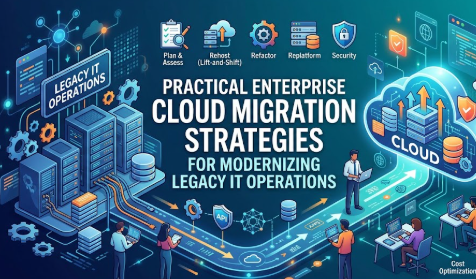
Introduction
Many enterprises depend on technology environments built years ago, but those systems are often expensive to maintain, difficult to scale, slow to update, and poorly suited to modern digital services. As customer expectations, cybersecurity threats, compliance requirements, remote work, data volumes, and application demands increase, traditional infrastructure can become a barrier to business growth. This is why understanding how cloud migration helps enterprises modernize IT operations has become important for technology leaders, business managers, developers, security teams, and decision-makers. Cloud migration is not simply about moving servers to another location. It is a structured transformation that can improve scalability, automation, reliability, security visibility, development speed, disaster recovery, and operational control. However, moving without proper assessment can increase costs, create security gaps, interrupt business services, or reproduce old problems in a new environment. This guide explains how enterprises can approach migration practically, select suitable strategies, manage risk, and build a cloud operating model that supports long-term modernization.
What is Cloud Migration ?
Cloud migration is the process of moving applications, data, infrastructure, digital services, or business processes from an existing technology environment to a cloud-based platform.
The existing environment may include:
- Physical servers inside company offices
- Private data centres
- Older hosting environments
- Outdated business applications
- On-premises databases
- Manually managed development systems
- Disconnected backup and disaster recovery tools
A cloud environment provides computing resources such as servers, storage, databases, networking, analytics, security services, and development platforms through a flexible service model.
Instead of purchasing and maintaining every physical component, an enterprise can provision resources according to its requirements. Teams can increase or reduce capacity, automate repetitive activities, deploy applications faster, and manage infrastructure through software-based controls.
How Cloud Migration Works
An organization first identifies what applications, data, infrastructure, and dependencies it currently operates. It then determines which workloads should move, which should be redesigned, which should remain on-premises, and which should be retired.
The organization selects a migration approach, prepares the target cloud environment, moves workloads in controlled phases, tests them, and eventually transitions users or business operations to the new system.
Migration does not always mean moving everything to a public cloud. An enterprise may use:
- A public cloud
- A private cloud
- A hybrid cloud
- Multiple cloud providers
- A combination of cloud and on-premises systems
Why Enterprises Search for Cloud Migration
Organizations commonly explore cloud migration because they want to:
- Reduce dependence on aging hardware
- Improve application availability
- support business growth
- Modernize legacy applications
- Accelerate software delivery
- Enable remote and distributed work
- Strengthen backup and recovery
- Improve security monitoring
- Automate infrastructure management
- Enter new markets without building new data centres
Where Cloud Migration Is Used in Real Life
Cloud environments support customer portals, mobile applications, financial systems, data analytics, enterprise resource planning, e-commerce platforms, tax systems, digital payment services, lending platforms, content management systems, trading applications, blockchain solutions, and internal collaboration tools.
For example, a retail enterprise may move its customer ordering platform to the cloud so that computing capacity can expand during periods of heavy demand. The company no longer needs to purchase enough physical infrastructure for the highest possible demand throughout the year.
Common Misunderstanding
A common misunderstanding is that cloud migration automatically reduces every technology cost. Cloud platforms can improve cost flexibility, but poorly configured resources, unused storage, excessive data transfer, or weak governance can make cloud spending difficult to control.
Practical Takeaway
Cloud migration should be treated as an operational and business transformation rather than a server-moving exercise. The better approach is to connect every migration decision with a clear business, technical, security, or operational objective.
Why Cloud Migration Is Important for Modern IT Operations
Modern enterprises need technology systems that can respond quickly to changing customer demands, regulatory requirements, market conditions, and security threats. Traditional environments often require lengthy hardware procurement, manual configuration, planned maintenance windows, and separate tools for monitoring, backup, security, and deployment.
Cloud migration creates an opportunity to redesign these operations.
Greater Operational Flexibility
Cloud resources can be provisioned when needed instead of waiting for physical equipment to be purchased and installed. This flexibility helps enterprises support new projects, temporary workloads, development environments, and changing customer demand.
The common mistake is to provision excessively large resources because teams fear capacity shortages. A better approach is to begin with measured requirements and use monitoring, scaling policies, and regular capacity reviews.
Faster Software Delivery
Cloud platforms support automated testing, infrastructure provisioning, deployment pipelines, container platforms, managed databases, and development services. These capabilities help software teams release smaller and more frequent changes.
The mistake is assuming that cloud infrastructure alone will improve delivery speed. The better approach is to combine migration with DevOps practices, automated testing, clear ownership, and improved application architecture.
Better Business Continuity
Cloud services can support geographically distributed backups, automated recovery, replicated databases, and resilient application designs. These capabilities help enterprises prepare for hardware failure, data-centre disruption, or regional service problems.
However, cloud use does not remove the need for recovery planning. Organizations must still define recovery priorities, test backups, document procedures, and verify that critical systems can be restored.
Improved Financial Visibility
Traditional infrastructure costs are often spread across hardware, facilities, electricity, maintenance contracts, licences, and staff time. Cloud platforms can make resource usage more visible through service-level billing and cost-management tools.
The risk is that decentralized teams may create resources without accountability. Enterprises need tagging standards, spending alerts, budget ownership, and cost review processes.
Stronger Security Capabilities
Cloud environments can provide identity management, encryption, threat detection, logging, vulnerability assessment, policy enforcement, and centralized security monitoring.
These features are useful only when configured properly. A cloud provider protects the underlying platform, while the enterprise remains responsible for areas such as identities, permissions, data classification, application security, and workload configuration.
Support for Data and Innovation
Cloud platforms offer services for analytics, artificial intelligence, machine learning, event processing, data warehousing, and application integration. Enterprises can use these capabilities without building every supporting technology internally.
A practical scenario is a manufacturing company that collects operational data from different facilities. By consolidating approved data in a governed cloud platform, the company can monitor performance, detect recurring issues, and support better planning.
The Real Problems Enterprises Face During Cloud Migration
The biggest cloud migration challenges are rarely caused by the data-transfer process alone. Problems usually begin with unclear objectives, incomplete knowledge of the existing environment, weak governance, or unrealistic expectations.
Limited Visibility Into Existing Systems
Large enterprises may operate hundreds or thousands of applications accumulated through years of growth, acquisitions, department-level purchasing, and custom development. Some systems may have missing documentation or unknown dependencies.
Moving an application without identifying its database, authentication service, network connection, integration, and business owner can cause operational disruption.
The better approach is to build an application and infrastructure inventory before making migration commitments.
Too Much Conflicting Advice
Enterprises often receive different recommendations from internal teams, consultants, vendors, and cloud providers. One group may recommend moving quickly, while another recommends rebuilding every application.
There is no single strategy that suits every workload. Decisions should be based on application value, technical condition, security needs, business criticality, migration complexity, and long-term goals.
Unrealistic Cost Expectations
Some organizations assume that every workload will immediately become less expensive after migration. They may compare the cloud service bill only with hardware purchasing costs while ignoring data-centre facilities, operational labour, maintenance, resilience, and future capacity.
Others move oversized virtual machines directly to the cloud and continue operating them continuously, even when usage is low.
A better approach is to create a complete cost model and optimize resources after migration.
Weak Executive and Business Alignment
Cloud migration cannot succeed as an isolated infrastructure project. Application owners, finance teams, security professionals, compliance specialists, operations teams, developers, and business leaders must understand what will change.
Without alignment, business departments may resist migration, testing may be delayed, and technical teams may make decisions without understanding operational impact.
Emotional Decision-Making
Technology decisions can be influenced by fear of falling behind competitors, pressure to reduce costs quickly, or enthusiasm for a particular platform. These emotions can lead to rushed contracts, broad migration targets, or unnecessary redesign.
Enterprises should use documented criteria and decision reviews instead of relying on pressure or industry trends.
Failure to Read Service Terms and Responsibilities
Organizations must understand service availability commitments, data residency, backup responsibility, security responsibilities, support coverage, exit conditions, licensing implications, and data-transfer costs.
Ignoring these conditions can create unexpected operational, legal, or financial problems later.
Dependence on Unverified Opinions
Social media discussions and general cloud advice may provide useful ideas, but they cannot replace workload-specific analysis. An approach that works for a small web application may be unsuitable for a regulated enterprise database.
The right next step is to evaluate each workload with technical evidence, business requirements, and professional review.
How Enterprise Cloud Migration Works Step by Step
Step 1: Define the Business and Operational Objectives
The first step is to explain what the enterprise expects cloud migration to improve. Objectives may include reducing infrastructure lead time, strengthening disaster recovery, supporting international expansion, modernizing applications, improving deployment speed, or replacing unsupported hardware. This matters because a migration without measurable objectives can become a costly relocation project. Teams should connect every migration wave with expected operational outcomes and define how progress will be evaluated. For example, an enterprise may target faster provisioning of development environments rather than simply moving a particular number of servers. A common mistake is using “move to the cloud” as the entire objective. The better approach is to establish business, operational, security, cost, and service-level goals before selecting technology.
Step 2: Discover Applications, Data, and Dependencies
The enterprise must create an accurate inventory of applications, databases, servers, integrations, licences, users, data types, network connections, and operational owners. This step matters because hidden dependencies can cause outages during migration. Teams can use discovery tools, architecture reviews, monitoring data, interviews, configuration records, and application performance information. For example, an internal reporting application may depend on a database, file share, identity service, and scheduled data import that are managed by different teams. A common mistake is documenting only servers instead of complete business services. The better approach is to map applications as connected systems and validate the map with technical and business owners.
Step 3: Assess and Classify Every Workload
Each workload should be evaluated according to business value, technical health, security sensitivity, performance needs, regulatory requirements, availability expectations, migration complexity, and future relevance. This classification helps determine whether the workload should be retained, retired, replaced, relocated, replatformed, or redesigned. For example, an old application that provides little business value may be retired rather than migrated. A common mistake is treating every workload equally. The better approach is to apply a consistent assessment framework and prioritize systems that provide clear modernization value with manageable risk.
Step 4: Select the Appropriate Migration Strategy
After assessment, the enterprise chooses a migration strategy for each application. A relatively modern virtualized application may be moved with limited changes, while a business-critical legacy system may require gradual replatforming. A commercially available application may be replaced with a software-as-a-service solution. This decision matters because unnecessary redesign increases complexity, while moving unsuitable architecture without change can preserve performance and maintenance problems. A common mistake is selecting one migration method for the entire portfolio. The better approach is to select strategies workload by workload while maintaining shared architectural and security standards.
Step 5: Build the Cloud Foundation and Governance Model
Before moving production systems, the organization should establish identity controls, account structures, network architecture, security policies, logging, monitoring, encryption, backup standards, tagging rules, cost controls, and deployment processes. This cloud foundation is often called a landing zone. It matters because workloads moved into an ungoverned environment can become inconsistent, insecure, and expensive. For example, teams should know how privileged access is approved and how production logs are retained before the first critical application is migrated. A common mistake is building governance after migration. The better approach is to create reusable guardrails and automated controls in advance.
Step 6: Run a Controlled Pilot Migration
A pilot allows the enterprise to test technology, processes, roles, documentation, security controls, migration tools, and support procedures using a manageable workload. The pilot should be meaningful enough to expose real issues but not so critical that a problem would create major business disruption. Teams should test performance, data accuracy, integration, access, backup, recovery, monitoring, and user experience. A common mistake is choosing an unrealistically simple pilot that does not represent future migration challenges. The better approach is to select a moderate-complexity workload and use the lessons to improve the migration playbook.
Step 7: Migrate in Planned Waves
Applications should be grouped into migration waves based on dependencies, business schedules, risk, team capacity, and technical readiness. Each wave requires a defined plan for data movement, testing, user communication, operational support, fallback, and cutover. This approach matters because moving too many unrelated systems simultaneously makes troubleshooting difficult. For example, connected applications may need to move together or operate temporarily through secure hybrid connectivity. A common mistake is measuring success only by the number of migrated servers. The better approach is to measure service stability, user readiness, security compliance, performance, and operational improvement.
Step 8: Optimize the Cloud Operating Model
Migration is not complete when the workload begins running in the cloud. Teams must review resource sizing, automation, backup, architecture, monitoring, cost, security, operational ownership, and user experience. This step matters because initial configurations are often conservative and may not take full advantage of managed services or dynamic scaling. For example, an application moved to cloud virtual machines may later benefit from managed databases, automated deployment, or containerization. A common mistake is disbanding the migration team immediately after cutover. The better approach is to include a stabilization and optimization phase with defined owners and review dates.
Key Factors That Influence Cloud Migration
Business Criticality
Business-critical systems require stronger testing, recovery planning, communication, and change control. An employee learning portal and a real-time payment system should not have identical migration plans.
The mistake is evaluating migration only through technical complexity. The better approach is to include revenue impact, customer impact, operational dependence, and acceptable downtime.
Application Architecture
Older monolithic applications may contain tightly connected components, outdated libraries, fixed network assumptions, or hardware dependencies. These conditions influence whether the application can be moved directly or requires modification.
An architecture review should identify performance, compatibility, integration, and support risks.
Data Sensitivity
Customer information, financial records, health data, intellectual property, and regulated records require clear classification and protection.
Enterprises must decide where data can be stored, who may access it, how it is encrypted, how long it is retained, and how activity is monitored.
Compliance Requirements
Industry and regional requirements may affect data location, access controls, audit records, backup, incident reporting, and service-provider selection.
The common mistake is treating compliance as a final approval activity. A better approach is to involve legal, risk, privacy, and compliance specialists during planning.
Security Architecture
Security must cover identity, network controls, workload configuration, software vulnerabilities, secrets, logging, encryption, and incident response.
Cloud security should be built into templates and automated pipelines instead of depending entirely on manual reviews.
Network Performance and Connectivity
Applications may depend on low-latency communication with factories, offices, partner systems, or remaining on-premises databases.
A hybrid architecture may be necessary during migration. Network bandwidth, routing, resilience, encryption, and data-transfer patterns should be tested.
Skills and Organizational Readiness
Cloud environments require skills in automation, security, architecture, cost management, DevOps, monitoring, and platform operations.
The mistake is assuming existing roles and processes can continue without change. The better approach includes training, role clarification, practical experience, and shared standards.
Cost Structure
Cloud cost depends on resource size, operating hours, storage, database services, support plans, licences, network transfer, backup, observability, and architecture.
Cost estimates should include normal demand, peak demand, growth, resilience, and operational support.
Vendor and Portability Considerations
Managed services can reduce operational work, but they may increase dependence on a provider’s technology. This is not always negative, but it should be an informed decision.
Enterprises should understand how data can be exported, how applications can be moved, and which services are deeply provider-specific.
Change Management
Employees may need new workflows, access procedures, support channels, or operating responsibilities after migration.
Clear communication and training reduce resistance, confusion, and operational mistakes.
Detailed Breakdown of Cloud-Driven IT Modernization
Modernizing Infrastructure Provisioning
Traditional infrastructure provisioning may involve purchasing, delivery, installation, network configuration, operating-system setup, and manual approval. Cloud infrastructure can be provisioned through portals, application programming interfaces, templates, and automated pipelines.
The strongest modernization occurs when infrastructure is defined as code. Teams can review infrastructure changes, reuse approved templates, track versions, and create consistent environments.
The mistake is allowing every team to build resources manually. This creates configuration differences and weakens governance. The better approach is to provide reusable, secure infrastructure modules.
Automating Routine Operations
Cloud platforms can automate backups, resource scaling, patch coordination, deployment, monitoring responses, certificate renewal, and policy enforcement.
Automation reduces repetitive manual work and improves consistency. However, automating a poorly designed process can reproduce mistakes faster.
Enterprises should standardize and test the process before automating it.
Improving Application Delivery
Cloud migration can support continuous integration and continuous delivery. Developers can submit changes, run automated tests, scan code, build application packages, and deploy through controlled pipelines.
This improves traceability and reduces dependence on manual deployment instructions.
A common mistake is prioritizing deployment speed while ignoring testing and rollback. The better approach balances speed with quality gates, observability, security checks, and controlled releases.
Modernizing Legacy Applications
Legacy system modernization can follow different paths. An application may be relocated with minimal change, moved to managed infrastructure, divided into smaller services, rewritten, replaced, or retired.
Rewriting every application is rarely practical. Some stable systems may not justify major redevelopment.
A better approach is to modernize according to business value and technical need. High-value systems with frequent changes may justify deeper modernization, while stable systems may require only infrastructure and support improvements.
Strengthening Reliability
Cloud environments offer building blocks for resilient design, including distributed availability zones, load balancing, replication, automated health checks, and recovery services.
Reliability still depends on architecture. Placing an application in the cloud without removing single points of failure does not make it highly available.
Teams should define service-level objectives, identify failure scenarios, and test recovery procedures.
Improving Monitoring and Observability
Modern IT operations require more than basic server monitoring. Teams need visibility into application performance, user experience, service dependencies, logs, events, infrastructure health, and business transactions.
Cloud observability tools can centralize this information and support faster investigation.
The mistake is collecting large amounts of data without defining what needs attention. The better approach is to connect monitoring with service objectives, meaningful alerts, ownership, and response procedures.
Enabling Elastic Capacity
Elasticity allows resources to expand or reduce according to workload demand. This can help customer-facing applications handle changing traffic without permanently maintaining peak capacity.
However, scaling rules must be designed carefully. Poorly controlled scaling may increase costs or fail to respond quickly enough.
Teams should test scaling behaviour, establish limits, and monitor both performance and spending.
Improving Disaster Recovery
Traditional disaster recovery may require a fully maintained secondary data centre. Cloud-based recovery models can use replicated data, infrastructure templates, recovery automation, and on-demand capacity.
The right approach depends on how quickly systems must be restored and how much recent data the business can afford to lose.
Recovery plans should be tested regularly. An untested backup is not proof that a complete business service can be recovered.
Creating a Cloud Operating Model
A cloud operating model defines how teams request, build, secure, operate, monitor, finance, and improve cloud services.
It should clarify:
- Who owns the cloud platform
- Who approves access
- Who maintains shared services
- Who pays for resources
- Who responds to incidents
- Who reviews security
- Who optimizes costs
- Who supports application teams
Without this model, responsibilities become fragmented and operational issues remain unresolved.
Supporting Financial and Regulated Systems
Enterprises may use cloud services for accounting platforms, tax systems, payment processing, loan-management systems, investment applications, blockchain platforms, or regulated data processing.
These systems require strong access control, data protection, logging, recovery, and compliance oversight.
Cloud migration does not replace financial, tax, legal, or regulatory responsibility. It changes the technical environment in which those responsibilities are managed.
Improving Data Management
Cloud migration creates an opportunity to review how data is collected, stored, classified, integrated, protected, archived, and deleted.
Organizations should avoid moving every historical dataset without analysis. Duplicate, obsolete, or unclassified information increases cost and risk.
A better approach is to define data ownership and lifecycle requirements before migration.
Common Cloud Migration Mistakes
Migrating Without Clear Objectives
This happens when cloud adoption is treated as an industry requirement rather than a business decision. Teams focus on migration volume without identifying what must improve.
The risk is spending significant effort while preserving the same operational problems. Enterprises should define expected outcomes and measures before migration.
Moving Every Application Without Assessment
Some organizations attempt to move all workloads because they want to exit a data centre quickly. This can include obsolete, duplicate, unsupported, or low-value applications.
The result is unnecessary cost and complexity. Applications should be assessed for retirement, replacement, retention, and modernization.
Copying Legacy Architecture Directly
A direct move may be appropriate for certain workloads, but copying every legacy configuration can preserve oversizing, manual processes, single points of failure, and difficult support models.
The better approach is to determine which parts must remain unchanged for speed and which should be improved during or after migration.
Ignoring Application Dependencies
An application may rely on databases, identity systems, partner connections, shared files, scheduled jobs, or hard-coded network addresses.
Missing one dependency can interrupt the entire service. Teams should use discovery tools and validate dependency maps with operational owners.
Underestimating Data Migration
Large, sensitive, or frequently changing datasets require careful planning. Teams must consider transfer time, synchronization, validation, encryption, downtime, and rollback.
The mistake is assuming data can simply be copied once. The better approach includes reconciliation and post-migration verification.
Weak Identity and Access Management
Excessive permissions, shared accounts, unused credentials, and weak privileged-access controls create serious risk.
Enterprises should use least-privilege access, multifactor authentication, role-based permissions, credential rotation, and regular access review.
Treating Security as a Final Check
Security controls added at the end can delay migration or leave gaps. Security teams should participate in architecture, platform, automation, testing, and operational planning.
Policies should be applied through automated controls wherever practical.
Ignoring Cloud Cost Management
Unused resources, oversized instances, unnecessary data copies, inactive development environments, and uncontrolled logging can increase spending.
Every resource should have ownership, purpose, environment, and cost-allocation tags. Teams should review spending and usage regularly.
Insufficient Testing
Functional testing alone is not enough. Teams should test performance, security, integrations, backup, recovery, monitoring, access, data accuracy, and operational support.
The better approach is to define acceptance criteria before the migration begins.
Migrating Without a Rollback Plan
Even well-planned migrations can encounter unexpected issues. Without a rollback plan, teams may be forced to continue with an unstable environment.
The rollback procedure should include decision authority, timing, data reconciliation, communication, and technical steps.
Neglecting Employee Training
Cloud platforms introduce new tools, responsibilities, terminology, and security practices. Unprepared teams may make configuration mistakes or continue inefficient manual processes.
Training should be practical and role-based rather than limited to general awareness sessions.
Depending on One Person or Vendor
A migration becomes fragile when critical knowledge is held by one engineer, consultant, or external provider.
Documentation, shared ownership, code repositories, architecture records, and internal capability development reduce this dependency.
“Don’t Do This” Checklist
- Do not migrate applications without identifying their business owners.
- Do not assume that every workload belongs in the same cloud model.
- Do not provide broad administrator access for convenience.
- Do not copy oversized infrastructure without reviewing actual usage.
- Do not begin production migration before establishing logging and monitoring.
- Do not rely on backups that have never been restored successfully.
- Do not ignore licensing and data-transfer implications.
- Do not store credentials inside scripts or source code.
- Do not schedule cutover without a rollback decision process.
- Do not measure success only by the number of migrated servers.
- Do not leave cost ownership undefined.
- Do not treat cloud migration as complete immediately after cutover.
Practical Real-Life Examples of Cloud Migration
Example 1: Retail Demand Changes
Situation: A retail enterprise experiences major changes in online traffic during promotions and seasonal periods.
Challenge: Its fixed infrastructure cannot increase capacity quickly, while maintaining peak capacity throughout the year is inefficient.
Better action: The enterprise migrates the customer platform gradually and introduces tested scaling policies.
Learning: Cloud scalability provides value when applications, limits, monitoring, and cost controls are designed together.
Example 2: Financial Reporting Platform
Situation: A finance department operates an internal reporting application on aging servers.
Challenge: Report generation is slow, backup is inconsistent, and hardware support is ending.
Better action: The enterprise maps data dependencies, improves access controls, migrates the application, and establishes tested backup and recovery procedures.
Learning: Migration should improve operational resilience and governance, not simply replace old hardware.
Example 3: Software Development Environments
Situation: Developers wait several weeks for test environments to be provisioned.
Challenge: Project delivery is delayed, and development environments differ from production.
Better action: The platform team creates approved infrastructure templates and automated environment provisioning.
Learning: Standardization and automation can provide more modernization value than infrastructure relocation alone.
Example 4: Manufacturing Data Collection
Situation: A manufacturer gathers operational information from several facilities using disconnected systems.
Challenge: Teams cannot obtain consistent visibility, and data quality varies between locations.
Better action: The organization creates a governed cloud data platform with defined ownership, validation, access, and retention rules.
Learning: Data migration must include governance and quality improvement.
Example 5: Customer Support Continuity
Situation: A customer support platform depends on a single data-centre location.
Challenge: A local infrastructure failure could prevent employees from serving customers.
Better action: The enterprise redesigns critical components for resilience, establishes recovery priorities, and conducts recovery exercises.
Learning: Cloud technology supports continuity only when failure scenarios are planned and tested.
Two Useful Tables for Better Understanding
Table 1: Traditional IT Operations Compared With Modern Cloud Operations
| Operational Area | Traditional Approach | Modern Cloud Approach | Better Enterprise Practice |
|---|---|---|---|
| Infrastructure provisioning | Manual procurement and configuration | Software-based, on-demand provisioning | Use approved infrastructure-as-code templates |
| Capacity management | Fixed capacity planned in advance | Flexible scaling based on demand | Set tested scaling limits and spending controls |
| Deployment | Manual or ticket-based releases | Automated delivery pipelines | Combine automation with testing and rollback |
| Monitoring | Separate infrastructure tools | Centralized metrics, logs, traces, and events | Connect alerts with service ownership |
| Backup and recovery | Hardware-dependent recovery processes | Replication, automation, and on-demand recovery | Test complete application recovery regularly |
| Security controls | Perimeter-focused and manually reviewed | Identity-based, policy-driven, and continuously monitored | Automate preventive controls and access reviews |
| Cost management | Capital spending and shared overhead | Usage-based operating expenditure | Assign ownership, tags, budgets, and review cycles |
| Environment consistency | Manually configured environments | Reusable software-defined environments | Maintain version-controlled configurations |
Table 2: Common Cloud Migration Strategies
| Strategy | What It Means | Best Used When | Main Risk | Better Approach |
|---|---|---|---|---|
| Retain | Keep the workload in its current environment | Migration offers no immediate benefit or restrictions apply | Long-term technical debt may continue | Review the decision periodically |
| Retire | Remove an unused or low-value system | The application is obsolete, duplicated, or unnecessary | Hidden users or dependencies may be affected | Confirm ownership, usage, retention, and archival needs |
| Relocate | Move infrastructure with minimal architectural change | Speed is important and compatibility is strong | Legacy inefficiencies may remain | Plan post-migration optimization |
| Replatform | Make targeted changes while preserving the core application | Managed services can reduce operational effort | Compatibility or performance problems may appear | Test components and integrations thoroughly |
| Refactor | Redesign part or all of the application | Strategic systems require scalability, agility, or resilience | High complexity, cost, and delivery risk | Modernize in controlled stages |
| Repurchase | Replace the application with a commercial cloud service | A suitable supported product meets business needs | Process, integration, and data migration challenges | Evaluate functional fit and exit options |
| Rehost temporarily | Move quickly before deeper modernization | Data-centre exit or hardware deadlines create urgency | Temporary architecture may become permanent | Establish funded optimization milestones |
Tools, Methods, and Frameworks Readers Can Use
Application Portfolio Inventory
An application portfolio inventory records applications, owners, users, business value, technology, dependencies, support status, costs, and operational requirements.
It helps enterprises understand what they operate before making migration decisions. Beginners can start with a structured spreadsheet or service-management repository and validate the information with application owners.
It prevents the mistake of migrating unknown, duplicate, or obsolete systems.
Dependency Mapping
Dependency mapping identifies how applications communicate with databases, identity services, networks, partner systems, scheduled processes, and shared infrastructure.
Enterprises can combine automated discovery with technical workshops and monitoring data.
This method reduces the risk of breaking hidden integrations during migration.
Cloud Readiness Assessment
A readiness assessment evaluates technology, security, governance, skills, finance, operations, and organizational preparation.
It helps leaders understand whether the organization is ready to operate cloud services rather than only deploy them.
The framework prevents teams from moving faster than their governance and skills can support.
Migration Decision Matrix
A decision matrix compares workloads using consistent criteria such as business value, technical condition, migration complexity, risk, cost, and modernization potential.
Beginners can assign descriptive ratings rather than relying on unsupported numerical precision.
This approach reduces decisions based on personal preference or vendor pressure.
Infrastructure as Code
Infrastructure as code defines cloud resources in machine-readable configuration files. Teams can review, test, reuse, and version these configurations.
It helps create consistent environments and reduces manual setup errors.
The method prevents undocumented changes and configuration differences.
Cloud Cost Model
A cloud cost model estimates compute, storage, databases, networking, support, licences, backup, observability, and operational labour.
Enterprises should build several usage scenarios rather than relying on one ideal estimate.
This prevents incomplete comparisons between cloud spending and traditional infrastructure costs.
Security Baseline
A security baseline defines mandatory controls for identity, encryption, logging, vulnerability management, network access, secrets, backup, and incident response.
Beginners should create reusable policies and approved configurations for common workloads.
This framework prevents each project from interpreting security requirements differently.
Migration Runbook
A migration runbook documents preparation, responsibilities, technical activities, testing, communication, cutover, fallback, and support.
It helps teams coordinate during high-pressure migration events.
The runbook reduces dependence on memory and prevents important validation activities from being skipped.
Operational Readiness Review
An operational readiness review confirms that monitoring, alerts, support ownership, backup, recovery, security, documentation, access, and incident processes are ready before production use.
This method prevents workloads from entering production without a support model.
Post-Migration Optimization Review
This review evaluates performance, resource usage, spending, automation, architecture, reliability, and user experience after stabilization.
It helps enterprises identify oversized resources and remaining legacy practices.
The method prevents an initial migration configuration from becoming the permanent operating model.
Expert Tips for Better Cloud Migration Decisions
1. Begin With Business Outcomes
Define the operational or business problem before selecting technology. This matters because migration activity can appear successful even when it does not improve service delivery. Document the expected outcome, owner, measurement method, and review date.
2. Assess Before You Move
Create a reliable inventory and map dependencies before finalizing migration waves. This reduces unexpected outages and prevents unnecessary workload movement. Validate automated discovery results with the people who operate and use the systems.
3. Use Different Strategies for Different Workloads
Do not force every application into a single migration method. Some systems should be retired, some relocated, some replaced, and some redesigned. Apply consistent assessment criteria while allowing workload-specific decisions.
4. Build Governance Before Production Migration
Establish identity, networking, logging, security, cost allocation, backup, and deployment standards early. This matters because correcting an ungoverned cloud environment later can be disruptive. Use reusable templates and automated policies.
5. Limit Privileged Access
Broad administrator access may appear convenient during migration, but it increases security and operational risk. Use role-based permissions, temporary elevation, multifactor authentication, and regular access reviews.
6. Design for Failure
Cloud services can experience configuration errors, software failures, dependency problems, and regional disruption. Identify likely failure scenarios and decide how each service should respond. Test recovery rather than assuming architecture diagrams are sufficient.
7. Measure Application Experience
Infrastructure availability does not always represent user experience. Monitor response time, failed transactions, important workflows, and customer-facing performance. This helps teams identify whether migration has genuinely improved the service.
8. Control Cost Through Ownership
Every major cloud resource should have a business or technical owner. Ownership matters because unused resources often remain active when responsibility is unclear. Use tagging, budgets, alerts, reports, and regular optimization reviews.
9. Automate Repeated Work
Repeated manual provisioning, deployment, backup, policy checking, and recovery tasks should be evaluated for automation. Begin with well-understood processes, test them, and maintain human oversight for high-impact actions.
10. Modernize in Stages
A complete rewrite can introduce significant delivery risk. Divide modernization into manageable improvements such as infrastructure automation, managed databases, deployment pipelines, observability, and architectural changes. Each stage should deliver measurable value.
11. Include Security in Delivery Workflows
Security should not depend only on final reviews. Add configuration checks, code scanning, access policies, vulnerability testing, and approval controls to development and deployment processes.
12. Train Teams Through Practical Work
General cloud awareness is not enough for operating production systems. Provide role-specific learning, controlled labs, mentoring, pilot participation, and documented operating procedures.
13. Maintain an Exit and Portability View
Understand how data, configurations, and applications could be moved or restored elsewhere. This does not require avoiding managed services. It requires making informed decisions about dependency, contractual terms, data export, and recovery.
14. Test Migration Communications
Technical success can still create business disruption when users do not understand downtime, access changes, or support procedures. Prepare communication for employees, customers, partners, and support teams according to the impact.
15. Continue Optimization After Cutover
Initial migration is only the beginning of cloud modernization. Review performance, cost, security, resilience, automation, and architecture after usage patterns become clear. Assign owners so improvement does not stop when the migration project closes.
Case Studies: How Better Understanding Changes Decisions
Case Study 1: Regional Retail Enterprise
Profile: A retail company operates physical stores and a growing online ordering platform.
Situation: The company’s customer application runs in one data centre and experiences performance pressure during promotional periods.
Problem: Infrastructure capacity is fixed, deployment is manual, and recovery depends on lengthy restoration procedures.
Wrong approach: The initial plan is to copy all virtual machines to cloud servers using their existing sizes and configurations.
Better approach: The enterprise first maps application dependencies, reviews traffic patterns, introduces automated deployment, separates static content, tests scaling policies, and redesigns critical components for resilience. Migration takes place in waves, with rollback and user-experience monitoring.
Result or learning: The organization learns that elasticity alone cannot solve application bottlenecks. Improvements come from combining migration with architecture, deployment, monitoring, and recovery changes.
Key takeaway: Cloud migration produces stronger operational value when infrastructure and application practices are modernized together.
Case Study 2: Financial Services Support System
Profile: A financial services organization uses an older internal platform for processing customer-support requests.
Situation: The platform contains sensitive customer information and connects with identity, reporting, and document systems.
Problem: Documentation is incomplete, security logging is fragmented, and the hardware platform is approaching the end of support.
Wrong approach: A department proposes moving the application quickly to avoid hardware replacement without involving risk, privacy, and compliance teams.
Better approach: The organization classifies the data, maps integrations, strengthens identity controls, defines log-retention requirements, tests encrypted data transfer, and establishes an operational support model. A pilot uses anonymized test data before production migration.
Result or learning: The migration plan becomes more structured, and previously unknown access and retention issues are corrected before cutover.
Key takeaway: For regulated workloads, security, privacy, auditability, and operational ownership must be designed into the migration.
Case Study 3: Global Engineering Company
Profile: An engineering company operates development teams across several regions.
Situation: Teams maintain separate development environments, deployment processes, and infrastructure standards.
Problem: Application releases are inconsistent, environment provisioning is slow, and security controls vary between regions.
Wrong approach: The company initially allows every team to create cloud accounts and select its own tools independently.
Better approach: A central platform team creates a governed cloud foundation, reusable infrastructure modules, identity standards, cost tags, deployment pipelines, observability services, and self-service development environments. Product teams retain application ownership within these guardrails.
Result or learning: The enterprise establishes greater consistency while allowing teams to work independently. It also discovers that cloud transformation requires changes in responsibility, skills, and collaboration.
Key takeaway: A shared platform model can balance central governance with development-team autonomy.
Risk Awareness: What Enterprises Must Check First
Cybersecurity Risk
Cybersecurity risk includes unauthorized access, stolen credentials, vulnerable software, exposed data, and malicious activity.
It matters because cloud resources can be created and changed quickly. A single weak permission or public configuration may expose sensitive systems.
Enterprises can reduce risk through least-privilege access, multifactor authentication, encryption, vulnerability management, network controls, logging, and tested incident response.
Data Privacy Risk
Data privacy risk arises when personal or confidential information is stored, processed, shared, or retained incorrectly.
Organizations should classify data, understand location requirements, control access, define retention, and review service-provider responsibilities.
Privacy specialists should be involved when legal interpretation is required.
Operational Disruption Risk
Migration can interrupt applications, integrations, data access, or business processes.
This risk should be reduced through staged migration, testing, communication, fallback planning, dependency mapping, and post-cutover support.
Data Loss or Corruption Risk
Data may be lost, duplicated, delayed, or altered during transfer and synchronization.
Teams should use backups, checksums, reconciliation, transaction controls, validation reports, and documented recovery processes.
Cost Overrun Risk
Cloud spending can increase through oversizing, uncontrolled environments, unused resources, data transfer, duplicated tools, excessive retention, or unsuitable architecture.
Cost ownership, budgets, alerts, usage reviews, and optimization policies help reduce this risk.
Vendor Dependency Risk
Deep use of provider-specific services may make future migration more complex.
Enterprises should document dependencies, understand export methods, evaluate contractual terms, and decide where portability is genuinely required.
Compliance Risk
Cloud configurations and operating procedures may fail to meet industry, legal, or contractual requirements.
Risk can be reduced by involving compliance specialists early, maintaining audit evidence, automating policy checks, and reviewing service responsibilities.
Performance Risk
An application may perform differently because of network latency, architecture, storage, database configuration, or service limits.
Performance testing should use realistic workloads and include connected systems rather than isolated components.
Skills Risk
Teams without sufficient cloud knowledge may create insecure configurations, weak automation, or difficult-to-support systems.
Enterprises should invest in practical training, experienced review, documentation, mentoring, and controlled responsibility.
Misinformation Risk
General advice may encourage unsuitable migration strategies or unrealistic cost expectations.
Decisions should be verified using workload evidence, technical testing, contractual information, and qualified professional guidance.
Emotional and Organizational Risk
Pressure to meet deadlines or follow competitors can lead to rushed decisions. Employees may also resist changes when roles and processes are unclear.
Transparent objectives, phased implementation, role clarification, and leadership support reduce this risk.
Checklist Before Taking Cloud Migration Action
- Business and operational objectives are clearly documented.
- Executive, technical, security, finance, and business owners are aligned.
- Applications, data, infrastructure, and dependencies have been inventoried.
- Workloads have been assessed for business value and technical condition.
- Retain, retire, relocate, replatform, refactor, and replace decisions are documented.
- Data has been classified according to sensitivity and regulatory requirements.
- Identity and privileged-access controls have been designed.
- Network connectivity, latency, routing, and resilience have been tested.
- Cloud accounts, subscriptions, projects, or environments follow a governed structure.
- Logging, monitoring, security alerts, and audit records are enabled.
- Backup and recovery responsibilities are documented.
- Recovery procedures have been tested rather than assumed.
- Cost estimates include compute, storage, networking, support, licences, and operations.
- Budget ownership, tagging, alerts, and cost-review processes are established.
- Migration testing includes function, performance, security, data, and integration checks.
- A cutover plan and a practical rollback plan are available.
- Business users and support teams understand the planned changes.
- Operational ownership after migration is clearly assigned.
- Post-migration optimization activities are scheduled.
- Legal, privacy, compliance, tax, or professional review has been obtained where necessary.
This checklist should be used before approving each migration wave, not only at the beginning of the overall program. Teams should attach evidence, ownership, and status to every important item. Any unresolved high-impact issue should be reviewed before production cutover.
Strategic Insights for Better Decision-Making
Treat Cloud Migration as Portfolio Management
Enterprise applications have different business value, risk, technical condition, and modernization potential. Managing migration as a portfolio helps leaders direct investment toward the systems that matter most.
A high-value customer application may justify redesign, while a rarely changed internal system may require only relocation or retirement planning.
Separate Migration Speed From Modernization Depth
Fast migration and deep modernization are different objectives. Attempting both simultaneously for every workload may create excessive risk.
Enterprises can move selected systems first and modernize them later, provided the second stage has ownership, funding, and deadlines.
Build a Platform, Not a Collection of Accounts
A governed cloud platform provides reusable identity, networking, security, monitoring, deployment, cost, and operational services.
Without a platform approach, each team may build incompatible environments. The result is duplicated effort and inconsistent risk controls.
Use Guardrails Instead of Excessive Manual Approval
Cloud resources can be created quickly, so manual review of every action may become a bottleneck. Automated guardrails can prevent unapproved regions, public storage, weak encryption, or missing tags.
This allows teams to work faster within defined boundaries.
Link Cost With Architecture
Cloud cost is not only a finance problem. Application design, storage patterns, data movement, availability requirements, and deployment practices all influence spending.
Engineering and finance teams should review usage together rather than treating the monthly bill as an isolated accounting activity.
Modernize Operations Alongside Applications
A modern application can still be difficult to operate when monitoring, access, backup, deployment, and incident processes remain manual.
Every application modernization plan should include an operational modernization plan.
Define Service Objectives
Enterprises should identify which services are critical and what level of availability, recovery, performance, and support they require.
Not every application requires the most expensive resilience model. Clear objectives prevent both underinvestment and unnecessary complexity.
Design Hybrid Operations Deliberately
Many enterprises will operate cloud and on-premises systems together for extended periods. Hybrid connectivity, identity, monitoring, security, and incident management therefore require deliberate design.
Treating hybrid operation as a temporary exception can create long-term support problems.
Review Data Before Moving It
Migration is an opportunity to identify duplicate, obsolete, unclassified, or unnecessary data.
Moving all data without review increases cost, privacy exposure, and management complexity. Data owners should approve retention and migration decisions.
Make Optimization Continuous
Usage, pricing models, services, and business requirements change over time. A configuration that is appropriate today may become inefficient later.
Establish regular reviews for performance, cost, security, resilience, access, and technical debt.
Key Cloud Migration Terms Explained for Beginners
- Cloud migration: The controlled movement of applications, data, infrastructure, or business services from an existing environment to a cloud platform.
- Workload: An application, database, service, batch process, or technology component that performs a particular business or technical function.
- Public cloud: Computing services operated by a cloud provider and delivered through shared physical infrastructure with logically separated customer environments.
- Private cloud: A cloud-style environment dedicated to one organization, usually designed for stronger control or specific operational requirements.
- Hybrid cloud: An operating model that connects cloud services with on-premises or private infrastructure.
- Multi-cloud: The use of services from more than one cloud provider. It may support different business needs but can increase operational complexity.
- Landing zone: A governed cloud foundation containing identity, networking, security, logging, account structures, and policy controls.
- Rehosting: Moving an application with limited changes. It can support fast migration but may preserve legacy inefficiencies.
- Replatforming: Making selected improvements during migration, such as moving a database to a managed service without redesigning the entire application.
- Refactoring: Redesigning application components to use modern architecture or cloud capabilities more effectively.
- Elasticity: The ability to increase or reduce computing resources according to demand.
- Infrastructure as code: The practice of defining and managing infrastructure through version-controlled configuration files.
- Observability: The ability to understand system behaviour using metrics, logs, traces, events, and application information.
- Shared responsibility model: The division of security and operational duties between the cloud provider and the customer.
- Cloud cost optimization: The continuous process of aligning cloud spending with actual usage, performance needs, resilience, and business value.
Who Should Read This Blog
Beginners
Beginners can use this guide to understand what cloud migration means, how it works, and why it requires more than moving servers.
Students
Students studying cloud computing, software engineering, information systems, cybersecurity, or business technology can learn the operational context behind enterprise migration.
Salaried IT Professionals
System administrators, developers, support engineers, security analysts, database specialists, and network professionals can understand how their roles may change in a cloud operating model.
Small Business Owners
Small business owners can learn which enterprise migration principles also apply to growing organizations, particularly cost ownership, backup, access control, and vendor evaluation.
Enterprise Leaders
Technology executives and business leaders can use the guide to connect cloud investment with measurable operational outcomes.
IT Managers
IT managers can apply the planning, governance, migration-wave, operational-readiness, and optimization guidance to real programs.
New Investors and Business Analysts
People evaluating technology-driven businesses can use the guide to understand that cloud adoption does not automatically indicate efficient or secure operations.
Finance Professionals
Finance teams can understand cloud cost structures, budget ownership, usage-based spending, tagging, forecasting, and optimization responsibilities.
Security and Compliance Professionals
These readers can use the guide to identify areas requiring policy, evidence, access control, monitoring, data protection, and professional review.
Application Owners
Application owners can learn why business testing, dependency validation, support ownership, and user communication are critical to migration.
Cloud and DevOps Learners
Learners can see how infrastructure automation, delivery pipelines, observability, security, and operating models connect with cloud migration.
People Trying to Avoid Technology Mistakes
Anyone involved in technology decisions can use the checklists, risks, examples, and case studies to avoid rushed or poorly governed migration.
Frequently Asked Questions
1. What is enterprise cloud migration?
Enterprise cloud migration is the structured movement of applications, infrastructure, data, and digital services to a cloud-based environment. It usually includes assessment, planning, security, governance, testing, migration, and post-migration optimization.
2. How cloud migration helps enterprises modernize IT operations?
Cloud migration helps enterprises modernize IT operations by enabling automated provisioning, flexible capacity, centralized monitoring, stronger recovery options, and faster software delivery. The actual benefit depends on architecture, governance, skills, and operating practices.
3. Does cloud migration automatically reduce IT costs?
No. Cloud services can improve cost flexibility and visibility, but they do not guarantee lower spending. Oversized resources, unused services, excessive data transfer, and weak ownership can increase costs.
4. What is the first step in a cloud migration project?
The first step is defining the business and operational objectives. The enterprise should then inventory applications, data, infrastructure, dependencies, owners, security needs, and service requirements.
5. Should every enterprise application move to the cloud?
No. Some applications should remain in their current environment, while others may be retired, replaced, relocated, replatformed, or redesigned. The decision should be based on business value, technical condition, risk, cost, and compliance.
6. What is the biggest cloud migration mistake?
One of the biggest mistakes is moving workloads without understanding their dependencies and operational requirements. This can interrupt integrations, affect users, create security gaps, and increase support problems.
7. How long does enterprise cloud migration take?
The duration depends on application count, complexity, data volume, technical debt, regulations, team capacity, and modernization depth. Enterprises should use controlled waves instead of depending on one broad timeline.
8. How does cloud migration improve cybersecurity?
Cloud platforms provide tools for identity management, encryption, logging, threat detection, policy enforcement, and vulnerability monitoring. These capabilities require correct configuration and do not remove the enterprise’s security responsibilities.
9. What skills are needed for cloud migration?
Useful skills include cloud architecture, networking, identity management, cybersecurity, automation, DevOps, database management, cost optimization, monitoring, project management, and organizational change management.
10. How can enterprises control cloud migration costs?
Enterprises should estimate complete service costs, assign resource ownership, use tagging standards, set budgets and alerts, remove unused resources, right-size workloads, and conduct regular optimization reviews.
11. Why is post-migration optimization necessary?
Initial migration configurations are often conservative and may preserve legacy architecture. Optimization helps improve performance, cost, automation, resilience, security, and use of managed cloud services.
12. What should enterprises do after learning how cloud migration helps modernize IT operations?
The next step is to document objectives, inventory workloads, identify dependencies, assess readiness, and select a controlled pilot. Organizations should involve business, security, finance, operations, and compliance stakeholders before production migration.
Conclusion and Next Steps
Understanding how cloud migration helps enterprises modernize IT operations begins with recognizing that migration is not simply a change in infrastructure location. It is an opportunity to improve how technology is provisioned, secured, monitored, financed, recovered, deployed, and continuously optimized. Enterprises can use cloud capabilities to create flexible infrastructure, automate repetitive work, improve application delivery, strengthen operational visibility, support resilient services, and provide development teams with reusable platforms. However, these improvements are not automatic. A poorly planned migration can reproduce legacy inefficiencies, increase spending, create fragmented environments, introduce access risks, or disrupt important business services. Beginners and enterprise decision-makers should therefore focus first on clear objectives, application discovery, dependency mapping, workload assessment, data classification, governance, security, cost ownership, migration testing, and operational readiness. Each workload should receive an appropriate decision rather than being forced into a single migration strategy. Some applications may need relocation, while others should be replatformed, redesigned, replaced, retained, or retired. Enterprises should also remember that a successful cutover is not the final outcome. Post-migration stabilization and optimization are necessary to adjust resource sizes, improve automation, strengthen resilience, refine monitoring, control spending, and remove remaining manual processes. The practical next step is to choose a manageable pilot workload, establish a governed cloud foundation, document a migration runbook, define acceptance criteria, and test both recovery and rollback procedures. Business users, security teams, finance specialists, application owners, compliance professionals, and operational teams should participate according to their responsibilities. Long-term success depends on treating cloud adoption as a continuous operating capability instead of a temporary technology project. Organizations that move carefully, verify assumptions, build internal skills, maintain strong governance, and review outcomes regularly are better positioned to modernize without creating unnecessary risk. Cloud migration should therefore be approached with discipline, evidence, realistic expectations, and a clear connection between technology decisions and business value.