Introduction
Building software fast is fun, but building insecure software can ruin a business. In the past, companies wrote code quickly and handed it over to a separate security team at the last minute. This caused massive delays. Security experts found huge bugs just days before launch, forcing coders to fix them under heavy stress.
As teams moved to cloud computers and faster release plans, this old way failed. Security can no longer wait until the end. It must be part of every single day.
This idea is called DevSecOps, which brings together development, security, and operations. This guide explains what it means, why it matters, and how your team can use it easily.
What Is DevSecOps?
DevSecOps is a way of building software where security happens at every phase. It starts with the first line of code and continues through testing, launch, and daily use.
Think of building a car. In the old model, workers built the entire car first, and a safety inspector checked the brakes at the very end. If the brakes failed, workers had to tear apart the whole car.
DevSecOps is like checking the brakes during every single step of building the car. If a part is weak, you fix it immediately before moving on.
Why Does It Matter?
Modern apps use a lot of open-source code and cloud servers. If a single third-party file has a hidden bug, hackers can steal user data. DevSecOps uses automated tools to scan for these risks constantly, leaving hackers no easy way in.
How the Pipeline Works
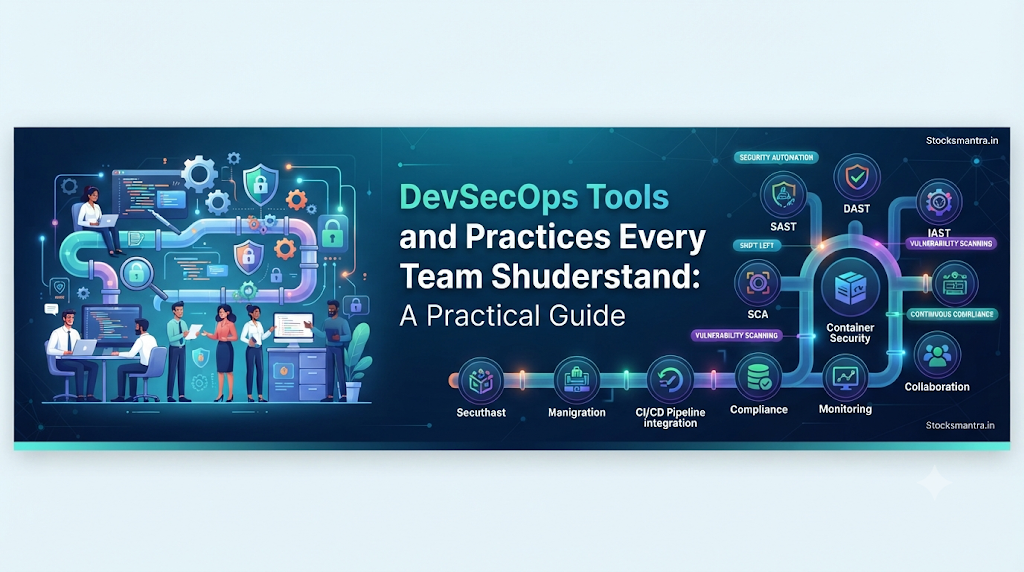
To understand DevSecOps, look at your software pipeline. This is the automated system that takes code from a programmer and pushes it live for users.
In DevSecOps, safety checks run inside this system automatically:
- Writing Code: A developer writes code on their computer.
- Saving Code: The coder sends the code to a shared folder like GitHub.
- Automated Testing: The system runs basic checks on the code.
- Security Scan: Special tools scan the raw code for known safety bugs.
- Staging: If the code is clean, it moves to a test server.
- Live Release: Once approved, the code goes live to users.
- Monitoring: Teams watch the live app for any strange activity.
Core Practices to Understand
Using DevSecOps is not just about buying software. It is about changing how your team builds things.
1. Shift-Left Security
“Shift-left” means moving security checks earlier in your timeline. Instead of testing at the far right (the end), you test at the far left (the start, while coding).
- Why it matters: Fixing a bug while writing code takes minutes. Fixing that same bug after thousands of users download the app takes weeks and costs a lot of money.
2. Infrastructure as Code (IaC) Security
Modern cloud setups are rarely built by hand. Engineers write code to set up servers and databases. This is called Infrastructure as Code.
- The risk: If a coder makes a small typo, they might leave a database open to the public web by accident.
- The practice: Teams must scan these setup files for safety mistakes before sending them to the cloud.
3. Automated Scanning
Humans get tired and miss small details. Automated scanners do not. Teams must link these scanners to their code folders so every update triggers an instant security check.
Main Tool Categories
Different tools protect different parts of your software. Here are the main types:
| Tool Type | What It Does | Simple Example |
| SAST | Scans raw source code for bugs without running the app. | Finding a hidden password written inside a Python file. |
| SCA | Scans third-party code packages for known flaws. | Telling you that an old software library has a known security hole. |
| DAST | Tests a running app from the outside like a hacker would. | Sending bad data into a web login form to see if it breaks. |
| Secret Managers | Hides sensitive keys and passwords safely. | Storing database passwords in a secure vault instead of public code. |
Common Mistakes to Avoid
When starting with DevSecOps, teams often make these errors:
Mistake 1: Relying Only on Tools
- What people do: Buy an expensive scanner, turn it on, and ignore it.
- Why it fails: Scanners miss business logic and make mistakes. If humans never check the results, real bugs get missed.
- What to do instead: Use tools to filter noise, but let humans review important code.
Mistake 2: Too Many Alerts
- What people do: Set scanners to flag every tiny warning.
- Why it fails: When workers see hundreds of alerts daily, they stop reading them.
- What to do instead: Focus only on high-risk warnings first.
Mistake 3: Blocking Developers
- What people do: Set strict security rules that block coders for days without explanation.
- Why it fails: Frustrated coders will try to bypass the rules to hit deadlines.
- What to do instead: Make security checks fast and show clear tips on how to fix errors.
Step-by-Step Action Plan
If your team is new to this, follow these simple steps:
- Check Your Folders: Make sure no passwords or API keys are written out in your public code files.
- Add SCA Scans: Start by scanning your third-party open-source packages. This is usually the easiest win.
- Turn on SAST: Set rules so code with major bugs cannot merge into your main software branch.
- Train Your Team: Teach developers the most common web security risks.
- Review Monthly: Check your progress every month to see if you are fixing bugs faster.
Simple Checklist
Before launching your next software update, check these items:
- Are all passwords and keys hidden away safely?
- Do automated tools scan your third-party packages?
- Are basic code scanners turned on?
- Is access to live servers restricted?
- Do you have logs to catch strange activity?
- Does your team know what to do if a bug is found?
Key Terms
- CI/CD Pipeline: An automated system that builds, tests, and ships code.
- False Positive: When a security tool wrongly flags safe code as a bug.
- Open-Source: Pre-written code created by others that you can use for free.
- Repository: A digital storage folder where teams keep their code.
- Secret: Sensitive data like a password or token that must stay hidden.
- Vulnerability: A weak spot in code that a hacker can break into.
FAQs
What is the difference between DevOps and DevSecOps?
DevOps focuses on speed and teamwork between coders and operations staff. DevSecOps takes that same idea and adds security checks into every single step.
Do small teams need DevSecOps?
Yes. Small teams are easy targets for automated bot attacks. Simple tools help small teams stay safe without needing a full-time security expert.
Will DevSecOps slow us down?
It takes a little time to set up at first. But in the long run, it makes you faster by stopping bad bugs before they reach your users.
What is a false positive?
It is when a tool says your code has a bug, but your code is actually safe and correct.
Are cloud servers secure by default?
No. Cloud companies secure the hardware, but you are responsible for securing your own app code and data settings.
Do I need a big budget for this?
No. There are many open-source and low-cost tools that small teams can use to get started right away.
Conclusion
DevSecOps is a smart and practical way to build safer software without sacrificing speed. By testing for security early, using automated tools, and building teamwork across departments, your organization can deliver reliable applications safely. Start small, catch risks early, and make security a shared priority to keep your systems protected.