Introduction
In the past, building software was a slow process. Teams wrote code for months, handed it over to a separate security team, and waited weeks for a security audit. If problems were found, the code went all the way back to the start.
Today, the software world moves much faster. Companies update their apps, websites, and cloud systems every single day, or even multiple times a day. This modern way of working is called DevOps (a mix of “Development” and “Operations”). DevOps brings software developers and IT infrastructure teams together so they can build, test, and release software rapidly and reliably.
However, this high speed creates a huge challenge. If software changes every hour, human security teams cannot possibly read every line of code by hand. If security stays slow while development speeds up, companies are forced to choose between moving fast or staying secure.
Security automation solves this problem. It builds security checks directly into the daily software pipeline so that safety checks happen automatically in the background.
What Is Security Automation?
Security automation is the practice of using programmed tools and scripts to perform security tasks without human intervention.
To understand it simply, think of an airport security checkpoint.
- Manual security is like a security guard manually searching every single bag by hand. It is thorough, but if thousands of travelers arrive at once, long lines form and people get frustrated.
- Automated security is like the automated X-ray scanner and metal detector belt. It quickly scans every bag, instantly flags suspicious items, and lets safe bags pass through immediately without slowing down the entire line.
In DevOps, security automation scans code, checks cloud server configurations, and tests running applications for weaknesses automatically every time a developer makes a change.
How Security Automation Works in a DevOps Pipeline
A DevOps pipeline is like an automated assembly line in a factory. Raw code goes in at one end, passes through various testing stations, and a finished, working application comes out the other end ready for users.
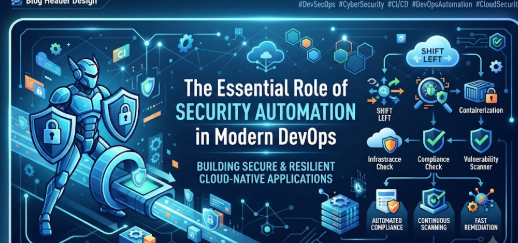
Security automation inserts automated security checkpoints at different stages of this assembly line.
1. Code Review (SAST)
When a developer writes new code, a tool known as SAST (Static Application Security Testing) automatically scans the raw code text for known security flaws—much like a digital spell-checker that looks for dangerous programming mistakes before the code is even run.
2. Dependency Scanning (SCA)
Modern software is built using thousands of pre-made building blocks called open-source libraries. SCA (Software Composition Analysis) tools automatically check these building blocks against a database of known security vulnerabilities to ensure the project isn’t using outdated or compromised components.
3. Container and Infrastructure Scanning
Modern apps often run inside isolated digital boxes called containers (such as Docker). Automated tools check these containers and cloud server settings to ensure they are locked down properly before they get deployed to live servers.
Why Security Automation Matters
Without automation, security in fast-moving software teams breaks down. Here is why automation is essential for modern technology teams:
- Speed Matches Growth: Developers write code at lightning speed. Automated security keeps pace, ensuring safety checks take seconds or minutes instead of weeks.
- Catching Bugs Early: Finding a security flaw while writing code is cheap and easy to fix. Finding that same flaw after the software is released to millions of users is expensive, stressful, and damaging to a company’s reputation.
- Consistency: Human beings get tired, distracted, and prone to missing small details during long workdays. Automated tools run the exact same checks every single time without exception.
- Developer Empowerment: Instead of security teams acting like strict gatekeepers who say “no” at the very end of a project, automated tools give developers instant feedback so they can fix their own security mistakes immediately.
Important Concepts to Understand
To grasp how security automation fits into a team, it helps to know a few core terms:
- DevSecOps: The practice of integrating security (“Sec”) into every phase of the DevOps lifecycle from the very beginning, rather than treating security as an afterthought at the end.
- Shift-Left Security: Moving security testing earlier (“to the left”) in the development timeline—testing code while it is being written rather than waiting until it is running on live servers.
- Vulnerability: A weakness or flaw in software code or system setup that a malicious hacker could exploit to gain unauthorized access.
- False Positive: An alert generated by an automated tool claiming a security flaw exists when the code is actually safe. Managing false positives is a major part of running automated tools effectively.
Practical Example: A Small E-Commerce Startup
Imagine a small team building an online clothing store.
- Without Automation: The developers push new checkout features live every Friday. One developer accidentally leaves a database password exposed in the code. Because nobody has time to manually check every line, the code goes live. Hackers find the open database over the weekend and steal customer data.
- With Automation: The startup sets up an automated security scanner in their code repository. When the developer tries to submit the code with the exposed password, the automated tool instantly blocks the submission, alerts the developer on their screen, and explains how to fix it. The unsafe code never makes it anywhere near the live website.
Common Mistakes in Security Automation
Many organizations try to adopt security automation and run into trouble because of common pitfalls:
- Automating Everything Too Fast: Trying to turn on every security tool at once often floods the team with thousands of alerts, causing confusion and burnout.
- What to do instead: Start small. Turn on one basic code scanner, fix the real problems it finds, and slowly add more tools over time.
- Ignoring False Positives: Automated tools sometimes cry wolf over harmless code patterns. If teams ignore all warnings because of too many false positives, real dangers slip through.
- What to do instead: Tune the tools regularly to filter out noise so that every alert matters.
- Treating Tools as a Complete Solution: Buying expensive security software and assuming “the computer will handle it” leads to false security. Tools find technical flaws, but human judgment is still needed to understand context and architecture.
Risks and Limitations
While security automation is powerful, it has clear boundaries:
- It Cannot Understand Business Logic: A security scanner can tell if a password is weak or if a library is outdated. However, it cannot tell if your payment system allows a user to buy items for negative prices due to a flawed business rule.
- Maintenance Overhead: Automated scripts, scanners, and pipelines break when underlying technologies update. Teams must spend time maintaining their security tools.
- Initial Setup Complexity: Configuring security tools to run smoothly inside a complex engineering pipeline requires skilled technical effort upfront.
Key Terms
- SAST: Automated scanners that analyze source code without executing it to find security flaws.
- SCA: Tools that scan third-party libraries and open-source packages for known security vulnerabilities.
- DAST (Dynamic Application Security Testing): Automated tools that test a running application from the outside by simulating external hacker attacks.
- Pipeline: An automated sequence of steps that builds, tests, and deploys software code.
- Remediation: The act of fixing a discovered security vulnerability or software bug.
- Secret Management: Secure storage systems used to keep passwords, API keys, and certificates out of raw code files.
Frequently Asked Questions
Does security automation replace human security experts?
No. Security automation handles repetitive, mechanical tasks like scanning code for known flaws. This frees human security experts to focus on complex architecture review, threat modeling, and investigating sophisticated attacks.
Is security automation only for large enterprises?
Not at all. Even small startups and solo developers benefit from lightweight, free, or open-source automated security scanners integrated into their code repositories to catch simple mistakes early.
What is the difference between DevOps and DevSecOps?
DevOps focuses on speed, collaboration, and automation between software developers and operations teams. DevSecOps takes DevOps and explicitly bakes security practices into every single step of that fast-moving process.
How do I convince my team to adopt security automation?
Start by showing how manual security reviews create bottlenecks and delays. Demonstrate that automated tools save time, prevent embarrassing live-site incidents, and let developers ship features faster with confidence.
Can security automation slow down software delivery?
If poorly configured, yes—too many noisy alerts can stall a pipeline. However, well-tuned security automation actually speeds up delivery by catching and fixing bugs in minutes rather than discovering them weeks after release.
Conclusion
Modern software development moves at an incredible speed, and trying to secure that software using slow, manual methods no longer works.
Security automation bridges the gap between speed and safety. By embedding automated checks directly into the development workflow, teams can catch dangerous flaws early, maintain consistent standards, and release reliable software without compromising safety.
Start small, choose the right automated scans for your current workflow, and let automation handle the repetitive work so your team can build secure applications with confidence.