Introduction
A Site Search Tool is a specialized platform that enhances the search functionality of a website, enabling users to find content, products, or information quickly and accurately. Unlike basic search bars, advanced site search tools utilize AI, machine learning, semantic search, and personalization to deliver relevant results in real-time. They play a critical role in improving user experience, boosting engagement, and increasing conversions.
In today’s digital-first world, visitors expect websites to respond quickly and provide accurate results. Poor search functionality can result in frustration, high bounce rates, and lost revenue—especially for e-commerce platforms, media-rich sites, SaaS applications, and enterprise portals. By implementing a powerful site search tool, organizations can not only improve content discoverability but also gather actionable insights about user behavior and preferences.
When evaluating site search tools, organizations should consider search relevance, indexing speed, AI-driven personalization, analytics, integrations, scalability, ease of use, and security compliance. These factors ensure that the chosen tool not only meets current needs but can scale and adapt to future requirements.
Best for:
E-commerce sites, content-heavy websites, SaaS platforms, enterprise knowledge bases, and media portals aiming to improve user experience, engagement, and conversion.
Not ideal for:
Small blogs or simple websites with limited content may not require sophisticated search functionality; basic search or CMS-integrated search may suffice.
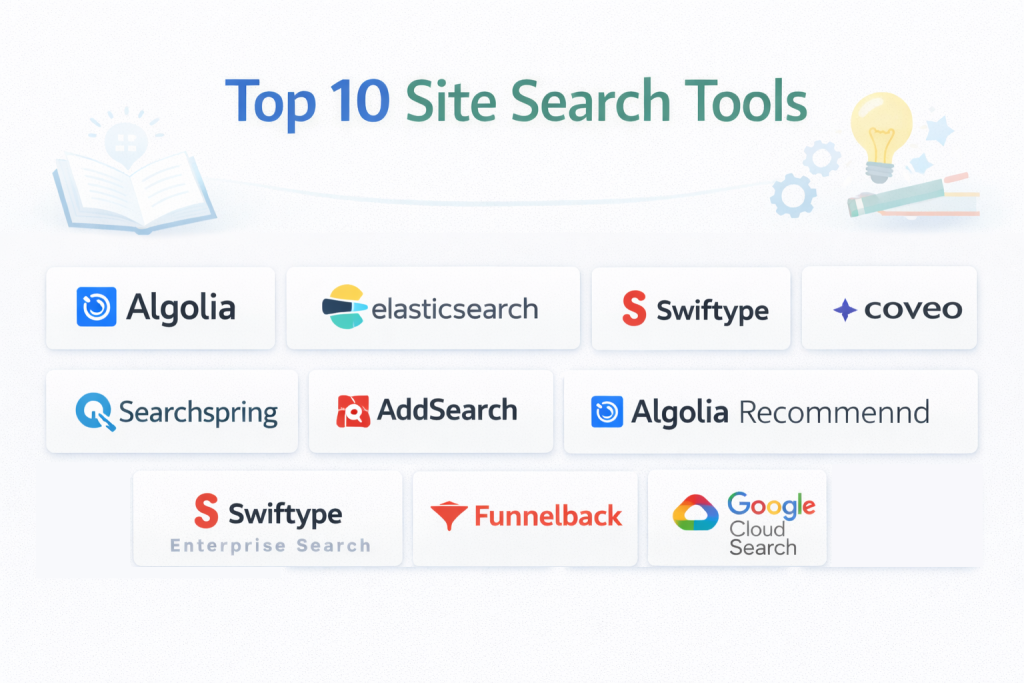
Top 10 Site Search Tools
1 — Algolia
Algolia is a cloud-based site search and discovery platform that delivers ultra-fast, AI-powered search results. It is designed for e-commerce, SaaS, and content-rich websites where performance, speed, and relevance are critical. Algolia’s API-first approach ensures seamless integration and customization, empowering developers to build dynamic and highly responsive search experiences.
Key features:
- Real-time, instant search results with auto-complete suggestions
- AI-driven relevance tuning and personalization
- Faceted navigation and advanced filtering
- Multi-language support and typo tolerance
- Real-time content indexing and updates
- Detailed analytics and insights to optimize search results
- Integration with web, mobile, and e-commerce platforms
Pros:
- Lightning-fast and highly reliable search
- Highly customizable for different platforms and business needs
- Comprehensive developer support and documentation
Cons:
- Pricing can be high for large-scale implementations
- Advanced customization requires technical expertise
- Some features are only available in higher-tier plans
Security & compliance:
SSO, encryption, GDPR, SOC 2
Support & community:
Extensive documentation, developer forums, tutorials, and enterprise support.
2 — Elasticsearch (Elastic)
Elasticsearch is a widely-used open-source search engine ideal for organizations that require a scalable, highly flexible search solution. It is designed for enterprises, developers, and data-heavy websites needing real-time search capabilities and advanced analytics. Elasticsearch excels in handling large volumes of structured and unstructured data while maintaining high performance.
Key features:
- Full-text search with faceted navigation
- Distributed, scalable architecture
- Advanced analytics and data aggregation
- AI-driven relevance optimization
- Multi-language support
- Integration with Kibana for visual dashboards
- RESTful API for custom applications
Pros:
- Open-source and highly flexible for technical teams
- Scales seamlessly for large datasets
- Advanced analytics provide actionable insights
Cons:
- Requires technical knowledge to deploy and maintain
- Hosting and infrastructure management may be complex
- Steep learning curve for non-technical users
Security & compliance:
SSO, encryption, GDPR, ISO
Support & community:
Extensive documentation, active open-source community, enterprise-level support available.
3 — Swiftype (Elastic Site Search)
Swiftype is a managed site search solution built on Elastic, ideal for SMBs and mid-market websites. It simplifies search integration while offering AI-driven relevance, real-time indexing, and customization options. Swiftype is particularly useful for teams that want a fully managed search solution without the complexity of hosting Elasticsearch themselves.
Key features:
- AI-powered search relevance tuning
- Customizable search interface and ranking
- Real-time indexing and updates
- Analytics dashboards for insights
- Multi-language support
- Faceted search and filtering
- Cloud-hosted, managed solution
Pros:
- Quick deployment and low maintenance
- Simple relevance tuning for marketers
- Cloud-managed reduces IT overhead
Cons:
- Limited advanced analytics compared to raw Elasticsearch
- Less backend control for highly customized setups
- Subscription-based pricing
Security & compliance:
SSO, encryption, GDPR
Support & community:
Documentation, tutorials, support portal, and enterprise assistance.
4 — Coveo
Coveo is an AI-driven site search and recommendation platform for enterprise websites, e-commerce, and knowledge bases. It leverages machine learning to deliver personalized search results, recommendations, and insights, enhancing the digital experience for users and driving higher engagement.
Key features:
- AI-powered relevance and personalization
- Advanced analytics and user behavior tracking
- Faceted search and content filtering
- Integration with CMS, CRM, and e-commerce platforms
- Multi-language support
- Cloud-hosted and scalable infrastructure
- Recommendations engine for products or content
Pros:
- Personalized search improves engagement
- Strong enterprise integrations
- Detailed analytics for optimization
Cons:
- Premium pricing may be prohibitive for SMBs
- Implementation can require professional services
- Learning curve for advanced personalization features
Security & compliance:
SSO, encryption, GDPR, SOC 2
Support & community:
Documentation, training, support portal, and enterprise support.
5 — Searchspring
Searchspring is a site search platform optimized for e-commerce, designed to enhance product discovery, improve conversion, and increase revenue. It provides AI-powered search, merchandising tools, and recommendation features tailored to online retailers.
Key features:
- AI-driven product search and recommendations
- Faceted search and filtering
- Merchandising tools for promotions and ranking
- Analytics and conversion tracking
- Autocomplete and synonym search
- Integration with major e-commerce platforms
- Cloud-hosted, scalable infrastructure
Pros:
- Optimized specifically for e-commerce
- Increases conversions and revenue
- Easy integration with Shopify, Magento, BigCommerce
Cons:
- Less suitable outside e-commerce
- Higher cost for large catalogs
- Advanced customization may require technical support
Security & compliance:
SSO, encryption, GDPR
Support & community:
Documentation, onboarding support, and account managers for enterprise users.
6 — AddSearch
AddSearch is a lightweight cloud-based site search tool aimed at small-to-medium websites. It provides instant search results, analytics, and customizable search features, making it easy for teams to deploy and manage search without complex configurations.
Key features:
- AI-powered relevance and typo tolerance
- Real-time search results
- Analytics and search insights
- Faceted search and filtering
- Multi-language support
- Customizable search UI
- Quick integration via JavaScript snippet
Pros:
- Fast deployment for small teams
- Simple to use and manage
- Affordable pricing for SMBs
Cons:
- Limited enterprise features
- Cloud-hosted only
- Advanced integrations may require technical setup
Security & compliance:
SSO, encryption, GDPR
Support & community:
Documentation, email support, tutorials, and chat support.
7 — Algolia Recommend
Algolia Recommend enhances Algolia’s search capabilities with AI-powered product and content recommendations. It is designed for e-commerce and content-driven websites that want to increase engagement through personalized recommendations.
Key features:
- AI-driven recommendations for products and content
- Real-time indexing and relevance tuning
- Integration with Algolia search
- Analytics for recommendation performance
- Multi-language support
- Cloud-hosted solution
- Developer-friendly APIs
Pros:
- Personalized recommendations improve engagement
- Real-time updates enhance user experience
- Seamless integration with Algolia search
Cons:
- Additional cost for the Recommend module
- Primarily suitable for e-commerce
- Some technical setup required
Security & compliance:
SSO, encryption, GDPR, SOC 2
Support & community:
Documentation, community forums, enterprise support.
8 — Swiftype Enterprise Search
Swiftype Enterprise Search provides advanced site search across multiple content sources, including websites, intranets, and document repositories. It is ideal for large organizations needing AI-driven relevance and analytics across multi-source content.
Key features:
- Unified indexing across multiple content sources
- AI-powered search relevance
- Faceted search and filtering
- Analytics and reporting
- Access control and permissions
- API-first architecture
- Cloud-hosted solution
Pros:
- Handles complex multi-source content
- Real-time indexing improves content discoverability
- Detailed analytics provide actionable insights
Cons:
- Premium pricing
- Complex setup for large enterprises
- Limited customization without developer support
Security & compliance:
SSO, encryption, GDPR, SOC 2
Support & community:
Documentation, tutorials, and enterprise support.
9 — Funnelback
Funnelback is a digital experience platform for enterprise search, delivering contextual, personalized results across websites, intranets, and portals. It is ideal for government, education, and large enterprises with complex content repositories.
Key features:
- AI-driven search relevance
- Faceted navigation and filtering
- Multi-language support
- Personalization and recommendations
- Analytics and insights
- Integration with enterprise systems
- Cloud or on-premise deployment
Pros:
- Strong for large-scale enterprise sites
- Customizable relevance and personalization
- Comprehensive analytics
Cons:
- High cost for small organizations
- Implementation complexity
- Enterprise features may be overkill for SMBs
Security & compliance:
SSO, encryption, GDPR, SOC 2
Support & community:
Documentation, enterprise onboarding, support portal.
10 — Google Cloud Search
Google Cloud Search delivers AI-powered search across websites and enterprise content. It integrates seamlessly with Google Workspace and other cloud sources, offering secure, fast, and contextually relevant results for large organizations.
Key features:
- AI-powered relevance and ranking
- Integration with Google Workspace
- Faceted search and filtering
- Analytics and reporting
- Security and access control
- Multi-language support
- Scalable, cloud-hosted architecture
Pros:
- Strong AI and search relevance
- Seamless Google ecosystem integration
- Highly scalable for enterprises
Cons:
- Limited customization outside Google ecosystem
- Premium pricing for advanced features
- Technical expertise needed for advanced setups
Security & compliance:
SSO, encryption, GDPR, SOC 2
Support & community:
Documentation, Google support portal, enterprise-level assistance.
Comparison Table
| Tool Name | Best For | Platform(s) Supported | Standout Feature | Rating |
|---|---|---|---|---|
| Algolia | E-commerce & SaaS | Web, Mobile | Instant search & AI relevance | N/A |
| Elasticsearch | Enterprise & Developers | Web, Desktop | Open-source, scalable engine | N/A |
| Swiftype | SMBs & Websites | Web | Managed AI-powered search | N/A |
| Coveo | Enterprise | Web, Mobile | AI personalization & recommendations | N/A |
| Searchspring | E-commerce | Web | Product search & merchandising | N/A |
| AddSearch | SMBs | Web | Quick deployment & affordable | N/A |
| Algolia Recommend | E-commerce | Web | AI-powered product recommendations | N/A |
| Swiftype Enterprise | Enterprise | Web | Multi-source indexing | N/A |
| Funnelback | Enterprise & Government | Web | Contextual search & personalization | N/A |
| Google Cloud Search | Enterprise & Google Workspace | Web, Mobile | AI-driven contextual search | N/A |
Evaluation & Scoring of Site Search Tools
| Criteria | Weight |
|---|---|
| Core features | 25% |
| Ease of use | 15% |
| Integrations & ecosystem | 15% |
| Security & compliance | 10% |
| Performance & reliability | 10% |
| Support & community | 10% |
| Price / value | 15% |
Which Site Search Tools Is Right for You?
- Solo users / SMBs: AddSearch, Swiftype, Algolia for lightweight deployment, fast setup, and low maintenance.
- Mid-market: Coveo, Swiftype Enterprise, Algolia Recommend for advanced AI-driven search, analytics, and personalization.
- Enterprise / Multi-channel: Elasticsearch, Funnelback, Google Cloud Search for complex, large-scale, multi-source environments with robust AI and security.
Frequently Asked Questions (FAQs)
- What is a site search tool?
A platform that enables fast, accurate, and AI-driven search on websites and content repositories. - Why implement a site search tool?
Improves user experience, engagement, conversion, and content discoverability. - Are site search tools suitable for SMBs?
Yes, lightweight tools like AddSearch and Swiftype offer affordable, quick deployment. - Do site search tools use AI?
Yes, most modern solutions like Algolia and Coveo leverage AI for relevance and personalization. - Can site search integrate with e-commerce platforms?
Yes, tools like Searchspring and Algolia integrate with Shopify, Magento, and BigCommerce. - Are these tools secure?
Most provide encryption, SSO, GDPR compliance, and SOC 2 certifications. - Can they handle enterprise-scale content?
Yes, Elasticsearch, Funnelback, and Google Cloud Search scale for large datasets. - Do they support multi-language search?
Yes, most modern tools support indexing and searching across multiple languages. - Can search relevance be customized?
Enterprise tools allow AI tuning, ranking rules, and personalized recommendations. - Which is best for e-commerce?
Algolia, Searchspring, and Algolia Recommend are optimized for product discovery and conversions.
Conclusion
Site search tools are essential for creating fast, accurate, and personalized user experiences on websites and enterprise platforms. Choosing the right tool depends on website complexity, content volume, technical expertise, AI capabilities, integrations, and budget. Evaluating features, performance, scalability, and support ensures a search solution that improves engagement, conversions, and overall satisfaction for users.