Introduction
In the past, managing computer systems meant staring at green text on a black screen late into the night. When a server crashed, an engineer had to manually dig through thousands of lines of log files to find out why.
Today, software systems are much larger and more complex. They live in the cloud, change every few minutes, and handle millions of users at the same time. Managing this complexity by hand is almost impossible.
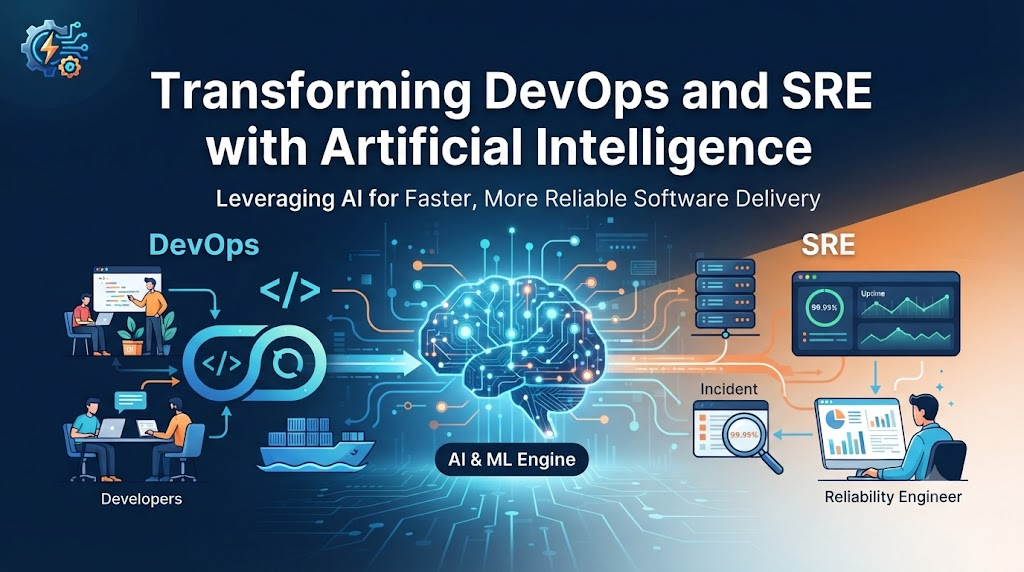
This is where artificial intelligence (AI) comes in. AI acts like a smart assistant for the people who build, test, and run software. It helps teams work faster, reduces stressful system outages, and takes away boring manual work so engineers can focus on building better products.
What Are DevOps, SRE, and IT Operations?
To understand how AI helps, we first need to look at what these three areas actually mean.
- DevOps: This is a way of working that brings software developers and IT operations teams together. The goal is to build, test, and release software faster and more safely.
- SRE (Site Reliability Engineering): Created by Google, SRE uses software engineering to solve operations problems. SREs focus on keeping websites and apps reliable, fast, and available.
- IT Operations: This is the traditional group that keeps the daily lights on—managing hardware, networks, servers, and user support.
While they have different names, they all share one main goal: keep software running without breaking.
How AI Works in IT Operations
Artificial intelligence is not magic. It is simply software that can spot patterns in large sets of data much faster than a human can.
In IT operations, computers generate a massive amount of data every second. This data includes:
- Metrics: Numbers like CPU usage, memory consumption, and network traffic.
- Logs: Text records of every event happening inside an application.
- Traces: The path a user request takes through a complex software system.
AI takes all this data, learns what “normal” looks like, and raises an alarm the moment something looks unusual.
Why AI Matters for Modern Technology Teams
Modern applications are built using microservices—hundreds of small, independent pieces of software talking to each other. When an error happens, it can start in one small service and cause a massive failure elsewhere.
The Problem with Traditional Monitoring
Old monitoring tools work on simple rules. For example: If CPU usage goes above 90%, send an alert.
This causes two big problems:
- Alert Fatigue: Engineers get woken up at 3:00 AM for false alarms that do not matter.
- Missing the Real Issue: A serious problem might happen even when CPU usage is at 40%, so simple rules miss it entirely.
How AI Solves This
AI looks at the big picture. It connects different data points together. It might notice that a slight drop in memory combined with a small increase in network latency usually leads to a database crash ten minutes later. It warns the team before the crash actually happens.
Important Areas Where AI Improves Operations
1. Predictive Maintenance and Anomaly Detection
Instead of fixing a server after it breaks, AI looks at historical trends to predict when hardware or software is about to fail. If a hard drive shows specific warning signs that usually lead to failure within 48 hours, the system can automatically replace it or alert an engineer.
2. Faster Incident Management and Root Cause Analysis
When an application goes down, every minute costs money. AI can look at an incoming error, search through past incidents, and tell the engineer: “This exact error happened six months ago, and fixing the database connection pool solved it.” This cuts troubleshooting time from hours down to minutes.
3. Automated Remediation (Self-Healing Systems)
Some problems happen over and over again, like a service running out of memory. With AI and automation scripts combined, the system can detect the low memory warning and automatically restart the service safely before users even notice a slowdown.
4. Continuous Integration and Continuous Delivery (CI/CD) Optimization
When developers push new code, it goes through automated tests. AI can analyze past test failures to predict which new code changes are most likely to break the build. This allows the team to run only the relevant tests, speeding up software delivery.
Practical Example: A Day with AI-Powered Operations
Imagine a popular online shopping website.
- Without AI: A database slows down during a big sale. The monitoring tool sends fifty different alerts to the team. Engineers spend forty minutes arguing over which alert is the real problem while customers stare at loading screens.
- With AI: The AI tool groups the fifty alerts into a single root cause: “Database connection timeout caused by a sudden traffic spike in the payment service.” It automatically scales up the database size and suggests a traffic-limiting rule. The system stabilizes in two minutes.
Real-World Considerations and Challenges
While AI offers powerful benefits, implementing it in a real-world company comes with challenges.
- Data Quality: AI needs clean data to work well. If your existing logs are messy and unorganized, the AI will give poor results.
- Trust and Control: Engineers need to trust the AI. If an AI tool automatically restarts a production server incorrectly, it can cause an outage instead of fixing one.
- Skill Gaps: Teams need to learn how to prompt, configure, and monitor AI tools properly.
Common Mistakes Teams Make
- Expecting Magic Overnight: Buying an AI tool does not instantly fix bad engineering processes or messy code.
- Trusting the AI Blindly: Allowing AI to make automated changes to production systems without human safety checks can lead to unexpected disasters.
- Ignoring Alert Noise: If the AI is configured too sensitively, it will create as much annoying noise as traditional monitoring tools.
Risks and Limitations
- False Positives: AI can sometimes flag normal behavior as an emergency, causing unnecessary panic.
- Security Risks: Feeding internal company logs and system architecture data into third-party AI models can expose sensitive business information if not handled securely.
- Black Box Problem: Sometimes AI tells you that a problem will happen, but it cannot clearly explain why, making it hard for engineers to learn from the event.
Decision Framework: When to Use AI in Operations
To decide if your team is ready to adopt AI operations tools, follow these steps:
- Assess Your Data: Do you have centralized logging and clear performance metrics in place? If not, fix that first.
- Identify Bottlenecks: Where do your engineers spend the most boring, repetitive time? (e.g., sorting through alerts, writing deployment scripts).
- Start Small: Choose one specific area, like anomaly detection in log files, rather than trying to automate everything at once.
- Keep Humans in the Loop: Always require human approval for automated fixes until the team fully trusts the AI’s accuracy.
- Measure Success: Track whether your system downtime decreases and whether your engineers spend less time fighting fires.
Key Terms
- AIOps (Artificial Intelligence for IT Operations): The use of big data, analytics, and machine learning to automate IT operational processes.
- Anomaly Detection: The ability of a system to spot unusual behavior that differs from normal patterns.
- Log Files: Automatic text records created by operating systems and applications detailing events that take place.
- Root Cause Analysis: The process of discovering the fundamental reason behind a system failure.
- Self-Healing: Systems designed to automatically detect and fix software or hardware problems without human help.
- Alert Fatigue: Emotional exhaustion and desensitization experienced by IT staff due to receiving too many false alarm notifications.
- Observability: How well you can understand the internal state of a software system based on its external outputs.
- CI/CD: A method to frequently deliver apps to customers by introducing automation into the stages of development.
FAQs
What is AIOps?
AIOps stands for Artificial Intelligence for IT Operations. It combines big data and machine learning to automate problem detection and resolution in software systems.
Will AI replace DevOps engineers and SREs?
No. AI automates repetitive tasks and helps analyze data, but it cannot replace human judgment, system architecture design, or creative problem-solving.
Is AI safe to use in production environments?
Yes, provided it is implemented gradually. Most teams start by using AI for recommendations and alerts before allowing it to take automated actions.
How does AI help reduce server downtime?
AI predicts failures before they happen and pinpoints the root cause of errors much faster than manual troubleshooting, allowing teams to fix issues quickly.
Do I need to know how to write code to use AI in IT operations?
Basic understanding of scripting and system administration is helpful, but modern AIOps platforms come with user-friendly dashboards and natural language interfaces.
What is the difference between traditional monitoring and AI monitoring?
Traditional monitoring tells you when something has already broken based on simple rules. AI monitoring looks for patterns to predict what might break next and explains why.
Conclusion
Adopting artificial intelligence in DevOps, SRE, and IT operations is much more than a technology upgrade—it is a cultural shift. When repetitive alert noise disappears and automated tools handle routine fixes, engineering teams finally get relief from constant burnout.
Ultimately, AI does not replace the human element of technology management. Instead, it elevates it. By letting algorithms handle heavy data crunching and anomaly detection, engineers can redirect their energy toward building resilient architectures, improving user experiences, and driving true business innovation.