Introduction
Building software used to feel like a race against time. Developers wrote code as fast as they could, and security teams only checked it right before the launch day.
Imagine finding a major security bug two days before your big app release. Fixing it at that exact moment causes massive delays, stresses out the whole engineering team, and upsets users.
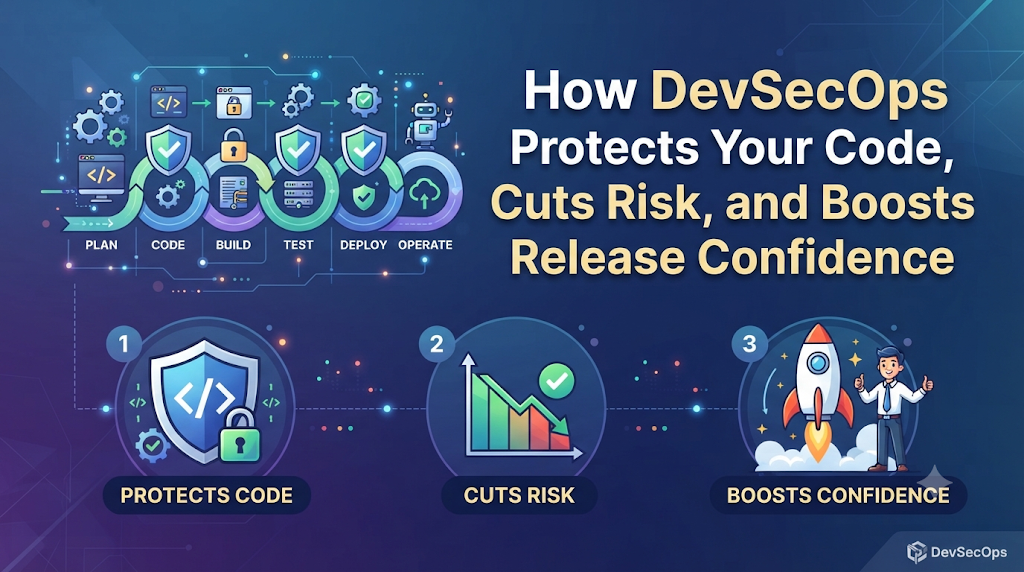
Modern tech teams cannot afford those kinds of delays. To move fast without getting hacked, they use DevSecOps. Instead of treating security like a roadblock at the finish line, DevSecOps weaves safety checks right into the daily routine of building code.
What Is DevSecOps?
DevSecOps is an approach where automated security tests run constantly while developers write and build software.
Why It Matters
When you test for security early, bugs are tiny and take five minutes to fix. If you wait until the end, those same bugs can turn into massive security leaks that put customer data at risk.
Real-World Example
Think of a developer writing a login page for a banking app. The moment they save their work, an automated tool scans the code. If it spots a weak password rule, it warns the developer instantly so they can fix it right away.
How DevSecOps Helps With Compliance
Proving to regulators that your app follows safety rules usually involves months of boring paperwork.
Turning Rules Into Code
In DevSecOps, compliance rules are written as automated checks. Instead of manually checking if every server is secure, scripts run in the background every single day. If something is wrong, the system flags it instantly. When auditors arrive, you already have clean reports ready to go.
Lowering Risk by Catching Bugs Early
The longer a hidden bug sits in your code, the more time hackers have to find it.
Continuous Scanning
Traditional security checks happen just once a year. DevSecOps runs small checks every single time code is updated. This shrinks your risk window from months down to a few minutes.
Sleeping Well on Release Day
Pushing updates to live users used to feel like crossing a busy highway blindfolded.
Total Release Confidence
Because automated tests check every piece of code before it goes live, your team knows the app is safe. Pushing updates stops being a terrifying gamble and becomes a normal, calm part of the workday.
Common Mistakes Teams Make
- Relying only on tools
- The mistake: Buying expensive security software and doing nothing else.
- The fix: Tools only find bugs; humans have to fix them. Train your developers on basic secure habits.
- Ignoring false warnings
- The mistake: Getting tired of security tools flagging harmless code and turning them off.
- The fix: Tune your tools to focus only on real, high-risk threats.
Key Terms Made Easy
- Pipeline: The automated path that code takes from a developer’s computer to the live server.
- Vulnerability: A weakness in code that a hacker could use to break in.
- Compliance: Following official legal rules for data safety.
- Shift Left: Testing security earlier in the process instead of waiting until the end.
FAQs
Does DevSecOps slow down development?
At first, setting up automation takes a little time. But in the long run, it speeds things up by stopping last-minute bugs.
Do developers need to be security experts?
No. They just need to know basic safe coding habits and how to read automated warnings.
Can small startups use DevSecOps?
Yes. Setting up basic security checks from day one is much easier than trying to fix a messy system later.
Conclusion
DevSecOps is not just about fancy tools—it is a smarter way to work. By testing code early, automating compliance, and sharing security tasks across the team, businesses can lower risks and ship updates with total confidence