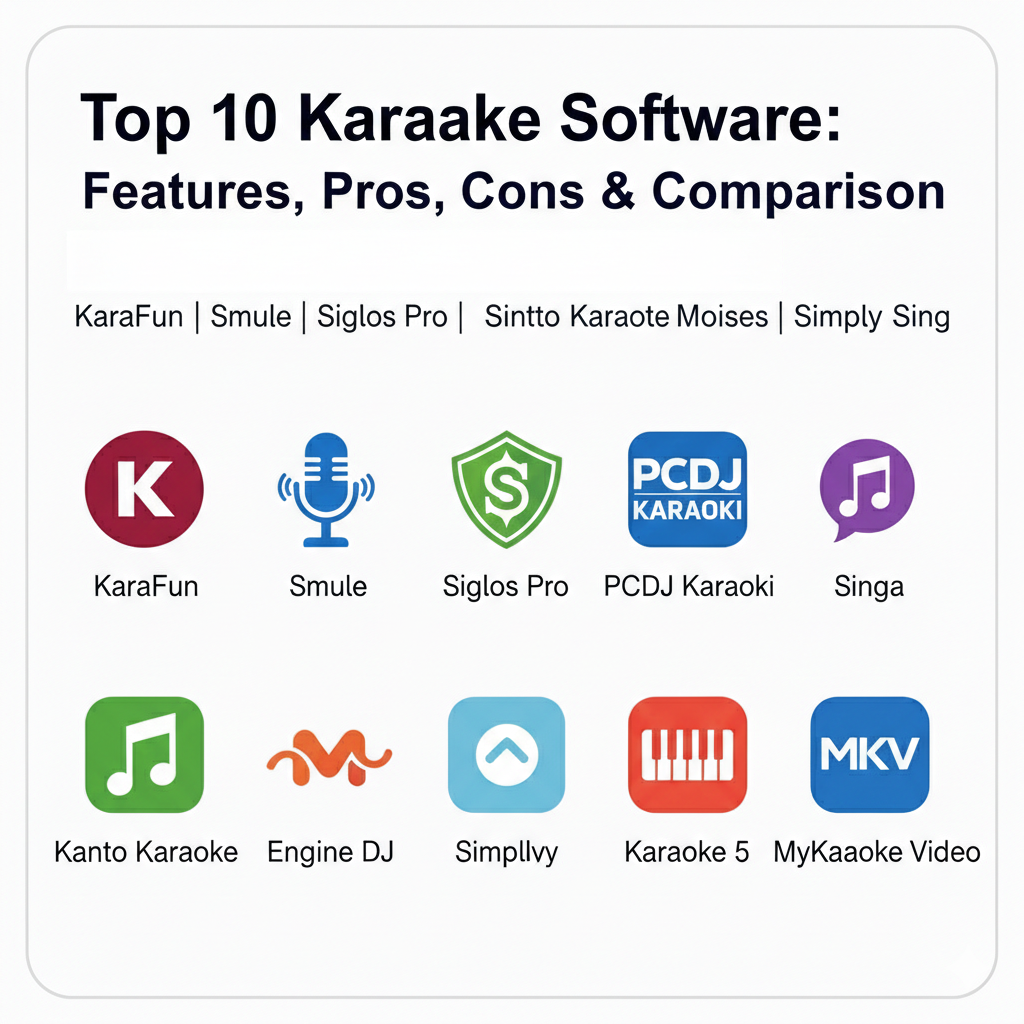
Introduction
Karaoke software is an interactive entertainment technology that turns computers, tablets, and mobile devices into full-fledged singing stages. At its basic level, it plays instrumental accompaniment while displaying synchronized, color-coded lyrics on a screen to guide the performer. Modern platforms have evolved significantly, now incorporating professional features such as real-time pitch detection, AI-based vocal removal, high-definition video backgrounds, and multi-screen management. These tools lower the barrier to musical entertainment by removing the need for bulky, expensive hardware machines.
This software is vital for both leisure and professional industries. Key real-world use cases range from casual family gatherings and online social singing to professional hosting in bars, lounges, and event venues. When evaluating karaoke software, users should look for vast song libraries, reliable offline modes, pitch/tempo adjustment capabilities, and intuitive singer rotation management for group settings.
Best for: Casual home singers, party hosts, professional Karaoke Jockeys (KJs), bar owners, and vocal students looking for real-time performance feedback.
Not ideal for: Professional recording studios requiring studio-grade mixing consoles, or users in areas with zero internet connectivity who cannot access cloud-based streaming libraries.
Top 10 Karaoke Software Tools
1 — KaraFun
KaraFun is a leading professional-grade karaoke platform that offers a polished experience for both home and commercial use. It is designed for those who want access to a massive, high-quality licensed song catalog with seamless cross-platform support.
- Licensed Song Library: Access over 65,000 professionally recorded tracks across multiple genres.
- Offline Sync: Download your favorite tracks to sing without an internet connection.
- Dual-Screen Support: Send lyrics to an external TV or projector while managing the queue on your laptop.
- White Labeling: Professional hosts can upload their company logo to display on-screen between songs.
- Remote Control: Allow guests to browse the catalog and request songs directly from their smartphones.
- Custom Pitch & Tempo: Adjust the key and speed of any song in real-time to match the singer’s range.
- Interactive Backgrounds: Guests can upload photos to display behind the lyrics during their performance.
Pros:
- The track quality is consistently high, as it uses versions from Karaoke Version, a top-tier music source.
- It provides a very flexible subscription model that users can cancel at any time.
Cons:
- Professional features like white-labeling and remote control require a higher-tier business subscription.
- The search functionality can sometimes feel scattered or less intuitive than competing platforms.
Security & compliance: Standard data encryption for account management; GDPR compliant.
Support & community: Extensive online documentation, a robust help center, and a strong presence in the mobile karaoke business community.
2 — Smule
Smule is a social-first karaoke application that emphasizes online collaboration and performance sharing. It is designed for social singers who want to record duets with friends, global users, or even famous celebrities.
- Global Duets: Sing along with artists or other users worldwide in real-time or through recorded sessions.
- AI Vocal Effects: Apply professional-grade audio and video effects to enhance your performance.
- Live Streaming: Perform live for a global audience and participate in singing competitions.
- Real-time Pitch Correction: Includes “Auto-Tune” style tools to help users stay in tune during recording.
- Community Challenges: Participate in themed contests and receive feedback from a massive global community.
- Vast Song Catalog: Millions of tracks available across every conceivable genre.
Pros:
- Unmatched social interaction and community-driven features that turn singing into a creative social game.
- High availability across Android, iOS, and web platforms ensures you can sing anywhere.
Cons:
- The free version is heavily limited, with many popular songs and features locked behind a subscription.
- Some users report occasional lag or synchronization issues during live duet performances.
Security & compliance: Standard mobile app data protection; GDPR compliant.
Support & community: Boasts one of the largest active user communities in the world with millions of ratings and frequent updates.
3 — Siglos Karaoke Professional
Siglos Karaoke Professional is a robust, Windows-based tool specifically designed for professional hosts and venues. It focuses on show management efficiency, allowing KJs to run high-volume events without physical discs.
- Advanced Singer Rotation: Automatically manages the queue and tells singers exactly when it is their turn.
- YouTube Integration: Directly load and play up to 50,000 popular karaoke tracks from YouTube into your database.
- Singer History: Automatically saves the song choices of regular customers so they don’t have to re-request them.
- Kiosk Mode: Turn a tablet or phone into a digital songbook for customers to browse and request tracks.
- Instrumental Detector: Automatically skips long instrumental solos to keep the energy of the show high.
- Format Support: Handles diverse formats including MP3+G, ZIP, BIN, MIDI, and various video files.
Pros:
- Eliminates the need for physical media, significantly reducing the risk of lost or damaged discs.
- The powerful database search allows hosts to find any song in a fraction of a second.
Cons:
- The interface is highly technical and can be overwhelming for casual home users.
- Only available for Windows systems, excluding Mac and mobile-only users from the full professional suite.
Security & compliance: N/A; primarily local software with user-managed security.
Support & community: Professional-grade support for venues, detailed manuals, and regular updates for industry users.
4 — PCDJ Karaoki
PCDJ Karaoki is a high-performance show-hosting solution designed for modern karaoke venues and mobile entertainers. It provides DJ-style controls alongside an advanced automatic singer rotation list.
- Singer Data Screen: Manage individual singer history, contact info, and “on break” status from a central dashboard.
- Background Music Player: Automatically plays regular audio between singers to eliminate “dead air”.
- Remote Request System: Integrates with SongBookDB to allow users to send requests directly from their phones.
- Transport Controls: Features a hardware-style interface for familiar play, pause, and key control navigation.
- News Ticker: Display customizable scrolling messages on the lyric screen between performances.
- Cloud Pro Integration: Access an optional cloud-based song subscription for instant catalog updates.
Pros:
- Highly automated rotation and filler music systems allow KJs to focus on the crowd rather than the computer.
- The remote request system significantly modernizes the hosting experience compared to paper slips.
Cons:
- Higher initial cost ($99) compared to consumer apps, which may be a barrier for casual singers.
- Optimized for Windows, which may not suit hosts who prefer using Apple hardware.
Security & compliance: Standard software licensing; GDPR compliant for user data handled through the request system.
Support & community: 14-day fully functional trial available; professional tech support via phone and web.
5 — Singa
Singa is a modern, cloud-based karaoke platform that offers a “slick” and user-friendly experience for both singers and venues. It is known for its high-definition lyrics and mobile-centric request system.
- Mobile Discovery: Singers can find venues via GPS, browse the catalog, and request songs through the Singa mobile app.
- HD Song Library: Access a massive catalog of over 80,000 tracks with high-definition lyrics and video backgrounds.
- Kiosk Integration: Venues can set up an iPad kiosk for easy song browsing without requiring customers to download an app.
- Screen Advertisements: Professional venues can generate extra income by displaying ads on the karaoke screens.
- Genre Filtering: Users can filter the vast library by genre to find inspiration for their next song.
- Cloud Sync: Keep your personal favorites and history synced across mobile, tablet, and smart TV apps.
Pros:
- The interface is generally considered much “nicer” and easier for singers to navigate than older platforms.
- Excellent for commercial venues looking for a modern, digital-first way to manage their karaoke nights.
Cons:
- Many of the tracks in the catalog are duplicates, making the “unique” song count lower than it initially appears.
- Does not currently allow for playing custom music files between singers, limiting kJ flexibility.
Security & compliance: Cloud-based data protection; GDPR compliant.
Support & community: Strong presence in the UK and European karaoke markets with professional venue support.
6 — Kanto Karaoke
Kanto Karaoke is a versatile management tool designed for DJs, professionals, and party hosts who need support for multiple file formats. It is known for its ability to handle both modern and legacy karaoke files seamlessly.
- Multi-Format Playback: Supports MP3+G, ZIP, CDG, MIDI, and various video formats for maximum flexibility.
- High-Quality Recording: Includes built-in tools to record performances with high-quality audio output.
- Singer Rotation & History: Tracks who has performed and what songs they have sung during an event.
- Full-Screen Lyrics: Renders high-quality lyrics on an external display while managing controls on the main screen.
- Built-in Audio Mixer: Allows for basic adjustment of vocal effects and background music levels.
- Playlist Automation: Create and manage complex playlists for various event types.
Pros:
- Excellent for professional DJs who have a large existing library of CDG and MIDI files.
- Simple, easy-to-use interface that doesn’t require extensive training to operate.
Cons:
- Lacks a robust mobile app, making it less convenient for singers who want to browse from their phones.
- The online song library is more limited than dedicated cloud services like KaraFun or Singa.
Security & compliance: Standard desktop software licensing; GDPR compliant.
Support & community: Provides a free version for trial; technical support available for professional license holders.
7 — Moises
Moises is a groundbreaking AI-powered platform that goes beyond traditional karaoke by allowing users to create their own tracks from any song. It is a game-changer for musicians and serious vocalists who want deep control over their practice.
- AI Track Separation: Upload any audio file and the AI will automatically separate vocals, drums, bass, and other instruments.
- Instant Karaoke Creator: Remove lead vocals from any song to create a custom karaoke version instantly.
- Pitch & Tempo Control: Adjust the key and speed of the track to suit your vocal range or practice needs.
- Smart Metronome: Automatically detects the beat and provides a synchronized click track for practice.
- AI Lyrics Sync: Automatically generates and synchronizes lyrics for uploaded tracks.
- High-Fidelity Exports: Render and download your custom backing tracks for use in other software.
Pros:
- Revolutionary for practicing songs that don’t have official karaoke versions available.
- Gives singers full control over the instrumental balance, allowing them to hear specific parts while singing.
Cons:
- Not a “traditional” karaoke app with a pre-made library; users must provide their own audio files.
- The most advanced AI features and high-fidelity exports require a premium subscription.
Security & compliance: High-level AI data security; GDPR compliant for user-uploaded content.
Support & community: Highly rated (4.5 stars) by vocal teachers and serious music students globally.
8 — Simply Sing
Simply Sing is a guided vocal experience designed to help users sing confidently and stay in tune. It differentiates itself by automatically adapting songs to the user’s specific vocal range.
- Voice Type Adaptation: The app analyzes your vocal range and automatically adjusts the key of every song to fit you.
- Live Pitch Feedback: Provides a visual guide showing if you are singing sharp, flat, or perfectly in tune.
- Vocal Warm-ups: Includes built-in exercises to help prepare your voice before you start singing.
- Progress Tracking: Monitors your improvement over time and establishes your skill level.
- Simplified Interface: Designed with a very beginner-friendly layout that focuses on the singing experience.
- Affordable Subscription: Offers one of the most functional and low-cost yearly plans for vocal practice.
Pros:
- The only major app that currently automates key adjustments based on the user’s unique voice type.
- Extremely supportive environment for beginners who are nervous about singing in the wrong key.
Cons:
- Lacks the social “duet” features found in apps like Smule.
- The full song library is locked behind a premium version after the initial range-testing phase.
Security & compliance: Mobile app data protection; GDPR compliant.
Support & community: Highly recommended by voice teachers for students practicing at home.
9 — Karaoke 5
Karaoke 5 is a versatile management tool for Windows and Mac that serves both home enthusiasts and professional event hosts. It is characterized by its powerful dual-player mode for seamless transitions during live shows.
- Dual-Player Mode: Allows for professional transitions and continuous music between singer sets.
- Multi-Format Support: Compatible with MP3+G, ZIP, KFN, and various video file types.
- Voice Modulation: Includes built-in effects to change the tone or pitch of the singer’s voice in real-time.
- Customizable Visuals: Adjust the lyrics display and background images to suit the venue’s branding.
- Playlist Queueing: Easily manage and re-order the song queue during busy events.
- Audio Mixer: Integrated tools for adjusting levels and adding reverb or echo.
Pros:
- Excellent for professional event hosting where a dual-player setup is required for a smooth show.
- Supports a wide variety of legacy file formats, making it useful for KJs with older collections.
Cons:
- The interface can be overly complex and intimidating for casual home users.
- Lacks a dedicated mobile app for remote song requests or library browsing.
Security & compliance: Standard desktop software licensing; GDPR compliant.
Support & community: Offers a free version for trial; professional technical support for paid license holders.
10 — MyKaraoke Video
MyKaraoke Video is a browser-based solution specifically designed for creators and KJs who want to produce their own high-quality karaoke content. It leverages AI to automate time-consuming video production tasks.
- AI Vocal Removal: Automatically separates vocals from any uploaded audio file to create an instrumental track.
- 1-Click Video Maker: Rapidly produces professional-grade lyric videos in minutes.
- Lyric Synchronization: Uses AI to sync lyrics with remarkable accuracy, with a granular editor for fine-tuning.
- Custom Aesthetics: Full control over fonts, colors, backgrounds, and split-screen duet modes.
- Web-Based Access: No downloads or installations required; runs entirely in any modern web browser.
- 1080p Exports: Renders final videos in high-definition MP4 format for use in events or YouTube.
Pros:
- Dramatically reduces the manual labor required to create custom karaoke content for unique songs.
- Flexible freemium model allows hobbyists to test core features before committing to a paid plan.
Cons:
- Primarily a content creation tool rather than a live singer management platform.
- Requires a stable internet connection for the cloud-based AI processing to function.
Security & compliance: Cloud-based AI data security; GDPR compliant.
Support & community: Priority support for paid plans; growing community of commercial creators and KJs.
Comparison Table
| Tool Name | Best For | Platform(s) Supported | Standout Feature | Rating |
| KaraFun | Professional Hosts | Windows, Mac, Mobile | 65,000+ licensed tracks | 4.7 / 5 |
| Smule | Social Singers | Android, iOS, Web | Duets with celebrities | 4.6 / 5 |
| Siglos Pro | Karaoke Venues | Windows | Advanced singer rotation | 4.2 / 5 |
| PCDJ Karaoki | Mobile entertainers | Windows | Singer rotation & filler music | 4.4 / 5 |
| Singa | Commercial Bars | Web, Mobile, TV | HD cloud-based library | 4.5 / 5 |
| Kanto Karaoke | Professional DJs | Windows, Mac | Multi-format support | 4.3 / 5 |
| Moises | Vocal Practice | Android, iOS, Web | AI-powered track separation | 4.5 / 5 |
| Simply Sing | Beginner Singers | Android, iOS | Automated vocal range adaptation | 4.5 / 5 |
| Karaoke 5 | Live Events | Windows, Mac | Dual-player mode | 4.4 / 5 |
| MyKaraoke Video | Content Creators | Browser-based | AI lyric sync & video maker | N/A |
Evaluation & Scoring of Karaoke Software
Karaoke software is evaluated based on its ability to provide a seamless performance experience, catalog depth, and management efficiency.
| Category | Weight | Evaluation Criteria |
| Core Features | 25% | Library size, key/tempo control, and multi-screen support. |
| Ease of Use | 15% | Intuitiveness of search and singer management interface. |
| Integrations | 15% | Mobile request systems and hardware/DJ gear compatibility. |
| Security & Compliance | 10% | Licensing legitimacy and data privacy standards. |
| Performance | 10% | Stability during live shows and low system resource usage. |
| Support & Community | 10% | Availability of help guides and active user forums. |
| Price / Value | 15% | Balance of subscription cost vs. catalog and feature access. |
Which Karaoke Software Tool Is Right for You?
Choosing the ideal karaoke platform depends on your specific goals, from casual social fun to running a commercial entertainment business.
Solo Users vs SMB vs Mid-Market vs Enterprise
If you are a solo user looking for social interaction, Smule and Simply Sing offer the best mobile experiences. For Small and Medium Businesses (SMBs) like mobile KJs or local pubs, KaraFun and PCDJ Karaoki provide the balance of professional features and reasonable costs. Mid-Market venues or entertainment companies with multiple locations benefit from Singa’s centralized cloud management. Large Enterprises or global hospitality chains should look at institutional licenses from KaraFun Business or Sunfly to ensure full legal compliance across multiple territories.
Budget-Conscious vs Premium Solutions
For budget-conscious users, Smule and Moises offer functional free tiers, while open-source options like Ultrastar Deluxe provide a completely free home experience. Premium solutions like Siglos Karaoke Pro or PCDJ Karaoki involve higher upfront or recurring costs but deliver the reliability and automation required for professional commercial use.
Feature Depth vs Ease of Use
If you require feature depth for live performance tuning, Moises and Karaoke 5 offer deep audio controls. If you prioritize ease of use for a party setting, KaraFun and Singa are designed for rapid setup and intuitive guest interaction.
Frequently Asked Questions (FAQs)
- What is karaoke software?It is a digital platform that plays instrumental tracks and displays synchronized lyrics on a screen for singing along.
- Can I use karaoke software offline?Yes, professional tools like KaraFun, Siglos Pro, and Kanto Karaoke allow you to download tracks for sessions without internet.
- Which software is best for professional KJs?PCDJ Karaoki, Siglos Pro, and Karaoke 5 are top-tier choices designed for managing live shows and singer rotations.
- Do I need a special microphone?Standard microphones work, but professional setups benefit from using audio interfaces and UHF wireless systems for better clarity and range.
- How can I get more songs for my software?Most modern software uses subscription-based cloud libraries; others allow you to import your own MP3+G or MIDI files.
- Is karaoke software legal for bars?Yes, provided the software or venue holds the proper public performance and music licensing for the tracks played.
- Can I record my singing with these tools?Most apps like Smule, Moises, and Kanto Karaoke have built-in recording features to save and share your performances.
- Does karaoke software work on Macs?Yes, KaraFun, Karaoke 5, and Singa have dedicated macOS versions.
- Can I remove vocals from my own MP3s?AI-powered tools like Moises and MyKaraoke Video can automatically strip lead vocals from standard audio files.
- What is singer rotation?It is an automated system in professional software that manages the order of singers to ensure everyone gets a fair turn in the spotlight.
Conclusion
Karaoke software has transformed from simple lyric-scrolling machines into sophisticated entertainment ecosystems suitable for any setting. Whether you are a casual fan singing on your couch with Simply Sing or a professional host managing a packed lounge with Siglos Pro, these digital tools provide the reliability and library depth needed for an unforgettable performance. The “best” tool is not universal; it is the one that aligns with your specific needs for portability, catalog size, and professional automation.
For professional venues, the shift toward cloud-based request systems and HD streaming is critical for staying relevant and engaging modern audiences. Meanwhile, home users can now leverage AI-powered practice tools like Moises to master their favorite tracks with unprecedented precision. By focusing on core features like song variety, ease of use, and multi-screen support, anyone can find a karaoke solution that turns every gathering into a high-energy musical event.