Introduction
ZIP Utilities are essential software applications designed to compress and decompress digital files and folders. By using advanced mathematical algorithms, these tools reduce the physical size of data, allowing multiple files to be bundled into a single, smaller “archive.” Beyond mere space-saving, modern ZIP utilities act as comprehensive file management hubs that offer encryption, file conversion, and seamless integration with cloud storage providers. They are the “digital packing experts” of the computing world, ensuring that data is organized, protected, and ready for transit.
The importance of these tools lies in their ability to optimize bandwidth and storage. Whether you are sending a bulk batch of high-resolution images or archiving decades of financial records, ZIP utilities ensure the process is efficient. When evaluating tools in this category, users should look for compression ratio efficiency, format compatibility (supporting 7z, RAR, and ISO), encryption strength (AES-256), and processing speed. A high-quality utility should feel invisible—integrating directly into your operating system’s right-click menu to provide instant results without a steep learning curve.
Key Real-World Use Cases
- Email Attachment Optimization: Shrinking large project folders to bypass the strict file size limits of corporate email servers.
- Sensitive Data Protection: Applying military-grade passwords to archives containing personal identification or proprietary business code before sharing.
- Web Content Distribution: Bundling software installers or digital assets into a single downloadable link for website visitors.
- Cloud Storage Economy: Reducing the footprint of historical backups to stay within lower-cost storage tiers on platforms like Dropbox or Google Drive.
Best for:
- IT Professionals and Developers: Who need to package code, manage server logs, and automate backups via command-line interfaces.
- Administrative and Legal Staff: Who must bundle and encrypt vast quantities of documentation for secure discovery or client delivery.
- Remote Workers and Students: Who frequently share multi-file projects across various digital platforms.
Not ideal for:
- Single-File Media Users: Those who primarily work with already-compressed formats like MP4 video or JPG images, as additional zipping provides negligible benefits.
- Basic Smartphone Users: Who can often rely on built-in “Share” features for small, individual files without needing a dedicated third-party utility.
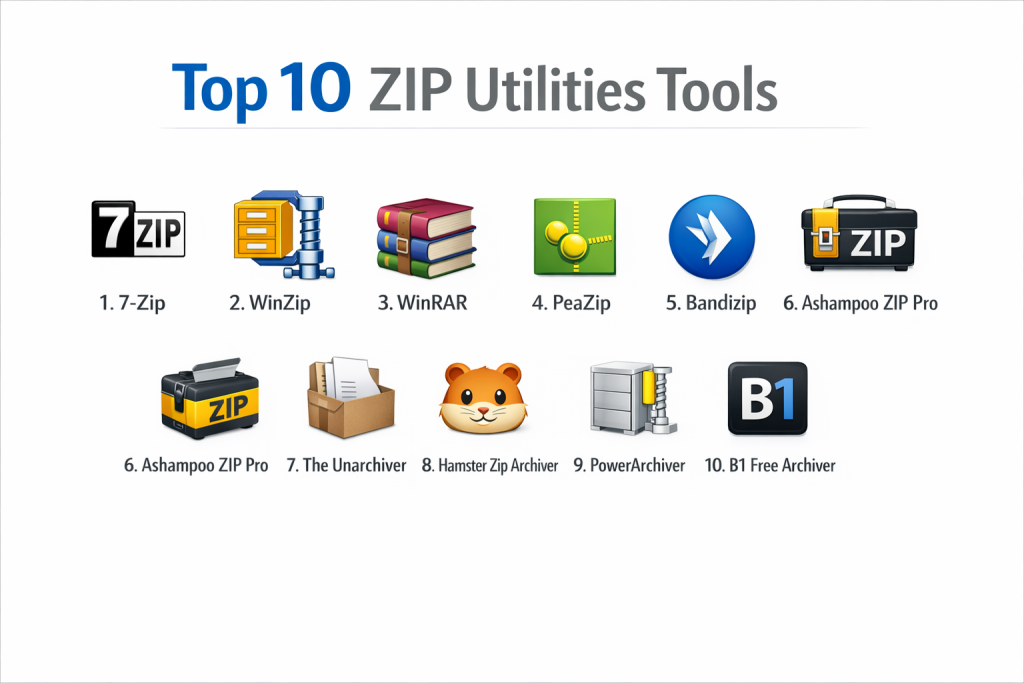
Top 10 ZIP Utilities Tools
1 — 7-Zip
7-Zip is the gold standard for open-source file archiving, renowned for its proprietary 7z format which offers some of the highest compression ratios available today.
- Key features:
- High compression ratio in 7z format with LZMA and LZMA2 compression.
- Supports a vast range of unpacking formats including RAR, ISO, DMG, and MSI.
- Strong AES-256 encryption for 7z and ZIP formats.
- Self-extracting capability for the 7z format.
- Integration with Windows Shell for quick right-click access.
- Powerful Command Line version for advanced automation and scripting.
- Pros:
- Completely free for both personal and commercial use without any “nag” screens.
- Exceptionally lightweight and consumes very little system memory during operation.
- Cons:
- The user interface is significantly dated, resembling software from the late 90s.
- Does not offer the integrated cloud-sharing features found in paid competitors.
- Security & compliance: AES-256 encryption; GDPR compliant (no data tracking).
- Support & community: Extensive community forums, localized in 87 languages, and deep documentation available online.
2 — WinZip
WinZip is the most recognized name in the industry, having evolved into a comprehensive productivity suite that manages files across local, network, and cloud locations.
- Key features:
- Direct integration with Google Drive, OneDrive, and Dropbox for zipping cloud files.
- Built-in PDF tools including conversion to PDF and merging multiple PDFs.
- Image management for watermarking and resizing photos during the zipping process.
- Secure file sharing via “ZipShare” for social media and email.
- Automated backup features for local and cloud data.
- Advanced deduplication to prevent redundant files within archives.
- Pros:
- Modern, polished interface that integrates seamlessly with Microsoft Office.
- Feature-rich beyond just zipping, acting as a full file management ecosystem.
- Cons:
- One of the most expensive options on the market.
- Can feel “bloated” with features that a standard user may never utilize.
- Security & compliance: FIPS 140-2 compliance, AES encryption, and GDPR readiness.
- Support & community: Professional 24/7 support for enterprise users, live chat, and a massive knowledge base.
3 — WinRAR
WinRAR is a staple for users who require the robust RAR format, which is often superior to ZIP for error recovery and handling massive file sets.
- Key features:
- Full support for RAR and ZIP archives; unpacking for dozens of others.
- Unique “Recovery Record” feature to repair physically damaged or corrupted archives.
- Split-volume archiving for breaking huge files into smaller, manageable parts.
- Multithreaded compression engine for maximum speed on modern CPUs.
- “Solid Archiving” mode for significantly shrinking groups of similar files.
- Password manager for storing and managing archive credentials.
- Pros:
- The proprietary RAR5 algorithm is exceptionally efficient for large-scale data sets.
- The software is “trialware,” meaning it remains functional even after the trial period ends.
- Cons:
- The RAR format cannot be created by most free tools, limiting compatibility.
- Frequent pop-up reminders to buy the license can be distracting.
- Security & compliance: AES-256 bit encryption and authenticated signatures.
- Support & community: High-quality email support, frequent security updates, and a vast global community.
4 — PeaZip
PeaZip is a high-security, open-source utility that offers a clean, modern interface and support for an industry-leading 200+ archive formats.
- Key features:
- Built-in file shredder (Secure Delete) to permanently erase data beyond recovery.
- Two-factor authentication for archives using password + keyfile.
- Integrated password manager and encrypted credentials store.
- Portable version available that runs from a USB drive without installation.
- Advanced task scheduling for automated archive creation.
- Supports the specialized PEA format for high-security archiving.
- Pros:
- The interface is highly customizable and looks much better than 7-Zip.
- Offers advanced security features that are usually only found in paid products.
- Cons:
- Speed can be slightly slower than Bandizip on very large file sets.
- The variety of options can be overwhelming for a casual user.
- Security & compliance: AES-256, 2FA, and encrypted session management.
- Support & community: Active GitHub development, comprehensive wiki, and a helpful open-source community.
5 — Bandizip
Bandizip is a fast, lightweight utility from Korea that has won over users with its “Smart Strategy” that skips files that cannot be compressed well to save time.
- Key features:
- High-speed archiving that utilizes multi-core processors efficiently.
- “Smart Strategy” automatically chooses the best compression method.
- Archive Image Preview allows you to see pictures inside a ZIP without extracting.
- Unicode support to prevent character corruption in international filenames.
- Built-in Antimalware Scan for archives before they are opened.
- Password Manager for secure storage of frequently used archive keys.
- Pros:
- One of the fastest utilities on the market for both compression and extraction.
- Minimalist, ad-free interface (in the Professional version) that is very easy to use.
- Cons:
- The Free version now includes advertisements.
- Some of the most useful features (like the Password Manager) are locked behind the Pro tier.
- Security & compliance: AES-256 encryption; supports secure archive repair.
- Support & community: Professional email support and a detailed FAQ/Documentation section.
6 — Ashampoo ZIP Pro
Ashampoo ZIP Pro is a “Swiss Army Knife” for file management, designed for business environments that need to handle PDFs, ISOs, and cloud sync in one app.
- Key features:
- Virtual Drive support to mount ISO files as local drives instantly.
- Integrated Outlook add-in to zip attachments automatically before sending.
- Cloud Browser for direct file management in Google Drive and OneDrive.
- Built-in PDF editor and creator for modifying documents within the app.
- Secure “Encrypt” suite for individual file encryption (OpenPGP support).
- Batch processing for zipping thousands of files at once.
- Pros:
- Beautiful, modern UI that follows Windows 11 design principles.
- Replaces multiple tools (PDF editor, Cloud manager, ISO mounter).
- Cons:
- The software is quite heavy on system resources compared to 7-Zip.
- Can be aggressive with marketing pop-ups for other Ashampoo products.
- Security & compliance: FIPS 140-2 validated, OpenPGP, and AES-256.
- Support & community: Professional helpdesk support and a strong international user base.
7 — The Unarchiver (macOS)
The Unarchiver is the essential “missing piece” for macOS users, replacing the native Apple utility with something that handles virtually every format.
- Key features:
- Support for older and obscure formats (StuffIt, LZH, ARJ, etc.).
- Handles non-Latin character sets in filenames much better than macOS.
- One-click extraction that automatically quits after the task is done.
- Integrated with the Mac Finder for a native-feeling experience.
- Ability to handle split-volume RAR archives easily.
- Minimalist, setting-free operation for pure simplicity.
- Pros:
- Completely free and ad-free, available directly on the Mac App Store.
- The fastest way to open any file on a Mac without worrying about compatibility.
- Cons:
- It is primarily an extraction tool; it does not offer complex creation features.
- Only available for the Apple ecosystem.
- Security & compliance: Relies on Apple’s sandboxing; GDPR compliant.
- Support & community: High App Store rating and supported by the team at MacPaw.
8 — Hamster Zip Archiver
Hamster Zip Archiver is built for simplicity and cloud convenience, featuring a drag-and-drop interface that appeals to non-technical users.
- Key features:
- One-click upload to Dropbox, Google Drive, and Yandex.Disk.
- Optimized for high-speed ZIP and 7z compression.
- Modern, colorful interface with a focus on ease of use.
- Automatically adjusts compression levels for the best speed/size balance.
- Touch-friendly design for Windows tablets.
- Generates sharing links for cloud-uploaded archives automatically.
- Pros:
- Zero learning curve; it is likely the most “beginner-friendly” tool on this list.
- Great for users who frequently share files via the cloud.
- Cons:
- The installer sometimes attempts to bundle other software (bloatware).
- Lacks the deep technical settings required by IT professionals.
- Security & compliance: Standard AES encryption; privacy policy is basic.
- Support & community: Community-driven FAQ and social media support.
9 — PowerArchiver
PowerArchiver is an enterprise-grade utility that focuses on the highest possible security certifications and integration with professional workflows.
- Key features:
- Proprietary .PA format with the strongest encryption/compression ratio.
- FIPS 140-2 validated 256-bit AES encryption.
- Secure FTP (SFTP) client built into the interface for direct transfers.
- Outlook and Office plugins with automatic attachment management.
- Advanced backup engine with shadow copy (VSS) support.
- Integrated media player for previewing media inside archives.
- Pros:
- Unrivaled for security and government-level compliance requirements.
- The .PA format is exceptionally fast on modern multi-core machines.
- Cons:
- The interface can be cluttered with many toolbars and icons.
- Pricing is at the premium end of the market.
- Security & compliance: FIPS 140-2, SOC 2, and HIPAA readiness.
- Support & community: Dedicated enterprise support teams and a long history of professional use.
10 — B1 Free Archiver
B1 Free Archiver is a cross-platform utility that prides itself on being simple, open, and available for almost every operating system imaginable.
- Key features:
- Support for its own B1 format, optimized for speed and safety.
- Available on Windows, macOS, Linux, and Android.
- Online archiver version available for use without any software installation.
- Password protection with high-level encryption standards.
- Clean, simplified interface that hides complex settings.
- Open-standard format that ensures data is never “locked in.”
- Pros:
- Exceptional cross-platform consistency; looks the same on Linux as it does on Windows.
- The online version is perfect for users on restricted public computers.
- Cons:
- The installer has historically been flagged for including optional bundled apps.
- Slower development cycle compared to industry giants like WinZip.
- Security & compliance: Standard AES encryption; Open-source code (for the format).
- Support & community: Active user forums and a simple ticket-based support system.
Comparison Table
| Tool Name | Best For | Platform(s) Supported | Standout Feature | Rating |
| 7-Zip | Power Users | Windows, Linux | Best Free Compression | 4.8/5 |
| WinZip | Corporate Suite | Windows, Mac, iOS | Cloud & PDF Hub | 4.6/5 |
| WinRAR | Large Archives | Windows, Android | Archive Repair Tool | 4.7/5 |
| PeaZip | Security Focus | Windows, Linux | 200+ Format Support | 4.6/5 |
| Bandizip | High Speed | Windows, Mac | Smart Compression | 4.5/5 |
| Ashampoo ZIP | Business Admins | Windows | Virtual Drive Mount | 4.4/5 |
| The Unarchiver | Mac Simplicity | macOS | Universal Unpacking | N/A |
| Hamster Zip | Beginners | Windows | Cloud-First Sync | 4.2/5 |
| PowerArchiver | High Security | Windows | FIPS 140-2 Encryption | 4.7/5 |
| B1 Archiver | Cross-Platform | Win, Mac, Lin, Android | Online Extractor | 4.1/5 |
Evaluation & Scoring of ZIP Utilities
| Criteria | Weight | Average Score (out of 10) | Notes |
| Core Features | 25% | 9.0 | Compression and extraction are excellent across all tools. |
| Ease of Use | 15% | 8.0 | WinZip and Hamster lead; 7-Zip has the steepest curve. |
| Integrations | 15% | 8.5 | Cloud and Shell integration are now industry standards. |
| Security & Compliance | 10% | 9.0 | PowerArchiver and PeaZip set the pace here. |
| Performance | 10% | 9.0 | Bandizip and 7-Zip are the performance champions. |
| Support & Community | 10% | 8.0 | Open-source tools have the most active forums. |
| Price / Value | 15% | 9.5 | 7-Zip and PeaZip offer unbeatable value (Free). |
Which ZIP Utilities Tool Is Right for You?
Solo Users vs SMB vs Mid-Market vs Enterprise
For Solo Users and students, 7-Zip or PeaZip are the logical choices. They offer top-tier performance for $0. For SMBs, Bandizip or WinRAR provide a good balance of speed and reliability for small teams. Mid-Market and Enterprise organizations should prioritize WinZip or PowerArchiver; these tools offer the administrative deployment tools (MSI files), FIPS-validated security, and 24/7 technical support that corporate IT departments require.
Budget-Conscious vs Premium Solutions
If you are Budget-Conscious, open-source is your best friend. You are not sacrificing quality—7-Zip often outperforms paid tools in compression ratios. However, Premium Solutions like Ashampoo ZIP Pro or WinZip offer “convenience value.” They bundle PDF editors, cloud explorers, and backup engines, which can save a business from buying three or four separate software licenses.
Feature Depth vs Ease of Use
If you prioritize Ease of Use, The Unarchiver (Mac) and Hamster Zip (Windows) are winners. They are designed for a “drag and drop” workflow with no technical jargon. If you require Feature Depth, 7-Zip and PeaZip allow for minute adjustments to dictionary size, word size, and threading, which can be critical for optimizing server storage.
Integration and Scalability Needs
For those heavily invested in the Microsoft ecosystem, WinZip scales best due to its deep integration with Office and Teams. For DevOps or Linux environments, 7-Zip and PeaZip are more scalable because they can be easily called via command-line scripts to automate massive data archiving tasks without a GUI.
Security and Compliance Requirements
If your industry (Healthcare, Finance, Government) requires strict Security and Compliance, you cannot use standard free tools without vetting. You should opt for PowerArchiver or WinZip Enterprise, as they provide the FIPS 140-2 encryption modules and audit logs necessary to pass stringent data security audits.
Frequently Asked Questions (FAQs)
1. Is “zipping” a file the same as “compressing” it?
Yes. ZIP is simply the most common archive format, so the terms are used interchangeably. Both refer to using mathematical algorithms to reduce a file’s physical size on a disk.
2. Can I compress a file that is already compressed (like a JPEG or MP4)?
You can, but you won’t save much space. These file types are already compressed by their internal design. Zipping them is mostly useful for bundling many of them together, not for saving storage.
3. Is it safe to open a ZIP file from an unknown sender?
No. ZIP files are often used to hide malware from basic email scanners. Always use a tool with a built-in scanner (like Bandizip) and ensure your antivirus is active before extracting.
4. What is the difference between ZIP and RAR?
ZIP is a universal open format that every computer can open without extra software. RAR is a proprietary format that often compresses files more tightly and offers better “repair” features for corrupted data.
5. Can I set a password on my ZIP files?
Yes, most utilities allow you to set a password. For maximum safety, ensure you select AES-256 encryption rather than the older “ZipCrypto,” which can be easily cracked.
6. Do I really have to pay for WinRAR after the trial?
Technically, yes, for commercial use. However, the software famously continues to function for personal use after the trial ends, though you will be greeted with a purchase reminder.
7. Which tool has the best compression ratio?
Generally, 7-Zip using the .7z format is considered the industry leader for the smallest file sizes, often outperforming the standard .zip format by 30-50%.
8. Can I extract a file without installing any software?
Both Windows and macOS have built-in tools that can open standard ZIP files. For more complex formats like RAR or 7z, you will need a tool like The Unarchiver or a portable version of PeaZip.
9. What is a “Self-Extracting” (SFX) archive?
This is a feature where the ZIP utility creates an .exe file. The recipient can open the archive and extract the files even if they don’t have any ZIP software installed on their computer.
10. Can I see what is inside a ZIP without extracting it?
Yes, almost all modern utilities allow you to “double-click” the archive to browse the contents like a regular folder before you decide to save them to your hard drive.
Conclusion
The “best” ZIP Utility depends entirely on whether you value technical control, processing speed, or corporate security. For the vast majority of users, 7-Zip and PeaZip provide professional-grade power at zero cost, making them the most logical starting point for any digital toolbox. They prove that you don’t need a high price tag to get high-performance compression.
However, in professional and enterprise settings, the “extra” features of WinZip or PowerArchiver—such as PDF management, cloud integration, and FIPS compliance—often justify the investment by streamlining workflows and ensuring legal data protection. Ultimately, your choice should reflect your technical comfort level and the specific formats you interact with most. By moving away from basic built-in tools to a dedicated ZIP utility, you gain the power to manage your data footprint with precision and security.