Introduction
Email Archiving Tools are specialized software solutions designed to capture, preserve, and make searchable all email traffic within an organization. Unlike a simple backup, which is a snapshot of data at a specific point in time, an archive is a continuous, read-only record of every message sent and received. These tools systematically move emails from active mailboxes to a secure, secondary storage environment. This process ensures that even if a user deletes a message from their primary inbox, a tamper-proof copy remains accessible for administrative or legal purposes.
The importance of email archiving has grown significantly as email has become the primary “system of record” for business agreements and internal communications. For many industries, keeping these records is not just a good habit—it is a legal requirement. Beyond compliance, these tools are vital for storage management; by offloading years of old attachments to an archive, the primary email server runs much faster and more reliably. Furthermore, in the event of a legal dispute or internal investigation, an archiving tool allows IT teams to find a specific message from years ago in seconds, rather than hours.
Key Real-World Use Cases
- Legal Discovery (eDiscovery): When a company faces a lawsuit, archiving tools allow legal teams to put a “legal hold” on specific emails, ensuring they cannot be altered or deleted until the case is closed.
- Regulatory Compliance: Financial firms and healthcare providers use these tools to meet strict laws (like SEC rules or HIPAA) that require communications to be stored for seven years or more.
- Knowledge Management: If a key employee leaves the company, their successor can search the archive to understand the history of a client relationship or a specific project.
- Disaster Recovery: If an email server fails or data is corrupted, the archive serves as a permanent repository of historical data that remains unaffected by the local outage.
What to Look For (Evaluation Criteria)
When choosing an email archiving tool, you should prioritize search speed and accuracy; the tool is only useful if you can find what you need quickly. Data deduplication is also critical, as it ensures that if an email was sent to ten people, only one copy is stored, saving massive amounts of storage space. Finally, look for tamper-proof storage (WORM – Write Once, Read Many), which guarantees that the records are authentic and haven’t been edited.
Best for:
- Regulated Industries: Such as finance, healthcare, law, and government agencies where record-keeping is mandatory.
- Large Enterprises: Managing thousands of mailboxes and massive amounts of daily data.
- IT Departments: Looking to reduce the load on their primary mail servers and simplify the “freedom of information” request process.
Not ideal for:
- Personal Users: Who can generally rely on the built-in search and storage of their free email provider.
- Very Small Businesses: That have low email volume and no legal requirement to maintain a permanent archive outside of standard backups.
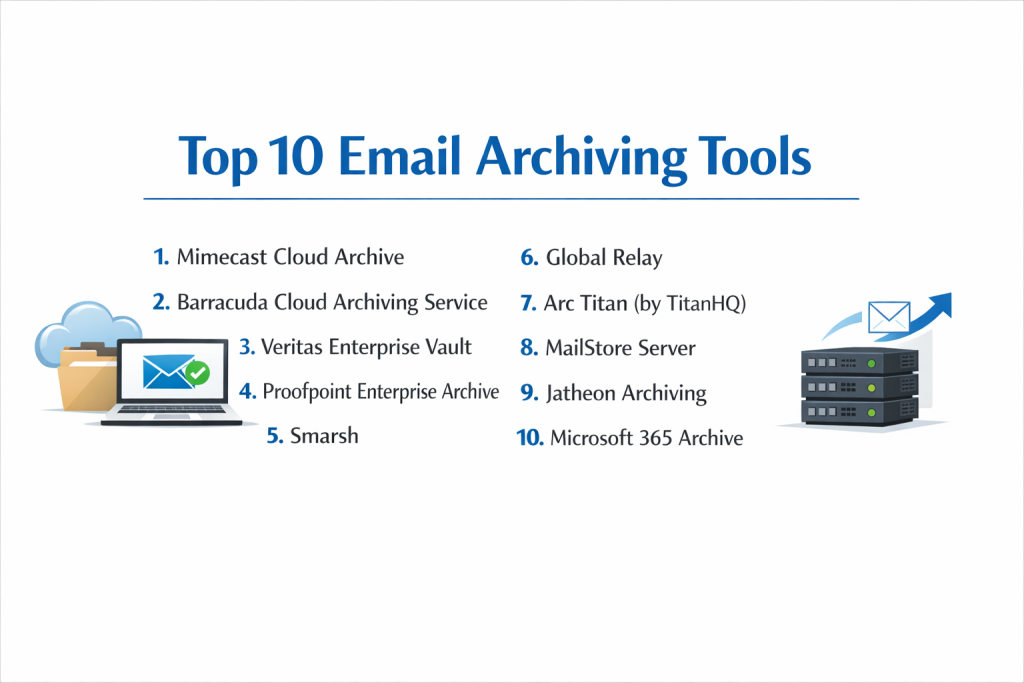
Top 10 Email Archiving Tools
1 — Mimecast Cloud Archive
Mimecast is a heavyweight in the world of cloud security and archiving. Its tool is designed for organizations that want an “all-in-one” solution that handles security, continuity, and long-term data preservation.
- Key features:
- High-speed search with a 7-second SLA for finding any archived message.
- Automated data deduplication and compression to optimize storage.
- Granular folder replication to mirror a user’s inbox structure in the archive.
- Mobile and desktop apps so employees can search their own archives.
- Extensive eDiscovery and case management tools for legal teams.
- Tamper-proof encryption using a unique “Write Once, Read Many” (WORM) format.
- Pros:
- Extremely fast search performance even with petabytes of data.
- Combines email security with archiving, reducing the number of vendors you need.
- Cons:
- The pricing structure is premium and can be high for smaller companies.
- Initial setup and policy configuration require professional expertise.
- Security & compliance: SOC 2 Type II, ISO 27001, HIPAA, GDPR, and FIPS 140-2 compliant.
- Support & community: 24/7 global enterprise support, dedicated account managers, and an extensive online “Knowledge Base.”
2 — Barracuda Cloud Archiving Service
Barracuda is well-known for providing robust, easy-to-use security appliances. Their cloud archiving service offers a straightforward way to capture and store email without needing on-site hardware.
- Key features:
- Direct integration with Microsoft 365 using journaling.
- Outlook Add-in that lets users search archives directly from their email client.
- Comprehensive audit logs to track who has accessed the archive.
- Policy-based retention to automatically delete data after a set period.
- Mobile app for accessing historical emails on the go.
- Role-based access control to limit who can perform legal searches.
- Pros:
- Very user-friendly interface that doesn’t require a lot of training.
- Excellent value for money for mid-sized businesses.
- Cons:
- Search filters are not as advanced as some top-tier enterprise competitors.
- Reporting features are somewhat basic for complex legal requirements.
- Security & compliance: SOC 2, HIPAA compliant, and GDPR ready.
- Support & community: Strong reputation for live phone support and a large community of IT admins using their “Barracuda Campus” training.
3 — Veritas Enterprise Vault
Veritas Enterprise Vault is one of the most established names in the industry. It is a powerful, highly scalable tool that can archive not just email, but also files, social media, and chat messages.
- Key features:
- Support for over 100 different content sources (Email, Slack, Teams, etc.).
- Advanced “Discovery Accelerator” for high-speed legal searches.
- Flexible deployment options: on-premise, cloud, or hybrid.
- Classification engine that automatically identifies sensitive data.
- Massive scalability for organizations with hundreds of thousands of users.
- Intelligent automated lifecycle management for data.
- Pros:
- Unmatched at handling extremely large, complex data environments.
- Capable of archiving much more than just email, providing a single source of truth.
- Cons:
- The software is complex and usually requires a dedicated administrator.
- Hardware requirements for the on-premise version are significant.
- Security & compliance: ISO 27001, SOC 2, and compliant with major global financial regulations (SEC/FINRA).
- Support & community: Professional enterprise-level support and a long-standing user community (VOX).
4 — Proofpoint Enterprise Archive
Proofpoint is a leader in human-centric security. Their archiving solution focuses on reducing the risk and cost associated with legal discovery and regulatory audits.
- Key features:
- Real-time indexing of all messages as they are sent or received.
- “Double-blind” encryption where only the customer holds the keys.
- Advanced visualization tools for mapping out social connections in emails.
- Automated supervision features for the financial services industry.
- Built-in litigation hold and eDiscovery workflows.
- Cloud-native architecture that requires no local storage.
- Pros:
- Superior security model where the service provider cannot see your data.
- Excellent tools for financial compliance and monitoring.
- Cons:
- Can be one of the most expensive solutions on the market.
- The user interface for administrators can feel a bit technical and dated.
- Security & compliance: SOC 2, ISO 27001, FedRAMP, HIPAA, and GDPR.
- Support & community: High-end customer success programs and 24/7 technical support for global teams.
5 — Smarsh
Smarsh is specialized for the financial, government, and heavily regulated sectors. It is designed to capture a wide variety of communications, making it a “multi-channel” archive.
- Key features:
- Capture of mobile text messages, voice, and social media alongside email.
- Universal Search across all communication types in one window.
- AI-powered supervision to flag risky behavior or language.
- “Virtual” data rooms for legal teams to collaborate on cases.
- Direct capture from sources to ensure the “original” format is preserved.
- Highly granular retention policies based on user groups.
- Pros:
- The gold standard for financial services compliance (SEC/FINRA).
- Handles modern communication (like WhatsApp) better than most.
- Cons:
- Might be “overkill” for a standard business with simple email needs.
- Pricing is often on the higher end due to specialized compliance features.
- Security & compliance: SOC 2 Type II, FINRA/SEC compliant, GDPR, and HIPAA.
- Support & community: Expert compliance consulting services and professional support teams.
6 — Global Relay
Global Relay is another major player in the financial services archiving space. It provides a highly secure, private cloud environment for managing corporate messages.
- Key features:
- Unified archive for email, IM, social media, and Bloomberg messaging.
- Powerful search that can handle millions of messages in seconds.
- Legal hold management with full audit trails.
- Integrated “Surveillance” tool to monitor for compliance breaches.
- Mobile app that allows users to access their entire history.
- Automated reporting for regulatory audits.
- Pros:
- Extremely reliable and “built like a vault” for high-stakes data.
- Excellent reputation within the global banking and investment community.
- Cons:
- Not as “modern” or “sleek” in design as some newer cloud-only startups.
- The focus is heavily on finance, so some general business features may be lacking.
- Security & compliance: SOC 2, ISO 27001, SEC 17a-4, and GDPR.
- Support & community: 24/7 support with specialized knowledge of financial regulations.
7 — Arc Titan (by TitanHQ)
Arc Titan is a cloud-based email archiving solution that targets small to medium-sized businesses and MSPs. It focuses on being fast, secure, and incredibly easy to deploy.
- Key features:
- Lightning-fast search that can query 30 million emails in under a second.
- Complete integration with Microsoft 365 and Outlook.
- Unlimited storage and unlimited user retention options.
- Automated backups of the archive itself for extra redundancy.
- Easy “Self-Service” portal for users to find their own lost mail.
- Transparent, per-user pricing model.
- Pros:
- One of the fastest search engines in the archiving world.
- Very cost-effective for businesses that don’t need “enterprise-only” modules.
- Cons:
- Lacks some of the deep “AI supervision” features of Smarsh or Proofpoint.
- Doesn’t support as many non-email sources (like social media) as competitors.
- Security & compliance: GDPR compliant, HIPAA ready, and uses SSL/TLS encryption.
- Support & community: Known for excellent, responsive technical support and a simple onboarding process.
8 — MailStore Server
MailStore is slightly different as it is primarily a software-based solution that you run on your own server. It is incredibly popular with smaller businesses that want to keep their data in-house.
- Key features:
- Support for almost all email systems (Exchange, Gmail, IMAP, Kerio).
- Self-contained search and indexing for extremely high speed.
- Users can access the archive via Outlook, a Web Browser, or a mobile app.
- One-click restore: users can move archived mail back to their inbox instantly.
- Low hardware requirements; can run on a standard Windows machine.
- Export features to move data to different formats if needed.
- Pros:
- Very affordable; one of the best price points for small teams.
- Gives you total control over where your data is stored (on-premise).
- Cons:
- Requires you to manage your own server and backups of the archive.
- Cloud version is less prominent than the on-premise software.
- Security & compliance: GDPR compliant and certified for commercial use by independent auditors.
- Support & community: Very active user base and a wealth of documentation in multiple languages.
9 — Jatheon Archiving
Jatheon offers a range of archiving solutions, including a cloud-based service and a unique “on-premise appliance.” They focus on providing a “premium” experience with high-touch support.
- Key features:
- Jatheon Cloud: A modern, sleek web interface for managing archives.
- Advanced search with proximity filters and logical operators.
- Automated alerts for specific keywords or compliance triggers.
- Mobile app for both Android and iOS.
- “Social Media Archiving” as an optional add-on module.
- Detailed reporting on storage usage and user activity.
- Pros:
- The user interface is very modern and easy to navigate for non-IT staff.
- They offer a “hardware for life” program for their on-premise appliance users.
- Cons:
- Not as well-known as the massive players like Microsoft or Mimecast.
- Cloud scalability for the largest global enterprises is still growing.
- Security & compliance: SOC 2, HIPAA, and GDPR compliant.
- Support & community: High ratings for customer satisfaction and personalized onboarding.
10 — Microsoft 365 Archive
For companies already using Microsoft 365, the built-in “Archive” and “In-Place Hold” features are the most common starting point. It is deeply integrated into the world’s most popular business mail system.
- Key features:
- In-Place Archiving: Moves old mail to a “bottomless” second mailbox.
- Litigation Hold to prevent users from deleting messages.
- eDiscovery Premium for advanced searching and exporting of mail.
- Retention policies that can be applied to folders or entire mailboxes.
- Unified governance across Teams, SharePoint, and Email.
- No third-party connectors needed for basic Microsoft users.
- Pros:
- No “third-party” vendor risk since the data never leaves Microsoft’s cloud.
- Zero-effort deployment for organizations already on M365.
- Cons:
- The search can be slower than specialized tools like Mimecast or Arc Titan.
- Advanced eDiscovery features are locked behind the most expensive (E5) licenses.
- Security & compliance: FedRAMP, SOC 2, ISO 27001, HIPAA, and GDPR.
- Support & community: Worldwide support and the largest IT community in existence.
Comparison Table
| Tool Name | Best For | Platform(s) Supported | Standout Feature | Rating |
| Mimecast | Enterprise Security | Cloud / All | 7-Second Search SLA | 4.6/5 |
| Barracuda | Mid-Market SMB | Cloud / M365 | Ease of Management | 4.4/5 |
| Veritas | Complex Datasets | On-prem / Cloud | 100+ Data Sources | 4.5/5 |
| Proofpoint | High Privacy Needs | Cloud / Hybrid | Double-Blind Encryption | 4.7/5 |
| Smarsh | Financial Compliance | Cloud / All | Multi-Channel Capture | 4.8/5 |
| Global Relay | Global Banks | Private Cloud | Compliance Surveillance | 4.5/5 |
| Arc Titan | High Speed SMB | Cloud / M365 | Search Performance | 4.3/5 |
| MailStore | On-Premise Control | Windows Server | One-Click Restore | 4.6/5 |
| Jatheon | User Experience | Cloud / Appliance | Modern Web Interface | 4.4/5 |
| Microsoft 365 | Ecosystem Users | Cloud / Windows | Unified Governance | N/A |
Evaluation & Scoring of Email Archiving Tools
| Criteria | Weight | Average Score (out of 10) | Notes |
| Core Features | 25% | 9.0 | Search and WORM storage are now standard. |
| Ease of Use | 15% | 7.5 | Specialized tools can have a steep learning curve. |
| Integrations | 15% | 8.5 | Microsoft 365 connectivity is a top priority. |
| Security & Compliance | 10% | 9.5 | Most tools are built specifically for high compliance. |
| Performance | 10% | 9.0 | Search speed has improved across all vendors. |
| Support & Community | 10% | 8.0 | Enterprise vendors offer 24/7 global coverage. |
| Price / Value | 15% | 8.0 | MailStore and Arc Titan lead in SMB value. |
Which Email Archiving Tool Is Right for You?
Solo Users vs. SMB vs. Mid-Market vs. Enterprise
For Solo Users or very small teams, a dedicated archiving tool is usually unnecessary; standard backup and the built-in search of your email provider are enough. SMBs should look for tools that are easy to set up and “forget,” such as Arc Titan or Barracuda. Mid-Market companies often need a balance of value and security, making eM Client or Jatheon good choices. Enterprises with complex legal needs must look toward Mimecast, Veritas, or Proofpoint, which can handle millions of messages across global offices while maintaining strict legal standards.
Budget-Conscious vs. Premium Solutions
If budget is the primary driver, MailStore Server is an excellent choice as it avoids the monthly “per-user” subscription fees that can add up over time. For organizations where cost is less important than risk mitigation, Proofpoint or Smarsh provide Premium Solutions that offer specialized AI monitoring and double-blind encryption to protect against even the most sophisticated data threats.
Feature Depth vs. Ease of Use
If you need Feature Depth—the ability to archive mobile texts, Zoom chats, and Slack messages all in one place—then Smarsh or Veritas are the right path. However, these tools are complex. If your team values Ease of Use, a tool like Barracuda or Arc Titan provides a much simpler experience, allowing a general IT person to manage the archive without needing a specialized certification.
Security and Compliance Requirements
This is the most critical decision factor. If you are a financial firm under SEC/FINRA oversight, you absolutely need a tool like Global Relay or Smarsh, as they are built specifically to pass these audits. If your focus is HIPAA for healthcare, almost any of the top 10 will work, provided you sign a Business Associate Agreement (BAA). For companies focused on GDPR, look for tools that offer “Right to be Forgotten” features, which allow you to surgically delete specific data from the archive when legally required.
Frequently Asked Questions (FAQs)
1. Is an email archive the same as a backup?
No. A backup is for restoring a system after a crash; it is often overwritten. An archive is a permanent, read-only record of every single message, designed for legal and compliance search.
2. Why can’t I just use the “Archive” folder in Outlook?
The “Archive” folder in Outlook is just a folder. Users can still delete messages from it. A true archiving tool stores mail in a separate, tamper-proof location that the user cannot edit.
3. Does email archiving slow down my computer?
No. Most modern archiving happens in the cloud or on a separate server. It actually speeds up your computer by allowing you to delete old mail from your primary inbox without losing it forever.
4. How long should I keep my archived emails?
This depends on your industry. Many businesses keep mail for 7 years to meet tax and legal requirements. Some government agencies and schools keep certain records forever.
5. Can users find their own deleted emails in the archive?
Yes, most professional tools like Arc Titan and Mimecast provide a portal or an Outlook add-in where users can search for and restore their own deleted messages without asking IT for help.
6. Can these tools archive social media or Slack?
Top-tier tools like Smarsh and Veritas can. Most mid-market tools focus purely on email, so you should check the “Source Support” list if you need to archive chat apps.
7. What is “Journaling”?
Journaling is a technique where your email server (like Exchange) automatically sends a copy of every message to the archive the second it is sent or received. This prevents users from deleting a “bad” email before it can be archived.
8. Can I move my archive if I change email providers?
Yes. Most archiving tools are “provider-agnostic,” meaning they can store mail from Gmail even if you later switch to Microsoft 365.
9. Is it legal to archive employee emails?
In most business environments, yes. Company email is generally considered company property. However, you should always consult your local labor laws and include an email policy in your employee handbook.
10. What happens if I stop paying for my cloud archive?
This is a major concern. You should ensure your contract includes a “data extraction” clause so you can get your messages out in a standard format (like PST or EML) if you decide to leave.
Conclusion
Choosing an Email Archiving Tool is about more than just clearing out your inbox; it’s about protecting your organization’s future. In a world where a single missing email can result in a massive legal fine or a lost lawsuit, having a reliable “memory” for your business is essential.
While Microsoft 365 provides a great starting point for many, specialized tools like Mimecast or Smarsh offer the speed and compliance depth that larger or highly-regulated companies need. If you are a smaller business, a tool like MailStore or Arc Titan provides high-end protection without the enterprise price tag. The “best” tool is the one that fits your specific regulatory environment while being easy enough for your team to actually use. By implementing a professional archive today, you are turning your chaotic stream of communication into a secure, searchable asset that will serve you for years to come.