Introduction
A NoSQL Database Platform (standing for “Not Only SQL”) is a modern data management system designed to handle the vast, unstructured, and rapidly changing data sets of today’s digital era. Unlike traditional relational databases (RDBMS) that store data in rigid rows and columns, NoSQL platforms utilize flexible data models. These include document, key-value, wide-column, and graph formats. This architectural shift allows developers to store data without a pre-defined schema, making it much easier to adapt applications as business requirements evolve.
NoSQL platforms are essential because they solve the “Big Data” problem: they are built to scale horizontally (adding more servers) rather than vertically (buying a bigger server). This ensures that even as user traffic explodes, performance remains consistent and latency stays low.
Key Real-World Use Cases
- E-commerce & Personalization: Managing real-time product catalogs and offering tailored recommendations based on browsing history.
- Real-Time Analytics: Processing millions of events per second from IoT sensors or social media feeds for immediate insight.
- Content Management: Storing diverse media types—articles, videos, and comments—within a single, flexible document store.
- Fraud Detection: Using graph databases to map relationships between entities and identify suspicious patterns instantly.
What to Look For (Evaluation Criteria)
When evaluating NoSQL platforms, consider the following technical and operational pillars:
- Data Model Alignment: Does the tool support the specific structure of your data (e.g., Document for web apps, Graph for social networks)?
- Scalability & Performance: Can the system handle petabytes of data while maintaining single-digit millisecond latency?
- Consistency vs. Availability: Where does the tool sit on the CAP theorem spectrum? Does it prioritize “Always On” availability or “Strict” data accuracy?
- Developer Experience: How easy is it to write queries? Does it support the programming languages your team already uses?
Best for:
NoSQL platforms are best for High-growth Startups, Cloud-Native Enterprises, and Gaming Studios that deal with massive user bases and unpredictable data patterns. They are the go-to choice for DevOps Engineers and Backend Developers building globally distributed applications.
Not ideal for:
These tools are not ideal for Complex Financial Auditing or systems requiring heavy “Joins” between dozens of tables where strict relational integrity is the top priority. For small, static internal tools with highly structured data, a traditional SQL database remains a simpler, more cost-effective choice.
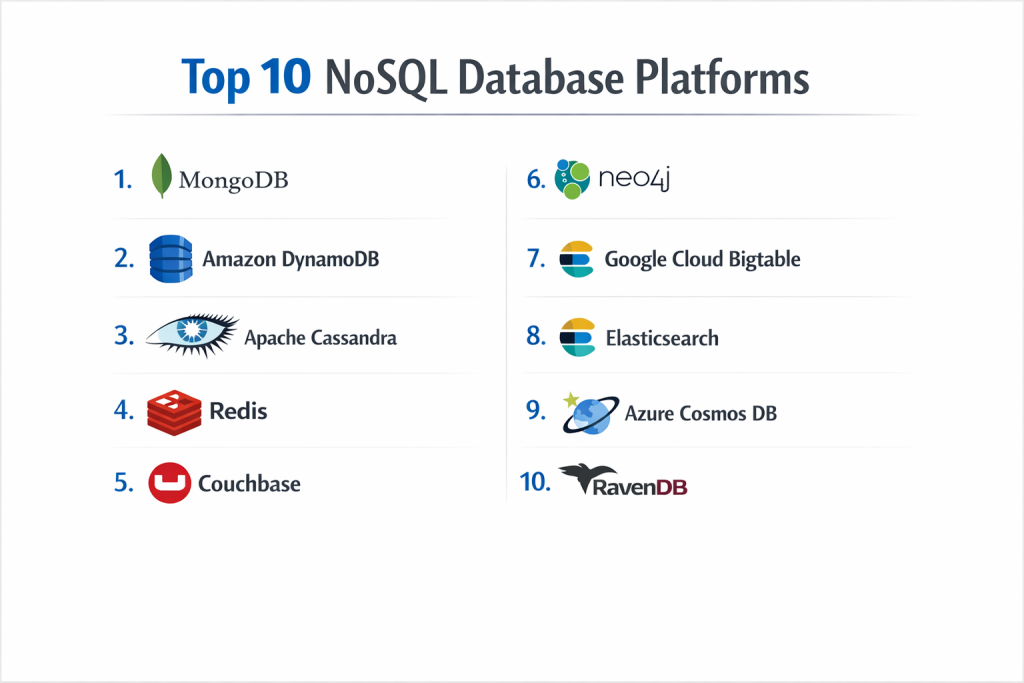
Top 10 NoSQL Database Platforms
1 — MongoDB
MongoDB is the industry leader in the NoSQL space, famous for its document-oriented approach that stores data in JSON-like BSON (Binary JSON) documents. It is designed to bridge the gap between relational systems and modern flexibility.
- Key features:
- Flexible document schema allowing for varied data structures within a single collection.
- Native sharding for seamless horizontal scaling across massive clusters.
- Powerful aggregation framework for complex data processing.
- Secondary indexes on any field, including geospatial and text-search.
- MongoDB Atlas: A fully managed multi-cloud database-as-a-service.
- Multi-document ACID transactions for data integrity.
- Pros:
- Extremely developer-friendly; the document model maps directly to modern code objects.
- Vast ecosystem with official drivers for almost every major programming language.
- Cons:
- Memory-intensive; requires significant RAM to maintain high performance.
- Large documents can lead to “storage bloat” due to the way BSON handles metadata.
- Security & compliance: Includes role-based access control, TLS/SSL encryption, and Field Level Encryption. Atlas is SOC 2, ISO 27001, HIPAA, and GDPR compliant.
- Support & community: The largest NoSQL community globally with extensive documentation, a dedicated University, and 24/7 enterprise support tiers.
2 — Amazon DynamoDB
DynamoDB is a fully managed, serverless NoSQL database provided by AWS. It is built for massive scale, providing consistent performance for some of the world’s largest applications like Amazon.com and Disney+.
- Key features:
- Serverless architecture—no servers to provision, patch, or manage.
- Global Tables for multi-region, active-active replication.
- Auto-scaling of throughput based on application demand.
- Single-digit millisecond response times at any scale.
- Integrated with AWS Lambda for event-driven computing.
- DynamoDB Accelerator (DAX) for an in-memory caching layer.
- Pros:
- Zero operational overhead; AWS handles the “heavy lifting” of maintenance.
- Predictable performance regardless of data volume or traffic spikes.
- Cons:
- Strict platform lock-in to the AWS ecosystem.
- Querying flexibility is limited compared to document databases like MongoDB.
- Security & compliance: Fully integrated with AWS IAM for access control and KMS for encryption at rest. Compliant with HIPAA, PCI DSS, and GDPR.
- Support & community: High-quality official AWS support; massive community of cloud architects and online tutorials.
3 — Apache Cassandra
Cassandra is a distributed wide-column store designed for high availability and linear scalability. Originally developed at Facebook, it is now the backbone of high-write-volume systems like Netflix and Apple.
- Key features:
- Peer-to-peer architecture with no single point of failure.
- Linear scalability—adding a node increases capacity proportionally.
- Tunable consistency, allowing users to choose between speed and accuracy.
- Multi-datacenter replication for disaster recovery and low latency.
- Cassandra Query Language (CQL), which looks and feels like SQL.
- Optimized for high-speed write operations.
- Pros:
- Unmatched uptime; the database stays alive even if multiple nodes fail.
- Perfect for time-series data and massive logging or tracking systems.
- Cons:
- High complexity to set up and manage without a managed service provider.
- Read operations can be slower than other NoSQL databases due to its architecture.
- Security & compliance: Supports internal authentication/authorization and TLS encryption. Compliance depends heavily on the hosting environment.
- Support & community: A strong open-source community managed by the Apache Foundation; commercial support is available via Datastax.
4 — Redis
Redis (Remote Dictionary Server) is an open-source, in-memory data structure store. While often used as a cache, it is a powerful NoSQL database in its own right for real-time applications.
- Key features:
- In-memory storage for sub-millisecond response times.
- Support for diverse data structures like Strings, Lists, Sets, and Hashes.
- Pub/Sub messaging for real-time communication.
- Persistence options (RDB and AOF) to save data to disk.
- Redis Stack: Adds JSON, Search, and Graph capabilities.
- Redis Sentinel and Redis Cluster for high availability.
- Pros:
- The fastest database platform on the market for simple lookups.
- Extremely versatile; can act as a database, cache, and message broker simultaneously.
- Cons:
- Data capacity is limited by available system RAM (can get expensive).
- Not ideal for complex relational-style queries without significant extensions.
- Security & compliance: Offers Access Control Lists (ACLs) and TLS encryption. Enterprise versions (Redis Cloud) offer SOC 2 and HIPAA compliance.
- Support & community: Huge community and developer following; professional support is led by Redis Ltd.
5 — Couchbase
Couchbase is a high-performance, cloud-native NoSQL database that combines the strengths of a document store with an integrated memory-first architecture.
- Key features:
- Memory-first architecture for extremely low latency.
- SQL++ (formerly N1QL): Use familiar SQL syntax to query JSON documents.
- Built-in Full-Text Search and real-time analytics.
- Mobile-to-edge synchronization with Couchbase Lite.
- Multi-Dimensional Scaling (MDS) to scale specific services independently.
- Active-active cross-datacenter replication (XDCR).
- Pros:
- Offers a very smooth transition for SQL developers due to SQL++.
- Excellent for mobile apps that need to work offline and sync later.
- Cons:
- Can be hardware-intensive; requires significant memory for optimal performance.
- The community is smaller compared to MongoDB or Redis.
- Security & compliance: Role-based access control, TLS, and auditing. Couchbase Capella (managed) is SOC 2 and HIPAA compliant.
- Support & community: Professional enterprise support with a strong focus on high-scale corporate clients.
6 — Neo4j
Neo4j is the world’s most popular Graph Database. It is designed to treat relationships as “first-class citizens,” making it the top choice for connected data.
- Key features:
- Native graph processing and storage engine.
- Cypher: An intuitive, visual query language built for graph traversal.
- ACID-compliant transactions for data reliability.
- Graph Data Science library for advanced analytics (e.g., PageRank).
- Neo4j Bloom: A tool for business users to explore data visually.
- High-speed relationship traversals regardless of data depth.
- Pros:
- Orders of magnitude faster than SQL for relationship-based queries.
- Perfect for fraud detection, social networks, and recommendation engines.
- Cons:
- Steep learning curve for those used to tabular or document models.
- Not designed for bulk data processing or simple document storage.
- Security & compliance: Fine-grained security for nodes and relationships. AuraDB (managed) offers SOC 2 and GDPR compliance.
- Support & community: Very active community of graph enthusiasts; Neo4j provides extensive free training and certifications.
7 — Google Cloud Bigtable
Bigtable is Google’s managed, wide-column NoSQL database. It is the same technology that powers Google Search and Maps, designed specifically for massive analytical and operational workloads.
- Key features:
- Proven at petabyte scale; handles millions of requests per second.
- Low latency and high throughput for both reads and writes.
- Seamless integration with Google BigQuery and Vertex AI.
- Compatible with the open-source Apache HBase API.
- Dynamic scaling: Add or remove nodes without downtime.
- Replication across multiple zones and regions.
- Pros:
- Unrivaled scalability for time-series and sensor data.
- Part of a unified Google Cloud data ecosystem.
- Cons:
- Expensive; has a high entry-level cost compared to other platforms.
- Limited querying capabilities; primarily a “row key” lookup system.
- Security & compliance: Data is encrypted at rest and in transit by default. Compliant with HIPAA, FedRAMP, and ISO standards.
- Support & community: Backed by Google Cloud’s world-class engineering support and a large enterprise user base.
8 — Elasticsearch
Elasticsearch is a distributed, JSON-based search and analytics engine. While often used for logging, it has evolved into a popular NoSQL document store for data discovery.
- Key features:
- Distributed full-text search engine with sub-second response.
- Schema-free JSON document storage.
- RESTful API for all database and search operations.
- Part of the “ELK Stack” (Elasticsearch, Logstash, Kibana).
- Rich analytical features for aggregating large datasets.
- Cross-cluster replication for high availability.
- Pros:
- The gold standard for search-heavy applications (e.g., an e-commerce search bar).
- Powerful data visualization through Kibana.
- Cons:
- Management can be difficult as data grows (sharding and indexing).
- Not a great primary database for transactional apps needing strict consistency.
- Security & compliance: Features like SSO and field-level security are available in the Elastic Stack. Managed “Elastic Cloud” is SOC 2 compliant.
- Support & community: Massive community and official training through Elastic.co.
9 — Azure Cosmos DB
Cosmos DB is Microsoft’s globally distributed, multi-model database service. It is designed to be the “everything database” for the Azure cloud.
- Key features:
- Multi-model support: Document, Graph, Key-Value, and Column-Family.
- Five consistency levels (from strong to eventual) to tune performance.
- Guaranteed low latency (under 10ms) with a 99.999% availability SLA.
- APIs for MongoDB, Cassandra, and Gremlin.
- Turnkey global distribution with the click of a button.
- Serverless and provisioned throughput options.
- Pros:
- The most flexible platform for companies already using Microsoft Azure.
- Unique consistency options that solve the “CAP theorem” dilemma.
- Cons:
- Costs can escalate quickly if not monitored closely.
- Native “Core” API can be slightly complex compared to pure MongoDB.
- Security & compliance: Industry-leading security; meets almost every major global compliance standard (HIPAA, HITRUST, SOC).
- Support & community: Exceptional enterprise support from Microsoft and a vast library of Azure documentation.
10 — RavenDB
RavenDB is an open-source NoSQL document database that focuses on high-performance ACID transactions and an out-of-the-box user experience.
- Key features:
- Fully transactional (ACID) across the entire database.
- Built-in management studio for visual data exploration.
- Automatic indexing that learns and tunes based on your queries.
- Native full-text search and graph querying capabilities.
- Cross-platform: Runs on Windows, Linux, and Docker.
- Distributed multi-master replication.
- Pros:
- Extremely easy to set up and get running compared to competitors.
- Strong focus on data consistency that many NoSQL tools lack.
- Cons:
- Smaller community and fewer third-party integrations than MongoDB.
- The ecosystem for non-.NET developers is not as robust.
- Security & compliance: Built-in encryption at rest and in transit. Supports X.509 certificates and role-based access.
- Support & community: High-quality direct support from the developers; active community forum.
Comparison Table
| Tool Name | Best For | Platform(s) Supported | Standout Feature | Rating (Gartner) |
| MongoDB | General Apps / Startups | Cloud, On-Prem, Mac/Win/Lin | Flexible Document Model | 4.8 / 5 |
| Amazon DynamoDB | Serverless AWS Apps | AWS Cloud Only | Infinite Scaling / Zero Ops | 4.4 / 5 |
| Apache Cassandra | Massive Write Loads | Linux, Docker | No Single Point of Failure | 4.1 / 5 |
| Redis | Caching / Real-Time | Cloud, Linux, Docker | Sub-millisecond Speed | 4.6 / 5 |
| Couchbase | Mobile Sync / High-Scale | Cloud, Mobile, On-Prem | Integrated In-Memory Cache | 4.3 / 5 |
| Neo4j | Relationship Mapping | Cloud, On-Prem, Mac/Win/Lin | Native Graph Traversal | 4.5 / 5 |
| Google Bigtable | Analytical Big Data | GCP Cloud Only | Petabyte Scale Performance | 4.5 / 5 |
| Elasticsearch | Search & Analytics | Cloud, On-Prem, Docker | Full-Text Search Excellence | 4.6 / 5 |
| Azure Cosmos DB | Global Multi-Cloud Apps | Azure Cloud Only | Multi-Model / Five Consistencies | 4.6 / 5 |
| RavenDB | ACID Transactional Apps | Win, Linux, Cloud | Automatic Query Tuning | 4.7 / 5 |
Evaluation & Scoring of NoSQL Database Platforms
The following rubric provides a weighted average score across the 10 platforms. Individual tool performance may vary based on specific use cases.
| Scoring Category | Weight | Average Score (1-10) | Evaluation Focus |
| Core Features | 25% | 9.2 | Schema flexibility, query power, and data model depth. |
| Ease of Use | 15% | 8.5 | Onboarding speed, GUI tools, and documentation quality. |
| Integrations | 15% | 8.8 | SDK availability and cloud ecosystem compatibility. |
| Security & Compliance | 10% | 9.0 | Encryption, RBAC, and regulatory certifications. |
| Performance | 10% | 9.5 | Latency, throughput, and horizontal scaling efficiency. |
| Support & Community | 10% | 8.2 | Forum activity, commercial support response, and training. |
| Price / Value | 15% | 7.8 | TCO, licensing costs vs. open-source benefits. |
Which NoSQL Database Platform Is Right for You?
Small to Mid-Market vs. Enterprise
For Startups and SMBs, the priority is “Time to Market.” MongoDB Atlas or Amazon DynamoDB are the best choices because they allow developers to build quickly without managing hardware. For Large Enterprises handling global traffic, Cassandra or Cosmos DB provide the geographic reach and high availability required for always-on services.
Budget-Conscious vs. Premium Solutions
If you are on a tight budget, open-source versions of Redis or Cassandra provide world-class power for $0 in licensing. However, the “people cost” of managing them is high. Amazon DynamoDB is the ultimate budget-conscious solution for apps with fluctuating traffic because you only pay for what you use, often starting for free.
Feature Depth vs. Ease of Use
If you need Feature Depth for specific problems, choose a specialist: Neo4j for relationships or Elasticsearch for search. If you want Ease of Use, MongoDB is the gold standard for developer productivity.
Security and Compliance Requirements
If you are in FinTech or Healthcare, Azure Cosmos DB and Amazon DynamoDB offer the most robust pre-configured compliance certifications (HIPAA/PCI). For those who need total control over their data residency and security protocols on-premises, RavenDB or self-hosted MongoDB Enterprise are superior choices.
Frequently Asked Questions (FAQs)
1. Is NoSQL “better” than SQL?
Not necessarily. It is better for scaling and flexible data, but SQL is still superior for complex relational transactions and reporting.
2. Can I use NoSQL for financial applications?
Yes. Modern NoSQL tools like MongoDB and RavenDB support ACID transactions, making them safe for many financial use cases.
3. What is the biggest mistake when choosing NoSQL?
Choosing a database based on hype rather than data model fit. Don’t use a Graph database like Neo4j if your data is a simple flat list.
4. How does NoSQL scale?
It scales horizontally through “sharding”—splitting the data into smaller chunks and spreading them across multiple servers.
5. What is the CAP theorem?
It states that a distributed system can only provide two of three guarantees: Consistency, Availability, and Partition Tolerance. NoSQL databases prioritize different pairs.
6. Is NoSQL secure?
Yes. Managed platforms like Atlas and DynamoDB offer enterprise-grade security including encryption at rest and fine-grained access control.
7. Does NoSQL support SQL queries?
Some platforms do. Couchbase uses SQL++ and Azure Cosmos DB has a SQL API, which helps relational developers transition faster.
8. Can I move from MongoDB to DynamoDB easily?
No. While they are both NoSQL, their APIs, query languages, and indexing strategies are very different.
9. Is Redis a primary database or just a cache?
It can be both. With persistence enabled and the latest “Redis Stack” features, many companies use Redis as their primary data store.
10. Do I need a DBA for NoSQL?
For self-hosted clusters (like Cassandra), a DBA is essential. For serverless/managed platforms (like DynamoDB), the need for a traditional DBA is significantly reduced.
Conclusion
The “NoSQL” label covers a diverse range of technologies, from the lightning-fast in-memory lookups of Redis to the massive analytical power of Google Bigtable. Choosing the right platform is not about finding the “best” database, but finding the one that matches your data’s unique shape and your application’s growth trajectory.
If you are a developer looking for flexibility, MongoDB is your safest bet. If you want to forget about servers entirely, DynamoDB is the way to go. If your data is a complex web of relationships, Neo4j will save you months of coding. By matching your specific technical requirements to the strengths of these platforms, you can build a data foundation that scales effortlessly into the future.