Introduction
Key Management Systems (KMS) are specialized security solutions designed to manage the full lifecycle of cryptographic keys, including their generation, storage, distribution, rotation, and destruction. In the architecture of modern cybersecurity, if encryption is the lock, then the KMS is the high-security vault that holds the keys. These systems ensure that cryptographic keys are never exposed in plaintext and are only accessible to authorized users or applications. By centralizing key management, organizations can move away from the dangerous practice of “hardcoding” secrets into software or storing them in insecure configuration files.
The importance of a KMS cannot be overstated; the strength of any encryption is entirely dependent on the secrecy and integrity of the underlying key. As businesses migrate to the cloud and adopt microservices, they face a “secret sprawl” where thousands of keys are scattered across different environments. A KMS provides a “single source of truth” and automated enforcement of security policies. Key real-world use cases include managing SSL/TLS certificates for web servers, protecting data-at-rest in massive databases, facilitating secure cloud migrations, and ensuring that only authenticated CI/CD pipelines can access production secrets.
Key Real-World Use Cases
- Cloud Infrastructure Security: Managing the keys that encrypt virtual machine disks and object storage (like Amazon S3 or Azure Blobs).
- Application Secret Management: Providing API keys and database credentials to applications dynamically so they are never stored in the source code.
- Regulatory Compliance: Automating the periodic rotation of keys to satisfy requirements for PCI-DSS, HIPAA, or SOC 2.
- Code Signing: Managing the private keys used to digitally sign software, ensuring that users can verify the developer’s identity and that the code hasn’t been tampered with.
- Hardware Security Module (HSM) Integration: Bridging the gap between software-based applications and physical, tamper-resistant hardware for high-assurance security.
What to Look For (Evaluation Criteria)
When evaluating a KMS, your primary focus should be on Lifecycle Automation—the system must be able to rotate keys automatically without breaking your applications. Interoperability is also vital; a good KMS should support the KMIP (Key Management Interoperability Protocol) to work with various hardware and software vendors. Finally, pay close attention to Auditability. A KMS should provide detailed logs of exactly who used which key and when, providing a forensic trail for security teams and auditors.
Best for:
KMS tools are essential for Security Architects, DevOps Engineers, and Compliance Officers in data-sensitive industries like banking, healthcare, and government. They are best for organizations with multi-cloud environments or those building complex, distributed software applications.
Not ideal for:
Small businesses with very simple IT setups, such as a single WordPress site or a small office network without custom software development. In these cases, the native, basic secret management provided by the hosting provider or cloud vendor is usually sufficient without a dedicated KMS.
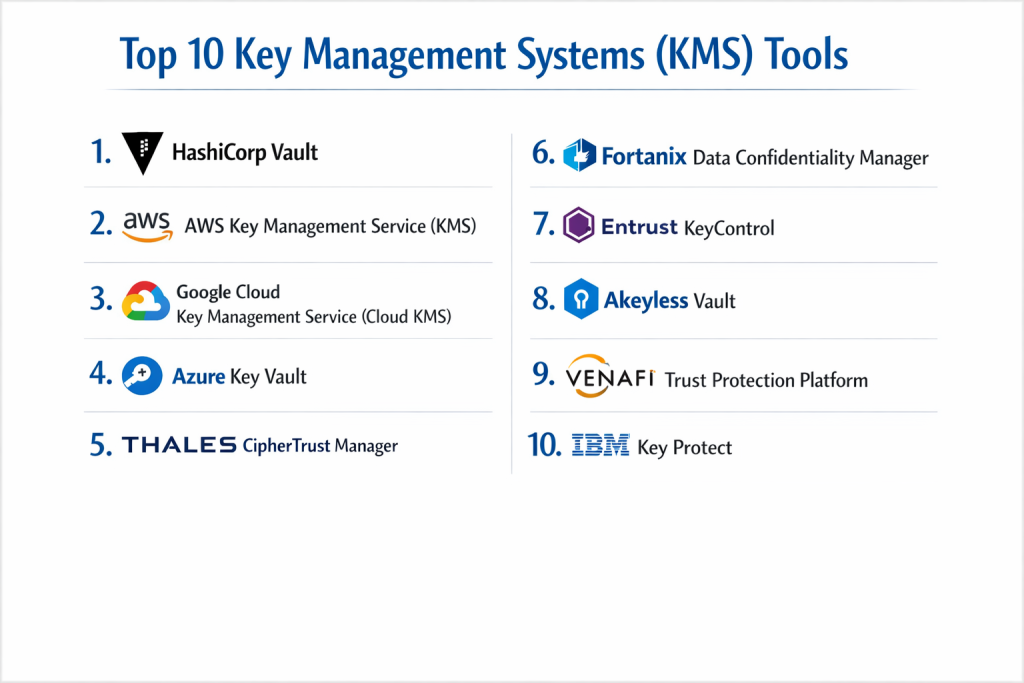
Top 10 Key Management Systems (KMS) Tools
1 — HashiCorp Vault
HashiCorp Vault is the industry standard for identity-based secret and key management. It is designed for modern, cloud-native environments that require dynamic secrets and high-velocity key rotation.
- Key features:
- Secure Secret Storage: Centralized storage for sensitive data like API keys and passwords.
- Dynamic Secrets: Generates credentials on-demand with a limited Lease Time to minimize exposure.
- Data Encryption: Provides “Encryption as a Service” to protect data without moving it.
- Identity-based Access: Integrates with platforms like Kubernetes, AWS, and Azure for authentication.
- Leasing and Renewal: Every secret has a lease, ensuring they are revoked when no longer needed.
- Disaster Recovery Replication: High-availability setups for global enterprise resilience.
- Pros:
- Highly flexible and platform-agnostic; it works perfectly in any cloud or on-prem.
- The “Dynamic Secrets” feature is a game-changer for reducing the risk of stolen credentials.
- Cons:
- Significant learning curve; setting up and maintaining a production-ready cluster is complex.
- The Enterprise version is quite expensive compared to native cloud options.
- Security & compliance: FIPS 140-2/3, SOC 2, GDPR, HIPAA; supports SSO and OIDC.
- Support & community: Extensive documentation; massive open-source community; premium 24/7 support for Enterprise tiers.
2 — AWS Key Management Service (KMS)
AWS KMS is a managed service that makes it easy to create and control the keys used to encrypt your data within the Amazon Web Services ecosystem.
- Key features:
- Deep Integration: Automatically works with over 100 AWS services like S3, RDS, and EBS.
- FIPS 140-2 Level 3 HSMs: Uses high-security hardware to protect and store keys.
- Automatic Key Rotation: Set-and-forget policies for rotating master keys annually.
- CloudTrail Integration: Every key usage is logged in AWS CloudTrail for auditing.
- Asymmetric Keys: Support for RSA and Elliptic Curve (ECC) keys for signing and encryption.
- Bring Your Own Key (BYOK): Allows users to import keys from their own on-prem HSMs.
- Pros:
- Extremely easy to use if you are already invested in the AWS ecosystem.
- Cost-effective for small-to-midscale usage with a simple per-key monthly fee.
- Cons:
- “Cloud Lock-in”: It is difficult to use AWS KMS to manage keys for resources on Azure or Google Cloud.
- Limited customization compared to standalone software like Vault.
- Security & compliance: FIPS 140-2 Level 2/3, SOC 1/2/3, PCI-DSS, HIPAA, GDPR; uses IAM for access control.
- Support & community: Comprehensive AWS documentation; world-class technical support (paid); vast user forums.
3 — Google Cloud Key Management Service (Cloud KMS)
Google Cloud KMS is a cloud-hosted service for managing cryptographic keys for your cloud services in the same way you do on-premises.
- Key features:
- Latency Optimized: Highly performant for real-time encryption/decryption requests.
- Cloud HSM: Integration with hardware security modules for FIPS 140-2 Level 3 compliance.
- External Key Manager (EKM): Allows keys to be stored outside of GCP (e.g., in an on-prem vault).
- Identity & Access Management (IAM): Uses GCP’s native IAM for granular permission control.
- Global and Regional Keys: Control exactly where your keys are stored for data sovereignty.
- Automated and Manual Rotation: Flexibility in how often keys are refreshed.
- Pros:
- Excellent for global organizations that need keys physically located in specific geographic regions.
- The External Key Manager (EKM) is a standout for high-compliance hybrid setups.
- Cons:
- Administrative interface can be complex for those unfamiliar with Google Cloud’s structure.
- Pricing can become unpredictable with high-volume API requests.
- Security & compliance: FIPS 140-2 Level 3, FedRAMP, SOC 2, HIPAA, GDPR.
- Support & community: Detailed Google documentation; expert-led support; active GCP developer community.
4 — Azure Key Vault
Azure Key Vault is a cloud service for securely storing and accessing secrets, keys, and certificates within the Microsoft ecosystem.
- Key features:
- Secret Management: Securely store tokens, passwords, and API keys.
- Key Management: Create and control encryption keys used to encrypt your data.
- Certificate Management: Provision and manage SSL/TLS certificates.
- Managed HSM: Fully managed, highly available, single-tenant FIPS 140-2 Level 3 HSM.
- Virtual Network Service Endpoints: Keep your secrets hidden from the public internet.
- Soft Delete and Purge Protection: Prevents accidental or malicious deletion of keys.
- Pros:
- The best choice for organizations using Microsoft 365, Active Directory, and Azure.
- Simplifies the complex process of managing SSL certificates for web apps.
- Cons:
- The standard tier is software-based; users must pay significantly more for the HSM-backed tier.
- Integration with non-Microsoft tools can be more friction-heavy.
- Security & compliance: FIPS 140-2 Level 2 (Standard) / Level 3 (Premium), SOC 2, ISO 27001, HIPAA.
- Support & community: Microsoft Learn documentation; global support network; huge Enterprise community.
5 — Thales CipherTrust Manager
CipherTrust Manager is a high-assurance enterprise KMS that unifies data protection across multi-cloud and hybrid environments. It is designed for the most regulated industries.
- Key features:
- Multi-Cloud Key Management: Centralized control for AWS, Azure, and Google Cloud keys.
- KMIP Support: Industry-standard protocol for managing keys across different hardware.
- Database Encryption: Specialized connectors for SQL Server, Oracle, and MongoDB.
- Self-Service Portals: Allows different business units to manage their own keys within a central framework.
- Comprehensive Auditing: Generates detailed reports for compliance with GDPR and PCI-DSS.
- Hardware or Virtual Appliance: Can be deployed in your data center or in the cloud.
- Pros:
- Unmatched for organizations that need a “single pane of glass” to manage keys across many different clouds.
- High technical reliability and long history in the security space.
- Cons:
- High upfront cost and licensing complexity.
- Requires specialized training to manage effectively; not for small IT teams.
- Security & compliance: FIPS 140-2 Level 3, Common Criteria (CC), GDPR, HIPAA, SOC 2.
- Support & community: Professional enterprise-grade support; global partner network; deep technical whitepapers.
6 — Fortanix Data Confidentiality Manager
Fortanix uses “Confidential Computing” to provide a KMS that protects keys even while they are being used in memory. It is a modern choice for privacy-first organizations.
- Key features:
- Intel SGX Integration: Uses hardware-level “enclaves” to secure keys during processing.
- Multi-Cloud Secret Management: One dashboard for all public cloud secrets.
- Tokenization and Masking: Protects sensitive data fields without breaking database schemas.
- RESTful APIs: Built for developers to integrate security into applications easily.
- Legacy System Support: Connects modern cloud apps to legacy on-prem databases.
- Secure DevOps: Integrates into CI/CD pipelines for automated secret injection.
- Pros:
- The “Confidential Computing” aspect provides security that standard KMS tools cannot match.
- Very developer-friendly with modern APIs and clear documentation.
- Cons:
- Newer player in the market compared to giants like Thales.
- Hardware-based features require specific infrastructure to be fully utilized.
- Security & compliance: FIPS 140-2 Level 3, GDPR, HIPAA, SOC 2; focuses on “Zero Trust” architecture.
- Support & community: High-touch support for Enterprise customers; growing community of privacy-focused devs.
7 — Entrust KeyControl
Entrust KeyControl (formerly HyTrust) is an enterprise-scale KMS that excels in managing keys for virtualized environments like VMware and large-scale storage arrays.
- Key features:
- VMware Integration: Native support for vSphere and vSAN encryption.
- KMIP Server: Acts as a central hub for any KMIP-compliant storage device.
- Multi-Tenancy: Allows service providers to isolate keys for different clients.
- High Availability: Active-active clustering ensures keys are always accessible.
- Scalability: Capable of managing millions of keys with minimal performance impact.
- Policy Engine: Set granular rules for who can access which keys and for how long.
- Pros:
- If your organization is heavily virtualized (VMware), this is often the most compatible tool.
- Very stable and predictable performance in large data centers.
- Cons:
- Less focused on “cloud-native” features like dynamic secrets.
- Interface can feel a bit more “traditional” than HashiCorp Vault.
- Security & compliance: FIPS 140-2 Level 1/3, SOC 2, HIPAA, GDPR; supports robust audit logging.
- Support & community: Strong enterprise support; localized resellers; reliable technical documentation.
8 — Akeyless Vault
Akeyless is a SaaS-based KMS that uses a unique “Fragmented Key” technology to provide security without the user needing to manage any infrastructure.
- Key features:
- Distributed Fragments: Keys are never stored in a single place (even Akeyless doesn’t have the whole key).
- Secrets Orchestration: Manage static and dynamic secrets across any environment.
- Zero-Knowledge Architecture: The vendor has no access to customer data or keys.
- RBAC and Just-in-Time Access: Temporary permissions for developers to access production.
- Universal Proxy: Connects Akeyless to any existing legacy system or cloud provider.
- Multi-Cloud Sync: Automatically syncs secrets across AWS, Azure, and GCP.
- Pros:
- Zero maintenance; as a SaaS solution, you don’t have to manage the KMS servers.
- The “Fragmented Key” approach offers high security with very low administrative overhead.
- Cons:
- Being a SaaS solution, you must be comfortable with your KMS living in the cloud.
- Dependence on Akeyless’s platform uptime for your application’s security.
- Security & compliance: FIPS 140-2 Level 3 (certified backend), SOC 2, GDPR, ISO 27001.
- Support & community: Fast-response support; modern documentation; active developer relations.
9 — Venafi Trust Protection Platform
Venafi focuses specifically on “Machine Identities”—primarily the SSL/TLS certificates and SSH keys that allow machines to talk to each other securely.
- Key features:
- Certificate Lifecycle Automation: Automatically renews and installs SSL certificates.
- SSH Key Management: Discovery and rotation of SSH keys across the enterprise.
- Outage Prevention: Identifies expiring certificates before they cause a website to go down.
- Multi-CA Support: Works with DigiCert, Sectigo, Let’s Encrypt, and many others.
- Code Signing Protection: Secures the private keys used by developers to sign code.
- Policy Enforcement: Ensures that all certificates meet corporate security standards.
- Pros:
- The best tool for solving “Certificate Hell” and preventing outages.
- Deep visibility into every single machine identity in your network.
- Cons:
- Narrow focus; it is not a general-purpose KMS for database encryption or API keys.
- Can be very complex to implement in a heterogeneous network.
- Security & compliance: SOC 2, ISO 27001, HIPAA, GDPR; focuses on NIST and audit standards.
- Support & community: World-class enterprise support; specialized training (Venafi University).
10 — IBM Key Protect
IBM Key Protect is a cloud-based service that provides lifecycle management for encryption keys that are used in IBM Cloud services or user-built applications.
- Key features:
- FIPS 140-2 Level 3 HSMs: Industry-standard protection for your keys.
- Key Rotation: Automated or manual rotation to meet compliance goals.
- Integration with IBM Cloud: Native support for IBM Cloud Object Storage and Databases.
- Policy-Based Access: Control key access via IBM Cloud IAM.
- Audit Trails: Integration with IBM Cloud Activity Tracker.
- “Keep Your Own Key” (KYOK): High-level isolation where only you have access to the HSM.
- Pros:
- Highly optimized for the IBM Cloud ecosystem; the “KYOK” feature is top-tier for privacy.
- Very reliable for large-scale enterprise data workloads.
- Cons:
- Limited appeal if you aren’t using IBM Cloud for your primary infrastructure.
- Ecosystem is smaller than AWS or Azure.
- Security & compliance: FIPS 140-2 Level 3, SOC 2, HIPAA, GDPR.
- Support & community: Professional IBM support; global expertise; detailed cloud documentation.
Comparison Table
| Tool Name | Best For | Platform(s) Supported | Standout Feature | Rating (Gartner / TrueReview) |
| HashiCorp Vault | Multi-Cloud DevOps | Linux, Cloud, Docker | Dynamic, Just-in-Time Secrets | 4.8 / 5 |
| AWS KMS | AWS Users | AWS Only | Native AWS Service Integration | 4.6 / 5 |
| Azure Key Vault | Microsoft Shops | Azure Only | Managed Certificate Lifecycle | 4.5 / 5 |
| Thales Manager | Hybrid Enterprise | Cloud, On-Prem, HSM | Unified Multi-Cloud Management | 4.7 / 5 |
| Google Cloud KMS | GCP Users | GCP Only | External Key Manager (EKM) | 4.4 / 5 |
| Akeyless Vault | SaaS / No-Ops | SaaS (Any Cloud) | Fragmented Key Technology | 4.6 / 5 |
| Fortanix DCM | Data Privacy | Cloud, On-Prem | Confidential Computing Enclaves | 4.5 / 5 |
| Entrust KeyControl | Virtualized Centers | VMware, Cloud | Native VMware vSAN Support | 4.3 / 5 |
| Venafi Platform | SSL/SSH Management | Multi-Cloud, On-Prem | Machine Identity Automation | 4.7 / 5 |
| IBM Key Protect | IBM Cloud Users | IBM Cloud | Keep Your Own Key (KYOK) | 4.2 / 5 |
Evaluation & Scoring of Key Management Systems (KMS)
| Criteria | Weight | Evaluation |
| Core features | 25% | Ability to manage lifecycle, rotate keys, and provide HSM-backed security. |
| Ease of use | 15% | Intuitiveness of the API/UI and simplicity of initial setup. |
| Integrations | 15% | Native support for major clouds (AWS/Azure) and protocols like KMIP. |
| Security & compliance | 10% | FIPS certification, SOC 2, and robust audit logging capabilities. |
| Performance | 10% | Latency in key retrieval and scalability under high transaction loads. |
| Support & community | 10% | Depth of documentation and availability of enterprise support experts. |
| Price / value | 15% | Total cost of ownership vs. the risk reduction provided. |
Which Key Management System (KMS) Tool Is Right for You?
Solo Users vs. SMB vs. Mid-Market vs. Enterprise
Solo users and hobbyist developers rarely need a standalone KMS; the free secret management tiers in GitHub or AWS are usually enough. SMBs should look for a SaaS-based solution like Akeyless to avoid the cost of hiring a security engineer to manage the system. Mid-Market firms with growing cloud footprints should choose the native KMS of their primary cloud (AWS, Azure, or GCP). Large Enterprises with complex, hybrid requirements and high regulatory pressure should invest in HashiCorp Vault or Thales CipherTrust to unify their security across all environments.
Budget-Conscious vs. Premium Solutions
If you are on a tight budget, native cloud KMS offerings are often the cheapest because you only pay for what you use. However, if your budget allows for a premium solution, HashiCorp Vault Enterprise provides advanced features like replication and multi-datacenter support that can prevent catastrophic downtime.
Feature Depth vs. Ease of Use
If you need feature depth (like custom cryptographic engines and complex rotation logic), HashiCorp Vault is the winner. If you prioritize ease of use and want to be up and running in minutes, Akeyless or the native cloud portals are much more accessible for non-specialist teams.
Integration and Scalability Needs
For organizations scaling rapidly in a Kubernetes environment, HashiCorp Vault and Fortanix have the best container-native integrations. If your scalability needs are purely based on AWS or Azure resources, staying within their native ecosystems is the most efficient path for performance and integration.
Security and Compliance Requirements
If your organization requires FIPS 140-2 Level 3 (the high-security standard for government and finance), ensure you select a tool that offers HSM-backed keys. While standard cloud KMS tools often use Level 2, premium tiers (like Azure Managed HSM or Thales) are required for Level 3 compliance.
Frequently Asked Questions (FAQs)
1. What is the difference between a KMS and a Password Manager?
A Password Manager (like LastPass) is for humans to store their personal credentials. A KMS (like AWS KMS) is for machines and applications to store and use cryptographic keys and API tokens programmatically.
2. What does “Key Rotation” mean and why is it important?
Key rotation is the process of generating a new cryptographic key to replace an old one. It is important because it limits the amount of data encrypted with a single key, reducing the damage if a key is ever compromised.
3. Do I need a KMS if I only have one server?
Probably not. If you have a single server, you can usually manage your secrets securely using environment variables or a simple local encrypted file. A KMS is built for environments where keys need to be shared across multiple servers or clouds.
4. What is an HSM?
A Hardware Security Module (HSM) is a physical device that protects and manages digital keys. It is designed to be tamper-evident and tamper-resistant, ensuring the keys never leave the hardware in plaintext.
5. Can I move my keys from AWS to Azure?
It is difficult. Most cloud KMS services use “Cloud-specific” master keys that cannot be exported. If you need portability, you should use a platform-agnostic tool like HashiCorp Vault.
6. Is HashiCorp Vault free?
HashiCorp Vault has a very powerful Community Edition that is free and open-source. However, advanced features like “Seal Wrapping” and enterprise support require a paid license.
7. What is KMIP?
KMIP (Key Management Interoperability Protocol) is a standard language that allows different security tools from different vendors to talk to each other about key management.
8. What happens if I lose my Master Key?
If you lose the master key in a “Zero-Knowledge” system, all the data encrypted by that system is permanently unrecoverable. This is why high-availability and recovery keys are critical.
9. How do KMS tools affect application performance?
Retrieving a key adds a tiny amount of latency (usually milliseconds). Most developers use a “Envelope Encryption” strategy where they retrieve a key once and use it locally to minimize these calls.
10. What is “Envelope Encryption”?
It is a practice where you use a “Data Key” to encrypt your data, and then you use a “Master Key” from the KMS to encrypt the Data Key. This is more efficient than sending large amounts of data to the KMS for encryption.
Conclusion
The selection of a Key Management System (KMS) is one of the most consequential decisions a security team can make. It is the foundation upon which all other data protection efforts are built. The right choice depends entirely on your architectural footprint: if you are a pure “cloud-native” startup, the native AWS or Azure KMS is likely your best starting point. If you are a complex, multi-cloud enterprise, a platform-agnostic tool like HashiCorp Vault or Thales is essential to prevent silos.
Ultimately, the “best” KMS is not necessarily the one with the most features, but the one that your team can actually manage consistently. A complex system that is poorly configured is far more dangerous than a simple system used correctly. Focus on automation, auditability, and ease of integration to build a truly resilient security culture.