Introduction
In the past, building software was a slow process. Developers wrote code in one room, and operations teams ran it in another. If something broke or a security flaw appeared, teams blamed each other, and fixing it took weeks.
DevOps fixed this communication gap by bringing teams together, automating repetitive tasks, and shipping updates in days or even hours. But as companies started shipping software faster, a new problem popped up. Security checks were still happening at the very end of the line like a toll booth. This bottleneck slowed down delivery and caused friction.
To solve this, the industry introduced DevSecOps—short for Development, Security, and Operations. For business leaders, understanding the shift from DevOps to DevSecOps is critical. It is not just a technical upgrade; it is a change in how a company manages risk, speed, and customer trust.
What Is DevOps?
DevOps is a cultural and professional movement that combines software development (Dev) and IT operations (Ops).
Simple Meaning
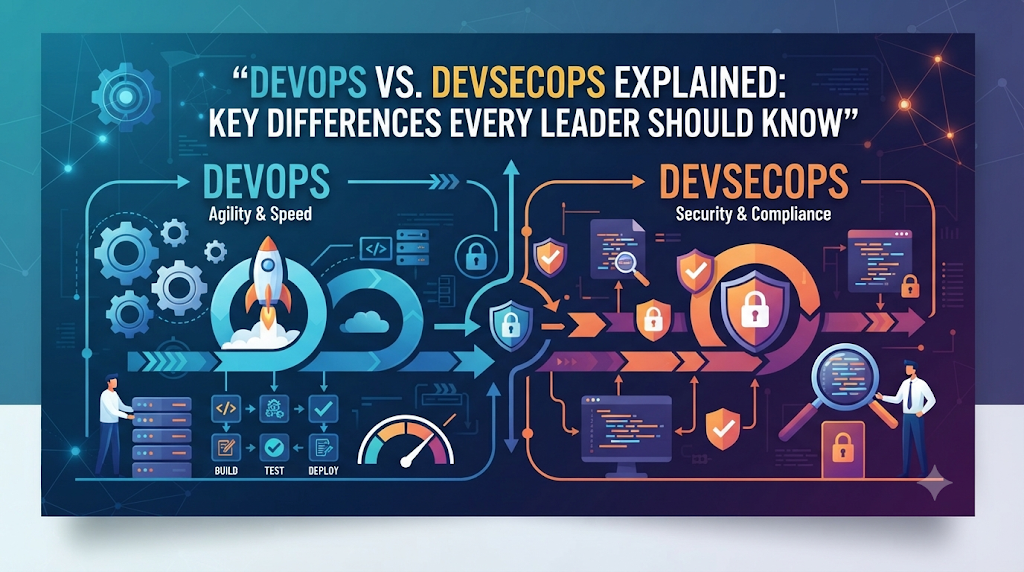
Think of DevOps as a well-oiled assembly line for software. In the old days, developers handed code over a wall to the IT team, who then struggled to keep it running on servers. DevOps tears down that wall. Both teams share the same tools, goals, and responsibilities.
Why It Matters
Traditional software development suffered from slow release cycles and broken updates because teams worked in silos. DevOps speeds up delivery, reduces human error through automation, and helps companies respond to customer needs much faster.
What Is DevSecOps?
DevSecOps stands for Development, Security, and Operations. It integrates security practices into the DevOps framework from the very beginning.
Simple Meaning
If DevOps is an assembly line built for speed, DevSecOps is that same assembly line with built-in safety brakes and quality sensors at every single station. Instead of waiting until the car is fully built to check if the brakes work, DevSecOps tests the brakes while individual parts are still being forged.
Why It Matters
In traditional setups, security teams reviewed code right before it launched. Finding a major flaw at that stage meant halting the launch and wasting weeks of work. DevSecOps shifts security left—meaning security checks happen early and automatically during coding and testing, preventing expensive fixes later.
How DevOps and DevSecOps Work
To understand how these two approaches operate in the real world, it helps to look at their daily workflows.
The DevOps Workflow
- Plan: The team decides what features to build.
- Code: Developers write the code.
- Build & Test: Automated tools check if the code runs properly.
- Deploy: The software is automatically pushed to production servers.
- Monitor: Operations teams watch system performance.
The DevSecOps Workflow
DevSecOps follows these exact same steps, but adds automated security checks at every phase:
- During Planning: Security teams define safety rules and threat models.
- During Coding: Automated scanners check code for vulnerabilities as soon as the developer types it.
- During Testing: Security tests run alongside standard functionality tests.
- During Deployment: Infrastructure settings are checked for misconfigurations.
- During Monitoring: Systems watch for suspicious activity in real time.
Key Differences Between DevOps and DevSecOps
| Feature | DevOps | DevSecOps |
| Primary Focus | Speed, collaboration, and continuous delivery. | Speed combined with built-in security and compliance. |
| Security Timing | Often addressed at the end of the development cycle. | Integrated into every phase from day one (“Shift Left”). |
| Team Responsibility | Dev and Ops share responsibility for building and running code. | Dev, Ops, and Security all share responsibility for safety. |
| Tooling | Uses automation for testing and deployment (CI/CD). | Uses automated security testing tools alongside CI/CD pipelines. |
| Main Bottleneck | Slow communication between development and operations. | Balancing rapid deployment speed with thorough security reviews. |
Practical Examples
Example 1: A Mobile Banking App (DevOps Approach)
A fintech startup uses DevOps to update its mobile banking app every week. They add new budgeting features quickly, and customers love the fast updates. However, because security checks only happen once a month, a subtle data leak slips into production and goes unnoticed for days, damaging customer trust.
Example 2: The Same Banking App (DevSecOps Approach)
The same startup adopts DevSecOps. When a developer writes code that handles user passwords, an automated scanner flags a security flaw instantly. The developer fixes it before the code even merges with the main project. The update takes slightly longer to pass the automated security gates, but the final release is safe from common cyber attacks.
Real-World Business Considerations
Moving from DevOps to DevSecOps is a major strategic decision. Business leaders must balance several operational realities.
The Cost of Speed vs. Safety
DevOps prioritizes time-to-market. DevSecOps adds automated guardrails. While these guardrails take time to set up, they drastically reduce the financial and reputational damage of a data breach.
Cultural Resistance
Developers want to ship features fast. Security teams want to lock everything down. Bridging this gap requires a cultural shift where security is seen as an enabler of safe growth rather than a roadblock.
Tooling and Integration
Implementing DevSecOps requires investing in automated security testing tools—often called SAST (Static Application Security Testing) and DAST (Dynamic Application Security Testing)—and integrating them smoothly into existing developer workflows.
Common Mistakes
- Treating Security as a Plugin: Buying an automated security tool and assuming the organization is suddenly secure without changing team habits.
- Slowing Down Developers Too Much: Adding manual security approvals that bottleneck the delivery pipeline and frustrate the engineering team.
- Ignoring Training: Expecting developers to write secure code without providing proper security education and clear guidelines.
- Focusing Only on Tools: Neglecting the cultural aspect; DevSecOps requires collaboration, not just software licenses.
Risks and Limitations
- False Positives: Automated security scanners often flag harmless code as dangerous. This creates extra work and noise for engineering teams.
- Initial Productivity Dip: Introducing new security gates can temporarily slow down release cycles while teams adapt to the new workflow.
- Complexity: Managing security policies across multi-cloud environments and microservices requires specialized skills that can be hard to hire for.
Decision-Making Framework
Use this step-by-step framework to determine if your organization is ready for DevSecOps:
- Assess Maturity: Are you already practicing standard DevOps successfully? If your deployment pipeline is unstable, fix DevOps basics before layering on DevSecOps.
- Evaluate Risk Exposure: Does your software handle sensitive data, financial transactions, or regulated health information? High-risk applications require DevSecOps immediately.
- Check Team Buy-In: Are development, operations, and security leaders willing to collaborate and share accountability?
- Plan Tooling Investment: Can your budget support automated testing tools that integrate directly into developer workflows?
- Start Small: Pilot DevSecOps on a single non-critical project before rolling it out across the entire enterprise.
Checklist for Business Leaders
- Review current software release speed and frequency.
- Identify where security reviews currently happen in your development lifecycle.
- Audit existing automated testing tools for security coverage.
- Establish open communication channels between developers and security personnel.
- Invest in developer-friendly security training programs.
Key Terms
- CI/CD (Continuous Integration / Continuous Deployment): An automated system that builds, tests, and delivers code updates frequently and reliably.
- Shift Left: The practice of moving testing and security checks earlier in the development process rather than waiting until the end.
- Vulnerability: A weakness in software code or system configuration that a malicious actor could exploit.
- Automation: Using software tools to perform repetitive tasks without human intervention.
- Compliance: Meeting legal and industry standards for data protection and security.
- Silo: A system or mindset where teams work in isolation without sharing information or collaborating effectively.
- Infrastructure as Code (IaC): Managing and provisioning computer data centers through machine-readable definition files rather than physical hardware configuration.
- Threat Modeling: A process of identifying potential security threats and vulnerabilities during the design phase of a project.
FAQs
Is DevSecOps just DevOps with security added?
Yes, essentially. DevSecOps takes the automation, speed, and collaboration principles of DevOps and weaves security into every single step.
Does DevSecOps slow down software delivery?
Initially, yes, as teams set up new tools and workflows. However, once established, DevSecOps actually speeds up delivery by catching and fixing bugs and security flaws early, preventing costly emergency patches later.
Do small businesses need DevSecOps?
Any business building custom software that handles user data, payments, or sensitive information benefits from DevSecOps, as a single security breach can devastate a small company.
Who is responsible for security in DevSecOps?
Everyone. Unlike traditional models where a separate security team took full blame for breaches, developers, operations, and security experts share joint accountability.
How do I convince my development team to adopt DevSecOps?
Show them that DevSecOps is designed to remove bottlenecks by automating security checks, meaning they spend less time dealing with emergency security fixes after launch.
What is the biggest challenge in moving to DevSecOps?
Cultural resistance. Getting traditional security teams to trust automation and developers to care about security is usually harder than buying software tools.
Conclusion
DevOps changed how companies build software by tearing down walls and speeding up delivery. But in a world facing rising cyber threats, speed without security is a major business risk. DevSecOps bridges that gap by embedding safety into the core of the development lifecycle. By treating security as a shared responsibility and automating checks from day one, businesses can innovate quickly while protecting their assets and customer trust.