Introduction
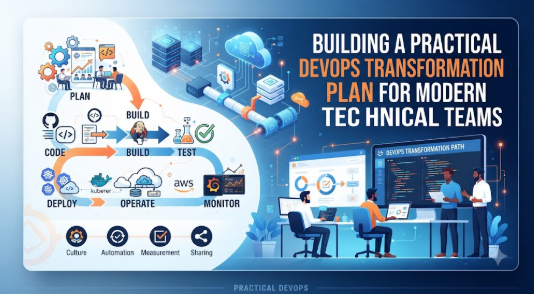
Many organizations enter the world of DevOps with high hopes, aiming to release software faster and with fewer errors, but they often feel overwhelmed by the sheer number of tools and cultural shifts required. Beginners frequently struggle because they treat DevOps as a “software installation” rather than a fundamental change in how teams communicate and work together. Without a structured roadmap, teams often end up with fragmented processes, frustrated developers, and an unstable production environment. This blog will walk you through exactly how to build a practical DevOps transformation plan that prioritizes small, manageable wins over impossible, overnight overhauls. Whether you are a small business owner, a junior developer, or a team lead, this guide provides the clarity needed to move forward without the stress of “doing it all at once.” Practical, steady progress is always more effective than chasing hyped-up industry trends.
Understanding DevOps in Simple Words
At its core, DevOps is the practice of bringing two traditionally separate teams—Software Development (who write code) and Operations (who manage the servers and infrastructure)—together into one collaborative unit. In many older companies, developers would write code, “throw it over the wall” to the operations team, and hope it worked. If it broke, the two teams would argue about whose fault it was.
DevOps changes this by encouraging constant communication, shared responsibility, and automated testing. It is used in real life to ensure that when a developer finishes a feature, it can be tested and deployed to the end user quickly and reliably. It connects with business success because faster deployments lead to happier customers and fewer technical outages.
- Example: Imagine a restaurant where the kitchen and the waiters never speak. The kitchen cooks the wrong meal because they didn’t hear the order change. DevOps is the communication system that links them, ensuring the customer gets the right meal instantly.
- Common Misunderstanding: Many think DevOps is just about buying expensive software tools (like Jenkins or Kubernetes).
- Practical Takeaway: DevOps is 80% culture and communication and 20% tools. Start by talking, not by buying.
Why a Practical DevOps Transformation Plan Is Important
A solid plan acts as a compass in the noisy landscape of modern IT. Without it, you are likely to waste money on tools you don’t need and time on processes that don’t fit your team.
- Efficiency: It removes bottlenecks that slow down code releases.
- Risk Awareness: It ensures that security and stability checks happen automatically.
- Long-term Discipline: It moves the team away from “hero culture” (where one person fixes everything) to “system culture” (where the process fixes the issue).
The Real Problem Readers Face With DevOps Transformation
The core issue is “analysis paralysis.” There is too much conflicting advice online. Many consultants push for massive, expensive overhauls that require replacing every existing system. For a beginner, this is impossible and unnecessary. The lack of awareness regarding “cultural friction”—where team members fear change or job loss—is often the biggest hurdle, far outweighing the difficulty of learning a new software tool.
How a Practical DevOps Transformation Plan Works Step by Step
- Assess Current State: Identify where your biggest bottleneck is. Is it code quality or slow server deployments? Focus your plan on this one area first.
- Establish Small Pilot Teams: Do not transform the whole company. Start with one small team to prove that a different way of working actually yields better results.
- Implement Automation Gradually: Pick one manual task—like running tests—and automate it. This builds confidence and provides immediate ROI.
- Continuous Feedback Loops: Create a system where developers see the results of their code in real-time. This reduces the time spent debugging later.
- Standardize Infrastructure: Use “Infrastructure as Code” to ensure servers are set up the same way every time, reducing “it works on my machine” errors.
- Measure and Adjust: Use simple metrics like “Deployment Frequency” or “Change Failure Rate” to see if your plan is working.
- Cultural Alignment: Ensure management supports the team’s time to learn these new habits.
- Scaling Out: Once the pilot team succeeds, share their learnings with other departments.
Key Factors That Influence Your DevOps Strategy
- Organizational Culture: Are people allowed to fail and learn, or is there a “blame game” culture?
- Team Size: Small, cross-functional teams work better than siloed departments.
- Technical Debt: If your existing code is a mess, DevOps will highlight it quickly. Be prepared to refactor.
- Security Requirements: Always include security checks early in the process (“Shift Left”).
Detailed Breakdown of DevOps Implementation
The Cultural Foundation
DevOps starts with people. If the developers and ops team don’t trust each other, no tool will save you. Encourage cross-training so developers understand infrastructure basics.
The Technical Foundation
Focus on CI/CD (Continuous Integration and Continuous Deployment). This means every time code is changed, it is automatically tested. If it passes, it moves forward. If it fails, the developer gets an alert immediately.
Why This Matters
By catching errors early, you prevent expensive, high-pressure “all-nighters” when a system crashes in production.
Common Mistakes Beginners Make With DevOps Transformation
- Buying Tools First: Buying an expensive platform doesn’t fix a broken culture.
- Ignoring Feedback: If developers and ops don’t talk, the automation will be useless.
- Trying to Change Everything: Start small. A total transformation is a recipe for failure.
| Mistake | Better Approach |
| Changing all processes at once | Start with one pilot project |
| Focusing solely on tools | Focus on team communication |
| Ignoring security in the pipeline | Integrate security from the start |
Practical Real-Life Examples of DevOps Transformation
- The Small Web Agency: A team was manually uploading files to servers. They implemented a simple script to automate this, saving 10 hours a week.
- The E-commerce Startup: They were getting site crashes during sales. They moved to automated testing to catch code errors before they reached the live site.
- The Legacy Enterprise: A firm allowed developers to shadow the server team for two weeks, resulting in 40% fewer deployment errors.
- The Mobile App Team: They reduced their release cycle from once a month to once a week by implementing a basic CI/CD pipeline.
- The Cloud Migration Project: A business saved on cloud costs by automating the shutdown of development environments during off-hours.
Tools, Methods, and Frameworks Readers Can Use
- Git (Version Control): Essential for tracking changes in code.
- Jenkins or GitHub Actions: For automating the testing and deployment process.
- Docker: For ensuring that the code runs the same way on every computer.
- Infrastructure as Code (Terraform): For defining your server settings in a text file.
Expert Tips to Make Better Decisions
- Prioritize Learning: Give team members time to study new workflows.
- Automate Pain, Not Everything: Only automate tasks that are repetitive and cause stress.
- Document Everything: If it isn’t written down, it doesn’t exist.
- Embrace Small Failures: Treat a broken build as a learning opportunity, not a reason to punish.
Case Studies: How Better Understanding Changes Outcomes
- The “Slow Release” Problem: A company struggled with quarterly releases. By moving to a CI/CD model, they switched to bi-weekly releases, increasing customer satisfaction.
- The “Blame Game” Situation: A team had a culture of finger-pointing. After implementing “Blameless Post-mortems,” they focused on fixing the system instead of the individual.
- The Manual Server Setup: A team spent weeks configuring servers manually. By using automated templates, they reduced setup time to minutes.
Risk Awareness: What Readers Must Check First
- Operational Risk: Automated processes can break things faster if tests are bad.
- Security Risk: Giving developers access to production systems requires strict logging.
- Resource Risk: Don’t underestimate the learning curve; productivity may dip temporarily.
Checklist Before Taking Action
- Is the team aligned on the goal of this transformation?
- Have we identified the single most painful bottleneck?
- Do we have a plan to measure success?
- Have we assigned a lead for the pilot project?
- Is the management aware that this is a long-term shift?
Strategic Insights for Better Decision-Making
To be successful, understand that DevOps is a journey. Focus on “Flow,” “Feedback,” and “Continuous Learning.” Keep the flow of work smooth, get feedback from your users and your code as quickly as possible, and create an environment where the team is constantly experimenting.
| Metric | Purpose |
| Deployment Frequency | How often do you deliver value? |
| Change Failure Rate | What percentage of deployments cause issues? |
Key Terms Explained for Beginners
- CI/CD: Continuous Integration (testing code) and Continuous Deployment (releasing code).
- Infrastructure as Code: Managing your server setup through software files.
- Bottleneck: A process step that slows down the entire release pipeline.
- Version Control: A system that tracks changes to files over time.
- Automated Testing: Programs that check your code for bugs without human effort.
Who Should Read This Blog
- Beginners: Starting their journey in modern IT.
- Engineering Managers: Looking to improve team output.
- Developers: Wanting to understand the operations side.
- Small Business Owners: Seeking to scale their tech presence efficiently.
Frequently Asked Questions
- What is a DevOps transformation?
It is the cultural and technical shift to unite developers and operations. - How do I start a DevOps transformation plan?
Start by choosing one small project to pilot your new workflow. - Do I need expensive tools?
No, start with simple automation and standard collaboration habits. - Is DevOps only for big companies?
No, small teams benefit the most from reduced manual work. - How long does it take?
It is a continuous process, but you can see improvements in weeks. - What is the biggest risk?
Trying to change too much, too quickly. - Do I need a DevOps engineer?
You need a DevOps mindset; titles are secondary to culture. - Can I automate everything?
Aim for 80% automation; some tasks require human judgment. - How do I handle team resistance?
Show them the “win” from the pilot project to build trust. - Is my data safe with DevOps?
Yes, it increases safety by reducing human error. - Should I consult an expert?
Yes, if you are scaling a massive enterprise. - What is the first thing to automate?
The testing phase is the best place to start.
Conclusion
Building a practical DevOps transformation plan is not about achieving perfection overnight; it is about building a foundation of continuous improvement and open communication. By focusing on your team’s specific pain points, starting with a manageable pilot, and iterating based on real data, you create a system that grows stronger over time. Remember that technology is the enabler, but the people involved are the engine. Keep your processes simple, encourage your team to learn, and prioritize stability over speed in the early stages. The goal is to create a culture where errors are caught early, feedback is constant, and your team feels empowered to deliver value consistently. As you move forward, keep reviewing your metrics, listening to your developers, and adapting your strategy. A successful transformation is one that evolves with your team’s needs, turning technical challenges into sustainable, reliable workflows.