Introduction
Speech Recognition Platforms are advanced artificial intelligence ecosystems that convert spoken language into digital text through a process known as Automatic Speech Recognition (ASR). These platforms utilize deep learning models, such as Transformers and Recurrent Neural Networks (RNNs), to analyze the acoustic properties of sound—including pitch, frequency, and phonemes—and map them to corresponding linguistic structures. In 2026, these tools have evolved beyond simple transcription; they now incorporate Natural Language Understanding (NLU) to identify intent, sentiment, and even distinct speakers in complex, multi-person environments.
The importance of these platforms is underscored by the global shift toward “voice-first” interactions. Organizations rely on them to unlock the value hidden in massive volumes of audio data, ranging from customer service calls to legal proceedings. By providing a bridge between the analog world of human speech and the structured world of digital data, speech recognition platforms enable real-time accessibility, hands-free productivity, and deeper business intelligence. They are the engine behind virtual assistants, automated captioning, and the next generation of voice-driven enterprise software.
Key Real-World Use Cases
- Contact Center Analytics: Transcribing 100% of customer calls to monitor agent performance, detect frustration, and identify common product issues.
- Medical Documentation: Enabling physicians to dictate patient notes directly into Electronic Health Records (EHR) with high accuracy for clinical terminology.
- Media & Captioning: Generating real-time, multilingual captions for live broadcasts, webinars, and educational videos to meet global accessibility standards.
- Legal & Court Reporting: Providing searchable, timestamped transcripts of depositions and hearings to accelerate the discovery process.
- Voice-Controlled Logistics: Allowing warehouse workers to manage inventory and pick orders through hands-free voice commands, increasing safety and efficiency.
What to Look For (Evaluation Criteria)
- Word Error Rate (WER): The industry-standard metric for accuracy; look for platforms with consistently low WER across diverse accents and noisy environments.
- Latency: Crucial for real-time applications; ensure the platform can deliver “streaming” transcription with sub-second delays.
- Custom Vocabulary: The ability to “teach” the system industry-specific jargon, technical terms, or unique brand names.
- Speaker Diarization: The capacity to accurately identify and separate different speakers in a single audio file.
- Deployment Options: Availability of cloud APIs, on-premises installations for sensitive data, or “edge” deployment for mobile and IoT devices.
Best for: Developers, Enterprises, and Productivity Professionals across healthcare, legal, finance, and customer service sectors who need to automate transcription or build voice-enabled applications.
Not ideal for: Casual users with minimal transcription needs where free, built-in operating system tools (like Apple Dictation or Windows Voice Access) are sufficient without the need for an enterprise platform.
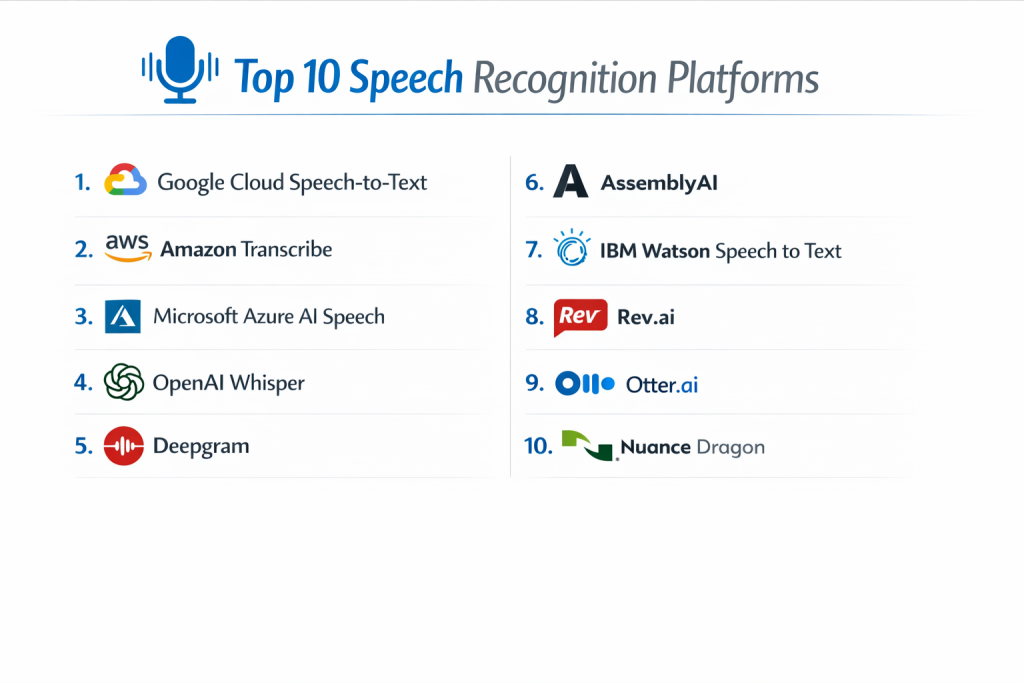
Top 10 Speech Recognition Platforms
1 — Google Cloud Speech-to-Text
Google’s flagship ASR service is a global leader, utilizing the “Chirp” foundation model to deliver extreme accuracy across more than 125 languages and variants.
- Key features:
- Chirp Foundation Model: A massive scale model trained on millions of hours of audio for superior robustness.
- Dynamic Adaptation: Automatically adjusts to different acoustic environments and speaker styles.
- Speaker Diarization: Highly accurate identification of who said what in a multi-person conversation.
- Multichannel Recognition: Can distinguish between different audio channels (e.g., agent vs. customer on a call).
- Data Logging Opt-out: Allows enterprise users to ensure their audio data is not used for model training.
- Pros:
- Industry-leading support for a vast range of global languages and dialects.
- Seamless integration with the broader Google Cloud AI ecosystem (Vertex AI).
- Cons:
- Pricing can be complex and expensive for very high-volume real-time streaming.
- Documentation is comprehensive but can be overwhelming for non-technical users.
- Security & compliance: SOC 2, ISO 27001, HIPAA, GDPR, and FedRAMP compliant.
- Support & community: Enterprise-grade support, a massive developer community, and extensive technical documentation.
2 — Amazon Transcribe
Amazon Transcribe is a fully managed ASR service within the AWS ecosystem, excelling in enterprise workflows—particularly in contact centers and media analysis.
- Key features:
- Call Analytics: Built-in tools for sentiment analysis, non-talk time detection, and agent coaching.
- Medical-Specific Models: A specialized version (Transcribe Medical) designed for clinical terminology.
- Automatic Content Redaction: Automatically identifies and hides sensitive PII (Personally Identifiable Information).
- Streaming Transcription: High-performance real-time processing over HTTP/2 or WebSocket.
- Vocabulary Filtering: Ability to automatically mask or remove unwanted words or profanity.
- Pros:
- Deeply integrated with AWS S3, Lambda, and SageMaker for end-to-end data pipelines.
- Very cost-effective for organizations already heavily invested in the AWS infrastructure.
- Cons:
- The user interface for the console is functional but less intuitive than developer-first competitors.
- Customizing models requires more effort compared to newer, unified-architecture platforms.
- Security & compliance: HIPAA, SOC 1/2/3, ISO, and GDPR compliant.
- Support & community: Access to AWS premium support, extensive “Developer Guides,” and a massive partner network.
3 — Microsoft Azure AI Speech
Azure AI Speech provides a comprehensive suite of speech capabilities, including speech-to-text, text-to-speech, and speech translation, optimized for enterprise-scale solutions.
- Key features:
- Custom Speech: Allows users to train models with their own data to overcome specific acoustic or vocabulary hurdles.
- Speaker Recognition: Identifies and verifies individuals based on their unique voice characteristics.
- Neural Text-to-Speech: Creates natural-sounding voices for brand-specific virtual assistants.
- Translation Integration: Real-time speech translation into over 100 languages.
- Container Support: Can be deployed in local containers for edge computing and data sovereignty.
- Pros:
- Best-in-class integration with Microsoft 365, Teams, and Dynamics CRM.
- Exceptional performance for document-heavy industries like legal and finance.
- Cons:
- Can be technically complex to navigate across the vast Azure Cognitive Services portal.
- Accuracy for non-English languages, while high, is sometimes slightly behind Google’s Chirp model.
- Security & compliance: Over 100 compliance offerings including ISO, SOC, HIPAA, and GDPR.
- Support & community: World-class enterprise support and a large network of Microsoft-certified partners.
4 — OpenAI Whisper
Whisper is a groundbreaking open-source speech recognition model that has redefined the standard for accuracy and robustness in the developer community.
- Key features:
- Large-Scale Weak Supervision: Trained on 680,000 hours of multilingual and multitask supervised data.
- Multi-Task Capability: Handles transcription, translation, and language identification in a single model.
- Robustness to Noise: Performs exceptionally well in poor acoustic conditions or with heavy accents.
- Open Source: The model weights are publicly available, allowing for local, private deployment.
- Zero-Shot Learning: High accuracy on specialized jargon without the need for extensive fine-tuning.
- Pros:
- Free to use if self-hosting, making it the most cost-effective high-accuracy option.
- Incredible accuracy that rivals or beats most commercial cloud APIs.
- Cons:
- Requires significant technical expertise and GPU resources to host and manage at scale.
- Lacks built-in “enterprise” features like user management, audit logs, or technical support.
- Security & compliance: Varies / N/A (Depends entirely on the user’s hosting environment).
- Support & community: Massive GitHub community, active discussions on OpenAI forums, and hundreds of third-party wrappers.
5 — Deepgram
Deepgram is a developer-favorite platform known for its industry-leading speed (low latency) and a unified architecture that makes AI interactions feel human.
- Key features:
- Unified Architecture: Uses a single end-to-end deep learning model rather than separate acoustic/linguistic steps.
- Sub-200ms Latency: Specifically optimized for conversational AI and real-time voice agents.
- On-Premise Deployment: Offers a “self-hosted” option for maximum security and data control.
- Smart Formatting: Automatically adds punctuation, capitalization, and paragraph breaks.
- Automatic Language Detection: Instantly switches between languages in a single stream.
- Pros:
- Extremely fast processing speeds that are ideal for real-time customer service bots.
- Highly flexible pricing model that scales well for high-growth startups.
- Cons:
- The dashboard and management tools are more developer-oriented and less “plug-and-play” for business users.
- Fewer built-in business “analytics” compared to Amazon or Google.
- Security & compliance: SOC 2 Type II, HIPAA, and GDPR compliant.
- Support & community: Responsive technical support via Slack and email, and very clear, modern documentation.
6 — AssemblyAI
AssemblyAI has positioned itself as the “Stripe of Speech AI,” offering a clean, powerful API that includes advanced “Speech Intelligence” features beyond just transcription.
- Key features:
- LeMieux Model: A universal speech model providing >93% accuracy across diverse datasets.
- Audio Intelligence: APIs for summarization, sentiment analysis, entity detection, and PII redaction.
- Real-time Streaming: Simple WebSocket-based integration for live audio.
- Word-Level Timestamps: Precise timing for every word, essential for video editing and search.
- Auto-Chapters: Automatically segments long audio files into logical chapters and summaries.
- Pros:
- The best “Developer Experience” (DX) in the industry with world-class SDKs and documentation.
- Excellent value-add features that save developers from having to build their own NLP layers.
- Cons:
- Primarily focused on developers; non-technical users may struggle to implement it without engineering help.
- Prices for “Intelligence” features (summarization, etc.) are billed separately from transcription.
- Security & compliance: SOC 2 Type II, GDPR, and HIPAA compliant.
- Support & community: Active Discord community, frequent technical blogs, and a highly responsive support team.
7 — IBM Watson Speech to Text
IBM Watson is a veteran in the field, offering a highly customizable platform that is often the first choice for large-scale hybrid cloud deployments in regulated industries.
- Key features:
- Acoustic & Language Model Training: Allows for deep customization of how the model interprets sound and vocabulary.
- Dynamic Training: Real-time diagnostic support prompts users to adjust their environment for better quality.
- Broad Language Support: Covers over 20 languages with multiple dialects for each.
- Low-Latency Streaming: Designed for real-time applications like IVR (Interactive Voice Response).
- Data Privacy: Guaranteed that customer data is never used to improve IBM’s base models.
- Pros:
- Superior for “Hybrid Cloud” environments where some data must stay on-premises.
- Strongest professional services and consulting support for complex global rollouts.
- Cons:
- The platform can feel “legacy” compared to the modern, agile interfaces of Deepgram or AssemblyAI.
- Setup and customization can be time-consuming and require specialized IBM knowledge.
- Security & compliance: ISO 27001, HIPAA, SOC 2, and GDPR compliant.
- Support & community: Enterprise-grade support, IBM Bluemix documentation, and global consulting services.
8 — Rev.ai
Rev is famous for its human transcription, but their AI-driven platform, Rev.ai, leverages that massive dataset to provide a highly accurate ASR engine for media and legal teams.
- Key features:
- Trained on Human Data: Models are trained on millions of hours of audio transcribed by professional humans.
- Topic Extraction: Automatically identifies the main themes and topics within a conversation.
- Custom Vocabulary: Easy-to-use interface for adding rare words or names.
- Async & Streaming: Support for both pre-recorded files and live audio streams.
- Global Language Support: High accuracy in 36+ languages.
- Pros:
- Known for having some of the highest accuracy rates for “difficult” audio (background noise/accents).
- Very straightforward, transparent pricing without hidden cloud “egress” fees.
- Cons:
- Lacks the broader “Cloud Ecosystem” integrations found in AWS, Google, or Azure.
- The feature set is more focused on media/transcription and less on building general-purpose AI apps.
- Security & compliance: SOC 2 Type II and GDPR compliant.
- Support & community: Reliable customer support and a well-regarded API for developers in the media space.
9 — Otter.ai
Otter.ai is the gold standard for AI Meeting Assistants, focusing on the end-user experience and collaboration rather than just being a raw API for developers.
- Key features:
- OtterPilot: Automatically joins Zoom, Google Meet, and Microsoft Teams calls to record and transcribe.
- Live Captions: Real-time captioning for attendees directly in the meeting interface.
- Collaborative Editing: Multiple users can highlight and comment on the transcript simultaneously.
- CRM Sync: Automatically sends meeting summaries and notes to Salesforce or HubSpot.
- Custom Vocabulary: Users can add names and jargon to improve personal or team accuracy.
- Pros:
- The most “user-friendly” tool on this list; requires zero technical skill to use.
- Excellent mobile app for recording and transcribing meetings on the go.
- Cons:
- Not designed for developers to build their own apps; it is a “closed” product.
- Privacy-conscious users may have concerns about “auto-joining” bots in sensitive meetings.
- Security & compliance: SOC 2 Type II and GDPR compliant.
- Support & community: Large knowledge base, video tutorials, and dedicated account managers for enterprise.
10 — Nuance Dragon (Dragon Professional)
Now part of Microsoft, Dragon remains the industry leader for desktop dictation and document creation, particularly in the legal and medical fields.
- Key features:
- Deep Learning Engine: Adapts to the user’s specific voice and accent over time.
- Custom Auto-texts: Create short voice commands to insert long blocks of standard text.
- Zero Training: Works immediately out of the box with high accuracy for most users.
- Full Document Control: Allows users to format, edit, and control their entire PC using only their voice.
- Specialized Versions: Dedicated editions for Legal, Law Enforcement, and Medical (Dragon Medical One).
- Pros:
- The only tool that provides a truly professional “desktop-first” dictation experience.
- Works offline, which is critical for professionals in secure or remote environments.
- Cons:
- Very high upfront cost compared to the pay-as-you-go cloud APIs.
- Requires significant local system resources (RAM/CPU) for optimal performance.
- Security & compliance: HIPAA and GDPR compliant (specifically the medical and cloud-based versions).
- Support & community: Nuance Technical Support and a massive network of certified trainers and resellers.
Comparison Table
| Tool Name | Best For | Platform(s) Supported | Standout Feature | Rating |
| Google Cloud STT | Global Language Scale | Cloud API | Chirp Foundation Model | 4.2 / 5 (Gartner) |
| Amazon Transcribe | AWS Ecosystem Users | Cloud API | Call Analytics Integration | 4.5 / 5 (TrueReview) |
| Azure AI Speech | Enterprise Microsoft Users | Cloud / Edge / On-Prem | Custom Speech Training | 4.4 / 5 (Gartner) |
| OpenAI Whisper | Developers / Privacy | Open Source / Local | Zero-Shot Accuracy | N/A |
| Deepgram | Conversational AI Bots | Cloud / On-Prem | Sub-200ms Latency | 4.7 / 5 (TrueReview) |
| AssemblyAI | Developer Experience | Cloud API | Audio Intelligence APIs | 4.8 / 5 (TrueReview) |
| IBM Watson STT | Regulated Industries | Hybrid / On-Prem | Dynamic Training Prompts | 4.1 / 5 (Gartner) |
| Rev.ai | Media & Transcription | Cloud API | Human-In-Loop Training | 4.6 / 5 (TrueReview) |
| Otter.ai | Meeting Productivity | SaaS / Web / Mobile | OtterPilot (Auto-Join) | 4.3 / 5 (Gartner) |
| Nuance Dragon | Professional Dictation | Windows / Mobile | Custom Voice Commands | 4.5 / 5 (TrueReview) |
Evaluation & Scoring of Speech Recognition Platforms
| Category | Weight | Score (1-10) | Evaluation Rationale |
| Core features | 25% | 9 | Most platforms now include diarization and intelligence features. |
| Ease of use | 15% | 7 | APIs are improving, but many still require engineering resources. |
| Integrations | 15% | 9 | Cloud giants (AWS/GCP/Azure) offer unmatched ecosystem hooks. |
| Security & compliance | 10% | 10 | HIPAA and SOC 2 have become mandatory industry standards. |
| Performance | 10% | 8 | Real-time streaming has improved, but latency varies by region. |
| Support & community | 10% | 8 | Large communities exist for almost all top-tier platforms. |
| Price / value | 15% | 8 | Pay-as-you-go pricing offers high ROI for businesses. |
Which Speech Recognition Platform Is Right for You?
Solo Users vs SMB vs Mid-Market vs Enterprise
For solo professionals (authors, lawyers, doctors), Nuance Dragon or Otter.ai are the best choices as they provide ready-to-use software without coding. SMBs and Mid-Market companies building their own apps often find AssemblyAI or Deepgram more agile. Enterprises requiring global scale and multi-layered compliance almost always default to the “Big Three”: Google, AWS, or Azure.
Budget-Conscious vs Premium Solutions
If you have the technical skill, OpenAI Whisper is the ultimate budget-conscious choice since it is open-source. For businesses that need a “hands-off” managed service, Amazon Transcribe offers very competitive pay-as-you-go rates, while Nuance Dragon represents a premium, one-time investment for high-end dictation.
Feature Depth vs Ease of Use
If you prioritize Ease of Use, Otter.ai is the clear winner—it “just works.” If you need Feature Depth—such as the ability to train a custom acoustic model for a specific factory floor’s background noise—IBM Watson and Azure Custom Speech provide the granular controls required.
Integration and Scalability Needs
For those already running their business on Microsoft 365, the integration of Azure AI Speech into Teams and Word is unbeatable. If you need to scale to millions of hours of audio per month, Google Cloud and AWS provide the global infrastructure to ensure your service never goes down.
Security and Compliance Requirements
In Healthcare, Dragon Medical One and AWS Transcribe Medical are specifically designed for the sector’s regulatory hurdles. For Government or Defense, Azure and IBM offer dedicated “GovCloud” or air-gapped on-premises installations that meet the highest security clearances.
Frequently Asked Questions (FAQs)
1. What is Word Error Rate (WER)?
WER is the percentage of words a system gets wrong. It is calculated by adding up deletions, insertions, and substitutions, then dividing by the total words spoken. A WER under 5% is considered human-level accuracy.
2. Can speech recognition platforms understand accents?
Yes. Modern platforms use deep learning models trained on diverse global datasets. Tools like Google Chirp and OpenAI Whisper are specifically known for their robustness against heavy accents.
3. Does background noise affect accuracy?
Yes, but the impact is decreasing. Advanced platforms now use neural noise cancellation to filter out background hums, while IBM Watson offers dynamic training to help the system “learn” the specific noise of your environment.
4. Is my data used to train the AI?
It depends. Most enterprise platforms like Google Cloud and Azure allow you to opt-out of data logging. However, free or consumer-level tools often use data for “improvement” unless explicitly stated otherwise.
5. How much does it cost to transcribe an hour of audio?
Pricing varies, but cloud APIs generally cost between $0.50 and $1.50 per hour. Specialized features like sentiment analysis or medical-specific models can increase this price.
6. Can I run speech recognition without an internet connection?
Yes. Nuance Dragon is a desktop-based software that works offline. Some enterprise tools like Deepgram and Azure also offer containerized versions for local deployment.
7. What is Speaker Diarization?
Diarization is the ability of the AI to distinguish between multiple speakers and label the transcript accordingly (e.g., “Speaker 1: Hello,” “Speaker 2: Hi there”).
8. Can these tools translate speech in real-time?
Yes. Platforms like Azure and AssemblyAI offer “Speech Translation” features that transcribe audio in one language and output text in another almost instantly.
9. How do I “teach” the system new words?
Most platforms offer a “Custom Vocabulary” or “Phrase List” feature where you can upload a list of technical terms, acronyms, or proper names to help the AI recognize them.
10. What is the difference between ASR and NLP?
ASR (Automatic Speech Recognition) turns audio into text. NLP (Natural Language Processing) understands the meaning of that text. Modern platforms often combine both.
Conclusion
Choosing the right Speech Recognition Platform in 2026 is no longer just about accuracy; it is about integration and intelligence. While OpenAI Whisper and Google Cloud have set a high bar for raw performance, the “best” tool for your organization depends on whether you need a developer-friendly API like AssemblyAI, a productivity-focused tool like Otter.ai, or a highly secure enterprise ecosystem like Microsoft Azure.
As voice interaction becomes the primary way we interface with machines, investing in a platform that offers low latency, high security, and deep “audio intelligence” will be the key differentiator for businesses looking to stay ahead of the curve.