Introduction
The vehicle rental sector is currently experiencing a rapid digital transformation, yet many operators are still navigating their daily workflows using a fragmented mix of paper logs, isolated spreadsheets, and informal messaging apps. Relying on these manual methods often creates significant bottlenecks, leading to common operational errors like double bookings, missed inquiries, and disorganized fleet schedules. As traveler preferences shift toward instant, transparent, and user-friendly digital experiences, failing to modernize can prevent even the most ambitious businesses from reaching their true potential. MotoShare offers a sophisticated, intuitive solution designed to help you move past these legacy limitations, providing a centralized framework where you can manage your entire rental operations, improve fleet visibility, and deliver a high-quality service experience with ease.
What is MotoShare?
MotoShare is a digital ecosystem designed to bridge the gap between rental business owners and their customers. At its core, it serves as a robust platform where businesses can list their vehicles, manage availability, and process customer reservations in a centralized, professional environment. It was created to solve the persistent inefficiencies found in traditional rental operations, where tracking vehicle status often involves tedious manual data entry.
The mission of MotoShare is to democratize access to high-quality operational tools. By providing a platform that supports various vehicle types—including cars, bikes, scooters, and motorcycles—it ensures that businesses of all sizes can transition from fragmented record-keeping to a unified, digital rental workflow. For example, a small motorcycle rental agency in a tourist hub can use MotoShare to display real-time availability, allowing travelers to secure a ride online, thereby eliminating the need for the owner to handle constant phone inquiries about whether a bike is currently in the fleet or out on a rental.
Why Modern Vehicle Rental Businesses Need MotoShare
In an era where consumers expect to book services with a few clicks, the digital transformation of rental operations is critical. Manual systems, while familiar, are inherently fragile and prone to human error. When a business relies on a notebook to track reservations, it becomes nearly impossible to scale or maintain accurate information during peak seasons.
Digital rental platforms provide a single source of truth for your business. By moving to an automated system, you ensure that your fleet organization remains intact even when you are not physically present at the shop. This shift also saves significant time; rather than spending hours cross-referencing calendars, staff can focus on fleet maintenance and customer service. Furthermore, a professional online presence enhances customer trust. When a client can see a clean, organized, and responsive booking interface, they are much more likely to complete a reservation than if they had to send a message to a personal number and hope for a reply.
Key Benefits of MotoShare
MotoShare offers a suite of features designed to simplify the complexities of managing a rental fleet. The platform’s primary appeal lies in its efficiency and accessibility for operators who need a reliable system without the high cost of enterprise software.
- Completely Free Platform: MotoShare provides essential tools without the barrier of high subscription costs, making it a viable 100% free vehicle rental software for new entrepreneurs and established agencies alike.
- Easy Registration: Getting started is straightforward, allowing business owners to set up their presence in minimal time.
- User-Friendly Dashboard: The interface is built for efficiency, giving you a clear view of your active reservations and upcoming rental schedules.
- Centralized Operations: By unifying your vehicle listings and booking management, you eliminate the “scattered data” problem common with physical notebooks.
- Online Booking Capabilities: As a reliable vehicle booking software, it empowers customers to request rentals 24/7, even when your physical office is closed.
- Availability Tracking: The system prevents the common nightmare of double bookings by keeping an updated calendar of your fleet’s status.
- Customer Management: Maintain records of your renters, which helps in tracking history and simplifying the check-out process.
- Fleet Organization: Whether you have five bikes or fifty cars, the platform helps you categorize and manage your assets effectively.
Who Should Use MotoShare?
MotoShare is engineered to be versatile, serving a broad spectrum of stakeholders in the transport and tourism sectors.
- Car Rental Companies: Agencies looking for a free car rental software to manage their fleet, track maintenance, and handle customer bookings.
- Bike and Scooter Operators: Small to medium-sized shops that need a free bike rental software to manage high-volume, short-duration rentals efficiently.
- Motorcycle Rental Agencies: Specialized businesses that need detailed listing capabilities to highlight specific models and gear.
- Fleet Owners: Individuals who own multiple vehicles and need a rental fleet management software to track usage and earnings.
- Tourism and Travel Businesses: Local tour operators who often bundle vehicle rentals with travel packages and require a reliable vehicle reservation system.
- Startups: Entrepreneurs entering the market who need a cost-effective, scalable foundation for their operations.
Complete MotoShare Registration Process
Setting up your business on MotoShare is a simple, structured process designed to get you up and running quickly.
- Account Creation: Begin by visiting the website and signing up for an account using your business details.
- Profile Setup: Fill in your business name, contact information, and operating location. Professionalism starts here—ensure your contact details are accurate so customers can reach you.
- Add Your Fleet: Navigate to the vehicle management section to add your first listing.
- Detailed Descriptions: Include specific details about each vehicle, such as model, year, and unique features.
- High-Quality Imagery: Upload clear, well-lit photos. Customers want to see exactly what they are renting before they commit.
- Pricing Management: Define your daily or hourly rates. Ensure your pricing structure is clear to avoid any confusion during the booking request.
- Availability: Set your calendar. Clearly mark dates when vehicles are booked or unavailable due to maintenance.
- Publication: Once you have reviewed your information, publish your listings to make them visible to potential renters.
- Managing Inquiries: Monitor your dashboard for booking requests and respond promptly to confirm reservations.
How MotoShare Works
The MotoShare platform operates on a transparent, customer-centric flow that mirrors the standard rental process. When a user lands on the platform, they can browse available listings based on their specific needs, such as vehicle type or rental duration. Once they find a suitable option, they select their dates and submit a booking request.
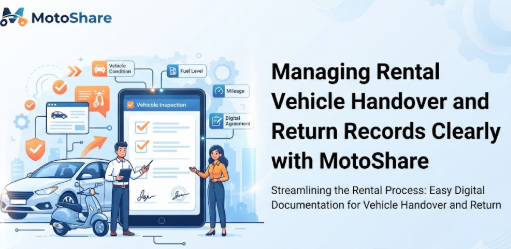
As the business owner, you receive a notification regarding this request. Through your partner dashboard, you can review the customer’s details and the requested timeline. If the vehicle is available, you confirm the reservation, which officially secures the slot in your calendar. Upon arrival, the pickup process is much faster because the details are already documented digitally. After the rental period ends and the vehicle is returned, the booking is finalized, allowing you to maintain an accurate history of your business activities.
Managing Vehicles with MotoShare
Your vehicles are the lifeblood of your operation. MotoShare allows you to create comprehensive profiles for each asset, ensuring that customers have all the information they need to make an informed decision.
- Vehicle Profiles: Create distinct pages for each vehicle. Mention key specifications, such as fuel efficiency or storage capacity.
- Categories: Organize your fleet into logical groups, such as “Economy Cars,” “Premium Motorcycles,” or “Electric Scooters,” to help customers filter their searches.
- Inventory Control: Keep your inventory updated in real-time. If a vehicle is in the shop for repairs, mark it as unavailable immediately to prevent unwanted requests.
- Pricing Flexibility: Easily update your prices for peak seasons, weekends, or long-term rentals to maximize your revenue.
Managing Bookings and Reservations
Effective booking management is the difference between a disorganized operation and a profitable one. MotoShare acts as your digital receptionist, handling the initial stages of the reservation process automatically.
When a request arrives, the system captures the essential data: customer name, contact info, and requested timeframe. This allows you to avoid the chaos of checking physical notebooks. Because your calendar is updated automatically upon confirmation, you have an accurate, bird’s-eye view of your rental workflow. This prevents the common issue of accidentally promising the same vehicle to two different people, ensuring a smooth experience for every customer.
MotoShare as a Free Vehicle Rental Management Software
For business owners searching for the best vehicle rental management software that doesn’t strain their budget, MotoShare offers a robust set of tools. It functions effectively as a car rental management software or a bike rental management software, providing the flexibility needed to handle different fleet compositions.
By utilizing this free vehicle rental management software, you gain access to a professional vehicle booking software that simplifies the complexities of daily operations. The platform is designed to be the go-to vehicle reservation system for businesses that need to organize their rental fleet management software needs without the burden of hidden fees or complex installation processes. It bridges the gap for those transitioning from analog systems to a modern digital rental platform.
Table 1: Traditional Rental Management vs. MotoShare
| Feature | Traditional Management | MotoShare |
| Booking Process | Manual/Phone Calls | Online/Automated |
| Customer Management | Notebooks/Memory | Digital Records |
| Reservation Handling | Prone to human error | Centralized/Confirmed |
| Vehicle Availability | Often guesswork | Real-time visibility |
| Fleet Management | Disorganized | Structured Profiles |
| Pricing Updates | Time-consuming | Instant/Flexible |
| Record Keeping | Paper trails/Lost info | Secure Digital Archive |
| Time Required | Very High | Minimal |
| Scalability | Limited | High |
Real-Life Business Scenarios
- The Growing Bike Rental Startup: A small rental shop in a coastal town previously used a whiteboard to track their 10 bikes. During busy weekends, they would often double-book or misplace reservation details. By moving to MotoShare, they created a digital catalog. Now, customers book online, and the shop owner manages the entire inventory from a smartphone, virtually eliminating double-booking errors.
- The Local Car Rental Agency: A mid-sized agency struggled with manual spreadsheets that became outdated as soon as a customer called for an extension. With MotoShare, their booking management became dynamic. They can now update availability in seconds, and their customers appreciate the ability to view the fleet online before visiting the office.
- The Tourism Company: A travel agency that offers city tours and bike rentals found it difficult to coordinate with their vehicle fleet. Using MotoShare, they integrated their vehicle offerings into their wider service model. It allowed them to track vehicle usage alongside their tour bookings, keeping their operations professional and organized.
- The Individual Fleet Owner: An individual with five motorcycles for rent found that WhatsApp-only communication was overwhelming. By listing their bikes on MotoShare, they shifted to a more professional inquiry process. They now have a record of every booking, making it easier to track earnings and maintenance schedules.
Common Mistakes Rental Businesses Make
- Managing Bookings Manually: Relying on memory or notebooks leads to inevitable mistakes and lost revenue.
- Using Spreadsheets: While better than paper, spreadsheets are not real-time and are difficult to update on the go.
- WhatsApp-Only Communication: This creates a fragmented record that is hard to audit or search.
- Double Bookings: A direct result of not having a unified, real-time availability calendar.
- Poor Pricing Management: Failing to adjust rates during peak demand seasons limits potential profit.
- Outdated Availability: When customers cannot see what is available, they go to competitors.
- Weak Customer Records: Without data, you cannot market to repeat customers.
- Delayed Responses: In the digital age, a slow reply often means a lost customer.
Common Mistakes While Using MotoShare
- Incomplete Business Profile: Customers are hesitant to book if they don’t know who they are dealing with. Always fill out all fields.
- Poor-Quality Images: Blurry or dark photos do not inspire trust in the vehicle’s condition.
- Incorrect Pricing: Double-check your numbers to avoid disputes during the booking process.
- Missing Vehicle Details: Customers want to know the specifications. Be thorough in your descriptions.
- Ignoring Requests: Treat every booking request as a potential long-term relationship.
- Stagnant Availability: Remember to update your calendar whenever a walk-in rental occurs.
Best Practices for Using MotoShare
- Keep Listings Updated: Regularly refresh your vehicle availability and pricing to reflect current reality.
- Invest in Quality Photos: Good lighting and clear angles make your vehicles stand out.
- Responsive Communication: Aim to confirm or address booking requests as quickly as possible.
- Detailed Descriptions: Anticipate customer questions—include details about insurance, requirements, and vehicle features.
- Monitor Daily: Make it a habit to log into your dashboard every morning to check for new activity.
- Professionalism: Maintain a clear and polite tone in all digital communications.
Table 2: MotoShare Features and Their Business Benefits
| MotoShare Feature | Business Benefit |
| Vehicle Listings | Attracts customers with professional, clear information. |
| Online Booking | Enables 24/7 revenue generation without staff presence. |
| Reservation Management | Eliminates double-booking and reduces manual errors. |
| Customer Management | Builds a database for repeat business and loyalty. |
| Pricing Management | Allows dynamic pricing to maximize seasonal profits. |
| Availability Calendar | Provides a clear, instant view of fleet utilization. |
| Fleet Organization | Keeps large inventories orderly and easy to manage. |
| Multi-Vehicle Support | Supports diverse fleets from bikes to cars. |
| Partner Dashboard | Centralizes all tools in one intuitive interface. |
| Booking Tracking | Provides a transparent audit trail of all transactions. |
Frequently Asked Questions
- Is MotoShare really free?
Yes, MotoShare is designed to be a free vehicle rental management software for businesses. - Can I manage multiple vehicle types?
Yes, you can list cars, bikes, scooters, and more under one account. - How do I prevent double bookings?
By keeping your availability calendar updated in real-time, the system automatically blocks booked dates. - Do I need technical skills?
No, the interface is designed to be user-friendly for anyone with basic internet knowledge. - Can customers pay through the platform?
MotoShare manages the reservation request, allowing you to handle the final payment process as per your business model. - How do I update my fleet pricing?
You can easily modify your daily or hourly rates within the dashboard settings. - What if I have multiple locations?
You can manage listings for different locations within your centralized partner dashboard. - Can I add photos to my listings?
Yes, high-quality images are encouraged to help your listings perform better. - Is there a limit on how many vehicles I can list?
MotoShare is built to scale with your business needs. - How do I handle walk-in customers?
Simply add the booking to your digital calendar manually to keep your availability accurate. - Can I see my booking history?
Yes, the dashboard keeps a history of all past and current reservations. - Is MotoShare suitable for startups?
Absolutely, it provides the foundation needed for new businesses to start professionally. - How does this help my customer service?
By providing a professional, digital experience, customers feel more confident in your business. - What if a customer cancels?
You can manage and update booking statuses directly from your dashboard. - How long does registration take?
You can be up and running in just a few minutes after entering your business details.
Conclusion
By integrating a structured digital approach into your rental business, you gain the clarity needed to transform how you handle daily operations. MotoShare provides the essential tools to streamline everything from clear vehicle listing management and live availability tracking to automated reservation handling and organized customer record-keeping. Moving away from the volatility of manual tracking allows you to secure your revenue streams and provide a much more professional interface for your clients. As a comprehensive, free vehicle rental management software, this platform is built to support your growth, helping you minimize administrative effort while maximizing the efficiency of your fleet. Adopting these digital workflows ensures your business remains resilient, responsive, and ready to thrive in today’s increasingly competitive, experience-driven rental marketplace.