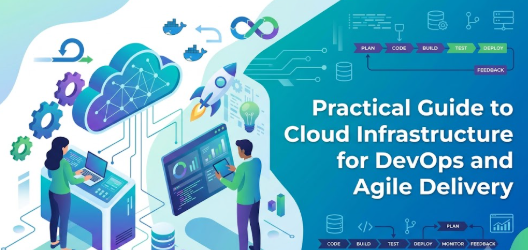
Introduction
Modern software teams are expected to deliver new features quickly, fix problems without long interruptions, respond to customer feedback, maintain security, and keep applications available even when demand suddenly increases. Traditional infrastructure models often make these goals difficult because developers may need to request servers, wait for manual configuration, coordinate with multiple departments, and repeat the same setup process whenever a new environment is required. Cloud infrastructure changes this operating model by making computing, networking, storage, databases, development environments, and many other services available through programmable platforms. Instead of treating infrastructure as equipment that must be purchased and manually configured, teams can manage infrastructure as an on-demand software capability. This approach strongly complements DevOps, where development and operations teams work together to automate software delivery, and Agile, where work is completed in small, frequent iterations based on changing priorities and feedback. Understanding how cloud infrastructure supports DevOps and Agile delivery therefore requires more than simply understanding virtual servers. It involves learning how cloud automation, CI/CD pipelines, Infrastructure as Code, scalable environments, monitoring, security, governance, collaboration, and cost management work together. Cloud technology does not automatically make an organization Agile or create a successful DevOps culture. Poorly controlled cloud environments can instead increase costs, create security weaknesses, cause configuration inconsistencies, and make systems unnecessarily complicated. The real value comes when businesses combine flexible cloud infrastructure with disciplined engineering practices. This guide explains that relationship in practical, beginner-friendly terms so developers, DevOps engineers, system administrators, managers, startups, and organizations beginning their cloud journey can understand both the benefits and responsibilities involved.
What Is Cloud Infrastructure for DevOps and Agile Delivery?
Cloud infrastructure refers to computing resources delivered through cloud platforms rather than being entirely dependent on physical infrastructure managed inside an organization’s own facilities.
These resources can include:
- Virtual machines
- Containers
- Storage
- Networks
- Databases
- Load balancers
- Identity services
- Security controls
- Monitoring systems
- Application platforms
- Serverless computing
- Development and testing environments
The important difference is that many of these resources can be provisioned programmatically.
A developer or DevOps pipeline may request infrastructure automatically rather than waiting for someone to configure a physical server manually.
For example, imagine a development team preparing a new application release.
With a traditional process, the team might request a testing server from the infrastructure department. Someone then installs an operating system, configures networking, installs software, applies permissions, and communicates the server details back to developers.
In a cloud-based DevOps environment, an approved infrastructure template can create the same testing environment automatically.
That difference can significantly improve delivery speed and consistency.
Connection With DevOps
DevOps focuses on improving cooperation between software development and IT operations while using automation to create repeatable delivery processes.
Cloud infrastructure provides the programmable environment where many DevOps practices can operate efficiently.
Connection With Agile
Agile teams deliver software incrementally.
Instead of waiting months for a large release, teams typically work in smaller cycles, receive feedback, and adjust priorities.
Cloud environments make it easier to create infrastructure quickly enough to support these frequent development cycles.
Connection With Business Costs
Cloud infrastructure also affects financial and operational planning.
Businesses need to consider:
- Resource consumption
- Storage costs
- Data transfer
- Licensing
- Managed services
- Reserved capacity
- Idle environments
- Scaling policies
Therefore, cloud adoption is both a technical and business decision.
Why Cloud Infrastructure Is Important
Cloud infrastructure is important because modern development teams need infrastructure to move almost as quickly as application development.
If developers can create software in two days but need two weeks to receive a testing environment, the infrastructure process becomes the delivery bottleneck.
Cloud infrastructure reduces this problem by allowing approved resources to be created automatically.
Its importance can be understood through several benefits.
Faster provisioning
Teams can provision development, testing, staging, and production environments much faster than traditional hardware procurement allows.
Repeatability
Automated templates help ensure environments are created consistently.
Scalability
Applications can increase or reduce computing resources according to changing demand.
Automation
Infrastructure provisioning, configuration, deployment, testing, monitoring, and recovery processes can be automated.
Experimentation
Agile teams can create temporary environments for prototypes or feature testing.
Collaboration
Developers, operations engineers, security teams, and testers can work through shared platforms and automation pipelines.
Business responsiveness
Organizations can deliver updates and respond to changing requirements without every infrastructure modification becoming a lengthy project.
Why Cloud Infrastructure Matters for Modern Software Teams
Software delivery involves much more than writing code.
A feature normally passes through several activities:
- Development
- Code review
- Automated testing
- Integration testing
- Security testing
- Packaging
- Deployment
- Monitoring
- Feedback
- Improvement
Infrastructure touches almost every stage.
Cloud platforms can provide standardized environments for these activities while DevOps practices automate their movement through the delivery lifecycle.
Consider a retail application preparing for a major sales campaign.
Traffic may normally require 10 application instances but increase several times during the campaign.
Maintaining enough physical infrastructure for peak traffic throughout the entire year may waste resources.
A properly designed cloud environment can scale capacity when demand increases and reduce unnecessary resources afterward.
The important point is not simply that the organization uses cloud servers.
The value comes from connecting infrastructure decisions with application delivery processes.
Core Components of Cloud Infrastructure
Understanding how cloud infrastructure supports DevOps and Agile delivery becomes easier when we examine its main components.
Compute
Compute resources provide the processing capacity applications need.
Examples include:
- Virtual machines
- Containers
- Container clusters
- Serverless functions
- Managed application runtimes
DevOps teams can automatically create, update, scale, and replace compute resources.
Storage
Applications require storage for files, backups, logs, media, databases, and other information.
Cloud storage can often be provisioned automatically and integrated with applications.
Networking
Cloud networking controls communication between users, applications, databases, internal services, and external systems.
Typical components include:
- Virtual networks
- Subnets
- Routing
- Firewalls
- Load balancers
- DNS
- Private connectivity
Identity and Access Management
Identity systems determine who or what can access cloud resources.
This is particularly important for DevOps because automation systems also require permissions.
Databases
Cloud platforms provide both infrastructure-based databases and managed database services.
Managed services can reduce routine administrative tasks, although organizations still need to manage configuration, security, availability, and cost.
Monitoring
Monitoring systems collect information about:
- Application performance
- Infrastructure utilization
- Errors
- Logs
- Availability
- Security events
Monitoring provides the feedback required for reliable Agile and DevOps operations.
Relationship Between Cloud, DevOps, and Agile
Cloud, DevOps, and Agile are related concepts, but they are not interchangeable.
Agile primarily focuses on how teams plan, develop, review, and improve software incrementally.
DevOps extends collaboration across development and operations while emphasizing automation and continuous software delivery.
Cloud infrastructure provides flexible technical resources that can support these practices.
A simple way to understand the relationship is:
Agile improves how teams organize software development.
DevOps improves how software moves from development into reliable operation.
Cloud infrastructure provides programmable environments that make these processes easier to automate and scale.
A company can use Agile without cloud infrastructure.
A company can also use cloud computing without practicing DevOps.
However, combining the three can create a much more responsive development environment when implemented correctly.
Detailed Breakdown of How Cloud Infrastructure Supports DevOps and Agile Delivery
1. Faster Infrastructure Provisioning
Traditional infrastructure provisioning may involve hardware procurement, operating system installation, network configuration, security approvals, and manual application setup.
Cloud infrastructure replaces many of these activities with software-driven provisioning.
Teams can create approved environments using:
- Templates
- APIs
- Automation scripts
- Infrastructure as Code
- Self-service portals
This makes infrastructure availability better aligned with Agile delivery cycles.
2. Consistent Development and Production Environments
One common software problem is:
“It worked in development but failed in production.”
Differences between environments often contribute to this problem.
Cloud automation allows teams to create development, testing, staging, and production environments from standardized definitions.
The environments may use different capacities while retaining consistent configuration principles.
This improves reliability and troubleshooting.
3. Continuous Integration Support
Continuous Integration, or CI, encourages developers to integrate changes frequently.
Automated systems can then:
- Compile applications
- Run tests
- Perform code analysis
- Scan dependencies
- Create application packages
Cloud infrastructure provides scalable compute resources for these processes.
Multiple builds may run simultaneously without requiring a permanent physical build environment for every developer.
Cloud Infrastructure and CI/CD
CI/CD is one of the strongest connections between cloud infrastructure and DevOps.
CI usually focuses on continuously integrating and validating code.
Continuous Delivery or Continuous Deployment focuses on moving validated software toward production through controlled automation.
A typical cloud CI/CD workflow might look like this:
Developer commits code → automated build starts → tests execute → security checks run → application artifact is created → staging environment is updated → additional validation occurs → production deployment is approved or automated → monitoring verifies application health.
Cloud environments can support each stage.
Teams can create temporary testing resources, deploy containers, update application instances, perform automated checks, and remove unnecessary resources after completion.
This reduces repetitive manual effort.
Infrastructure as Code
Infrastructure as Code, commonly called IaC, means managing infrastructure using machine-readable configuration rather than relying entirely on manual administration.
An IaC definition might describe:
- Networks
- Servers
- Security groups
- Storage
- Databases
- Load balancers
- Permissions
- Monitoring resources
These definitions can be stored with version control.
That gives infrastructure many of the same engineering practices used for software.
Changes can be:
- Reviewed
- Tested
- Versioned
- Approved
- Repeated
- Audited
- Reverted when appropriate
Infrastructure as Code is one of the foundational practices connecting cloud infrastructure with DevOps automation.
Automation and Self-Service Environments
Agile teams lose productivity when developers repeatedly wait for another department to create common resources.
Self-service environments address this issue.
Instead of providing unrestricted cloud access, organizations can create approved templates.
A developer may select:
- Development environment
- Temporary testing environment
- Standard container environment
- Database sandbox
- Performance testing environment
Automation then creates resources using predefined security, networking, tagging, and cost policies.
This combines speed with governance.
Self-service does not mean everyone receives unlimited administrative access.
Well-designed self-service provides freedom inside controlled boundaries.
Scalability and Elasticity
Cloud infrastructure can support changing application demand.
Scalability refers to increasing or decreasing system capacity.
Elasticity refers to dynamically adjusting resources according to demand.
Suppose an application normally receives moderate traffic but experiences sudden demand after a marketing campaign.
Cloud automation may add application instances when resource utilization or request volume reaches predefined thresholds.
When traffic returns to normal, unnecessary instances may be removed.
This can improve both performance and resource efficiency.
However, teams must configure limits carefully.
Poor scaling rules can either cause insufficient capacity or unnecessary expense.
Cloud-Based Collaboration
DevOps is partly a technology practice, but collaboration is equally important.
Cloud-based systems can provide shared visibility across teams.
Developers can see deployment status.
Operations teams can see application releases.
Security specialists can integrate checks into pipelines.
Testers can review results from automated environments.
Engineering managers can monitor delivery performance.
This shared visibility reduces fragmented workflows.
Instead of each department maintaining isolated procedures, the delivery pipeline becomes a common operational process.
Monitoring and Observability
Fast software delivery is unsafe if teams cannot understand what happens after deployment.
Monitoring and observability help teams identify:
- Application failures
- Slow response times
- Infrastructure exhaustion
- Unusual traffic
- Deployment regressions
- Security events
- Database problems
- Resource waste
Monitoring generally tracks known measurements such as CPU utilization or error rates.
Observability goes deeper by helping teams investigate why complex system behavior occurs using metrics, logs, traces, events, and application context.
Agile teams can use this operational feedback during future development cycles.
This creates an important feedback loop:
Build → Deploy → Observe → Learn → Improve.
Security in Cloud DevOps
Speed should never mean removing security controls.
DevSecOps integrates security into the software delivery lifecycle.
Instead of waiting until the end of development to evaluate security, teams can introduce controls throughout the pipeline.
Examples include:
- Source code scanning
- Dependency scanning
- Container image scanning
- Secrets detection
- Infrastructure policy checks
- Access reviews
- Configuration validation
- Runtime monitoring
Cloud identity management also supports detailed access controls.
The principle of least privilege should be followed wherever practical.
Users and automation systems should receive only the permissions required for their responsibilities.
Cost Management and Resource Optimization
Cloud infrastructure can improve flexibility, but it can also generate unnecessary spending if resources are poorly managed.
Common sources of waste include:
- Forgotten development servers
- Oversized virtual machines
- Unused storage
- Unnecessary backups
- Idle databases
- Excessive data transfer
- Temporary environments never removed
DevOps automation can help control these costs.
For example, development environments may automatically shut down outside working hours when appropriate.
Resource tags can identify:
- Team
- Application
- Environment
- Owner
- Cost center
Cloud cost management should therefore become part of operational engineering rather than being treated only as a finance department responsibility.
Step-by-Step Practical Guide to Cloud Infrastructure for DevOps and Agile Teams
Step 1: Understand the Current Delivery Process
What it means
Map how software currently moves from development to production.
Why it matters
Automation should solve real bottlenecks rather than automate unnecessary complexity.
How to apply it
Document activities such as code review, testing, infrastructure requests, security checks, deployment, and approval.
Practical example
A team discovers that developers wait several days for testing environments. Automated environment provisioning therefore becomes an early improvement priority.
Step 2: Standardize Cloud Environments
What it means
Define approved patterns for common infrastructure.
Why it matters
Standardization reduces configuration differences and operational confusion.
How to apply it
Create standard network, compute, access, monitoring, and security configurations.
Practical example
Every web application environment uses the same approved networking and logging pattern instead of developers configuring these components differently.
Step 3: Introduce Infrastructure as Code
What it means
Represent infrastructure configuration using version-controlled definitions.
Why it matters
Manual configuration becomes difficult to reproduce and audit.
How to apply it
Begin with frequently created environments and gradually expand IaC coverage.
Practical example
A staging environment can be recreated using the same infrastructure definition rather than relying on handwritten configuration instructions.
Step 4: Build a CI/CD Pipeline
What it means
Automate software validation and deployment activities.
Why it matters
Manual deployment is slower and more vulnerable to inconsistent execution.
How to apply it
Start with code compilation, automated testing, packaging, and deployment into a non-production environment.
Practical example
Every approved code change automatically triggers testing and creates a deployable artifact.
Step 5: Integrate Security Early
What it means
Place security validation inside development and delivery workflows.
Why it matters
Finding problems before production generally makes them easier to address.
How to apply it
Introduce code scanning, dependency checks, secret detection, access controls, and infrastructure policy validation.
Practical example
A pipeline automatically stops when it discovers an accidentally committed credential.
Step 6: Add Monitoring and Feedback
What it means
Measure application and infrastructure behavior continuously.
Why it matters
Teams must know whether releases improve or damage system performance.
How to apply it
Monitor availability, errors, response time, infrastructure utilization, logs, and business-critical application signals.
Practical example
A new application release produces a sudden increase in errors, allowing the team to investigate or roll back quickly.
Step 7: Introduce Cost and Resource Governance
What it means
Create rules for responsible cloud consumption.
Why it matters
Easy resource creation can create uncontrolled spending.
How to apply it
Use budgets, tagging standards, ownership rules, automated cleanup, and resource reviews.
Practical example
Temporary test environments automatically expire after a defined period unless renewed.
Step 8: Improve Continuously
What it means
Treat the cloud delivery system as an evolving product.
Why it matters
Business needs, application architecture, security threats, and development practices change.
How to apply it
Review failures, delivery delays, costs, security findings, and developer feedback regularly.
Practical example
A team identifies deployment approvals as an unnecessary bottleneck for low-risk services and introduces automated policy-based approval.
Five Practical Real-Life Examples
Example 1: Slow Testing Environment
Situation: Developers repeatedly wait for testing environments.
Challenge: Infrastructure is manually configured for every request.
Better action: Introduce approved Infrastructure as Code templates and self-service provisioning.
Learning: Standardized automation can remove infrastructure waiting time without removing governance.
Example 2: Frequent Deployment Errors
Situation: Production releases regularly experience configuration mistakes.
Challenge: Engineers manually repeat deployment instructions.
Better action: Create a CI/CD pipeline with automated testing and repeatable deployment stages.
Learning: Repeatability reduces dependence on individual memory and manual steps.
Example 3: Cloud Costs Increasing Unexpectedly
Situation: Monthly infrastructure spending continues growing.
Challenge: Teams create resources but rarely remove unused environments.
Better action: Introduce tagging, ownership, utilization monitoring, budgets, and automatic cleanup policies.
Learning: Cloud flexibility must be combined with financial accountability.
Example 4: Security Checks Delaying Releases
Situation: Security review happens only immediately before production.
Challenge: Developers discover important issues too late.
Better action: Move code, dependency, secrets, and configuration checks earlier into CI/CD pipelines.
Learning: Earlier security feedback supports both faster delivery and stronger controls.
Example 5: Application Cannot Handle Traffic Peaks
Situation: An online platform becomes slow when demand suddenly increases.
Challenge: Capacity is fixed and scaling requires manual intervention.
Better action: Design appropriate cloud scaling and load distribution policies.
Learning: Elastic infrastructure can improve responsiveness when scaling rules are carefully tested.
Common Problems Readers and Teams Face
Lack of Cloud Knowledge
Teams sometimes migrate applications without understanding cloud networking, identity, security, scaling, or cost models.
Education should come before aggressive automation.
Automating a Bad Process
Automation makes processes faster, but it does not automatically make them better.
Unnecessary approvals or poorly designed deployment steps should first be examined.
Poor Planning
Cloud projects can become fragmented when every team independently selects its own architecture and tools.
Shared standards can reduce unnecessary complexity.
Overconfidence
Easy infrastructure creation can create the false impression that cloud operations require little governance.
Production cloud systems still require strong operational discipline.
Following Random Configuration Advice
Configuration examples copied without understanding can create security or reliability problems.
Teams should validate changes in their own environment.
Ignoring Cost
Technical teams sometimes focus entirely on performance while ignoring resource consumption.
Cost should be treated as an architectural constraint.
Ignoring Security Risk
Open network access, excessive permissions, weak secret management, and insecure configuration can create serious exposure.
Using Outdated Practices
Cloud services and development platforms evolve.
Engineering standards therefore require periodic review.
Weak Comparison
Organizations may select cloud services only because they appear easy to use.
Reliability, operational effort, security, portability, support, and cost should also be considered.
Unrealistic Expectations
Cloud adoption does not instantly create DevOps maturity.
Technology can support better processes, but organizational culture and engineering discipline still matter.
Mistakes to Avoid
Several mistakes can reduce the benefits of cloud infrastructure.
Building everything manually
Manual configuration creates inconsistency and makes environments difficult to reproduce.
Giving excessive permissions
Broad administrator access increases security exposure.
Hard-coding passwords and credentials
Secrets should not be placed directly inside source code or configuration repositories.
Skipping testing
Faster deployment should never mean deploying untested changes.
Ignoring rollback planning
Teams should understand how they will recover when deployments fail.
Creating resources without ownership
Every important resource should have identifiable responsibility.
Ignoring cloud expenses
Unused infrastructure can continue generating charges.
Using production as a testing environment
Production changes should follow controlled validation processes.
Treating automation as completely risk-free
An incorrect automated action can spread problems very quickly.
Copying infrastructure configurations blindly
A configuration appropriate for one application may be unsuitable for another.
Don’t Do This Checklist
- Don’t expose administrative services unnecessarily.
- Don’t store passwords or access keys in source code.
- Don’t give every engineer unrestricted cloud administrator rights.
- Don’t deploy directly to production without appropriate validation.
- Don’t create cloud resources without ownership and tagging.
- Don’t ignore failed monitoring alerts.
- Don’t rely entirely on manual infrastructure configuration.
- Don’t assume backups automatically guarantee recovery.
- Don’t allow temporary environments to operate indefinitely.
- Don’t automate a process before understanding its risks.
- Don’t overlook cloud usage and cost patterns.
- Don’t treat DevOps as only a collection of tools.
Table 1: Traditional Infrastructure vs Cloud Infrastructure for DevOps
| Area | Traditional Approach | Cloud-Enabled DevOps Approach |
|---|---|---|
| Infrastructure provisioning | Often manual and hardware-dependent | API-driven and automated |
| Environment creation | May require lengthy coordination | Can use reusable templates |
| Scaling | Usually planned manually | Can support automated scaling |
| Deployment | Frequently manual | CI/CD-driven |
| Configuration | May differ between environments | Infrastructure as Code supports consistency |
| Testing capacity | Limited by available infrastructure | Temporary resources can be provisioned |
| Monitoring | Often separate from development | Integrated into delivery workflows |
| Cost model | Capacity purchased in advance | Consumption requires ongoing management |
| Collaboration | Teams may operate separately | Shared pipelines improve visibility |
| Recovery | Often procedure-driven | Automation can improve repeatability |
Table 2: Good Cloud DevOps Practices vs Risky Practices
| Good Practice | Risky Practice |
|---|---|
| Version infrastructure definitions | Configure everything manually |
| Apply least-privilege access | Give broad administrator permissions |
| Automate repeatable deployments | Depend on manual deployment instructions |
| Monitor applications continuously | Investigate only after users complain |
| Test infrastructure changes | Modify production without validation |
| Track resource ownership | Create anonymous cloud resources |
| Review cloud costs regularly | Ignore unused infrastructure |
| Scan code and dependencies | Perform security checks only at the end |
| Create rollback procedures | Assume every deployment will succeed |
| Improve workflows gradually | Automate everything without understanding it |
Tools, Methods, and Frameworks
Technology choices vary between organizations, but several approaches are broadly useful.
Infrastructure as Code Framework
Use version-controlled definitions to create repeatable infrastructure.
A basic workflow includes:
Define → Review → Test → Approve → Apply → Monitor
CI/CD Framework
A practical pipeline can include:
Commit → Build → Test → Scan → Package → Deploy → Verify → Monitor
Cloud Resource Checklist
Before creating infrastructure, determine:
- Purpose
- Owner
- Environment
- Required capacity
- Security level
- Backup requirements
- Monitoring requirements
- Expected lifetime
- Cost responsibility
Deployment Readiness Framework
Review:
- Application tests
- Infrastructure changes
- Security validation
- Database changes
- Monitoring
- Rollback capability
- Required approvals
Cost Optimization Method
Use a repeating process:
Measure → Identify waste → Right-size → Automate → Review
Reliability Framework
Evaluate:
- Availability
- Recovery
- Capacity
- Dependencies
- Backups
- Monitoring
- Failure scenarios
Expert Tips for Cloud DevOps and Agile Teams
- Begin with delivery bottlenecks rather than buying more tools. Understand where developers actually lose time.
- Standardize before automating. Automation works better when infrastructure patterns are clearly defined.
- Treat infrastructure code like application code. Review important changes before applying them.
- Use least-privilege access. Automation systems should also receive only required permissions.
- Create reusable templates. Teams should not repeatedly build identical environments from scratch.
- Integrate security into CI/CD. Early feedback usually improves developer response to security issues.
- Monitor business and technical signals. CPU usage alone may not reveal whether customers are experiencing problems.
- Tag cloud resources consistently. Ownership information makes cost and incident management easier.
- Automate cleanup of temporary resources. Development and testing systems are common sources of cloud waste.
- Test rollback procedures. A rollback plan that has never been tested may fail during a real incident.
- Avoid unnecessary tool complexity. More tools do not automatically produce more mature DevOps practices.
- Keep developers involved in production reliability. Operational feedback improves application design.
- Review cloud bills as engineering information. Cost changes may reveal inefficient architecture.
- Improve in small stages. Agile principles can also be applied to DevOps transformation itself.
- Measure outcomes rather than automation volume. Faster delivery, reliability, recovery, security, and developer productivity matter more than the number of scripts created.
Three Detailed Case Studies
Case Study 1: Startup With Growing Release Delays
Profile
A software startup operates a web application developed by several small Agile teams.
Situation
The company initially deploys updates manually because its infrastructure is relatively simple.
As the application expands, releases become more frequent.
Problem
Developers begin experiencing inconsistent testing environments and deployment failures.
Only a small number of engineers understand the production deployment procedure.
Wrong Approach
The organization attempts to solve the problem simply by documenting more manual steps.
Documentation helps, but execution remains dependent on individual engineers.
Better Approach
The team gradually introduces:
- Version-controlled infrastructure
- Standardized environments
- Automated application testing
- CI/CD deployment
- Centralized monitoring
- Deployment verification
Result and Learning
Releases become more repeatable because infrastructure and application delivery follow standardized processes.
Developers also gain greater visibility into deployment failures.
Key Takeaway
Cloud infrastructure creates the most value when flexibility is combined with repeatable engineering practices.
Case Study 2: Enterprise With Uncontrolled Cloud Spending
Profile
A large organization allows multiple development teams to independently create cloud resources.
Situation
The freedom initially helps teams experiment quickly.
However, hundreds of temporary environments, storage volumes, and test resources accumulate.
Problem
Technology leaders struggle to determine which resources are still required.
Cloud spending increases without a clear connection to application value.
Wrong Approach
Management considers restricting almost all development access to cloud infrastructure.
This would control resource creation but could recreate the slow infrastructure provisioning process teams originally wanted to remove.
Better Approach
The organization introduces:
- Mandatory ownership tags
- Environment classifications
- Automated expiration for temporary resources
- Resource utilization reviews
- Cost dashboards
- Approved self-service templates
- Budget alerts
Result and Learning
Teams retain development flexibility while gaining clearer accountability for infrastructure consumption.
Key Takeaway
Effective cloud governance should create controlled freedom rather than unnecessary bureaucracy.
Case Study 3: Agile Team Facing Production Reliability Problems
Profile
An Agile product team releases small application updates frequently.
Situation
Developers successfully shorten feature development cycles, but production incidents begin increasing.
Problem
Testing focuses heavily on application functionality while infrastructure configuration and operational monitoring receive less attention.
Wrong Approach
The team considers reducing deployment frequency substantially.
This may reduce changes but does not address the underlying reliability problem.
Better Approach
The team adds:
- Infrastructure validation
- Automated deployment checks
- Staging verification
- Centralized logs
- Application metrics
- Alerting
- Rollback procedures
- Post-deployment health checks
Result and Learning
Developers receive faster feedback when releases affect system behavior and can improve future iterations.
Key Takeaway
Agile delivery should be combined with operational visibility and reliability engineering.
Risk Awareness for Cloud Infrastructure, DevOps, and Agile Delivery
Cloud infrastructure creates significant capabilities, but every organization should understand its risks.
Security Risk
Incorrect permissions, exposed services, weak credentials, insecure dependencies, or configuration mistakes may create vulnerabilities.
Platform Risk
Applications may become dependent on specific cloud services.
Organizations should understand how important platform dependencies affect portability and continuity.
Availability Risk
Cloud resources can still experience failures.
Applications should be designed according to appropriate availability requirements rather than assuming infrastructure will never fail.
Cost Risk
Resources can scale rapidly, and unused infrastructure may continue consuming budget.
Cost monitoring must accompany technical monitoring.
Automation Risk
Automation can repeat good actions quickly, but it can also repeat incorrect actions quickly.
Important automation therefore needs testing and safeguards.
Data Privacy Risk
Organizations must understand:
- What information is stored
- Where it is stored
- Who can access it
- How it is encrypted
- How long it is retained
- How it is deleted
Compliance Risk
Some organizations operate under legal, regulatory, contractual, or industry-specific requirements.
Cloud architecture must be evaluated against those requirements.
Operational Risk
Complex architectures can be difficult to troubleshoot.
Teams should avoid unnecessary complexity.
Human and Emotional Risk
Pressure to release faster can encourage teams to bypass testing or security controls.
DevOps speed should come from better automation, not careless shortcuts.
Change Risk
Frequent releases increase the number of changes entering systems.
Automated testing, gradual deployment, monitoring, and rollback planning help control this risk.
Teams should verify technical, financial, legal, privacy, and regulatory requirements relevant to their organization and consult qualified specialists when required.
Checklist Before Taking Action
- Define the business reason for adopting cloud infrastructure.
- Document the existing software delivery workflow.
- Identify the largest delivery bottlenecks.
- Understand development, testing, staging, and production requirements.
- Define clear cloud resource ownership.
- Establish access control standards.
- Apply least-privilege permissions.
- Protect credentials, tokens, certificates, and secrets.
- Standardize infrastructure patterns.
- Introduce Infrastructure as Code.
- Store infrastructure definitions under version control.
- Review infrastructure changes before production use.
- Automate repeatable application tests.
- Build CI/CD processes gradually.
- Add security checks into delivery workflows.
- Establish monitoring and logging.
- Define important application health indicators.
- Create deployment rollback procedures.
- Test backup and recovery processes.
- Review scaling requirements.
- Establish cloud spending limits and visibility.
- Tag resources consistently.
- Remove unused and temporary infrastructure.
- Review data privacy requirements.
- Review legal and compliance obligations.
- Document critical dependencies.
- Train development and operations teams.
- Avoid unnecessary architectural complexity.
- Create a written cloud governance plan.
- Establish a continuous improvement process.
Advanced Insights for Serious Readers
Platform Engineering
As DevOps adoption grows, developers may face increasing infrastructure complexity.
Platform engineering addresses this by creating internal platforms that provide standardized capabilities through developer-friendly interfaces.
Instead of requiring every developer to become an expert in networking, identity, containers, security, and cloud architecture, platform teams can provide approved pathways.
This is sometimes described as creating a paved road for software delivery.
GitOps
GitOps applies version-controlled workflows to infrastructure and application configuration.
The desired state is stored in a version-controlled repository.
Automation then helps align actual environments with that defined state.
This can improve:
- Change visibility
- Review processes
- Auditability
- Repeatability
However, GitOps still requires careful permission and secret management.
Immutable Infrastructure
Traditional servers are frequently modified after deployment.
Immutable infrastructure follows a different model.
Instead of repeatedly changing an existing server, teams create a new version of the infrastructure or application image and replace the previous version.
This can reduce configuration drift.
Progressive Delivery
Not every deployment needs to reach all users immediately.
Advanced DevOps teams may release software gradually.
Examples include:
- Canary deployments
- Blue-green deployment
- Feature flags
- Percentage-based rollout
These methods can reduce deployment risk when combined with monitoring.
Policy as Code
Organizations can represent infrastructure policies using machine-readable rules.
For example, policies might prevent:
- Publicly accessible storage
- Unencrypted resources
- Unsupported regions
- Excessive permissions
- Missing ownership information
Policy as Code allows governance to operate earlier in the delivery process.
FinOps
FinOps introduces greater collaboration between engineering, finance, operations, and business teams around cloud spending.
The goal is not simply to minimize cloud costs.
Instead, teams try to understand whether cloud consumption creates appropriate business value.
Cloud architecture can therefore be evaluated across several dimensions:
Performance + Reliability + Security + Developer Productivity + Cost
SRE and Reliability Engineering
Site Reliability Engineering, or SRE, can complement DevOps by introducing structured reliability practices.
Teams may define service objectives and monitor whether systems meet expected reliability targets.
This prevents speed from becoming the only measure of software delivery success.
Key Terms Explained
- Cloud Infrastructure: Computing, networking, storage, databases, and related technology delivered through cloud platforms.
- DevOps: A combination of cultural practices, processes, and automation that improves collaboration between software development and operations.
- Agile: An iterative development approach that delivers work in smaller increments and adapts to feedback.
- CI: Continuous Integration, where code changes are frequently combined and automatically validated.
- CD: Continuous Delivery or Continuous Deployment, where software changes move through automated release processes.
- Infrastructure as Code: Managing infrastructure using machine-readable definitions rather than primarily manual configuration.
- Container: A packaged environment containing an application and the components it needs to run.
- Container Orchestration: Automated management of container deployment, scaling, networking, and availability.
- Serverless Computing: A cloud execution model where developers run applications or functions without directly managing traditional servers.
- Scalability: The ability of a system to increase or decrease capacity.
- Elasticity: The ability to adjust computing resources dynamically based on changing demand.
- Observability: The ability to understand system behavior through information such as metrics, logs, and traces.
- DevSecOps: An approach that integrates security practices into DevOps workflows.
- Immutable Infrastructure: Infrastructure that is replaced rather than repeatedly modified after deployment.
- Configuration Drift: Differences that gradually appear between supposedly identical environments because of manual or uncontrolled changes.
Who Should Read This Blog
This guide is particularly useful for people who want to understand how modern software teams combine infrastructure and application delivery.
Beginner DevOps Engineers
It provides a foundation for understanding how cloud services support common DevOps workflows.
Developers
Developers can better understand how applications move beyond coding into testing, deployment, monitoring, and production.
System Administrators
Traditional infrastructure professionals can understand how automation and Infrastructure as Code change infrastructure operations.
Cloud Engineers
Cloud practitioners can understand the broader relationship between infrastructure design and software delivery.
Agile Teams
Scrum and Agile teams can learn how infrastructure bottlenecks affect sprint outcomes and delivery speed.
Engineering Managers
Managers can use the concepts to evaluate delivery efficiency, reliability, governance, and developer productivity.
Startup Teams
Startups can understand how to gain cloud flexibility without allowing infrastructure to become uncontrolled.
Small and Medium-Sized Businesses
Organizations modernizing existing systems can use the guide to identify practical areas for gradual automation.
Students and Technology Learners
Beginners studying cloud computing, DevOps, DevSecOps, Agile, containers, or CI/CD can use the article as a conceptual foundation.
Frequently Asked Questions
1. How does cloud infrastructure support DevOps?
Cloud infrastructure provides programmable compute, storage, networking, security, and platform services that DevOps teams can automate. It supports repeatable environments, CI/CD pipelines, monitoring, testing, scaling, and faster infrastructure provisioning.
2. How Cloud Infrastructure Supports DevOps and Agile Delivery in practice?
How Cloud Infrastructure Supports DevOps and Agile Delivery becomes clear when teams automate infrastructure creation, testing, deployment, security checks, monitoring, and scaling. Agile teams can then receive infrastructure at a pace that better matches short development cycles.
3. Is cloud computing required for DevOps?
No. Organizations can practice DevOps using on-premises infrastructure. However, programmable cloud platforms often make infrastructure automation, temporary environments, scaling, and self-service easier to implement.
4. What is the role of Infrastructure as Code in cloud DevOps?
Infrastructure as Code allows teams to define infrastructure using version-controlled configuration. This improves repeatability, reviewability, consistency, automation, and change tracking across environments.
5. How does cloud infrastructure help Agile teams?
Agile teams frequently need development and testing environments for short delivery cycles. Cloud automation allows these environments to be provisioned quickly and adjusted as product requirements change.
6. Does using cloud infrastructure automatically create DevOps?
No. Cloud infrastructure is only an enabling technology. Successful DevOps also requires collaboration, automation, shared responsibility, continuous feedback, security practices, operational discipline, and process improvement.
7. What is CI/CD in a cloud environment?
CI/CD automates activities such as building software, running tests, performing security checks, packaging applications, deploying releases, and verifying application health. Cloud infrastructure provides scalable environments where these activities can operate.
8. How does cloud infrastructure improve software release speed?
Teams can automate infrastructure provisioning and application deployment instead of waiting for manual configuration. Reusable templates and CI/CD pipelines reduce repetitive work and help make releases more predictable.
9. What are the biggest cloud DevOps risks?
Important risks include excessive permissions, exposed infrastructure, cost overruns, configuration errors, weak monitoring, automation failures, data privacy problems, vendor dependency, and unnecessary architectural complexity.
10. Can small companies use cloud infrastructure for Agile delivery?
Yes. Small teams can start with simple cloud environments, version-controlled infrastructure, automated testing, basic CI/CD, monitoring, and cost controls. They do not need to implement every advanced DevOps practice immediately.
11. Why is monitoring important when learning how cloud infrastructure supports DevOps and Agile delivery?
Fast deployment creates little value if teams cannot detect failures. Monitoring connects deployment with operational feedback, helping Agile teams understand application behavior and improve future releases.
12. What should a beginner learn first for cloud DevOps?
Start with cloud fundamentals, networking, Linux basics, version control, scripting, CI/CD concepts, containers, Infrastructure as Code, monitoring, identity management, and security fundamentals. Practical understanding should develop gradually through controlled environments.
Conclusion
Understanding how cloud infrastructure supports DevOps and Agile delivery is fundamentally about understanding how infrastructure can become part of the software engineering process rather than remaining a slow, manually managed dependency. Cloud platforms allow organizations to provision computing resources on demand, create standardized environments, automate infrastructure through code, run CI/CD pipelines, integrate testing and security checks, scale applications according to demand, monitor systems continuously, and provide developers with controlled self-service capabilities. These features align naturally with DevOps because DevOps emphasizes automation, shared responsibility, repeatability, continuous feedback, and cooperation between development and operations. They also support Agile delivery because development teams need infrastructure capable of adapting to short development cycles, frequent product changes, experimentation, and continuous customer feedback. However, moving workloads to the cloud does not automatically create a mature DevOps organization. Poorly governed cloud environments can generate excessive costs, inconsistent configurations, security weaknesses, fragmented tooling, operational complexity, and unclear ownership. Businesses should therefore begin by understanding their current delivery process, identifying genuine bottlenecks, standardizing common infrastructure patterns, introducing Infrastructure as Code, automating repeatable testing and deployment tasks, integrating security checks, improving observability, and establishing clear cost and resource governance. Teams should also treat automation carefully because automated mistakes can spread much faster than manual mistakes. Cloud architecture should be reviewed across reliability, security, performance, privacy, compliance, maintainability, developer experience, and financial sustainability rather than being judged only by deployment speed. For organizations beginning this journey, gradual improvement is often more practical than attempting a complete transformation at once. Start with one application or workflow, establish repeatable infrastructure, automate one major bottleneck, measure the result, learn from operational feedback, and expand successful practices. Over time, this creates a stronger engineering system where developers can move faster while operations, security, and business teams maintain the visibility and controls they require. The long-term objective is not simply to deploy more frequently. It is to build a software delivery capability that is faster, safer, more measurable, more scalable, easier to recover, and better aligned with changing business requirements. Cloud infrastructure provides powerful building blocks for reaching that objective, while disciplined DevOps and Agile practices determine how effectively those building blocks are used.