Introduction
Human-in-the-Loop labeling tools are software platforms where people and computers work together to organize and mark data. To understand this, think of an AI like a young student. To learn, that student needs a teacher to show them what is right and what is wrong. These tools are the digital classrooms where that teaching happens. A computer might try to identify a “stop sign” in a photo, but it might get confused by a red poster. A human uses these tools to step in, fix the mistake, and tell the computer, “No, that is a poster, not a stop sign.” This “loop” ensures the AI becomes smarter and more accurate over time.
Using these tools is important because AI cannot learn on its own yet. It needs high-quality, labeled information to function safely. In the real world, this is used for many things. Doctors use these tools to help AI learn how to spot illnesses in medical images. Companies building self-driving cars use them to teach vehicles how to see pedestrians. Even your email uses this technology to learn which messages are spam based on what you mark as junk. When choosing a tool, you should look for something that is easy to navigate, works with your specific type of data, and keeps your information private and safe.
Best for: These tools are perfect for technology teams, data scientists, and businesses of all sizes that are building their own smart software. They are especially helpful for industries like healthcare, insurance, and manufacturing where accuracy is the top priority.
Not ideal for: You likely do not need these tools if you are just doing basic data entry in a spreadsheet that doesn’t involve teaching a computer. Small projects with very little data can often be done using simple, free drawing or text programs instead.
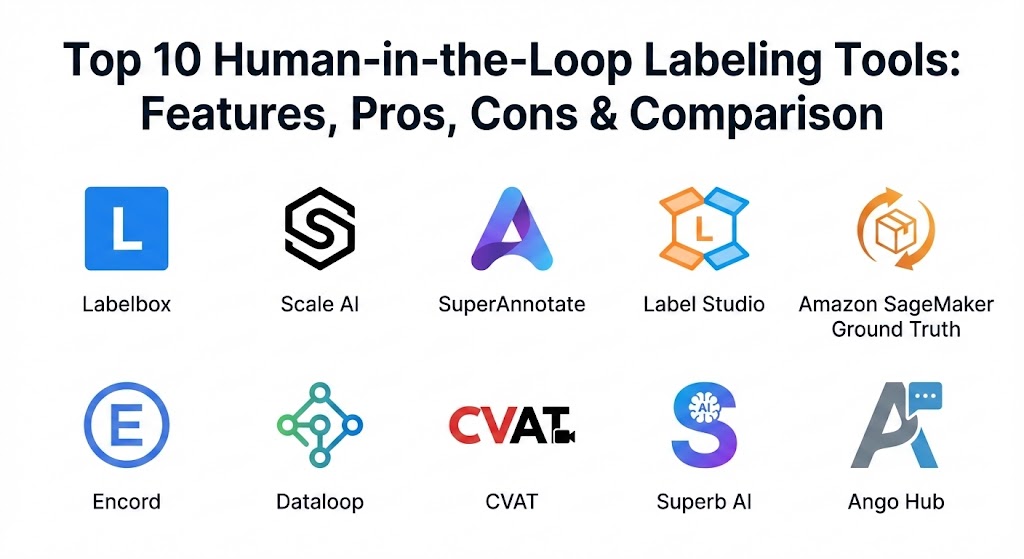
Top 10 Human-in-the-Loop Labeling Tools
1 — Labelbox
Labelbox is a professional platform that acts as a main hub for all your data tasks. It is built for teams that want a clean, organized way to manage and label their projects in one place.
Key features
- Multiple data support: It works with photos, videos, text files, and even PDF documents.
- Smart suggestions: The tool can guess what a label should be to help the human work faster.
- Team management: Managers can see which workers are the fastest and who makes the fewest mistakes.
- Internal chat: Team members can leave comments on specific images to ask for help.
- Quality scores: The system automatically grades how accurate the labels are.
- Easy searching: You can filter through thousands of files to find exactly what you need.
Pros
- The screen is very easy to look at and doesn’t feel cluttered or confusing.
- It is great for large teams because it keeps everyone organized and on the same page.
Cons
- It can be expensive for very small teams or individual users.
- Some of the most advanced settings can take a little while to learn.
Security & compliance: This tool offers very strong security. It follows rules like SOC 2 and HIPAA, which means it is safe enough to handle private medical records.
Support & community: They offer very clear help guides and videos. There is also a dedicated support team you can message if you get stuck.
2 — Scale AI
Scale AI is a massive platform that is famous for providing both the software and the people to do the work. It is designed for huge projects that need to be finished very quickly.
Key features
- Ready-to-go workforce: You can pay for their team of experts to do the labeling for you.
- 3D labeling: It has special tools for labeling 3D maps used by self-driving cars.
- Automated checks: The software looks for common errors so humans don’t have to find them all.
- Text generation: It helps check and fix text written by AI chatbots.
- Document scanning: It is very good at pulling information out of messy, handwritten papers.
- Rapid setup: You can start a massive project almost immediately.
Pros
- It is perfect if you have a lot of data but don’t have enough employees to label it yourself.
- Their technology is very advanced and can handle very complex “vision” tasks.
Cons
- The pricing is not always clear, which can be tough for a small business to plan for.
- You have less direct contact with the individual people doing the labeling.
Security & compliance: Scale AI meets very high standards like SOC 2 and GDPR. They even work with the government, so their security is top-tier.
Support & community: They provide professional support for big businesses and have technical guides for developers.
3 — SuperAnnotate
SuperAnnotate focuses on making the actual act of labeling as fast and “snappy” as possible. It is built for teams that want to finish their work in record time.
Key features
- Fast outlining: You can click an object, and the tool automatically draws a perfect line around it.
- Video following: If you label a car in one frame, the tool can follow it as it moves through the video.
- Project dashboards: Managers get a simple view of how much work is left to do.
- Cloud connection: It connects directly to places like Google Drive or Dropbox.
- Custom instructions: You can put your own “how-to” guide right inside the labeling screen.
Pros
- The “auto-select” feature saves a lot of manual clicking and prevents tired hands.
- It is very easy to bring in outside workers to help on a project.
Cons
- It is mostly built for images and videos, so it might not be the best choice for text-only work.
- The screen can sometimes feel a bit crowded with many different buttons and options.
Security & compliance: They are SOC 2 compliant and use strong encryption to protect your data.
Support & community: They have a very friendly support team and a blog that teaches you how to be a better labeler.
4 — Label Studio
Label Studio is a “flexible” tool that is open-source. This means the basic version is free, and you can change it however you like to fit your project.
Key features
- Works with everything: You can use it for sound, images, text, video, and even website data.
- Change the layout: You can move the buttons around to make the screen look exactly how you want.
- Private hosting: You can run it on your own computer so your data stays in your building.
- AI help: You can connect your own simple AI to help the humans start the labels.
- Community templates: There are many pre-made setups for common jobs like “sorting emails.”
Pros
- It is free to download and use, which is great for startups and students.
- It gives you total control over your data and your privacy.
Cons
- You need to be a little bit “tech-savvy” to set it up and keep it running correctly.
- The free version does not have a phone number to call for help.
Security & compliance: Varies. Since you host it yourself, you are in charge of security, but they offer a professional version with SOC 2.
Support & community: There is a large group of users online who help each other out for free.
5 — Amazon SageMaker Ground Truth
This is a service from Amazon. It is best for people who already use Amazon’s cloud services to store their files and run their business.
Key features
- Shared work: It uses AI to do the easy labels and gives the hard ones to humans.
- Pick your workers: You can use your own team or hire a public group of workers through Amazon.
- Step-by-step guides: It comes with pre-made workflows for things like “identifying faces.”
- Stay in the cloud: Your data never has to move to a different company; it stays with Amazon.
- Pay for what you use: There are no big monthly fees; you just pay for each item you label.
Pros
- It can handle billions of labels without ever slowing down or crashing.
- The pricing is very easy to understand because it is based on the amount of work done.
Cons
- The setup screens can be very confusing if you have never used Amazon’s cloud before.
- The labeling screen for workers looks a bit old and isn’t as “fun” to use as others.
Security & compliance: This is one of the most secure options available, meeting all global standards like HIPAA and GDPR.
Support & community: Amazon provides professional support and massive amounts of reading material to help you.
6 — Encord
Encord is a newer tool that is very popular with scientists and doctors because it is built to handle very complex and high-quality data.
Key features
- Micro-models: It helps you build tiny AI assistants to help with the labeling as you go.
- Medical image support: It has special features for looking at X-rays and MRI scans.
- Smart picking: It identifies which pieces of data are the most confusing for the AI.
- High-quality video: It stays very fast even when you are working with huge video files.
- Audit logs: You can see exactly which person made which change to a label.
Pros
- It is the top choice for medical teams who need to be 100% accurate.
- It helps you find and fix errors very early in the project.
Cons
- It can be more expensive than some of the more basic tools.
- It has many features that a simple project might not ever need.
Security & compliance: It is SOC 2 compliant and offers very high privacy controls for sensitive data.
Support & community: They provide very personal help and training to every customer.
7 — Dataloop
Dataloop is a tool that tries to do everything. It manages your files, helps you label them, and even helps you train your AI all in one place.
Key features
- File manager: It acts like a smart folder for all your AI training data.
- Auto-pipelines: You can set up “rules” for how data moves from one step to the next.
- Custom code: Developers can write their own small programs inside the tool.
- Global teamwork: It is built for teams working in different countries to stay in sync.
- AI feedback: You can see how well your AI is learning while you are still labeling.
Pros
- It is very powerful for teams that have their own programmers.
- It bridges the gap between the “human work” and the “computer code.”
Cons
- It might be too complicated for a team that just wants to do simple labeling.
- It takes a good amount of time to set everything up correctly.
Security & compliance: It meets SOC 2 standards and offers high-level security for big companies.
Support & community: They have a dedicated help team and offer training sessions for new users.
8 — CVAT
CVAT is a very famous tool in the world of computer vision. It is open-source and used by thousands of researchers around the world.
Key features
- Completely free: You can download the software and use it without paying a cent.
- Great for video: It was built specifically for video, so it is very smooth and fast.
- Smart guessing: If you label a box in frame 1 and frame 10, it guesses where it is in between.
- Shape tools: It has great tools for tracing weird shapes like trees or spilled liquids.
- No installation needed: Workers can use it through a standard web browser.
Pros
- It costs nothing to use the software, which is great for schools or tiny teams.
- It focuses on vision tasks (images and video) better than almost any other free tool.
Cons
- The interface looks a bit old-fashioned and takes some time to get used to.
- If it breaks, you have to fix it yourself or ask for help in an online forum.
Security & compliance: N/A. Since you host it yourself, you are responsible for keeping it safe.
Support & community: There is a huge group of users online who are very active in helping each other.
9 — Superb AI
Superb AI is focused on “Auto-Labeling.” Their main goal is to let the computer do most of the work so the human only has to check the final result.
Key features
- Uncertainty tracking: The tool flags the items it is “unsure” about for a human to check.
- Smart selection: It helps you pick the most important images to label first.
- No-code setup: You don’t need to be a programmer to use the automated features.
- Task assignments: It is very easy to give different jobs to different people.
- Quality dashboard: It shows you exactly how many mistakes are being found.
Pros
- It can save a massive amount of time by doing the “boring” parts of labeling automatically.
- It is very easy for a non-technical person to learn and use.
Cons
- It works best when you already have some labeled data to show it what to do.
- It might not be as flexible for very unusual types of data.
Security & compliance: It is SOC 2 and HIPAA compliant, making it very safe for professional use.
Support & community: They have a very helpful customer service team that responds quickly.
10 — Ango Hub
Ango Hub is a high-quality platform that focuses on making sure the labeling work is comfortable and very accurate.
Key features
- Double-checking: You can have two people label the same thing to make sure they agree.
- Chat inside the app: Workers can talk to each other about a specific photo without leaving the screen.
- Text tools: It has great features for labeling sentences and words.
- On-premise option: You can put it on your own hardware for maximum secrets.
- Training videos: You can put instructions right where the worker can see them.
Pros
- The screens are very modern and easy to look at for many hours.
- The “Agreement” feature ensures your data is perfect before you use it.
Cons
- It is a smaller company, so it might have fewer connections to other software.
- There are fewer people online talking about it compared to the big free tools.
Security & compliance: It follows SOC 2 and HIPAA rules and offers private ways to store data.
Support & community: They are known for giving very personal help to every client they work with.
Comparison Table
| Tool Name | Best For | Platform(s) Supported | Standout Feature | Rating |
| Labelbox | Professional Teams | Web / Cloud | Central Data Catalog | 4.6 / 5 |
| Scale AI | Large Projects | Web / Managed | Managed Workforce | 4.4 / 5 |
| SuperAnnotate | Speed & Vision | Web / Cloud | AI-Powered Outlining | 4.7 / 5 |
| Label Studio | Startups / Free | Self-Hosted / Web | Total Flexibility | 4.5 / 5 |
| SageMaker | Amazon Users | Cloud (AWS) | Automated Labeling | 4.2 / 5 |
| Encord | Medical & Science | Web / Cloud | Specialized Vision Tools | 4.8 / 5 |
| Dataloop | Developers | Web / Cloud | Custom Python Code | 4.3 / 5 |
| CVAT | Free Research | Self-Hosted / Web | Open-Source Video | 4.5 / 5 |
| Superb AI | Automation | Web / Cloud | No-Code Auto-Label | 4.4 / 5 |
| Ango Hub | Quality / Accuracy | Web / On-Premise | Built-in Team Chat | N/A |
Evaluation & Scoring of Human-in-the-Loop Labeling Tools
This table shows how we grade each tool. We give more points to things that help a project succeed, like “Core Features” and “Ease of Use.”
| Evaluation Category | Weight | What We Look For |
| Core Features | 25% | Can it handle images, text, and video? Does it have smart tools? |
| Ease of Use | 15% | Can a new person learn it in 10 minutes? Is the screen clean? |
| Integrations | 15% | Does it connect to Google Drive or your own business software? |
| Price / Value | 15% | Is it worth the cost? Is there a free version for small teams? |
| Support | 10% | Is there a manual? Can you email someone for help? |
| Security | 10% | Does it keep data safe and private? Does it have SOC 2? |
| Performance | 10% | Does the website load fast? Does it crash with big files? |
Which Human-in-the-Loop Labeling Tool Is Right for You?
Picking the right tool depends on your specific situation. Here is a simple guide to help you decide.
By Company Size
- Students & Individuals: If you are working alone, use Label Studio or CVAT. They are free and powerful enough for any personal project.
- Small Businesses: Look at Superb AI or SuperAnnotate. They are easy to use and won’t require you to hire a computer expert just to turn them on.
- Medium Teams: Labelbox and Encord are excellent choices. They provide the management tools you need as you grow to 15 or 20 people.
- Large Corporations: Scale AI or Amazon SageMaker are built for the biggest jobs in the world and can handle millions of items easily.
By Budget
- Budget-Conscious: Stick with the free, open-source tools. Just remember that you might spend more time fixing things yourself since there is no customer support line.
- Premium Solutions: If you have the money, paying for Labelbox or Encord is worth it. They save you time, and time is money in the world of AI.
Feature Depth vs. Ease of Use
If you need to do very complex things with code, choose Dataloop. But if you just want your team to start drawing boxes on images today with zero training, SuperAnnotate or Ango Hub are much better.
Security and Compliance
If you are working with medical records, you must use a tool that is HIPAA compliant, like Encord. If your data is a secret, look for a tool you can host yourself so it never leaves your building.
Frequently Asked Questions (FAQs)
1. What is a Human-in-the-Loop tool?
It is a platform where a person checks and fixes a computer’s work to help it learn how to identify things correctly.
2. Are these tools free?
Some are free (like Label Studio), while others charge you based on how many images you label or how many people are using the software.
3. Do I need to be a programmer?
No. Most of these tools use simple buttons and a mouse. You only need programming skills if you want to set up very complex automation.
4. Is my information safe?
Most professional tools use encryption and follow strict security rules like SOC 2 to keep your data from being stolen.
5. Can I label video files?
Yes, almost every tool on this list can handle video. Some even have “smart” tools that track objects automatically as they move.
6. What is “Auto-Labeling”?
This is when the computer takes its best guess at the label first. The human then just has to “approve” or “fix” the guess, which is much faster.
7. Can I use these for medical data?
Yes, but you should pick a tool that is HIPAA compliant to make sure patient privacy is protected.
8. How many people can work together?
Most of these tools allow many people to work on the same project at the same time from different computers.
9. What is the biggest mistake people make?
Picking a tool that is too complicated. If the tool is hard to use, your team will work slower and make more mistakes.
10. Can I work without the internet?
Yes, if you use a tool like CVAT or Label Studio that you can install directly on your own computer.
Conclusion
Finding the right Human-in-the-Loop labeling tool is a big step toward building a successful AI. There is no single “winner” that works for everyone. Some tools are perfect because they are free, while others are great because they make the work very fast and easy.
When you are deciding, remember that the most important thing is the quality of the data. A simple tool that your team understands is often better than a complex tool that confuses everyone. Think about your budget, what kind of data you have, and how much security you need.
The best tool is the one that fits your daily life and helps you build an AI that is accurate and helpful. We recommend trying a few of the free versions first to see which one feels most natural for you and your team.