Introduction
Active Learning Tooling is a special kind of software that helps people teach computers how to think and recognize things. Imagine you have a million photos and you want a computer to know which ones have a bicycle in them. Usually, a person would have to look at every single photo and label it by hand, which takes forever. Active learning tools make this smarter. Instead of looking at everything, the computer picks out only the photos it is “confused” about and asks a human for help. This way, the computer learns much faster by only asking questions about the hard parts.
These tools are very important because they save a massive amount of time and money. When companies build smart technology—like cars that drive themselves or systems that read medical X-rays—they use these tools to make sure their AI is accurate without needing to hire thousands of people to label data for years. It allows teams to focus their energy only on the most important information.
When you are looking for a tool like this, you should check if it is easy for your team to use, if it can handle the specific kind of data you have (like video or text), and if it keeps your information safe from hackers.
Best for
These tools are best for people like data scientists and engineers who are building new technology. They are great for medium to large companies that have a lot of data but not a lot of time. Industries like healthcare, insurance, and car manufacturing find these tools very helpful because their data is often very complicated and needs expert eyes.
Not ideal for
Active learning tools are probably not needed for very small projects. If you only have a few hundred pictures to look at, it is faster to just do it yourself rather than setting up a whole new software system. They are also not a good fit for companies that just buy ready-made software and don’t plan on building their own smart systems.
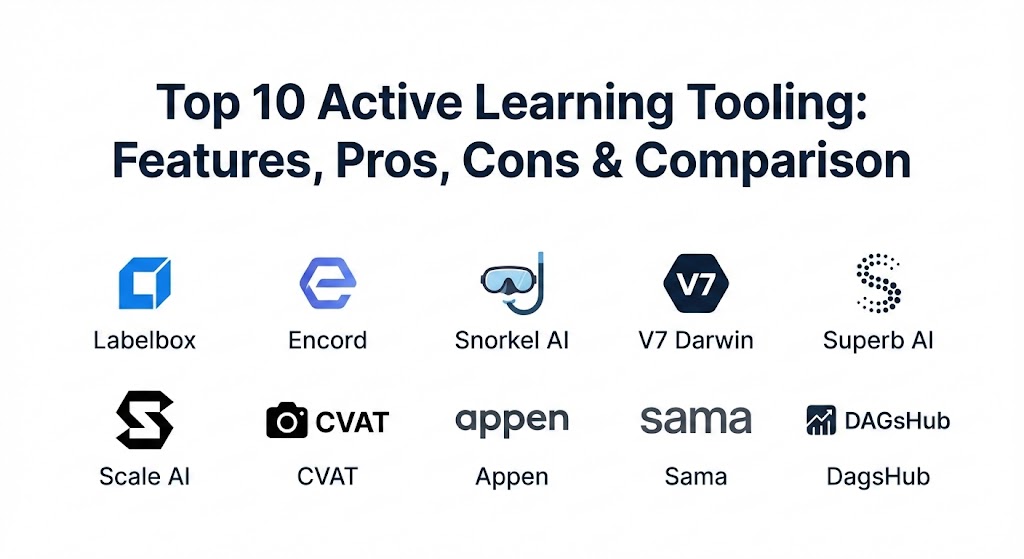
Top 10 Active Learning Tooling Tools
1 — Labelbox
Labelbox is a popular platform that acts like a control center for your data. It helps you organize your files and gives your team a simple place to draw boxes or highlight text so the computer can learn.
- Key features:
- A very clean interface that is easy to click and move around in.
- Tools that let multiple people work on the same project at once.
- Smart systems that suggest which data needs a label next.
- Support for many files like photos, videos, and PDF documents.
- Charts that show you how much work is finished and how accurate it is.
- Easy ways to connect the tool to your own private cloud storage.
- Pros:
- It feels very modern and is simple to learn for beginners.
- It is great for big teams who need to talk to each other while they work.
- Cons:
- It can become quite expensive if you have a huge amount of data.
- Some of the setup steps can be a bit tricky if you don’t like technical settings.
- Security & compliance: Labelbox uses high-level security like SOC 2 and follows GDPR rules to protect privacy. Everything is encrypted to keep it safe.
- Support & community: They have very good help articles and a team you can message if you get stuck. There is also a large group of users who share tips online.
2 — Encord
Encord is a tool that is specially built for video and very detailed images. It uses a lot of automation to do the boring parts of the work for you.
- Key features:
- Unique tools that make labeling long videos much faster than usual.
- An automated system that finds gaps in what your computer model knows.
- Small AI helpers that can guess where objects are in a photo.
- Quality checks that find mistakes made by humans automatically.
- A system to manage and track the work of many different people.
- Direct connections for people who like to write their own computer code.
- Pros:
- If you are working with video, this is one of the best tools available.
- The automation can save you hundreds of hours of manual clicking.
- Cons:
- Because it has so many buttons, it can feel a bit overwhelming at first.
- It might be too much “power” if you only have simple text files.
- Security & compliance: This tool is SOC 2 compliant and follows strict privacy laws like GDPR. It is built to keep business data private.
- Support & community: They provide a lot of training for new users and have a professional support team for businesses.
3 — Snorkel AI
Snorkel AI is different because it doesn’t ask you to label things one by one. Instead, you write simple rules that the computer uses to label thousands of things at the same time.
- Key features:
- Rule-based system that labels data at massive speeds.
- Technology that cleans up messy or confusing labels automatically.
- Prompts that tell you exactly where you need to write a new rule.
- Strong protection for very sensitive or secret information.
- Systems that handle millions of documents without slowing down.
- A way to see how your rules are helping the computer learn.
- Pros:
- This is the fastest way to handle millions of rows of text.
- You don’t need a huge army of people to get the job done.
- Cons:
- It takes a little while to learn how to write the rules correctly.
- It is a more “technical” way of working compared to drawing boxes.
- Security & compliance: Very safe for hospitals and banks. It follows HIPAA and SOC 2 rules to ensure total privacy.
- Support & community: They offer deep technical help and have professional trainers to teach your team how to use it.
4 — V7 Darwin
V7 Darwin is a very fast tool for images that uses a “one-click” system to identify objects. It is designed to be very visual and easy on the eyes.
- Key features:
- An “auto-segment” tool that can outline an object in a photo with one click.
- A history log so you can see every change made to your data.
- Task management to give different jobs to different team members.
- Special support for medical images like X-rays and MRI scans.
- Live updates on how well your team is doing their work.
- A very clean design that doesn’t feel like “work” software.
- Pros:
- It is probably the fastest tool for outlining shapes in photos.
- It is very easy for new people to pick up and start using immediately.
- Cons:
- If you have a slow internet connection, the high-quality photos can take a second to load.
- The most helpful features are usually only in the paid versions.
- Security & compliance: V7 follows GDPR and SOC 2 standards. They provide clear logs of who looked at what data for safety.
- Support & community: They have a helpful help desk and lots of videos that show you how to use every feature.
5 — Superb AI
Superb AI is an automated platform that tries to do as much of the data preparation as possible using its own built-in intelligence.
- Key features:
- An AI assistant that does a “first draft” of the labeling for you.
- Tools that find the rarest and most important data in your collection.
- A simple way to move large amounts of data in and out of the system.
- Customizable steps so the tool fits your specific project.
- Connections to common storage systems like Amazon or Google.
- Pros:
- It is very good at spotting errors that humans might miss.
- The platform is very reliable and rarely has technical problems.
- Cons:
- It might not be as easy to change or “tweak” as some other tools.
- Getting everything set up for the first time can take a little patience.
- Security & compliance: They are SOC 2 compliant and use encryption for all data storage. They are a safe choice for large companies.
- Support & community: They offer direct support and have a good library of guides to answer common questions.
6 — Scale AI
Scale AI is a very large company that provides both the software and the actual people to do the labeling for you if you don’t have your own team.
- Key features:
- Access to thousands of people who can label data for you day and night.
- A detailed dashboard to see exactly how your project is moving.
- Specialized tools for things like self-driving cars and maps.
- Active learning loops that pick out only the hardest examples for humans.
- Connections to almost every other big computer system.
- Pros:
- They can handle more work than almost anyone else in the world.
- The final result is usually very high quality and ready to use.
- Cons:
- This can be a very expensive option for smaller businesses.
- You don’t always get to talk directly to the people doing the labeling.
- Security & compliance: Very high security, including ISO and SOC 2. They work with government agencies and big banks.
- Support & community: They provide very professional enterprise support and dedicated managers for their clients.
7 — CVAT
CVAT is an open-source tool, which means it is free for anyone to download and use. It is very popular with students and people who like to build things themselves.
- Key features:
- It costs zero dollars to use the basic version on your own computer.
- Works for images, videos, and even 3D point data.
- Allows a team to work together over a local network.
- Can be connected to AI models to help speed up the labeling.
- Simple drawing tools that work right inside your web browser.
- Pros:
- You cannot beat the price of “free.”
- You can change the code yourself if you know how to program.
- Cons:
- You have to install it and keep it running on your own computer servers.
- It doesn’t look as fancy or modern as the paid tools.
- Security & compliance: This depends on you. Since you host it, you are responsible for keeping your own server safe.
- Support & community: There is a big group of people online who help each other, but there is no official phone number to call for help.
8 — Appen
Appen is a company that has been around for a long time. They help businesses with data that involves many different languages and types of human behavior.
- Key features:
- A global team of workers who speak almost every language on Earth.
- Tools to make sure the data is fair and not biased.
- Support for voice recordings, text, and photos.
- Cycles that help the computer learn more as more data is added.
- Detailed reports to show the progress of the work.
- Pros:
- If your project involves many languages, this is a top choice.
- They have seen almost every type of AI project before.
- Cons:
- The software can sometimes feel a bit old and slow.
- It can be hard to know exactly how much it will cost at the start.
- Security & compliance: They follow GDPR and SOC 2 rules very closely. They have strict rules for their global workers to protect your files.
- Support & community: They provide professional managers who help you run your project from start to finish.
9 — Sama
Sama is a company that focuses on doing high-quality work while also being a “social enterprise,” which means they care about treating their workers fairly.
- Key features:
- Very high-precision labeling for tasks that need to be perfect.
- A secure platform that is easy for remote teams to access.
- Active learning that helps you need less data over time.
- The ability to talk directly to the people doing the work.
- Support for complex 3D data used in robotics.
- Pros:
- The quality of the labels is very consistent and high.
- You can feel good knowing the workers are being treated ethically.
- Cons:
- It might be more expensive than some “self-service” tools.
- They prefer working on large, long-term projects rather than small ones.
- Security & compliance: They are ISO and SOC 2 compliant. They use very secure offices to make sure data is never stolen.
- Support & community: They are known for having excellent customer service and being very helpful partners.
10 — DagsHub
DagsHub is a place where data scientists can share their work and collaborate, similar to how writers might share a document to edit together.
- Key features:
- Labeling tools that live right next to your computer code.
- A “versioning” system that lets you go back in time if you make a mistake.
- A way to see how your AI model improves as you add more labels.
- Tools for leaving comments and suggestions for your teammates.
- Connections to free tools like CVAT.
- Pros:
- It keeps all your work in one single place so you don’t lose anything.
- It is very friendly for people who like to use technical tools and code.
- Cons:
- It might be a little confusing if you are not a technical person.
- It is more of a “meeting place” than a dedicated labeling software.
- Security & compliance: They offer private areas for your data and have security certificates for their enterprise users.
- Support & community: They have a very active group of users on chat apps and provide great guides for beginners.
Comparison Table
| Tool Name | Best For | Platform(s) Supported | Standout Feature | Rating |
| Labelbox | Big Teams | Web Browser | Team Collaboration | N/A |
| Encord | Video Projects | Web Browser | Video Automation | N/A |
| Snorkel AI | Text Documents | Web / Private Cloud | Fast Rule-based Labeling | N/A |
| V7 Darwin | Perfect Photos | Web Browser | One-click Outline | N/A |
| Superb AI | Automatic Quality | Web Browser | AI Assistant | N/A |
| Scale AI | Huge Workloads | Web / API | Human Worker Network | N/A |
| CVAT | Low Budgets | Your Own Computer | Completely Free | N/A |
| Appen | Many Languages | Web Browser | Global Worker Team | N/A |
| Sama | Ethical Quality | Web Browser | High Precision | N/A |
| DagsHub | Developers | Web / GitHub | Saving Data Versions | N/A |
Evaluation & Scoring of Active Learning Tooling
| Criteria | Weight | What it means |
| Core features | 25% | Can the tool actually do the labeling and learning you need? |
| Ease of use | 15% | How simple is it for a new person to start working? |
| Integrations | 15% | Does it connect to your other computer systems? |
| Security | 10% | Does it have certificates like SOC 2 to keep data safe? |
| Performance | 10% | Is the software fast and does it stay running without crashing? |
| Support | 10% | Are the help guides and customer service actually helpful? |
| Price / Value | 15% | Do you get a good deal for the money you are paying? |
Which Active Learning Tooling Tool Is Right for You?
Finding the right tool is like picking the right pair of shoes—it has to fit your specific needs.
If you are a solo user or a student, you should start with CVAT. Because it is free, you can learn how everything works without spending any money. It is a great way to practice before you move to a professional tool.
For small and medium businesses, you want something that is easy to use so you don’t waste time. Labelbox or V7 Darwin are excellent because they look and feel like modern apps and don’t require you to be a computer expert to get started. If you are mostly working with thousands of text files, Snorkel AI is likely your best bet because of how fast it is.
Large companies usually care most about security and being able to handle massive amounts of data. Scale AI or Appen are the top choices for this because they have the “heavy duty” infrastructure and the official security stamps that big businesses require.
Finally, think about your budget versus your needs. Don’t pay for a tool with a hundred features if you only need two of them. It is always a good idea to try the free demo of a few tools before you decide to buy one.
Frequently Asked Questions (FAQs)
1. What does active learning actually do?
It helps a computer learn faster by only asking a person to label the hardest data points instead of every single one.
2. Is it hard to learn these tools?
Most of the tools on this list are very simple and work like a normal website. Some, like Snorkel AI, take a little more study time to understand the rules.
3. Will my private data be safe?
Yes, most professional tools use encryption and are checked by security experts to make sure they follow the law.
4. Can I use these tools for free?
Yes, CVAT is completely free. Many other tools like Labelbox or V7 have a free version for small projects so you can try them out.
5. Do I need a team of people to use these?
No, you can use them by yourself. But if you have a lot of work, most of these tools make it easy for a team to work together.
6. Can these tools work with audio or sound?
Yes, many of them, like Labelbox and Appen, have special features for listening to and labeling sound files.
7. Do I have to download software to my computer?
Most of these tools work right in your web browser (like Chrome or Safari), so you don’t have to download anything. Only CVAT usually requires an installation.
8. What if I want to move my data later?
Most tools let you download your work in a standard file format so you can move it to a different tool if you want to.
9. How do these tools save money?
They save money because you don’t have to pay people to look at data that the computer already understands. You only pay for the “hard” labels.
10. Can I use these for medical data?
Yes, but you must check that the tool follows medical privacy laws like HIPAA. Tools like Sama and V7 are very common in the medical world.
Conclusion
In the end, the most important thing is to pick a tool that feels comfortable for you and your team. There is no one “perfect” tool that works for every single person. Some people will love the freedom of a free tool like CVAT, while big companies will prefer the security and support of a tool like Scale AI.
Focus on what matters most to your project. Is it speed? Is it price? Or is it how easy the tool is to use? Once you know your priorities, picking the right active learning tool becomes much easier. The goal is always the same: to help you build smarter technology in less time.