Introduction
Nutrition practice management tools are all-in-one digital platforms designed to help Registered Dietitians (RDs), nutritionists, and health coaches run their businesses efficiently. These systems combine clinical functions—like meal planning, nutrient analysis, and HIPAA-compliant charting—with administrative tasks such as appointment scheduling, automated billing, and secure client communication. By centralizing these workflows, practitioners can move away from fragmented spreadsheets and paper files, allowing them to focus more on client transformations and less on manual data entry. In the modern wellness landscape, these tools act as the “virtual office” for both telehealth and in-person practices.
The importance of these tools lies in their ability to improve client adherence and business scalability. Without a centralized system, practitioners often struggle with missed appointments, disorganized food logs, and billing delays. Key real-world use cases include automated client onboarding, real-time food diary monitoring, customized macronutrient meal planning, and secure telehealth consultations. When choosing a tool, practitioners should evaluate the depth of the food database, ease of client mobile access, automated billing integration, and HIPAA/GDPR security compliance.
Best for: Registered Dietitians, clinical nutritionists, health coaches, and wellness entrepreneurs ranging from solo practitioners to large multi-provider clinics. It is also highly beneficial for sports nutritionists and functional medicine clinics that require detailed nutrient tracking.
Not ideal for: General fitness trainers who do not provide specific medical nutrition therapy or large-scale hospitals that already use comprehensive Enterprise Health Records (EHRs) like Epic or Cerner, which may have their own basic dietetic modules.
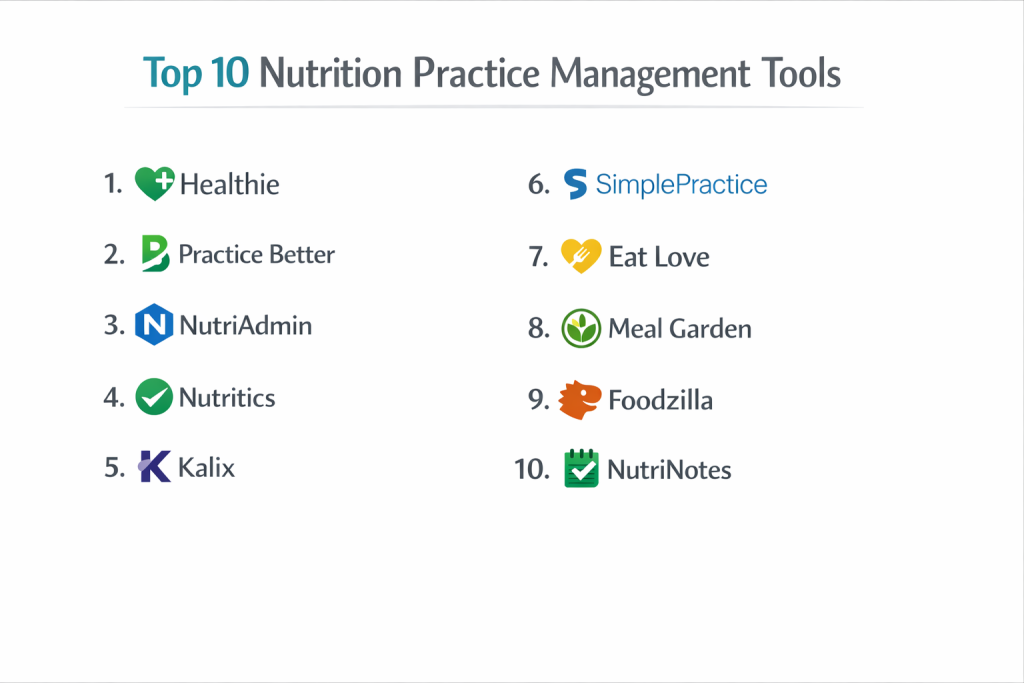
Top 10 Nutrition Practice Management Tools
1 — Healthie
Healthie is a comprehensive, feature-rich platform designed specifically for wellness professionals. It serves as both an EHR and a back-office management suite, focusing heavily on building long-term client relationships.
- Key features:
- Integrated Telehealth: High-quality, secure video conferencing built directly into the platform.
- Client Mobile App: Enables photo food logging and real-time metric tracking for clients.
- Automated Billing: Handles insurance billing (CMS-1500) and private pay credit card processing.
- Program Builder: Allows practitioners to create and sell automated online courses and challenges.
- Document Sharing: Securely share and e-sign intake forms and educational handouts.
- Pros:
- Excellent for insurance-based practices due to robust medical billing features.
- The most modern and user-friendly mobile experience for the end-client.
- Cons:
- Can be more expensive than competitors for solo practitioners.
- The vast number of features may feel overwhelming during initial setup.
- Security & compliance: HIPAA, PIPEDA, and GDPR compliant; features SSO, data encryption, and regular SOC 2 audits.
- Support & community: Extensive “Healthie University” documentation, live webinars, and a very active community of nutrition professionals.
2 — Practice Better
Practice Better is a favorite among functional nutritionists and holistic practitioners. It excels at automation and creating highly customized client “journeys” through their wellness programs.
- Key features:
- Protocol Builder: Create detailed supplement and nutrition plans that patients can view in their portal.
- Automated Workflows: Trigger emails or tasks based on client actions, such as booking a visit.
- Food & Lifestyle Journals: Clients can log meals, mood, sleep, and water intake.
- Group Programs: Supports running online group coaching with evergreen or fixed dates.
- Integrations: Syncs with wearable devices like Fitbit, Apple Health, and Google Fit.
- Pros:
- Highly customizable protocols that make clinical recommendations look professional.
- Strong automation features that save hours of administrative work every week.
- Cons:
- The food database is less clinically oriented than specialized tools like Nutritics.
- Some advanced reporting features are locked behind higher price tiers.
- Security & compliance: HIPAA and GDPR compliant; uses 256-bit encryption and secure cloud hosting.
- Support & community: High-quality help desk, video tutorials, and a dedicated Facebook community for users.
3 — NutriAdmin
NutriAdmin is a “no-nonsense” platform designed for speed and efficiency. It is particularly popular among solo practitioners who want a clean interface without unnecessary bloat.
- Key features:
- Automated Meal Planning: Generate meal plans based on calorie and macronutrient targets in seconds.
- Customizable Intake Forms: Drag-and-drop builder for digital patient history and consent forms.
- Recipe Database: Access to thousands of pre-analyzed recipes to share with clients.
- One-Click Reports: Generate professional PDF summaries of client progress.
- Billing & Invoicing: Integrated Stripe payments for easy fee collection.
- Pros:
- Very fast setup—practitioners can be up and running in less than an hour.
- The automated meal plan generator is a significant time-saver.
- Cons:
- Lacks a dedicated, native mobile app for clients (uses web-responsive portal instead).
- Does not support insurance billing as natively as Healthie.
- Security & compliance: HIPAA and GDPR compliant; features encrypted databases and daily backups.
- Support & community: Direct email support with fast response times and clear written documentation.
4 — Nutritics
Nutritics is widely considered the “gold standard” for clinical nutrient analysis. It is used by elite sports teams, hospitals, and researchers who require the most accurate data available.
- Key features:
- Clinical Grade Database: Access to verified global food databases with high accuracy.
- Libro App: A specialized client app for high-fidelity food logging and goal tracking.
- Batch Cooking & Labeling: Tools to create professional nutrition labels for food products.
- Sports Nutrition Module: Specific tools for managing athlete energy expenditure and performance.
- White-Labeling: Full branding options to make the platform look like your own company software.
- Pros:
- Unmatched data accuracy and depth of micronutrient analysis.
- Professional reporting that is suitable for clinical or academic environments.
- Cons:
- Higher learning curve due to the complexity of the data tools.
- More expensive than general practice management tools for basic coaching.
- Security & compliance: ISO 27001 certified, GDPR and HIPAA compliant.
- Support & community: Enterprise-level support, academic partnerships, and professional training certifications.
5 — Kalix
Kalix is an EMR and practice management system designed by dietitians for dietitians. It is known for being affordable while providing the specific fields RDs need for clinical charting.
- Key features:
- Smart Charting: Uses the ADIME (Assessment, Diagnosis, Intervention, Monitoring, Evaluation) format.
- Faxing Integration: Send and receive secure faxes directly within the platform.
- Insurance Claim Management: Integrated clearinghouse for electronic claim submission.
- Client Messaging: Secure, HIPAA-compliant SMS and email communication.
- Scheduling: Online booking widget for your website with automated reminders.
- Pros:
- One of the most affordable options for RDs starting an insurance-based practice.
- Designed specifically for the RD workflow, so it feels very intuitive.
- Cons:
- The user interface is functional but looks dated compared to Practice Better or Healthie.
- The client-facing experience is less “polished” than some of the newer apps.
- Security & compliance: HIPAA compliant; features BAA (Business Associate Agreement) at all levels.
- Support & community: Responsive customer service and a helpful library of tutorial videos.
6 — SimplePractice
While SimplePractice serves the broader mental health and wellness market, its robust scheduling and billing features make it a top choice for nutritionists running a multi-provider clinic.
- Key features:
- Paperless Intake: Clients complete all forms on their phone before the first visit.
- Auto-Pay: Automatically charges client credit cards at the end of each session.
- Telehealth: Integrated, high-stability video conferencing with screen sharing.
- Client Portal: Secure area for clients to manage appointments and pay invoices.
- Mobile App for Practitioners: Manage your entire practice from your smartphone.
- Pros:
- Extremely stable and polished software with a very high “Ease of Use” rating.
- Excellent for managing larger teams with different permission levels.
- Cons:
- Lacks nutrition-specific tools like food databases or macro calculators.
- Pricing has recently increased, making it a premium-priced option.
- Security & compliance: HITRUST certified, SOC 2 Type II, and HIPAA compliant.
- Support & community: Large user community and extensive digital help center.
7 — Eat Love
Eat Love is a specialized meal planning and nutrition prescription platform. It is often used as a “layer” alongside a practice management tool to provide a high-end food experience.
- Key features:
- Nutrition Prescriptions: Set clinical targets and let the AI build the meal plans.
- Grocery Integration: Syncs with services like Instacart and Amazon Fresh for easy ordering.
- Branded Content: Professional, beautiful recipes and plans with your practice logo.
- Nutrient Tracking: Real-time feedback for clients on how their choices meet your goals.
- Restaurant Insights: Helps clients make smart choices when eating out based on your plan.
- Pros:
- The most advanced and user-friendly meal planning experience on the market.
- Grocery integration significantly increases client adherence to the plan.
- Cons:
- Not a full “Practice Management” tool; lacks insurance billing and complex EMR features.
- Requires a separate subscription if you also need a full EMR.
- Security & compliance: HIPAA compliant; secure data transmission and hosting.
- Support & community: Strong clinical support and dietitian-led training webinars.
8 — Meal Garden
Meal Garden focuses on the creative side of nutrition, allowing practitioners to build beautiful recipe collections and interactive meal plans for their clients.
- Key features:
- Recipe Collections: Organize recipes into “digital cookbooks” for your clients.
- Interactive Meal Plans: Clients can swap meals within the parameters you set.
- Automated Grocery Lists: Generates sorted lists for the client based on the plan.
- Membership Site: Ability to host a “members-only” area for your content.
- White-Labeling: High-quality branding options for all client-facing materials.
- Pros:
- Very affordable for coaches who primarily provide meal plans and recipes.
- Extremely visually appealing, which helps with client marketing.
- Cons:
- Does not support clinical charting or insurance billing.
- Not suitable for medical nutrition therapy where complex EMR data is required.
- Security & compliance: GDPR and HIPAA compliant for messaging and basic data.
- Support & community: Friendly, personalized support and a library of success stories.
9 — Foodzilla
Foodzilla is a modern, mobile-first platform that leverages AI to help nutritionists and coaches scale their services.
- Key features:
- AI Image Recognition: Clients can log food just by taking a photo.
- Instant Meal Plans: AI-generated plans based on thousands of recipes.
- Mobile App: One of the highest-rated client apps for daily engagement.
- Practice Dashboard: High-level view of all client metrics and adherence.
- Custom Branding: Ability to have your own app icon on the App Store (Premium).
- Pros:
- AI image logging makes the client’s life much easier, increasing engagement.
- The mobile app experience is very fast and responsive.
- Cons:
- The software is newer, so it lacks some of the deep clinical history of Kalix or Healthie.
- Limited insurance billing capabilities.
- Security & compliance: HIPAA and GDPR compliant; uses modern encryption standards.
- Support & community: Fast email and chat support; actively developing based on user feedback.
10 — NutriNotes
NutriNotes is a lightweight, simplified clinical documentation tool for practitioners who want to keep digital records without the complexity of a full-scale EMR.
- Key features:
- Simplified Charting: Fast, structured templates for nutrition assessments.
- Goal Tracking: Visual representations of client progress over time.
- Resource Library: Store and send PDFs and handouts to clients.
- Basic Scheduling: Simple calendar for managing appointments.
- Cloud-Based: Access records from any device securely.
- Pros:
- Very low cost, making it ideal for part-time practitioners or side-hustlers.
- Extremely easy to use; requires almost zero training.
- Cons:
- Lacks billing, telehealth, and advanced nutrient analysis.
- Not suitable for high-volume or enterprise-level clinics.
- Security & compliance: HIPAA compliant for basic record storage.
- Support & community: Email-based support and basic user guides.
Comparison Table
| Tool Name | Best For | Platform(s) Supported | Standout Feature | Rating |
| Healthie | Insurance-Based RDs | Web / iOS / Android | Comprehensive Billing & App | 4.8 / 5 |
| Practice Better | Functional Nutrition | Web / iOS / Android | Workflow Automation | 4.7 / 5 |
| NutriAdmin | Solo Speed / Efficiency | Web | One-Click Meal Planning | 4.5 / 5 |
| Nutritics | Clinical / Sports Elite | Web / iOS / Android | Verified Data Accuracy | 4.9 / 5 |
| Kalix | Affordable Clinical EMR | Web / Mobile Web | ADIME Charting & Fax | 4.4 / 5 |
| SimplePractice | Large Multi-Provider | Web / iOS / Android | Polished Business Ops | 4.6 / 5 |
| Eat Love | High-End Meal Planning | Web / iOS / Android | Grocery Store Sync | 4.7 / 5 |
| Meal Garden | Creative Coaches | Web / Mobile Web | Digital Recipe Books | 4.3 / 5 |
| Foodzilla | Mobile Engagement | Web / iOS / Android | AI Photo Food Logging | 4.5 / 5 |
| NutriNotes | Beginners / Solo | Web | Simplified Note Taking | N/A |
Evaluation & Scoring of Nutrition Practice Management Tools
| Category | Weight | Score | Evaluation Details |
| Core Features | 25% | 9.5 / 10 | Most tools now offer a baseline of scheduling and charting. |
| Ease of Use | 15% | 8.8 / 10 | Cloud tools have vastly improved UX for practitioners. |
| Integrations | 15% | 8.0 / 10 | Wearable sync is growing, but EHR-to-EHR sync is still rare. |
| Security & Compliance | 10% | 9.9 / 10 | Industry standards are very high due to HIPAA regulations. |
| Performance | 10% | 9.2 / 10 | SaaS models provide excellent uptime for client portals. |
| Support & Community | 10% | 8.7 / 10 | Healthie and Practice Better lead in community engagement. |
| Price / Value | 15% | 8.4 / 10 | High ROI for RDs who can now bill insurance efficiently. |
Which Nutrition Practice Management Tool Is Right for You?
Solo Users vs SMB vs Mid-Market vs Enterprise
If you are a solo practitioner just starting, NutriAdmin or Practice Better offer the best balance of features and cost. For SMBs (small clinics with 2-5 practitioners), Healthie is the gold standard because of its multi-provider scheduling and billing features. Mid-Market and Enterprise organizations should look at Nutritics (for clinical data depth) or SimplePractice (for administrative polish and team management), as they provide the security and scalability required for larger institutions.
Budget-conscious vs Premium Solutions
If you are budget-conscious, Kalix and NutriNotes are the clear winners. They provide the essential HIPAA-compliant charting and scheduling without the premium price tag. On the other hand, Premium solutions like Healthie and Nutritics are worth the investment for high-revenue practices that require advanced automation, insurance clearinghouses, and clinical-grade data to justify their fees.
Feature Depth vs Ease of Use
If you prioritize Ease of Use, SimplePractice and Foodzilla are incredibly intuitive and require almost no training. However, if you require Feature Depth—specifically for clinical nutrition therapy—Kalix (for charting) and Nutritics (for analysis) provide the technical granularity that simple coaching apps lack.
Integration and Scalability Needs
For those focused on Scalability, look for tools with strong API and Zapier integrations. Practice Better and Healthie lead the way here, allowing you to connect your practice management to marketing tools like ActiveCampaign or CRM tools. If you need Integration with patient wearables, Practice Better offers the most robust syncing with fitness trackers.
Security and Compliance Requirements
Every practitioner should aim for HIPAA compliance. If you are a solo practitioner in the US, most of these tools provide the necessary BAA. However, if you are operating in Europe or Canada, ensure the tool is specifically GDPR or PIPEDA compliant. Healthie and Nutritics are particularly strong in international compliance, making them suitable for practitioners with global client bases.
Frequently Asked Questions (FAQs)
1. Is “Practice Management” the same as an “EMR”?
An EMR (Electronic Medical Record) is focused on the clinical notes. Practice Management includes the “business” side, like billing, scheduling, and marketing. Most top tools today combine both into one platform.
2. Can I bill insurance through these tools?
Yes, but not all of them. Healthie and Kalix have native insurance features (CMS-1500 forms), while others like Meal Garden are strictly for private-pay coaching.
3. Do my clients have to download an app?
In most cases, yes, if they want the best experience. Apps like Healthie and Practice Better provide a much higher engagement rate than simple web portals.
4. How long does it take to migrate my data?
Most platforms offer migration services. If you have a few dozen clients, it can be done in a day. For hundreds of clients, it usually takes 1-2 weeks to ensure all records and historical notes are moved.
5. Are these tools suitable for a weight loss clinic?
Absolutely. The combination of photo food logging, weight tracking, and automated reminders makes these platforms ideal for weight management programs.
6. Can I sell online courses through these platforms?
Healthie and Practice Better have built-in “Program” or “Challenge” features that allow you to sell evergreen content alongside your 1-on-1 coaching.
7. Is the food database accurate?
It varies. Nutritics uses verified laboratory data, while many lower-cost tools use crowdsourced databases like FatSecret or Nutritionix, which may have occasional errors.
8. Can I use these tools on a Mac?
Yes. Since these are cloud-based SaaS tools, they work in any modern web browser on Mac, PC, or tablet.
9. What is the biggest mistake practitioners make when choosing a tool?
Buying too much software too soon. Start with the features you actually use every day (like charting and scheduling) rather than paying for advanced AI features you aren’t ready for yet.
10. Do I really need a HIPAA-compliant tool?
If you are a Registered Dietitian or provide health services in the US, yes. Using standard email or Google Docs for client notes puts you at significant legal and financial risk.
Conclusion
The selection of a nutrition practice management tool is a foundational decision for your business. Whether you choose the clinical powerhouse of Nutritics, the automation-heavy Practice Better, or the billing-centric Healthie, the right tool should act as a force multiplier for your expertise.
The “best” tool is the one that removes the most friction from your daily workflow. By automating your admin, you free up the mental space required to provide truly transformative care for your clients. Remember, the software is there to support the relationship, not replace it.