Introduction
Model Registry Tools are centralized software repositories designed to manage the lifecycle of machine learning (ML) models. Think of them as a “version control system” specifically built for AI. While software engineers use Git to manage code, data scientists use a Model Registry to store, catalog, and track different versions of trained models. These tools provide a single source of truth where teams can see which version of a model is currently in production, which is in staging, and which has been retired. By capturing vital metadata—such as who trained the model, what data was used, and how it performed—a registry ensures that AI development is organized and reproducible.
The importance of a Model Registry cannot be overstated in a professional environment. Without one, teams often struggle with “model sprawl,” where various versions of an AI are scattered across different servers or cloud storage folders, making it impossible to audit decisions or roll back to a previous version if something goes wrong. A registry enables seamless collaboration between data scientists who build the models and DevOps engineers who deploy them. It acts as the critical bridge that allows an organization to scale from managing one or two models to managing hundreds of complex AI agents safely and efficiently.
Key Real-World Use Cases
- Regulatory Compliance: Providing a complete audit trail in banking or healthcare to show exactly which version of a model made a specific decision.
- Continuous Deployment: Automating the handover process where a model that passes accuracy tests is automatically promoted to “Staging” or “Production” environments.
- Model Rollbacks: Quickly switching back to a previous “known good” version of a model if the latest update shows unexpected bias or errors in the real world.
- Collaborative Research: Allowing global teams to share pre-trained models, preventing the need to waste expensive GPU resources retraining the same AI from scratch.
Evaluation Criteria
When selecting a Model Registry tool, users should consider the following:
- Versioning & Lineage: Does it track not just the model file, but the code and data used to create it?
- Lifecycle Management: Does it support clear “Stage” transitions (e.g., Development, Staging, Production, Archived)?
- Integration Ease: How well does it connect with your existing CI/CD pipelines and model serving tools?
- Metadata Support: Can you attach custom tags, performance metrics, and documentation to each model version?
- Access Control: Can you restrict who has the authority to promote a model to a production environment?
Best for: Machine learning engineers, MLOps specialists, and data science managers in medium-to-large organizations. It is essential for industries with high regulatory oversight, such as Finance, Insurance, and Healthcare, as well as tech companies managing complex AI products.
Not ideal for: Individual students or researchers working on localized, one-off projects where models are never deployed to a live user base. If you only ever have one model and you don’t plan to update it, a simple cloud storage bucket might be sufficient.
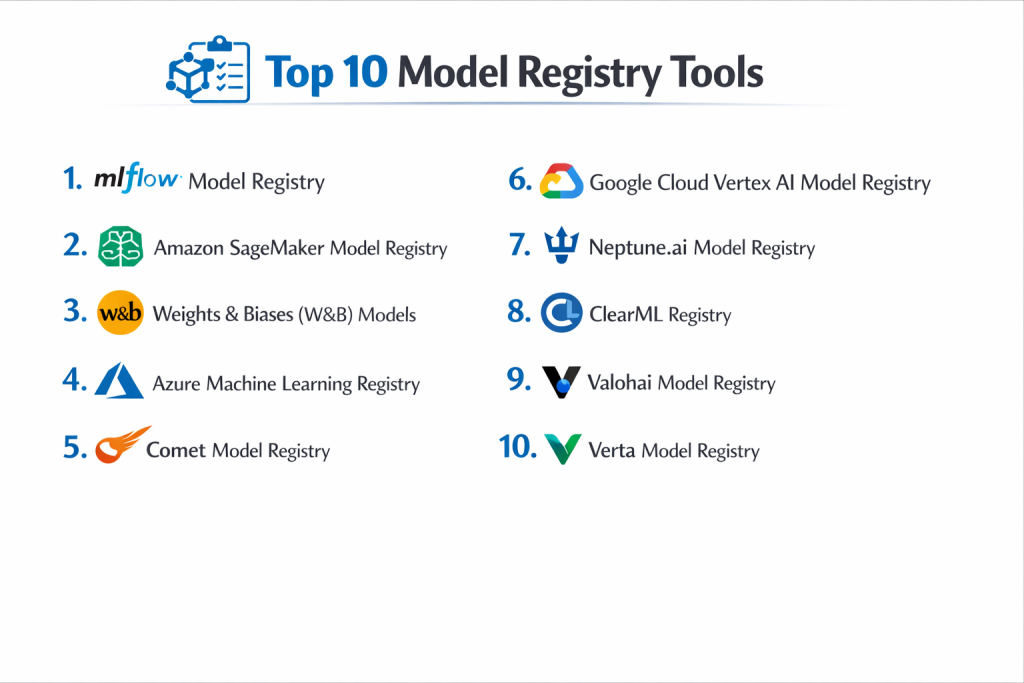
Top 10 Model Registry Tools
1 — MLflow Model Registry
MLflow is the industry standard for open-source ML lifecycle management. Its Model Registry component provides a centralized hub to share models, collaborate on designs, and manage transitions from development to production.
- Key features:
- Centralized Repository: A single web UI and set of APIs to manage models throughout their life.
- Model Versioning: Automatically increments versions as new iterations are registered.
- Stage Transitions: Dedicated paths for moving models from “Staging” to “Production.”
- Workflow Annotations: Ability to leave comments and descriptions for team collaboration.
- Integration: Native support for Databricks and all major ML frameworks like PyTorch and Scikit-Learn.
- Pros:
- Highly flexible and platform-agnostic; it works in any cloud environment.
- Massive community support means endless tutorials and third-party integrations.
- Cons:
- The open-source version requires significant DevOps effort to set up and secure.
- The UI is functional but lacks the high-end polish of some premium SaaS competitors.
- Security & compliance: Supports OpenID Connect (OIDC), basic auth, and RBAC (in Databricks version). GDPR and HIPAA compliant via managed providers.
- Support & community: Extensive documentation, a huge GitHub community, and professional support available through Databricks.
2 — Amazon SageMaker Model Registry
A core component of the AWS ecosystem, the SageMaker Model Registry is designed for teams that want a fully managed, highly secure way to catalog their models within the Amazon cloud.
- Key features:
- Automatic Versioning: Catalogs model artifacts and associated metadata automatically.
- Approval Workflows: Built-in “Approved” or “Rejected” status flags for governance.
- Integration with SageMaker Pipelines: Seamlessly links registry updates to automated training workflows.
- Cross-Account Support: Allows sharing model registries across different AWS accounts in a large organization.
- Security Integration: Deep ties to AWS IAM for fine-grained permissions.
- Pros:
- No infrastructure to manage; it is a true “hands-off” managed service.
- Best-in-class security and compliance for government and enterprise needs.
- Cons:
- High degree of vendor lock-in; it is difficult to use if your models are outside AWS.
- The AWS management console can be complex for those not familiar with the ecosystem.
- Security & compliance: FedRAMP, HIPAA, SOC 1/2/3, and GDPR compliant. Uses KMS for encryption.
- Support & community: Backed by AWS Premium Support and a global network of AWS experts.
3 — Weights & Biases (W&B) Models
W&B is a developer-favorite platform known for its beautiful UI. Its model registry provides a streamlined way to track “best-of-breed” models from various experiments.
- Key features:
- Model Lineage: Visualizes the entire path from raw data to the final registered model.
- Centralized Governance: A clear view of which model is live in which environment.
- Webhooks: Trigger external actions (like a deployment) as soon as a model is promoted.
- Artifact Tracking: Stores the actual model weights alongside the performance metrics.
- Collaboration Tools: “Reports” feature allows teams to document model performance visually.
- Pros:
- The most intuitive and visually appealing interface in the MLOps space.
- Excellent for teams that prioritize fast experimentation and easy collaboration.
- Cons:
- Can be expensive for large teams with high volumes of model data.
- Cloud-first approach may be a hurdle for “air-gapped” security requirements.
- Security & compliance: SOC 2 Type II, GDPR, and HIPAA compliant. Supports SSO (SAML/Okta).
- Support & community: Highly active Slack community and excellent, modern documentation.
4 — Azure Machine Learning Registry
Microsoft’s enterprise solution for model management, the Azure ML Registry, is built to support large-scale collaborative AI development across multiple workspaces.
- Key features:
- Multi-workspace Sharing: Allows models to be shared across different teams and Azure regions.
- Dependency Tracking: Records the environment, code, and data associated with each model.
- Automated Deployment: Directly connects to Azure Kubernetes Service (AKS) for serving.
- Asset Versioning: Extends beyond models to version environments and datasets as well.
- Governance Logs: Full history of every change made to a model’s status.
- Pros:
- Seamless integration for organizations already using the Microsoft 365 or Azure stack.
- Robust scalability for massive corporate environments.
- Cons:
- Deeply tied to Azure; not ideal for multi-cloud strategies.
- Learning curve can be steep due to the complexity of the Azure portal.
- Security & compliance: ISO, SOC, HIPAA, and FedRAMP compliant. Uses Azure Active Directory (AD) for security.
- Support & community: Comprehensive Microsoft enterprise support and a large network of certified partners.
5 — Comet Model Registry
Comet provides a robust, centralized registry that focuses on making the transition from “experimentation” to “production” as smooth as possible.
- Key features:
- Promotion Workflows: Clear, auditable steps for moving models between stages.
- Metadata Inheritance: Automatically pulls metrics from the experiment phase into the registry.
- Diffing Tools: Compare two different model versions side-by-side to see performance gaps.
- API-First Design: Easy to integrate with existing CI/CD tools like Jenkins or GitHub Actions.
- Custom Statuses: Flexibility to define your own lifecycle stages beyond “Staging” and “Prod.”
- Pros:
- Very fast and responsive UI that doesn’t slow down with high model counts.
- Excellent balance between ease of use and professional feature depth.
- Cons:
- Smaller third-party plugin ecosystem compared to MLflow.
- Pricing is less transparent for mid-sized teams.
- Security & compliance: SOC 2 Type II and GDPR compliant. Supports on-premise and VPC deployments.
- Support & community: Responsive professional support and a very active technical blog for users.
6 — Google Cloud Vertex AI Model Registry
Part of the Vertex AI suite, this registry is Google’s flagship model management tool, designed to integrate with their world-class data analytics tools.
- Key features:
- Unified View: Manage models trained in Vertex AI, BigQuery ML, or imported from elsewhere.
- Deployment Integration: One-click deployment to Vertex AI Endpoints.
- Model Evaluation: Built-in tools to run evaluation suites before registering a model.
- Alias Support: Use tags like “champion” or “challenger” to manage model versions.
- Regional Support: Store models in specific geographic regions for data residency compliance.
- Pros:
- The best choice for teams heavily utilizing BigQuery and Google’s data ecosystem.
- High-performance infrastructure optimized for large-scale serving.
- Cons:
- Can be very expensive if not monitored correctly.
- Google’s interface can sometimes feel disjointed compared to W&B or Comet.
- Security & compliance: SOC 1/2/3, ISO 27001, HIPAA, and GDPR compliant.
- Support & community: Full Google Cloud support and extensive documentation.
7 — Neptune.ai Model Registry
Neptune.ai is a lightweight, “developer-first” metadata store that provides a highly flexible model registry without the “bloat” of larger platforms.
- Key features:
- Flexible Metadata Schema: Log any type of metadata (images, charts, code, metrics).
- Stage Tracking: Simple UI to move models between “Development,” “Staging,” and “Production.”
- API Ingestion: Extremely easy to log model versions from any Python script.
- Model Comparison: Compare versions of models across different projects.
- Organizational Folders: Keep models organized by team or department.
- Pros:
- Very low latency; the UI is built for speed and large datasets.
- Doesn’t force a specific workflow; it adapts to how your team already works.
- Cons:
- Fewer “automated” deployment features than SageMaker or Azure.
- Primarily focused on metadata; you may need separate storage for very large model files.
- Security & compliance: SOC 2 Type II, GDPR, and ISO 27001 compliant.
- Support & community: Known for having some of the best technical documentation and customer support in the industry.
8 — ClearML Registry
ClearML is an “all-in-one” MLOps platform that includes a powerful, automated model registry designed for teams that value automation.
- Key features:
- Auto-Magic Logging: Can automatically detect and register models from training scripts.
- Framework Agnostic: Supports everything from XGBoost to Deep Learning frameworks.
- Storage Abstraction: Works with S3, GS, Azure Storage, or local file systems.
- Task Integration: Every model is linked to the exact “Task” (run) that created it.
- Deployment Hooks: Trigger serverless functions when a model’s status changes.
- Pros:
- The open-source version is incredibly feature-rich and free to host.
- Excellent for automating the “boring parts” of model management.
- Cons:
- The UI can be overwhelming due to the sheer number of features.
- Can be complex to configure for multi-cloud setups.
- Security & compliance: SOC 2, GDPR, and supports air-gapped (offline) installations.
- Support & community: Growing GitHub community and very helpful Slack support for the open-source tier.
9 — Valohai Model Registry
Valohai is a platform that emphasizes “total reproducibility,” treating every model version as a result of a specific pipeline.
- Key features:
- Pipeline Lineage: Every model version is linked to its exact code, data, and environment.
- Multi-Cloud Management: Manage models across AWS, GCP, and Azure from one UI.
- Deployment Triggers: Automate the hand-off to production systems.
- Regulatory Audit Logs: Records every human interaction with a model version.
- Environment Tracking: Logs the exact Docker image used to train the model.
- Pros:
- Exceptional for highly regulated industries like Defense or Biotech.
- Offers “perfect” reproducibility—you can recreate any model years later.
- Cons:
- Higher overhead to set up compared to lightweight tools like Neptune.
- More expensive than self-hosted open-source alternatives.
- Security & compliance: SOC 2 Type II, HIPAA compliant, and supports private cloud installations.
- Support & community: High-quality enterprise support with dedicated engineering resources.
10 — Verta Model Registry
Verta is an enterprise-focused platform that specializes in “Model Management and Governance,” making it ideal for large financial institutions.
- Key features:
- Governance Dashboards: High-level views for management to see model health across the company.
- Release Management: Sophisticated tools for managing complex model release cycles.
- Compliance Reporting: Automated report generation for regulatory audits.
- Model Catalog: Searchable portal for non-technical stakeholders to discover models.
- Metadata Versioning: Tracks hyperparameters, metrics, and training code.
- Pros:
- The best “management” view for executives and risk officers.
- Strong focus on the legal and compliance side of AI.
- Cons:
- Can feel a bit corporate or “heavy” for a small team of agile developers.
- Smaller community compared to the major cloud providers or MLflow.
- Security & compliance: SOC 2 Type II, GDPR, and HIPAA compliant.
- Support & community: Professional enterprise support and white-glove onboarding.
Comparison Table
| Tool Name | Best For | Platform(s) Supported | Standout Feature | Rating |
| MLflow | Open-source standard | Multi-cloud / On-prem | Broadest Ecosystem | 4.5 / 5 |
| SageMaker | AWS-heavy Teams | AWS Only | Managed Compliance | 4.7 / 5 |
| Weights & Biases | Visual & Fast Teams | Cloud / SaaS | Visual Lineage | 4.8 / 5 |
| Azure ML | Microsoft Enterprises | Azure Only | Multi-workspace Sharing | 4.6 / 5 |
| Comet | Enterprise MLOps | Cloud / On-prem | Comparison Tools | 4.6 / 5 |
| Vertex AI | Google Cloud Users | GCP Only | BigQuery Integration | 4.5 / 5 |
| Neptune.ai | Developer Flexibility | Cloud / SaaS | Lightweight API | 4.7 / 5 |
| ClearML | Automation Lovers | Cloud / On-prem | Auto-magic Logging | 4.6 / 5 |
| Valohai | High-security/Regulated | Multi-cloud | Pipeline Lineage | 4.7 / 5 |
| Verta | Governance & Compliance | Cloud / On-prem | Executive Dashboards | N/A |
Evaluation & Scoring of Model Registry Tools
The following rubric provides a weighted look at how these tools are evaluated by industry experts.
| Content | Weight | Score (1-10) | Evaluation Rationale |
| Core features | 25% | 9 | Most leading tools now offer standard versioning and stage management. |
| Ease of use | 15% | 8 | SaaS tools lead here; open-source can be difficult to manage. |
| Integrations | 15% | 9 | Integration with Python frameworks and cloud storage is excellent. |
| Security & compliance | 10% | 8 | Cloud-native tools (AWS/Azure) have the edge in certifications. |
| Performance | 10% | 7 | Metadata UIs can occasionally lag with thousands of versions. |
| Support & community | 10% | 8 | MLflow and W&B have the most active peer-to-peer communities. |
| Price / value | 15% | 7 | Enterprise pricing is often high and lacks transparency. |
Which Model Registry Tool Is Right for You?
Solo users vs SMB vs mid-market vs enterprise
For solo users and students, MLflow (self-hosted) or the free tier of Weights & Biases is the logical choice. They offer all the necessary learning tools at no cost. Small-to-mid-market (SMB) teams should look at Neptune.ai or ClearML, as these tools offer great speed and flexibility without requiring a massive DevOps team. Large Enterprises with strict compliance needs should choose SageMaker, Azure ML, or Verta, as these platforms provide the audit trails and governance controls that legal departments require.
Budget-conscious vs premium solutions
If your budget is zero, open-source MLflow or ClearML are your best options, provided you have the technical skill to host them. If you have a budget and want to save time, Neptune.ai or Weights & Biases are premium solutions that provide a “managed” experience. While they cost more monthly, they often pay for themselves in reduced engineering hours.
Feature depth vs ease of use
If you want the most “beautiful” and easy-to-use tool, Weights & Biases is the winner. If you need the most “technical depth”—such as the ability to manage complex Docker environments and multi-cloud pipelines—Valohai or Azure ML are better suited for that complexity.
Integration and scalability needs
Teams already standardized on one cloud provider (AWS/GCP/Azure) should generally stick to that provider’s registry to avoid data transfer costs and complexity. However, if your company uses multiple clouds or on-premise hardware, a cloud-agnostic tool like MLflow, Comet, or Neptune.ai is essential for a unified view.
Security and compliance requirements
If you are in a highly regulated sector (Defense, Banking, Healthcare), security is your primary concern. You must choose a tool that supports SOC 2 Type II, HIPAA, and FedRAMP. In these cases, SageMaker, Verta, or the private cloud version of Valohai are the safest bets for passing rigorous security audits.
Frequently Asked Questions (FAQs)
1. Is a Model Registry different from a Model Store?
Yes. A Model Store (like an S3 bucket) just holds the files. A Model Registry adds a layer of intelligence: it tracks versions, stages (Staging vs. Prod), who built it, and how it performed.
2. Can I use Git for model versioning instead?
You can, but it’s not recommended. Git is for text files. Model files are huge (binary), and Git cannot track the specific ML metrics (like accuracy or F1 score) that you need to compare model versions.
3. Do these tools store the actual data used for training?
Usually, no. They store a “link” or a “hash” of the data version. This allows you to know which data was used without cluttering the registry with massive datasets.
4. How much do these tools cost?
Open-source is free. SaaS tools usually have a free tier for 1-2 users, and then charge $50–$100 per user per month. Enterprise pricing is usually custom and starts in the thousands per year.
5. What is “Model Lineage”?
Lineage is the “family tree” of a model. It shows exactly which code version, which dataset version, and which hyperparameters were used to create that specific model file.
6. Can I switch from one registry to another later?
It is possible but difficult. Most tools use different metadata formats. It is best to choose a tool that supports the open-source MLflow format if you want to remain flexible.
7. Does a Model Registry help with bias detection?
Indirectly, yes. By storing evaluation reports for every version, a registry allows you to see if a new version has become more or less biased compared to the previous one.
8. Can a Model Registry deploy my model?
Many registries (like SageMaker or Vertex AI) have “one-click” deployment. Others (like Neptune or Comet) use “webhooks” to tell your other tools when it’s time to deploy.
9. Do I need a registry if I only have one model?
If you plan to update that model in the future, yes. It is much easier to set up a registry at the start than to try and organize a mess of files six months later.
10. What is a “Champion-Challenger” model?
This is a common strategy where the current best model (Champion) is compared against a new version (Challenger) in the registry to see which one performs better on new data.
Conclusion
Choosing a Model Registry Tool is a pivotal step in maturing your AI operations. In an era where AI is moving from “experimental” to “mission-critical,” the ability to track, audit, and manage model versions is no longer a luxury—it is a requirement.
While Weights & Biases leads in ease of use and MLflow leads in open-source adoption, the right choice for you depends on your existing cloud stack and your regulatory needs. By implementing a registry today, you are building a foundation of transparency and reliability that will allow your AI team to scale with confidence.