Introduction
Dental Practice Management Software (DPMS) is a specialized category of health information technology designed to manage the clinical and administrative operations of a dental office. Think of it as the “brain” of the practice; it centralizes patient records, digital X-rays, treatment planning, appointment scheduling, and billing into a single interface. By digitizing the workflow, these platforms eliminate the need for paper charts and manual filing, allowing the dental team to focus more on patient care and less on paperwork. In a modern dental environment, the DPMS acts as the primary tool for ensuring that the clinical side (dentistry) and the business side (management) are perfectly synchronized.
The importance of DPMS lies in its ability to drive practice efficiency and improve patient outcomes. Real-world use cases include automated appointment reminders to reduce no-shows, periodontal charting for accurate clinical tracking, insurance claim processing for faster reimbursement, and digital imaging integration to store X-rays directly within the patient’s file. When choosing a tool, evaluators should look for cloud vs. on-premise flexibility, intuitive charting interfaces, robust reporting analytics, and seamless third-party integrations with imaging hardware and patient engagement tools.
Best for: General dentists, orthodontists, oral surgeons, and pediatric dental specialists across all practice sizes. It is essential for office managers, dental hygienists, and solo practitioners who want to scale their business and maintain high standards of clinical documentation.
Not ideal for: General medical practitioners who do not require specialized dental charting (like odontograms) or very small wellness clinics that do not handle dental insurance coding or high-volume imaging data.
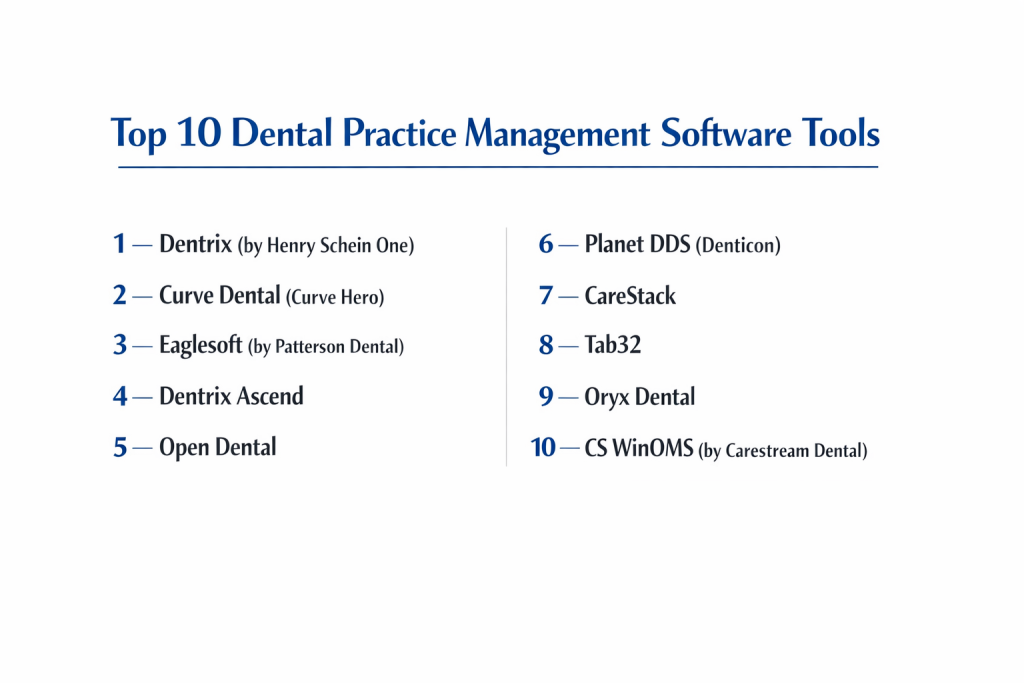
Top 10 Dental Practice Management Software Tools
1 — Dentrix (by Henry Schein One)
Dentrix is the industry titan of dental software, known for its deep feature set and its role as the centerpiece of the “connected practice.” It is designed for practices that want a comprehensive, high-powered system with extensive third-party support.
- Key features:
- Dentrix Smart Image: Automatically links 2D and 3D images to the correct patient chart and CDT codes.
- Treatment Planning Panel: Allows for complex multi-option plans with integrated patient education.
- Dentrix eServices: A suite of digital tools for insurance claims, e-prescribing, and patient loyalty.
- G7 Architecture: High-speed database performance for large patient files.
- Periodontal Charting: Advanced graphical representation of pocket depths and gum health.
- Pros:
- Massive ecosystem of compatible third-party apps and dental imaging hardware.
- Robust reporting capabilities that offer deep insights into practice production and collections.
- Cons:
- The learning curve can be steep for new staff members due to the sheer volume of menus.
- Primarily a Windows-based, on-premise solution, which may feel dated to cloud enthusiasts.
- Security & compliance: HIPAA compliant, features advanced encryption, user-level audit logs, and secure cloud backups.
- Support & community: Extensive online training via Dentrix University, local certified trainers, and a massive community of thousands of users.
2 — Curve Dental (Curve Hero)
Curve Dental is a pioneer in cloud-based dental management, offering a sleek, modern interface that resides entirely in the web browser. It is built for practices that want to eliminate on-site server maintenance.
- Key features:
- Cloud-Native Design: Accessible from any device with an internet connection—no local servers required.
- Interactive Perio Charting: Fast, easy-to-use graphical charting that patients can easily visualize.
- Drag-and-Drop Scheduling: Highly intuitive calendar management with customizable views.
- Integrated Imaging: Browser-based image capturing and editing without separate software.
- Automated Data Backups: Secure, redundant storage handled automatically by the provider.
- Pros:
- Saves significant costs on IT infrastructure and server hardware.
- The user interface is one of the most modern and “clean” in the industry.
- Cons:
- Performance is entirely dependent on your internet connection speed.
- Limited customization options for very niche specialty workflows compared to Dentrix.
- Security & compliance: SOC 2 Type II certified, HIPAA compliant, and uses banking-grade 256-bit encryption.
- Support & community: 24/7/365 customer support, comprehensive digital onboarding, and a strong online help center.
3 — Eaglesoft (by Patterson Dental)
Eaglesoft is a highly customizable and reliable platform that focuses on clinical excellence and smooth office workflows. It is a favorite among offices that value a “one-stop” support experience through Patterson Dental.
- Key features:
- Advanced Imaging Integration: Known for its “Advanced Imaging” module that handles various digital sensors.
- Customizable Clinical Screens: Allows clinicians to tailor the view to their specific workflow needs.
- CareCredit Integration: Seamlessly process patient financing directly within the software.
- Eaglesoft Mobile: Allows doctors to view schedules and patient data on smartphones.
- Intelligent Worklists: Automatically flags incomplete tasks and missing insurance info.
- Pros:
- Exceptionally stable performance with a low incidence of software crashes.
- Deeply integrated with Patterson’s vast supply and support network.
- Cons:
- Requires a robust on-site server and network infrastructure.
- Can feel slightly “heavy” or slow if running on older hardware.
- Security & compliance: HIPAA compliant; features multi-layered security, audit trails, and SSO support.
- Support & community: Top-tier customer support via Patterson Technology Center and a very loyal user base.
4 — Dentrix Ascend
Dentrix Ascend is the cloud-native sibling of the original Dentrix. It reimagines the Dentrix power for the web, focusing on a unique “to-do list” approach to management.
- Key features:
- Workflow-Driven Dashboard: Shows what needs to be done today (unconfirmed appts, overdue claims).
- Cloud-Based Imaging: View and edit digital images directly in the browser.
- Multi-Site Management: Easily toggle between different office locations with one login.
- Clinical Charting: Simplified but powerful odontogram for quick treatment entry.
- Automated Updates: Software stays current without manual patches or downtime.
- Pros:
- Perfect for DSOs (Dental Support Organizations) managing multiple locations.
- Combines the “brand name” reliability of Dentrix with the flexibility of the cloud.
- Cons:
- Some advanced features from the on-premise version are still being ported over.
- The subscription-based pricing can be more expensive long-term than owning a license.
- Security & compliance: SOC 2 compliant, HIPAA compliant, and uses encrypted data transmission.
- Support & community: High-quality phone and chat support, plus a growing online knowledge base.
5 — Open Dental
Open Dental is a unique, open-source-based platform that offers unparalleled flexibility and a lower cost of entry. It is the go-to choice for tech-savvy practices and those on a budget.
- Key features:
- Open Database: Users can run their own SQL queries to generate custom reports.
- Powerful Appointment Module: Supports complex scheduling logic and provider views.
- Text Messaging Integration: Native support for two-way patient communication.
- Electronic Rx: Integrated e-prescribing with drug interaction checks.
- Vast Plugin Library: A community-driven ecosystem of add-on tools.
- Pros:
- One of the most affordable high-level systems on the market.
- Extremely fast and lightweight software that runs well even on average hardware.
- Cons:
- The interface is functional but looks dated compared to modern cloud apps.
- Requires a bit more “DIY” spirit to fully customize and maintain.
- Security & compliance: HIPAA compliant; features robust user permissions and database encryption.
- Support & community: Highly praised technical support and a very active, helpful online forum.
6 — Planet DDS (Denticon)
Denticon is a enterprise-grade cloud solution specifically designed to handle the complexities of large multi-location groups and DSOs.
- Key features:
- Centralized Data: All locations share a single database for unified reporting.
- Advanced Business Intelligence: Deep-dive analytics into ROI by location and provider.
- Integrated Patient Portal: Allows patients to fill out forms and pay bills online.
- Dentilytics: A proprietary tool for tracking key performance indicators (KPIs).
- Secure Patient Messaging: Encrypted communication to ensure privacy.
- Pros:
- The most scalable platform for rapidly growing dental groups.
- Eliminates the need for complex VPNs or remote desktop setups for multi-site access.
- Cons:
- Likely “too much software” for a single-doctor boutique practice.
- The setup and migration process for large groups is a significant undertaking.
- Security & compliance: SOC 2 Type II, HIPAA, and GDPR compliant; features bank-level security.
- Support & community: Professional enterprise-level onboarding and dedicated account managers.
7 — CareStack
CareStack is an “all-in-one” cloud platform that integrates patient engagement, practice management, and advanced analytics into a single, cohesive system.
- Key features:
- Unified Engagement: Built-in two-way texting, online booking, and check-in.
- Advanced Claims Management: Tools to track and appeal insurance claims within the app.
- Opportunity Dashboard: Identifies unscheduled treatment plans to boost revenue.
- Chart View: Modern, interactive dental charts with high-resolution graphics.
- Billing & Collections: Sophisticated tools for managing patient and insurance balances.
- Pros:
- Eliminates the need for 3-4 separate software subscriptions (like Lighthouse or Solutionreach).
- Highly modern user experience that is easy to train new employees on.
- Cons:
- The monthly subscription cost can be higher because so many tools are bundled.
- The clinical module is powerful but has a different “logic” than traditional systems.
- Security & compliance: HIPAA compliant, SOC 2 Type II, and multi-factor authentication (MFA) supported.
- Support & community: Known for “White Glove” onboarding and high-touch customer success teams.
8 — Tab32
Tab32 claims to be the industry’s first “Dental Ecosystem” on the cloud, focusing on a unified data layer that connects every aspect of the patient experience.
- Key features:
- HelloPatient: Integrated VOIP and patient communication system.
- Cloud Imaging (ImageCloud): FDA-cleared cloud imaging for 2D and 3D data.
- Billing & RCM: Comprehensive revenue cycle management tools.
- Standardized Coding: Automated CDT code suggestions based on charting.
- Analytics: Real-time dashboards showing production, collection, and growth.
- Pros:
- Truly unified experience—no “bridge” needed for imaging or communication.
- Fast, responsive interface that works well on tablets and mobile devices.
- Cons:
- Being a newer player, the user community is smaller than Dentrix or Eaglesoft.
- Some users report a learning curve with the “ecosystem” philosophy.
- Security & compliance: HIPAA compliant, data encrypted at rest and in transit.
- Support & community: Rapid response technical support and personalized training sessions.
9 — Oryx Dental
Oryx is an AI-driven, cloud-based platform developed specifically for evidence-based dentists who follow the Kois Center clinical principles.
- Key features:
- Evidence-Based Clinical Flow: Guides dentists through comprehensive examinations.
- AI Integration: Uses AI to help identify risks and treatment opportunities.
- Patient Education: High-quality videos and visuals integrated into the consultation.
- Cloud-Native: No hardware to manage; works on Mac and PC.
- Automated Scheduling: Smart logic to optimize the daily production.
- Pros:
- Exceptional for clinicians who want a structured, high-quality clinical approach.
- Modern, beautiful interface that reflects a high-end practice brand.
- Cons:
- Highly specialized for a specific clinical style; may not suit “high-volume/low-cost” clinics.
- Premium pricing for the advanced AI and clinical features.
- Security & compliance: HIPAA compliant with advanced data protection protocols.
- Support & community: Strong connection to the Kois Center community and expert clinical support.
10 — CS WinOMS (by Carestream Dental)
WinOMS is the premier choice for Oral and Maxillofacial Surgery (OMS) practices that require specialized surgical and anesthesia charting.
- Key features:
- OMS-Specific Charting: Specialized views for surgery and implant tracking.
- Anesthesia Record: Digital tracking of vitals and medications during sedation.
- Hospital Integration: Tools to manage referrals and surgical center documentation.
- Comprehensive Billing: Handles both medical and dental insurance coding.
- Imaging Integration: Deep connection to Carestream 3D CBCT machines.
- Pros:
- Unmatched depth for the specific needs of oral surgeons.
- Extremely robust for offices that do a high volume of medical insurance billing.
- Cons:
- Not designed for general dentistry; too specialized for routine prophylaxis.
- The interface is very clinical and can appear complex to administrative staff.
- Security & compliance: HIPAA compliant; features detailed audit trails for surgical records.
- Support & community: Specialized OMS support teams and academic user groups.
Comparison Table
| Tool Name | Best For | Platform(s) Supported | Standout Feature | Rating |
| Dentrix | Large Established Practices | Windows / On-Premise | Massive 3rd Party Ecosystem | 4.7 / 5 |
| Curve Dental | Ease of Use & Cloud | Web Browser | Browser-Based Imaging | 4.8 / 5 |
| Eaglesoft | Reliability & Stability | Windows / On-Premise | Patterson Support Network | 4.6 / 5 |
| Dentrix Ascend | Multi-Site Groups / DSOs | Web Browser | “To-Do” Dashboard | 4.5 / 5 |
| Open Dental | Budget & Customization | Windows / On-Premise | Open-Source SQL Access | 4.8 / 5 |
| Planet DDS | Enterprise / DSOs | Web Browser | Unified Multi-Site Data | 4.4 / 5 |
| CareStack | All-in-One Integration | Web Browser | Integrated Patient Engagement | 4.7 / 5 |
| Tab32 | Tech-Forward Ecosystem | Web Browser | FDA Cloud Imaging | 4.5 / 5 |
| Oryx Dental | Evidence-Based Clinics | Web Browser | Kois-Based Clinical Flow | 4.9 / 5 |
| CS WinOMS | Oral Surgery Specialists | Windows / On-Premise | Anesthesia Charting | 4.6 / 5 |
Evaluation & Scoring of Dental Practice Management Software
| Category | Weight | Score | Reasoning |
| Core Features | 25% | 9.7/10 | Charting and scheduling are highly mature across all top 10 tools. |
| Ease of Use | 15% | 8.5/10 | Cloud tools lead here, while legacy on-premise tools struggle with modern UX. |
| Integrations | 15% | 9.0/10 | Dentrix and Open Dental lead in 3rd party connectivity. |
| Security & Compliance | 10% | 9.9/10 | This is a “must-have” in dental; standards are universally high. |
| Performance | 10% | 9.2/10 | On-premise tools are faster for imaging; cloud tools depend on internet. |
| Support & Community | 10% | 8.8/10 | Patterson and Henry Schein offer unmatched local support. |
| Price / Value | 15% | 8.1/10 | High subscription costs for all-in-one tools can be a barrier for solo practitioners. |
Which Dental Practice Management Software Tool Is Right for You?
Solo Users vs SMB vs Mid-Market vs Enterprise
If you are a Solo Practitioner just starting out, Open Dental or Apex (not on list, but similar) offer the lowest barrier to entry. For SMB and Mid-Market offices, Curve Dental and CareStack provide the best modern workflows without needing a massive IT department. If you are an Enterprise/DSO, Planet DDS (Denticon) and Dentrix Ascend are the only logical choices due to their centralized data architecture.
Budget-conscious vs Premium Solutions
For the Budget-conscious, Open Dental is the king. It is efficient, low-cost, and grows with you. If you want a Premium experience where everything—from texting to imaging—is perfectly integrated into a beautiful interface, CareStack or Oryx Dental are the worth the higher monthly investment.
Feature Depth vs Ease of Use
If you prioritize Ease of Use to keep staff turnover low, Curve Dental is the most intuitive. If you require absolute Feature Depth—perhaps because you handle complex orthodontics, surgery, and insurance—Dentrix and WinOMS provide the specialized fields and tools that simple systems lack.
Integration and Scalability Needs
If your growth plan involves adding 5-10 locations, Scalability is non-negotiable. Choose a Cloud-Native platform like Dentrix Ascend. If you have a favorite 3D scanner or AI diagnostic tool, check the Integration list; Dentrix and Open Dental have the most “bridges” to external software.
Security and Compliance Requirements
Every tool listed is HIPAA compliant. However, if you are an enterprise that needs SOC 2 Type II certification (the gold standard for data security), Curve Dental and CareStack are the leaders, providing documented proof of their security rigor that satisfies institutional requirements.
Frequently Asked Questions (FAQs)
1. Is cloud-based dental software better than on-premise?
It depends. Cloud software (like Curve) reduces IT costs and allows remote access, but requires fast internet. On-premise (like Dentrix) is faster for large images but requires you to manage your own servers and backups.
2. How long does it take to switch dental software?
A typical data conversion takes 2 to 4 weeks for testing and a weekend for the final “go-live.” Training usually takes another 2 to 5 days for the whole team.
3. Will my old digital X-rays move to the new software?
Most vendors can convert your images, but it’s the most complex part of the switch. Always ask for a “sample conversion” to see how your X-rays look in the new system before signing a contract.
4. Can I use these systems on a Mac?
Cloud-based systems (Curve, CareStack, Ascend) work perfectly on a Mac. On-premise systems (Dentrix, Eaglesoft) generally require a Windows environment or a “Parallel” setup.
5. How much does dental practice management software cost?
Cloud systems typically cost $300 to $600 per month per location. On-premise systems often have a large upfront cost ($5,000 to $15,000) plus a smaller monthly support fee ($100 to $250).
6. Do I need a separate software for patient texting?
With systems like CareStack or Tab32, texting is built-in. With older systems like Dentrix, you usually need a third-party add-on like Lighthouse 360 or Solutionreach.
7. Is Open Dental really “free”?
No. While the source code is open, you pay a monthly fee for support, updates, and integrated services like e-prescribing. It is, however, significantly cheaper than the major corporate competitors.
8. What is a “Bridge” in dental software?
A bridge is a small piece of code that allows your management software to “talk” to your imaging software. For example, clicking a button in Dentrix to open the patient’s X-rays in Dexis.
9. Can I access my schedule from home?
Yes, if you use a cloud-based system. If you use on-premise software, you will need a remote access tool like LogMeIn or a VPN, which can be slower and less secure.
10. What is “E-Prescribing” and is it required?
E-Prescribing allows you to send prescriptions directly to a pharmacy. Many states now legally require all controlled substance prescriptions to be sent electronically through a certified DPMS.
Conclusion
The evolution of dental practice management software has reached a tipping point where the “cloud” is no longer just an alternative—it is becoming the standard. Whether you choose the massive ecosystem of Dentrix, the browser-based simplicity of Curve Dental, or the clinical depth of Oryx, the right tool will act as the foundation of your practice’s success.
The “best” software is the one that your team is most comfortable using and that integrates seamlessly with your clinical style. By focusing on a system that prioritizes user experience, data security, and interoperability, you are ensuring that your practice remains efficient and profitable for the long term.