Introduction
Most companies today sit on mountains of digital information. They collect customer logs, sales figures, website clicks, and financial records every second. However, having large amounts of data does not automatically mean having smart insights.
In many organizations, getting a simple business report takes weeks. The marketing team claims one customer count, the finance department shows a different number, and nobody knows which report is correct. At the same time, security teams worry about data leaks, and compliance officers worry about privacy laws.
These problems usually happen because teams work in isolated groups, tools do not connect well, and data updates break reports without warning.
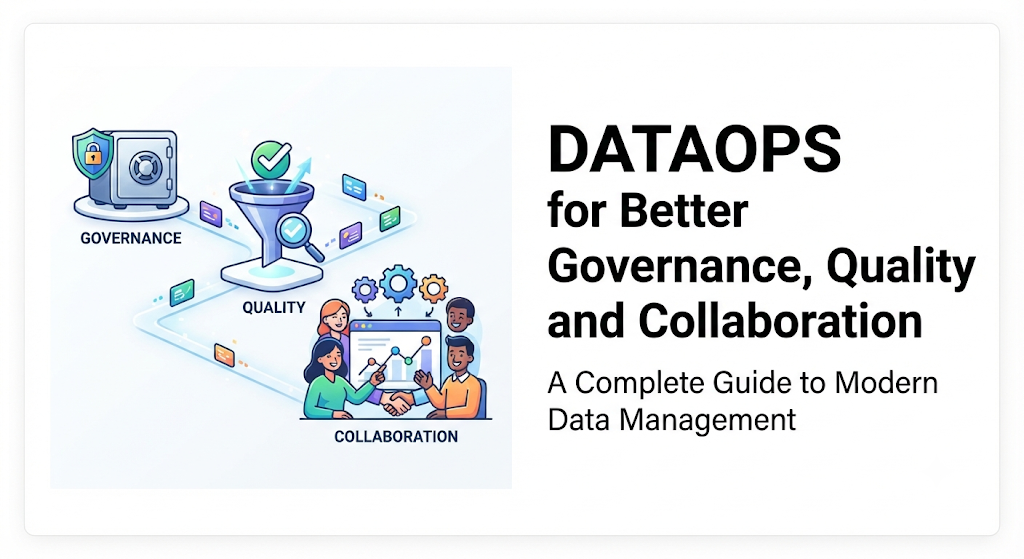
DataOps solves these operational headaches. It borrows principles from software development—such as continuous testing and automation—and applies them entirely to data pipelines. This guide explores how DataOps strengthens governance, improves data quality, and unites different departments.
What Is DataOps?
DataOps (short for Data Operations) is an automated, process-oriented methodology used to design, build, and manage data analytics environments with high velocity, reliability, and quality.
Professional Term → Simple Meaning → Why It Matters → Example
- Data Pipeline: A series of steps that move raw information from various systems, clean it up, and load it into a central database.
- Simple Meaning: A digital plumbing system that carries data from point A to point B.
- Why It Matters: If the pipe leaks or clogs, your business reports stop working.
- Example: Pulling daily transaction logs from a mobile app into a cloud data warehouse every night at midnight.
- Orchestration: The automated scheduling and coordination of data tasks.
- Simple Meaning: A digital conductor managing an orchestra.
- Why It Matters: It ensures step B only runs after step A finishes successfully.
- Example: Making sure the currency conversion script runs before the monthly revenue report is generated.
- Continuous Testing: Running automated checks on data every time it changes or moves.
- Simple Meaning: Quality control inspectors checking products on a factory belt continuously.
- Why It Matters: It catches broken data or missing values before business leaders make decisions based on them.
- Example: Automatically pausing a data update if customer email addresses suddenly turn up blank.
How DataOps Works
Traditional data management relies heavily on manual checks and isolated handoffs. A software engineer changes a database table, which accidentally breaks a data report. The analyst does not notice until the CEO points out an error during a board meeting.
DataOps replaces this fragile process with an automated, transparent workflow:
- Version Control: Every change to data code, database structures, and dashboard queries is tracked in a central system (like Git). If a new update breaks something, teams can instantly roll back to a working version.
- Automated CI/CD (Continuous Integration and Continuous Deployment): Code changes go through automated testing before reaching production. This catches bugs in data logic early.
- Automated Monitoring and Alerting: Systems monitor data health in real time. If data volume drops by 50% or a schema changes unexpectedly, automated alerts notify engineers immediately.
- Feedback Loops: Business users can easily flag incorrect numbers, and the system traces the error back through the pipeline to find the exact root cause.
Why DataOps Matters for Modern Organizations
Data is only valuable if people trust it. When decisions rely on flawed spreadsheets or delayed reports, companies lose money and make poor strategic choices.
DataOps matters because it shifts data teams from a reactive state to a proactive state. Instead of spending 80% of their time fixing broken reports and tracking down missing rows, data engineers can focus on building useful features. It brings speed and reliability together, allowing companies to innovate without sacrificing security or accuracy.
How DataOps Improves Data Governance
Data governance refers to the rules, processes, and standards that ensure data is secure, private, accurate, and used legally.
Many organizations treat governance as a bottleneck. They create heavy paperwork, rigid approval gates, and slow bureaucratic processes to keep data safe. This often frustrates business users, leading them to bypass official channels and use insecure spreadsheets.
DataOps transforms governance from a paperwork exercise into an automated, built-in feature of the data pipeline.
- Automated Policy Enforcement: Security rules and compliance checks (such as GDPR or HIPAA regulations) are written as automated tests within the data pipeline. If a data set contains unmasked customer social security numbers, the pipeline blocks it automatically.
- Data Lineage Tracking: DataOps tools map out the exact journey of every piece of data—where it came from, how it was transformed, and who touched it. If an auditor asks where a specific financial number originated, the lineage graph shows the exact trail instantly.
- Access Control and Transparency: Role-based access is integrated directly into deployment workflows, ensuring that sensitive data is only visible to authorized personnel without slowing down legitimate analysis.
How DataOps Improves Data Quality
Poor data quality costs organizations millions of dollars every year. Common data quality issues include duplicate customer records, missing values, incorrect currency conversions, and delayed updates.
DataOps treats data quality as a continuous engineering discipline rather than a one-time cleanup project.
- Data Observability: Just as website administrators monitor server uptime and response times, DataOps teams monitor data freshness, volume, distribution, and schema changes.
- Automated Data Testing: Data pipelines include tests that verify constraints before data reaches production users. For instance, a test might check that order amounts are never negative or that customer IDs are always unique.
- Immediate Incident Resolution: When a data quality test fails, the system triggers an alert with diagnostic details. Engineers can fix the issue quickly before executives notice incorrect metrics on their dashboards.
| Traditional Data Management | DataOps Approach |
|---|---|
| Quality Check: Manual reviews after reports break. | Automated data tests running continuously in pipelines. |
| Problem Detection: Discovered by business users weeks later. | Caught immediately via automated anomaly alerts. |
| Fixing Errors: Time-consuming manual scrubbing and backfilling. | Version-controlled code fixes deployed safely via CI/CD. |
How DataOps Improves Collaboration
Data projects involve many different people: data engineers, database administrators, data scientists, business analysts, product managers, and compliance officers.
Historically, these groups lived in functional silos. Engineers spoke code, analysts spoke business metrics, and compliance officers spoke legal regulations. This caused constant miscommunication.
DataOps bridges these gaps by creating a shared language and a unified workspace.
- Single Source of Truth: Code, configurations, and documentation live in shared repositories accessible to all technical and analytical staff.
- Shared Responsibility: Instead of throwing code over the wall from engineering to analytics, cross-functional teams collaborate on the entire lifecycle of a data product.
- Clear Documentation and Metadata: Automated documentation tools keep data dictionaries up to date, helping business users understand what metrics mean without needing to ask an engineer.
Practical Examples of DataOps in Action
Example 1: The E-Commerce Inventory Dashboard
An online retail company runs a daily inventory dashboard for its warehouse managers.
- Without DataOps: A supplier changes their product category format. The data pipeline breaks silently. The warehouse manager sees zero inventory for popular items, panics, and halts unnecessary reorders, losing potential sales.
- With DataOps: The pipeline schema test detects the format change before the daily run completes. The pipeline pauses, sends an automated alert to the on-call data engineer, and posts a notification in Slack. The engineer updates the mapping in minutes, and the dashboard updates successfully without human panic.
Example 2: Financial Reporting Compliance
A regional bank must report loan performance figures to regulatory authorities every month.
- Without DataOps: Analysts manually pull data from three different databases, clean it in local Excel sheets, and email the final spreadsheet to the compliance team. Auditing the calculations takes three days of stressful manual verification.
- With DataOps: The entire reporting workflow is coded, version-controlled, and tested automatically. Every transformation has an audit trail. When regulators ask for verification, the compliance officer pulls the automated lineage report in five minutes, proving data integrity completely.
Common Mistakes When Implementing DataOps
Organizations often struggle when adopting DataOps because they focus too much on buying tools and ignore changes in workflow and culture.
- Mistake 1: Buying Expensive Tools Without Changing Processes
- Why it happens: Companies believe purchasing an expensive orchestration or observability platform automatically creates a DataOps culture.
- Why it fails: Tools alone cannot fix broken communication between teams or undisciplined coding habits.
- What to do instead: Start with small operational improvements, clear workflow standards, and automated testing before investing heavily in enterprise software.
- Mistake 2: Ignoring Data Consumers
- Why it happens: Data engineers build automated pipelines for themselves without consulting the business analysts who actually use the reports.
- Why it fails: Pipelines run successfully, but the output data does not answer real business questions.
- What to do instead: Involve business analysts in defining data quality rules and acceptance criteria early in the development cycle.
- Mistake 3: Over-Automating Everything Immediately
- Why it happens: Teams try to automate every single manual check on day one, leading to complex systems nobody understands.
- Why it fails: High complexity leads to frequent pipeline failures and team burnout.
- What to do instead: Automate the most painful, high-frequency bottlenecks first, such as schema testing and basic orchestration, then expand gradually.
Risks and Limitations of DataOps
While DataOps offers massive operational benefits, it is not a magic solution for every organization.
- High Initial Learning Curve: Teams accustomed to traditional, manual script-writing must learn software engineering best practices like version control, CI/CD, and automated testing.
- Cultural Resistance: Shifting from isolated departmental work to transparent, cross-functional collaboration requires strong leadership and patience.
- Overhead for Small Teams: For very small startups with minimal data complexity, heavy DataOps tooling can introduce unnecessary overhead that slows down simple analysis.
Decision-Making Framework: Is Your Organization Ready for DataOps?
Use this simple step-by-step framework to evaluate whether your organization should invest in DataOps practices:
- Assess Pain Points: Do your business reports break frequently? Do you spend more time fixing data errors than building new insights?
- Evaluate Team Maturity: Do your data engineers understand basic version control (like Git) and automated testing principles?
- Check Data Volume and Complexity: Are you pulling data from multiple disparate sources that change frequently?
- Measure Compliance Pressure: Do you operate in a heavily regulated industry (finance, healthcare) where data governance errors carry heavy legal penalties?
- Start Small: If the answers indicate a strong need, select one critical data pipeline, apply version control, add automated testing, and measure the reduction in errors before scaling across the entire enterprise.
DataOps Implementation Checklist
Use this practical checklist to verify your team covers the core pillars of DataOps:
- Version Control: All data pipeline code, SQL queries, and transformation models are stored in a version-controlled repository (e.g., Git).
- Automated CI/CD: Code changes are tested automatically before being deployed to production environments.
- Data Quality Testing: Automated checks run on every pipeline run to verify schema, uniqueness, and value ranges.
- Monitoring and Alerting: Real-time alerts are configured for pipeline failures, volume anomalies, and freshness delays.
- Data Lineage: End-to-end documentation maps out where data comes from and how it is transformed.
- Cross-Functional Collaboration: Regular feedback loops exist between data engineers, analysts, and business stakeholders.
Key Terms
- CI/CD (Continuous Integration / Continuous Deployment): The practice of automating the testing and deployment of code changes so updates reach production safely and quickly.
- Data Lineage: A visual or recorded trail showing the complete lifecycle and journey of data from its source to its final destination.
- Data Observability: The ability to fully understand the health and state of data across your systems by monitoring metrics like freshness, distribution, and volume.
- Data Warehouse: A centralized cloud or on-premise storage repository designed to hold large amounts of integrated data for analysis and reporting.
- Orchestration Tool: Software used to schedule, trigger, monitor, and manage the execution sequence of data pipelines.
- Schema: The defined structure, organization, and data types of a database or table.
- Version Control: A system that records changes to files over time so you can recall specific versions later and collaborate safely.
FAQs
What is the main difference between DevOps and DataOps?
DevOps focuses on automating software application development and IT infrastructure operations. DataOps specifically applies those same automation and collaboration principles to data engineering, data pipelines, analytics, and governance.
Do small businesses need DataOps?
Small businesses with simple data needs and minimal reporting pipelines rarely need complex DataOps platforms. However, even small teams benefit from adopting basic principles like version control and automated backups as soon as data starts driving important business decisions.
How does DataOps prevent data breaches?
DataOps incorporates automated security and compliance checks directly into data pipelines. If unauthorized data types or unmasked sensitive information enter the pipeline, automated tests block the deployment before the data reaches vulnerable analytical environments.
Who is responsible for implementing DataOps in an organization?
DataOps is a collaborative culture rather than a single job title. Typically, data engineers lead the technical implementation of pipelines and automation, while data analysts, compliance officers, and business stakeholders contribute to defining quality standards and governance rules.
How long does it take to see results from DataOps?
Organizations usually see initial improvements in data reliability and a reduction in broken reports within the first few weeks of implementing automated pipeline testing and basic orchestration.
Is DataOps a software tool or a methodology?
DataOps is a methodology—a set of cultural practices, processes, and technical standards. While various software tools support DataOps (such as orchestration engines and observability platforms), buying software alone does not constitute DataOps.
Conclusion
DataOps is much more than a buzzword in modern analytics; it is a practical framework for bringing order to data chaos. By combining automated testing, continuous integration, robust governance, and cross-functional collaboration, organizations can turn unreliable data into a trustworthy strategic asset.
Whether you manage a small analytics team or an enterprise data operation, starting small with version control, automated quality checks, and open team communication will set the foundation for long-term data success.