Introduction
Veterinary Practice Management Software is the main computer system for an animal clinic. It is one program that does everything for your business. It books appointments, keeps pet health records, sends bills, tracks medicine supplies, and talks to pet owners. It takes the place of paper calendars, file folders, and calculators.
This software is very important. It helps your clinic run smoothly. It stops mistakes like double-booking a time slot or giving the wrong medicine dose. It saves you time on paperwork so you can spend more time with pets and their owners. It also helps you make smart business choices by showing you reports on your clinic’s performance.
In real life, you use it when a client calls to make an appointment, when a vet writes notes after an exam, when a receptionist prints a bill, or when a manager orders more vaccines.
When you choose this software, look for a few key things. It must be easy for your whole staff to learn. It should connect to other tools you use, like lab machines. It needs to have good help and support. And the price should make sense for your clinic’s budget.
Best for: This software is for everyone who works in an animal clinic. This includes veterinarians, vet techs, receptionists, and practice managers. It works for small local clinics, large animal hospitals, emergency pet centers, and groups with several clinic locations.
Not ideal for: A single vet who works alone and travels to homes might use simpler apps. A business that only grooms pets or boards them overnight does not need medical software. They need different business tools.
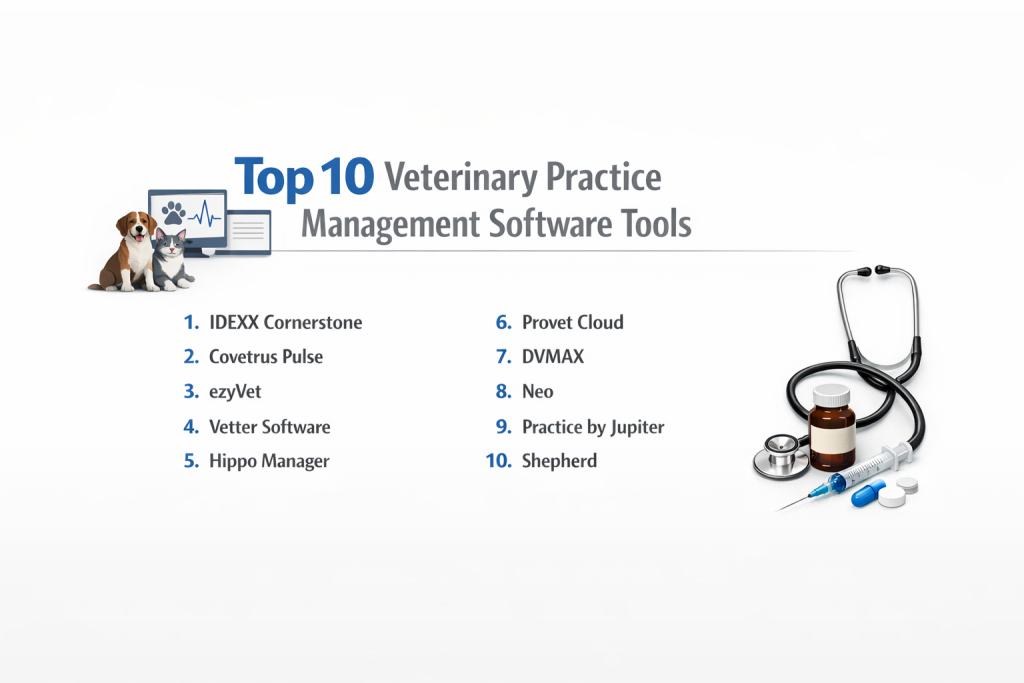
Top 10 Veterinary Practice Management Software Tools
Let’s look at ten of the best software choices for animal clinics. We will explain each one in simple terms.
1 — IDEXX Cornerstone
This is a powerful, all-in-one software system. It is made for clinics that use IDEXX brand lab machines for tests like blood work. It connects to those machines perfectly.
Key features:
- Perfect Lab Connection: This is the best part. You click one button to run a test on an IDEXX machine. The results go straight into the pet’s file on the computer. No typing.
- Strong Medical Records: You can write detailed notes about each pet’s visit, history, and health problems.
- Medicine Tracking: It knows how much medicine you have on your shelves. It tells you when you are getting low.
- Business Reports: It can create charts and graphs about your clinic’s money, like what services you sold most this month.
- Client Reminders: It can automatically send text messages or emails to remind pet owners about vaccine dates.
- Billing: It creates invoices, takes payments, and tracks what clients owe.
Pros:
- If you use IDEXX lab machines, this software makes your work very fast and easy.
- It has every feature a busy clinic could need.
- It is a trusted name. Thousands of clinics use it.
Cons:
- It can be expensive to buy and use.
- The screen can look a bit old and complicated compared to newer software.
- It is hard to switch to a different software later because you get used to it.
Security & compliance: The software is safe. If you run it on your own clinic computers, you keep it safe. IDEXX also offers a service where they run it on their secure computers for you.
Support & community: IDEXX has very good training and a help phone line. They host a big meeting every year where users can learn and share ideas.
2 — Covetrus Pulse
This software is very strong at managing your clinic’s medicine and supplies. It connects to a big medical supply company to make ordering easy.
Key features:
- Smart Inventory: It is great at tracking every pill and vial. You can set it to order more medicine automatically when your stock gets low.
- Pharmacy Tools: If you sell medicine from your clinic, this helps you price it correctly and print labels.
- Two Ways to Use: You can install it on your clinic computer. Or, you can use a newer version that works online in a web browser.
- Multiple Locations: If you have more than one clinic, this software can manage them all together from one place.
- Client Messaging: It has tools for texting clients and sending postcard reminders in the mail.
Pros:
- Excellent for clinics that sell a lot of medicine and want to manage it carefully.
- You get to choose how to use it: on your computer or online.
- Works very well for a group of clinics under one owner.
Cons:
- It has many buttons and menus. It can be confusing for new staff to learn.
- It can be a costly system.
- The screen has a lot of information all at once, which can feel busy.
Security & compliance: The online version is kept safe on Covetrus’s computers. The computer version needs your clinic to keep it safe.
Support & community: They have a good customer service team to help you with problems or questions.
3 — ezyVet
This is a modern software that you only use online in a web browser. It is very smart and can do tasks automatically for you. It is great for clinics that are growing quickly.
Key features:
- Use Anywhere: It is 100% online. No software to install. Use it on any computer, tablet, or phone with internet.
- Automation: You can set up rules. For example: “After a dog has surgery, automatically send the owner a care email two days later.” This saves a lot of staff time.
- Connects to Other Apps: It works well with other tools, like accounting software or special lab equipment.
- Multi-Clinic Management: It is built for clinics with many locations. Everything connects smoothly.
- Clean, Modern Look: The screen is simple, modern, and not cluttered.
Pros:
- Saves many hours every week by automating repetitive tasks.
- Grows easily with your clinic. It won’t slow down.
- Looks nice and is easier for new staff to learn than old software.
Not-so-good things:
- It is one of the more expensive choices.
- To use the automation well, your clinic needs clear step-by-step processes.
- Setting it up perfectly takes more time at the beginning.
Security & compliance: Yes, very safe. It has top security certificates that prove it protects data well. Your information is safe with them.
Support & community: They are known for excellent help. They guide you through setup and are there when you need them.
4 — Vetter Software
This online software is famous for being the easiest to use. Many small and medium clinics love it because their staff learns it very fast.
Key features:
- Super Simple Design: The layout is clean. Buttons are easy to find. New staff can often learn it in one day.
- Fast Charting: Writing notes about a pet’s visit is quick. You can click on common treatments instead of typing everything.
- Built-in Texting: It has texting built right in. You can text a reminder to a client, and they can text you back.
- Simple Inventory: It shows you what medicine you have with clear lists and sends alerts when you’re running low.
- Works on Tablets: It works great on a tablet in the exam room with the pet and owner.
Good things:
- The absolute easiest system to start using. Less stress for your team.
- Makes daily work faster and simpler for vets and techs.
- People say their customer support is the best—friendly, patient, and quick to answer.
Not-so-good things:
- You can’t change it as much as some other software. It works in its own simple way.
- It might not have every special tool a huge, 24-hour emergency hospital needs.
- It connects to other tools, but not in as many deep ways as ezyVet.
Security & compliance: It is a safe online system. Your data is protected.
Support & community: This is their strongest point. Users constantly praise the helpful and kind support team.
5 — Hippo Manager
This is an online system with one simple monthly price. You pay a flat fee, and all features are included. Good for clinics that want no surprise bills.
Key features:
- One Flat Price: You pay one monthly fee per vet. It includes the software, support, and updates. No extra charges for sending reminders or lab orders.
- All Features Included: It has scheduling, medical records, inventory, a client website builder, and reporting tools.
- Own Payment System: It has its own credit card processing (called Hippo Pay) with good rates.
- Lab Connections: It connects to big labs like IDEXX and Antech to bring in test results.
- Detailed Inventory: Tracks your medical supplies well.
Good things:
- Simple budgeting. You know your exact software cost every month.
- A lot of useful tools for a reasonable price.
- Truly online—no computer servers in your closet to worry about.
Not-so-good things:
- The screen design looks a bit old and plain.
- It has so many features that the menus can sometimes feel crowded.
- It’s not as customizable for clinics with very unique ways of working.
Security & compliance: It runs on secure online servers. Your information is safe.
Support & community: Help is included in your monthly fee. They have a yearly conference for users to meet.
6 — Provet Cloud
This software is built for specialty and emergency animal hospitals. It handles very sick pets that need to stay in the hospital for days.
What it does well:
- Hospitalized Pet Care: It has special charts for pets staying overnight. It tracks every treatment, every medicine dose, and notes from the nurses.
- Specialist Focus: It helps when a regular family vet sends a pet to you (a referral). It keeps all the referral information neat and organized.
- Medical Images: Works well with storing and viewing X-ray and ultrasound pictures.
- Multiple Hospitals: Manages big groups of specialty clinics in different locations.
- Powerful Reports: Can create very detailed reports about medical results and business health.
Good things:
- The best tool for complex, serious medical cases.
- Very powerful and can be set up for different specialist workflows.
- Used all over the world, not just in one country.
Not-so-good things:
- It is too much for a simple, general practice clinic.
- More expensive than general practice software.
- Less common in some areas like North America.
Security & compliance: It is a secure online platform built for big hospitals. They take safety seriously.
Support & community: They offer professional setup and training services to get you started right.
7 — DVMAX
This software is known for letting you change the medical records completely. You can make the exam forms look and work exactly how you want.
Key features:
- Custom Medical Records: You can design your own exam forms and templates. This is great for unusual animals or special types of medicine.
- Pictures and X-rays: You can attach photos and X-rays right to the pet’s file for easy viewing.
- Choice of Use: You can install it on your clinic computer, or use an online version that they host for you.
- Inventory: Strong tools for managing drug inventory so you don’t run out.
- Client Communication: Handles reminders and has a portal where clients can see their pet’s info.
Good things:
- If you don’t like how other software does records, you can change it here to fit you perfectly.
- It is very stable and reliable. It rarely has problems or crashes.
- Good for clinics that see many different species, like cats, dogs, and farm animals.
Not-so-good things:
- The screen looks very old, like software from many years ago.
- It takes longer to learn because it’s so customizable.
- It doesn’t get new, modern features as quickly as newer online software.
Security & compliance: Safety depends on how you set it up. The online version they host is safer. The computer version needs your clinic to manage safety.
Support & community: They are known for supporting their existing users well over time.
8 — Neo
This is a modern software made to work perfectly on tablets. It focuses on making things easy and convenient for the pet owner, with great online booking.
Key features:
- Made for Tablets: It is designed for an iPad in the exam room. It is touch-friendly and looks great.
- Excellent Online Booking: Pet owners can book appointments on your website easily. It shows your real-time, live schedule.
- Digital Forms: New clients can fill out their information and pet history online before they even arrive.
- Client Texting: Easy two-way texting with owners built into the system.
- Clean, Modern Look: The design is simple, modern, and visually appealing.
Good things:
- Offers a very modern, convenient experience for your clients.
- Perfect for the vet to use on a tablet while talking face-to-face with a client.
- Fast and intuitive for staff to learn.
Not-so-good things:
- It is from a newer company, so it has less history and track record.
- It might not have every single advanced feature that older software has.
- Their long-term pricing plans are less widely known.
Security & compliance: It is a modern, secure online platform. They use good safety practices.
Help and Support: They provide good customer service to help you succeed.
9 — Practice by Jupiter
This software is famous for being the most beautiful and easiest to use. It started for human healthcare (like chiropractors) and is now excellent for vets.
Key features:
- Beautiful, Intuitive Design: Everyone says it is the prettiest, most logical software. Buttons are where you expect them.
- Amazing Online Booking: The best in the business. Clients find it very easy to use.
- Quick Notes: Writing SOAP notes (the summary of a pet’s visit) is very fast with smart templates.
- Video Calls Built-in: Has video call ability built right in for telemedicine appointments.
- Full Client Portal: Clients can see records, book appointments, and pay bills online.
Good things:
- The easiest system for your staff to learn and enjoy using.
- Helps you get new clients with its excellent, professional online booking.
- No need for a separate app for video calls with clients; it’s all in one place.
Not-so-good things:
- Because it was designed for humans first, it might lack some very deep veterinary-only features.
- It can be expensive for the set of features you get.
- Might not handle the complex needs of a huge, 20-doctor emergency and specialty hospital.
Security & compliance: Yes, they focus heavily on client privacy and security. They follow strict rules.
Help and Support: Known for being super responsive, friendly, and helpful.
10 — Shepherd
This software is only for specialty and emergency hospitals. It doesn’t try to be for general pet check-ups. It solves problems only these kinds of clinics have.
What it does well:
- Specialist Workflow: Built for how specialists work—receiving referrals from other vets, managing pets that are hospitalized for a long time.
- Hospitalized Pet Management: Excellent tools for tracking very sick pets that stay for days or weeks.
- Communication with Regular Vets: Has a special system to send updates and reports back to the pet’s regular family vet who sent them.
- Complex Care Communication: Helps manage difficult conversations with owners of very sick pets.
- Cloud-Based: It’s online, so you can access records from anywhere.
Good things:
- Solves the exact, specific problems that specialty and ER hospitals face every day.
- Modern and made just for this purpose, not adapted from something else.
- Makes relationships with regular vets (who send you business) stronger and easier.
Not-so-good things:
- Not for general practice wellness clinics at all.
- A newer option, so fewer hospitals have years of experience with it.
- Doesn’t have general practice features like simple vaccine reminders.
Security & compliance: It is a secure online platform built for medical data.
Help and Support: Their support team is specialized to understand the needs of specialists.
Comparison Table
| Tool Name | Best For | Platform(s) Supported | Standout Feature | Rating |
|---|---|---|---|---|
| IDEXX Cornerstone | Clinics using IDEXX lab machines | Desktop (Installed on Computer) | Perfect, seamless connection to IDEXX labs | 4.5/5 |
| Covetrus Pulse | Clinics focused on inventory & pharmacy | Desktop or Cloud (Online) | Best-in-class inventory management & ordering | 4.3/5 |
| ezyVet | Growing, multi-location, tech-forward clinics | Cloud (Online Only) | Powerful workflow automation & open API | 4.7/5 |
| Vetter Software | Clinics prioritizing ease of use & simplicity | Cloud (Online Only) | The most intuitive, user-friendly interface | 4.6/5 |
| Hippo Manager | Value-focused clinics wanting one price | Cloud (Online Only) | Comprehensive features for a flat monthly fee | 4.2/5 |
| Provet Cloud | Specialty & Emergency Animal Hospitals | Cloud (Online Only) | Deep tools for complex, inpatient care | 4.4/5 |
| DVMAX | Clinics needing highly customizable records | Desktop or Cloud Hosted | Unmatched medical record customization | 4.0/5 |
| Neo | Clinics wanting a modern client experience | Cloud, Tablet-First | Superior online booking & tablet-optimized design | 4.3/5 |
| Practice by Jupiter | Clinics valuing beautiful, effortless design | Cloud (Online Only) | Award-winning ease of use & built-in telehealth | 4.5/5 |
| Shepherd | Exclusively for Specialty & ER Hospitals | Cloud (Online Only) | Purpose-built for specialist referral workflow | 4.4/5 |
Evaluation & Scoring of Veterinary Practice Management Software
How do you know which software is good? You score them on what matters most to a clinic. Here is a simple scoring guide.
| What to Evaluate | How Important | What to Look For | Who Does This Well |
|---|---|---|---|
| Core Features | 25% | Scheduling, medical records, billing, inventory, reporting. Does it have what you need? | ezyVet, IDEXX Cornerstone |
| Ease of Use | 15% | Is it intuitive? Can new staff learn it fast? Is daily work efficient? | Vetter, Practice by Jupiter |
| Integrations | 15% | Does it connect to your lab machines, online pharmacy, accounting software? | IDEXX Cornerstone, ezyVet |
| Security | 10% | Is your data safe? Is it encrypted? Do they have security certifications? | ezyVet (SOC 2), Major Cloud Providers |
| Performance | 10% | Is it fast? Does it crash? Can it handle your busy Saturday schedule? | ezyVet, Provet Cloud |
| Support | 10% | Is help easy to get? Is the support team good? Is there training? | Vetter, IDEXX Cornerstone |
| Price / Value | 15% | Is the cost fair for what you get? Does it save you more money than it costs? | Hippo Manager, Vetter |
Which Veterinary Practice Management Software Tool Is Right for You?
Your perfect software depends on your clinic’s situation. Let’s break it down.
By Clinic Size:
- Solo or 2-Vet Practice: You need simple and affordable. Look at Vetter (easiest), Hippo Manager (good value), or Practice by Jupiter (if design is key).
- Medium Practice (3-5 Vets): You need reliable power. If you use IDEXX labs, Cornerstone is great. For growth and automation, pick ezyVet. If inventory is a headache, choose Covetrus Pulse.
- Large Practice or Multi-Location Group: You need to manage complexity. ezyVet is the top choice. Provet Cloud and Covetrus Pulse are also strong for multiple sites.
- Specialty or Emergency Hospital: You need specialized tools. Choose Provet Cloud or Shepherd. If you must customize every record, look at DVMAX.
By Budget:
- Budget-Conscious: Hippo Manager (flat fee) and Vetter offer great value without high costs.
- Premium Solutions: ezyVet and Provet Cloud cost more but offer advanced power and automation for clinics that need it.
Ease vs. Power:
- Feature Depth & Power: ezyVet and DVMAX are very powerful and customizable. They can do more but take time to learn.
- Ease of Use: Vetter and Practice by Jupiter are the easiest. Your team will be productive immediately with less training.
Other Needs:
- Integration Needs: If you use specific lab machines, pick software that connects to them (Cornerstone for IDEXX). If you use many other apps, ezyVet’s open API is best.
- Security Needs: Most cloud software is secure. For the highest verified security, look for SOC 2 certification like ezyVet has.
Frequently Asked Questions (FAQs)
1. What’s the difference between cloud and desktop software?
Cloud software is online, like a website. You pay monthly. It updates automatically. Desktop software is installed on your clinic’s own computers. You pay a big upfront fee and are responsible for updates and security.
2. How much does this software cost?
Cloud software typically costs $100 to $300+ per veterinarian, per month. Desktop software can cost thousands to tens of thousands to buy, plus yearly maintenance fees.
3. How long does it take to switch to new software?
For a small clinic, plan on 1 to 2 months for data transfer and training. For a large hospital, it can take 3 to 6 months. It’s a big project.
4. Can we take our data if we leave the software?
Yes, you should be able to. Before you sign a contract, ask the company: “What format will you give us all our pet records in if we decide to switch later?”
5. Is online software safe for our patient records?
Reputable online software companies invest heavily in security, often more than a small clinic can. They use encryption and secure data centers. Ask them about their security practices and certifications.
6. Do we need a separate website for online booking?
No. Most modern practice management software includes a professional online booking page that connects directly to your appointment calendar. This is much better than a separate, disconnected system.
7. How important is connecting to our in-house lab machines?
Very important. If you run blood or urine tests in your clinic, direct integration saves time and prevents typing errors. Choose software that connects to your specific brand of machine.
8. Does the software help with tracking controlled drugs?
Yes, good software will have inventory tracking that helps you log the use of controlled substances (like certain pain medicines), which is required by law.
9. What’s the biggest mistake when choosing software?
Not involving your staff in the decision. The receptionists, technicians, and doctors who use it every day must test it with real clinic tasks before you choose.
10. Should we just get what the other local clinic uses?
Not necessarily. Their needs might be different. Choose the best tool for your clinic’s size, workflow, and budget, not just because it’s familiar.
Conclusion
Choosing the right practice management software is one of the most important decisions for your veterinary clinic. There are many great options, from the powerful integration of IDEXX Cornerstone to the sleek simplicity of Practice by Jupiter, and from the specialist focus of Shepherd to the smart automation of ezyVet.
Remember, there is no single “winner.” The best software is the one that fits your clinic like a glove. A huge system can overwhelm a small practice, while a simple system can hold back a growing hospital.
Focus on what you truly need: smooth daily workflow, connection to your equipment, room to grow, and a price that makes sense. Take your time, try demos, and listen to your team. The right software will feel like a helpful team member, making your days easier and letting you provide the best possible care to your patients.