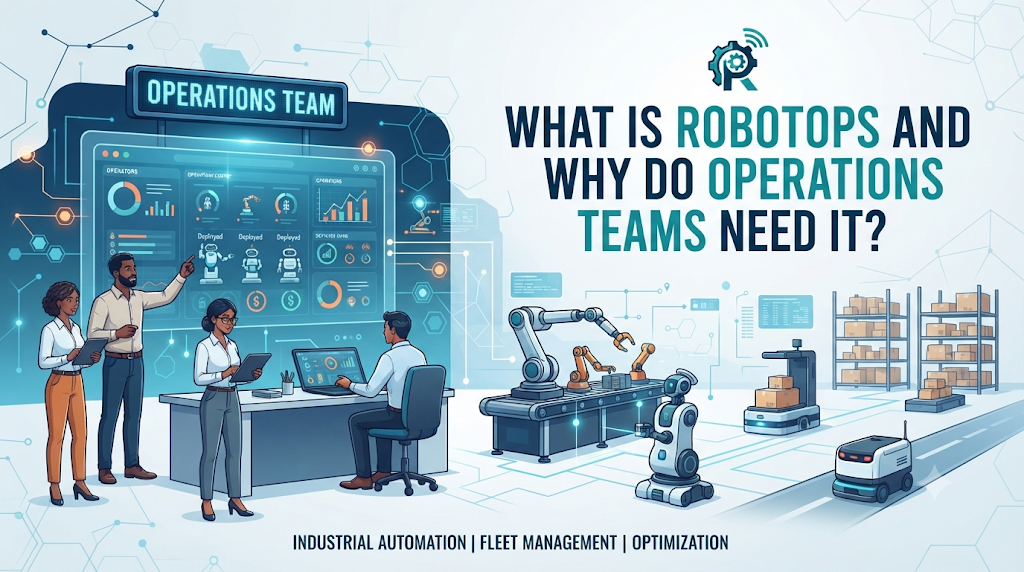
Managing a single robot in a lab is straightforward. Managing a fleet of fifty autonomous mobile robots (AMRs) across a busy warehouse is a completely different challenge. When robots stop moving, orders get delayed, and operational costs go up.
This is where RobotsOps comes in.
RobotsOps (Robot Operations) brings order to the chaos of running multi-robot systems in real-world environments. It acts as the central nerve center for deploying, monitoring, and updating robots at scale.
What is RobotsOps?
RobotsOps is a set of practices, tools, and workflows designed to manage robots throughout their entire lifecycle. It combines principles from software development (like DevOps and Site Reliability Engineering) with hardware management.
Instead of walking up to each robot with a USB drive to install updates, an operations team uses a RobotsOps platform to manage the entire fleet from a single dashboard.
Core Focus Areas of RobotsOps:
- Deployment: Getting new software or robot configurations safely onto machines.
- Monitoring: Tracking the health, battery, and location of every robot in real time.
- Maintenance: Catching mechanical or software errors before they cause a breakdown.
- Security: Protecting robot fleets from unauthorized network access.
Why Managing Robot Fleets is Difficult
Running robots outside a controlled testing environment brings unexpected hurdles. Software bugs, weak Wi-Fi zones, and sensor failures are common. Without a structured operations framework, teams face several major issues:
- Blind Spots: Operators do not know why a robot stopped until someone physically walks over to check it.
- Version Control Chaos: Different robots run different software versions, leading to unpredictable navigation errors.
- Downtime Losses: Every minute a robot sits idle waiting for a manual reboot costs time and money.
RobotsOps solves these problems by providing visibility and remote control capabilities.
How RobotsOps Works in Practice
A solid RobotsOps workflow bridges the gap between the field and the engineering team. Here is how it functions day-to-day:
- Telemetry Collection: Robots constantly send small packets of data (telemetry) about their CPU temperature, battery level, motor status, and sensor readings back to the cloud or local server.
- Observability and Alerting: The operations software analyzes this data. If a robot’s battery health drops too low or its LiDAR sensor starts throwing errors, the system alerts the on-duty technician immediately.
- Over-the-Air (OTA) Updates: When developers write a new navigation patch, RobotsOps allows engineers to push the update to the fleet—either all at once or in small, controlled rollout groups.
- Rollback Safety: If a new software update causes unexpected behavior, the system can quickly roll the fleet back to the previous stable version.
Key Concepts Every Operations Team Should Know
To build an effective robot operations pipeline, teams rely on a few specific technical concepts:
- Technical term: Fleet TelemetrySimple meaning: The continuous stream of operational data sent by robots to a central server.Why it matters: It gives teams real-time insight into robot health without needing manual checks.
- Technical term: Edge ComputingSimple meaning: Processing data directly on the robot’s onboard computer rather than sending everything to a distant cloud server.Why it matters: Robots need to make split-second safety decisions instantly, even if the internet connection drops.
- Technical term: CI/CD for Robotics (Continuous Integration / Continuous Deployment)Simple meaning: An automated way to test robot software changes and push them safely into production.Why it matters: It reduces human error and speeds up software delivery.
Practical Example: RobotsOps in a Fulfillment Center
Imagine an e-commerce warehouse utilizing 40 autonomous robots to move inventory pods.
On a busy Tuesday afternoon, three robots suddenly slow down near aisle four. Without RobotsOps, warehouse staff might assume it’s a Wi-Fi dead zone and waste valuable time investigating manually.
With a RobotsOps platform, the operations dashboard immediately highlights that those three robots are experiencing high CPU loads due to a map-loading glitch. The engineering team receives an automated alert, isolates the software issue, pushes a patch remotely in minutes, and gets the robots back to work before fulfillment delays pile up.
Common Mistakes in Robot Operations
Building or adopting a robot operations strategy can be tricky. Avoid these common pitfalls:
- Ignoring Network Limits: Warehouses often have poor Wi-Fi coverage in corners or metal shelving aisles. Testing software updates without accounting for weak connections leads to failed deployments.
- Over-Logging: Forcing robots to stream massive video files constantly can clog the local network. Stream only essential health metrics and use local storage for heavy debugging data.
- Treating Robots Like Standard Servers: Robots interact with the physical world. A software bug that restarts a cloud server causes a minor blip; a software bug that restarts a moving robot can cause a collision. Safety checks must always come first.
Frequently Asked Questions
Is RobotsOps only for large companies?
No. Even small fleets of three to five robots benefit from basic remote monitoring and over-the-air update capabilities, saving hours of manual troubleshooting.
How does RobotsOps relate to ROS (Robot Operating System)?
ROS is a software framework used to build robot applications. RobotsOps is the operational layer used to manage, deploy, and monitor those ROS-based applications across a fleet in production.
Can RobotsOps work offline?
Yes. Many industrial environments have strict security requirements or unreliable internet. Robust RobotsOps architectures support local on-premise servers to keep operations running smoothly even without cloud connectivity.
Conclusion
RobotsOps bridges the gap between writing robot software and running a reliable physical business. By combining automated updates, real-time fleet monitoring, and smart error tracking, operations teams can keep their autonomous systems running safely, efficiently, and with minimal manual intervention.