Introduction
Zero Trust Network Access (ZTNA) is a security technology that provides secure remote access to applications and data based on a simple rule: trust no one. Unlike older systems that give a user access to the entire network, ZTNA creates a tiny, private “tunnel” between a specific user and the specific app they need to use. Everything else on the network remains invisible to them.
This technology is important because it stops hackers from moving sideways through a company’s system. Even if a bad actor steals a password, they are stuck within one small area rather than having the keys to the entire building. It replaces the traditional VPN (Virtual Private Network), which many people find slow and less secure.
Key Real-World Use Cases
- Remote Work Security: Ensuring employees can access office files from home without exposing the whole network to the internet.
- Third-Party Access: Giving contractors or partners access to just one specific tool (like a bug tracker) without letting them see sensitive financial data.
- Cloud Migration: Helping companies move their data from physical servers to the cloud while keeping the connection secure.
- Reducing Attack Surface: Making internal applications “dark” so that hackers cannot even see they exist from the outside.
Evaluation Criteria
When choosing a ZTNA tool, users should look for identity verification (making sure the person is who they say they are), device health checks (checking if the laptop has a virus before letting it connect), and latency (how much the tool slows down the connection).
Best for: Large organizations with many remote employees, software development teams, and industries like healthcare or finance that handle very sensitive data.
Not ideal for: Very small teams where everyone sits in the same room and uses the same three public apps (like Gmail or Slack), or companies that do not store any private data on their own servers.
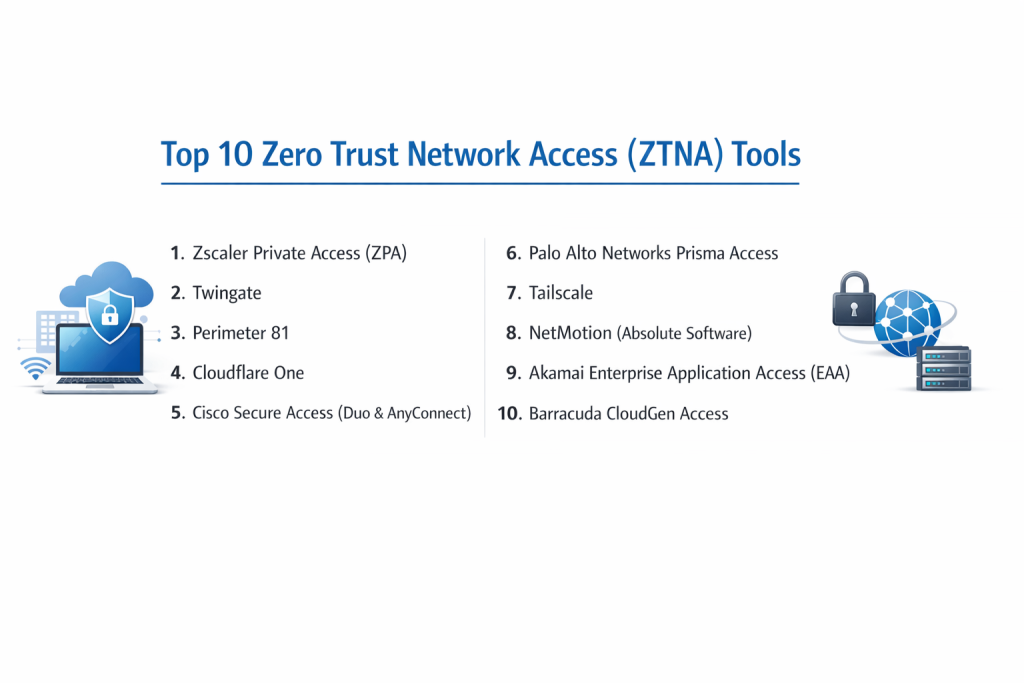
Top 10 Zero Trust Network Access (ZTNA) Tools
1 — Zscaler Private Access (ZPA)
Zscaler is a pioneer in the zero-trust space. Their ZPA tool is a cloud-based service that allows users to reach internal apps without ever placing them on the actual network.
- Key Features:
- Full Network Obfuscation: Internal apps are completely invisible to the public internet.
- User-to-App Segmentation: Limits access to specific apps rather than the whole network.
- Global Fabric: Uses a massive global network of servers to keep connections fast.
- Health Monitoring: Checks the security status of the device before connecting.
- Application Discovery: Automatically finds apps running in your environment.
- Pros:
- Highly scalable for companies with tens of thousands of workers.
- No need for complex hardware to be installed in the office.
- Cons:
- Can be quite expensive for smaller businesses.
- The initial setup and policy creation require specialized training.
- Security & Compliance: Supports SSO, end-to-end encryption, SOC 2, GDPR, and ISO 27001.
- Support & Community: Comprehensive enterprise support, a dedicated academy for learning, and a large global user community.
2 — Twingate
Twingate is a modern ZTNA solution designed to be much easier to use than traditional enterprise software. It focuses on a great user experience for both IT admins and employees.
- Key Features:
- Split Tunneling: Separates work traffic from personal internet traffic for better privacy.
- Fast Deployment: Can be set up in minutes without changing the existing network.
- Universal Compatibility: Works with cloud, on-premise, and home-hosted services.
- Automated API: Allows developers to manage access through code.
- Resource Level Permissions: Very granular control over who sees what.
- Pros:
- Extremely fast performance with very little “lag.”
- The user interface is clean and modern, making it easy for non-tech users.
- Cons:
- Lacks some of the “heavyweight” features found in older enterprise tools.
- Community resources are still growing compared to older competitors.
- Security & Compliance: SSO integration, 256-bit encryption, SOC 2, and GDPR compliant.
- Support & Community: Excellent documentation, responsive email support, and an active online community for developers.
3 — Perimeter 81
Perimeter 81 provides a “Security Service Edge” that combines ZTNA with other networking features. It is popular because it acts like a “Software-Defined Perimeter.”
- Key Features:
- Unified Management: One dashboard to manage all users and regions.
- Private Gateways: Offers dedicated IP addresses for your company.
- Automatic Wi-Fi Protection: Secures the connection the moment a user joins a public Wi-Fi.
- Agentless Access: Allows access through a web browser without installing software.
- Detailed Activity Logs: Tracks every click and connection for auditing.
- Pros:
- Great balance between professional features and ease of use.
- Very fast to set up for mid-sized companies.
- Cons:
- Pricing can increase quickly as you add more gateways.
- Some users report occasional bugs in the desktop application.
- Security & Compliance: HIPAA, SOC 2, ISO 27001, and GDPR compliant.
- Support & Community: 24/7 chat support for higher tiers and a helpful knowledge base.
4 — Cloudflare One
Cloudflare uses its massive global network—the same one that speeds up websites—to provide ZTNA. It is built to be incredibly fast and resilient.
- Key Features:
- Global Network Reach: Uses servers in hundreds of cities to minimize delay.
- Browser-Based Access: No client software needed for most applications.
- Integrates with Magic WAN: Can replace old office hardware entirely.
- Identity Agnostic: Works with Google, Microsoft, Okta, and more.
- DDoS Protection: Keeps your apps safe from being flooded by hackers.
- Pros:
- Incredible speed and reliability due to the size of their network.
- Offers a very generous free tier for small teams to test.
- Cons:
- The management dashboard is very complex because it has so many features.
- Advanced routing can be difficult to troubleshoot.
- Security & Compliance: SOC 2 Type II, GDPR, HIPAA, and PCI DSS.
- Support & Community: Huge user community and high-quality technical documentation.
5 — Cisco Secure Access (Duo & AnyConnect)
Cisco is the “old guard” of networking, and they have successfully combined their Duo security and AnyConnect tools into a powerful ZTNA offering.
- Key Features:
- Multi-Factor Authentication (MFA): World-class identity verification via Duo.
- Device Trust: Deep inspection of the laptop’s security settings.
- Adaptive Policies: Changes access rules based on the level of risk.
- VPN Integration: Can work alongside old VPNs while you transition.
- Comprehensive Logging: Industry-standard reporting for compliance.
- Pros:
- The most trusted name in corporate networking.
- If you already use Cisco hardware, the integration is seamless.
- Cons:
- The software can feel “heavy” and slow down older computers.
- Licensing and pricing models can be very confusing.
- Security & Compliance: FIPS, SOC 2, GDPR, HIPAA, and ISO 27001.
- Support & Community: Massive global support network and local certified partners.
6 — Palo Alto Networks Prisma Access
Palo Alto is known for high-end security. Prisma Access is their cloud-delivered ZTNA that focuses heavily on deep security inspection of all traffic.
- Key Features:
- Consistent Security: Same rules apply whether the user is in the office or remote.
- Threat Prevention: Scans for viruses and malware inside the secure tunnel.
- Autonomous Digital Experience: Monitors if the user’s internet is slow and helps fix it.
- App-ID Technology: Identifies the specific app being used to apply the right rule.
- Global Scalability: Automatically adds capacity as more users log in.
- Pros:
- Arguably the best security inspection in the industry.
- Very powerful for companies with complex security requirements.
- Cons:
- Very expensive; usually only for large enterprises.
- Requires a high level of expertise to manage effectively.
- Security & Compliance: SOC 2, GDPR, HIPAA, and FedRAMP authorized.
- Support & Community: High-end professional support and extensive technical forums.
7 — Tailscale
Tailscale is a unique tool built on the WireGuard protocol. It creates a “mesh” network where devices talk directly to each other without a central server.
- Key Features:
- Zero-Config Mesh: Devices find each other automatically.
- Identity-Based: Log in using your existing Google or Microsoft account.
- Taildrop: Easily send files between your own secure devices.
- MagicDNS: Automatically gives your secure devices easy-to-remember names.
- End-to-End Encryption: Your data is never seen by Tailscale itself.
- Pros:
- The easiest setup of any tool on this list.
- Extremely lightweight; does not drain battery or slow down the system.
- Cons:
- Not as many “management” features for very strict corporate environments.
- Mesh networking can sometimes be tricky for older office hardware.
- Security & Compliance: SOC 2 Type II compliant; uses industry-standard encryption.
- Support & Community: Great documentation and a very passionate developer community.
8 — NetMotion (Absolute Software)
NetMotion is specifically designed for workers who are always on the move, like police officers, delivery drivers, or field engineers.
- Key Features:
- Connection Persistence: Keeps the session alive even if the Wi-Fi drops.
- Bandwidth Optimization: Prioritizes important apps when the signal is weak.
- Policy Control: Can block certain apps (like YouTube) when on cellular data.
- Data Visualization: Maps exactly where and when users are connecting.
- Security Health Check: Ensures the device is safe before allowing data through.
- Pros:
- The best choice for mobile workforces using unstable networks.
- Excellent at reducing “dropped” sessions for field workers.
- Cons:
- The focus is more on connectivity than pure “Zero Trust” features.
- The user interface feels slightly older than modern cloud tools.
- Security & Compliance: FIPS 140-2, CJIS, and HIPAA compliant.
- Support & Community: Specialized support for government and emergency services.
9 — Akamai Enterprise Application Access (EAA)
Akamai is a leader in edge computing. Their ZTNA tool is designed to deliver applications securely and quickly by bringing them closer to the user.
- Key Features:
- Cloud-Integrated: Works perfectly with AWS, Azure, and Google Cloud.
- Clientless Access: High-performance access through a standard browser.
- Application Acceleration: Speeds up slow internal web apps.
- Multi-Factor Integration: Works with any existing identity provider.
- Shadow IT Visibility: Shows you which apps your employees are using.
- Pros:
- Great for global companies that need low-latency connections.
- Very strong at securing old “legacy” web applications.
- Cons:
- Pricing is aimed at large corporations.
- Can be overkill for a company that only has one or two locations.
- Security & Compliance: SOC 2, GDPR, HIPAA, and ISO 27001.
- Support & Community: 24/7 global support and a very deep technical resource library.
10 — Barracuda CloudGen Access
Barracuda offers a ZTNA solution that is part of their broader security suite, making it a good choice for companies that want an all-in-one security provider.
- Key Features:
- Identity-Centric Access: Rules are tied to the person, not the device.
- Continuous Authorization: Keeps checking the user’s status every few seconds.
- Device Posture: Checks for disk encryption and active antivirus.
- Multi-Cloud Support: Works across different cloud platforms simultaneously.
- Centralized Policy: Easy to change rules for the whole company at once.
- Pros:
- Very competitive pricing for the features provided.
- Good integration if you use other Barracuda products (like email security).
- Cons:
- The management console is functional but not as pretty as competitors.
- Some advanced networking configurations can be tricky to set up.
- Security & Compliance: SOC 2, HIPAA, and GDPR compliant.
- Support & Community: Strong reseller network and good technical support response times.
Comparison Table
| Tool Name | Best For | Platform(s) Supported | Standout Feature | Rating (Gartner) |
| Zscaler | Large Global Enterprise | All (Cloud-native) | Massive Global Fabric | 4.7 / 5 |
| Twingate | Modern Teams / Ease of Use | Windows, Mac, Linux, Mobile | Fastest Deployment | 4.8 / 5 |
| Perimeter 81 | Mid-Market / All-in-One | All | Private Gateways | 4.6 / 5 |
| Cloudflare One | Speed & Performance | All (Clientless/Client) | Global Edge Network | 4.6 / 5 |
| Cisco Secure | Cisco Shops / High Trust | All | Duo MFA Integration | 4.5 / 5 |
| Palo Alto Prisma | Maximum Security | All | Deep Threat Inspection | 4.7 / 5 |
| Tailscale | Small Teams / Devs | All (Mesh) | Easiest Mesh Setup | 4.9 / 5 |
| NetMotion | Field Workers / Mobile | Mobile & Laptop | Connection Persistence | 4.8 / 5 |
| Akamai EAA | Legacy App Security | Web-based | App Acceleration | 4.4 / 5 |
| Barracuda | Value-Driven Security | All | Continuous Auth | 4.3 / 5 |
Evaluation & Scoring of ZTNA
To help you decide which tool fits your needs, we have evaluated the general performance of this category based on our weighted scoring rubric.
| Category | Weight | Evaluation Rationale |
| Core Features | 25% | Ability to hide apps, verify identity, and segment the network. |
| Ease of Use | 15% | How quickly an admin can set up a rule and how invisible it is for users. |
| Integrations | 15% | Compatibility with Google, Microsoft, Okta, and cloud providers. |
| Security/Compliance | 10% | Standards like SOC 2, HIPAA, and quality of encryption. |
| Performance | 10% | Impact on internet speed and “ping” (latency). |
| Support | 10% | Availability of help desks, documents, and user communities. |
| Price / Value | 15% | Cost per user relative to the security benefits provided. |
Which ZTNA Tool Is Right for You?
Choosing a ZTNA tool is a major step in modernizing your office security. Here is how to navigate the choice.
By Company Size
- Solo Users & Developers: Tailscale is perfect. It is often free for personal use and creates a secure link between your own devices instantly.
- Small to Mid-Market (SMB): Twingate or Perimeter 81 offer the best balance. They don’t require a whole department to manage and are very user-friendly.
- Enterprise: Zscaler, Palo Alto, and Cisco are the leaders. They have the scale to manage 50,000 users and the complex reporting required for big corporations.
By Budget
- Budget-Conscious: Cloudflare has an excellent free tier for up to 50 users. Barracuda also offers great value for growing businesses.
- Premium: Zscaler and Palo Alto are high-cost, high-reward solutions. You are paying for the most advanced threat detection in the world.
Special Needs
- Stability is key: If your workers are in areas with bad cell service, NetMotion is the clear winner.
- No software installs: If you can’t install software on your workers’ computers, choose Cloudflare or Akamai for their “clientless” browser access.
Frequently Asked Questions (FAQs)
1. Is ZTNA the same as a VPN?
No. A VPN gives a user a “key” to the whole network. ZTNA gives them a “key” to one specific door (an app). ZTNA is more secure and usually much faster.
2. Can I use ZTNA for my on-premise servers?
Yes. Most ZTNA tools use a small “connector” piece of software that you install on your office server. It then sends a secure signal out to the cloud.
3. Does ZTNA protect against hacked passwords?
Partially. While it won’t stop someone from using a stolen password, most ZTNA tools require Multi-Factor Authentication (MFA) and check if the device is “known” before allowing entry.
4. Will it slow down my internet?
Most modern ZTNA tools (like Twingate or Cloudflare) are so fast that users don’t even know they are running. They are often faster than old-fashioned VPNs.
5. How hard is it to switch from a VPN to ZTNA?
It can be done in stages. Most companies start by moving one or two apps to ZTNA while keeping the VPN for older systems, eventually phasing it out.
6. Do I need special hardware to run ZTNA?
Most of these tools are “software-only.” You do not need to buy expensive boxes or rack-mounted servers to make them work.
7. Is ZTNA only for remote workers?
While it’s great for remote work, many companies use it inside the office too. This ensures that even if someone is in the building, they still only see the data they need.
8. Can contractors use ZTNA?
Yes, this is a major use case. You can give a contractor access to one specific server for a set amount of time without them ever seeing the rest of your files.
9. What is “Device Posture”?
This is a feature where the ZTNA tool checks if your laptop is safe. For example, it might block access if your antivirus is turned off or if your operating system is out of date.
10. Is ZTNA expensive?
It varies. Many tools charge “per user per month.” While it can cost more than a basic VPN, the money saved by preventing a data breach usually makes it a smart investment.
Conclusion
Switching to Zero Trust Network Access (ZTNA) is one of the best things a business can do to protect its data. By moving away from the old “trust everyone on the network” model, you significantly reduce the risk of a major hack.
The “best” tool really does depend on your specific needs. Tailscale is amazing for developers, Twingate is the easiest for small offices, and Zscaler or Palo Alto remain the gold standard for global corporations. Focus on your identity management, your budget, and how much “lag” your users can tolerate.
No matter which you choose, moving toward a Zero Trust model is a vital step in keeping your company safe in the digital age.