Introduction
A Workflow Automation Platform is a software solution designed to orchestrate complex business processes by connecting various applications and automating the flow of data between them. Unlike simple task managers, these platforms use “if-this-then-that” logic to execute multi-step sequences across multiple environments. When a trigger event occurs—such as a new lead arriving in a CRM—the platform automatically initiates a series of actions, like sending a Slack notification, creating a folder in Google Drive, and adding a follow-up task in a project management tool.
The importance of these platforms lies in their ability to eliminate human error and dramatically reduce operational latency. Key real-world use cases include automated employee onboarding, invoice processing, cross-platform data synchronization, and multi-channel customer support routing. When evaluating tools in this category, users should prioritize the depth of the integration library, the intuitiveness of the visual builder, error-handling capabilities, and security certifications.
Best for: Operations managers, IT departments, marketing agencies, and scaling SaaS companies. It is indispensable for industries like Finance, Healthcare, and E-commerce where data accuracy and real-time processing are non-negotiable.
Not ideal for: Ultra-small businesses that only use one or two applications, or organizations with highly manual, physical workflows that cannot be digitized. If your process changes daily and lacks a repeatable structure, a rigid automation platform may cause more friction than it solves.
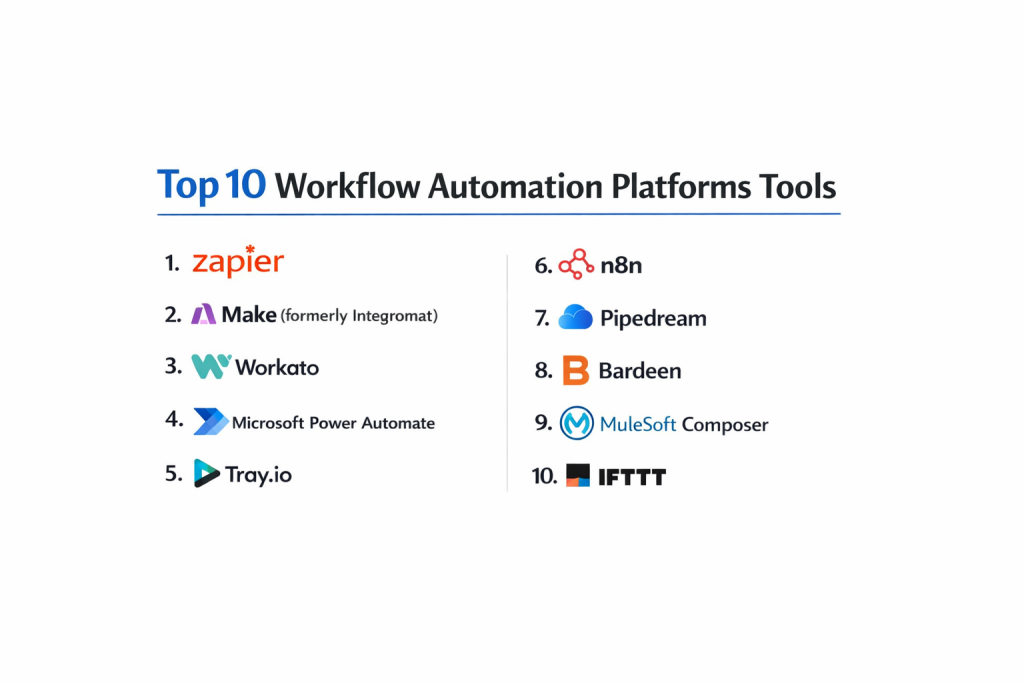
Top 10 Workflow Automation Platforms Tools
1 — Zapier
Zapier is the industry standard for user-friendly automation, boasting the world’s largest library of app integrations. It is designed to empower non-technical users to build “Zaps” without writing a single line of code.
- Key features:
- 6,000+ App Connectors: More integrations than any other platform on the market.
- Multi-Step Zaps: Chain dozens of actions together from a single trigger.
- Zapier Tables: A built-in database to store and manipulate data within workflows.
- Conditional Logic: Use “Paths” to create branching workflows based on data criteria.
- Zapier Canvas: A visual planning tool to diagram workflows before building them.
- AI Power Editor: Describe your automation in plain English to generate a draft.
- Pros:
- Unrivaled ease of use; most users can set up their first automation in under 10 minutes.
- Massive community and a huge library of pre-built templates for almost every use case.
- Cons:
- Can become very expensive as task volume increases.
- Limited advanced data transformation tools compared to enterprise-grade competitors.
- Security & compliance: SOC 2 Type II, SOC 3, GDPR compliant; HIPAA available on Enterprise plans.
- Support & community: Extensive knowledge base, active user forums, and a dedicated network of “Zapier Experts.”
2 — Make (formerly Integromat)
Make is a powerful, visually-driven platform that offers a high degree of flexibility. It is favored by technical users who need complex data manipulation and multi-branching logic.
- Key features:
- Visual Scenario Builder: A drag-and-drop canvas where you can see data moving through bubbles.
- Advanced Data Manipulation: Use functions (similar to Excel) to transform data on the fly.
- Detailed Execution History: See exactly what data passed through each step for debugging.
- Webhooks & HTTP Modules: Connect to any API that isn’t natively supported.
- Iterator & Aggregator: Split lists of data into individual items or group them together.
- Scheduling: Run scenarios at specific intervals, down to the minute.
- Pros:
- Offers much better value for money than Zapier for high-volume users.
- The visual layout makes it easier to understand and troubleshoot complex, branching logic.
- Cons:
- Steeper learning curve; beginners may find the technical terminology intimidating.
- No-code is slightly “lower-code” here, as you often need to understand JSON structures.
- Security & compliance: SOC 2 Type II, GDPR, ISO 27001 compliant.
- Support & community: Rapidly growing community, YouTube-heavy tutorial ecosystem, and professional support tiers.
3 — Workato
Workato is an enterprise-grade platform that blends consumer-grade ease of use with the security and governance required by large corporations.
- Key features:
- Recipe-based Logic: Workflows are called “Recipes” and are designed to be human-readable.
- Workbots: Build custom bots for Slack or Microsoft Teams to trigger workflows from chat.
- Enterprise Governance: Granular role-based access control (RBAC) and audit logs.
- On-Premise Connectivity: Securely connect to local databases and legacy systems.
- Community Library: Access to over 500,000 community-built recipes.
- Low-Code SDK: Developers can build custom connectors for proprietary internal apps.
- Pros:
- Designed for IT and Business teams to collaborate without compromising security.
- Exceptionally robust error handling and automatic retry logic for failed jobs.
- Cons:
- Pricing is prohibitive for small businesses, starting in the five-figure range.
- Significant overhead in setup compared to lightweight tools.
- Security & compliance: SOC 2 Type II, HIPAA, GDPR, ISO 27001, and PCI DSS compliant.
- Support & community: High-touch enterprise support, Workato Academy, and a professional partner network.
4 — Microsoft Power Automate
Deeply integrated into the Microsoft 365 ecosystem, Power Automate is the go-to choice for organizations that rely on Excel, SharePoint, and Teams.
- Key features:
- Desktop RPA: Automate legacy desktop applications that don’t have APIs.
- Process Mining: AI tools that analyze your current work patterns to suggest automations.
- Native Microsoft Integration: Seamless connectivity across the entire Azure and O365 suite.
- AI Builder: Add document processing and sentiment analysis to your workflows.
- Cloud Flows: Trigger automations from web events or mobile button presses.
- Approval Workflows: Specialized templates for hierarchical business approvals.
- Pros:
- Included in many Microsoft 365 licenses, making it “free” for many enterprises.
- The only major player that handles both modern cloud APIs and old-school desktop RPA in one tool.
- Cons:
- The interface can be clunky and less intuitive than Zapier or Make.
- Connecting to non-Microsoft apps can sometimes be more difficult and require “Premium” connectors.
- Security & compliance: FedRAMP, HIPAA, GDPR, SOC 1/2/3, and ISO certified.
- Support & community: Backed by Microsoft’s global support network and a massive library of enterprise documentation.
5 — Tray.io
Tray.io is a “low-code” automation platform built for high-growth tech companies. It focuses on the “Citizen Automator” but provides developer-level power.
- Key features:
- Flexible Connector SDK: Easily build integrations for any niche SaaS tool.
- Tray Embedded: Allows SaaS companies to white-label Tray’s automation engine inside their own product.
- Serverless Architecture: High-performance engine that handles massive spikes in data volume.
- Advanced Boolean Logic: Highly granular “if/else” and “wait” conditions.
- Management Console: Centralized visibility for IT to monitor workflows across the company.
- Natural Language Builder: AI-assisted workflow creation for faster prototyping.
- Pros:
- Very flexible; it rarely hits a “wall” where a custom script is required but not supported.
- Excellent for marketing and sales ops teams who need sophisticated lead routing.
- Cons:
- Pricing is generally geared toward mid-market and enterprise clients.
- Requires a more technical mindset than Zapier.
- Security & compliance: SOC 2 Type II, GDPR, HIPAA, and ISO 27001 compliant.
- Support & community: Highly-rated customer success team and technical documentation.
6 — n8n
n8n is an extendable, “fair-code” workflow automation tool that allows you to self-host your automations, ensuring absolute data privacy.
- Key features:
- Self-Hosted Option: Run n8n on your own servers to keep data within your firewall.
- Node-Based Editor: Visual layout similar to Make but with a more developer-centric feel.
- JavaScript Functions: Write custom JS nodes to manipulate data with total freedom.
- 400+ Native Integrations: Growing library of connectors for popular web services.
- JSON Export/Import: Easily version control your workflows via Git.
- Binary Data Support: Excellent for handling files, images, and PDF transformations.
- Pros:
- The self-hosted version is free to use, making it the most cost-effective solution for technical teams.
- No limits on the number of steps or executions when self-hosted.
- Cons:
- Requires technical knowledge to set up and maintain a server.
- The UI is less polished than its commercial competitors.
- Security & compliance: GDPR compliant; other certifications depend on your hosting environment.
- Support & community: Very active forum where the founders often participate, and a strong GitHub presence.
7 — Pipedream
Pipedream is an integration platform for developers. It provides a unique blend of no-code triggers and full-code (Node.js, Python, Go) actions.
- Key features:
- Code-Level Control: Every step can be customized with actual code.
- Managed Auth: Handles OAuth for over 1,000 apps so you don’t have to.
- Serverless Execution: No infrastructure to manage; just write the logic and deploy.
- Event History: Inspect the full JSON payload of every event that triggers your workflow.
- SQL Service: Use SQL to query and manipulate data in transit.
- Custom Sources: Write your own triggers to listen for any event.
- Pros:
- The “goldilocks” tool for developers who hate boring boilerplate code but want full logic control.
- Extremely fast execution and real-time debugging capabilities.
- Cons:
- Not suitable for non-technical business users.
- The “workflow” view can get messy if the code blocks are very large.
- Security & compliance: SOC 2 Type II compliant and GDPR ready.
- Support & community: Excellent Slack community and a very responsive engineering team.
8 — Bardeen
Bardeen is a browser-based automation tool that focuses on automating tasks right where you work: in the browser and across web apps.
- Key features:
- Browser Extension: Operates as a sidebar in Chrome or Edge.
- Scraping Tools: One-click data extraction from any website directly into your apps.
- Magic Box: An AI search bar where you type an automation idea and it builds it.
- Context Awareness: Triggers based on the tab you currently have open.
- Deep Integrations: Connects to Notion, Slack, Google Sheets, and more.
- Local Execution: Many automations run on your machine, not in the cloud.
- Pros:
- The best tool for personal productivity and web-scraping-heavy tasks.
- Very low barrier to entry; no need to set up complex webhooks for simple tasks.
- Cons:
- Not designed for “always-on” enterprise backend processes.
- Restricted to the browser environment.
- Security & compliance: GDPR compliant; focuses on data privacy by running locally.
- Support & community: Active community on Slack and a helpful library of “Playbooks.”
9 — Mulesoft Composer
Mulesoft Composer is the “lite” version of Mulesoft’s enterprise platform, designed specifically for Salesforce users who need to connect apps quickly.
- Key features:
- Native Salesforce Integration: Sits directly inside the Salesforce UI.
- Point-and-Click: No code required for connecting ERP, HR, and Sales data.
- Real-time Sync: Ensure data is identical across NetSuite, Slack, and Workday.
- Pre-built Templates: High-quality flows for common “Quote-to-Cash” scenarios.
- Automatic Mapping: Intelligent suggestions for field mapping between apps.
- Built-in Security: Inherits the enterprise-grade security of the Mulesoft brand.
- Pros:
- Simplifies the complex world of Mulesoft for the average Salesforce Admin.
- Eliminates the “silo” between sales teams and finance teams.
- Cons:
- Very niche; really only valuable if Salesforce is your primary CRM.
- Higher cost per integration compared to Zapier or Make.
- Security & compliance: ISO 27001, SOC 1/2, HIPAA, and GDPR compliant.
- Support & community: Extensive Salesforce Trailhead training and enterprise support.
10 — IFTTT (If This Then That)
IFTTT is the original pioneer of consumer automation. While more limited for business use, it excels at connecting hardware, social media, and smart devices.
- Key features:
- Applets: Simple, one-trigger, one-action automations.
- Smart Home Mastery: Connects to thousands of IoT devices (bulbs, thermostats, etc.).
- Social Media Automation: Sync posts across Twitter, Instagram, and LinkedIn.
- Mobile Triggers: Trigger actions based on your GPS location or battery level.
- Developer Platform: Build your own service to offer IFTTT connectivity to users.
- Filter Code: Use simple JavaScript for basic logic in multi-action Applets.
- Pros:
- The most intuitive interface in existence; literally anyone can use it.
- Excellent for individuals or influencers managing multiple social channels.
- Cons:
- Too simple for complex business logic or data transformation.
- The “Pro” model is now required for even basic multi-step flows.
- Security & compliance: GDPR compliant; standard consumer data protection.
- Support & community: Massive consumer user base and a very helpful help center.
Comparison Table
| Tool Name | Best For | Platform(s) Supported | Standout Feature | Rating (Gartner) |
| Zapier | Ease of Use / SMBs | Cloud | 6,000+ Integrations | 4.5 / 5 |
| Make | Complex Workflows | Cloud | Visual Scenario Builder | 4.7 / 5 |
| Workato | Enterprise IT | Cloud / On-Prem | Enterprise Governance | 4.8 / 5 |
| Power Automate | Microsoft Ecosystem | Cloud / Desktop | RPA + AI Builder | 4.4 / 5 |
| Tray.io | High-Growth Tech | Cloud | Tray Embedded | 4.6 / 5 |
| n8n | Privacy / Developers | Self-Hosted / Cloud | Fair-Code / Self-Hosting | N/A |
| Pipedream | Developer Integration | Cloud | Full Code Support | 4.8 / 5 |
| Bardeen | Browser Productivity | Browser Ext. | AI Web Scraping | N/A |
| Mulesoft Comp. | Salesforce Users | Salesforce Native | Native Salesforce UI | 4.2 / 5 |
| IFTTT | Smart Home / Social | Cloud / Mobile | IoT & GPS Triggers | 4.0 / 5 |
Evaluation & Scoring of Workflow Automation Platforms
To provide an objective perspective, we have evaluated the general category using the following weighted scoring rubric. This table helps you understand the priorities of different tiers.
| Category | Weight | Evaluation Criteria |
| Core Features | 25% | Mapping, orchestration, RPA, and branching logic. |
| Ease of Use | 15% | Intuitiveness of the GUI and time to first automation. |
| Integrations | 15% | Breadth and depth of the third-party app ecosystem. |
| Security & Compliance | 10% | Encryption, SSO, and certifications (SOC 2, GDPR). |
| Performance | 10% | Execution speed, uptime, and reliability under load. |
| Support & Community | 10% | Documentation, forums, and customer success response. |
| Price / Value | 15% | Cost scalability and free-tier generosity. |
Which Workflow Automation Platforms Tool Is Right for You?
Solo Users vs SMB vs Mid-Market vs Enterprise
If you are a solo user or freelancer, Bardeen or the free tier of Zapier will likely satisfy your needs. SMBs looking to scale operations without a massive budget should look at Make or n8n. Mid-market companies with complex marketing/sales stacks will find Tray.io highly valuable. Enterprises must prioritize Workato or Power Automate for their rigorous security and governance standards.
Budget-Conscious vs Premium Solutions
For those on a strict budget, n8n (self-hosted) is the most powerful “free” tool available. If you have a premium budget and need absolute reliability and professional services, Workato and Mulesoft are the leaders.
Feature Depth vs Ease of Use
If you need Ease of Use, stick with Zapier or IFTTT. If you need Feature Depth—specifically the ability to transform data, use Regex, or write custom scripts—Make, Pipedream, or n8n are the better choices.
Integration and Scalability Needs
If you use thousands of niche apps, Zapier is your only choice. If you need to scale to millions of tasks per month, Tray.io or Workato provide the infrastructure to handle that volume without breaking.
Frequently Asked Questions (FAQs)
1. What is the difference between Automation and Integration?
Integration is the “connection” between two apps (the pipe). Automation is the “process” that uses that connection to perform a task (the water flowing through the pipe).
2. Do I need to know how to code to use these platforms?
Most platforms (Zapier, Make, Workato) are “no-code” or “low-code.” You only need code for highly specific, complex tasks. Tools like Pipedream and n8n are geared more toward those who can code.
3. Is my data safe on these platforms?
Reputable platforms use end-to-end encryption and comply with SOC 2 and GDPR. If you have extreme privacy needs, a self-hosted tool like n8n is the safest option.
4. What is RPA (Robotic Process Automation)?
RPA automates human actions on a computer screen (clicking, typing) rather than using APIs. It is useful for old software that doesn’t have a modern web connection.
5. Why are some integrations called “Premium”?
Platforms like Zapier and Power Automate charge more for high-value apps (like Salesforce or NetSuite) because they require more maintenance and are usually used by paying businesses.
6. Can automation replace my employees?
Automation doesn’t replace employees; it replaces tasks. It frees up your team from boring work so they can focus on work that requires a human touch, like strategy and customer relationships.
7. How do I handle errors in a workflow?
Look for platforms with “Error Handling” nodes. These allow you to set instructions on what to do if an automation fails (e.g., “Wait 5 minutes and try again” or “Send an alert to Slack”).
8. What is a “Webhook”?
A webhook is a way for an app to send real-time data to your automation platform as soon as something happens, rather than the platform “checking” for updates every few minutes.
9. Can I automate physical devices?
Yes, using tools like IFTTT, you can connect digital events to physical hardware (e.g., “If I get an urgent email, turn my desk lamp red”).
10. What is the biggest mistake when starting with automation?
Trying to automate a broken process. Automation only makes a good process faster; it makes a bad process fail faster. Always map your workflow on paper before building it.
Conclusion
The “best” workflow automation platform isn’t the one with the most features; it’s the one that aligns with your technical skill set and your existing software stack. For most people, Zapier is the perfect entry point. For those who want more power without the enterprise price tag, Make is a formidable alternative.
As AI continues to integrate into these platforms, the barrier to entry is dropping even lower. We are moving toward a world where you simply describe your business goal, and the platform builds the workflow for you. However, the fundamentals of logic and data flow remain the same. Start small, automate your most annoying daily task, and scale your digital workforce from there.