Introduction
Wireframing Tools are specialized digital design applications used to create the skeletal framework of a website or mobile application. Think of a wireframe as a visual “blueprint” that focuses purely on structure, hierarchy, and functionality rather than aesthetics like colors, fonts, or images. These tools allow designers and product managers to map out the user interface (UI) and user journey at a low-fidelity stage, ensuring that the logic of the application is sound before investing time into high-fidelity design or expensive development. By stripping away visual distractions, wireframing tools help teams focus on content placement and user flow.
The importance of these tools lies in their ability to facilitate early communication and rapid iteration. Key real-world use cases include building initial mockups for client approval, mapping out complex dashboard architectures, and conducting early-stage usability testing. When choosing a wireframing tool, users should evaluate the library of built-in components, the speed of the drag-and-drop interface, collaboration capabilities, and how easily the tool can transition from a low-fidelity sketch to a clickable prototype. A great tool should feel like a digital whiteboard—fast, flexible, and easy for non-designers to understand.
Best for: UX/UI Designers, Product Managers, Information Architects, and Business Analysts. These tools are essential for startups building MVPs, agencies pitching new concepts, and large enterprises managing complex digital ecosystems in sectors like SaaS, E-commerce, and FinTech.
Not ideal for: High-fidelity visual artists who need advanced photo manipulation or developers looking for production-ready code generation. If your goal is pixel-perfect visual design rather than structural planning, a dedicated UI design tool may be a better fit.
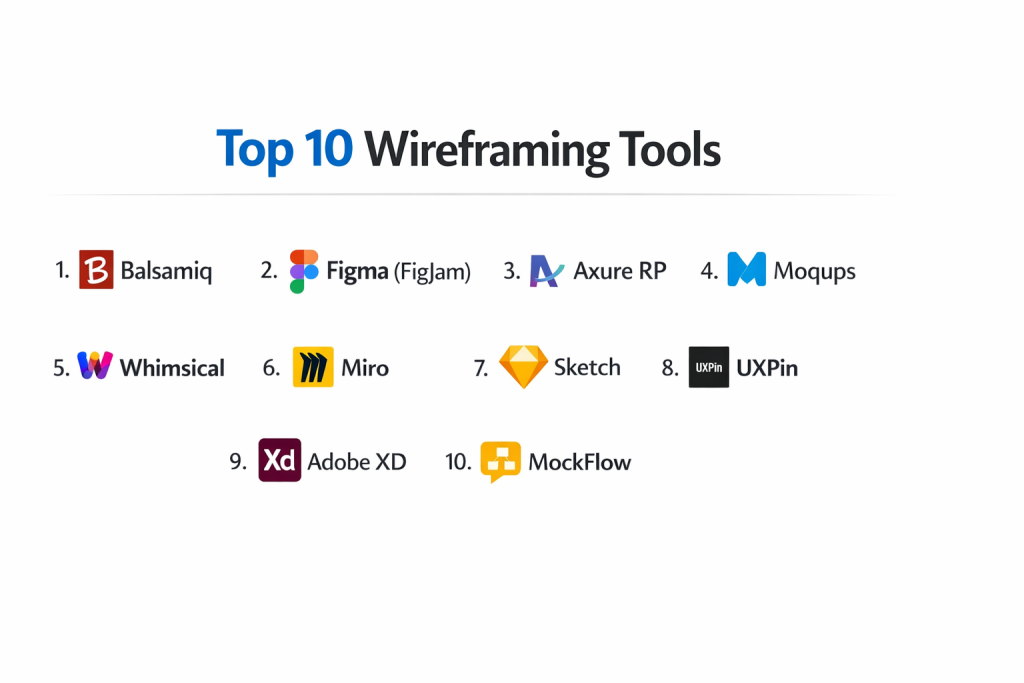
Top 10 Wireframing Tools
1 — Balsamiq
Balsamiq is the industry standard for “low-fidelity” wireframing. It is designed to mimic the experience of sketching on a whiteboard or notepad, purposefully keeping designs rough to focus conversation on functionality.
- Key features:
- Hand-drawn Aesthetic: Sketches look intentionally unfinished to prevent stakeholders from focusing on colors or fonts.
- Drag-and-Drop Components: A massive library of pre-built UI elements (buttons, sliders, forms).
- Quick Add: A keyboard-driven search to find and add components to the canvas instantly.
- Linkable Wireframes: Create simple click-through prototypes to demonstrate user flows.
- Multiple Versions: Export designs to PNG, PDF, or share them via a hosted web link.
- Cross-Platform: Available as a desktop app, web app, and integrated plugin for Jira/Confluence.
- Pros:
- Unmatched Speed: The fastest tool for getting an idea out of your head and onto a screen.
- Non-Designer Friendly: Product managers and clients can learn to use it in less than ten minutes.
- Cons:
- Low Fidelity Only: It is impossible to create high-fidelity designs, meaning you’ll eventually need another tool.
- Limited Collaboration: While it has cloud features, it isn’t as robust for real-time multiplayer editing as newer tools.
- Security & compliance: GDPR compliant, SOC 2 Type II certified. Data is encrypted in transit and at rest.
- Support & community: High-quality documentation, a very helpful support team, and a long-standing community of UX veterans.
2 — Figma (FigJam)
While Figma is a high-fidelity giant, its whiteboarding tool, FigJam, and its main canvas have become top choices for wireframing due to their unparalleled collaboration features and versatility.
- Key features:
- Real-Time Multiplayer: Dozens of team members can edit the same wireframe simultaneously.
- Auto Layout: Intelligently aligns and spaces elements, making it easy to create responsive layouts.
- Components & Variants: Create a single button or header and reuse it across hundreds of screens.
- Vast Community Library: Access thousands of free, community-made wireframe kits.
- Advanced Prototyping: Transition from a rough sketch to a complex interaction in the same file.
- Dev Mode: Allows developers to inspect the spacing and hierarchy of the wireframe for early technical planning.
- Pros:
- One Tool for Everything: You can go from a brainstorm to a wireframe to a high-fidelity mockup without switching apps.
- Industry Adoption: Almost every designer already has a Figma account, making sharing effortless.
- Cons:
- Complexity: Because it does so much, the learning curve is steeper than a dedicated tool like Balsamiq.
- Cloud-First: Performance depends on your internet connection; the offline mode is quite limited.
- Security & compliance: SOC 2 Type II, SOC 3, ISO 27001, and GDPR compliant. Supports SAML-based SSO.
- Support & community: The largest community in the design world, with endless tutorials, plugins, and templates.
3 — Axure RP
Axure RP is the “powerhouse” of wireframing, built for UX professionals who need to create complex, data-driven wireframes that behave like real applications.
- Key features:
- Conditional Logic: Create wireframes with “if/then” scenarios to simulate real app logic.
- Dynamic Content: Use variables to change content based on user input during a prototype.
- Adaptive Views: Design wireframes that automatically adjust for mobile, tablet, and desktop.
- Documentation Generation: Automatically generate functional specification documents based on your wireframe.
- Team Projects: Shared files with check-in/check-out functionality to manage large-scale collaboration.
- Repeater Widgets: Manage large sets of data in grids or lists with sorting and filtering.
- Pros:
- Functional Accuracy: The prototypes feel so real that they are perfect for high-level user testing.
- Offline Power: A robust desktop application that gives you total control over your local files.
- Cons:
- Steep Learning Curve: It can take weeks or months to master the advanced logical functions.
- Cost: It is one of the more expensive tools on the market, targeted at enterprise teams.
- Security & compliance: ISO 27001, SOC 2 Type II, and GDPR compliant. Offers on-premise hosting options.
- Support & community: Professional-grade support and a dedicated forum of long-time UX experts.
4 — Moqups
Moqups is an all-in-one web app that bridges the gap between wireframing, diagrams, and prototypes. It is known for its extreme ease of use and browser-based efficiency.
- Key features:
- Integrated Stencils: Huge built-in libraries for iOS, Android, and web components.
- Diagramming Tools: Create flowcharts and sitemaps that link directly to your wireframes.
- Collaboration: Real-time editing with comments and notifications for team members.
- Cloud Storage: Automatically saves versions, so you never lose work.
- Object Templates: Create custom groups of objects to reuse across multiple projects.
- Pros:
- Zero Installation: Runs perfectly in any modern browser without the need for a desktop client.
- Versatility: Great for teams that need to do sitemaps and wireframes in the same workspace.
- Cons:
- Limited Design Depth: Lacks the advanced vector tools found in Figma or Sketch.
- Subscription Dependent: The free plan is very limited, essentially requiring a paid subscription for real work.
- Security & compliance: GDPR compliant and uses encrypted cloud storage with standard SSL protection.
- Support & community: Good documentation and email-based support; popular among PMs and marketing teams.
5 — Whimsical
Whimsical is a modern, ultra-fast tool that focuses on “the speed of thought.” It combines wireframes with flowcharts, mind maps, and sticky notes in a highly visual interface.
- Key features:
- Contextual Toolbars: The UI changes based on what you select, keeping the screen clutter-free.
- Built-in Icon Library: Thousands of searchable icons to quickly communicate meaning.
- Predictive Wireframing: Intelligent elements that snap to grids and align themselves.
- Documentation Sync: Embed your wireframes into Whimsical docs to create a living product spec.
- Multi-player Editing: Fast, fluid collaboration with live cursors.
- Pros:
- Aesthetic Consistency: Everything looks clean and professional by default, without any effort.
- Simplicity: Perhaps the easiest tool to pick up and start using immediately.
- Cons:
- Feature Light: It lacks the deep prototyping and logical functions of Axure or Figma.
- Fixed Styling: You have limited control over the exact “look” of components, which is intentional but can be frustrating.
- Security & compliance: SOC 2 Type II compliant and GDPR compliant. Data encrypted at rest and in transit.
- Support & community: Excellent help articles and a modern approach to customer success.
6 — Miro
Miro is primarily a digital whiteboarding platform, but it has become a top-tier wireframing tool for teams that need to brainstorm and sketch in a single, infinite space.
- Key features:
- Infinite Canvas: Never run out of space to map out your entire application ecosystem.
- Wireframe Library: A robust set of low-fidelity UI components for mobile and web.
- Integrations: Embed wireframes into Jira, Trello, Slack, or Microsoft Teams.
- Video Chat: Built-in video conferencing for conducting wireframe reviews.
- Community Templates: Thousands of user-submitted wireframe and flow templates.
- Pros:
- Big Picture View: Best tool for seeing how a wireframe connects to a user flow and a product roadmap.
- Workshop Ready: Ideal for collaborative sessions where multiple stakeholders are “drawing” at once.
- Cons:
- Not a Precision Tool: Difficult to do pixel-perfect alignment or complex component states.
- Large File Lag: Very complex boards with thousands of elements can become sluggish.
- Security & compliance: SOC 2 Type II, ISO 27001, and GDPR compliant. High-level enterprise security features.
- Support & community: Massive “Miroverse” community and 24/7 support for enterprise clients.
7 — Sketch
Sketch is the classic choice for macOS users. While often used for high-fidelity UI, its powerful symbols and library features make it an exceptional tool for structured wireframing.
- Key features:
- Symbols & Overrides: Create master wireframe elements and update them globally.
- Native Mac App: Optimized for macOS hardware, offering incredible speed and offline capability.
- Shared Libraries: Keep all team members on the same set of wireframe components.
- Cloud Inspection: Developers can view wireframes in a browser and measure spacing.
- Prototyping: Simple, intuitive tools for creating clickable links between screens.
- Pros:
- Visual Polish: Even low-fidelity wireframes look beautiful and high-end in Sketch.
- Stability: A mature, reliable platform that handles massive files with ease.
- Cons:
- Mac Only: There is no Windows version, which is a major hurdle for mixed-OS teams.
- Collaboration Lag: Its real-time collaboration arrived later than Figma’s and is slightly less fluid.
- Security & compliance: GDPR compliant and SOC 2 Type II certified. Supports SSO for enterprise teams.
- Support & community: A decade’s worth of tutorials and a massive professional user base.
8 — UXPin
UXPin is a “code-based” wireframing and design tool. It is unique because it allows designers to work with actual code components, significantly reducing the gap between design and development.
- Key features:
- Merge Technology: Sync your production React or Vue components directly into your wireframe.
- Conditional Interactions: Set rules for how the wireframe should behave based on user actions.
- Built-in UI Libraries: Thousands of pre-made elements that follow web standards.
- State Management: Give elements different states (hover, active, error) without duplicating screens.
- Accessibility Features: Built-in contrast checkers and color blindness simulators.
- Pros:
- Developer Alignment: The only tool that truly speaks the same language as the engineering team.
- High-Logic Prototyping: Create wireframes that actually “work”—including functioning form fields.
- Cons:
- Complexity: Requires a more technical mindset than simple tools like Balsamiq or Whimsical.
- Cost: Positioned as a premium tool for professional product teams.
- Security & compliance: SOC 2 Type II and GDPR compliant. 256-bit AES encryption for all stored data.
- Support & community: Personalized onboarding and a strong focus on enterprise success.
9 — Adobe XD
Adobe XD is a vector-based tool that excels in speed and performance. It is a natural choice for teams already using the Adobe Creative Cloud suite.
- Key features:
- Repeat Grid: Quickly replicate lists and galleries by dragging a handle.
- Auto-Animate: Automatically creates motion between artboards to show user flow.
- Creative Cloud Sync: Seamlessly pull assets from Photoshop and Illustrator.
- Voice Prototyping: Create wireframes that respond to voice commands and provide speech feedback.
- Plugin Ecosystem: Hundreds of community-built plugins for wireframing and handoff.
- Pros:
- Performance: Known for being extremely lightweight and fast even on older computers.
- Integration: The best choice for teams that are already paying for an Adobe subscription.
- Cons:
- Future Uncertainty: Since Adobe’s attempted acquisition of Figma, XD has received fewer major updates.
- Limited Free Tier: The “Starter” plan is very restrictive for professional use.
- Security & compliance: SOC 2 compliant, GDPR compliant, and utilizes Adobe’s standard enterprise security protocols.
- Support & community: Access to Adobe’s global support network and a massive library of tutorials.
10 — MockFlow
MockFlow is a comprehensive “Design Cloud” that focuses specifically on the early planning stages of the design process, including wireframing, sitemaps, and style guides.
- Key features:
- WireframePro: A dedicated engine with thousands of pre-built UI components.
- Revision History: Track every change and revert to previous versions of your wireframe.
- SiteMap Tool: Visualize the architecture of your website before you start wireframing.
- Design System Manager: Document your colors, fonts, and assets in one place.
- Offline Mode: Desktop apps for Windows and Mac that sync with the cloud.
- Pros:
- Planning Focused: Everything about the tool is designed for the “blueprint” stage.
- Extensive Libraries: Offers specialized UI kits for niche platforms like Apple Watch and specialized CRM systems.
- Cons:
- Interface: The UI can feel a bit “busy” compared to the minimalist Whimsical or Figma.
- Prototyping: While it has prototyping, it isn’t as robust as UXPin or Axure for high-fidelity interactions.
- Security & compliance: SOC 2 Type II and GDPR compliant. Data is hosted on secure AWS servers.
- Support & community: Good knowledge base and email support; popular in the corporate business sector.
Comparison Table
| Tool Name | Best For | Platform(s) Supported | Standout Feature | Rating |
| Balsamiq | Low-Fidelity Speed | Web, Windows, Mac | Hand-drawn Sketch Aesthetic | 4.7/5 |
| Figma | Real-time Collaboration | Web, Windows, Mac | Community UI Kits/Plugins | 4.9/5 |
| Axure RP | Complex App Logic | Windows, Mac | Conditional/Boolean Logic | 4.4/5 |
| Moqups | Quick Browser Mockups | Web | Integrated Diagramming | 4.2/5 |
| Whimsical | Speed of Thought | Web | Predictive/Grid Alignment | 4.8/5 |
| Miro | Collaborative Workshops | Web, Windows, Mac | Infinite Digital Whiteboard | 4.7/5 |
| Sketch | macOS Native Teams | macOS | Powerful Symbol Systems | 4.5/5 |
| UXPin | Design-Dev Alignment | Web, Windows, Mac | Code-based Component Merge | 4.6/5 |
| Adobe XD | Adobe Ecosystem | Windows, Mac | Voice/Auto-Animate Tools | 4.3/5 |
| MockFlow | Product Planning | Web, Windows, Mac | Integrated Sitemap Tool | 4.1/5 |
Evaluation & Scoring of Wireframing Tools
The following table evaluates these tools based on the weighted criteria essential for professional design workflows.
| Category | Weight | Evaluation Criteria |
| Core Features | 25% | UI libraries, drag-and-drop speed, and prototyping depth. |
| Ease of Use | 15% | Intuitiveness of the interface and speed of the learning curve. |
| Integrations | 15% | Connectivity with Jira, Slack, Figma, and developer handoff tools. |
| Security | 10% | Compliance standards (SOC 2, GDPR) and data residency options. |
| Performance | 10% | Stability when handling massive files and real-time collaboration lag. |
| Support | 10% | Quality of documentation, community size, and customer service. |
| Price / Value | 15% | Affordability relative to the feature set and team scalability. |
Which Wireframing Tools Tool Is Right for You?
Solo Users vs. SMB vs. Mid-Market vs. Enterprise
For Solo Users and Freelancers, Figma or Whimsical are the best choices because they offer powerful free tiers and are very easy to manage. Small and Medium Businesses (SMBs) usually thrive with Balsamiq or Miro, as they facilitate fast decision-making without needing specialized design training for everyone on the team. Mid-Market and Enterprise organizations often lean toward Axure RP or Figma (Enterprise) because they require robust security, advanced permissions, and the ability to manage complex design systems at scale.
Budget-Conscious vs. Premium Solutions
If you are on a tight Budget, Figma, Whimsical, and Miro offer the best free versions that allow you to do real work without paying a dime. If you are looking for a Premium Solution where price is no object but power is essential, Axure RP and UXPin provide specialized logic and code-based features that “basic” tools cannot touch.
Feature Depth vs. Ease of Use
If you prioritize Ease of Use, Balsamiq and Whimsical are the winners. They are designed to be “un-intimidating” and fast. If you require Feature Depth, particularly for user testing where the wireframe must actually function like a real app, Axure RP is the undisputed king.
Integration and Scalability Needs
For teams that need to Scale their design process across departments, Figma is the best choice because it serves as a single source of truth from wireframe to code. If your team is primarily using the Atlassian suite (Jira/Confluence), Balsamiq or Miro have the best native integrations to keep your documentation and designs synced.
Security and Compliance Requirements
For companies with the highest Security needs (like Banks or Government agencies), Axure RP is highly recommended as it allows for on-premise installation and private cloud hosting. Figma and Miro also offer enterprise-grade security with SAML SSO and dedicated data residency for organizations that prefer the cloud but need strict compliance.
Frequently Asked Questions (FAQs)
1. What is the difference between a wireframe and a prototype?
A wireframe is a static blueprint focused on structure and layout. A prototype is an interactive simulation of the final product that allows users to click buttons and navigate between screens.
2. Can I use these tools for free?
Yes, many tools like Figma, Miro, and Whimsical have generous free plans. Others, like Balsamiq and Axure, offer 30-day free trials but eventually require a purchase.
3. Do I need to be a designer to use wireframing tools?
Not at all. In fact, tools like Balsamiq and Whimsical are designed specifically so that product managers, developers, and even clients can participate in the design process.
4. Which tool is best for mobile app wireframing?
Figma and Adobe XD are excellent because they allow you to preview your wireframes on a real device. Balsamiq is also great for mobile because of its extensive iOS and Android component libraries.
5. Should I wireframe in low fidelity or high fidelity?
Always start with low fidelity. It allows you to focus on the “bones” of the project and iterate quickly without getting bogged down in visual details like colors or specific images.
6. Is Figma better than Balsamiq?
They serve different purposes. Balsamiq is better for “sketching” ideas quickly and keeping focus on logic. Figma is better for collaboration and transitioning that logic into a final product.
7. Can I wireframe in Photoshop?
You can, but it is not recommended. Photoshop is for photo editing and is very slow for managing UI components and layouts. Dedicated wireframing tools will save you hours of time.
8. What is “Hand-drawn” wireframing?
This is a style (pioneered by Balsamiq) where the digital components look like they were drawn by hand. This reminds stakeholders that the design is “work in progress” and encourages more honest feedback on the logic.
9. Can these tools export code for developers?
UXPin and Figma offer the best developer handoff features. While they don’t generate the entire app, they provide CSS, spacing, and asset exports that make the developer’s job much easier.
10. What is the biggest mistake people make in wireframing?
The biggest mistake is making the wireframe too pretty too early. If a wireframe looks “finished,” stakeholders are less likely to suggest fundamental changes to the structure, which defeats the purpose of the exercise.
Conclusion
The evolution of wireframing tools has moved from simple digital sketches to complex, collaborative platforms that can simulate entire applications. Choosing the right tool depends entirely on your project’s complexity and your team’s technical skills.
If you need to move at lightning speed and keep stakeholders focused on the core logic, Balsamiq and Whimsical are your best friends. If you are part of a high-growth product team that needs to collaborate in real-time and eventually build a polished UI, Figma is the undisputed champion. For those building the next generation of complex enterprise software where logic is everything, Axure RP and UXPin remain the gold standard.
Ultimately, a wireframing tool is a communication device. The “best” tool is simply the one that helps your team reach a shared understanding of what you are building as quickly and clearly as possible.