Introduction
A Wiki is a collaborative platform that allows teams to create, edit, and share knowledge in a structured, easily accessible format. Unlike traditional documentation tools, wikis enable multiple users to contribute in real-time, fostering collaboration, knowledge retention, and organizational learning. They serve as centralized repositories where information, best practices, and workflows are documented and continuously updated.
Wikis are critical for organizations seeking to streamline knowledge management, reduce duplication of work, and ensure that employees have access to up-to-date information. They facilitate onboarding, internal training, project documentation, policy tracking, and cross-department collaboration. By centralizing knowledge, wikis help organizations maintain consistency, improve productivity, and reduce reliance on memory or siloed documents.
When choosing a wiki tool, organizations should consider ease of use, editing and formatting capabilities, integration with other productivity or collaboration tools, search functionality, permission management, scalability, and support for multimedia content. Security and compliance features are also important, especially for organizations handling sensitive or regulated information.
Best for:
Knowledge managers, IT teams, HR departments, and project teams in SMBs, mid-market, or enterprise environments who require centralized, collaborative knowledge repositories.
Not ideal for:
Individuals or
very small teams that only need simple note-taking or file storage may not benefit from a full wiki platform; lightweight document tools or shared drives may suffice.
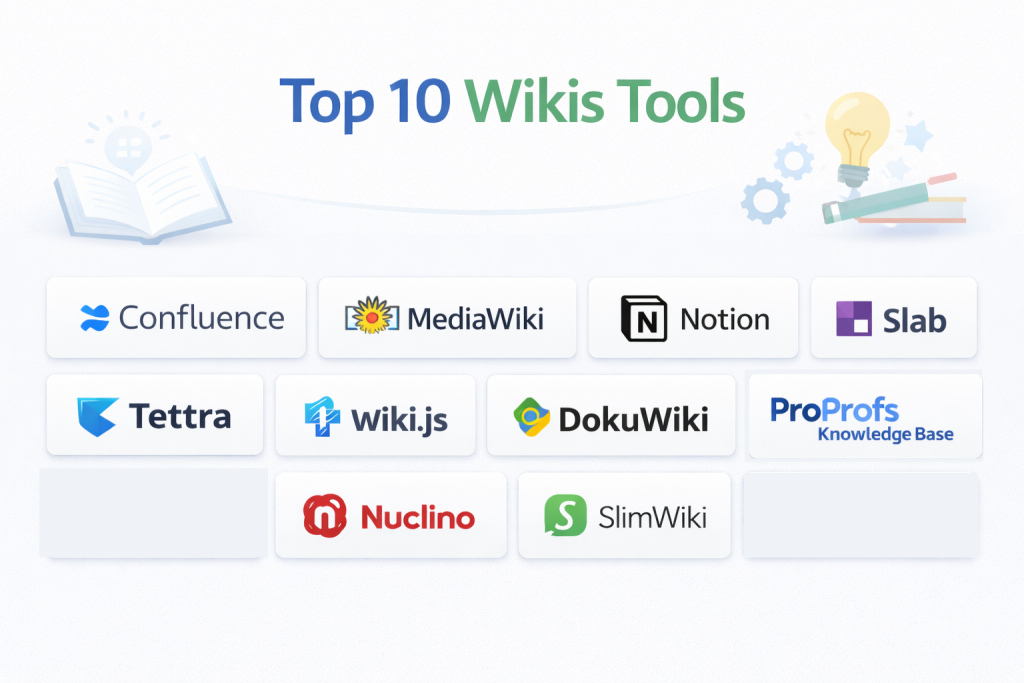
Top 10 Wikis Tools
1 — Confluence
Confluence is an enterprise-grade wiki platform by Atlassian, designed for teams to collaborate, document projects, and maintain internal knowledge bases. It integrates seamlessly with Jira, making it ideal for software development and project management teams.
Key features:
- Page creation with rich-text editing and templates
- Hierarchical organization of spaces and pages
- Integration with Jira, Trello, and other Atlassian tools
- Collaborative editing with inline comments and mentions
- Version control and page history tracking
- Advanced search and indexing
- Mobile and cloud access
Pros:
- Strong collaboration and project integration
- Easy tracking of document changes
- Scalable for large teams
Cons:
- Can be complex for new users
- Limited offline functionality
- Licensing cost can be high for enterprises
Security & compliance:
SSO, encryption, GDPR, SOC 2
Support & community:
Documentation, Atlassian Community, tutorials, enterprise support.
2 — MediaWiki
MediaWiki is an open-source wiki platform powering Wikipedia. It is designed for organizations seeking highly customizable, robust, and scalable wiki solutions for internal knowledge management and public-facing documentation.
Key features:
- Open-source with extensive plugin ecosystem
- Version control and revision history
- Page categorization and linking
- Advanced user permissions
- Multi-language support
- Full-text search
- Customizable templates and skins
Pros:
- Free and open-source
- Highly customizable for technical users
- Scales for large knowledge bases
Cons:
- Requires technical expertise to set up
- Minimal out-of-the-box UX for non-technical users
- Limited collaboration features compared to enterprise solutions
Security & compliance:
Varies; depends on hosting and configuration
Support & community:
Active developer community, extensive documentation, online forums.
3 — Notion
Notion is a versatile all-in-one workspace that combines note-taking, wikis, project management, and collaboration. It is designed for teams and individuals seeking an intuitive platform to organize knowledge, manage tasks, and share resources.
Key features:
- Rich-text page editing and block-based content
- Embedded databases, tables, and media
- Hierarchical organization with pages and sub-pages
- Real-time collaborative editing
- Templates for documentation and knowledge management
- Task tracking and project management integration
- Web, desktop, and mobile access
Pros:
- Intuitive and user-friendly interface
- Flexible content organization
- Supports multimedia content and links
Cons:
- Limited enterprise-level access controls
- Offline editing is limited
- Can become cluttered with large teams
Security & compliance:
SSO, encryption, GDPR
Support & community:
Documentation, tutorials, Notion community, email support.
4 — Slab
Slab is a knowledge management platform and wiki solution focused on internal documentation for teams. It is designed for organizations that want a modern, clean interface with strong search and collaboration features.
Key features:
- Collaborative page editing with comments
- Advanced search and tagging
- Version history and page analytics
- Integration with Slack, GitHub, and Google Workspace
- Structured content organization
- Custom templates for consistency
- Cloud-based with scalable access
Pros:
- Clean, intuitive interface
- Strong search capabilities
- Easy integration with team tools
Cons:
- Limited offline capabilities
- Advanced features require premium plan
- May lack extensive customization
Security & compliance:
SSO, encryption, GDPR, SOC 2
Support & community:
Documentation, tutorials, chat support, enterprise support.
5 — Tettra
Tettra is a wiki and knowledge management platform for internal team documentation. It is designed for growing teams that want simple onboarding, knowledge sharing, and integration with Slack and other collaboration tools.
Key features:
- Simple page creation and editing
- Slack integration for content notifications
- Page approval workflows
- Content categorization and tags
- Version history and audit logs
- Searchable knowledge base
- Cloud-hosted access
Pros:
- Easy to use for teams of all sizes
- Strong integration with Slack
- Lightweight and fast deployment
Cons:
- Limited advanced customization
- Cloud-only; no on-premise option
- Paid plans required for advanced analytics
Security & compliance:
SSO, encryption, GDPR
Support & community:
Documentation, live chat support, tutorials, customer support.
6 — Wiki.js
Wiki.js is an open-source wiki engine with a modern interface and powerful features. It is designed for organizations and developers seeking a flexible, self-hosted wiki solution with strong integration and automation capabilities.
Key features:
- Markdown and WYSIWYG editing
- Git-based version control
- Role-based access control
- Multi-language support
- Integration with Slack, GitHub, and Google Workspace
- Analytics and search functionality
- Self-hosted or cloud deployment
Pros:
- Open-source and free
- Modern, responsive interface
- Git integration for version control
Cons:
- Requires technical setup for hosting
- Limited enterprise support
- Advanced features require configuration
Security & compliance:
SSO, encryption, GDPR
Support & community:
Documentation, GitHub community, community forums.
7 — DokuWiki
DokuWiki is a simple, open-source wiki platform optimized for creating documentation and knowledge bases. It is designed for teams and SMEs that need lightweight, file-based wikis without requiring a database backend.
Key features:
- File-based storage; no database required
- Simple syntax for content creation
- Access control and user management
- Plugin ecosystem for customization
- Full-text search
- Multi-language support
- Version control and page history
Pros:
- Lightweight and easy to host
- Open-source and free
- Low maintenance overhead
Cons:
- Minimal UI/UX
- Lacks some modern collaboration features
- Advanced integrations require plugins
Security & compliance:
Varies; depends on hosting setup
Support & community:
Documentation, plugin repository, active community forums.
8 — Nuclino
Nuclino is a collaborative wiki platform designed for teams to document knowledge, share resources, and manage projects. It is suitable for SMBs and tech teams looking for a fast, visual knowledge base with real-time collaboration.
Key features:
- Collaborative editing with real-time updates
- Visual content organization with boards and lists
- Tagging, search, and content linking
- Integration with Slack, Google Workspace, and GitHub
- Version history and activity tracking
- Templates for documentation
- Cloud-hosted access
Pros:
- Intuitive visual interface
- Strong real-time collaboration
- Easy onboarding for new users
Cons:
- Limited offline access
- Fewer advanced enterprise features
- Paid plans required for full functionality
Security & compliance:
SSO, encryption, GDPR
Support & community:
Documentation, tutorials, live chat support.
9 — SlimWiki
SlimWiki is a minimalist wiki platform focused on simplicity and collaboration. It is designed for small teams and organizations that want to quickly create and maintain internal knowledge without complex features.
Key features:
- WYSIWYG editing for easy content creation
- Page organization with categories
- Collaboration with comments and mentions
- Searchable knowledge base
- Version history and backups
- Cloud-hosted access
Pros:
- Simple and clean interface
- Quick setup and deployment
- Collaboration-focused
Cons:
- Limited advanced customization
- Basic integrations
- Not ideal for large enterprises
Security & compliance:
SSO, encryption, GDPR
Support & community:
Documentation, tutorials, and email support.
10 — ProProfs Knowledge Base
ProProfs Knowledge Base is a wiki platform designed for creating internal and customer-facing knowledge bases. It is ideal for support teams, HR departments, and customer service teams that need structured documentation and self-service content.
Key features:
- Internal and external wiki creation
- Templates for documentation
- Role-based permissions and access control
- Analytics and reporting
- Content versioning
- Searchable knowledge base
- Cloud-hosted with multi-device support
Pros:
- Easy to create and manage content
- Suitable for internal and external users
- Strong analytics for knowledge usage
Cons:
- Limited customization
- Paid plans required for advanced features
- Cloud-only solution
Security & compliance:
SSO, encryption, GDPR, SOC 2
Support & community:
Documentation, tutorials, customer support, and webinars.
Comparison Table
| Tool Name | Best For | Platform(s) Supported | Standout Feature | Rating |
|---|---|---|---|---|
| Confluence | Enterprise Teams | Web, Desktop | Jira integration & collaboration | N/A |
| MediaWiki | Open-source Projects | Web | Highly customizable & scalable | N/A |
| Notion | SMBs & Teams | Web, Desktop, Mobile | All-in-one workspace | N/A |
| Slab | Internal Documentation | Web, Desktop | Modern interface & search | N/A |
| Tettra | Growing Teams | Web | Slack integration | N/A |
| Wiki.js | Developers & Technical Teams | Web, Desktop | Git-based version control | N/A |
| DokuWiki | SMEs | Web | Lightweight & file-based | N/A |
| Nuclino | SMBs & Tech Teams | Web, Desktop | Visual collaboration boards | N/A |
| SlimWiki | Small Teams | Web | Minimalist & easy setup | N/A |
| ProProfs Knowledge Base | Support Teams | Web | Customer & internal knowledge base | N/A |
Evaluation & Scoring of Wikis
| Criteria | Weight |
|---|---|
| Core features | 25% |
| Ease of use | 15% |
| Integrations & ecosystem | 15% |
| Security & compliance | 10% |
| Performance & reliability | 10% |
| Support & community | 10% |
| Price / value | 15% |
Which Wikis Tool Is Right for You?
- Solo users / SMBs: Notion, SlimWiki, Tettra for simplicity and lightweight collaboration.
- Mid-market teams: Slab, Nuclino, ProProfs for structured workflows and integration.
- Enterprise: Confluence, MediaWiki, Wiki.js for scalable, customizable, and secure knowledge management.
Consider ease of use, technical expertise, collaboration needs, integrations, and budget when choosing the right wiki platform.
Frequently Asked Questions (FAQs)
- What is a wiki?
A collaborative platform for creating, editing, and sharing structured knowledge across teams. - Why use a wiki?
Wikis centralize information, improve collaboration, and reduce knowledge silos. - Can small teams benefit from wikis?
Yes, lightweight solutions like Notion or SlimWiki are ideal for SMBs. - Are wikis secure?
Most provide SSO, encryption, and compliance with GDPR or SOC 2. - Can wikis integrate with other tools?
Yes, many support Slack, Google Workspace, GitHub, and project management tools. - Do wikis support real-time collaboration?
Most modern wikis allow multiple users to edit content simultaneously. - Can wikis track version history?
Yes, almost all wikis provide page history, versioning, and rollback features. - Are wikis suitable for enterprise knowledge management?
Yes, platforms like Confluence and MediaWiki scale to large organizations. - Do wikis support multimedia content?
Yes, modern wikis support images, videos, tables, and embedded content. - Which wiki is best for open-source projects?
MediaWiki is ideal due to its flexibility, scalability, and open-source nature.
Conclusion
Wikis are essential tools for knowledge management, collaboration, and documentation. Choosing the right wiki platform depends on organizational size, technical expertise, collaboration needs, integrations, and budget. Evaluating features, security, scalability, and support ensures an effective knowledge-sharing ecosystem that improves productivity, reduces duplication, and enhances organizational learning.