Introduction
A Wellness Habit Tracking App is a digital tool designed to help you build and maintain healthy routines. It acts as a personal accountability partner on your phone, letting you log daily actions like drinking water, exercising, meditating, or sleeping, and then showing your progress over time. Think of it as a combination of a checklist, a calendar, and a motivational coach, all working to turn your health goals into automatic habits.
These apps are important because willpower alone is often not enough to create lasting change. By making your progress visible and rewarding small wins, a habit tracker provides the structure, reminders, and positive reinforcement needed to stick with new behaviors. They turn abstract goals like “get healthier” into concrete, daily actions, reducing mental load and increasing your chances of long-term success.
In real life, you might use one to ensure you take your vitamins every morning, to track your mood alongside your sleep patterns, to maintain a daily writing streak, or to make sure you get up and move throughout your workday.
When choosing a habit tracker, look for an intuitive and motivating interface, the flexibility to track the specific habits that matter to you, useful data visualizations to see your trends, and reminder systems that work for your lifestyle. The best app feels helpful, not like a chore.
Best for: These apps are designed for any individual looking to improve their personal wellness. They are especially useful for people building new routines, those with specific health or fitness goals, individuals managing mental wellness, and professionals (like coaches or therapists) who recommend tools to clients.
Not ideal for: Those who are not comfortable with smartphone technology. Organizations looking for large-scale, centralized corporate wellness programs with administrative dashboards may need a different type of platform. Users seeking in-depth medical data analysis should consult specialized health devices and professionals.
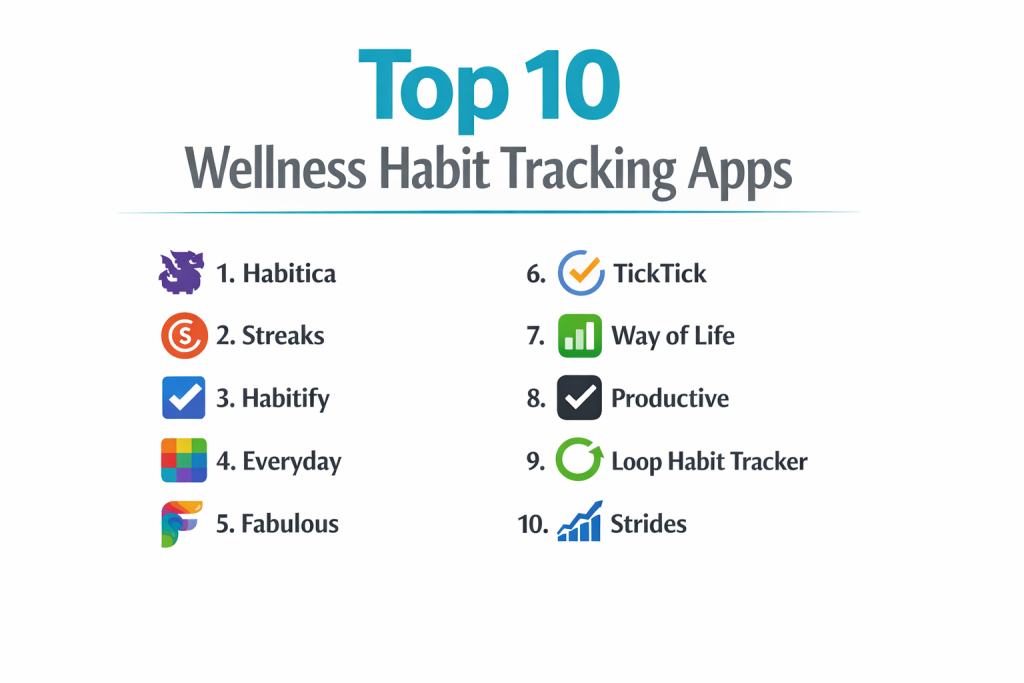
Top 10 Wellness Habit Tracking Apps
Here is a detailed look at ten of the most popular and effective apps for building better habits.
1 — Habitica
Habitica turns habit tracking into a role-playing game (RPG). You create an avatar that levels up, earns gold, and finds items as you complete your real-world tasks and habits. It’s designed for people who are motivated by gamification and community.
Key features:
- Gamified Experience: Complete habits to damage monsters in quests, earn experience points (XP) to level up your avatar, and get virtual gold to buy rewards.
- Social Accountability: Join parties with friends or guilds with other users to take on quests together, where everyone’s progress contributes to the goal.
- Customizable Tasks: Organize your life into Habits (things to do daily), Dailies (time-sensitive tasks), and To-Dos (one-off items).
- Reward System: Use earned gold to buy in-game rewards for your avatar or set custom real-life rewards for yourself (e.g., “Watch an episode of my favorite show”).
- Boss Battles & Challenges: If you miss your tasks, your party’s avatar takes damage from monsters, adding a layer of social accountability.
- Web & Mobile Syncing: Full functionality across web browsers and mobile apps.
Pros:
- Extremely Motivating for Gamers: Successfully leverages game mechanics to make productivity and habit-building genuinely fun and engaging.
- Strong Community Aspect: The party and guild system provides powerful social support and accountability.
- Deeply Customizable: Can be adapted to track almost any type of task or habit, from drinking water to finishing work projects.
Cons:
- Can Feel Complex: The RPG layer adds complexity that some users find overwhelming for simple habit tracking.
- Visual Clutter: The pixel-art game interface is not as clean or minimalist as other apps.
- Motivation Relies on Game Interest: If the gamification doesn’t appeal to you, the core functionality may feel lacking.
Security & compliance: Standard app security practices (data encryption in transit). User data is used to run the game. Not designed for sensitive health data (PHI).
Support & community: Extensive wiki and player guides. A very large, active, and helpful community on Reddit and within the app’s guilds.
2 — Streaks
Streaks is an elegantly simple app built exclusively for Apple devices (iOS, macOS, Apple Watch). It focuses on maintaining “chains” or streaks of consecutive days for up to 12 tasks at a time. Its philosophy is “don’t break the chain.”
Key features:
- The Streak Metaphor: The entire interface is built around maintaining a visual chain of days for each habit. The goal is to keep the streak alive.
- Beautiful, Minimalist Design: Clean, customizable circles for each habit with satisfying animations when you complete a task.
- Deep Apple Ecosystem Integration: Works seamlessly as a complication on Apple Watch and with Siri Shortcuts for voice logging.
- Health App Integration: Can pull in automatic data from Apple Health (like steps, mindfulness minutes, sleep) to complete habits automatically.
- Flexible Scheduling: Habits can be set for specific days of the week, not just every day.
- Customizable Icons & Colors: Personalize the look of each habit track to make the app visually your own.
Pros:
- Perfect Visual Motivation: The streak counter is a powerfully simple and effective motivator to not miss a day.
- Exceptional Apple User Experience: Arguably the best-designed habit tracker for iPhone, iPad, and Apple Watch users.
- “Set It and Forget It” Simplicity: Extremely easy to set up and use daily with minimal fuss.
Cons:
- Apple-Exclusive: Not available on Android or web, locking out a huge user base.
- Limited to 12 Habits: Forces focus, which is a pro for some but a con for users wanting to track many aspects of life.
- No Social or Community Features: A purely personal, private tracking tool.
Security & compliance: Uses local storage on your device (iCloud for sync). Very private by design. Integrates with Apple Health Kit.
Support & community: Basic support via email. No formal community, but it has a dedicated following among Apple enthusiasts.
3 — Habitify
Habitify strikes a balance between visual simplicity and robust features. It offers a clean interface with insightful statistics and flexible scheduling, appealing to users who want data without overwhelming complexity.
Key features:
- Clean, Timeline-Based Interface: Habits are displayed in a clean list or calendar view with a clear timeline of your completion history.
- Detailed Statistics & Insights: Provides charts and data on your consistency, best streaks, and completion rates over weeks and months.
- Flexible Time-Based Habits: Allows habits to be scheduled for specific times (e.g., “Meditate at 8 AM”) or within time windows (e.g., “Read between 7 PM and 10 PM”).
- Multiple Reminders: Set multiple custom reminders per habit to ensure you don’t forget.
- Notes & Mood Tracking: Add notes to any habit entry and track your daily mood to see correlations with your habits.
- Cross-Platform: Available on iOS, Android, and Web for broad accessibility.
Pros:
- Excellent Data Presentation: Makes it easy to see your long-term progress and patterns, not just your current streak.
- Great Balance of Power & Simplicity: More feature-rich than Streaks but cleaner and more focused than Habitica.
- True Cross-Platform Support: A reliable choice for users who switch between Android, iOS, and desktop.
Cons:
- Can Feel Transactional: The clean list view may lack the “fun” or deep motivational hooks of other apps for some users.
- Free Version Limitations: The free tier is quite restricted, pushing users toward a subscription.
- Community Features Are Basic: Lacks the deep social engagement of an app like Habitica.
Security & compliance: Standard app security. Data can be synced across devices via their servers. Not a healthcare-grade tool.
Support & community: Good help documentation and responsive email support. Has a user community for sharing tips.
4 — Everyday
Everyday’s entire premise is visual simplicity and satisfaction. It presents each habit as a monthly calendar grid, and your only job is to tap a day to mark it complete, slowly filling the grid. It’s a digital version of the “don’t break the chain” calendar on your wall.
Key features:
- Icon-Based Monthly Grid: The main screen is a simple month view. Each habit is a row, and each day is a circle. Tap to fill it in.
- Extreme Simplicity: No complex stats, no levels, no social features. Just a clear, satisfying visual of your consistency.
- Motivating Visual Progress: Watching a row of circles fill up over the month provides a pure and powerful visual reward.
- Customizable Icons & Colors: Choose from a large library of icons and colors to represent each habit.
- Reminders: Set a single daily reminder to check in with your habits.
- Export Data: Ability to export your habit history as a spreadsheet.
Pros:
- The Simplest Possible Approach: Zero learning curve. It’s immediately obvious how to use it.
- Highly Motivating Visual Feedback: The filled grid is an incredibly effective, at-a-glance motivator.
- Fast & Focused: Checking off habits takes seconds, reducing friction and encouraging daily use.
Cons:
- Very Limited Features: Lacks scheduling, detailed statistics, notes, or any form of community. It’s only a visual tracker.
- No Goal Setting: You can’t set targets like “4 times per week.” It’s purely about daily completion.
- Platform Limitation: Primarily a mobile app experience with less robust web support.
Security & compliance: Data is stored locally on your device with optional iCloud/Google Drive backup. Very private and simple.
Support & community: Minimal support, as the app is simple by design. A small but dedicated user base.
5 — Fabulous
Fabulous is less of a generic tracker and more of a structured, coach-led journey. It uses behavioral science and storytelling to guide you through curated “rituals” designed to build healthy morning, afternoon, and evening routines.
Key features:
- Coach-Led Journeys: You follow structured courses (e.g., “Energy Boost,” “Sleep Better”) that introduce new habits slowly over time, based on CBT and behavioral science.
- Focus on Rituals: Groups individual habits (drink water, stretch, journal) into cohesive morning, day, and evening rituals.
- Educational Content: Includes mini-lessons on the science of habits, mindfulness, and productivity to build your knowledge.
- Atmospheric Design & Soundscapes: Features beautiful, immersive visuals and ambient soundscapes to enhance focus during rituals.
- Integrated Mindfulness & Meditation: Includes short, guided meditation and breathing exercises as part of its rituals.
- Adaptive Coaching: The app suggests adjustments to your routines based on your progress and reflections.
Pros:
- Science-Backed Structure: Excellent for users who don’t know where to start and want a proven, guided path to wellness.
- Builds Cohesive Routines: Focuses on linking habits together into sustainable daily rituals, not just isolated tasks.
- Immersive & Motivational Experience: The design and audio make the process of habit-building feel special and engaging.
Cons:
- Less Flexible & Customizable: You are largely following Fabulous’s programs, not building your own entirely custom habit list.
- Subscription-Heavy: Most of the valuable content and journeys are locked behind a relatively expensive subscription.
- Can Feel Paternalistic: The structured approach may frustrate users who already know exactly what habits they want to track.
Security & compliance: Standard app security for personal data. Not intended for clinical use.
Support & community: In-app support. Has a community aspect within the app for sharing progress on journeys.
6 — TickTick
TickTick is primarily a powerful to-do list and task manager that has grown to include excellent habit-tracking features. It’s perfect for someone who wants one app to manage both their one-off tasks and their recurring habits.
Key features:
- Unified Task & Habit View: See your daily to-dos and habits in one integrated “Today” list, with a clear separation.
- Powerful Habit Features: Includes flexible scheduling, streak tracking, detailed statistics (weekly/monthly views), and habit reminders.
- Eisenhower Matrix & Calendar: Advanced productivity tools like an Eisenhower Matrix (Urgent/Important) view and a built-in calendar for time-blocking.
- Cross-Platform Excellence: One of the best sync experiences across iOS, Android, Web, and desktop (Windows/Mac).
- Collaboration & Sharing: Share lists and assign tasks to others, making it useful for light team or family coordination.
- Pomodoro Timer: A built-in focus timer tied to your tasks.
Pros:
- All-in-One Productivity Hub: The best choice if you want to manage tasks, projects, and habits in a single, powerful app.
- Feature-Rich Without Clutter: Packs an incredible amount of functionality into a clean, fast interface.
- Outstanding Cross-Platform Sync: Reliable and fast syncing across every device you own.
Cons:
- Habit Tracking is a “Feature”: While good, it’s not the app’s sole focus, so it may lack the deep habit-specific psychology or community of dedicated apps.
- Can Be Overkill: If you only want a simple habit tracker, TickTick’s many other features may feel like bloat.
- Premium for Full Utility: Many advanced features, including some habit statistics, require a Premium subscription.
Security & compliance: Standard security for a productivity app. Offers data encryption. Not for protected health information.
Support & community: Good help center and email support. An active user community shares templates and tips.
7 — Way of Life
Way of Life is a classic, no-frills habit tracker that excels in one thing: making it incredibly easy to track habits and see your progress over time with clear “good” and “bad” habit designations.
Key features:
- Traffic Light System: You mark each habit with a green (did it), red (didn’t do it), or amber (skipped/partial). This simple system provides instant visual feedback.
- Focus on Trends: The app emphasizes long-term trend lines and calendars, helping you see patterns (e.g., you always skip your habit on Sundays).
- Simple & Fast Entry: Logging habits takes just a few taps. The interface is designed for speed.
- Detailed Charts & Calendar History: View your success rates on bar charts and scroll back through a full calendar history of your checks.
- Flexible Scheduling: Set habits for specific days, weekdays, or custom frequencies.
- Reminders & Notes: Basic reminder system and the ability to add notes to any day.
Pros:
- Unbeatable for Spotting Patterns: The focus on trends and the traffic-light system makes it exceptionally good at revealing your behavioral patterns.
- Extremely Easy to Use: One of the most intuitive and fast trackers for pure data logging.
- One-Time Purchase: Offers a lifetime premium purchase, avoiding ongoing subscriptions.
Cons:
- Outdated Interface Design: The UI looks and feels like an app from a previous decade and is not as visually polished as competitors.
- No Social or Gamification: A purely analytical, personal tool with no motivational “fun” elements.
- Limited Platform Support: Development has been slow; it may feel like a legacy app.
Security & compliance: Data is stored locally on your device. Very private. Simple security model.
Support & community: Basic support. Has a small, long-term user base.
8 — Productive
Productive combines a beautiful, intuitive interface with smart scheduling and a focus on building balanced daily routines. It helps you plan your ideal day by placing habits into Morning, Afternoon, and Evening sections.
Key features:
- Daily Schedule View: Organizes your habits into a timeline of your day, helping you plan when you’ll do each one.
- Smart Scheduling: Suggests the best time to schedule a new habit based on your existing routine.
- Flexible Goal Types: Set goals as “X times per week,” “Every weekday,” or “Specific days.” Not just daily streaks.
- Detailed Statistics: Offers insights into your completion rate, best streaks, and weekly reviews.
- Clean, Modern Design: Features a very polished, attractive interface with smooth animations.
- Motivational Quotes & Insights: Provides daily motivational messages and tips related to habit formation.
Pros:
- Excellent for Time-Based Planning: The schedule view is perfect for people who need to fit habits into specific parts of their day.
- Beautiful and Enjoyable to Use: The design and user experience are top-tier, making engagement a pleasure.
- Focus on Balanced Routines: Encourages you to build habits across different areas of life (health, personal, etc.) throughout your day.
Cons:
- Subscription Model for Key Features: Advanced statistics, unlimited habits, and cloud sync require a subscription.
- Can Feel Rigid: The daily schedule view might not appeal to those with highly variable or non-time-specific habits.
- Limited Cross-Platform: While on iOS and Android, the experience is heavily optimized for mobile.
Security & compliance: Standard app security with optional iCloud/Google Drive sync. Not a healthcare tool.
Support & community: Good in-app support and help guides.
9 — Loop Habit Tracker
Loop is a 100% free, open-source, and ad-free habit tracker for Android. It’s a powerhouse of features and data for users who value privacy, customization, and not spending money.
Key features:
- Completely Free & Open-Source: No ads, no subscriptions, no paid features. The code is transparent and auditable.
- Incredibly Detailed Statistics: Offers the most comprehensive data analysis of any tracker, with scores, trends, frequency graphs, and historical charts.
- Highly Customizable: Fine-tune every aspect, from notification times to the app’s widgets and export formats.
- Privacy-Focused: All data is stored locally on your device by default. No cloud sync unless you set it up yourself (e.g., with your own Nextcloud).
- Flexible Reminders & Scheduling: Robust reminder system and highly flexible habit schedules.
- Widgets: Provides informative home screen widgets to see your progress at a glance.
Pros:
- Unrivaled Value (Free): The sheer depth of features for $0 is unmatched in the market.
- A Data Analyst’s Dream: Provides the most granular and detailed statistics for tracking your performance over time.
- Ultimate Privacy & Control: Ideal for users who are wary of subscription models and cloud-based data storage.
Cons:
- Android-Only: Not available on iOS or web.
- Utilitarian Design: The interface is functional and clean but lacks the polished, motivational design of paid apps.
- No Built-in Cloud Sync: Requires technical know-how to set up cross-device syncing, as it doesn’t provide its own service.
Security & compliance: As an open-source app with local storage, it offers exceptional privacy. Security depends on your device.
Support & community: Support is community-driven via GitHub and forums. A passionate community of open-source advocates.
10 — Strides
Strides is a versatile tracker that handles not just habits but also goals, projects, and averages. It uses a “tracker” model where you can choose from four types: Habit, Target, Average, or Project. It’s for the data-driven goal-setter.
Key features:
- Four Tracker Types:
- Habit: Yes/No tracking (e.g., “Did I meditate?”).
- Target: Track progress toward a numeric goal (e.g., “Walk 10,000 steps”).
- Average: Track the average value of something (e.g., “Average sleep hours”).
- Project: Track milestones toward a long-term project.
- Smart Goals: Set “SMART” (Specific, Measurable, etc.) goals with custom formulas and units.
- Detailed Charts & Reports: Creates beautiful, shareable charts for each tracker with trend lines and forecasts.
- Flexible Scheduling & Reminders: Advanced scheduling for any tracker type.
- Dashboard Overview: A home screen dashboard gives a snapshot of all your trackers’ statuses.
Pros:
- Uniquely Versatile: The only app on this list that seamlessly blends binary habit tracking with quantitative goal and project tracking.
- Excellent for Measurable Goals: Perfect for anyone tracking fitness metrics, savings goals, or learning hours.
- Powerful Data Visualization: Creates some of the best-looking and most informative charts of any tracker.
Cons:
- Complexity: The four-tracker system and SMART goal setup have a steeper learning curve than simple yes/no apps.
- Can Be Overwhelming: For someone just wanting to track a few daily habits, it may feel like using a sledgehammer to crack a nut.
- Subscription for Full Use: The free version is limited; unlocking unlimited trackers and features requires a subscription.
Security & compliance: Standard app security with cloud syncing. Not HIPAA-compliant.
Support & community: Good help documentation and email support.
Comparison Table
| Tool Name | Best For | Platform(s) Supported | Standout Feature | Rating |
|---|---|---|---|---|
| Habitica | Gamers & those needing social accountability | Web, iOS, Android | Turns habit tracking into a role-playing video game | 4.5/5 |
| Streaks | Apple users who love simplicity & visual streaks | iOS, macOS, Apple Watch | Beautiful, minimalist “don’t break the chain” design | 4.7/5 |
| Habitify | Data-focused users who want cross-platform simplicity | Web, iOS, Android | Clean interface with excellent statistics & insights | 4.3/5 |
| Everyday | Users who want the simplest possible visual motivator | iOS, Android (Web limited) | Icon-based monthly calendar grid for pure visual tracking | 4.0/5 |
| Fabulous | Beginners wanting a science-backed, guided journey | iOS, Android | Coach-led behavioral science routines & rituals | 4.4/5 |
| TickTick | Power users wanting 1 app for tasks AND habits | Web, iOS, Android, Desktop (Win/Mac) | Unified task management & habit tracking in a powerful app | 4.6/5 |
| Way of Life | Pattern-spotters who value trends over streaks | iOS, Android | Traffic-light system & focus on long-term behavioral trends | 3.9/5 |
| Productive | Planners who schedule habits into their daily timeline | iOS, Android | Beautiful daily schedule view for time-based habit planning | 4.2/5 |
| Loop Habit Tracker | Android users who want a free, private, data-rich tool | Android Only | 100% free, open-source, with incredibly detailed statistics | 4.5/5 |
| Strides | Data-driven goal-setters tracking habits & metrics | iOS, Web (limited Android) | Versatile 4-in-1 tracker for habits, targets, averages & projects | 4.3/5 |
Evaluation & Scoring of Wellness Habit Tracking Apps
| Evaluation Category | Weight | What to Look For | Top Performer Example |
|---|---|---|---|
| Core Features | 25% | Flexible habit creation, scheduling, reminders, progress data (streaks, stats). | TickTick, Habitify, Strides |
| Ease of Use | 15% | Intuitive, fast daily logging, clean interface, minimal friction. | Streaks, Everyday |
| Integrations | 15% | Syncs with health apps (Apple Health/Google Fit), calendars, other tools. | Streaks (Apple Health), TickTick |
| Security & Privacy | 10% | Data encryption, local storage options, transparent privacy policy. | Loop (Open-source), Streaks (Local/iCloud) |
| Performance & Reliability | 10% | Fast, no crashes, reliable syncing across devices. | TickTick, Streaks |
| Support & Community | 10% | Help documentation, responsive support, active user community. | Habitica (Community), TickTick |
| Price / Value | 15% | Cost vs. features offered. Free options with good utility. | Loop (Free), Habitify (Good mid-tier) |
Which Wellness Habit Tracking App Is Right for You?
For the Beginner / Overwhelmed:
- Start with Fabulous for guided coaching or Everyday for dead-simple visual tracking. Avoid complex data-heavy apps at first.
For the Gamified Motivator:
- If you love video games and social accountability, Habitica is your clear and unique choice.
For the Apple Ecosystem Devotee:
- Streaks is the gold standard. It’s simple, beautiful, and integrates perfectly with your iPhone, Apple Watch, and Health data.
For the Data Analyst & Goal-Setter:
- Choose Strides for tracking measurable goals alongside habits, or Loop Habit Tracker (Android) for the deepest free statistics.
For the All-in-One Productivity Seeker:
- If you also need a powerful to-do list, calendar, and project manager, TickTick is the best integrated solution. Habitify is a great dedicated middle-ground.
For the Privacy-Conscious & Frugal User:
- On Android, Loop Habit Tracker is unbeatable (free & open-source). For others, look for apps with strong local storage options.
Budget vs. Premium:
- Free/Frugal: Loop (Android), basic versions of Habitify and TickTick.
- Premium Value: TickTick Premium offers immense value for a productivity suite. Streaks is a one-time purchase for Apple users.
Simplicity vs. Depth:
- Simplicity: Streaks, Everyday, Way of Life. They do one thing very well.
- Depth & Flexibility: TickTick, Strides, Habitica. They offer many features and customization options.
Frequently Asked Questions (FAQs)
1. Are habit-tracking apps actually effective?
Yes, research in behavioral science shows that self-monitoring (tracking) is one of the most effective strategies for building new habits. These apps formalize and simplify that process.
2. What’s better: a dedicated habit app or using my calendar/notes app?
Dedicated apps provide structure, reminders, motivational features (streaks, stats), and reduce friction. A calendar or notes app requires you to build the entire system yourself, which often fails.
3. How many habits should I track at once?
Start small! 1-3 new habits at a time is ideal. Once they feel automatic, you can add more. Most apps let you track many, but focus is key to success.
4. What if I break a long streak?
Don’t despair! The goal is long-term consistency, not perfection. A broken streak is data, not failure. Many apps (like Habitify) show your consistency percentage, which is more forgiving and realistic.
5. Is my data private?
It depends on the app. Read their privacy policy. Apps like Loop store data only on your device. Others use cloud sync. Avoid entering sensitive medical information unless the app is specifically designed for it (most aren’t).
6. Can I use these with my health coach or therapist?
Yes. Some apps allow you to export your data or share progress reports. This can be a great tool for collaborative goal-setting and accountability in a professional relationship.
7. Why do most good apps require a subscription?
Developing and maintaining a high-quality, cross-platform app with cloud sync and new features requires an ongoing team. Subscriptions fund this continuous improvement.
8. What’s the biggest mistake people make with these apps?
Overcomplicating it at the start. Adding too many habits, spending hours customizing, and then getting overwhelmed. Start simple, use defaults, and focus on the doing, not the tracking.
9. Should I choose an app with social features?
If external accountability motivates you, yes (like Habitica). If you find social pressure stressful or prefer privacy, choose a solo-focused app (like Streaks or Loop).
10. What if I get bored of the app?
This is common. Some strategies: use an app with strong gamification (Habitica), switch to a different app for a fresh interface, or take a short break and return with a new, specific goal in mind.
Conclusion
Choosing the right wellness habit tracking app is a personal decision that hinges on your psychology, goals, and lifestyle. The perfect app is the one you’ll actually open and use consistently. For some, that’s the playful world of Habitica; for others, it’s the elegant simplicity of Streaks or the all-in-one power of TickTick.
Remember, the tool is only a facilitator. The real change comes from your consistent action. The best app minimizes friction, provides the right kind of motivation for you (be it visual, social, or data-driven), and integrates smoothly into your daily flow.
Don’t get paralyzed by choice. Pick one that resonates, start with just one or two small habits, and focus on building the routine of tracking itself. The “best” app isn’t the one with the most features—it’s the one that quietly and reliably helps you become the person you want to be, one checked box at a time.