Introduction
A webinar platform is a specialized software tool that lets you host live online presentations, workshops, or meetings for a large audience. Think of it as a virtual stage with a set of tools designed for one-to-many communication. Unlike a simple video call, a webinar platform gives the host control over the audio, video, and screen sharing, while allowing attendees to interact through Q&A, polls, and chat.
Webinars are incredibly important today because they break down geographical barriers. They allow businesses, educators, and creators to share knowledge, generate leads, build authority, and connect with their community at scale, all from a single location. A reliable platform is the backbone of this process, ensuring your presentation runs smoothly and your audience has a positive experience.
In the real world, webinars are used for product demos to potential customers, online training for employees or clients, live classes for students, and thought leadership panels to build brand reputation. When choosing a platform, you need to look at several key factors: the maximum number of attendees allowed, the quality and reliability of the video streaming, the interactive features like polls and breakout rooms, how well it integrates with your other tools (like email marketing software), and, of course, the overall cost and pricing structure.
Best for: Webinar platforms are essential for marketers, sales teams, coaches, consultants, corporate trainers, educators, non-profit organizations, and any business or individual that needs to communicate effectively with a large, distributed audience online. They are used by solo entrepreneurs, small businesses (SMBs), and large enterprises alike.
Not ideal for: These platforms are typically not the right choice for casual one-on-one video chats (use a meeting app instead), for internal team collaboration with heavy document editing, or for hosting pre-recorded video content that doesn’t require live interaction (a video hosting service may be better).
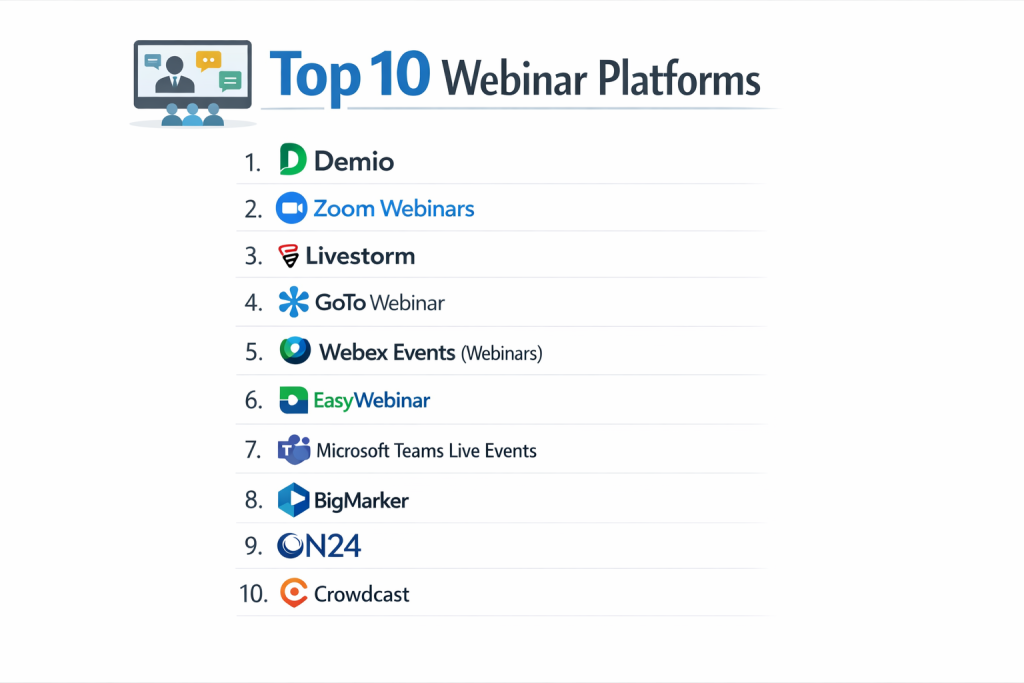
Top 10 Webinar Platforms Tools
Here is a detailed breakdown of the leading webinar platforms, highlighting their strengths and who they serve best.
1 — Zoom Webinars
Zoom Webinars is an extension of the widely popular Zoom Meetings platform. It is designed for organizations of all sizes that are already familiar with Zoom and need a trusted, reliable solution for hosting large-scale online events.
Key features:
- Seamless experience for users already comfortable with the Zoom interface.
- Supports very large audiences, from hundreds to tens of thousands of viewers.
- Offers panelists and host controls, Q&A, and polling.
- Provides registration pages and basic post-webinar analytics.
- Includes options for livestreaming to social media platforms.
- Strong local recording capabilities.
Pros:
- Extremely reliable and familiar to a vast global user base, reducing attendee friction.
- Scalable from small company all-hands meetings to massive public events.
- Excellent audio and video quality under varying internet conditions.
Cons:
- The webinar-specific features can feel basic compared to dedicated marketing webinar platforms.
- Advanced automation, marketing integrations, and customization are limited.
- Can be prone to “Zoom bombing” if registration and security settings are not configured properly.
Security & compliance: Offers robust security features like end-to-end encryption for meetings, passcodes, waiting rooms, and SOC 2 compliance. GDPR and other regional data privacy tools are available.
Support & community: Extensive online help center, video tutorials, and live chat/phone support for paid plans. A massive global community of users and developers.
2 — Demio
Demio is a browser-based platform built specifically for marketers. It focuses on creating a smooth, automated, and professional webinar experience without requiring attendees to download any software.
Key features:
- Fully hosted in a web browser; no downloads for attendees.
- Strong emphasis on marketing automation with built-in email sequences and CRM integrations.
- “Hub” style dashboard for hosting live, automated, and on-demand webinars from one place.
- Interactive features like polls, CTAs, and downloadable resource offers.
- Clean, distraction-free interface for attendees.
- Detailed analytics on attendee engagement and behavior.
Pros:
- Incredibly user-friendly for both hosts and attendees, with a modern, clean design.
- Powerful automation saves time on reminder emails and follow-ups.
- Reliable and consistently performs well without technical hiccups.
Cons:
- Less customizable than some enterprise-grade competitors.
- The “studio” feel is more structured, offering less free-form presentation style.
- Higher price point than some entry-level options.
Security & compliance: Provides standard encryption for data in transit. SOC 2 Type II certified and GDPR compliant. SSO is available on higher-tier plans.
Support & community: Known for exceptional customer support via live chat and email. Helpful knowledge base and regular feature training webinars.
3 — Webex Events (formerly Webex Webinars)
Webex Events, part of the Cisco Webex suite, is a robust platform favored by large enterprises and organizations with high security and integration needs. It is built for professionalism and scale.
Key features:
- Enterprise-grade security and administrative controls.
- High-definition video and audio with support for extremely large events.
- Advanced production tools, including custom branding and moderator roles.
- Comprehensive engagement tools: Q&A, polling, and breakout sessions.
- Deep integration with the broader Webex ecosystem and Microsoft Teams.
- Detailed reporting and analytics dashboard.
Pros:
- Unmatched security features and compliance certifications, ideal for regulated industries.
- Extremely stable and reliable, even for mission-critical corporate events.
- Powerful for complex events with multiple presenters and segments.
Cons:
- The interface can be complex and less intuitive for new users or casual hosts.
- Generally more expensive than mid-market or SMB-focused competitors.
- Can be overkill for simple, straightforward marketing webinars.
Security & compliance: Industry-leading security with end-to-end encryption, SOC 2, ISO 27001, HIPAA compliance, and more. A top choice for government and financial sectors.
Support & community: Offers 24/7 enterprise-level support, detailed documentation, and a large network of certified partners for implementation.
4 — GoTo Webinar
GoTo Webinar is one of the original and most well-known dedicated webinar platforms. It is a mature, feature-rich solution trusted by many businesses for predictable, professional online events.
Key features:
- Very stable and predictable platform with a long track record.
- Strong set of marketing tools, including customizable registration pages and email templates.
- Built-in payment collection for paid webinars.
- Engagement features like polls, Q&A, and handouts.
- Good presenter tools, including drawing and highlighting on screen.
- Integrates with many popular CRM and marketing automation platforms.
Pros:
- Reliable “workhorse” of the industry; you know exactly what you’re getting.
- Excellent for generating and nurturing leads with its marketing-centric features.
- Straightforward pricing based on audience size.
Cons:
- The user interface feels dated compared to newer, browser-based competitors.
- Often requires attendees to download a desktop application for the best experience.
- Can be costly, especially when adding key features like webinar automation.
Security & compliance: Employs strong security measures, including data encryption and compliance with regulations like GDPR. Detailed security information is available from the vendor.
Support & community: Provides phone and email support, a comprehensive knowledge base, and a community forum for users.
5 — Livestorm
Livestorm is a flexible, browser-based platform that supports both on-demand and live webinars. It is known for its clean design, ease of use, and strong focus on team collaboration.
Key features:
- No-download, browser-based experience for attendees and hosts.
- Flexible for live, automated, or on-demand video communication.
- Excellent team collaboration features, allowing multiple team members to manage events.
- Built-in email capabilities and integrations with major marketing tools.
- Real-time analytics dashboard visible during the live event.
- Modern, intuitive interface for setting up and hosting.
Pros:
- Very easy and quick to learn and use, reducing the training burden.
- Great for teams where multiple people need to coordinate on webinar execution.
- The flexible format suits different video communication strategies.
Cons:
- May lack some of the deepest, most advanced customization options of enterprise tools.
- The pricing model can become expensive as your team size and needs grow.
- Primarily optimized for marketing and business communication, not for massive public broadcasts.
Security & compliance: GDPR compliant and uses TLS encryption. Offers SSO and other security features on Business and Enterprise plans.
Support & community: Responsive support via chat and email. Offers a help center, onboarding sessions, and a community of users.
6 — Microsoft Teams Live Events
Microsoft Teams Live Events is a feature within the Microsoft 365 ecosystem, designed for organizations that need to broadcast video and meeting content to large online audiences, typically for internal or partner communications.
Key features:
- Tightly integrated with Microsoft 365 (Office, SharePoint, Stream).
- Uses a familiar “Teams meeting” interface extended for large broadcasts.
- Strong production controls with designated presenter, producer, and attendee roles.
- Attendees can watch via Teams, Yammer, or a secure web link.
- Event recordings are automatically saved to Microsoft Stream.
- Leverages the Azure Content Delivery Network for reliable streaming.
Pros:
- Ideal for companies already invested in the Microsoft 365 ecosystem.
- Excellent for internal company communications, all-hands meetings, and training.
- High level of administrative control and security inherent to the Microsoft cloud.
Cons:
- Not designed as a marketing or lead generation tool; lacks dedicated features for that.
- Can be complex to set up correctly, requiring understanding of producer/presenter roles.
- External attendees (non-Microsoft users) may have a less seamless experience.
Security & compliance: Inherits the enterprise-grade security, compliance (including HIPAA, GDPR), and administrative controls of Microsoft 365. A top choice for regulated and large corporate environments.
Support & community: Support is provided through the standard Microsoft 365 support channels. Extensive official documentation and a vast global user community exist.
7 — ON24
ON24 is a sophisticated, data-rich platform built for enterprise marketing and sales teams. It goes beyond webinar delivery to focus on creating immersive digital experiences and capturing deep engagement analytics.
Key features:
- Deep audience engagement analytics that track attention, content interaction, and behavior.
- Ability to create interactive, multimedia “Digital Experience Hubs.”
- Integration of content like videos, PDFs, and polls directly into the webinar console.
- Strong AI-powered insights and personalized attendee pathways.
- Seamless integration with major CRM and marketing automation platforms (Salesforce, Marketo, etc.).
- Tools for generating and passing sales-ready leads.
Pros:
- Unparalleled data and insights into how your audience engages with your content.
- Creates a more interactive and memorable experience than a standard slide presentation.
- Powerful for aligning marketing activities with sales pipeline generation.
Cons:
- One of the most expensive platforms on the market, with custom enterprise pricing.
- The wealth of features requires a significant learning curve and strategic implementation.
- Overpowered for simple informational or training webinars.
Security & compliance: Enterprise-level security with SOC 2 Type II, ISO 27001, and GDPR compliance. Designed to meet the needs of large, security-conscious organizations.
Support & community: Provides dedicated customer success managers, strategic services, and 24/7 support for enterprise clients. Hosts a user community and industry events.
8 — BigMarker
BigMarker is a unified platform that combines webinar, virtual conference, and community features. It is designed for creators, associations, and businesses that want an all-in-one solution for recurring online events and community building.
Key features:
- All-in-one platform for webinars, summits, and ongoing community hubs.
- Highly customizable branded “virtual venues” and stages.
- Integrated marketing tools, including email and social promotion.
- Networking features like one-on-one video chat and attendee matching.
- Monetization tools for tickets, subscriptions, and paid communities.
- Extensive automation for event series.
Pros:
- Excellent for building a recurring event series or a paid membership community.
- High degree of customization for branding and creating unique virtual spaces.
- Combines multiple online event types into a single platform.
Cons:
- The interface, while powerful, can be busy and complex to navigate initially.
- Pricing is not always transparent and often requires a custom quote.
- Performance can vary, and some users report occasional bugs.
Security & compliance: Standard security practices with SSL encryption. Specific enterprise compliance certifications should be discussed directly with their sales team.
Support & community: Offers support via email, chat, and phone. Has a resource library and hosts its own community events for customers.
9 — Zoho Meeting
Zoho Meeting is a cost-effective, no-frills webinar solution that is part of the larger Zoho suite of business apps. It is ideal for small to medium-sized businesses already using Zoho or those looking for a simple, affordable option.
Key features:
- Very affordable pricing, especially for small audience sizes.
- Simple, straightforward interface for hosting and attending.
- Basic webinar features: screen sharing, Q&A, polls, and recording.
- Integration with other Zoho apps (CRM, Campaigns) for a unified workflow.
- Browser-based for attendees; no mandatory software download.
- Provides registration pages and email reminders.
Pros:
- One of the most budget-friendly legitimate webinar platforms available.
- Simple to use with a minimal learning curve.
- Good value if you are already within the Zoho ecosystem.
Cons:
- Lacks the advanced features, polish, and engagement tools of premium platforms.
- Not designed for large-scale or highly produced events.
- Support and documentation can be more limited than with larger vendors.
Security & compliance: Provides data encryption and is GDPR compliant. More detailed enterprise security features are available in higher plans.
Support & community: Support is offered via email and chat. Relies heavily on its online help documentation and knowledge base.
10 — Riverside.fm
Riverside.fm is a specialist platform focused on recording high-quality, separate audio and video tracks for each participant. While it has a “live call” feature, its strength is in producing pristine recordings that are later edited and published as webinars, podcasts, or video content.
Key features:
- Records each participant’s audio and video locally in high-quality (up to 4K video, 48kHz audio).
- Creates a live, studio-quality recording ideal for post-production editing.
- Simple live streaming capability to social platforms.
- Easy-to-use editor to clip and combine tracks after recording.
- Green room for guests to wait before joining.
- Text-based audio editing (magic editor).
Pros:
- Unbeatable for producing professional, polished final video and audio content.
- Eliminates the quality issues caused by unstable internet connections during recording.
- Very intuitive for both hosts and guests to use.
Cons:
- Not a traditional “live webinar” platform with extensive live audience interaction tools.
- The primary value is in the recording quality, not live marketing or large-scale broadcasting.
- Editing happens after the fact, so it’s not for instant live events.
Security & compliance: Uses encryption for data in transit. Complies with GDPR. Specific high-level enterprise security certifications are not its primary focus.
Support & community: Offers responsive support via chat and email. Has a helpful help center with articles and tutorials.
Comparison Table
| Tool Name | Best For (Target User) | Platform(s) Supported | Standout Feature | Rating |
|---|---|---|---|---|
| Zoom Webinars | Organizations of all sizes, users familiar with Zoom | Desktop, Mobile, Web | Reliability & Massive Scalability | N/A |
| Demio | Marketers, SMBs, Automated & Series Webinars | Web (Browser-based) | Marketing Automation & No-Download Ease | N/A |
| Webex Events | Large Enterprises, Security-Conscious Industries | Desktop, Mobile, Web | Enterprise Security & Production Controls | N/A |
| GoTo Webinar | Established businesses, Predictable lead gen webinars | Desktop, Mobile, Web | Mature, Feature-Rich Reliability | N/A |
| Livestorm | Collaborative teams, Live & on-demand communication | Web (Browser-based) | Team Collaboration & User-Friendly Design | N/A |
| Microsoft Teams Live Events | Microsoft 365 companies, Internal broadcasts | Web, Teams App | Deep Microsoft 365 Integration | N/A |
| ON24 | Enterprise Marketing/Sales, Data-Driven Experiences | Web | Deep Engagement Analytics & Experience Hubs | N/A |
| BigMarker | Creators, Associations, Virtual Conferences & Communities | Web | All-in-One Virtual Events & Community Hub | N/A |
| Zoho Meeting | Budget-minded SMBs, Existing Zoho users | Web, Desktop | Cost-Effectiveness & Simplicity | N/A |
| Riverside.fm | Content Creators, High-Quality Recordings for Editing | Desktop, Web | Studio-Quality Local Recording | N/A |
Evaluation & Scoring of Webinar Platforms
To make an objective decision, use this weighted scoring rubric. Rate each platform you are considering from 1 (Poor) to 5 (Excellent) in each category, then calculate the weighted score.
| Evaluation Criteria | Weight | Score (1-5) | Weighted Score | Notes on What to Look For |
|---|---|---|---|---|
| Core Features | 25% | Does it have the interactivity, audience size, and hosting features you need? | ||
| Ease of Use | 15% | Is it intuitive for you to set up and for your attendees to join and participate? | ||
| Integrations & Ecosystem | 15% | Does it connect to your CRM, email, marketing, and other essential business tools? | ||
| Security & Compliance | 10% | Does it meet your organizational standards for data protection and regulations? | ||
| Performance & Reliability | 10% | Is it known for stable, high-quality streaming with minimal dropouts or issues? | ||
| Support & Community | 10% | Can you get help when you need it? Are resources and training available? | ||
| Price / Value | 15% | Does the cost align with the features, audience size, and value provided? | ||
| TOTAL SCORE | 100% | /100 |
Which Webinar Platform Tool Is Right for You?
Your ideal platform depends on your specific goals, team, and budget. Follow this practical guide.
- Solo Users & Freelancers: Prioritize affordability and simplicity. Zoho Meeting is a great budget start. Demio or Livestorm offer excellent ease of use for professional presentations. Riverside.fm is perfect if your main goal is to create high-quality recorded content.
- Small to Mid-Sized Businesses (SMBs): Look for the best balance of marketing power, reliability, and cost. Demio and Livestorm are top contenders for marketing teams. GoTo Webinar is a solid, predictable choice. Zoom Webinars is excellent if you already use Zoom for meetings.
- Mid-Market & Enterprise Organizations: You need robustness, security, scalability, and deep integration. Webex Events and Microsoft Teams Live Events are leaders for secure, internal, and partner communications. ON24 is the premier choice for data-driven marketing and sales teams. Zoom Webinars handles large-scale corporate events reliably.
- Budget-Conscious vs. Premium: If budget is the primary constraint, Zoho Meeting offers core functionality. For premium experiences, ON24 and Webex Events lead the pack but come with enterprise price tags. Most tools, like Demio and Zoom, sit in a mid-range offering strong value.
- Feature Depth vs. Ease of Use: Zoom and Livestorm strike a good balance. ON24 and BigMarker offer incredible depth but require time to master. Zoho Meeting and Demio prioritize simplicity, sometimes at the expense of advanced customization.
- Integration & Scalability Needs: If you use Salesforce or Marketo, check ON24 and Demio. If you live in Microsoft 365, Teams Live Events is the natural fit. For scalability, ensure the platform’s maximum attendee limits and performance match your largest planned event, not just your typical one.
- Security & Compliance Requirements: For most businesses, standard encryption and GDPR compliance are sufficient. For finance, healthcare, or government, you will need verified certifications like SOC 2 or HIPAA, which are robustly offered by Webex Events, Microsoft Teams, and enterprise plans of Zoom.
Frequently Asked Questions (FAQs)
1. What’s the most important feature for a successful webinar?
While video quality is key, reliability is paramount. A platform that doesn’t drop the stream or cause technical difficulties for your attendees is the foundation of success. Everything else builds on that.
2. Can I charge for webinars on these platforms?
Yes, many platforms like GoTo Webinar, BigMarker, and Demio have built-in payment processing or integrate easily with payment gateways like Stripe and PayPal to sell tickets for paid webinars.
3. Do attendees need to download software to join a webinar?
It depends on the platform. Modern, browser-based platforms like Demio, Livestorm, and Zoho Meeting allow attendees to join directly from a web browser. Others, like GoTo Webinar, often work best with a small desktop app. Zoom offers both options.
4. What’s the difference between a webinar and a meeting platform?
Meeting platforms (like Zoom Meetings, Google Meet) are designed for collaborative discussion among all participants. Webinar platforms are for presentations where a few hosts/presenters control the flow, and a larger audience interacts in limited ways (Q&A, polls).
5. How many attendees can a typical platform handle?
It varies widely. Entry-level plans may start at 100 live attendees. Enterprise platforms like Zoom, Webex, and ON24 can support 10,000+ simultaneous viewers, sometimes even more.
6. Should I choose a platform that does automated webinars?
If you want to pre-record a presentation and simulate a live event (with live Q&A periods), then yes. Platforms like Demio, BigMarker, and Livestorm have strong automated webinar features, which are great for lead generation on autopilot.
7. How important are post-webinar analytics?
Crucial for marketers and businesses. Look for platforms that tell you not just who attended, but for how long, what questions they asked, what polls they answered, and what resources they downloaded. This data is gold for sales follow-up.
8. Can I livestream my webinar to Facebook or YouTube?
Many platforms, including Zoom, Livestorm, and StreamYard (a common companion tool), offer the ability to simultaneously broadcast your webinar to social media livestreaming services, expanding your reach.
9. What is a common mistake when hosting a first webinar?
The biggest mistake is not doing a full technical rehearsal with all presenters. Test your audio, video, slides, and interactive features days before to work out any kinks and ensure everyone is comfortable.
10. Is it better to use a dedicated webinar platform or the webinar feature in my existing video meeting software?
If you run occasional, simple webinars for a familiar audience (like company updates), your meeting software’s webinar add-on (like Zoom Webinars) is fine. If webinars are a core part of your marketing, sales, or training strategy, a dedicated platform (Demio, ON24) will provide better tools, automation, and analytics.
Conclusion
Choosing a webinar platform is a strategic decision that directly impacts your ability to connect with and grow your audience. The vast array of options means there is a perfect fit for every need, from the solo educator to the global enterprise. The key is to clearly define your primary goal—is it lead generation, internal training, community building, or content creation?
Remember that the most expensive tool is not automatically the best, and the simplest tool may not have the power you need to scale. Focus on the core requirements of reliability, the right set of interactive features, and a user experience that works for both you and your attendees. Strong integration with your existing business systems can also be a major force multiplier.
Ultimately, the best webinar platform is the one that becomes an invisible, reliable partner in your communication strategy. It should empower you to share your message with confidence, engage your audience meaningfully, and provide the insights to measure your success. Take the time to test a few options that align with your priorities; many offer free trials. The right choice will make your webinars more effective and far less stressful to execute.