Introduction
A Web Server is a combination of hardware and software that uses HTTP (Hypertext Transfer Protocol) and other protocols to respond to client requests made over the World Wide Web. Its primary function is to store, process, and deliver web pages to users. Modern web servers do much more than just serve HTML; they act as reverse proxies, load balancers, and gatekeepers for application security.
The importance of choosing the right web server cannot be overstated. A poorly chosen server can lead to slow load times, security vulnerabilities, and system crashes during traffic spikes. Key real-world use cases include hosting high-traffic e-commerce sites, serving static assets for mobile apps, managing API gateways for microservices, and providing secure entry points for corporate intranets.
When evaluating web servers, users should prioritize performance under load, security features (like SSL/TLS handling), extensibility through modules, and ease of configuration.
Best for: Web developers, DevOps engineers, System Administrators, and businesses ranging from small startups to global tech giants. It is essential for any entity that needs to maintain an online presence or deliver digital services.
Not ideal for: Organizations that only require internal peer-to-peer file sharing without web protocols, or very small businesses that prefer fully managed “No-Code” website builders where the underlying server architecture is completely hidden and inaccessible.
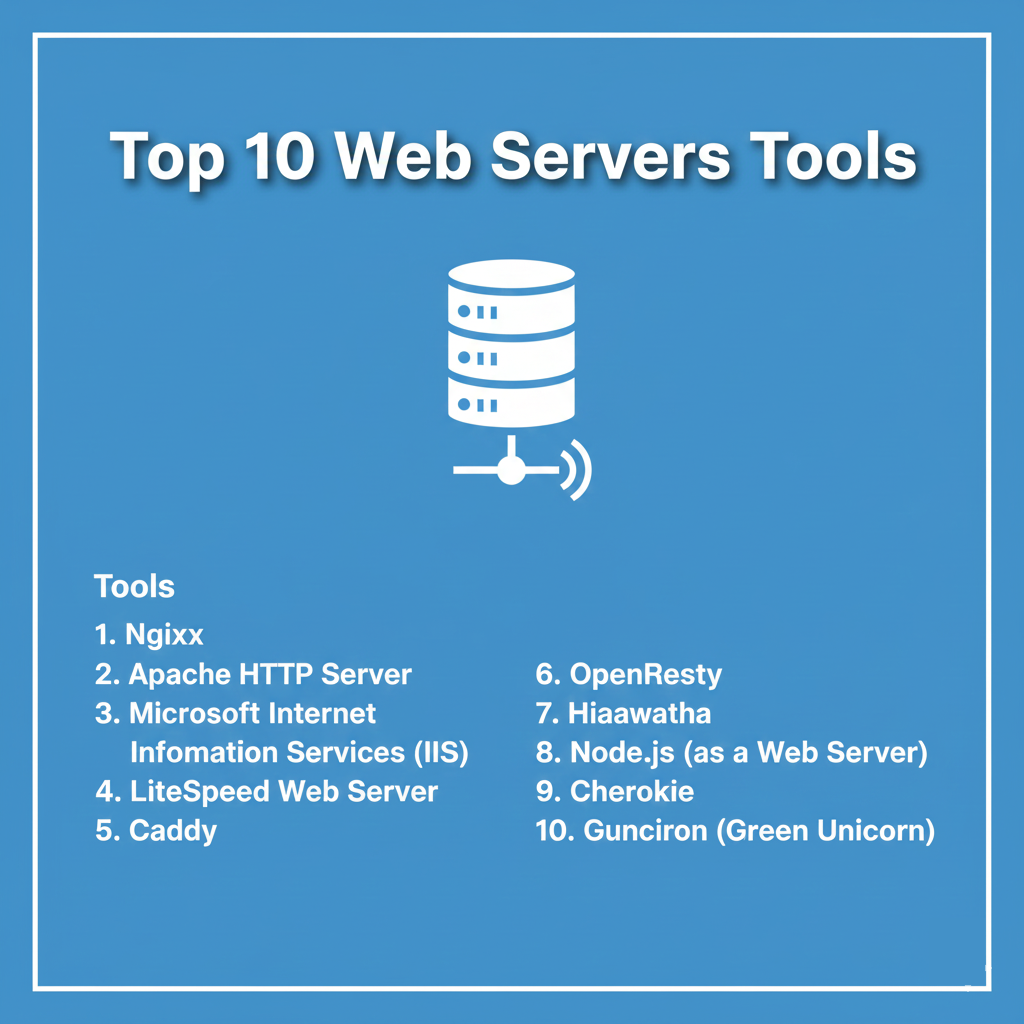
Top 10 Web Servers Tools
1 — Nginx
Nginx (pronounced “engine-x”) is a high-performance, open-source web server that has become the industry favorite for its event-driven architecture. It excels at serving static content and acting as a powerful reverse proxy.
- Key Features:
- Asynchronous Event-Driven Architecture: Handles thousands of concurrent connections with minimal memory overhead.
- Reverse Proxy & Load Balancing: Distributes traffic across multiple backend servers efficiently.
- FastCGI Support: Seamless integration for processing PHP and other dynamic scripts.
- On-the-fly Gzip Compression: Reduces bandwidth usage by compressing data before transmission.
- HTTP/3 & QUIC Support: Compatible with the latest high-speed web protocols.
- Pros:
- Extremely lightweight and fast, making it ideal for high-traffic environments.
- Highly versatile—can serve as a web server, proxy, and mail proxy simultaneously.
- Cons:
- Configuration syntax can be intimidating for beginners compared to Apache.
- Less flexible “per-directory” configuration (no equivalent to .htaccess).
- Security & Compliance: Supports TLS 1.3, OCSP stapling, and advanced rate limiting. GDPR and HIPAA compliant when configured with proper logging and encryption.
- Support & Community: Massive global community; extensive third-party documentation; professional enterprise support available via Nginx Plus (F5).
2 — Apache HTTP Server
The Apache HTTP Server is the “elder statesman” of the web. It is a highly flexible, module-based server that has powered a significant portion of the internet since 1995.
- Key Features:
- MPM (Multi-Processing Modules): Allows the server to be customized for specific infrastructure needs.
- .htaccess Support: Enables decentralized configuration on a per-directory basis.
- Extensive Module Library: Hundreds of official and third-party modules for everything from security to language support.
- Dynamic Content Processing: Excellent native support for Perl, Python, and PHP.
- IPv6 Support: Full compatibility with the latest internet addressing standards.
- Pros:
- Exceptionally well-documented with decades of community troubleshooting available.
- The most flexible server for shared hosting environments.
- Cons:
- Process-based architecture can consume significant RAM under heavy load.
- Performance can lag behind Nginx when serving strictly static content.
- Security & Compliance: Robust support for Mod_Security (WAF), SSL/TLS, and PCI DSS requirements.
- Support & Community: Supported by the Apache Software Foundation; one of the largest and most helpful open-source communities in existence.
3 — Microsoft Internet Information Services (IIS)
IIS is a flexible, secure, and manageable Web Server for hosting anything on the Microsoft Windows platform. It is the go-to choice for organizations deeply integrated into the Windows ecosystem.
- Key Features:
- Native ASP.NET Support: The premier environment for running .NET applications.
- Graphical Management Console: A robust GUI for users who prefer not to use the command line.
- Application Request Routing (ARR): Provides sophisticated load balancing and proxying.
- Remote Management: Allows admins to manage the server securely from any location.
- Request Filtering: Built-in security to block suspicious URL patterns.
- Pros:
- Seamless integration with Windows Server, Active Directory, and SQL Server.
- Excellent professional support and regular security updates from Microsoft.
- Cons:
- Limited to the Windows operating system (not cross-platform).
- Can be resource-heavy compared to minimalist Linux-based servers.
- Security & Compliance: SOC 2, HIPAA, and GDPR compliant; integrates with Windows update for rapid patching.
- Support & Community: Professional support via Microsoft Enterprise; vast library of MSDN documentation.
4 — LiteSpeed Web Server
LiteSpeed is a high-performance, drop-in replacement for Apache. it is designed to increase the speed and scalability of websites while remaining compatible with Apache’s configuration.
- Key Features:
- Apache Compatibility: Reads .htaccess and works with existing Apache modules.
- LSCache: One of the most advanced server-level caching engines available.
- QUIC Support: Native, high-performance implementation of the QUIC protocol.
- Event-Driven Architecture: Similar to Nginx but with Apache’s feature set.
- Zero Downtime Maintenance: Allows for software updates without interrupting connections.
- Pros:
- Drastically improves WordPress and Magento performance out of the box.
- Much easier to migrate to than Nginx if you are coming from Apache.
- Cons:
- The high-performance versions require a paid license.
- Smaller community compared to the “Big Two” (Nginx/Apache).
- Security & Compliance: Built-in Anti-DDoS features and Mod_Security compatibility. PCI DSS and HIPAA ready.
- Support & Community: High-quality professional support; growing community of hosting providers and developers.
5 — Caddy
Caddy is a modern web server written in Go. It is famous for being the first web server to use HTTPS automatically and by default.
- Key Features:
- Automatic HTTPS: Handles SSL/TLS certificate renewal via Let’s Encrypt automatically.
- Caddyfile: An incredibly simple, human-readable configuration format.
- Static Binary: No dependencies; easy to deploy across different systems.
- Native JSON API: Allows for dynamic configuration changes without restarting the server.
- On-Demand TLS: Can issue certificates for new domains as they are requested.
- Pros:
- The easiest web server for developers to set up and maintain.
- Memory-safe (written in Go), reducing the risk of common buffer overflow vulnerabilities.
- Cons:
- Still relatively new compared to Apache, meaning fewer “niche” plugins.
- Not as widely supported by legacy control panels (like cPanel).
- Security & Compliance: Modern TLS defaults; SOC 2 and GDPR compliant architectures are easily achievable.
- Support & Community: Very active forum-based support and high-quality official documentation.
6 — OpenResty
OpenResty is a full-fledged web platform that integrates the standard Nginx core together with LuaJIT and many high-quality Lua libraries.
- Key Features:
- Lua Integration: Allows for writing high-performance application logic directly inside the server.
- Non-blocking Operations: High concurrency handling for both the server and the application logic.
- Dynamic Routing: Modify routing logic on the fly without reloading configurations.
- Integrated Redis/PostgreSQL support: Can talk to databases directly from the web server layer.
- Extensible Architecture: Designed for building complex web gateways and firewalls.
- Pros:
- Incredibly powerful for building custom CDNs and high-scale API gateways.
- Inherits all the performance benefits of Nginx.
- Cons:
- Requires knowledge of the Lua programming language to unlock its full potential.
- Overkill for simple static website hosting.
- Security & Compliance: Inherits Nginx security; used extensively in building custom WAFs.
- Support & Community: Strong following in the high-performance engineering space; documentation is technical and thorough.
7 — Hiawatha
Hiawatha is an open-source web server with a strong focus on security. It was designed to be easy to use and secure by default.
- Key Features:
- SQL Injection Prevention: Built-in patterns to detect and block SQLi attacks.
- XSS Filtering: Prevents Cross-Site Scripting attacks at the server level.
- CSRF Protection: Helps mitigate Cross-Site Request Forgery.
- Exploit Protection: Monitors for unusual traffic patterns associated with common exploits.
- Lightweight Footprint: Ideal for older hardware or embedded systems.
- Pros:
- One of the most secure “out-of-the-box” servers available.
- Very easy to understand for security-conscious administrators.
- Cons:
- Much smaller market share, leading to fewer third-party integrations.
- Not ideal for highly complex, dynamic enterprise applications.
- Security & Compliance: Security is the core feature; excellent for systems requiring strict hardening.
- Support & Community: Small but dedicated community; documentation is concise and clear.
8 — Node.js (as a Web Server)
While technically a runtime environment, Node.js is frequently used to create custom web servers using modules like http or frameworks like Express.
- Key Features:
- Single-Threaded Event Loop: High efficiency for I/O intensive tasks.
- NPM Ecosystem: Access to over a million packages to extend server functionality.
- Full-stack JavaScript: Use the same language for the server and the frontend.
- Streaming API: Excellent for handling large file uploads or video streaming.
- WebSocket Support: Native ability to handle real-time, two-way communication.
- Pros:
- Perfect for modern, real-time applications like chat apps or live dashboards.
- Gives developers total control over how the server behaves.
- Cons:
- Requires more code to set up a basic server compared to Nginx or Apache.
- Not as efficient as Nginx for serving raw static files (usually paired with Nginx).
- Security & Compliance: Security depends heavily on the code written by the developer; GDPR/HIPAA compliant when following best practices.
- Support & Community: One of the largest developer ecosystems in the world.
9 — Cherokee
Cherokee is an innovative, high-performance web server that is designed to be very fast and easy to configure via a graphical user interface.
- Key Features:
- Cherokee-admin: A full-featured web-based interface for configuring the server.
- Traffic Shaping: Manage bandwidth and connection speeds for different types of traffic.
- Zero-Downtime Reloads: Changes take effect immediately without dropping current users.
- FastCGI & SCGI support: Broad compatibility with backend application servers.
- Content Caching: Built-in caching to speed up delivery.
- Pros:
- Best-in-class GUI for Linux-based servers; no need to manually edit text files.
- Surprisingly high performance that rivals Nginx in certain benchmarks.
- Cons:
- Development has slowed down compared to more mainstream options.
- Smaller community means fewer “ready-to-use” recipes for modern apps.
- Security & Compliance: Standard SSL/TLS support; audit logs are easily accessible via the GUI.
- Support & Community: Documentation is available but may be slightly outdated for newer OS versions.
10 — Gunicorn (Green Unicorn)
Gunicorn is a Python WSGI HTTP Server for UNIX. It is a pre-fork worker model and is commonly used to serve Python web applications (like Django or Flask).
- Key Features:
- Pre-fork Worker Model: Spawns multiple worker processes to handle requests.
- Process Management: Automatically restarts workers that crash or time out.
- Highly Compatible: Supports various web frameworks and worker types (gevent, eventlet).
- Simple Implementation: Requires very little configuration to get a Python app running.
- Hooks API: Allows for custom logic during server lifecycle events.
- Pros:
- The industry standard for deploying Python web applications securely.
- Very easy on system resources.
- Cons:
- Not intended to be a public-facing server (needs Nginx as a reverse proxy).
- Limited to the Python ecosystem.
- Security & Compliance: Relies on a reverse proxy for TLS; standard UNIX security model.
- Support & Community: Strong community within the Python/Django/Flask world; excellent documentation.
Comparison Table
| Tool Name | Best For | Platform(s) Supported | Standout Feature | Rating (Gartner/True) |
| Nginx | High-Traffic / Proxies | Linux, Unix, Win | Event-Driven Speed | 4.8 / 5 |
| Apache | Shared Hosting / Flex | Linux, Win, Unix | .htaccess support | 4.7 / 5 |
| IIS | Windows / .NET | Windows Server | Native Windows Integration | 4.5 / 5 |
| LiteSpeed | WordPress / Speed | Linux, Cloud | Apache Drop-in Compatibility | 4.7 / 5 |
| Caddy | Developers / Ease | Win, Mac, Lin | Automatic HTTPS | 4.9 / 5 |
| OpenResty | API Gateways / CDN | Linux, Unix | Lua Scripting Power | 4.6 / 5 |
| Hiawatha | High Security | Linux, Unix | Built-in Exploit Protection | N/A |
| Node.js | Real-time Apps | Cross-platform | Full-stack JavaScript | 4.8 / 5 |
| Cherokee | GUI-based Config | Linux, Unix | Cherokee-admin Interface | N/A |
| Gunicorn | Python Deployment | Unix / Linux | WSGI Python Support | 4.7 / 5 |
Evaluation & Scoring of Web Servers
The following table evaluates the web server category based on a weighted rubric reflecting the needs of modern production environments.
| Criterion | Weight | Score (Avg) | Notes |
| Core Features | 25% | 9.0/10 | Most tools now offer HTTP/3 and load balancing. |
| Ease of Use | 15% | 7.5/10 | Large gap between GUI (IIS/Cherokee) and CLI (Nginx). |
| Integrations | 15% | 9.5/10 | Apache and Nginx integrate with almost everything. |
| Security & Compliance | 10% | 8.5/10 | Security is high but often requires manual hardening. |
| Performance | 10% | 9.5/10 | Nginx, LiteSpeed, and Caddy lead the pack. |
| Support & Community | 10% | 9.0/10 | Massive community resources for top-tier tools. |
| Price / Value | 15% | 9.0/10 | Most are free; LiteSpeed/IIS have licensing costs. |
Which Web Servers Tool Is Right for You?
1. Solo Users vs. SMBs vs. Enterprises
- Solo Users: Caddy is the best choice. Its automatic HTTPS and simple configuration let you focus on your content rather than your server.
- SMBs: Apache or LiteSpeed are ideal, especially for WordPress sites or companies using standard web hosting control panels.
- Enterprises: Nginx or OpenResty are the standard for high-scale, distributed architectures and API gateways.
2. Budget-Conscious vs. Premium Solutions
- Budget: Nginx, Apache, and Caddy are completely free and open-source, providing enterprise-grade performance at no cost.
- Premium: If you have the budget, LiteSpeed (for its caching) or Nginx Plus (for its specialized enterprise modules and 24/7 support) offer clear ROI in terms of saved engineering time and improved site speed.
3. Feature Depth vs. Ease of Use
If you need to tweak every single byte of performance and create custom routing logic, OpenResty or Apache offer the most depth. If you want a server that you can set up in 30 seconds and forget about, Caddy is the winner.
4. Integration and Scalability Needs
For those running on Windows, IIS is non-negotiable for native performance. For those running microservices in containers, Nginx is the most widely supported and easily scaled tool.
Frequently Asked Questions (FAQs)
1. Is Nginx faster than Apache?
Generally, yes. Nginx is faster at serving static content and handling many concurrent connections because it doesn’t create a new process for every request like the default Apache configuration.
2. Can I run multiple web servers on the same computer?
Yes, but they cannot use the same port (e.g., Port 80 for HTTP). Often, people run Nginx on Port 80 as a reverse proxy, which then passes requests to Apache or Node.js on a different internal port.
3. What is a “Reverse Proxy”?
A reverse proxy sits in front of your application servers and directs client requests to the appropriate backend server. It provides an extra layer of security, load balancing, and SSL termination.
4. Do I need a web server if I use a cloud provider like AWS?
Yes, but the cloud provider might manage it for you. Even on AWS “Serverless” products, a web server (like Nginx) is often running inside the underlying infrastructure.
5. How do I get a green padlock (SSL) for my web server?
You need an SSL/TLS certificate. Caddy does this automatically. For Nginx or Apache, you usually use a tool like Certbot (Let’s Encrypt) to generate and install the certificate.
6. Is LiteSpeed really a “drop-in” for Apache?
For the most part, yes. It reads Apache’s .htaccess files and uses similar configuration logic, making it very easy to swap one for the other without changing your website’s code.
7. Why is Node.js called a runtime and not a web server?
Node.js is the engine that runs JavaScript. You use that engine to build a web server. Unlike Nginx, which is a ready-to-use software, Node.js is a toolkit for creating your own.
8. What is the difference between HTTP and HTTPS?
HTTPS is HTTP with encryption (SSL/TLS). Modern web servers and browsers now require HTTPS for security, SEO, and access to modern browser features.
9. Can I host a web server at home?
Technically yes, but most ISPs prohibit it in their terms of service, and it presents significant security risks. It is almost always better to use a VPS or cloud hosting provider.
10. What is a 502 Bad Gateway error?
This is an error usually generated by a reverse proxy (like Nginx) when it tries to connect to a backend application server (like Gunicorn or Node.js) but finds it is offline or not responding.
Conclusion
The web server is no longer just a tool for delivering files; it is the frontline of your digital presence. While Nginx and Apache continue to dominate the market for their reliability and power, modern alternatives like Caddy are making web hosting more accessible than ever before.
Ultimately, the “best” web server depends on your specific stack. If you are a Python developer, Gunicorn is your partner. If you are a Windows shop, IIS is your home. For everyone else, the speed of Nginx or the simplicity of Caddy offers the most robust path forward. Prioritize stability and security, and your web server will be the silent, high-performance foundation your business needs.