Introduction
A Web Application Firewall (WAF) is a specialized security solution that monitors, filters, and blocks malicious incoming traffic to a web application. Unlike traditional firewalls that focus on IP addresses and ports, a WAF operates at the Application Layer (Layer 7). It is designed to defend against the “OWASP Top 10” threats, including SQL injection, Cross-Site Scripting (XSS), and file inclusion. By inspecting every request, a WAF can distinguish between a legitimate customer and a hacker attempting to exploit a code vulnerability.
The importance of a WAF has grown alongside the rise of e-commerce and SaaS platforms. Real-world use cases include preventing data breaches, stopping automated bot attacks that scrape prices or inventory, and mitigating Layer 7 DDoS attacks that attempt to overwhelm an application’s resources. When choosing a WAF, organizations should evaluate efficacy in threat detection, latency impact, ease of rule management, and integration with existing CI/CD pipelines.
Best for: Security engineers, DevOps teams, and CTOs in organizations of all sizes. It is essential for any business that processes sensitive data (FinTech, Healthcare) or relies on high-uptime web services (E-commerce, SaaS).
Not ideal for: Organizations with purely internal, non-web-based infrastructure or static websites with zero user interaction and no backend database. For simple, personal blogs, a basic security plugin or a standard CDN may be a more cost-effective alternative.
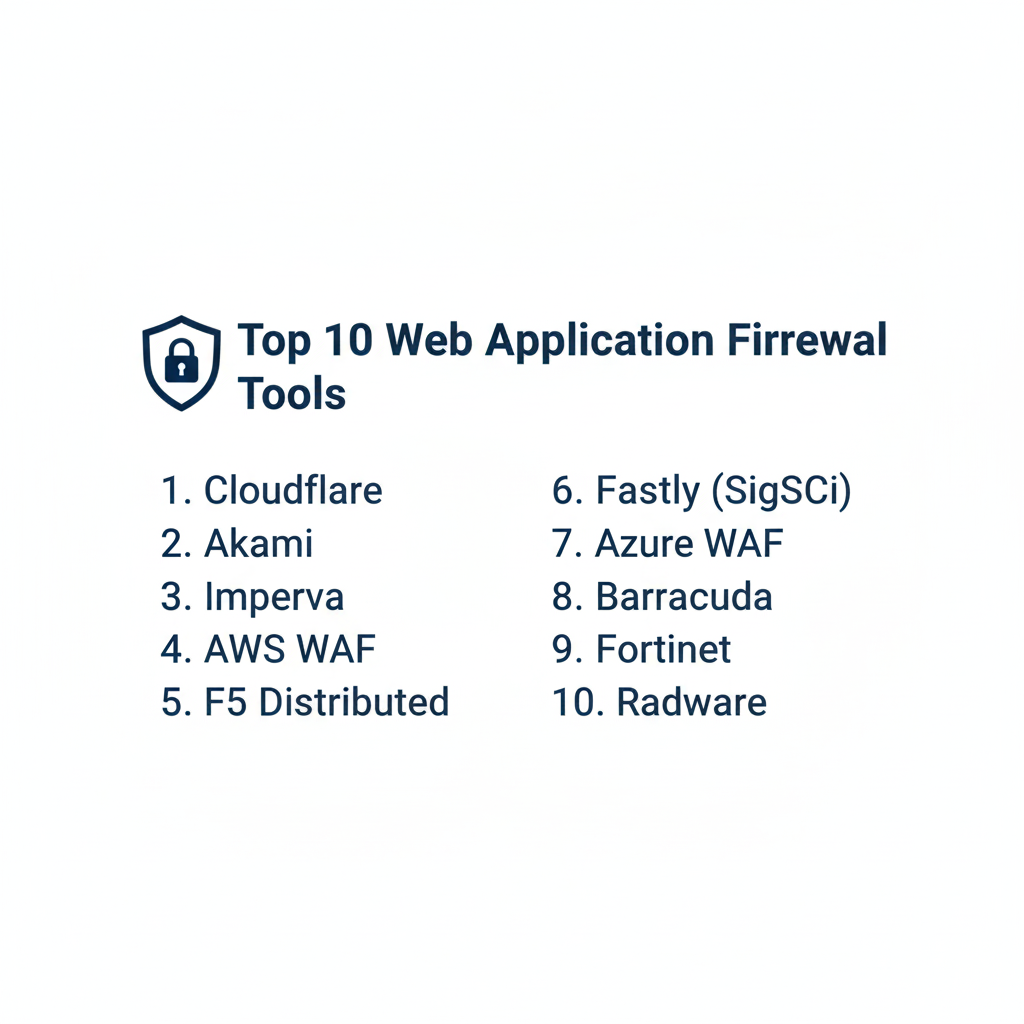
Top 10 Web Application Firewall (WAF) Tools
1 — Cloudflare WAF
Cloudflare offers one of the most widely used WAFs in the world, integrated into its global edge network. It is designed for ease of use and rapid deployment for companies of all sizes.
- Key Features:
- Global Threat Intelligence: Leverages data from millions of websites to block new threats instantly.
- Automated Managed Rulesets: One-click protection against OWASP threats and zero-day vulnerabilities.
- Advanced Bot Management: Distinguishes between “good” bots (search engines) and malicious scrapers.
- Custom Rule Engine: Allows for complex logic and granular control over specific traffic patterns.
- API Shield: Specialized protection for REST, GraphQL, and gRPC APIs.
- Near-Zero Latency: Traffic is inspected at the edge, ensuring minimal impact on load times.
- Pros:
- Exceptionally easy to set up; “turn-key” protection for most common web threats.
- The massive global network provides superior DDoS protection and speed.
- Cons:
- High-end features (like advanced bot management) are locked behind Enterprise tiers.
- Can occasionally trigger false positives if custom rules are not tuned carefully.
- Security & Compliance: PCI DSS Level 1, SOC 2 Type II, GDPR, HIPAA, and ISO 27001/27701 compliant.
- Support & Community: Extensive documentation, active community forums, and 24/7 enterprise support for higher tiers.
2 — Akamai App & API Protector
Akamai is a veteran in the space, providing a highly sophisticated WAF geared toward large enterprises with complex, high-traffic environments.
- Key Features:
- Adaptive Security Engine: Uses machine learning to adjust security postures automatically.
- Integrated API Security: Automatically discovers and protects hidden or “shadow” APIs.
- Bot Visibility and Mitigation: Granular control over bot categories with high accuracy.
- SIEM Integration: Exports logs directly to tools like Splunk or QRadar for analysis.
- Managed Security Services: Access to Akamai experts for ongoing tuning and threat hunting.
- Terraform Support: Full API and CLI support for Infrastructure as Code (IaC) workflows.
- Pros:
- Unrivaled performance for global, high-scale enterprises.
- The machine learning engine is excellent at reducing manual tuning requirements.
- Cons:
- The cost is significantly higher than many other competitors.
- The management console has a steep learning curve for junior administrators.
- Security & Compliance: SOC 2, PCI DSS, GDPR, HIPAA, and ISO 27001 compliant.
- Support & Community: Premium enterprise support with dedicated account managers and global threat research teams.
3 — Imperva WAF
Imperva (now part of Thales) is consistently ranked as a leader by analysts for its deep inspection capabilities and robust on-premise and cloud hybrid options.
- Key Features:
- Dynamic Profiling: Automatically learns application structure to detect abnormal behavior.
- Virtual Patching: Shields vulnerable applications until the underlying code can be fixed.
- Reputation-Based Blocking: Blocks traffic from known malicious IP addresses and anonymous proxies.
- Granular Rule Creation: High degree of control over headers, cookies, and parameters.
- DDoS Mitigation: Includes 100% uptime SLA for DDoS protection.
- Snapshot Reporting: Provides high-level executive summaries of attack trends.
- Pros:
- Very low false-positive rate due to its sophisticated behavioral analysis.
- Strongest “on-premise” appliance options for companies that cannot use the public cloud.
- Cons:
- Can be complex to configure for multi-cloud or highly distributed architectures.
- Integration with modern DevOps tools is not as seamless as Cloudflare or Fastly.
- Security & Compliance: FIPS 140-2, PCI DSS, SOC 2, and HIPAA compliant.
- Support & Community: Robust enterprise support and a professional services wing for custom deployments.
4 — AWS WAF
For organizations already hosting infrastructure on Amazon Web Services, AWS WAF provides a native, highly scalable, and cost-effective security layer.
- Key Features:
- Managed Rules for AWS: Pre-configured rules by AWS and Marketplace sellers (like F5 or Fortinet).
- CloudWatch Integration: Real-time visibility into traffic metrics and security logs.
- AWS Firewall Manager: Centralized management of WAF rules across multiple AWS accounts.
- SQL Injection & XSS Protection: Built-in inspectors for common web attacks.
- Pay-as-you-go Pricing: Costs are based on the number of rules and requests processed.
- Bot Control: Managed rules specifically designed to mitigate scrapers and scanners.
- Pros:
- Perfect integration for AWS users; no need to change DNS to an external provider.
- Highly flexible pricing—no massive upfront contracts for smaller workloads.
- Cons:
- Requires a significant amount of manual tuning compared to “managed” WAFs.
- Only protects resources within the AWS ecosystem (ALB, API Gateway, AppSync).
- Security & Compliance: SOC 1/2/3, PCI DSS, HIPAA, FedRAMP, and GDPR compliant.
- Support & Community: Backed by AWS Support tiers and an enormous community of AWS certified engineers.
5 — F5 Distributed Cloud WAF
F5 is legendary in the networking world. Their modern WAF is a fusion of their hardware-based BIG-IP Advanced WAF and new cloud-native capabilities.
- Key Features:
- Behavioral DoS: Uses ML to detect and mitigate DoS attacks at the application layer.
- Credential Stuffing Protection: Specifically targets attacks attempting to take over user accounts.
- Guided Configuration: Simplifies the deployment of complex security policies.
- Multi-Cloud Deployment: Consistent security policies across on-prem, AWS, Azure, and GCP.
- Engineered Rules: Hand-crafted rules for specific apps like SAP, Oracle, and WordPress.
- Programmability: High degree of customization through iRules (scripting language).
- Pros:
- The most technically deep and customizable WAF on the market.
- Exceptional at protecting legacy enterprise applications alongside modern ones.
- Cons:
- Can be prohibitively expensive and complex for mid-sized businesses.
- Requires specialized “F5 knowledge” to manage effectively.
- Security & Compliance: Common Criteria, FIPS 140-2, SOC 2, and PCI DSS compliant.
- Support & Community: High-end enterprise support and the “DevCentral” community for technical scripting.
6 — Fastly Next-Gen WAF (Signal Sciences)
Fastly acquired Signal Sciences to offer a WAF that is built specifically for modern DevOps environments, focusing on automation and high visibility.
- Key Features:
- SmartCloud Engine: Doesn’t rely on traditional “signatures,” reducing false positives.
- Agent-Based Deployment: Can be deployed as a module in NGINX, Apache, or Kubernetes.
- Real-Time Thresholding: Dynamically blocks IPs based on attack volume and type.
- DevOps Integration: Deep integration with Slack, Jira, PagerDuty, and Datadog.
- Unified Console: Single view for all applications, regardless of where they are hosted.
- Virtual Patching: Rapidly blocks attacks targeting newly discovered CVEs.
- Pros:
- Extremely low false-positive rate; many users run it in “blocking mode” from day one.
- Excellent visibility for developers, not just security teams.
- Cons:
- The agent-based approach may be a turn-off for teams wanting a DNS-only proxy.
- Smaller global network compared to titans like Akamai or Cloudflare.
- Security & Compliance: SOC 2 Type II, PCI DSS, HIPAA, and GDPR compliant.
- Support & Community: High-quality technical support and detailed developer-centric documentation.
7 — Azure WAF
Microsoft Azure WAF provides native protection for applications hosted on the Azure cloud, specifically through Application Gateway and Front Door.
- Key Features:
- OWASP Core Rule Sets: Standard protection against the most common web vulnerabilities.
- Integration with Azure Sentinel: Feed security data into Microsoft’s SIEM for advanced threat hunting.
- Custom Rules: Block or allow traffic based on IP, geo-location, or header values.
- Global and Regional Options: Protect global traffic via Front Door or regional traffic via App Gateway.
- Web Application Monitoring: Deep logs and metrics accessible via Azure Monitor.
- Managed Rule Updates: Microsoft automatically updates rules to cover new threats.
- Pros:
- Deeply integrated into the Microsoft ecosystem (Entra ID, Sentinel, Monitor).
- Scalability is handled automatically by the Azure platform.
- Cons:
- Configuration can be clunky compared to SaaS-first tools.
- Reporting and analytics are less intuitive than Cloudflare’s dashboard.
- Security & Compliance: ISO 27001, SOC 1/2/3, PCI DSS, and HIPAA compliant.
- Support & Community: Backed by Microsoft’s global support network and Azure community forums.
8 — Barracuda WAF-as-a-Service
Barracuda focuses on providing enterprise-level security that is simple enough for mid-market IT teams to manage without a 24/7 SOC.
- Key Features:
- Vulnerability Scanner Integration: Automatically creates rules based on found vulnerabilities.
- Active Directory Integration: Authenticate users directly at the WAF level.
- Automated Configuration: Uses a “wizard-based” setup for rapid deployment.
- Application DDoS Protection: Mitigates Layer 7 attacks that target slow HTTP headers.
- Comprehensive Reporting: Detailed logs for PCI DSS and HIPAA compliance audits.
- Mobile App Support: Monitor and manage security alerts from a mobile device.
- Pros:
- Very high ROI for mid-market companies that need “enterprise-lite” features.
- Strongest integration with identity providers for internal application protection.
- Cons:
- Not as agile for high-frequency DevOps environments.
- The UI can feel a bit dated for users accustomed to modern web platforms.
- Security & Compliance: PCI DSS, HIPAA, SOC 2, and GDPR compliant.
- Support & Community: Excellent customer service and a solid knowledge base for IT generalists.
9 — Fortinet FortiWeb
FortiWeb is a powerful WAF solution that leverages Fortinet’s AI-based threat intelligence to protect against sophisticated attacks.
- Key Features:
- AI-Based Threat Detection: Uses two layers of machine learning to detect anomalies.
- Integration with FortiGate: Part of the Fortinet Security Fabric for unified defense.
- API Protection: Deep inspection of JSON and XML payloads for API security.
- IP Reputation Services: Blocks traffic from known botnets and infected hosts.
- Sandboxing: Forwards suspicious files to a sandbox to check for malware.
- Multi-Factor Authentication: Built-in support for securing application logins.
- Pros:
- Exceptional value for organizations already using Fortinet firewalls.
- Very strong performance in hardware appliance form factors.
- Cons:
- Managing the WAF can be complex for teams outside the Fortinet ecosystem.
- SaaS versions are maturing but still lag behind their appliance counterparts.
- Security & Compliance: FIPS 140-2, PCI DSS, SOC 2, and GDPR compliant.
- Support & Community: Extensive training through the NSE program and global 24/7 support.
10 — Radware AppWall
Radware is known for its high-performance security solutions, with a WAF that excels in automated attack mitigation and SSL/TLS decryption.
- Key Features:
- Negative and Positive Security Models: Combines signature blocking with “allow-list” behavior.
- Automatic Policy Generation: Learns application behavior to create custom rules.
- Device Fingerprinting: Identifies attackers even if they change their IP or headers.
- Zero-Day Protection: Heuristic analysis to block attacks before signatures exist.
- Unified Management: One console for cloud, on-prem, and hybrid deployments.
- High-Speed SSL Decryption: Inspects encrypted traffic without significant performance hits.
- Pros:
- Excellent for companies with strict performance and latency requirements.
- Strongest technical features for mitigating advanced, low-and-slow attacks.
- Cons:
- One of the most technical tools on this list; requires an experienced security team.
- Lower market presence means fewer community-made templates and guides.
- Security & Compliance: PCI DSS, HIPAA, SOC 2, and ISO 27001 compliant.
- Support & Community: Enterprise-grade support with a focus on high-availability mission-critical networks.
Comparison Table
| Tool Name | Best For | Platform(s) Supported | Standout Feature | Rating (Gartner) |
| Cloudflare | Ease of Use / Speed | Cloud (Edge) | Global Threat Intel | 4.6 / 5 |
| Akamai | High-Scale Enterprise | Cloud (Edge) | Adaptive ML Engine | 4.7 / 5 |
| Imperva | Hybrid / On-Prem | Appliance, Cloud | Behavioral Analysis | 4.6 / 5 |
| AWS WAF | AWS Infrastructure | AWS Native | Integration & Cost | 4.4 / 5 |
| F5 Distributed | Complex / Legacy App | Hybrid, Cloud | Technical Depth | 4.5 / 5 |
| Fastly (SigSci) | DevOps / Developers | Agent-Based, Cloud | Low False Positives | 4.8 / 5 |
| Azure WAF | Azure Infrastructure | Azure Native | MS Ecosystem Sync | 4.3 / 5 |
| Barracuda | Mid-Market IT | Cloud, SaaS | Wizard-Based Setup | 4.5 / 5 |
| Fortinet | Security Fabric Users | Appliance, Cloud | AI Threat Detection | 4.4 / 5 |
| Radware | Performance/Zero-Day | Appliance, Cloud | Positive Security | 4.2 / 5 |
Evaluation & Scoring of Web Application Firewall (WAF)
We evaluated these tools based on a weighted rubric reflecting the needs of a modern security operations center (SOC).
| Category | Weight | Evaluation Rationale |
| Core Features | 25% | Protection against OWASP, API security, and Bot Management. |
| Ease of Use | 15% | Dashboard intuitiveness, setup time, and false-positive rates. |
| Integrations | 15% | Connectivity with CI/CD, SIEM, and Cloud providers. |
| Security & Compliance | 10% | Certifications (PCI, HIPAA) and data residency options. |
| Performance | 10% | Latency impact and global edge network presence. |
| Support & Community | 10% | Quality of documentation and availability of experts. |
| Price / Value | 15% | Transparency and ROI for the target business size. |
Which Web Application Firewall (WAF) Tool Is Right for You?
Solo Users vs SMB vs Mid-Market vs Enterprise
- Solo/Small Lab: Cloudflare Free or AWS WAF (on a small scale) is the best choice. They allow you to learn the basics without upfront costs.
- SMBs: Cloudflare Pro or Barracuda provide excellent “set it and forget it” protection that doesn’t require a dedicated security team.
- Mid-Market: Fastly (Signal Sciences) or Fortinet offer a great balance of visibility and automation as your application complexity grows.
- Enterprise: Akamai, F5, or Imperva are the gold standards. They provide the granular control and global scale required for high-risk, high-traffic environments.
Budget-Conscious vs Premium Solutions
If budget is the primary driver, AWS WAF or Azure WAF are excellent because you only pay for what you use. If performance and security efficacy are the priorities, Akamai or Cloudflare Enterprise are the premium choices that offer the best “sleep-at-night” factor.
Feature Depth vs Ease of Use
- Ease of Use: Cloudflare and Barracuda are the winners. You can have them blocking attacks in under 15 minutes.
- Feature Depth: F5 and Radware offer the deepest technical controls, allowing you to script custom responses for every possible traffic permutation.
Frequently Asked Questions (FAQs)
1. Is a WAF the same as a traditional firewall?
No. A traditional firewall (Layer 3/4) filters traffic based on IP and port. A WAF (Layer 7) looks at the content of the web traffic (like the text you type into a web form) to stop malicious code.
2. Can a WAF stop all DDoS attacks?
A WAF is excellent at stopping Layer 7 (Application) DDoS attacks, like HTTP floods. However, you also need a Volumetric DDoS solution (Layer 3/4) to stop attacks that try to clog your internet pipe.
3. Does a WAF slow down my website?
In some cases, yes, by a few milliseconds. However, modern Cloud WAFs (like Cloudflare or Fastly) use their edge networks to actually speed up your site through caching, which often offsets the inspection time.
4. What is a “False Positive” in a WAF?
A false positive is when the WAF incorrectly blocks a legitimate user because their request looked like an attack. Tuning your WAF is the process of reducing these occurrences.
5. Do I need a WAF if my code is secure?
Yes. No code is 100% secure, and new “zero-day” vulnerabilities are discovered daily. A WAF provides “virtual patching,” protecting you instantly until you can fix your code.
6. Can a WAF protect APIs?
Yes. Most modern WAFs have specialized “API Shielding” to inspect JSON and XML traffic, ensuring that your mobile apps and backend services are also protected.
7. How much does a WAF cost?
Costs vary wildly. A basic Cloudflare plan is free, a mid-market solution might cost $200–$500/month, and enterprise solutions can exceed $5,000/month plus traffic fees.
8. Is a Cloud WAF better than an On-Premise WAF?
Cloud WAFs are easier to scale and manage. On-Premise WAFs are preferred by companies with extreme data privacy requirements (like government or military) that can’t send traffic to a third-party cloud.
9. Can I manage my WAF via API?
Yes. Tools like Fastly, AWS WAF, and Akamai are “API-first,” allowing your developers to automate security rules as part of the deployment process.
10. What is “Blocking Mode” vs. “Detection Mode”?
In Detection Mode, the WAF logs the attack but lets it through (good for testing). In Blocking Mode, the WAF actively stops the attack. Always start in Detection Mode!
Conclusion
The “best” WAF is ultimately the one that fits into your existing workflow without becoming a bottleneck for your developers. For cloud-native startups, the native tools from AWS or Azure are the path of least resistance. For high-growth SaaS companies, Cloudflare or Fastly offer the best blend of speed and sophisticated bot protection. Legacy enterprises will still find the most comfort in the technical depth of F5 or Imperva.
Security is not a one-time setup; it is a continuous process. Choosing a WAF with a low false-positive rate and high automation will allow your team to focus on building features rather than chasing security ghosts.