Introduction
Web Analytics Tools are platforms that collect, measure, and analyze website traffic and user behavior. They provide insights into visitor activity, page performance, conversion rates, user engagement, and marketing effectiveness. These tools help businesses make data-driven decisions, optimize website performance, and improve digital marketing strategies.
The importance of web analytics cannot be overstated. It enables organizations to identify user patterns, understand visitor demographics, track campaign success, and uncover opportunities to improve user experience. By analyzing metrics like bounce rates, session duration, traffic sources, and conversion funnels, companies can optimize content, design, and digital campaigns for maximum impact.
Key real-world use cases include e-commerce optimization, content performance measurement, A/B testing, conversion rate optimization, and marketing ROI tracking. When choosing a web analytics tool, consider factors such as ease of integration, reporting flexibility, real-time analytics, scalability, AI/ML insights, privacy compliance, and support for multiple platforms.
Best for:
Digital marketers, e-commerce teams, content managers, UX designers, and enterprise-level organizations looking to measure and optimize digital performance.
Not ideal for:
Small static websites or businesses with minimal traffic may not require advanced analytics platforms; basic tracking or free tools may suffice.
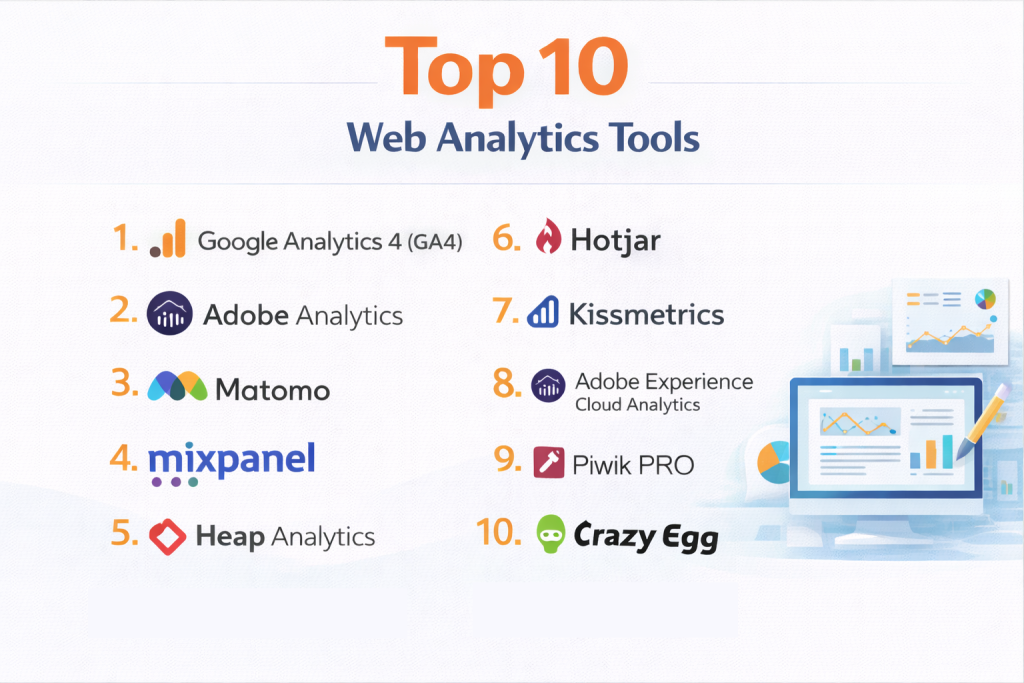
Top 10 Web Analytics Tools
1 — Google Analytics 4 (GA4)
Google Analytics 4 is Google’s latest web analytics platform designed to track user interactions across websites and apps. It is ideal for businesses of all sizes seeking a robust, free analytics solution that leverages AI and machine learning for insights.
Key features:
- Event-based tracking for granular user behavior
- Cross-device and cross-platform analytics
- AI-powered insights and anomaly detection
- Conversion tracking and goal measurement
- Real-time reporting dashboards
- Integration with Google Ads, Search Console, and BigQuery
- Customizable reports and segments
Pros:
- Free and widely adopted, with extensive community support
- AI-powered predictive insights and anomaly detection
- Seamless integration with other Google tools
Cons:
- Can be complex to set up and configure for beginners
- Data retention limitations in free tier
- Steeper learning curve compared to Universal Analytics
Security & compliance:
GDPR, encryption, SSO with Google Workspace
Support & community:
Extensive online documentation, forums, tutorials, and enterprise-level support via Google.
2 — Adobe Analytics
Adobe Analytics is an enterprise-grade platform for deep digital intelligence. It is designed for large organizations that require advanced segmentation, real-time reporting, and predictive analytics across web, mobile, and IoT channels.
Key features:
- Advanced segmentation and cohort analysis
- Predictive analytics and AI-driven insights
- Real-time dashboards and reporting
- Customer journey mapping
- Integration with Adobe Experience Cloud and third-party tools
- Data visualization and customizable reports
- Multi-channel and multi-device analytics
Pros:
- Powerful analytics for large-scale enterprises
- Highly customizable dashboards and reports
- Deep integration with Adobe marketing solutions
Cons:
- Expensive licensing fees
- Requires trained staff to operate efficiently
- Complexity in setup and configuration
Security & compliance:
SOC 2, GDPR, ISO 27001
Support & community:
Official documentation, customer success teams, forums, and enterprise support.
3 — Matomo
Matomo is an open-source web analytics platform that offers full control over data while providing insights similar to Google Analytics. It is ideal for organizations prioritizing data privacy and ownership.
Key features:
- On-premise or cloud deployment options
- Event and goal tracking
- Heatmaps and session recordings
- Multi-site and multi-user support
- GDPR-compliant analytics and data ownership
- E-commerce tracking
- Customizable dashboards
Pros:
- Full data ownership and privacy
- Highly customizable
- No data sampling, unlike some other analytics tools
Cons:
- Requires technical expertise for on-premise deployment
- Smaller community than Google Analytics
- Paid features for advanced analytics
Security & compliance:
GDPR, SSO, encryption
Support & community:
Documentation, forums, premium support plans.
4 — Mixpanel
Mixpanel focuses on event-based analytics to track user interactions and product usage. It is designed for SaaS companies, mobile apps, and product teams looking to understand user behavior and optimize engagement.
Key features:
- Event tracking and user behavior analysis
- Funnel and cohort analysis
- A/B testing and experimentation
- Retention tracking
- Custom dashboards and reporting
- Integration with marketing and product tools
- Mobile and web analytics
Pros:
- Excellent for product and feature usage insights
- Easy-to-use dashboards and segmentation
- Advanced funnel and retention analytics
Cons:
- Pricing can be high for large user bases
- Limited traditional pageview analytics
- Learning curve for complex queries
Security & compliance:
SSO, GDPR, encryption
Support & community:
Documentation, webinars, tutorials, and dedicated customer support.
5 — Heap Analytics
Heap Analytics offers automatic event tracking without manual tagging, making it ideal for teams that want insights with minimal configuration. It suits startups and product teams that need rapid analytics implementation.
Key features:
- Automatic capture of user interactions
- Event-based funnels and cohort analysis
- Retention and conversion tracking
- Customizable reports and dashboards
- Integrations with marketing automation tools
- Multi-device tracking
- Behavioral analytics
Pros:
- No manual tagging required
- Fast implementation
- Powerful behavioral insights
Cons:
- Can generate overwhelming data
- Paid tiers needed for advanced features
- Less granular than traditional manual tracking for some use cases
Security & compliance:
GDPR, encryption, SOC 2
Support & community:
Documentation, webinars, customer support, and forums.
6 — Hotjar
Hotjar is a behavior analytics tool that complements traditional web analytics by offering heatmaps, session recordings, and user feedback. It is designed for UX and marketing teams aiming to understand visitor behavior.
Key features:
- Heatmaps and click tracking
- Session recordings of user interactions
- Conversion funnel analysis
- Form analysis
- Polls, surveys, and feedback widgets
- Multi-device support
- Integration with major analytics platforms
Pros:
- Visualizes user behavior effectively
- Quick insights for UX improvements
- Easy to deploy
Cons:
- Limited quantitative analysis compared to GA or Adobe Analytics
- Paid plans required for full functionality
- Not suitable for large-scale enterprise reporting
Security & compliance:
GDPR, encryption
Support & community:
Documentation, tutorials, chat support, community forums.
7 — Kissmetrics
Kissmetrics is a conversion-focused analytics tool designed to help marketing and product teams track user journeys and optimize revenue. It focuses on tracking individual users and their actions rather than just pageviews.
Key features:
- Funnel and cohort analysis
- Customer segmentation and targeting
- Behavior-based analytics
- Revenue tracking and LTV analysis
- Event tracking and reporting
- Integration with marketing tools
- Customizable dashboards
Pros:
- Strong for conversion optimization and retention
- Detailed user behavior insights
- Supports marketing automation integrations
Cons:
- Less suitable for large-scale web traffic analysis
- Paid plans can be costly
- Focused more on SaaS and e-commerce
Security & compliance:
SSO, GDPR, encryption
Support & community:
Documentation, customer support, and knowledge base.
8 — Adobe Experience Cloud Analytics
Adobe Experience Cloud Analytics offers enterprise-level digital analytics for comprehensive insights across marketing, content, and customer experience platforms. Ideal for large enterprises seeking cross-channel insights.
Key features:
- Multi-channel tracking
- AI-powered predictive analytics
- Customizable dashboards and reports
- Attribution modeling
- Customer segmentation
- Integration with Adobe Experience Cloud
- Real-time analytics
Pros:
- Deep enterprise analytics capabilities
- AI-powered insights for predictive behavior
- Cross-channel tracking and reporting
Cons:
- Expensive enterprise pricing
- Complex setup and configuration
- Requires specialized knowledge
Security & compliance:
SSO, SOC 2, GDPR, ISO
Support & community:
Documentation, training, enterprise support, forums.
9 — Piwik PRO
Piwik PRO is a privacy-focused analytics suite suitable for enterprises and government agencies needing data compliance while tracking website performance. It ensures GDPR and CCPA compliance with full data ownership.
Key features:
- Web, app, and intranet analytics
- User behavior tracking
- Consent management and privacy compliance
- Custom dashboards and reports
- Multi-domain support
- Integration with marketing tools
- Cloud or on-premise hosting
Pros:
- Privacy-compliant analytics
- Full data ownership
- Flexible deployment options
Cons:
- Less widely adopted than GA
- Paid features for advanced analytics
- Learning curve for configuration
Security & compliance:
GDPR, SOC 2, HIPAA
Support & community:
Documentation, support portal, webinars, enterprise support.
10 — Crazy Egg
Crazy Egg focuses on visual analytics, providing heatmaps, scroll maps, A/B testing, and user recordings. It is designed for marketing and UX teams that need insights to optimize website conversions.
Key features:
- Heatmaps, scroll maps, and click tracking
- Session recordings
- Conversion funnel tracking
- A/B testing and split testing
- Reports and dashboards
- Integration with CMS and marketing tools
- Cloud-based
Pros:
- Easy to visualize user interactions
- Supports conversion optimization
- Quick deployment
Cons:
- Limited quantitative analytics
- Paid plans required for full functionality
- Not suitable for enterprise-level cross-channel reporting
Security & compliance:
Encryption, GDPR
Support & community:
Documentation, email support, knowledge base.
Comparison Table
| Tool Name | Best For | Platform(s) Supported | Standout Feature | Rating |
|---|---|---|---|---|
| Google Analytics 4 | SMBs & Enterprises | Web, Mobile | Free, AI insights | N/A |
| Adobe Analytics | Enterprise | Web, Mobile | Advanced segmentation | N/A |
| Matomo | Privacy-focused Teams | Web, Mobile | Open-source, self-hosted | N/A |
| Mixpanel | SaaS & Apps | Web, Mobile | Event-based tracking | N/A |
| Heap Analytics | Startups & SMBs | Web, Mobile | Automatic event capture | N/A |
| Hotjar | UX & Marketing | Web | Heatmaps & session recordings | N/A |
| Kissmetrics | Conversion-focused | Web, Mobile | User journey analytics | N/A |
| Adobe Experience Cloud | Enterprise | Web, Mobile | Cross-channel analytics | N/A |
| Piwik PRO | Privacy & Compliance | Web, Mobile | GDPR & CCPA compliance | N/A |
| Crazy Egg | UX & Conversion | Web | Visual heatmaps & recordings | N/A |
Evaluation & Scoring of Web Analytics Tools
| Criteria | Weight |
|---|---|
| Core features | 25% |
| Ease of use | 15% |
| Integrations & ecosystem | 15% |
| Security & compliance | 10% |
| Performance & reliability | 10% |
| Support & community | 10% |
| Price / value | 15% |
Which Web Analytics Tool Is Right for You?
- Solo / SMB: Google Analytics 4, Matomo, Heap for free or affordable robust tracking
- Mid-market: Mixpanel, Hotjar, Crazy Egg for UX and conversion insights
- Enterprise: Adobe Analytics, Adobe Experience Cloud, Piwik PRO for cross-channel, privacy-compliant, and AI-driven analytics
Consider business size, analytics goals, technical expertise, and budget before selection.
Frequently Asked Questions (FAQs)
- What is a web analytics tool?
A platform that tracks, measures, and reports website and app user behavior. - Why are analytics tools important?
They help optimize marketing, improve UX, and increase conversions. - Can small businesses benefit?
Yes, free or low-cost tools like Google Analytics and Matomo work well. - Do they support real-time data?
Most modern platforms like GA4 and Mixpanel provide real-time insights. - Are these tools secure?
Yes, enterprise tools offer encryption, SSO, GDPR, and SOC 2 compliance. - Can they integrate with other marketing tools?
Yes, integrations with CRM, CMS, and e-commerce platforms are common. - Do they provide AI insights?
Tools like GA4, Mixpanel, and Adobe Analytics use AI for predictive insights. - Which tool is best for conversion optimization?
Mixpanel, Kissmetrics, and Crazy Egg are strong for conversion analysis. - Can I track mobile apps?
Yes, GA4, Mixpanel, and Adobe Analytics support mobile tracking. - Are enterprise tools expensive?
Yes, Adobe Analytics and Adobe Experience Cloud require significant investment.
Conclusion
Web analytics tools are essential for understanding user behavior, optimizing digital strategies, and driving business outcomes. Choosing the right tool depends on business size, analytics goals, budget, and technical resources. By evaluating features, performance, integrations, and security compliance, organizations can select the best platform to measure, analyze, and improve digital performance.