Introduction
Waterfall Project Management Tools are software platforms designed to support a linear, phase-based project lifecycle. In a Waterfall model, a project moves through distinct stages: Requirements, Analysis, Design, Implementation, Testing, and Maintenance. A stage must be completed and approved before the next begins. These tools focus heavily on Gantt charts, Critical Path Method (CPM), and Resource Leveling to ensure that if one task is delayed by two days, the manager can instantly see how that impacts the deadline six months away.
These tools are vital for maintaining “The Golden Triangle” of project management: scope, time, and cost. Real-world use cases include large-scale construction, manufacturing, government infrastructure, and highly regulated software deployments where documentation is mandatory. When evaluating these tools, you should look for robust dependency mapping, baseline tracking (comparing original plans to reality), and sophisticated resource management.
Best for: Civil engineers, construction managers, government agencies, and enterprise IT directors. It is ideal for large organizations with fixed budgets, strict regulatory requirements, and projects where the final deliverable is clearly defined from day one.
Not ideal for: Startups, creative agencies, or software teams building experimental products. If your requirements change every week or you prefer working in “sprints,” these structured Waterfall tools will feel like a straightjacket. In those cases, Agile-specific tools are a better fit.
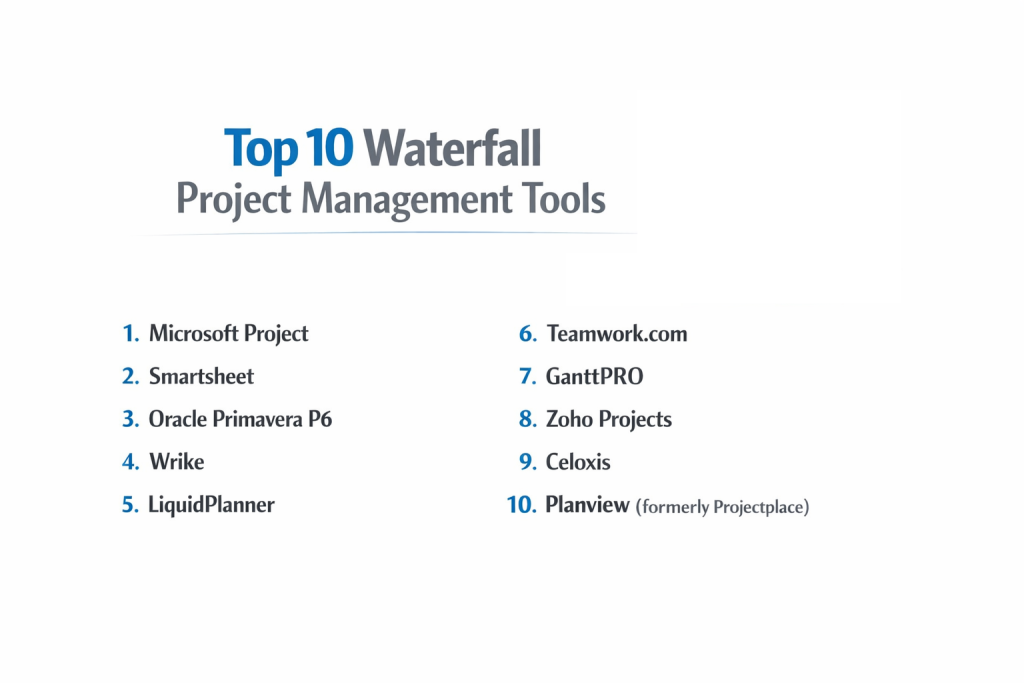
Top 10 Waterfall Project Management Tools
1 — Microsoft Project
Microsoft Project is the industry heavyweight and the blueprint for almost all Waterfall software. It is a powerhouse designed for professional Project Management Professionals (PMPs) who need to manage thousands of tasks and complex resource shifts.
- Key features:
- Advanced Gantt Charts: The most detailed scheduling engine in the market for mapping dependencies.
- Resource Leveling: Automatically resolves over-allocations by shifting task dates based on availability.
- Baseline Comparison: Allows you to save a “snapshot” of your plan and compare it against actual progress.
- Team Planner: A visual view of what team members are doing across different project phases.
- Standardized Templates: Industry-specific starting points for construction, engineering, and IT.
- Deep MS Office Integration: Works seamlessly with Excel, SharePoint, and Microsoft Teams.
- Pros:
- It has the most powerful scheduling engine available; it can handle massive, multi-year projects.
- Highly recognized worldwide; finding trained staff who know how to use it is easy.
- Cons:
- It has a very steep learning curve and can be intimidating for non-technical users.
- The desktop version is expensive and lacks the real-time collaboration features of modern cloud tools.
- Security & compliance: Follows Microsoft 365 standards: ISO 27001, SOC 1/2/3, GDPR, HIPAA, and FedRAMP.
- Support & community: Unmatched global community, professional certification programs, and extensive technical documentation.
2 — Smartsheet
Smartsheet takes the familiar look of a spreadsheet and injects it with project management DNA. It is the perfect middle ground for teams that love Excel but need the power of a Waterfall Gantt chart.
- Key features:
- Grid, Gantt, and Card Views: Switch between a spreadsheet list and a visual timeline with one click.
- Critical Path Highlighting: Instantly identifies the chain of tasks that determines the project’s end date.
- Automated Workflows: Send alerts or approval requests when a specific phase is completed.
- Resource Management by 10,000ft: Detailed tracking of who is busy across the entire organization.
- Data Shuttle: Automatically syncs data with other enterprise tools like Salesforce or SAP.
- WorkApps: Build simple, no-code mobile apps for field workers to update project status.
- Pros:
- Very easy to adopt because most people already know how to use a spreadsheet.
- Extremely flexible; you can build custom formulas and logic just like in Excel.
- Cons:
- Lacks some of the “hardcore” engineering features found in MS Project (like advanced leveling).
- Costs can add up quickly as you add “add-ons” for resource management and data syncing.
- Security & compliance: SOC 2 Type II, ISO 27001, GDPR, HIPAA, and FedRAMP.
- Support & community: Strong online community, “Smartsheet University” for training, and dedicated enterprise support.
3 — Wrike
Wrike is an enterprise-grade platform that excels at “Agile-Waterfall hybrid” models but maintains some of the best Waterfall scheduling features for large-scale marketing and product launches.
- Key features:
- Interactive Gantt Charts: Drag-and-drop task dates to adjust the entire project schedule automatically.
- Cross-Tagging: Allows a single task to live in multiple project folders without duplication.
- Custom Request Forms: Standardizes how project requirements are gathered at the start.
- Time Tracking: Built-in timers and manual entry to track labor costs against the budget.
- Workload View: Provides a high-level heat map of team capacity across multiple projects.
- Dynamic Reports: Automatically updated charts that can be shared with stakeholders via a link.
- Pros:
- Excellent for large teams that need a mix of structured planning and creative freedom.
- The “Cross-Tagging” feature is a game-changer for visibility across departments.
- Cons:
- The interface can feel “busy” and cluttered until you spend time customizing it.
- The pricing tiers are restrictive; many essential Waterfall features are locked in the “Pinnacle” plan.
- Security & compliance: ISO 27001, SOC 2 Type II, GDPR, and HIPAA. Offers user-owned encryption keys.
- Support & community: 24/7 global support, professional onboarding packages, and an active user forum.
4 — LiquidPlanner
LiquidPlanner is unique because it uses “Predictive Scheduling.” It is designed for Waterfall projects where you aren’t 100% sure how long a task will take, using ranges rather than fixed dates.
- Key features:
- Priority-Based Scheduling: Tasks are scheduled based on their importance and available resources.
- Best-Case/Worst-Case Estimates: Uses “ranging” (e.g., 2–5 days) to predict the most likely finish date.
- Automatic Leveling: If you change a task’s priority, the entire project plan reshuffles instantly.
- Resource Workload Management: Shows exactly when a team member is overbooked in real-time.
- Change Tracking: Keeps a history of every time the project schedule shifted and why.
- Pros:
- It is the best tool for “honest” scheduling; it accounts for the uncertainty inherent in big projects.
- Reduces the manual labor of updating Gantt charts every time a delay occurs.
- Cons:
- It requires a total shift in mindset regarding how you estimate work.
- Not ideal for projects with hard, unmovable dates dictated by external contracts.
- Security & compliance: SOC 2 Type II, GDPR compliant, and uses TLS 1.2 encryption.
- Support & community: High-quality documentation and responsive email/phone support.
5 — GanttPro
As the name suggests, GanttPro is built specifically around the Gantt chart. It is a streamlined, beautiful tool for managers who want Waterfall structure without the “bloat” of enterprise suites.
- Key features:
- Auto-Scheduling: If you change one dependency, all connected tasks move automatically.
- Customizable Gantt Charts: Adjust colors, task types, and zoom levels (days to years).
- Portfolio Management: View multiple Waterfall projects on a single master timeline.
- Public URL Sharing: Share a read-only version of the project plan with clients or vendors.
- Export to PDF/Excel: High-quality exports designed for board presentations.
- Pros:
- One of the most intuitive and “clean” interfaces in the Waterfall space.
- Very affordable compared to enterprise tools like Wrike or MS Project.
- Cons:
- Lacks advanced features like financial tracking or complex API integrations.
- Not suited for projects requiring deep “Agile” functionality or specialized bug tracking.
- Security & compliance: GDPR compliant, uses AWS servers with ISO 27001 certification.
- Support & community: Fast chat support and a very helpful library of video tutorials.
6 — Teamwork.com
Teamwork is designed for “client-centric” Waterfall projects. It is perfect for professional services firms (like architects or agencies) that need to bill for their time while following a strict project sequence.
- Key features:
- Milestones: Clear markers for phase completion, essential for “Phase-Gate” Waterfall.
- Task Dependencies: Supports “Finish-to-Start,” “Start-to-Start,” and other complex links.
- Billing & Invoicing: Direct link between task completion and financial billing.
- Client Portals: Give clients restricted access to see the project timeline without seeing internal notes.
- Project Health Reports: One-click view of whether the project is on track, at risk, or late.
- Pros:
- The best tool for agencies that need to prove project progress to get paid.
- Offers a very balanced feature set that is powerful but not “overwhelming.”
- Cons:
- The Gantt chart is good but not as deep as MS Project for resource leveling.
- Some users find the navigation between projects and sub-tasks slightly confusing.
- Security & compliance: SOC 2 Type II, GDPR, and HIPAA compliant.
- Support & community: Award-winning customer support and a massive community of agency users.
7 — Planview (AdaptiveWork)
Formerly known as Clarizen, Planview AdaptiveWork is a high-end enterprise solution. It is built for “Project Portfolio Management” (PPM), where a company is running hundreds of Waterfall projects at once.
- Key features:
- Enterprise Scalability: Built to handle the data needs of Fortune 500 companies.
- Real-time 360 Degree Visibility: Dashboard for executives to see the health of the entire organization.
- Financial Management: Deep tools for tracking CAPEX and OPEX across project phases.
- Highly Configurable Workflows: You can change almost any rule in the system to fit your company policy.
- Strategy Alignment: Links individual project tasks to high-level corporate goals.
- Pros:
- Unrivaled for managing the “business of projects”—finance, strategy, and people.
- Highly customizable; it can be bent to fit the most complex government or corporate rules.
- Cons:
- Requires a significant investment in time and money to set up correctly.
- The interface is functional but lacks the modern “slickness” of newer SaaS tools.
- Security & compliance: ISO 27001, SOC 2 Type II, GDPR, and HIPAA.
- Support & community: Professional global support, enterprise training, and a strong user group network.
8 — Zoho Projects
Zoho Projects is part of the massive Zoho ecosystem. It offers a surprisingly robust Waterfall experience at a price point that is accessible to small businesses and growing teams.
- Key features:
- Blueprint: An automated workflow builder that ensures teams follow the Waterfall sequence.
- Gantt Charts with Baselines: Track your “planned vs. actual” progress for every task.
- Issue Tracking: Built-in tool for managing bugs or site issues during the “Testing” phase.
- Timesheets: Integrated time tracking for every project phase.
- Zoho Ecosystem Sync: Connects to Zoho CRM, Zoho Books, and Zoho Analytics.
- Pros:
- Excellent value for money; it has features that usually cost twice as much in other tools.
- Great for teams that are already using Zoho for their sales or accounting.
- Cons:
- The interface can feel a bit “clunky” and fragmented compared to Asana or ClickUp.
- The mobile app is decent but lacks some of the deep editing features of the web version.
- Security & compliance: SOC 2 Type II, ISO 27001, GDPR, and HIPAA.
- Support & community: Large community of users and 24/5 support; response times vary by plan.
9 — Mavenlink (Kantata)
Mavenlink, now known as Kantata, is a “Resource First” Waterfall tool. It is designed for businesses that sell their expertise (consultancies) and need to ensure their people are 100% utilized.
- Key features:
- Resource Forecasting: Predicts who you will need to hire six months from now based on project plans.
- Project Accounting: Tracks margins, burn rates, and project profitability in real-time.
- Dependency Management: Robust Gantt features for linking complex project phases.
- Business Intelligence: Deep reporting on “utilization”—how much time is spent on billable work.
- Integration Hub: Pre-built connectors for Slack, Jira, and NetSuite.
- Pros:
- The best tool for Waterfall projects where “the project IS the business.”
- Superior financial reporting that bridges the gap between PMs and Accountants.
- Cons:
- It is a very “heavy” tool that requires dedicated training to master.
- Might be overkill for internal IT teams who don’t need to bill for their hours.
- Security & compliance: SOC 2 Type II, GDPR, and HIPAA.
- Support & community: Extensive training through “Kantata University” and professional consulting services.
10 — ProjectManager.com
ProjectManager.com is a cloud-based tool that tries to make Waterfall “feel” modern. It is a great choice for teams that need to provide Gantt charts to management but want a more collaborative feel for workers.
- Key features:
- Online Gantt Charts: Real-time updates; if a worker finishes a task, the timeline shifts for the manager.
- Dashboards: Visual “gauges” showing project health, budget, and time.
- Resource Tracking: Manage team availability and holidays within the project schedule.
- Task Lists & Kanban: Workers can use simple lists while the PM uses the Gantt chart.
- Security Roles: Detailed control over who can edit the master project schedule.
- Pros:
- Very well-balanced; it has enough “power” for Waterfall but enough “speed” for modern teams.
- One of the easiest Gantt chart builders to use on the market.
- Cons:
- Not as deep in financial forecasting as Smartsheet or Kantata.
- Lacks some of the industry-specific “niche” features (like construction submittals).
- Security & compliance: GDPR compliant and uses Tier 4 data centers with 256-bit encryption.
- Support & community: Good knowledge base and email support; phone support available on higher plans.
Comparison Table
| Tool Name | Best For | Platform(s) Supported | Standout Feature | Rating (Gartner) |
| Microsoft Project | Professional PMPs | Windows, Web | Industry-standard scheduling | 4.4 / 5 |
| Smartsheet | Spreadsheet lovers | Web, iOS, Android | Spreadsheet-Gantt hybrid | 4.5 / 5 |
| Wrike | Hybrid Teams | Web, Mac, iOS, Android | Cross-tagging tasks | 4.2 / 5 |
| LiquidPlanner | Uncertain Timelines | Web / Cloud | Predictive Scheduling | 4.4 / 5 |
| GanttPro | Visual Scheduling | Web / Cloud | Simple, beautiful Gantt charts | 4.8 / 5 |
| Teamwork.com | Client Agencies | Web, iOS, Android | Integrated billing & portals | 4.4 / 5 |
| Planview | Large Enterprises | Web, Mobile | Strategic Portfolio Mgmt | 4.3 / 5 |
| Zoho Projects | SMB Value | Web, iOS, Android | Best value for money | 4.3 / 5 |
| Kantata | Consultancies | Web / Cloud | Professional Resource Mgmt | 4.2 / 5 |
| ProjectManager | Collaborative PM | Web / Cloud | Real-time Dashboard gauges | 4.1 / 5 |
Evaluation & Scoring of Waterfall Project Management Tools
To determine which tool truly offers the best value for a Waterfall-centric organization, we have scored them using the following weighted rubric:
| Category | Weight | Evaluation Criteria |
| Core Waterfall Features | 25% | Gantt depth, dependencies, baseline tracking, and critical path. |
| Ease of Use | 15% | Intuitiveness of the interface and speed of onboarding. |
| Integrations | 15% | Ability to connect with ERP, CRM, and communication apps. |
| Security & Compliance | 10% | Existence of SOC 2, ISO, HIPAA, and GDPR certifications. |
| Performance | 10% | App speed when handling thousands of tasks and dependencies. |
| Support & Community | 10% | Quality of documentation, forums, and customer success. |
| Price / Value | 15% | Feature set relative to the monthly per-user cost. |
Which Waterfall Project Management Tool Is Right for You?
Solo Users vs. SMB vs. Mid-market vs. Enterprise
If you are a solo consultant, GanttPro or Smartsheet are perfect because they are easy to set up and don’t require an IT team. Small Businesses (SMB) should look at Zoho Projects for its price or Teamwork if they have clients. Enterprises managing billions in project value should look no further than Microsoft Project or Planview, as these tools are built for that level of complexity and risk management.
Budget-conscious vs. Premium Solutions
If budget is your main concern, Zoho Projects offers a surprising amount of Waterfall power for a low cost. If you have a larger budget and need the best possible technology, Wrike and Kantata provide premium features like AI-driven forecasting and advanced resource management that justify their price.
Feature Depth vs. Ease of Use
If you need maximum depth (resource leveling, cost formulas, sub-tasks), you must accept the complexity of Microsoft Project. However, if you want your team to actually use the tool without a month of training, GanttPro and ProjectManager.com are much more user-friendly while still maintaining the Waterfall structure.
Integration and Scalability Needs
For those locked into the Microsoft ecosystem, the choice is obvious: MS Project. If you are looking to scale from a small team to a massive agency, Smartsheet is the most “scalable” tool on the list because it can be adapted to almost any business need through its flexible spreadsheet-based logic.
Frequently Asked Questions (FAQs)
1. Is Waterfall project management outdated?
No. While Agile is popular for software, Waterfall is still the standard for construction, manufacturing, and legal projects where requirements are fixed and changes are expensive.
2. What is the “Critical Path”?
The Critical Path is the sequence of tasks that must be finished on time for the entire project to finish on time. If a task on the critical path is delayed by one day, the project end date moves by one day.
3. Why do I need a tool for Waterfall? Can’t I use Excel?
Excel is a static document. If one date changes, you have to manually update every other date. A Waterfall tool manages those dependencies automatically, saving hours of manual work.
4. What is “Resource Leveling”?
Resource Leveling is a feature that identifies if a team member is assigned to work 16 hours on a single day and automatically moves tasks to later dates to ensure no one is overbooked.
5. Can these tools handle Agile too?
Most modern Waterfall tools (like Wrike and Smartsheet) have “Hybrid” features, allowing workers to use Kanban boards while the manager keeps the overall timeline in a Gantt chart.
6. Is Microsoft Project only for Windows?
The classic “Project Professional” is Windows-only, but “Project for the Web” works on any browser, including Macs.
7. How long does it take to set up a Waterfall project?
Because Waterfall requires a lot of planning upfront, setting up a complex project can take anywhere from a few hours to several days of data entry.
8. Are these tools safe for government work?
Many of the tools on this list, specifically Microsoft Project and Smartsheet, are FedRAMP compliant, meaning they meet the high security standards of the US government.
9. What is a “Project Baseline”?
A Baseline is a “frozen” version of your project plan. You use it to compare where you expected to be versus where you actually are six months later.
10. What is the biggest mistake people make with Waterfall tools?
Planning too much detail too far in advance. Even in Waterfall, you should only plan the “knowns” in high detail and leave the distant future in broader phases.
Conclusion
Choosing the “best” Waterfall project management tool is about balancing the rigidity of the method with the reality of your team. If you need a scientific tool for engineering, Microsoft Project remains the king. If you want a flexible, modern platform that your whole team will actually enjoy using, Smartsheet or GanttPro are excellent choices.
Ultimately, the goal of Waterfall software is to provide predictability. By choosing a tool that manages dependencies accurately and tracks your resource capacity, you are reducing the chance of expensive delays and ensuring that your project reaches its “Go-Live” date on time and under budget.