Introduction
A Warehouse Management System (WMS) is a specialized software solution designed to optimize and control every aspect of warehouse operations, from the moment goods enter a facility until they are shipped out. While basic inventory tools track “what” you have, a WMS focuses on the “how”—how items move, where they are stored on a granular level (aisle, shelf, bin), and how labor is utilized to move them. By digitizing the physical environment of the warehouse, a WMS provides real-time visibility into stock movement and worker productivity, effectively turning a static storage space into a dynamic fulfillment engine.
The importance of a WMS has never been greater due to the “Amazon Effect,” where customers expect near-instant delivery and 100% order accuracy. Manual, paper-based systems simply cannot keep up with the complexity of modern omnichannel retail. Key real-world use cases include directing workers through the most efficient “pick paths” to save time, managing cross-docking where items move directly from receiving to shipping, and ensuring “First-In, First-Out” (FIFO) compliance for perishable goods. When evaluating these tools, users should look for advanced slotting optimization, seamless hardware integration (scanners, robots, conveyors), labor management features, and real-time data accuracy.
Best for: Warehouse managers, supply chain directors, and logistics coordinators in mid-market to enterprise-level organizations. It is essential for third-party logistics (3PL) providers, e-commerce giants, and manufacturers with high-volume distribution needs.
Not ideal for: Small businesses with a single storage room, service-based companies with no physical inventory, or very small retailers who can manage their few shipments per day through a basic e-commerce platform or simple inventory app.
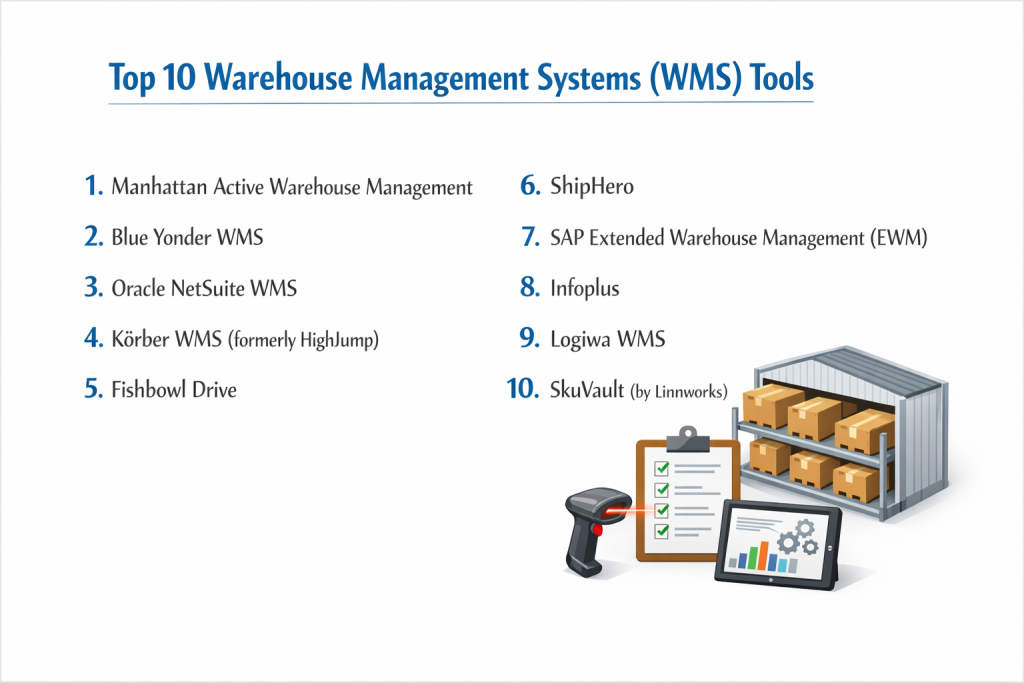
Top 10 Warehouse Management Systems (WMS) Tools
1 — Manhattan Active Warehouse Management
Manhattan Associates is widely considered the industry leader, offering a cloud-native, “versionless” WMS designed for the most complex global supply chains.
- Key features:
- Unified Distribution: Combines WMS, labor management, and slotting in a single app.
- Versionless Software: Updates are pushed automatically without the need for traditional “upgrades.”
- Order Streaming: Dynamically prioritizes orders in real-time based on shipping deadlines.
- Robotics Hub: Native integration with a wide variety of warehouse autonomous mobile robots (AMRs).
- Advanced Slotting: Uses AI to determine the best bin locations for items to minimize travel time.
- Pros:
- Unrivaled scalability for companies managing millions of square feet.
- Eliminates the “upgrade cycle” fatigue through its modern SaaS architecture.
- Cons:
- Extremely high cost; strictly for the top tier of the enterprise market.
- Implementation requires significant time and highly specialized consultants.
- Security & compliance: SOC 2 Type II, ISO 27001, GDPR, and PCI DSS.
- Support & community: Extensive global support, Manhattan Customer Care, and a massive annual user conference.
2 — Blue Yonder WMS
Blue Yonder (formerly JDA) is an AI-driven powerhouse that focuses on autonomous supply chain management and labor optimization.
- Key features:
- Task Management: Uses AI to assign the right worker to the right task at the right time.
- Workforce Management: Sophisticated tools for scheduling, tracking performance, and incentive pay.
- Inventory Tracking: Granular visibility across complex, multi-site warehouse networks.
- Yard Management: Extends control to the trucks and trailers waiting at the dock.
- Dynamic Picking: Supports wave, zone, and cluster picking to maximize efficiency.
- Pros:
- Strongest labor management features in the industry to reduce turnover.
- Exceptional predictive capabilities to anticipate bottlenecks before they happen.
- Cons:
- The user interface is powerful but has a steep learning curve for floor staff.
- Can feel “over-engineered” for companies with simpler fulfillment needs.
- Security & compliance: ISO 27001, SOC 1/2, GDPR, and robust encryption protocols.
- Support & community: Global professional services, Blue Yonder University, and a deep partner ecosystem.
3 — Oracle NetSuite WMS
NetSuite WMS extends the power of the NetSuite ERP to the warehouse floor, providing a unified solution for companies already in the NetSuite ecosystem.
- Key features:
- Mobile RF Scanning: Turns mobile devices into powerful barcode scanners for all floor tasks.
- Bin Management: Full control over bin locations, picking zones, and putaway logic.
- Cycle Counting: Automates regular stock checks without halting operations.
- Kitting and Assembly: Manages the inventory and labor for building product bundles.
- Cartonization: Automatically calculates the best box size for a shipment to save costs.
- Pros:
- Zero integration issues if you are already using NetSuite for accounting and ERP.
- Fast to deploy compared to specialized standalone enterprise WMS solutions.
- Cons:
- Lacks some of the “deep” robotics integrations found in Manhattan or Blue Yonder.
- Cost scales significantly as order volume and user counts increase.
- Security & compliance: SOC 1/2, PCI DSS, GDPR, and ISO 27001.
- Support & community: Global NetSuite support, “SuiteAnswers” knowledge base, and a massive user community.
4 — Körber WMS (formerly HighJump)
Körber is known for its extreme flexibility, allowing businesses to customize workflows without breaking the core software code.
- Key features:
- Process Advantage: A low-code tool for building custom warehouse workflows.
- 3PL Support: Specialized features for managing multiple clients under one roof.
- Voice Picking: Native integration with voice-directed work systems.
- Labor Analytics: Visual dashboards to track individual and team productivity.
- Multi-Carrier Shipping: Integrated shipping tools to find the best rates instantly.
- Pros:
- Ideal for companies with unique, “non-standard” warehouse processes.
- Very strong support for third-party logistics (3PL) providers.
- Cons:
- High flexibility can lead to over-customization and complex maintenance.
- Requires a strong internal IT team to manage the low-code environment.
- Security & compliance: SOC 2 Type II, GDPR, and ISO 27001.
- Support & community: Strong presence in Europe and North America, dedicated technical support.
5 — Fishbowl Drive
Fishbowl is the gold standard for mid-market businesses, particularly those using QuickBooks, looking for advanced warehouse features without enterprise complexity.
- Key features:
- Advanced Barcoding: Streamlines receiving, picking, and packing through mobile devices.
- Work Orders: Manages simple to complex manufacturing processes within the warehouse.
- Multi-Warehouse Sync: Keeps inventory levels accurate across different geographic sites.
- Shipping Integrations: Native links to UPS, FedEx, USPS, and DHL.
- Asset Tracking: Monitor internal tools and equipment alongside salable inventory.
- Pros:
- Best-in-class integration with QuickBooks and Xero.
- Relatively affordable for small to mid-sized manufacturers and retailers.
- Cons:
- Not suitable for massive facilities requiring high-end automation or robotics.
- Reporting features are functional but less “predictive” than AI-driven competitors.
- Security & compliance: SSO, encrypted data backups, and role-based access control.
- Support & community: Fishbowl Academy training, extensive video library, and US-based support.
6 — ShipHero
ShipHero is a modern, cloud-native WMS designed specifically for high-growth e-commerce brands and 3PLs that prioritize shipping speed.
- Key features:
- One-Click Integration: Connects instantly to Shopify, Amazon, Walmart, and eBay.
- Dynamic Slotting: Suggests better storage locations based on velocity (how fast items sell).
- Post-Purchase Tools: Built-in returns management and customer tracking portals.
- Batch Picking: Optimized for companies that ship thousands of similar small orders daily.
- Real-time 3PL Billing: Automates the charging of clients for storage and labor.
- Pros:
- Extremely intuitive; warehouse staff can be trained and productive in under an hour.
- Native iPad/Mobile app provides a superior user experience on the floor.
- Cons:
- Less robust for heavy industrial manufacturing or bulk B2B distribution.
- Feature set is very focused on e-commerce, making it specialized.
- Security & compliance: SOC 2, GDPR, and PCI compliance.
- Support & community: Highly responsive chat support and a modern help center.
7 — SAP Extended Warehouse Management (EWM)
SAP EWM is an enterprise-grade solution that offers total integration with the SAP S/4HANA ecosystem, perfect for global industrial leaders.
- Key features:
- Material Flow System: Direct control of automated storage and retrieval systems (AS/RS).
- Value-Added Services (VAS): Manages labeling, kitting, and specialized packaging.
- Cross-Docking: Sophisticated logic to move goods from receiving straight to shipping.
- Quality Inspection: Integrated quality check steps during the receiving process.
- Labor Demand Planning: Predicts how many workers are needed based on incoming orders.
- Pros:
- Absolute transparency between the factory floor and the warehouse.
- Built for the highest levels of regulatory compliance (pharma, food, chemicals).
- Cons:
- Implementation is notoriously long and requires a massive budget.
- The UI can be intimidating and requires formal SAP training for all users.
- Security & compliance: Top-tier security: ISO 27001, SOC 1/2, HIPAA, and GDPR.
- Support & community: Global SAP network, extensive partner ecosystem, and SAP Learning Hub.
8 — Infoplus
Infoplus is a cloud-based WMS that hits the “sweet spot” for mid-market distributors who need enterprise features without the legacy baggage.
- Key features:
- Smart Filters: Create custom views and alerts for any data point in the warehouse.
- Warehouse Simulation: Test new layouts or picking strategies in a “sandbox” mode.
- Carrier Integration: Pre-built links to over 100+ parcel and LTL carriers.
- Inventory Control: Sophisticated tracking of lot numbers, expiration dates, and serials.
- Portal for Suppliers: Allows vendors to print their own labels and track shipments.
- Pros:
- Very strong reporting and data visualization tools for management.
- Excellent balance between feature depth and ease of implementation.
- Cons:
- Smaller third-party integrator network than the major legacy players.
- Customizing deep code logic is not as easy as it is in Körber.
- Security & compliance: SOC 2 Type II, GDPR, and standard cloud encryption.
- Support & community: Proactive customer success team and detailed technical docs.
9 — Logiwa WMS
Logiwa is a specialist in “High Volume B2C Fulfillment,” designed to handle the rapid-fire nature of modern online shopping.
- Key features:
- Direct-to-Consumer Focus: Optimized for small parcel shipping and high SKU counts.
- Automation Algorithms: Suggests the fastest pick routes for multi-item orders.
- Mobile App: Built-in barcode scanning and worker task management.
- Returns Management: Streamlined workflow for processing and grading returns.
- Integration Library: Extensive connectors for marketplaces and shipping platforms.
- Pros:
- Great for 3PLs that focus on small e-commerce sellers.
- Pricing is more flexible than the massive enterprise suites.
- Cons:
- May struggle with the unique needs of heavy B2B “pallet-in, pallet-out” logic.
- Documentation can be less comprehensive than legacy competitors.
- Security & compliance: GDPR, SOC 2, and secure cloud infrastructure.
- Support & community: Helpful onboarding support and a growing user base.
10 — SkuVault (by Linnworks)
SkuVault is an inventory-centric WMS designed for e-commerce retailers who need to sync warehouse activities with multiple online marketplaces.
- Key features:
- Marketplace Sync: Near-instant updates to Amazon, eBay, and Walmart.
- Interactive Wave Picking: Groups orders together to minimize warehouse travel.
- Quality Control: Scan-based verification during packing to eliminate errors.
- Purchase Order Management: Links incoming shipments directly to bin assignments.
- User Productivity Tracking: See exactly how many items each worker picks per hour.
- Pros:
- Excellent value for e-commerce brands that have outgrown spreadsheets.
- Very easy to set up and integrates with almost all popular shipping apps.
- Cons:
- Lacks advanced warehouse automation features (conveyor or robot control).
- Not designed for complex manufacturing or chemical storage.
- Security & compliance: GDPR compliant, SSO support, and SOC 2.
- Support & community: Strong online presence, webinars, and dedicated customer success.
Comparison Table
| Tool Name | Best For | Platform(s) Supported | Standout Feature | Rating (Gartner) |
| Manhattan Active | Global Enterprise | Cloud (SaaS) | Versionless Architecture | 4.7 / 5 |
| Blue Yonder | Labor-Intensive Ops | Cloud (SaaS) | AI Labor Optimization | 4.4 / 5 |
| NetSuite WMS | NetSuite ERP Users | Cloud (SaaS) | Native ERP Integration | 4.5 / 5 |
| Körber (HighJump) | High Customization | Cloud / On-Prem | Low-Code Workflow Tool | 4.6 / 5 |
| Fishbowl Drive | Mid-Market Mfg/SMB | Cloud / Hybrid | QuickBooks Integration | 4.3 / 5 |
| ShipHero | High-Growth E-com | Cloud (SaaS) | Mobile-First UI | 4.8 / 5 |
| SAP EWM | Industrial Giants | Cloud / On-Prem | S/4HANA Connectivity | 4.2 / 5 |
| Infoplus | Mid-Market Dist. | Cloud (SaaS) | Warehouse Simulation | N/A |
| Logiwa | High-Volume B2C | Cloud (SaaS) | DTC-First Logic | 4.4 / 5 |
| SkuVault | E-commerce SMBs | Cloud (SaaS) | Quality Control Scanning | 4.5 / 5 |
Evaluation & Scoring of Warehouse Management Systems (WMS)
| Category | Weight | Evaluation Logic |
| Core Features | 25% | Slotting, labor management, robotics support, and inventory tracking. |
| Ease of Use | 15% | Intuitiveness of mobile apps and floor-staff training requirements. |
| Integrations | 15% | Strength of API, native ERP links, and shipping carrier connectors. |
| Security & Compliance | 10% | SOC 2, GDPR, ISO certifications, and data encryption standards. |
| Performance | 10% | System uptime, data sync speed, and handling of large SKU volumes. |
| Support & Community | 10% | Quality of documentation, forums, and customer support response. |
| Price / Value | 15% | TCO (Total Cost of Ownership) vs. efficiency and labor savings. |
Which Warehouse Management Systems (WMS) Tool Is Right for You?
Solo Users vs SMB vs Mid-Market vs Enterprise
If you are an SMB, avoid the complex legacy systems. SkuVault or Fishbowl provide enough power to organize your bins and stop mis-shipments without requiring an IT staff. Mid-Market companies with 20-50 warehouse employees should look at Infoplus or ShipHero, which offer the reporting needed to manage a professional team. Enterprises with multiple locations and complex labor needs must go with Manhattan, Blue Yonder, or SAP EWM to ensure they can scale and automate.
Budget-conscious vs Premium Solutions
If you are Budget-conscious, look for cloud-native tools with transparent monthly pricing like SkuVault or Logiwa. If you are looking for a Premium Solution, you aren’t just buying software; you are buying business transformation. Tools like Manhattan Active are expensive but save millions in labor and shipping costs over time, justifying their price for high-volume operations.
Feature Depth vs Ease of Use
There is a massive divide between “Industrial” and “E-commerce” WMS. If you need Feature Depth for heavy machinery or chemical tracking, SAP EWM is your best bet. If you prioritize Ease of Use for a seasonal workforce that needs to be trained in 15 minutes, ShipHero is the clear winner.
Integration and Scalability Needs
If your strategy involves Robotics and Automation, Manhattan and Blue Yonder have the most mature “hubs” for connecting to AMRs. Regarding Scalability, look for “versionless” SaaS tools. This ensures that as you grow from one warehouse to ten, you never have to undergo a painful “version upgrade” that shuts down your shipping for a weekend.
Security and Compliance Requirements
For industries like Pharma or Food, “Lot Tracking” and “Recall Management” are non-negotiable. SAP and Blue Yonder provide the most rigorous audit trails. If you are a 3PL, ensure your WMS is SOC 2 Type II compliant, as your clients will demand proof of data security before they trust you with their inventory.
Frequently Asked Questions (FAQs)
1. What is the difference between Inventory Management and a WMS?
Inventory management tells you what you have. A WMS tells you exactly where it is in the building and how to move it efficiently.
2. How long does a WMS implementation take?
For mid-market tools like ShipHero, it can be weeks. For enterprise giants like SAP or Manhattan, it often takes 6 to 18 months.
3. Does a WMS help with shipping costs?
Yes. By using “Cartonization” and integrating with carriers, a WMS can automatically select the smallest box and the cheapest shipping rate.
4. What is “Wave Picking”?
It is a process where orders are released to the floor in groups (waves) based on criteria like carrier pickup times or order priority.
5. Can a WMS run on a tablet or smartphone?
Most modern cloud WMS tools like Logiwa and ShipHero have native apps for iPad, Android, and mobile RF scanners.
6. What is “Slotting Optimization”?
It is the process of putting your fastest-moving items in the most accessible spots (near the packing station) to reduce walking time for workers.
7. Do I need a WMS if I use a 3PL?
If you are the 3PL, yes. If you use a 3PL, they will have their own WMS, and you just need to ensure your e-commerce store integrates with it.
8. Can a WMS integrate with QuickBooks?
Yes, tools like Fishbowl are specifically designed for this. Most enterprise tools require an “intermediate” connector for QuickBooks.
9. What is “Cross-Docking”?
It’s when incoming goods are moved directly from the receiving dock to the shipping dock without ever being put away into a storage bin.
10. How does a WMS improve order accuracy?
By requiring a “scan-to-verify” at every step (receiving, picking, and packing), the system ensures that the item in the box matches the order 99.9% of the time.
Conclusion
The right Warehouse Management System (WMS) is the difference between a warehouse that is a “black hole” of costs and one that is a competitive advantage. For high-growth e-commerce brands, the speed and simplicity of ShipHero or Logiwa can fuel a massive expansion. For global conglomerates, the AI-driven power of Manhattan Active or Blue Yonder provides the stability and labor optimization needed to dominate a market.
Ultimately, choosing a WMS is about finding the balance between your current technical needs and your future growth goals. Don’t buy more complexity than you can manage, but ensure the tool you choose can handle your “Black Friday” peaks without breaking.