Introduction
Vulnerability Assessment Tools are specialized software designed to identify, classify, and prioritize security weaknesses (vulnerabilities) in a computer system, network, or application. Unlike a manual penetration test, these tools automate the discovery of security gaps—such as unpatched software, misconfigured servers, or weak encryption—by comparing system data against massive databases of known flaws. They act as a digital health checkup, providing a roadmap for IT teams to fix the most dangerous holes before an attacker can exploit them.
The importance of these tools has skyrocketed as cyberattacks become more automated. In the real world, vulnerability scanners are used to ensure compliance with strict industry standards (like PCI-DSS for credit cards), to secure remote workforces, and to audit cloud environments like AWS or Azure. When choosing a tool, users should evaluate the accuracy of detection (low false-positive rate), the speed of updates for new “zero-day” threats, and the prioritization logic—because finding 1,000 bugs is useless if the tool doesn’t tell you which three will actually lead to a data breach.
Best for: Vulnerability assessment tools are essential for IT administrators, Security Operations Center (SOC) analysts, and compliance officers. They provide the most value to mid-market and enterprise-sized companies, as well as highly regulated industries like finance, healthcare, and government.
Not ideal for: Solo users with a single personal laptop or very small businesses with a completely outsourced IT model. For these users, basic built-in OS updates and standard antivirus software are usually sufficient, as the complexity of a dedicated vulnerability scanner might outweigh the practical benefits.
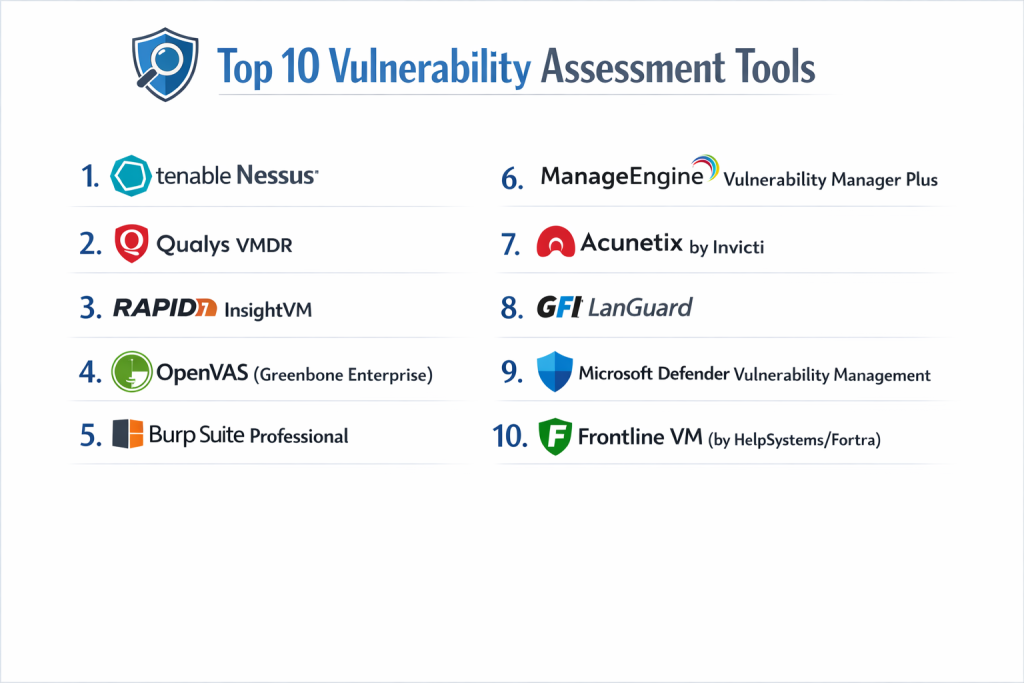
Top 10 Vulnerability Assessment Tools
1 — Tenable Nessus
Nessus is widely considered the industry standard for vulnerability scanning. It is famous for its massive database of plugins and its high accuracy in identifying vulnerabilities across a huge variety of operating systems and devices.
- Key Features:
- Extensive Plugin Library: Covers over 180,000 plugins for rapid detection.
- Live Results: Performs offline vulnerability assessment during every plugin update.
- Configurable Reports: Highly customizable templates for executive or technical audiences.
- Cloud & Container Scanning: Specifically designed modules for modern infrastructure.
- Low False-Positive Rate: Renowned for its precision in identifying real threats.
- Pros:
- Extremely reliable and trusted by security professionals worldwide.
- Easy-to-use interface with pre-built scanning templates (e.g., Log4Shell, PrintNightmare).
- Cons:
- The professional version can be expensive for small teams.
- Higher-tier features (like full remediation tracking) require upgrading to Tenable.ep.
- Security & Compliance: SSO support, AES-256 encryption, SOC 2 Type II, and GDPR compliant.
- Support & Community: Massive user community, excellent technical documentation, and professional enterprise support tiers.
2 — Qualys VMDR
Qualys is a cloud-native pioneer that integrates vulnerability management, detection, and response (VMDR) into a single platform. It is designed for enterprises that want a “single pane of glass” view.
- Key Features:
- Asset Discovery: Automatically finds all unmanaged devices on the network.
- TruRisk Scoring: Prioritizes vulnerabilities based on real-world exploitability.
- Cloud Agent Technology: Lightweight agents provide continuous visibility without network scans.
- Patch Management: Built-in ability to deploy patches directly from the console.
- Certificate View: Monitors SSL/TLS certificate health and expirations.
- Pros:
- No hardware to manage; everything is hosted in the Qualys cloud.
- Excellent for global organizations with thousands of distributed endpoints.
- Cons:
- The pricing model can be complex due to its modular nature.
- Initial setup and policy configuration have a steep learning curve.
- Security & Compliance: ISO 27001, SOC 2, FedRAMP authorized, and HIPAA compliant.
- Support & Community: Comprehensive Qualys Training University and 24/7 global support.
3 — Rapid7 InsightVM
InsightVM is Rapid7’s modern take on vulnerability management, focusing on real-time data and integration with the broader security ecosystem to provide “risk-based” insights.
- Key Features:
- Real-time Dashboards: Live, interactive views that don’t require manual scan refreshes.
- Project Goals: Set remediation deadlines and track progress across teams.
- Insight Agent: Collects data from remote endpoints even when they are off the corporate VPN.
- Remediation Analytics: Tells you which specific patch will give you the biggest risk reduction.
- IT Integrated Workflows: Direct tickets into Jira or ServiceNow for IT teams.
- Pros:
- Strong focus on collaboration between Security and IT teams.
- Superior prioritization logic using the “Real Risk” score.
- Cons:
- The web interface can sometimes be slow when dealing with massive datasets.
- Some advanced reporting requires a high level of customization.
- Security & Compliance: SOC 2 Type II and GDPR compliant.
- Support & Community: Very active “Rapid7 Community” and high-quality technical blog.
4 — OpenVAS (Greenbone Enterprise)
OpenVAS is the most popular open-source vulnerability scanner in the world. It serves as the core engine for many commercial products and is ideal for users on a budget.
- Key Features:
- Daily Feed Updates: Over 50,000 vulnerability tests updated daily.
- Comprehensive Scripting: Allows advanced users to write custom detection scripts.
- Full API Support: Can be integrated into custom-built security pipelines.
- Authenticated Scans: Can log into systems to find deeper, internal flaws.
- Web-Based Interface: Centralized management for scan tasks and reports.
- Pros:
- Free to use (community version), making it highly accessible.
- No vendor lock-in; you own your data and your infrastructure.
- Cons:
- Setting up and maintaining the scanner is highly technical and time-consuming.
- Lacks the polished “Risk Prioritization” and “Patching” features of commercial rivals.
- Security & Compliance: Varies (depending on hosting); commercial Greenbone appliances are ISO 27001 compliant.
- Support & Community: Deep community support through forums, though no official “SLA” for free users.
5 — Burp Suite Professional
While Nessus and Qualys focus on networks, Burp Suite is the king of Web Application vulnerability assessment. It is the tool of choice for bug hunters and web security auditors.
- Key Features:
- Automated Web Crawler: Maps out complex web applications including JavaScript.
- BApp Store: A marketplace of hundreds of community-built extensions.
- Advanced Intercepting Proxy: Allows manual inspection and modification of web traffic.
- Vulnerability Research Lab: Backed by PortSwigger’s world-class research team.
- Continuous Scanning: Integrated into CI/CD pipelines for developers.
- Pros:
- Unrivaled for finding flaws like SQL Injection and Cross-Site Scripting (XSS).
- Very affordable for individual security consultants.
- Cons:
- Not designed for network infrastructure (it won’t scan your switches or routers).
- Requires a high degree of manual skill to get the full value.
- Security & Compliance: SOC 2 Type II compliant (Enterprise version).
- Support & Community: Excellent documentation and the highly popular “Web Security Academy.”
6 — ManageEngine Vulnerability Manager Plus
ManageEngine offers a comprehensive solution that bridges the gap between finding a bug and fixing it, making it perfect for IT managers who want an all-in-one tool.
- Key Features:
- Automated Patching: Automatically downloads and deploys patches for 250+ apps.
- Configuration Drift Detection: Alerts you when a server’s security settings change.
- High-Risk Software Audit: Identifies “End-of-Life” (EOL) and peer-to-peer software.
- Zero-Day Mitigator: Provides workarounds when a patch isn’t available yet.
- Web Server Hardening: Specialized checks for IIS and Apache configurations.
- Pros:
- The integration between scanning and patching is seamless.
- Very cost-effective for small to mid-sized businesses.
- Cons:
- The interface can feel “cluttered” due to the high number of features.
- Not as deep in terms of advanced network protocol scanning as Nessus.
- Security & Compliance: GDPR, HIPAA, and PCI-DSS compliance reporting.
- Support & Community: Good documentation and reliable 24/5 technical support.
7 — Acunetix by Invicti
Acunetix is another heavyweight in the Web Application Security space, known for its extreme speed and its ability to scan complex Single-Page Applications (SPAs).
- Key Features:
- DeepScan Technology: Can crawl and scan complex HTML5 and JavaScript sites.
- AcuSensor: An optional agent that sits inside the app code for 100% accuracy.
- Network Security Scanning: Includes a basic OpenVAS-based scanner for peripheral devices.
- Vulnerability Management: Tools to track issues from discovery to resolution.
- CI/CD Integration: Plugins for Jenkins, Azure DevOps, and Jira.
- Pros:
- One of the fastest web scanners on the market.
- Very low false-positive rate compared to other automated web tools.
- Cons:
- Can be quite expensive for organizations with many small websites.
- The network scanning component is not as robust as a dedicated tool like Tenable.
- Security & Compliance: ISO 27001, SOC 2, and GDPR compliant.
- Support & Community: Strong technical support and a wealth of web security webinars.
8 — GFI LanGuard
GFI LanGuard acts as a “Virtual Security Consultant,” providing automated vulnerability scanning and patch management specifically designed for SMBs.
- Key Features:
- Multi-Platform Support: Scans Windows, Mac, and Linux from a single console.
- Patching for 3rd-Party Apps: Supports Chrome, Firefox, Java, and Adobe.
- Hardware Audit: Inventories CPU, RAM, and storage across the network.
- Compliance Reporting: Ready-made reports for PCI-DSS, HIPAA, and SOX.
- Agent/Agentless Scanning: Flexible deployment depending on the asset type.
- Pros:
- Very simple to install and get running in under an hour.
- Great “bang for the buck” for smaller IT departments.
- Cons:
- Not as scalable for very large, complex enterprise environments.
- The cloud-native features are less mature than Qualys or Rapid7.
- Security & Compliance: Audit logs and compliance-ready reporting.
- Support & Community: Solid knowledge base and email/phone support for customers.
9 — Microsoft Defender Vulnerability Management
For organizations already using the Microsoft 365 E5 security stack, this built-in tool provides incredible visibility without needing to install additional software.
- Key Features:
- Native Windows Integration: Uses the built-in Defender agent already on the OS.
- Security Recommendations: Links directly to the “Secure Score” in Microsoft 365.
- Zero-Day Visibility: Real-time alerts when a new exploit is discovered globally.
- Blocking Vulnerable Apps: Can prevent an unpatched app from running on an endpoint.
- Cloud-First Reporting: Aggregates data across the entire global fleet in seconds.
- Pros:
- Zero deployment friction; you just turn it on in the dashboard.
- Deepest possible visibility into the Windows kernel and system settings.
- Cons:
- Support for macOS and Linux is improving but still lacks the depth of the Windows version.
- Requires expensive Microsoft 365 E5 or specialized add-on licensing.
- Security & Compliance: Meets global Microsoft standards including FedRAMP High and ISO 27001.
- Support & Community: Massive global community and world-class enterprise support.
10 — Frontline VM (by HelpSystems/Fortra)
Frontline VM is a SaaS-based vulnerability management solution that is highly regarded for its “Active View” and ease of use for distributed teams.
- Key Features:
- Proprietary Scanning Engine: Built from the ground up for speed and accuracy.
- Frontline Peer Assessment: Compares your security posture against similar companies.
- Prioritization Filtering: Uses threat intel to highlight “exploitable” flaws.
- Network & Web Scanning: Covers both infrastructure and applications.
- SaaS Delivery: No on-premise infrastructure to maintain.
- Pros:
- One of the cleanest and most modern user interfaces in the category.
- Very helpful “Peer Benchmarking” features for executive reporting.
- Cons:
- Brand recognition is lower than Tenable or Qualys, making “buy-in” harder for some.
- Fewer third-party integrations compared to the “Big Three.”
- Security & Compliance: SOC 2 Type II and GDPR compliant.
- Support & Community: High-touch customer success and personalized onboarding.
Comparison Table
| Tool Name | Best For | Platform(s) Supported | Standout Feature | Rating (Gartner) |
| Tenable Nessus | Pure Accuracy | Win, Mac, Lin | 180k+ Plugins | 4.7 / 5 |
| Qualys VMDR | Global Enterprise | Cloud (Agentless) | TruRisk Prioritization | 4.6 / 5 |
| Rapid7 InsightVM | IT/Security Collaboration | Cloud, Hybrid | Real-Time Dashboards | 4.5 / 5 |
| OpenVAS | Technical / No Budget | Linux | Fully Open Source | N/A |
| Burp Suite Prof. | Web App Security | Win, Mac, Lin | Intercepting Proxy | 4.8 / 5 |
| ManageEngine | All-in-one IT Mgmt | Win, Mac, Lin | Auto-Patching | 4.4 / 5 |
| Acunetix | Fast Web Scans | Win, Mac, Lin | DeepScan SPA Engine | 4.6 / 5 |
| GFI LanGuard | SMBs | Win, Mac, Lin | Virtual Consultant | 4.2 / 5 |
| MS Defender | Microsoft Ecosystem | Win, Mac, Lin | Native OS Visibility | 4.5 / 5 |
| Frontline VM | Modern SaaS / Ease | Cloud (SaaS) | Peer Benchmarking | 4.4 / 5 |
Evaluation & Scoring of Vulnerability Assessment Tools
To determine which tool offers the best value for your specific needs, consider the following weighted scoring system based on industry standards.
| Criteria | Weight | Evaluation Focus |
| Core Features | 25% | Scanning accuracy, plugin depth, and support for cloud/web/network. |
| Ease of Use | 15% | Dashboard intuitiveness, automated scheduling, and reporting. |
| Integrations | 15% | How well it talks to SIEMs, Jira, ServiceNow, and DevOps pipelines. |
| Security & Compliance | 10% | Encryption standards, RBAC, and SOC/ISO certifications. |
| Performance | 10% | Speed of scans and impact on network/system resources. |
| Support & Community | 10% | Documentation, training, and the speed of technical support. |
| Price / Value | 15% | Licensing transparency and ROI for the specific company size. |
Which Vulnerability Assessment Tool Is Right for You?
Solo Users vs SMB vs Mid-market vs Enterprise
- SMBs: Look for ManageEngine or GFI LanGuard. They offer the easiest deployment and help you fix the issues they find without needing a separate team.
- Mid-Market: Rapid7 InsightVM or Frontline VM are perfect for growing teams that need better visualization and reporting for management.
- Enterprise: Tenable Nessus and Qualys VMDR are the powerhouses required to manage millions of assets across a global footprint.
Budget-conscious vs Premium Solutions
- Budget: OpenVAS is “free,” but be prepared to pay in human hours for configuration. For a low-cost commercial option, ManageEngine is a strong contender.
- Premium: Tenable and Microsoft Defender (E5) are premium investments that offer the highest level of threat intelligence and precision.
Feature Depth vs Ease of Use
- If you want a tool that does everything for you, go with Qualys or Microsoft Defender.
- If you want a tool that gives you the raw data to explore, Nessus or Burp Suite provide the most depth for technical experts.
Integration and Scalability Needs
If you are already 90% cloud-based, Qualys or Frontline VM are built for your world. If you have a massive on-premise data center with legacy hardware, Tenable is still the leader in hardware compatibility.
Frequently Asked Questions (FAQs)
1. Is a vulnerability scan the same as a penetration test?
No. A vulnerability scan is an automated “search” for weaknesses. A penetration test is a manual “attack” by a human expert to see if those weaknesses can actually be used to steal data.
2. How often should I run a vulnerability assessment?
At minimum, monthly. However, most modern enterprises run “continuous” scanning or at least weekly scans to catch new threats as soon as they are released.
3. Does scanning slow down my network?
It can. High-intensity scans can consume bandwidth or CPU. Modern tools (like Qualys agents) minimize this by running in the background and only uploading small data packets.
4. What is a “False Positive”?
A false positive is when the tool claims there is a vulnerability, but it’s actually a mistake. Reducing these is a key reason why tools like Nessus and Qualys are so highly valued.
5. Can I use these tools for compliance (PCI-DSS/HIPAA)?
Yes. Most tools on this list include “Compliance Reports” that are pre-formatted to satisfy auditors and show that you are meeting security standards.
6. Do I need an agent on every computer?
Not necessarily. You can run “network scans” (scanning from the outside), but “agent-based scans” (software on the machine) are much more accurate and don’t require network bandwidth.
7. Can these tools fix the vulnerabilities they find?
Some can. Tools like ManageEngine and Qualys have built-in “Patch Management” to fix bugs. Others, like Nessus, just give you the instructions on how to fix them.
8. Are open-source scanners safe?
Yes, OpenVAS is highly reputable. However, because it’s open-source, it doesn’t come with a warranty or “guaranteed” support if something breaks during a scan.
9. What is “CVE”?
CVE stands for Common Vulnerabilities and Exposures. It is a standardized ID (e.g., CVE-2024-1234) used by all these tools to ensure they are talking about the same security flaw.
10. Why are these tools so expensive?
You aren’t just paying for software; you are paying for the massive research team that discovers new bugs every day and writes the “logic” for the scanner to find them.
Conclusion
The “best” vulnerability assessment tool isn’t the one with the most features; it’s the one that fits your team’s existing workflow. If you are a Windows-heavy shop, Microsoft Defender is a natural choice. If you are a web developer, Burp Suite is your essential companion. If you are a global enterprise with a diverse infrastructure, Qualys or Tenable provide the scale you need.
Regardless of which tool you choose, the key is consistency. Finding vulnerabilities is only half the battle—the real security comes from the process of fixing them. Start with a tool that provides clear, actionable data, and build a routine of scanning and patching that keeps your organization one step ahead of the attackers.