Introduction
Volunteer Management Software (VMS) is a specialized digital ecosystem designed to streamline the lifecycle of a volunteer, from initial recruitment and background screening to scheduling, hour tracking, and impact reporting. For organizations that rely on the passion of unpaid labor, these tools act as the operational backbone, replacing messy spreadsheets and endless email chains with a centralized database. By automating administrative drudgery, these platforms allow coordinators to focus on what truly matters: building relationships and advancing their mission.
the importance of these tools cannot be overstated. As the workforce shifts and people look for more meaningful ways to contribute to society, organizations face a “participation paradox”—more people want to help, but they expect a seamless, tech-forward experience. Key real-world use cases include managing shifts for massive music festivals, coordinating patient-facing volunteers in hospitals, or tracking the corporate social responsibility (CSR) hours of employees in large tech firms. When choosing a tool, users should evaluate platforms based on mobile accessibility, automation capabilities, security protocols, and how well the software integrates with existing donor management systems.
Best for: This software is a perfect match for nonprofit organizations, community centers, healthcare systems, and educational institutions of all sizes. It is also highly beneficial for corporate HR teams managing employee volunteer programs and large-scale event planners (like those for marathons or conferences).
Not ideal for: Very small, informal groups with fewer than five volunteers or organizations that only host a single, one-off event per year may find these tools to be an unnecessary expense. In such cases, a simple digital calendar or basic spreadsheet might suffice.
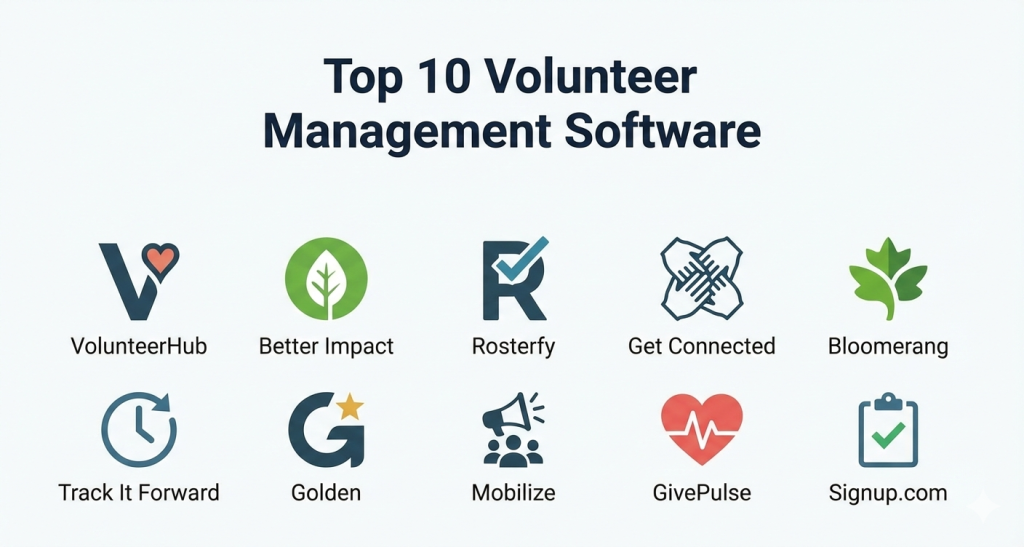
Top 10 Volunteer Management Software Tools
1 — VolunteerHub
VolunteerHub is one of the most established players in the market, specifically designed to help nonprofits manage large volumes of volunteers with high-level precision. It focuses on removing barriers between the volunteer and the mission through a streamlined registration and self-scheduling process.
- Key features:
- Automated landing pages for different volunteer groups or events.
- Real-time synchronization with major CRM platforms like Blackbaud and Salesforce.
- Integrated background check functionality to ensure safety and compliance.
- On-site check-in kiosks that work on any tablet or mobile device.
- Automated email and SMS reminders to reduce “no-show” rates.
- Advanced reporting tools that track hours, impact, and “donor-volunteer” relationships.
- Capability-based scheduling to match volunteers with tasks that suit their skills.
- Pros:
- Exceptionally strong integration ecosystem, particularly for Blackbaud users.
- The automated communication features significantly reduce the workload of coordinators.
- Very scalable, capable of handling thousands of volunteers across multiple chapters.
- Cons:
- The user interface for administrators can feel slightly dated compared to newer competitors.
- The initial setup and configuration can be complex for small teams without IT support.
- Pricing is generally on the higher end, making it less accessible for tiny nonprofits.
- Security & compliance: SOC 2 Type II compliant; uses high-level AES encryption; fully GDPR and CCPA compliant for data privacy.
- Support & community: Offers a comprehensive knowledge base, live webinars, and dedicated account managers for enterprise-level clients.
2 — Better Impact
Better Impact is a modular suite of tools that allows organizations to choose only the features they need. It is known for its “Volunteer Impact” module, which provides a deep, granular look at volunteer data and is a favorite among museums, hospitals, and animal rescues.
- Key features:
- Modular architecture allowing for “Volunteer,” “Donor,” and “Client” management in one place.
- Highly customizable application forms with advanced screening workflows.
- Interactive volunteer portal where users can manage their own profiles and sign up for shifts.
- Advanced scheduling logic that prevents over-booking and handles waitlists.
- Detailed outcome and impact reporting for board presentations.
- Native mobile app for volunteers to log hours on the go.
- Multi-chapter and multi-department administrative controls.
- Pros:
- Incredible flexibility; you only pay for the modules and the number of volunteers you have.
- The volunteer portal is highly intuitive, requiring almost no training for new users.
- Excellent at managing complex “qualifications” or certifications for specific roles.
- Cons:
- Some users find the sheer amount of customization options to be overwhelming at first.
- Generating highly specific, custom reports can take some trial and error.
- The “all-in-one” approach can sometimes feel disjointed between modules.
- Security & compliance: GDPR and HIPAA compliant; uses multi-factor authentication (MFA); data centers are ISO 27001 certified.
- Support & community: Renowned for their “Software with a Smile” support, featuring video tutorials and a very active user community forum.
3 — Rosterfy
Rosterfy is a modern, high-growth platform that has made a name for itself by powering the world’s largest events and workforce programs. It is designed for high-scale automation and is particularly strong in the sports and major event sectors.
- Key features:
- End-to-end automation of the volunteer “journey” from recruitment to reward.
- Specialized event-day management tools including digital briefings.
- Reward and recognition module that tracks points and issues certificates.
- Dynamic scheduling for complex, multi-venue shifts.
- Integrated training and induction modules (Learning Management System features).
- Automated check-in/out via QR codes.
- Advanced API for custom integrations with enterprise software.
- Pros:
- The automation engine is perhaps the most powerful in the category.
- Visually modern and very easy to use on mobile devices.
- Perfect for organizations that need to recruit and onboard thousands of people in a short window.
- Cons:
- May be “too much software” for a local charity with consistent, small-scale needs.
- Premium pricing reflects its enterprise-grade capabilities.
- Customizing the automated workflows requires a logical mindset and initial time investment.
- Security & compliance: GDPR, CCPA, and Australian Privacy Principles compliant; data encryption at rest and in transit; SSO available for enterprise.
- Support & community: 24/7 global support team, dedicated implementation specialists, and a library of “best practice” templates.
4 — Get Connected (Galaxy Digital)
Get Connected by Galaxy Digital is a community-centric platform that prioritizes engagement and local impact. It is a popular choice for United Ways and university community service departments.
- Key features:
- Community-facing portal that acts as a “marketplace” for volunteer opportunities.
- Simple “one-click” sign-up process for volunteers.
- Impact dashboards that show real-time community statistics.
- Automated “Service Learning” modules for educational institutions.
- Corporate social responsibility (CSR) portals for business partners.
- Easy-to-use hour logging with verification workflows.
- Visual reporting tools that are perfect for marketing and social media.
- Pros:
- Unbeatable for organizations that want to be a hub for their entire local community.
- Very low barrier to entry for volunteers; the signup process is exceptionally fast.
- Strong focus on the “social” aspect of volunteering, encouraging shares and advocacy.
- Cons:
- Not as strong in complex, shift-based scheduling as Rosterfy or VolunteerHub.
- The administrative backend is less robust for very high-security healthcare environments.
- Integration options are fewer than some of the more enterprise-focused competitors.
- Security & compliance: Standard SSL/TLS encryption; GDPR compliant; secure Amazon Web Services (AWS) hosting.
- Support & community: Offers “Success Sessions,” an extensive video library, and a very responsive help desk.
5 — Bloomerang Volunteer (formerly InitLive)
Bloomerang acquired InitLive to provide a seamless connection between volunteer activity and donor management. This platform is designed specifically to turn passionate volunteers into lifelong financial supporters.
- Key features:
- Seamless integration with the broader Bloomerang donor database.
- Real-time communication via a dedicated mobile app for event day.
- Drag-and-drop scheduling that is highly visual and easy to edit.
- Specific “Event” vs “Program” management modes.
- Automated credentialing and document tracking.
- Personal volunteer dashboards that highlight their impact over time.
- Check-in kiosks and self-service hour logging.
- Pros:
- The best choice for organizations that want to bridge the gap between “giving time” and “giving money.”
- The mobile app for coordinators on event day is a lifesaver for troubleshooting.
- Clean, modern interface that appeals to a younger demographic.
- Cons:
- To get the full value, you really need to be using the Bloomerang CRM.
- Scheduling for long-term, recurring shifts can be slightly more tedious than event shifts.
- Advanced customization of the volunteer portal is somewhat limited.
- Security & compliance: SOC 2 Type II compliant; GDPR and CCPA compliant; data is encrypted using industry standards.
- Support & community: Access to the “Bloomerang Academy,” live chat support, and a wealth of fundraising-focused educational content.
6 — Track It Forward
Track It Forward is a streamlined, “mobile-first” tool designed for organizations that already have volunteers but struggle to get them to report their hours. It is very popular with schools, PTOs, and small local charities.
- Key features:
- Extremely simple hour logging via mobile app, web, or offline kiosk.
- Automated approval workflows for coordinators to verify hours.
- Milestone tracking with digital badges and “awards.”
- Basic event sign-up and scheduling functionality.
- Custom fields to track specific data like “miles driven” or “donations made.”
- Visual progress bars for specific goals or fundraising targets.
- Exportable reports for grant reporting.
- Pros:
- The easiest tool for volunteers to learn; if they can send a text, they can use this.
- Very affordable pricing, including a functional free tier for tiny groups.
- Setup takes minutes, not days.
- Cons:
- Lacks the complex recruitment and screening tools of enterprise platforms.
- Not ideal for managing high-security background checks or complex medical credentials.
- Reporting is basic and may not satisfy large, data-heavy organizations.
- Security & compliance: Standard web encryption; GDPR compliant; data is hosted in secure U.S. data centers.
- Support & community: Email support and a helpful library of setup guides and “how-to” articles.
7 — Golden
Golden describes itself as the most award-winning volunteer management tool in the world. It focuses heavily on the “experience” of the volunteer, using high-end design and AI-driven recommendations to keep users coming back.
- Key features:
- AI-driven matching that suggests opportunities based on volunteer interests.
- Instant background checks and automatic waiver signing.
- Powerful API that allows Golden to be “embedded” into other websites.
- Automated “impact stories” that volunteers can share on social media.
- Integration with major corporate CSR platforms.
- Zero-entry hour tracking (uses location data to verify presence).
- Dynamic dashboards for both the organization and the volunteer.
- Pros:
- The best mobile app experience on the market, hands down.
- Unique focus on “viral” volunteering and community growth.
- Reduces administrative work to almost zero through high-level automation.
- Cons:
- The “hands-off” nature might feel like a lack of control for traditional coordinators.
- Pricing can scale quickly as you add advanced features.
- Some of the AI features require a large pool of data to work effectively.
- Security & compliance: GDPR, CCPA, and SOC 2 compliant; data is encrypted and backed up in real-time.
- Support & community: Professional onboarding, live chat, and a focus on “strategic consulting” for growth.
8 — Mobilize
Mobilize is a high-energy platform that rose to prominence in the political and advocacy space. It is designed for grassroots movements that need to mobilize thousands of supporters for rallies, door-knocking, or digital advocacy.
- Key features:
- Specialized tools for “peer-to-peer” recruitment and event hosting.
- Deep integration with political CRMs like NGP VAN and EveryAction.
- Automated “double-down” asks (e.g., asking a volunteer to host their own event).
- High-conversion event pages that are optimized for social media sharing.
- SMS-first communication strategy for high engagement.
- Network features that allow different organizations to share supporters.
- Real-time data syncing for rapid response campaigns.
- Pros:
- Unmatched for rapid-scale recruitment and advocacy work.
- The “Network Effect” allows you to reach volunteers who follow similar causes.
- Highly optimized for mobile browsers and social sharing.
- Cons:
- Not a good fit for “slow” volunteering, like long-term hospital or museum roles.
- Lacks deep shift-scheduling and hour-tracking features found in Better Impact.
- The interface is very “action-oriented,” which may feel aggressive for some charities.
- Security & compliance: High-level security protocols suitable for political campaigns; GDPR compliant.
- Support & community: Dedicated “Mobilize University,” strategy workshops, and rapid-response support.
9 — GivePulse
GivePulse is an all-in-one platform that focuses on “service-learning” and community engagement. It is widely used by universities and large community foundations to coordinate massive service days and long-term partnerships.
- Key features:
- Multi-layered hierarchy for managing universities, departments, and clubs.
- Integrated “Impact” tracking that includes reflections and surveys.
- Capability to manage internships, service-learning, and community service.
- Built-in donation and ticketing modules.
- Advanced map-based search for volunteers to find local opportunities.
- Verification workflows for hours, including digital signatures.
- Specialized tools for “Days of Service” and large-scale disasters.
- Pros:
- The most comprehensive tool for educational institutions.
- Excellent at capturing the “qualitative” impact of volunteering (the “why”).
- Very robust reporting that can handle thousands of data points across an entire city.
- Cons:
- The administrative side can be complex and requires dedicated training.
- The mobile app is functional but not as “slick” as Golden or Rosterfy.
- Some users find the interface to be a bit “cluttered” due to the high feature count.
- Security & compliance: FERPA and HIPAA compliant; GDPR and CCPA compliant; SSO and audit logs available.
- Support & community: High-touch implementation, a massive database of help articles, and regional user groups.
10 — Signup.com
Signup.com (formerly VolunteerSpot) is the “entry-level” hero. It focuses on one thing: making it easy for a group of people to pick a time and show up. It is the go-to choice for school classrooms, potlucks, and small-town events.
- Key features:
- No-account-required signup for volunteers (removes all friction).
- Simple, visual calendar-based shift selection.
- Automated email and text reminders.
- Mobile-friendly “signup sheets” that can be shared via a link.
- Basic reporting on who signed up and who attended.
- Integration with Google and Outlook calendars.
- Tools for coordinating items (e.g., “who is bringing the plates?”).
- Pros:
- The fastest way to get a group of people organized—period.
- The free version is incredibly generous and often all a small group needs.
- No training required for volunteers or coordinators.
- Cons:
- Lacks a permanent database to track volunteer history over years.
- No background check or credentialing features.
- Very limited reporting and no integration with major CRMs.
- Security & compliance: Standard web encryption; COPPA (Children’s Online Privacy Protection) compliant.
- Support & community: Email help desk and a library of “ideas” and templates for common events.
Comparison Table
| Tool Name | Best For | Platform(s) Supported | Standout Feature | Rating (G2/Capterra) |
| VolunteerHub | Large Nonprofits | Web, Tablet | Blackbaud Integration | 4.5/5 |
| Better Impact | Hospitals/Museums | Web, iOS, Android | Modular Customization | 4.8/5 |
| Rosterfy | Major Events | Web, iOS, Android | Workforce Automation | 4.9/5 |
| Get Connected | Communities | Web-based | Impact Dashboards | 4.6/5 |
| Bloomerang | Donor-Volunteers | Web, iOS, Android | Event Communication | 4.7/5 |
| Track It Forward | Schools/PTOs | Web, iOS, Android | Simple Mobile Logging | 4.4/5 |
| Golden | High Engagement | iOS, Android, Web | AI-driven Matching | 4.9/5 |
| Mobilize | Advocacy/Political | Web-based | Network Recruitment | 4.5/5 |
| GivePulse | Universities | Web, iOS, Android | Service Learning Tools | 4.6/5 |
| Signup.com | Small Groups | Web-based | No-Account Signups | 4.3/5 |
Evaluation & Scoring of Volunteer Management Software
| Category | Weight | Evaluation Criteria |
| Core Features | 25% | Scheduling, hours tracking, recruitment, and screening tools. |
| Ease of Use | 15% | Volunteer-facing simplicity and administrator dashboard logic. |
| Integrations | 15% | Connection to CRM, payment processors, and background check providers. |
| Security | 10% | GDPR/HIPAA compliance, encryption, and SSO availability. |
| Reliability | 10% | Uptime history and mobile app stability. |
| Support | 10% | Documentation quality, chat speed, and community engagement. |
| Price / Value | 15% | Cost-effectiveness based on organization size and mission. |
Which Volunteer Management Software Tool Is Right for You?
Solo Users vs. SMBs vs. Enterprises
If you are a solo user or a very small PTO leader, Signup.com or Track It Forward are the only tools you should consider; anything more will waste your time. Mid-sized nonprofits (SMBs) that need to stay organized without a massive budget should look toward Better Impact or Get Connected. For Enterprises or large-scale event producers, Rosterfy and VolunteerHub are the clear winners because they can handle the complexity of thousands of users and high-security requirements.
Budget-Conscious vs. Premium
If you are budget-conscious, Lichess-style free tiers can be found in Track It Forward or Signup.com. However, if you are looking for a premium solution that will actually grow your revenue and volunteer base, investing in Golden or Bloomerang Volunteer is a strategic move that pays for itself through increased donor conversion.
Feature Depth vs. Ease of Use
If you want ease of use, Golden is the gold standard—it feels more like a social media app than “work.” If you need feature depth to track medical certifications, complex shift patterns, and multi-department hierarchies, Better Impact or GivePulse will give you the control you need, even if they take a few days longer to learn.
Frequently Asked Questions (FAQs)
1. Is it worth paying for software when a spreadsheet is free?
Yes, once you have more than 25 active volunteers. The time you save on manual communication and hour verification usually equals several hours of salary per month, which far exceeds the cost of a subscription.
2. Can these tools run background checks?
Many of the professional tools (VolunteerHub, Better Impact, Golden) have direct integrations with providers like Sterling or Checkr, allowing you to run a background check as part of the application process.
3. Do I need an app for volunteers to use?
mobile access is mandatory. Whether it is a native app or a mobile-optimized website, if volunteers can’t sign up or log hours on their phones, they likely won’t do it.
4. Can I migrate my data from a spreadsheet into these tools?
Almost all modern VMS platforms allow for a bulk CSV upload. Most also offer “onboarding” services where their team will help clean up and import your legacy data for a small fee.
5. How do these tools help with grant reporting?
Grants often require proof of “volunteer value” (the dollar amount of unpaid labor). Most VMS tools calculate this automatically based on hours logged and the “Independent Sector” value of volunteer time.
6. Is volunteer data secure in the cloud?
Professional tools use the same level of encryption as banks. If you handle sensitive groups (children, vulnerable adults), look for a tool that is SOC 2 or HIPAA compliant to ensure the highest safety.
7. Can these tools handle group sign-ups?
Yes, tools like Get Connected and Rosterfy are excellent at allowing one person (like a corporate team lead) to sign up a group of 10-20 people for a single shift.
8. What is the difference between a CRM and a VMS?
A CRM (Customer Relationship Management) tracks donors and money. A VMS tracks people and time. Many organizations use both and sync them so they can see that “Volunteer X” is also “Donor Y.”
9. Can I customize the signup forms?
Yes, most platforms allow you to create custom questions (e.g., “Do you have any food allergies?” or “Can you lift 50 pounds?”) to ensure you are placing the right person in the right role.
10. Do volunteers hate using these apps?
Actually, the opposite is true. Volunteers feel more valued when the process is professional, clear, and easy. It gives them a sense of “ownership” over their contribution.
Conclusion
Selecting a volunteer management software is not just an IT decision; it is a commitment to the growth and sustainability of your mission. the organizations that thrive are the ones that treat their volunteers with the same level of professional care as their paid staff. Whether you choose the high-speed automation of Rosterfy, the community-centric approach of Get Connected, or the simple elegance of Golden, you are choosing to invest in your most valuable resource: your people.
The “best” tool is the one that your volunteers will actually use and that your staff doesn’t fight against. We recommend starting with a free trial of two different platforms—perhaps one focused on “ease of use” and one on “feature depth”—to see which fits your unique culture. By removing the friction from volunteering, you aren’t just managing shifts; you are unlocking the potential for your community to change the world.