Introduction
Visitor Management Software is a digital solution designed to replace traditional paper-based sign-in sheets with a secure, automated, and professional check-in process. At its core, it manages the end-to-end lifecycle of a guest’s visit—from pre-registration and arrival to badge printing and final check-out. By digitizing the reception area, these platforms provide organizations with real-time visibility into who is currently on-site, enhancing both physical security and operational efficiency.
The importance of this software has skyrocketed in 2026 as workplaces embrace hybrid models and stricter regulatory frameworks. Beyond just “signing in,” modern systems serve as a critical layer of a company’s security infrastructure. They automate the collection of non-disclosure agreements (NDAs), perform instant background checks against watchlists, and integrate with access control systems to grant temporary digital keys. For facilities managers and security directors, this software provides an immutable audit trail necessary for compliance with standards like GDPR, SOC 2, and HIPAA.
Key Real-World Use Cases
- Corporate Offices: Managing daily flows of job candidates, clients, and vendors while instantly notifying hosts via Slack or Teams upon guest arrival.
- Manufacturing & Industrial Sites: Ensuring contractors have signed safety waivers and viewed mandatory orientation videos before entering hazardous zones.
- Healthcare Facilities: Tracking vendor access to sensitive patient areas and maintaining a digital record of everyone entering the building for infection control and audit purposes.
- Schools & Universities: Screening visitors against sex offender registries and maintaining accurate student pick-up logs.
What to Look For (Evaluation Criteria)
When evaluating tools, prioritize User Experience (UX) for both the visitor and the receptionist to ensure the check-in takes less than 60 seconds. Integration Depth is also vital; the software should seamlessly connect with your existing tech stack, such as Outlook/Google Calendar for pre-registration and Cisco/Brivo for access control. Finally, look for Compliance Automation features, such as automated data retention policies that delete visitor info after a set period to satisfy privacy laws.
Best for: Security officers, HR managers, and facility directors in mid-market to enterprise companies, as well as highly regulated industries like finance, healthcare, and education.
Not ideal for: Small, low-traffic “mom-and-pop” shops where a simple physical bell or a manual logbook is sufficient and the cost of a digital subscription cannot be justified.
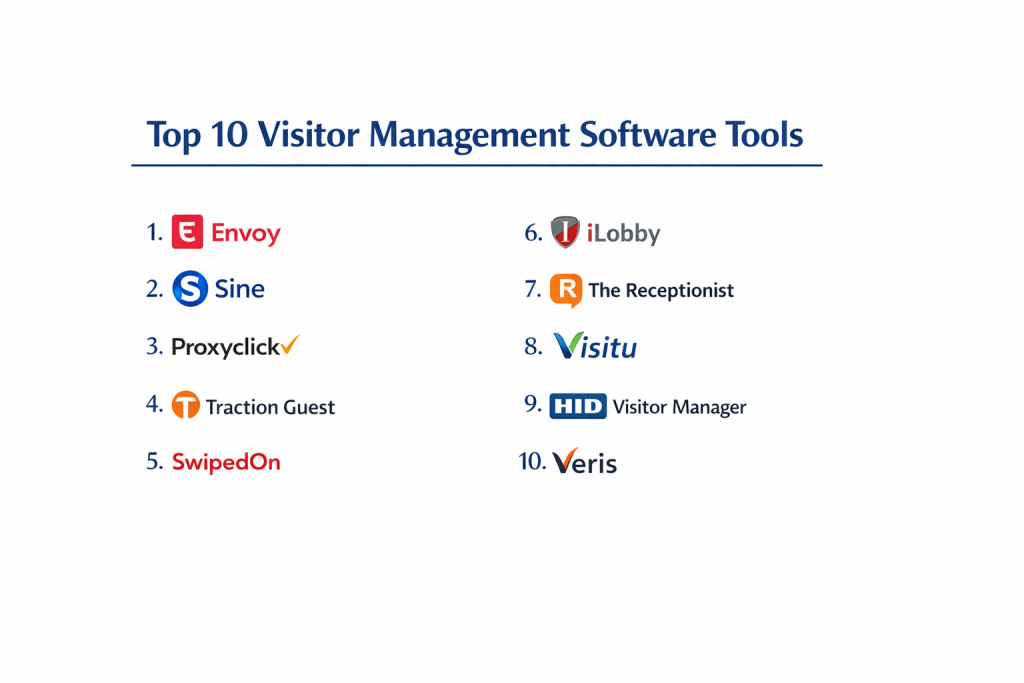
Top 10 Visitor Management Software Tools
1 — Envoy Visitors
Envoy is widely considered the industry standard for modern workplaces, known for its sleek iPad interface and a robust ecosystem that connects visitors, mailroom deliveries, and desk booking.
- Key features
- Touchless mobile check-in via QR code scanning.
- Automatic host notifications through SMS, Email, Slack, and Microsoft Teams.
- Customizable sign-in flows based on visitor type (e.g., contractor vs. guest).
- Instant badge printing with visitor photos.
- Integrated document signing for NDAs and safety waivers.
- Global dashboard for managing multiple locations from a single view.
- Advanced analytics for office occupancy and visitor trends.
- Pros
- Extremely high user adoption due to the intuitive, “cool” interface.
- Seamless integration with virtually every major workplace tool.
- Cons
- Pricing can be higher than competitors for small businesses.
- Some advanced security features are locked behind the highest enterprise tiers.
- Security & compliance: SOC 2 Type II, GDPR, CCPA compliant; features data encryption at rest and in transit.
- Support & community: 24/7 live chat, extensive knowledge base, and a dedicated “Envoy Community” for workplace leaders.
2 — Proxyclick (by Eptura)
Proxyclick is an enterprise-grade solution that focuses heavily on global compliance and deep security integrations, making it a favorite for Fortune 500 companies.
- Key features
- Advanced “Check-in Rules” that can block entry based on questionnaire answers.
- Global watchlist screening (e.g., against government or internal lists).
- Deep integration with access control systems (HID, LenelS2, Gallagher).
- Multi-language support for international offices.
- Remote “Virtual Front Desk” for unmanned lobbies.
- Automated data anonymization for GDPR compliance.
- Detailed emergency evacuation reporting.
- Pros
- Superior for complex organizations with strict security protocols.
- Excellent multi-tenant capabilities for commercial real estate.
- Cons
- The setup process can be complex due to the sheer number of configuration options.
- Interface is professional but lacks the “trendy” feel of smaller startups.
- Security & compliance: ISO 27001, SOC 2, GDPR, and HIPAA compliant.
- Support & community: Dedicated account managers for enterprise clients and 24/5 global support.
3 — iLobby
iLobby is a high-security platform designed for regulated industries like aerospace, defense, and manufacturing, where identity verification is non-negotiable.
- Key features
- Government ID scanning and verification.
- Automated legal document management with e-signatures.
- Contractor management with expiration alerts for certifications.
- Real-time emergency roll-call features.
- Facial recognition for recurring visitors.
- Hardware-agnostic but offers ruggedized kiosk options.
- Detailed audit logs for ITAR and CMMC compliance.
- Pros
- Highly specialized for high-risk and high-security environments.
- Exceptional reliability with offline mode support.
- Cons
- Higher cost of entry compared to basic “check-in” apps.
- May feel over-engineered for a simple corporate office.
- Security & compliance: SOC 2, ITAR, CMMC, GDPR, and HIPAA compliant.
- Support & community: High-touch onboarding and 24/7 technical assistance.
4 — SwipedOn
SwipedOn is a user-friendly, cost-effective solution that is particularly popular among SMBs for its simple setup and “all-in-one” approach.
- Key features
- Employee in/out board integrated with visitor management.
- Pocket-friendly mobile app for employees.
- Instant ID badge printing.
- Health and safety screening questions.
- Evacuation management with real-time syncing across devices.
- Catering and resource requests during check-in.
- Custom branding for the iPad kiosk.
- Pros
- Very transparent and affordable pricing for small to mid-sized businesses.
- One of the easiest systems to set up—takes less than 15 minutes.
- Cons
- Lacks the deep access control integrations of enterprise tools.
- Reporting and analytics are basic compared to Proxyclick or Envoy.
- Security & compliance: GDPR compliant, ISO 27001 certified, and uses SSL encryption.
- Support & community: Award-winning customer service with sub-5-minute response times.
5 — The Receptionist for iPad
Known for its “cheerful” and simple UI, this tool focuses on the core basics of visitor management while providing a very polished experience.
- Key features
- Two-way communication between visitor and host via the kiosk.
- Customizable buttons for different visitor types (Delivery, Interview, Vendor).
- Badge printing with auto-expiring labels.
- Unlimited visitor entries on all plans.
- NDA and waiver signing with PDF storage.
- SMS and Email notifications.
- Delivery management for packages.
- Pros
- The flat-rate pricing model is highly predictable.
- Great for businesses that want a friendly, approachable front-desk feel.
- Cons
- Limited native integrations compared to the “Big 3” (Envoy/Proxyclick/iLobby).
- No built-in desk or room booking features.
- Security & compliance: SOC 2 Type II and GDPR compliant.
- Support & community: Known for its “Radical Support” team and highly rated training resources.
6 — Sign In App
Sign In App is a flexible, modern platform that excels in providing an end-to-end workplace experience, including staff time-tracking and visitor registration.
- Key features
- “Sign In World” feature allows visitors to use their own smartphone.
- Staff “Spaces” for desk and meeting room booking.
- Emergency evacuation lists with “Safety Check” messaging.
- RFID and QR code support for recurring users.
- Integration with school management systems (MIS).
- Custom fields for data capture.
- Multi-site management with centralized reporting.
- Pros
- Excellent value for organizations needing both visitor and staff management.
- Very strong presence in the education and public sectors.
- Cons
- Mobile app can occasionally lag on older devices.
- The “all-in-one” nature might be confusing for users who only want visitor tracking.
- Security & compliance: GDPR and Cyber Essentials Plus certified.
- Support & community: High-quality documentation and responsive UK-based support.
7 — Visitly
Visitly is a security-first solution that stands out for its advanced ID verification and facial recognition capabilities at a mid-market price point.
- Key features
- Face ID authentication for touchless, instant check-in.
- Government-issued ID scanning (Driver’s License/Passport).
- Visual “Watchlist” alerts for blocked individuals.
- Host notifications via SMS, Email, and Slack.
- Integration with Active Directory and Okta.
- Daily, weekly, and monthly visitor analytics.
- Badge printing with wireless support.
- Pros
- Provides high-end security features (Face ID) at a lower cost than iLobby.
- The dashboard is very clean and easy for non-technical admins.
- Cons
- The integration marketplace is smaller than Envoy’s.
- Support response times can vary depending on the time zone.
- Security & compliance: HIPAA and GDPR compliant; uses AES-256 encryption.
- Support & community: Detailed online help center and email-based support.
8 — Traction Guest (by Sign In Solutions)
Traction Guest is a powerhouse for custom workflows, allowing enterprises to build highly specific visitor journeys based on complex logic.
- Key features
- Visual “Experience Editor” for drag-and-drop workflow design.
- Deep data integration with Salesforce and other CRMs.
- Enterprise-wide “Internal Watchlist” management.
- Legal document automation across 50+ languages.
- On-site and remote check-in options.
- Robust API for custom building-management integrations.
- Audit-ready security reports.
- Pros
- Unmatched customization—ideal for unique industrial or high-security needs.
- Powerful analytics that turn visitor data into business intelligence.
- Cons
- Requires a significant time investment to set up complex workflows.
- One of the more expensive options on the market.
- Security & compliance: SOC 2, GDPR, ITAR, and CCPA compliant.
- Support & community: Premium enterprise support with dedicated engineers.
9 — Greetly
Greetly is the world’s first “Touchless” visitor management system, focusing on a minimal-contact experience that is perfect for shared workspaces.
- Key features
- 100% touchless check-in via personal smartphone.
- Package delivery logging with automated photo proof.
- Customizable branding for the web-check-in portal.
- Immediate host alerts via phone call, text, or email.
- Integration with Zapier for connecting to 1,000+ apps.
- Digital visitor logbook with search and export functions.
- Support for “unmanned” coworking lobbies.
- Pros
- The best “no-hardware” option—you can run it without an iPad kiosk.
- Extremely lightweight and fast to implement.
- Cons
- Lacks the hardware-based “presence” of a dedicated kiosk.
- Limited advanced security features (no ID scanning).
- Security & compliance: GDPR and HIPAA compliant.
- Support & community: Strong emphasis on customer success with proactive check-ins.
10 — Honeywell Forge Visitor Management
Honeywell leverages its legacy in building hardware to offer a visitor system that is deeply integrated into the “Smart Building” ecosystem.
- Key features
- Native integration with Honeywell Pro-Watch access control.
- Energy-saving “Smart Building” triggers (e.g., lights turn on when a guest arrives).
- Occupancy tracking for HVAC and lighting optimization.
- Enterprise-scale security with biometric support.
- Pre-registration portal for large events and conferences.
- Detailed health and safety compliance tracking.
- Centralized management for global real estate portfolios.
- Pros
- Best choice for organizations already using Honeywell security hardware.
- Provides “Total Building” visibility that other SaaS-only tools lack.
- Cons
- The UI can feel “corporate” and less user-friendly for non-security staff.
- Mostly sold through complex enterprise channel partners.
- Security & compliance: FIPS 140-2, SOC 2, and GDPR compliant.
- Support & community: Global enterprise support network with local field engineers.
Comparison Table
| Tool Name | Best For | Platform(s) Supported | Standout Feature | Rating (Gartner/Trust) |
| Envoy Visitors | Modern Offices | iOS, Web, Android | Ecosystem Depth | 4.2 / 5 |
| Proxyclick | Global Enterprises | iOS, Web | Compliance Logic | 4.3 / 5 |
| iLobby | High-Security / Industrial | Web, iOS | Identity Verification | 4.6 / 5 |
| SwipedOn | SMB Value | iOS, Android, Web | Ease of Setup | 4.4 / 5 |
| The Receptionist | Friendly Lobbies | iOS, Web | Flat-Rate Pricing | 4.7 / 5 |
| Sign In App | Schools / Multi-Site | iOS, Android, Web | Staff & Space Booking | 4.5 / 5 |
| Visitly | Mid-Market Security | iOS, Web | Facial Recognition | 4.4 / 5 |
| Traction Guest | Custom Workflows | Web, iOS | Experience Editor | 4.3 / 5 |
| Greetly | Shared Workspaces | Web, iOS, Android | 100% Touchless | 4.2 / 5 |
| Honeywell Forge | Smart Buildings | Web, Pro-Watch | Hardware Integration | N/A |
Evaluation & Scoring of Visitor Management Software
| Category | Weight | Evaluation Logic |
| Core Features | 25% | Assessment of badge printing, NDA signing, and host alerts. |
| Ease of Use | 15% | Check-in speed and admin dashboard intuitiveness. |
| Integrations | 15% | Native links to Slack, Teams, Access Control, and CRMs. |
| Security & Compliance | 10% | Presence of SOC 2, HIPAA, and automated data retention. |
| Performance | 10% | Uptime reliability and offline mode functionality. |
| Support & Community | 10% | Documentation quality and responsiveness of help desk. |
| Price / Value | 15% | Total cost compared to the breadth of feature set. |
Which Visitor Management Tool Is Right for You?
Small to Mid-Market vs. Enterprise
For SMBs, simplicity and speed are key. SwipedOn and The Receptionist offer “out-of-the-box” solutions that don’t require an IT department to install. They provide the professional image of a digital sign-in without the enterprise overhead. Conversely, Enterprises with multiple locations and complex security needs should look toward Proxyclick or Traction Guest. These tools allow for global standardization while giving individual offices the ability to localize their visitor flows and languages.
Budget and Value
If you are operating on a tight budget, Sign In App and SwipedOn provide the best feature-to-dollar ratio. They often bundle employee tracking and desk booking at no extra cost. For those looking for a premium, all-in-one experience where money is less of an issue than “brand vibe” and ecosystem connectivity, Envoy is the undisputed winner.
Technical Depth vs. Simplicity
iLobby and Honeywell Forge represent the deep technical end of the spectrum. These are best if you need to integrate with physical turnstiles, elevators, or government-grade background check databases. If you prefer simplicity and a minimal footprint, Greetly allows you to skip the hardware entirely, using QR codes on a simple printed sign to initiate the check-in process.
Security and Compliance Requirements
Industries like healthcare (HIPAA) or aerospace (ITAR/CMMC) require more than just a name tag. iLobby and Visitly offer the specific ID scanning and facial verification features needed to satisfy federal auditors. For GDPR-specific concerns, Proxyclick’s automated data anonymization and localized data storage (EU-only) make it the safest choice for European operations.
Frequently Asked Questions (FAQs)
1. Does visitor management software require a dedicated iPad?
While most systems are optimized for the iPad (due to its stability and kiosk accessories), many tools now offer “Touchless” options where visitors scan a QR code on a poster and check in via their own mobile browser.
2. Can I use these systems to manage contractors?
Yes. High-end tools like iLobby and Proxyclick allow you to create specific workflows for contractors, requiring them to upload certifications or view safety videos before they are granted access.
3. Is visitor data stored securely?
Top-tier platforms use AES-256 encryption for data at rest and TLS for data in transit. Ensure the tool you choose is SOC 2 or ISO 27001 certified to guarantee third-party verified security.
4. How does the host notification work?
When a guest signs in, the software identifies the host from your employee directory and sends an instant alert via Slack, Microsoft Teams, Email, or SMS, often including the visitor’s photo.
5. Can this software help in an emergency?
Yes. In the event of a fire or evacuation, these systems provide a “Real-Time Roll Call” on a mobile device, showing exactly who is in the building so they can be accounted for at the assembly point.
6. Do I need to buy a special printer for badges?
Most visitor management systems support standard Brother or Dymo thermal label printers. Some even support wireless AirPrint, allowing you to hide the printer under a desk for a cleaner look.
7. Is it possible to block certain people from entering?
Yes. Most systems allow you to maintain a “Watchlist” or “Denylist.” If a person on the list tries to check in, the system can silently alert security without notifying the visitor.
8. Can I manage multiple locations from one account?
Enterprise solutions like Envoy and Proxyclick offer a “Global Dashboard” where you can see visitor logs and manage settings for every office worldwide from a single login.
9. How long does implementation take?
For a simple SMB setup (like SwipedOn), you can be up and running in 15 minutes. For an enterprise setup with access control integration, expect a 2–4 week deployment timeline.
10. What is the typical pricing structure?
Pricing is usually “per location” or “per kiosk” and ranges from $50/month for basic tools to $500+/month for enterprise suites with advanced security and compliance modules.
Conclusion
Choosing the right Visitor Management Software is no longer just about replacing a paper logbook; it is about building a secure and welcoming “Front Door” for your digital and physical workplace. Whether you prioritize the premium user experience of Envoy, the enterprise compliance depth of Proxyclick, or the industrial security of iLobby, the right tool will significantly reduce your administrative burden and improve your building’s safety.
Ultimately, the best choice is the one that fits seamlessly into your daily operations. A tool that is too complex for your staff to use or too expensive for your budget will eventually be bypassed, creating security gaps. Evaluate your specific needs—be it compliance, security, or pure hospitality—and choose the partner that balances those requirements with ease of use.