Introduction
A Virtual Event Platform is an all-in-one digital environment designed to host large-scale online gatherings that go far beyond the capabilities of a standard video call. These platforms recreate the experience of a physical conference or trade show in a digital space, offering dedicated “areas” for keynote speeches, breakout sessions, networking lounges, and exhibitor booths. Unlike simple webinar tools, virtual event platforms focus on high-level interactivity, attendee engagement, and community building, often utilizing specialized tools like AI matchmaking and live polling.
The importance of these platforms lies in their ability to eliminate geographical barriers, significantly reducing travel costs and carbon footprints while expanding an event’s reach to a global audience. They provide event organizers with unprecedented data and analytics, tracking every click, session view, and networking interaction. This data allows for a precise calculation of ROI that is nearly impossible to achieve in a physical setting.
Key Real-World Use Cases
- Global Tech Conferences: Hosting multi-track sessions for thousands of developers across different time zones.
- Virtual Trade Shows: Allowing sponsors to showcase products in digital booths with live lead-retrieval capabilities.
- Internal Corporate Summits: Connecting remote workforces for town halls and team-building exercises.
- Academic Symposiums: Enabling researchers to present posters and engage in peer-to-peer Q&A sessions online.
What to Look For (Evaluation Criteria)
When evaluating a platform, prioritize Interaction Quality (tools like 1-on-1 video networking), Ease of Navigation (a clear virtual lobby), and Reliability (the ability to handle high-traffic spikes without lag). Furthermore, look for Sponsorship Visibility options, as the ability to prove value to your partners is essential for the financial sustainability of your event.
Best for: Event planners, marketing executives, HR leads, and professional associations at mid-to-large enterprises who need to host immersive, data-rich gatherings for over 100 participants.
Not ideal for: Small team meetings or informal catch-ups where a simple tool like Zoom or Google Meet is faster and more cost-effective.
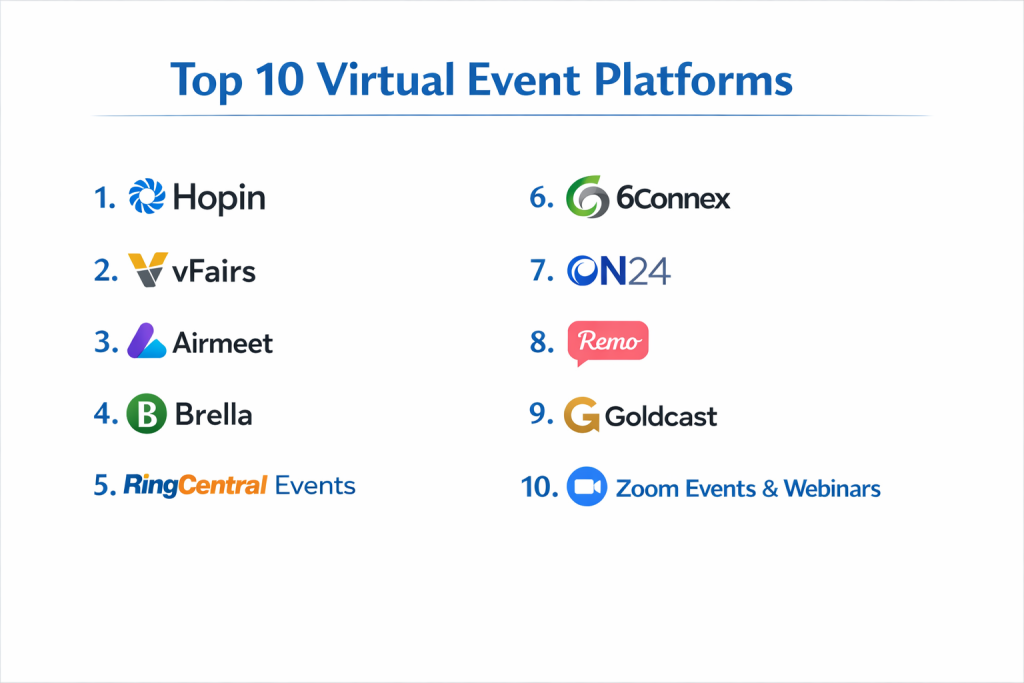
Top 10 Virtual Event Platforms Tools
1 — Hopin (by RingCentral)
Hopin is a pioneer in the virtual event space, designed specifically to mimic the structure of a physical venue with a lobby, stage, sessions, and networking areas.
- Key features
- Multi-track stages for concurrent keynote presentations.
- Randomized “Speed Networking” to connect attendees 1-on-1.
- Virtual Expo areas for sponsors with live video booths.
- Built-in “Hopin Studio” for professional-grade broadcasting.
- Highly customizable registration pages and ticketing.
- Advanced analytics dashboard tracking attendee behavior.
- Integration with major CRMs like Salesforce and HubSpot.
- Pros
- The networking features are the best in the industry for fostering human connection.
- Extremely scalable, handling events from 50 to 100,000+ people.
- Cons
- The interface can be slightly confusing for first-time attendees due to many “rooms.”
- Pricing has increased significantly as the platform has matured.
- Security & compliance: SOC 2 Type II, GDPR, ISO 27001, and SSL encryption.
- Support & community: 24/7 technical support, a robust knowledge base, and “Hopin Academy” training.
2 — Bizzabo
Bizzabo offers a modern “Event Experience OS” that prioritizes branding and data-driven insights, making it a favorite for marketing-led corporate events.
- Key features
- “Event Experience OS” for hybrid and virtual formats.
- Drag-and-drop website builder with high-fidelity branding.
- AI-powered networking recommendations based on attendee profiles.
- Comprehensive speaker and sponsor management portals.
- Interactive “Vibe” sessions with polls, Q&A, and reactions.
- Robust lead-generation tools for exhibitors.
- Pros
- The most visually polished and professional-looking interface.
- Exceptional customer success team that assists with onboarding.
- Cons
- Some of the most advanced features are hidden behind higher-tier pricing.
- Steeper learning curve for organizers compared to simpler tools.
- Security & compliance: SOC 2 Type II, GDPR, PCI DSS, and SSO (Single Sign-On).
- Support & community: Dedicated account managers and an active community of event professionals.
3 — vFairs
vFairs is the leader in 3D immersive environments, using animated avatars and virtual buildings to recreate the visual excitement of a physical venue.
- Key features
- 3D animated virtual lobby and exhibition halls.
- Personalized avatars that “walk” through the virtual space.
- Digital “Swag Bag” for attendees to collect brochures and videos.
- Job board and resume-hosting features for career fairs.
- Gamification tools like scavenger hunts and leaderboards.
- Accessibility features including screen readers and color contrast adjustments.
- Pros
- Provides a “wow factor” that makes virtual events feel more tangible.
- Excellent for career fairs and trade shows where visual presence is key.
- Cons
- The 3D graphics can be hardware-intensive for attendees with older computers.
- Updates to the 3D environment require more lead time than text-based sites.
- Security & compliance: SOC 2, GDPR, ISO 27001, and encryption at rest.
- Support & community: Known for providing a dedicated project manager for every single event.
4 — 6Connex
6Connex is a long-standing enterprise platform focusing on “Evergreen” virtual environments that can stay open 365 days a year.
- Key features
- Highly secure environment suitable for government and healthcare.
- AI Matchmaking for networking and content suggestions.
- Multi-language support with real-time translation capabilities.
- Webinar and live-streaming integration with high-capacity limits.
- Deep behavioral analytics and heatmaps of the virtual venue.
- Persistent “Community” spaces for year-round engagement.
- Pros
- Highly reliable and stable for massive enterprise-level traffic.
- Great flexibility in designing 2D and 3D virtual spaces.
- Cons
- The design interface can feel slightly dated compared to “design-first” platforms.
- Implementation can be complex and time-consuming.
- Security & compliance: SOC 2, ISO 27001, GDPR, and HIPAA compliant.
- Support & community: Enterprise-grade 24/7 support and technical consulting.
5 — Airmeet
Airmeet is built for “Social Webinars” and conferences, emphasizing the ease of transition from listening to a speaker to chatting at a virtual table.
- Key features
- “Social Lounge” with virtual tables for group discussions.
- Backstage area for speakers to prepare before going live.
- Customizable event entry with branded booths.
- Integrated “Raise Hand” and live Q&A with upvoting.
- Detailed participant engagement reports.
- No-download browser-based experience for all attendees.
- Pros
- The “Virtual Table” experience is highly intuitive for networking.
- Very easy to set up; an event can be live in under an hour.
- Cons
- Does not offer the same 3D immersion level as vFairs or 6Connex.
- Mobile app experience is functional but lacks some desktop features.
- Security & compliance: GDPR, SOC 2 Type II, and secure data encryption.
- Support & community: Responsive live chat support and a helpful “Airmeet Academy.”
6 — Swapcard
Swapcard utilizes Artificial Intelligence to turn events into “Communities,” focusing heavily on matchmaking and lead retrieval for B2B events.
- Key features
- AI-driven matchmaking for attendees, exhibitors, and sessions.
- Interactive floor plans and maps for hybrid connectivity.
- Lead scanning via mobile for exhibitors.
- Community platform that remains active before and after the event.
- Integrated live streaming and pre-recorded video hosting.
- Native mobile app that syncs perfectly with the web platform.
- Pros
- Excellent for exhibitors who want a clear list of qualified leads.
- The AI gets better at suggesting connections as the event progresses.
- Cons
- Focuses more on the “app” experience than an “immersive 3D” environment.
- Initial AI setup requires careful data entry to be effective.
- Security & compliance: GDPR compliant, SOC 2, and SSO support.
- Support & community: Extensive online help center and multi-lingual support teams.
7 — Cvent (Virtual Attendee Hub)
Cvent is the giant of the event industry, and their Virtual Attendee Hub integrates seamlessly with their massive ecosystem of registration and venue tools.
- Key features
- Full integration with Cvent’s registration and speaker management.
- High-capacity video streaming with interactive sessions.
- Dynamic “All-in-One” attendee profile and schedule builder.
- Deep survey and polling tools for real-time feedback.
- Enterprise-level reporting across multiple event portfolios.
- Robust sponsor and exhibitor management workflows.
- Pros
- The most comprehensive tool for organizations managing hundreds of events annually.
- Reliable, high-security infrastructure that enterprises trust.
- Cons
- Very high cost of entry; usually requires a long-term contract.
- The system is so large it can be overwhelming for a small event team.
- Security & compliance: SOC 1 & 2, PCI DSS, GDPR, HIPAA, and ISO 27001.
- Support & community: 24/7 phone support and a massive global network of certified users.
8 — Hubilo
Hubilo is an “Engagement-First” platform that uses gamification and a clean interface to keep attendees from dropping off during long virtual days.
- Key features
- Advanced gamification with leaderboards and reward systems.
- 1-on-1 and group networking lounges.
- Branded “Exhibitor Portals” for self-service sponsor setup.
- Real-time “Event Feed” similar to a social media timeline.
- Detailed engagement scoring for every attendee.
- Simple, one-click registration and login process.
- Pros
- Very colorful and engaging UI that keeps attendees active.
- Fast implementation and easy-to-use organizer dashboard.
- Cons
- Some users find the notification system to be a bit “noisy.”
- Advanced integration with certain legacy CRMs can be tricky.
- Security & compliance: SOC 2 Type II, GDPR, and secure data hosting.
- Support & community: Known for very fast response times on their live support chat.
9 — Webex Events (Formerly Socio)
Acquired by Cisco, Webex Events is a versatile platform that excels at creating a seamless bridge between virtual and in-person experiences.
- Key features
- Fully customizable mobile event app.
- Video networking and breakout “Circles.”
- Professional streaming through Webex’s global infrastructure.
- Live polling, Q&A, and gamification challenges.
- Badge printing and lead retrieval for hybrid events.
- Automated email marketing and registration tools.
- Pros
- Backed by Cisco’s world-class security and networking hardware.
- Exceptionally easy to navigate on a mobile device.
- Cons
- The branding options are good but not quite as “bespoke” as Bizzabo.
- Some features are specialized for hybrid, making it “heavy” for purely virtual events.
- Security & compliance: SOC 2 Type II, GDPR, ISO 27001, and FedRAMP authorized.
- Support & community: High-quality enterprise support and extensive online documentation.
10 — Splash
Splash is a “Design-First” event platform that focuses on helping marketing teams create beautiful, on-brand event pages and virtual programs in minutes.
- Key features
- Industry-leading event website and email templates.
- Standardized “Brand Themes” to ensure consistency across events.
- Built-in virtual venue for streaming and interactive chat.
- Automated guest list management and check-in.
- Real-time integration with Slack and CRM tools.
- “Self-service” tools for field marketing teams to launch events.
- Pros
- The best option for companies that value design and brand aesthetics.
- Extremely fast to deploy for recurring “roadshow” style events.
- Cons
- Lacks the deep “3D” or “Speed Networking” features of Hopin or vFairs.
- Not designed for complex, multi-day conferences with 50+ tracks.
- Security & compliance: SOC 2, GDPR, and PCI compliant.
- Support & community: Proactive customer success and a robust help center for designers.
Comparison Table
| Tool Name | Best For | Platform(s) Supported | Standout Feature | Rating |
| Hopin | Large-scale Networking | Web, iOS, Android | 1-on-1 Speed Networking | 4.8 / 5 |
| Bizzabo | Modern Marketing | Web, iOS, Android | Event Experience OS | 4.7 / 5 |
| vFairs | 3D Visual “Wow” | Web, iOS, Android | Immersive 3D Environments | 4.6 / 5 |
| 6Connex | Enterprise Security | Web, Hybrid | Evergreen Environments | 4.3 / 5 |
| Airmeet | Social Interaction | Web, iOS, Android | Social Table Lounge | 4.5 / 5 |
| Swapcard | B2B Exhibitions | Web, iOS, Android | AI-Driven Matchmaking | 4.5 / 5 |
| Cvent | Global Enterprises | Web, iOS, Android | All-in-One Ecosystem | 4.8 / 5 |
| Hubilo | Gamified Engagement | Web, iOS, Android | Attendee Engagement Scoring | 4.4 / 5 |
| Webex Events | Hybrid Versatility | Web, iOS, Android | Seamless App Integration | 4.6 / 5 |
| Splash | Design-Focused Teams | Web, iOS, Android | High-Fidelity Templates | 4.4 / 5 |
Evaluation & Scoring of Virtual Event Platforms
| Evaluation Criteria | Weight | Content & Scoring Logic |
| Core Features | 25% | Capacity for stages, networking, and exhibitor booths. |
| Ease of Use | 15% | Intuitive navigation for attendees and setup speed for admins. |
| Integrations | 15% | Breadth of CRM, Marketing Automation, and Analytics links. |
| Security & Compliance | 10% | SOC 2 status, GDPR compliance, and SSO support. |
| Performance | 10% | Low latency streaming and high-capacity stability. |
| Support & Community | 10% | Availability of 24/7 help and quality of documentation. |
| Price / Value | 15% | ROI based on feature set versus total cost of ownership. |
Which Virtual Event Platform Tool Is Right for You?
Solo users vs SMB vs mid-market vs enterprise
If you are a solo user or a small consultant, Airmeet or Splash offer the most accessible entry points without requiring a massive technical team. SMBs often find the best value in Hubilo or Swapcard, which provide great engagement tools at a mid-range price. For mid-market and enterprise organizations, Hopin, Bizzabo, and Cvent are the only tools with the necessary scale, security, and integration depth to manage global event portfolios effectively.
Budget-conscious vs premium solutions
For those on a strict budget, look for platforms that offer “pay-per-attendee” models or transparent monthly tiers, like Airmeet. If you are a premium solution seeker, vFairs or 6Connex provide high-end, custom-built 3D environments that serve as a flagship digital headquarters for your brand, though they come with significantly higher setup fees.
Feature depth vs ease of use
A platform like Cvent has incredible feature depth but can be daunting for a first-time user. Conversely, Airmeet and Splash prioritize ease of use, allowing you to go live in minutes but sacrificing some of the deep “displacement analysis” or complex housing management tools found in enterprise suites.
Integration and scalability needs
Always ensure your platform choice integrates with your current CRM (like Salesforce). If you plan to grow your event from 100 to 1,000 attendees, ensure the platform doesn’t have a “hard cap” on users. Tools like Hopin and Webex Events are built on cloud infrastructure designed to scale instantly.
Security and compliance requirements
If you are in a highly regulated industry like healthcare or finance, 6Connex and Webex Events are often the top choices due to their long history of HIPAA and FedRAMP certifications. For any global event, GDPR compliance is non-negotiable to protect your attendees’ data and your organization from legal liability.
Frequently Asked Questions (FAQs)
1. What is the difference between a webinar and a virtual event?
A webinar is typically a one-way presentation (one-to-many). A virtual event is a multi-dimensional experience where attendees can move between rooms, network 1-on-1, and visit different interactive “areas.”
2. Do attendees need to download software to participate?
Most modern platforms (like Hopin, Airmeet, and Bizzabo) are entirely browser-based, meaning attendees only need a web link to join. However, some offer optional mobile apps for a better hybrid experience.
3. How do sponsors get ROI from a virtual event?
Sponsors receive direct leads via booth clicks, session attendance data, and the ability to chat directly with interested prospects. Virtual platforms provide a more precise list of leads than a physical fishbowl for business cards.
4. Can I host a hybrid event (in-person and virtual)?
Yes, tools like Webex Events, Bizzabo, and Swapcard are specifically designed to bridge the gap, allowing in-person attendees to use the app while virtual attendees watch the live stream.
5. How much does a virtual event platform cost?
Pricing varies wildly, from $99/month for basic tools to $50,000+ for enterprise-grade custom 3D environments. Most mid-market tools charge a base platform fee plus a per-attendee fee.
6. Is the video quality high enough for professional speakers?
Top platforms offer “Studio” features or integrate with tools like StreamYard to provide 1080p high-definition broadcasting with professional lower-thirds and overlays.
7. How do I prevent “Zoom Fatigue” on these platforms?
Use gamification (Hubilo), 1-on-1 networking (Hopin), or 3D visuals (vFairs). Keeping sessions short (under 20 minutes) and including interactive polls also helps maintain engagement.
8. What happens if an attendee has a bad internet connection?
Most platforms have “adaptive bitrate streaming,” which lowers the video quality slightly to prevent the stream from stopping entirely if the user’s internet is slow.
9. Can I record the sessions for on-demand viewing?
Yes, almost all platforms automatically record sessions. You can then leave the “Virtual Venue” open for months so people who missed the live date can still watch the content.
10. Do these platforms support different languages?
Yes, many (like 6Connex and Swapcard) offer real-time AI translation for chat and closed captioning for video streams to support global audiences.
Conclusion
The Virtual Event Platform market has matured from simple video streaming to complex, engagement-driven ecosystems. Whether you need the 3D visual spectacle of vFairs, the networking-first approach of Hopin, or the enterprise-grade stability of Cvent, there is a solution tailored to every strategy.
Choosing the right platform is not just about the features; it’s about understanding your audience’s journey. If your goal is networking, prioritize tools that make it easy to talk. If your goal is brand awareness, prioritize tools that make you look beautiful. By aligning your business goals with the right technology, you can turn a standard online meeting into a global community experience.