Introduction
Video Surveillance Management Software (VSMS), also known as Video Management Software (VMS), is the central software application that allows you to view, record, manage, and analyze footage from multiple security cameras. Think of it as the brain and control room for your entire camera system. While cameras capture the video, the VMS is what lets you monitor live feeds, search through days of recordings, receive motion alerts, and export evidence clips.
This software is critically important because it transforms raw video data into actionable security intelligence. Without it, you just have a collection of isolated cameras with limited functionality. A good VMS enables proactive monitoring, rapid investigation of incidents, and can integrate with other security systems like access control and alarms for a unified approach.
In practical use, VSMS is deployed for loss prevention in retail by monitoring point-of-sale areas, for physical security operations centers (SOCs) managing large campuses, for traffic and public safety monitoring by municipalities, and for operational efficiency in manufacturing or logistics by observing workflow. When choosing a VMS, key evaluation criteria include: camera compatibility and support (ONVIF compliance), system scalability (number of cameras and servers), advanced analytics capabilities (AI-powered object or facial recognition), cybersecurity features, ease of use for operators, and the total cost of ownership, including licensing and support.
Best for: This software is essential for security directors, IT managers, facility managers, and business owners responsible for physical security. It is used across all company sizes, from small shops to global enterprises, and is prevalent in industries like retail, banking, education, healthcare, critical infrastructure, and logistics.
Not ideal for: A full-fledged VMS is often overkill for a single homeowner using one or two consumer-grade cameras; the manufacturer’s simple app usually suffices. It is also not designed for general video editing, live streaming for content creation, or basic webcam use.
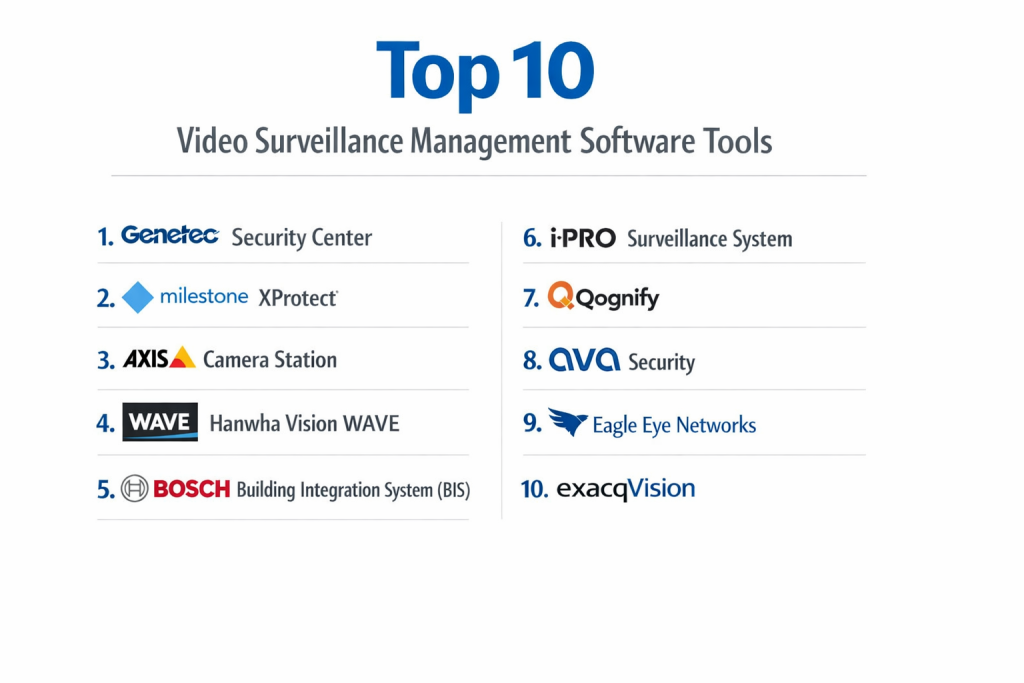
Top 10 Video Surveillance Management Software Tools
Here is an in-depth look at the leading platforms that power professional video surveillance operations.
1 — Milestone XProtect
Milestone XProtect is one of the most widely deployed open-platform VMS solutions globally. It is known for its high scalability, strong partner ecosystem, and flexibility, making it a favorite for complex and large-scale installations.
Key features:
- Open Platform: Supports a vast array of cameras and hardware from different manufacturers via ONVIF and direct drivers.
- Massive Scalability: Can scale from a few cameras to tens of thousands across distributed sites.
- Powerful Client: Feature-rich desktop client (Management Client) for admins and a user-friendly client (Smart Client) for operators.
- Advanced Analytics Integration: Easily integrates with best-in-class video analytics partners for AI-driven insights (e.g., object detection, facial recognition).
- Federated Architecture: Allows linking multiple independent systems for centralized oversight of geographically dispersed locations.
- Healthy Ecosystem: Thousands of technology partners for integration (access control, analytics, PSIM).
Pros:
- Unmatched flexibility and choice in camera and hardware selection.
- Proven reliability and scalability for mission-critical enterprise and government deployments.
- Strong focus on being a platform, allowing customization and integration.
Cons:
- Can be complex and expensive to implement, often requiring certified partners.
- Licensing model (per camera, per server) can become costly at scale.
- The learning curve for full administration is steeper than some unified systems.
Security & compliance: Offers robust security features like secure communication, role-based access, and audit trails. Can be deployed in air-gapped networks. Compliant with various industry standards, with specific configurations for regulated environments.
Support & community: Primary support is through a global network of certified partners. Strong community of system integrators and a knowledgeable user base. Milestone provides training and certification programs.
2 — Genetec Security Center
Genetec Security Center is a unified security platform that seamlessly integrates video surveillance (Security Center Omnicast), access control (Security Center Synergis), and license plate recognition (Security Center AutoVu) into a single interface.
Key features:
- Truly Unified Platform: Native, deep integration of video, access control, and ALPR reduces operator workload and improves situational awareness.
- Map-Centric Interface: Intuitive interactive maps are the primary interface for monitoring and controlling all security devices.
- Powerful Investigation Tools: “Pattern Search” uses AI to find objects or events based on appearance (color, size, direction) without predefined rules.
- Cybersecurity Focus: Strong emphasis on secure design, with features like built-in firewall, intrusion detection, and data encryption.
- Cloud-Connected Options: Offers hybrid and cloud-managed solutions (Genetec ClearID) alongside on-premise deployments.
- Mission Control: Workflow automation for handling complex security events across integrated systems.
Pros:
- Best-in-class unified experience for operations that need video and access control.
- Innovative, powerful search tools that drastically reduce investigation time.
- Enterprise-grade with a strong focus on system security and resilience.
Cons:
- Premium pricing; often one of the more expensive solutions on the market.
- While it supports many cameras, it is less of an “open platform” than Milestone, favoring its unified vision.
- Implementation almost always requires a certified Genetec partner.
Security & compliance: Industry leader in security-by-design. Offers features like FIPS 140-2 validation, GDPR tools, and secure architecture. Frequently chosen for high-security government and financial installations.
Support & community: Support is delivered through an extensive channel partner network. Known for high-quality training (Genetec University) and a strong, professional community of integrators.
3 — Axis Camera Station
Axis Camera Station (ACS) is a straightforward, reliable VMS developed by the leading network camera manufacturer, Axis Communications. It is designed to work seamlessly with Axis cameras but also supports other ONVIF-conformant devices.
Key features:
- Optimized for Axis Cameras: Delivers maximum performance and feature access when used with Axis hardware.
- Simple Licensing: Per-server license with no per-camera fees, making cost predictable for smaller systems.
- User-Friendly Interface: Clean, intuitive layout that is easy for non-technical operators to learn.
- Built-in Analytics: Includes basic motion detection and loitering analytics out of the box.
- Easy Installation: Streamlined setup process, often sold as a pre-configured appliance (AXIS Camera Station S-series).
- Good for SMBs: Priced and packaged attractively for small to medium-sized businesses.
Pros:
- Extremely easy to set up and manage, especially in an all-Axis environment.
- Transparent, simple pricing with no hidden per-camera costs.
- Reliable and stable performance.
Cons:
- Less scalable than enterprise VMS platforms; best for systems with up to ~250 cameras.
- Advanced features and third-party integrations are more limited compared to Milestone or Genetec.
- While it supports other brands, you get the best experience with Axis cameras.
Security & compliance: Leverages Axis’s strong reputation for device security. Includes features like secure communications and user management. Compliant with general data protection standards.
Support & community: Backed by Axis’s global support and partner network. Community is strong among Axis product users and smaller integrators.
4 — Hanwha Vision WAVE (formerly Hanwha Techwin)
Hanwha Vision WAVE VMS is the flagship software from the major camera manufacturer Hanwha Vision. It is a robust, scalable platform known for deep integration with Hanwha’s own high-performance cameras and cost-effectiveness.
Key features:
- Deep Camera Integration: Unlocks advanced features of Hanwha cameras (e.g., 4K, WDR, analytics) with optimal performance.
- No License Fees: The software itself is free; you only pay for the server hardware and cameras, a major differentiator.
- Enterprise Scalability: Can manage large, multi-server deployments across multiple sites.
- Intelligent Video Analytics: Includes built-in AI analytics like object classification (person, vehicle) and appearance search.
- Open Platform: Also supports a wide range of third-party ONVIF Profile S and T cameras.
- Unified System Management: Manages cameras, recorders, and servers from a single interface.
Pros:
- Exceptional value proposition with free VMS software licensing.
- Excellent performance and feature set when paired with Hanwha’s own cameras.
- A serious contender for both mid-market and large enterprise deployments.
Cons:
- The strongest value is realized in a Hanwha-dominant ecosystem.
- Brand recognition in the VMS space is still growing compared to Milestone or Genetec.
- Some advanced enterprise features (like federated architecture) may not be as mature as the longest-established players.
Security & compliance: Hanwha emphasizes cybersecurity, with features like secure boot, signed firmware, and GDPR compliance tools. Their devices are often approved for sensitive installations.
Support & community: Supported through Hanwha’s global partner network. The community is growing rapidly as the platform gains market share.
5 — Bosch Video Management System (BVMS)
Bosch BVMS is a professional, engineering-focused VMS from the industrial giant Bosch. It is known for its reliability, high availability, and strong integration within the broader Bosch security and building management portfolio.
Key features:
- High Availability & Redundancy: Engineered for 24/7 mission-critical operations with features like automatic failover.
- Intelligent Video Analytics: Includes Bosch’s own advanced analytics, such as object detection and camera-based forensic search.
- Integration Ready: Part of the Bosch Building Integration System (BIS), allowing deep ties with access control, intrusion, and public address.
- Multi-Site Management: Efficiently manages large, distributed deployments from a central location.
- Professional Client: Offers both a desktop client for operators and a web client for lightweight access.
- Strong Recording Efficiency: Optimized storage management and compression.
Pros:
- Industrial-grade reliability and stability, trusted in airports, utilities, and large enterprises.
- Excellent choice for sites already using or planning to use other Bosch security systems.
- Powerful built-in analytics without requiring third-party modules.
Cons:
- Can be perceived as complex and expensive, with a traditional enterprise feel.
- The user interface, while powerful, is not always considered the most modern or intuitive.
- The ecosystem, while high-quality, is more Bosch-centric than open.
Security & compliance: Bosch applies its engineering rigor to security, with secure communications and system hardening. Complies with various international standards for critical infrastructure.
Support & community: Support is delivered through Bosch’s extensive certified partner channel. Has a loyal following in industries that value German engineering and reliability.
6 — Avigilon Control Center (ACC)
Avigilon Control Center, from Motorola Solutions, is a high-performance VMS renowned for its self-learning video analytics and seamless integration with Avigilon’s high-definition cameras.
Key features:
- Appearance Search™ Technology: Proprietary AI that lets you search for people or vehicles by visual description (e.g., “red shirt,” “white sedan”) without pre-configuration.
- Unusual Motion Detection: AI learns normal activity patterns and flags anomalous behavior.
- High-Definition Focus: Optimized for managing very high-resolution (up to 4K and beyond) camera streams.
- Tight Hardware Integration: Designed to work flawlessly with Avigilon cameras for optimal analytics and performance.
- Scalable Architecture: Manages systems from small businesses to city-wide deployments.
- Cloud Connectivity: Offers cloud services for remote health monitoring and management (Avigilon Cloud Services).
Pros:
- Market-leading AI-powered search technology that revolutionizes forensic investigations.
- Excellent image quality management and performance.
- Strong solution for organizations wanting cutting-edge analytics out of the box.
Cons:
- Premium pricing, reflecting its advanced technology.
- Ecosystem is most compelling when using Avigilon cameras; third-party camera support is more limited.
- Can be resource-intensive, requiring robust server hardware.
Security & compliance: Part of Motorola Solutions’ public safety portfolio, with a focus on secure, reliable operation. Includes features for data protection and secure access.
Support & community: Supported by Motorola Solutions and its partners. Has a strong presence in government, critical infrastructure, and high-end commercial markets.
7 — Qognify (Formerly Nice) Ocularis
Ocularis, now under the Qognify brand, is a powerful VMS platform with a strong heritage in high-security and transportation sectors. It is known for its recording and playback reliability and robust health monitoring.
Key features:
- High Recording Integrity: Focus on ensuring no video frames are lost, critical for forensic evidence.
- Advanced Site Management: Strong tools for managing large, multi-site, multi-server deployments.
- **Health Monitoring Proactive system diagnostics and alerting for cameras and servers.
- Familiar Operator Workflow: Client interface designed for security operators in control rooms.
- Integration Platform: Supports integration with various third-party systems.
- Rail & Transportation Focus: Has specific features and deployments in the transportation industry.
Pros:
- Extremely reliable recording engine, trusted in environments where video evidence is paramount.
- Excellent system health and diagnostic tools for proactive maintenance.
- Strong in traditional security control room operational workflows.
Cons:
- User interface can feel dated compared to more modern platforms.
- Less focus on consumer-style ease of use and more on operator efficiency.
- Brand changes (from NICE to Qognify) have caused some market confusion.
Security & compliance: Built for high-security environments with features ensuring data integrity and availability. Complies with industry-specific regulations for transportation and security.
Support & community: Support is provided through Qognify’s partner network. Has a solid user base in transportation, utilities, and gaming.
8 — Digital Watchdog Spectrum
Digital Watchdog Spectrum is a VMS aimed at the commercial and SMB markets, offering a good balance of features, ease of use, and value. It is often bundled with Digital Watchdog’s own cameras and recorders.
Key features:
- Cost-Effective: Priced competitively for small to medium-sized installations.
- Easy to Use: Intuitive interface designed for quick operator training.
- Good Feature Set: Includes motion detection, email alerts, and mobile viewing.
- Stable Performance: Known for reliable operation in typical business environments.
- ONVIF Support: Compatible with a wide range of IP cameras.
- Unified Solution: Often sold as a complete package (cameras, NVR, software) for simplicity.
Pros:
- Great value for money for standard business surveillance needs.
- Very straightforward to install and configure.
- Reliable and well-supported for its target market.
Cons:
- Not designed for massive, enterprise-scale deployments with complex requirements.
- Lacks the advanced AI analytics and deep integration capabilities of higher-tier platforms.
- Primarily a VMS, not a unified security platform.
Security & compliance: Implements standard security practices for video management. Specific enterprise compliance certifications may not be a primary focus for its core market.
Support & community: Supported directly by Digital Watchdog and its distributors. Popular among security installers serving small and medium businesses.
9 — iPro Surveillance (Now part of Eagle Eye Networks)
iPro Surveillance (Eagle Eye Networks) represents the shift to cloud-managed VMS. The Eagle Eye platform is a true cloud VMS, where video is recorded and managed in the cloud, offering a different operational model.
Key features:
- True Cloud Architecture: Video is recorded to the cloud, eliminating on-premise servers and simplifying remote access.
- Unlimited Camera Scalability: Cloud backend can scale elastically based on need.
- Simplified Management: Centralized management of all sites from a single web dashboard.
- Built-in Analytics: Cloud-based AI analytics (people/vehicle counting, etc.).
- Cyber Secure: Provider-managed security, updates, and infrastructure.
- API-First Platform: Strong APIs for building custom integrations and applications.
Pros:
- Dramatically reduces on-site IT complexity and maintenance.
- Provides effortless, secure remote access from anywhere.
- Shifts cybersecurity burden and system updates to the cloud provider.
Cons:
- Ongoing subscription (OPEX) model instead of a one-time purchase (CAPEX).
- Performance is dependent on internet upload bandwidth at each site.
- Less control over the physical storage and infrastructure for organizations with specific data sovereignty requirements.
Security & compliance: The provider is responsible for cloud security (SOC 2, etc.). Data is encrypted in transit and at rest. Must ensure the provider’s practices meet your compliance needs.
Support & community: Direct support from the cloud provider. The community consists of other cloud-VMS adopters.
10 — ExacqVision
ExacqVision, by Johnson Controls, is a long-standing, reliable VMS known for its stable performance and excellent hybrid (supporting both IP and analog cameras) capabilities. It is a popular choice for system integrators.
Key features:
- Excellent Hybrid Support: Seamlessly manages IP cameras and legacy analog cameras connected via encoders.
- Stable & Reliable: Known for “just works” performance in a wide range of environments.
- Intuitive Client: User-friendly desktop and mobile clients.
- Good Scalability: Scales from small to fairly large deployments effectively.
- Cost-Effective Licensing: Straightforward per-camera licensing.
- Strong Integrations: Good integration with other Johnson Controls products (like American Dynamics cameras) and access control systems.
Pros:
- Ideal for phased migrations or environments with a mix of new IP and old analog cameras.
- Very stable and easy for operators to use daily.
- Well-established in the commercial and institutional markets.
Cons:
- Has faced increased competition from more innovative and open platforms in recent years.
- Native advanced analytics are less emphasized compared to AI-focused competitors.
- Perceived as a solid, traditional workhorse rather than a cutting-edge platform.
Security & compliance: Provides standard VMS security features. As part of Johnson Controls, it meets the security expectations of large commercial deployments.
Support & community: Strong support through Johnson Controls’ extensive network of system integrator partners. Has a loyal user base.
Comparison Table
| Tool Name | Best For (Target User or Scenario) | Platform(s) Supported | Standout Feature | Rating |
|---|---|---|---|---|
| Milestone XProtect | Large enterprises & complex, multi-vendor installations | Windows Server, Client/Web | Ultimate Open-Platform Flexibility & Scalability | N/A |
| Genetec Security Center | Unified security operations (video + access control + ALPR) | Windows Server, Client/Web | Deeply Unified Platform & AI-Powered “Pattern Search” | N/A |
| Axis Camera Station | SMBs & simple setups, especially with Axis cameras | Windows, Appliance | Simplicity, Reliability & Per-Server Licensing | N/A |
| Hanwha Vision WAVE | Cost-conscious mid-market & enterprise, Hanwha camera users | Windows Server, Client/Web | Free VMS Software Licensing with Hardware Purchase | N/A |
| Bosch BVMS | Mission-critical, high-availability environments & Bosch ecosystems | Windows Server, Client/Web | Industrial-Grade Reliability & High-Availability Architecture | N/A |
| Avigilon Control Center | Organizations prioritizing advanced, built-in AI search analytics | Windows Server, Client/Web | “Appearance Search” AI Forensic Technology | N/A |
| Qognify Ocularis | High-security, transportation, evidence-critical control rooms | Windows Server, Client | Forensic-Grade Recording Integrity & Health Monitoring | N/A |
| Digital Watchdog Spectrum | Small to medium commercial businesses, value-focused | Windows, NVR Appliance | Cost-Effective Ease of Use for SMBs | N/A |
| iPro / Eagle Eye Networks | Cloud-first organizations, multi-site with limited IT staff | Cloud (Browser, Mobile) | True Cloud VMS with Provider-Managed Infrastructure | N/A |
| ExacqVision | Hybrid systems (IP + Analog) & stable, traditional deployments | Windows Server, Client/Web | Excellent Legacy Camera Support & Proven Reliability | N/A |
Evaluation & Scoring of Video Surveillance Management Software
Use this rubric to systematically compare platforms. Score from 1 (Poor) to 5 (Excellent) based on your project’s specific needs.
| Evaluation Criteria | Weight | Score (1-5) | Weighted Score | Notes on What to Look For |
|---|---|---|---|---|
| Core Features | 25% | Does it support your camera count, needed analytics, recording retention, and failover? | ||
| Ease of Use | 15% | Is the operator interface intuitive? Can new staff be trained quickly? Is administration straightforward? | ||
| Integrations & Ecosystem | 15% | Does it integrate with your access control, alarms, or other business systems? Is it ONVIF compliant? | ||
| Security & Compliance | 10% | Does it offer encryption, secure access, audit logs, and meet your industry’s regulatory needs? | ||
| Performance & Reliability | 10% | Is it known for 24/7 uptime? Can it handle your camera resolutions and data load? | ||
| Support & Community | 10% | Is quality support available locally? Are there knowledgeable integrators and user resources? | ||
| Price / Value | 15% | Consider total cost: software licenses, support, required server hardware, and implementation. | ||
| TOTAL SCORE | 100% | /100 |
Which Video Surveillance Management Software Is Right for You?
The choice depends heavily on your scale, existing infrastructure, and operational priorities.
- Small Businesses (1-50 cameras): Prioritize ease and value. Axis Camera Station (especially with Axis cameras) or Digital Watchdog Spectrum are excellent choices. For a cloud-first approach with minimal hardware, evaluate Eagle Eye Networks.
- Mid-Market & Large Commercial (50-500 cameras): You need robustness and scalability. Milestone XProtect offers maximum flexibility. Hanwha WAVE provides tremendous value. Genetec is ideal if you need unified security. Avigilon is perfect if AI search is a top priority.
- Enterprise & Critical Infrastructure (500+ cameras): You need proven scale and reliability. Milestone, Genetec, and Bosch BVMS are the top contenders. Qognify Ocularis excels in evidence-integrity-focused sectors like transportation.
- Budget-Conscious vs. Premium: Hanwha WAVE (free software) and Digital Watchdog are strong on value. Axis Camera Station offers fair mid-range pricing. Genetec, Avigilon, and Milestone (at scale) represent the premium, feature-rich tier.
- Feature Depth vs. Ease of Use: Axis Camera Station and Digital Watchdog prioritize ease. Milestone and Genetec offer immense depth for complex operations. Avigilon focuses depth on its AI analytics.
- Integration & Scalability Needs: For deep access control integration, Genetec is unmatched. For a best-in-breed camera-agnostic approach, choose Milestone. For cloud scalability and API-driven development, a platform like Eagle Eye Networks is key.
- Security & Compliance Requirements: For highly regulated sectors (finance, government), Genetec and Bosch have strong pedigrees. For environments demanding air-gapped networks, an on-premise platform like Milestone or Qognify is necessary. Always verify the vendor’s specific compliance certifications.
Frequently Asked Questions (FAQs)
1. What is ONVIF and why is it important?
ONVIF is a global standard that allows different brands of IP cameras and VMS to communicate. Choosing an ONVIF-conformant VMS gives you flexibility to mix and match camera brands in the future, preventing vendor lock-in.
2. Do I need a dedicated server for the VMS?
For anything beyond a handful of cameras, yes. VMS software is resource-intensive (CPU for decoding, RAM for caching, storage for recording). Use the vendor’s server specification tools to size hardware correctly. Under-powering a server leads to dropped frames and system failure.
3. What’s the difference between an NVR and a VMS?
An NVR (Network Video Recorder) is often a proprietary, appliance-like device bundled with specific cameras. A VMS is software that runs on standard servers, offering more flexibility, scalability, and advanced features. VMS is for professional installations; NVRs are often for simpler, all-in-one solutions.
4. How much storage do I need for my cameras?
It depends on: Number of cameras, resolution (1080p, 4K), frames per second (FPS), compression type (H.264, H.265), and desired retention period (days of recording). Use online storage calculators provided by camera or VMS vendors to estimate accurately.
5. Can I view my cameras remotely on my phone?
Yes, all modern professional VMS platforms offer mobile apps (iOS/Android) or secure web client access for remote live viewing and playback. This is a standard expectation.
6. What are video analytics and do I need them?
Analytics use software (often AI) to identify events in video, like people crossing a line, loitering, or object left behind. They reduce operator fatigue by generating alerts for specific behaviors instead of requiring constant watching. They are valuable but add cost and complexity.
7. Is my video surveillance system secure from hackers?
It can be, but you must take action. Best practices: Change default passwords, keep firmware/software updated, segment your camera network (VLAN), use strong network encryption, and choose vendors with a strong cybersecurity focus. A VMS is a high-value target.
8. What’s a common mistake in VMS projects?
Underspecifying the infrastructure. Trying to run 50 high-resolution cameras on an old desktop PC will fail. The server, storage, and network must be designed to handle the video load. Always consult sizing guides and work with an experienced integrator.
9. Should I choose an on-premise or cloud VMS?
On-premise: You have full control, data stays locally, and performance is predictable. Higher upfront cost and IT management burden. Cloud (VMSaaS): Lower upfront cost, provider manages updates/security, easy remote access. Ongoing subscription fees and dependent on internet reliability.
10. Do I need a system integrator, or can I install it myself?
For a small business with a simple system, a tech-savvy person might manage with a user-friendly VMS like Axis Camera Station. For any mission-critical, multi-camera, or complex system, a professional system integrator is essential for proper design, installation, and long-term support.
Conclusion
Selecting the right Video Surveillance Management Software is a foundational decision that dictates the effectiveness, scalability, and total cost of your security investment for years to come. It is the critical layer that determines whether your camera system is merely a passive recorder or an active, intelligent security asset.
The key is to align the software’s core strengths with your organization’s specific operational reality. Are you managing a single retail store or a global portfolio of sites? Is evidence integrity for post-incident prosecution your top concern, or is real-time AI-driven intrusion detection paramount? Do you need a standalone video system or the heart of a unified security command center?
There is no universal “best” VMS. The optimal choice is the one that fits your scale, integrates with your environment, provides the tools your operators need, and is backed by a support ecosystem you can trust. By prioritizing your requirements and understanding the distinct philosophies of the leading platforms, you can implement a video management solution that not only watches over your assets but truly enhances your organization’s security posture and operational insight.