Introduction
Video management platforms (VMPs) are sophisticated software solutions designed to host, organize, analyze, and distribute video content across the internet. Unlike basic social video sites, these platforms give businesses total control over their media. They provide a secure environment where companies can store vast libraries of video, customize the player to match their branding, and gate content behind paywalls or login screens. Essentially, a video management platform acts as the “central nervous system” for a company’s video strategy, ensuring that high-definition content reaches the right audience on any device without the distractions of third-party advertisements or related video suggestions from competitors.
The importance of these platforms has surged as video becomes the primary medium for corporate communication, marketing, and education. Businesses use VMPs to ensure fast loading times, protect proprietary internal training, and gather deep analytics that show exactly which parts of a video viewers find most engaging. When choosing a platform, evaluation criteria should include the quality of the Content Delivery Network (CDN), the robustness of security features like DRM (Digital Rights Management), the ease of integration with other business tools, and the scalability of the storage and bandwidth plans.
Key Real-World Use Cases
- Internal Corporate Communications: Delivering “town hall” meetings and executive updates securely to thousands of employees worldwide.
- Online Education and E-Learning: Hosting structured course videos with interactive quizzes and progress tracking for students.
- Video Marketing: Embedding high-performance, branded video players on website landing pages to increase conversion rates without external ads.
- Customer Support: Creating searchable libraries of “how-to” videos and tutorials to reduce the volume of support tickets.
- Monetization and SVOD: Building a private streaming service (similar to Netflix) where users pay a subscription to access exclusive content.
Best for
- Marketing Directors and CMOs: Those needing to track the ROI of video campaigns and manage brand consistency.
- Learning and Development (L&D) Managers: Professionals in mid-to-large enterprises building internal training academies.
- Media and Entertainment Firms: Companies requiring high-security distribution and monetization capabilities for premium content.
Not ideal for
- Casual Content Creators: Individuals looking for viral reach or social engagement are better served by free platforms like YouTube or TikTok.
- Extremely Small Budgets: Organizations with no video budget may find the hosting and bandwidth costs of professional VMPs prohibitive.
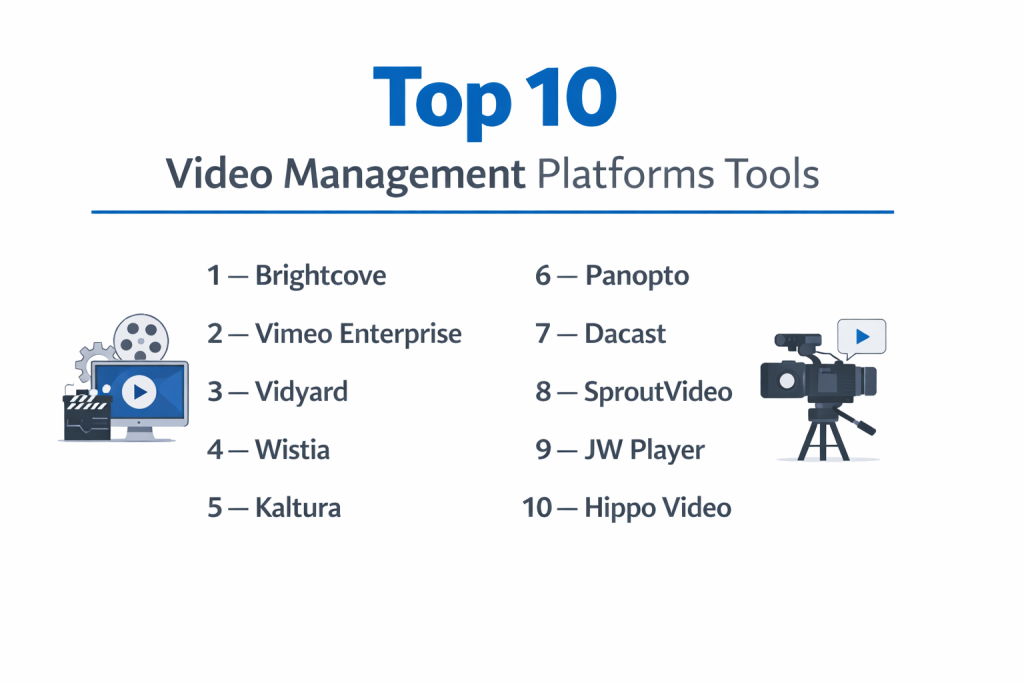
Top 10 Video Management Platforms Tools
1 — Brightcove
Brightcove is often considered the gold standard for enterprise video management. It is a powerful, highly scalable platform designed for large organizations that demand the highest levels of reliability and security. It offers a comprehensive suite of tools for live streaming, VOD (Video on Demand), and monetization.
- Key features:
- Advanced server-side ad insertion (SSAI) for seamless monetization.
- Video Cloud for sophisticated asset management and metadata.
- Multi-platform publishing to reach web, mobile, and connected TV.
- Real-time analytics with deep viewer insights.
- High-end live streaming capabilities with redundancy.
- Robust APIs for custom development and integrations.
- Contextual video recommendations to increase watch time.
- Pros:
- Unmatched reliability and uptime for global audiences.
- Extremely deep security and rights management features.
- Cons:
- The interface has a steep learning curve for new users.
- Pricing is at the highest end of the market, making it inaccessible for many SMBs.
- Security & compliance: SOC 2 Type II, GDPR, HIPAA, SSO (SAML), and AES-128 encryption.
- Support & community: 24/7 global support, dedicated account managers, and a vast library of technical documentation.
2 — Vimeo Enterprise
While many know Vimeo as a creative community, their Enterprise offering is a top-tier business solution. It focuses on high-quality playback, ease of use, and a sleek aesthetic. It is perfect for teams that want professional features without the technical complexity of more “industrial” platforms.
- Key features:
- White-label video player with total brand control.
- Built-in tools for live Q&A, polls, and interactive graphics.
- Secure showcase pages for sharing curated video collections.
- Video interaction tools like call-to-action buttons.
- Seamless integration with marketing tools like HubSpot and Salesforce.
- Automated closed captioning and transcription.
- Team collaboration features for review and approval.
- Pros:
- The most intuitive and visually appealing interface in the category.
- Excellent balance of price and feature depth for mid-market companies.
- Cons:
- Analytics are less granular than those offered by Brightcove.
- Bandwidth limits can sometimes be tricky for very high-traffic sites.
- Security & compliance: SSO, private link sharing, domain masking, and GDPR compliance.
- Support & community: Priority support, dedicated account managers, and a massive creative community.
3 — Vidyard
Vidyard is the “video for sales” specialist. While it manages video libraries effectively, its standout feature is its focus on personalization and sales outreach. It is built specifically for marketing and sales teams who want to use video to close deals.
- Key features:
- Personalized video messages (adding the prospect’s name inside the video).
- Integration with CRM platforms to notify sales when a lead watches a video.
- Video hubs for organizing sales collateral.
- Browser extension for quick screen recording and sharing.
- A/B testing for video thumbnails to improve click-through rates.
- Automatic transcription for SEO and accessibility.
- View-level analytics to see exactly who watched what.
- Pros:
- The absolute best tool for integrating video into a sales pipeline.
- Very easy for individual sales reps to use daily.
- Cons:
- Not designed for long-form entertainment or large-scale internal town halls.
- The library management features are more basic compared to “pure” VMPs.
- Security & compliance: SOC 2 Type II, GDPR, and SSO support.
- Support & community: Strong knowledge base, responsive chat support, and “Vidyard Academy” for training.
4 — Wistia
Wistia is the favorite of digital marketers. It is designed to help businesses use video to drive website traffic and generate leads. It focuses heavily on the “on-site” experience, providing beautiful players and marketing tools that turn viewers into customers.
- Key features:
- “Turnstile” email collectors that appear inside the video player.
- Customizable CTA buttons and annotation links.
- Heatmaps that show exactly where users paused or skipped.
- SEO-friendly embedding that helps videos appear in search results.
- “Channels” feature to create a Netflix-style gallery on your site.
- Integration with major email marketing platforms.
- Clean, distraction-free player with no external branding.
- Pros:
- Exceptional marketing analytics and lead-capture tools.
- Very fast loading times and a “marketing-first” philosophy.
- Cons:
- Can become very expensive as your video library grows (per-video pricing).
- Lacks the enterprise security features needed for internal HR training.
- Security & compliance: GDPR, domain restriction, and basic password protection.
- Support & community: Excellent blog, helpful support team, and a strong community of marketers.
5 — Kaltura
Kaltura is an “open-source” video platform, which makes it the most flexible and customizable option on this list. It is heavily used in education (universities) and by massive companies that want to build their own custom video workflows and applications.
- Key features:
- Fully modular architecture for custom-built video solutions.
- Strong focus on e-learning with LMS integrations (Canvas, Blackboard).
- Video editing tools built directly into the browser.
- Large-scale webinar and virtual event capabilities.
- Interactive video paths (choose-your-own-adventure style).
- Powerful API and developer tools.
- Support for “Cloud TV” and multi-device distribution.
- Pros:
- Unrivaled flexibility; if you can dream it, you can build it on Kaltura.
- The go-to choice for higher education and highly technical firms.
- Cons:
- Can be overly complex for small teams that just want a simple upload tool.
- Requires technical expertise to get the most out of the platform.
- Security & compliance: ISO 27001, SOC 2, HIPAA, GDPR, and FedRAMP.
- Support & community: Global enterprise support and a large developer community.
6 — Panopto
Panopto is specialized for “Knowledge Management.” It is designed for businesses and universities that need to record, share, and search through vast amounts of internal meetings, lectures, and training sessions.
- Key features:
- Inside-video search (search for a word spoken or shown on a slide).
- Automatic indexing of every word in every video.
- Multi-camera recording (speaker + screen + slides simultaneously).
- Integration with Zoom and Microsoft Teams for meeting archiving.
- Video quizzing and learner tracking.
- Secure, searchable “Video Wiki” for employees.
- Simple, automated workflows for lecture capture.
- Pros:
- The best “search” technology in the video industry.
- Incredible for preserving corporate or academic knowledge.
- Cons:
- The player and interface feel more “academic” than “creative.”
- Not suitable for high-end marketing or public-facing commercials.
- Security & compliance: SOC 2, GDPR, HIPAA, and SSO (SAML/AD).
- Support & community: Highly rated customer support and a dedicated user forum.
7 — Dacast
Dacast is a professional live streaming and VOD platform that provides enterprise-grade features at a more accessible price point. It is particularly popular for organizations that want to monetize their content without the high entry costs of Brightcove.
- Key features:
- Integrated paywall for subscriptions and pay-per-view.
- Akamai CDN for high-quality global video delivery.
- Unlimited concurrent viewers for live events.
- White-label player with easy branding options.
- Real-time analytics on viewer location and device.
- Video API for custom mobile app development.
- Ad-free streaming on all plans.
- Pros:
- Very strong monetization features built directly into the player.
- Great value for organizations that focus on live events.
- Cons:
- The user interface is a bit dated compared to Vimeo or Wistia.
- Less focus on “marketing tools” like lead capture forms.
- Security & compliance: AES encryption, domain/geo-restriction, and GDPR compliance.
- Support & community: 24/7 technical support and a wealth of blog tutorials.
8 — SproutVideo
SproutVideo is an excellent middle-ground platform for small to mid-sized businesses. it provides professional security, marketing, and management tools without the enterprise price tag. It is known for its simplicity and reliability.
- Key features:
- Customizable video websites (portals) for your content.
- Domain and IP address restrictions for high security.
- Engagement tracking and detailed viewer heatmaps.
- Lead capture and call-to-action integrations.
- 4K video support and ultra-fast global delivery.
- Bulk uploading and easy video management.
- Simple social media publishing tools.
- Pros:
- Very straightforward pricing with a lot of features included.
- Excellent security controls for its price point.
- Cons:
- The player customization is a bit more limited than Vimeo.
- Not designed for massive, multi-national enterprise scale.
- Security & compliance: SSO, password protection, and GDPR compliance.
- Support & community: Responsive email and chat support and clear documentation.
9 — JW Player
JW Player started as an open-source video player and evolved into a massive, data-driven platform. It is famous for its “recommendation engine” and is used by media companies that want to maximize their ad revenue and viewer engagement.
- Key features:
- Extremely fast, lightweight video player.
- AI-powered “Related Video” recommendations.
- Advanced header bidding and ad-monetization tools.
- Real-time engagement analytics.
- Global delivery through a multi-CDN approach.
- Support for low-latency live streaming.
- Comprehensive SDKs for mobile and smart TV apps.
- Pros:
- One of the fastest and most reliable players in the world.
- Excellent for media publishers who live and die by ad revenue.
- Cons:
- Can feel a bit “technical” and developer-focused.
- Internal communication features are not the priority here.
- Security & compliance: Digital Rights Management (DRM), GDPR, and SOC 2.
- Support & community: Large developer community and robust technical support tiers.
10 — Hippo Video
Hippo Video is a “Video CX” (Customer Experience) platform. It is designed to help teams use video throughout the entire customer lifecycle—from marketing and sales to customer support and success.
- Key features:
- Browser-based video editing and screen recording.
- Personalized video “flows” for customer onboarding.
- Video testimonials (collecting videos from your customers).
- “Video-in-email” capabilities for higher open rates.
- Interactive CTAs and lead generation forms.
- Detailed reporting on sales rep performance.
- Seamless CRM and help desk integrations.
- Pros:
- Amazing for collecting “user-generated content” and testimonials.
- Very affordable and modern interface.
- Cons:
- Library management for thousands of internal files is not its strength.
- Not suitable for high-end broadcast or media publishing.
- Security & compliance: GDPR, SSO, and standard data encryption.
- Support & community: Good live chat support and an active user training program.
Comparison Table
| Tool Name | Best For | Platform(s) Supported | Standout Feature | Rating |
| Brightcove | Large Enterprises | Web, Mobile, OTT | Advanced SSAI Monetization | 4.4/5 |
| Vimeo Enterprise | High-end Creative | Web, Mobile | Sleek Player & Ease of Use | 4.6/5 |
| Vidyard | Sales Teams | Web, Extension | Video Personalization AI | 4.5/5 |
| Wistia | Marketers | Web | “Turnstile” Lead Capture | 4.7/5 |
| Kaltura | Universities/Tech | Web, API | Modular Open-Source Build | 4.3/5 |
| Panopto | Internal Knowledge | Web, Desktop | In-Video Search | 4.5/5 |
| Dacast | Live Monetization | Web | Built-in Paywall | 4.2/5 |
| SproutVideo | SMB Operations | Web | Video Microsites | 4.4/5 |
| JW Player | Media Publishers | Web, Mobile, OTT | Ad-Revenue Optimization | 4.3/5 |
| Hippo Video | Customer Success | Web | Video Testimonial Collection | 4.5/5 |
Evaluation & Scoring of Video Management Platforms
| Criteria | Weight | Brightcove | Vimeo Ent. | Wistia | Panopto |
| Core Features | 25% | 10/10 | 9/10 | 9/10 | 10/10 |
| Ease of Use | 15% | 6/10 | 10/10 | 10/10 | 8/10 |
| Integrations | 15% | 10/10 | 9/10 | 10/10 | 9/10 |
| Security | 10% | 10/10 | 9/10 | 7/10 | 10/10 |
| Reliability | 10% | 10/10 | 9/10 | 9/10 | 9/10 |
| Support | 10% | 10/10 | 9/10 | 9/10 | 9/10 |
| Price / Value | 15% | 6/10 | 8/10 | 8/10 | 8/10 |
| Final Score | 100% | 8.6 | 9.0 | 9.0 | 9.0 |
Which Video Management Platform Tool Is Right for You?
Solo Users vs SMB vs Mid-Market vs Enterprise
If you are a solo user or small business owner looking for professional results, Wistia or Vimeo are your best options. They offer “pro” features without needing an IT team. For mid-market companies that need specialized sales or internal tools, Vidyard or SproutVideo offer the best balance. For global enterprises with thousands of employees and complex security needs, Brightcove, Kaltura, or Panopto are the only tools that can truly scale to that level.
Budget-conscious vs Premium Solutions
If budget is your main concern, SproutVideo and Dacast offer some of the most affordable entrance plans for professional video. Hippo Video is also very cost-effective for sales teams. On the premium side, Brightcove and Kaltura represent a significant investment but provide the level of control and “white-glove” service that giant corporations require.
Feature Depth vs Ease of Use
If you want a tool that you can set up in 10 minutes and that looks beautiful immediately, go with Vimeo Enterprise. If you want “feature depth”—meaning you want to build a custom streaming app, integrate with complex university systems, or run a high-volume ad-supported news site—you will need the power of JW Player or Kaltura, even if they take longer to master.
Integration and Scalability Needs
For those whose sales teams live in Salesforce or HubSpot, Vidyard and Wistia have the tightest integrations. If you are building an internal library for 50,000 employees, Panopto and Brightcove provide the necessary scalability and SSO (Single Sign-On) support to ensure your media remains secure and accessible.
Frequently Asked Questions (FAQs)
1. Is a VMP better than YouTube?
Yes, for business. A VMP removes ads, keeps users on your site, provides better security, and offers much deeper analytics than social platforms like YouTube.
2. What is a CDN and why does it matter?
A Content Delivery Network (CDN) is a global network of servers. It matters because it ensures your video loads quickly for a viewer in London even if your company is in New York.
3. Can I make money from my videos on these platforms?
Yes. Platforms like Dacast and Brightcove have built-in paywalls and ad-insertion tools specifically for monetization.
4. How secure are these platforms?
Professional VMPs use encryption, domain masking, and DRM (Digital Rights Management) to ensure that only authorized people can see your content.
5. Do I need to be a developer to use a VMP?
Most platforms (like Vimeo or Wistia) are “no-code” and very easy to use. However, some (like Kaltura) are built to be customized by developers.
6. Can I host live streams and VOD in one place?
Yes, almost all the platforms on this list allow you to manage both live events and your library of recorded videos in one dashboard.
7. What is “In-Video Search”?
A feature found in tools like Panopto that uses AI to “listen” to the video and index the words, allowing you to search for a specific sentence within a 60-minute recording.
8. Can I use these for internal employee training?
Absolutely. Tools like Panopto, Kaltura, and Brightcove are specifically designed for secure internal training and e-learning.
9. Will using a VMP help my website’s SEO?
Yes. Tools like Wistia provide “Video SEO” features that help Google find and index your videos, driving more traffic to your actual website rather than to a social media site.
10. How much bandwidth do I need?
Bandwidth is the data used when someone watches your video. High-definition video uses about 2GB per hour. Your VMP plan will typically give you a set amount of bandwidth per month.
Conclusion
Choosing the right video management platform is no longer just about where to “store” your files; it’s about how you want to use video to grow your organization. If your goal is to sell more products, Wistia and Vidyard lead the pack. If you want to preserve corporate knowledge, Panopto is the clear winner. For those who need a sleek, artistic presence with professional features, Vimeo Enterprise remains a top choice.
Ultimately, the “best” tool depends on your specific goals, the size of your audience, and your technical comfort level. By selecting a platform that aligns with your strategic needs, you can transform video from a simple asset into a powerful engine for marketing, sales, and education. Success with video starts with a reliable foundation—pick the one that lets your content shine.