Introduction
VFX Compositing Software is a category of tools used in the visual effects (VFX) industry to combine multiple elements into a single, cohesive image or sequence. These tools allow artists to seamlessly integrate computer-generated imagery (CGI), live-action footage, matte paintings, and particle effects, creating cinematic visuals that appear realistic to the audience. Compositing is the backbone of modern films, TV shows, commercials, and interactive media, providing control over color, lighting, depth, and spatial positioning of elements.
The importance of VFX compositing software has skyrocketed with the demand for visually rich content. In blockbuster films, video games, and advertisements, compositing bridges the gap between creative vision and technical execution. Whether it is layering green-screen footage, adding explosions, creating digital doubles, or blending 3D renders into real-world footage, compositing tools make these tasks possible with precision.
When choosing compositing software, users must consider workflow integration, node-based versus layer-based editing, color correction capabilities, GPU acceleration, plugin support, scripting options, and compatibility with other VFX tools. Performance, stability, and cross-platform support also play a critical role, especially for professional studios managing large-scale projects.
Best for:
VFX artists, compositors, motion graphics designers, post-production studios, animation houses, and film production teams of all sizes looking to achieve high-quality visual storytelling.
Not ideal for:
Users only creating simple video edits or motion graphics for social media; lightweight video editors or visual effects apps may suffice in such cases.
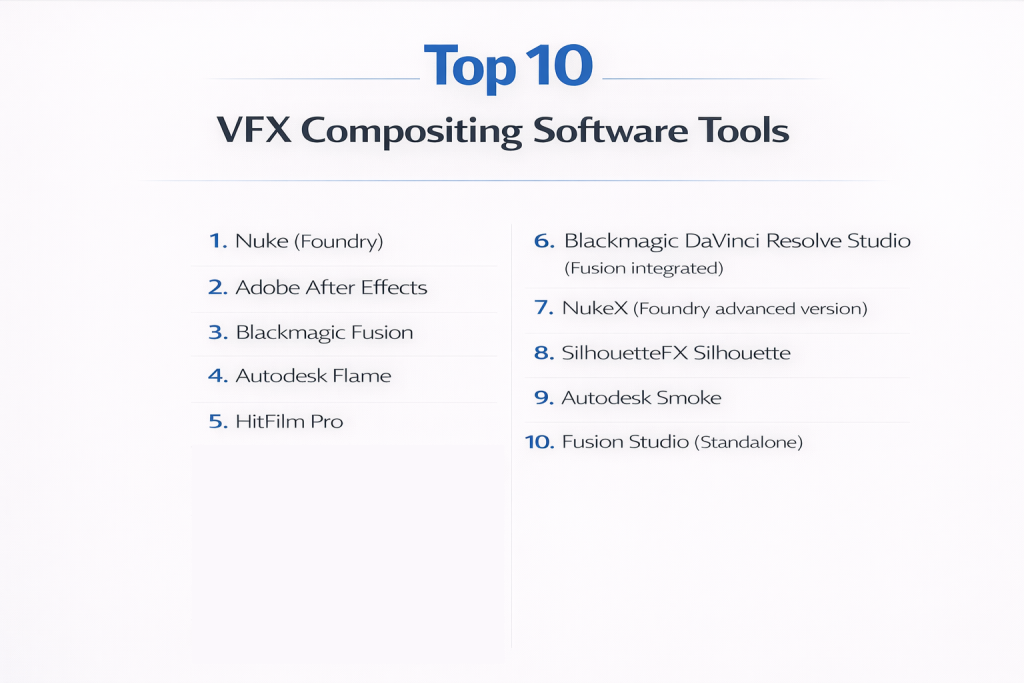
Top 10 VFX Compositing Software Tools
1 — Nuke (Foundry)
Short description:
Nuke is a professional-grade node-based compositing tool used in high-end film and VFX production. It is designed for complex multi-layered compositing tasks and pipeline integration.
Key features:
- Node-based workflow for non-linear compositing
- Multi-channel EXR support
- Advanced keying, rotoscoping, and tracking
- GPU acceleration for faster renders
- Deep color grading tools
- Stereoscopic and 3D compositing capabilities
Pros:
- Industry standard for feature films
- Highly scalable for complex shots
- Extensive plugin and scripting support
Cons:
- High cost for small studios or solo artists
- Steep learning curve for beginners
Security & compliance:
Enterprise-grade license management, SOC 2 compliant for collaborative pipelines
Support & community:
Professional support, active forums, and comprehensive Foundry documentation.
2 — Adobe After Effects
Short description:
After Effects is a widely used layer-based compositing and motion graphics software, ideal for post-production and visual effects on both film and digital content.
Key features:
- Layer-based compositing workflow
- Motion tracking and stabilization
- Advanced visual effects and animation tools
- Integration with Adobe Creative Cloud
- Expressions for automation and scripting
- Extensive third-party plugin ecosystem
Pros:
- Easy to learn for beginners and intermediate users
- Strong motion graphics capabilities
- Cross-platform compatibility with other Adobe apps
Cons:
- Not node-based, limiting complex compositing efficiency
- Slower for large-scale, high-resolution projects
Security & compliance:
Adobe enterprise license includes access control, GDPR-compliant data management
Support & community:
Vibrant community, tutorials, and Adobe official support.
3 — Blackmagic Fusion
Short description:
Fusion is a node-based compositing software that supports visual effects for films, television, and broadcast media. It excels in 3D compositing and GPU-accelerated rendering.
Key features:
- Node-based compositing
- 3D workspace with camera tracking
- Advanced keying and paint tools
- GPU-accelerated image processing
- Stereoscopic workflow support
- Particle and effects simulations
Pros:
- Powerful and free version available
- Robust 3D and motion graphics integration
- Suitable for both indie and professional studios
Cons:
- Interface may be complex for beginners
- Limited motion graphics compared to After Effects
Security & compliance:
Varies; enterprise deployments support access control
Support & community:
Official documentation, active forums, and training resources.
4 — Autodesk Flame
Short description:
Flame is a high-end compositing and finishing tool used for creative editorial, visual effects, and color grading in professional studios.
Key features:
- Node-based compositing and timeline integration
- Real-time GPU-accelerated processing
- Advanced color grading tools
- 3D camera tracking and match-moving
- Stereoscopic workflow support
- Built-in conform and finishing pipeline
Pros:
- Real-time performance for complex shots
- Industry-grade color and finishing tools
- Scalable for large VFX pipelines
Cons:
- Very high cost
- Requires powerful hardware
Security & compliance:
Enterprise-grade security features for studio workflows
Support & community:
Professional support, training programs, and Autodesk documentation.
5 — HitFilm Pro
Short description:
HitFilm Pro combines video editing and compositing features, suitable for independent filmmakers and small studios creating visual effects for videos and films.
Key features:
- Node and layer-based compositing hybrid
- Built-in 3D particle simulator
- Advanced color grading and effects library
- Motion tracking and stabilization
- Cross-platform export options
- Integrated video editing timeline
Pros:
- Affordable compared to high-end VFX software
- Combines editing and compositing
- Good for indie creators and small projects
Cons:
- Limited for high-end cinematic projects
- Performance can lag with complex compositions
Security & compliance:
Varies; desktop software
Support & community:
Tutorials, forums, and customer support available.
6 — Blackmagic DaVinci Resolve Studio (Fusion integrated)
Short description:
DaVinci Resolve Studio integrates Fusion as a compositing environment within a color grading and editing workflow, suitable for post-production professionals.
Key features:
- Node-based Fusion compositing
- High-end color grading tools
- Multi-camera and timeline editing
- Motion graphics and VFX integration
- GPU acceleration
- Collaborative workflow tools
Pros:
- Combines editing, color grading, and VFX
- Industry standard for color workflows
- Efficient pipeline integration
Cons:
- Requires powerful hardware for real-time playback
- Learning curve for combined workflow
Security & compliance:
Enterprise deployments support access control and user permissions
Support & community:
Official documentation, training resources, and active user community.
7 — NukeX (Foundry advanced version)
Short description:
NukeX offers advanced features over standard Nuke, including camera tracking, 3D lens distortion, and particle tools for high-end film compositing.
Key features:
- 3D camera tracking and match-moving
- Lens distortion and retiming tools
- Particle and fluid simulations
- Advanced keying and rotoscoping
- Deep EXR multi-layer compositing
- Python and TCL scripting
Pros:
- Suitable for AAA films
- High scalability and complex scene support
- Pipeline-friendly with scripting
Cons:
- Expensive licensing
- Requires training for complex pipelines
Security & compliance:
SOC 2 compliance options for enterprise pipelines
Support & community:
Official Foundry support and community resources.
8 — SilhouetteFX Silhouette
Short description:
Silhouette is a specialized rotoscoping and paint software, ideal for precision compositing tasks such as clean plates, masking, and object removal.
Key features:
- Node-based rotoscoping workflow
- Advanced paint and tracking tools
- GPU-accelerated processing
- Multi-layer masking support
- Integration with Nuke and Flame
- Stereoscopic support
Pros:
- Industry-leading for rotoscoping
- Efficient for detailed cleanup work
- Pipeline integration with major VFX software
Cons:
- Focused on rotoscoping; limited general compositing
- Requires expertise for complex shots
Security & compliance:
Varies; enterprise options for studio pipelines
Support & community:
Professional documentation and forums.
9 — Autodesk Smoke
Short description:
Smoke integrates editing and compositing in a timeline-based workflow, designed for finishing and broadcast VFX.
Key features:
- Timeline-based compositing and effects
- Advanced color grading tools
- Motion graphics and tracking integration
- GPU acceleration for real-time previews
- 3D compositing support
- Built-in audio and video editing
Pros:
- Efficient for broadcast and short-form content
- Combines editing with compositing
- Real-time preview capabilities
Cons:
- Expensive
- Less used in feature film pipelines
Security & compliance:
Enterprise licensing and access controls
Support & community:
Official Autodesk documentation, tutorials, and customer support.
10 — Fusion Studio (Standalone)
Short description:
Fusion Studio offers professional node-based compositing as a standalone application, ideal for studios requiring high-end VFX pipelines without full editing suites.
Key features:
- Node-based compositing interface
- 3D workspace with cameras and lights
- Particle effects and simulations
- GPU-accelerated rendering
- Stereoscopic support
- Scriptable workflows with Python
Pros:
- Advanced compositing for complex VFX shots
- Flexible standalone application
- Compatible with multiple formats
Cons:
- Steeper learning curve for beginners
- Less integrated than DaVinci Resolve workflow
Security & compliance:
Varies; supports enterprise pipelines
Support & community:
Official documentation, tutorials, and community forums.
Comparison Table
| Tool Name | Best For | Platform(s) Supported | Standout Feature | Rating |
|---|---|---|---|---|
| Nuke | Feature films | Windows, macOS, Linux | Node-based advanced compositing | N/A |
| Adobe After Effects | Motion graphics | Windows, macOS | Layer-based compositing & motion graphics | N/A |
| Blackmagic Fusion | Films & TV | Windows, macOS, Linux | Node-based VFX with GPU acceleration | N/A |
| Autodesk Flame | High-end post | Windows | Real-time finishing & compositing | N/A |
| HitFilm Pro | Indie filmmakers | Windows, macOS | Integrated editing & VFX | N/A |
| DaVinci Resolve Studio | Post-production | Windows, macOS, Linux | Fusion integration + color grading | N/A |
| NukeX | AAA films | Windows, macOS, Linux | 3D camera tracking & particles | N/A |
| SilhouetteFX Silhouette | Rotoscoping | Windows, macOS, Linux | Precision masking & paint | N/A |
| Autodesk Smoke | Broadcast content | macOS | Timeline-based finishing | N/A |
| Fusion Studio | Standalone VFX | Windows, macOS, Linux | High-end node-based compositing | N/A |
Evaluation & Scoring of VFX Compositing Software
| Criteria | Weight | Assessment |
|---|---|---|
| Core features | 25% | High – Advanced tools for compositing, tracking, and effects |
| Ease of use | 15% | Medium – Beginners may require training for node-based workflows |
| Integrations & ecosystem | 15% | High – Plugins, pipeline integration, and cross-compatibility |
| Security & compliance | 10% | Medium – Enterprise licenses offer compliance and access controls |
| Performance & reliability | 10% | High – GPU acceleration and pipeline-friendly rendering |
| Support & community | 10% | High – Tutorials, forums, and professional support |
| Price / value | 15% | Medium – Free and affordable options exist; premium tools are costly |
Which VFX Compositing Software Tool Is Right for You?
- Solo users and small teams often start with Adobe After Effects, HitFilm, or Fusion Studio for affordable or free workflows.
- SMBs and mid-market studios may use Blackmagic Fusion, DaVinci Resolve, or Silhouette to handle medium-complexity projects efficiently.
- Enterprise or AAA studios typically adopt Nuke, NukeX, or Autodesk Flame for feature films, commercials, and high-end visual effects pipelines.
Budget-conscious users can rely on free or educational licenses, whereas large studios require enterprise-grade solutions with scalability, cross-platform compatibility, and workflow integration. Ease of use versus depth of features is critical depending on team expertise. Security and licensing compliance should align with studio policies, especially when working on high-profile projects.
Frequently Asked Questions (FAQs)
1. What is VFX compositing software used for?
It combines multiple visual elements such as CGI, live-action footage, and effects into a single cohesive scene.
2. Which software is best for beginners?
HitFilm Pro, Fusion Studio, and After Effects are suitable for learning basic compositing.
3. Is node-based or layer-based better?
Node-based software like Nuke offers flexibility for complex shots, while layer-based tools like After Effects are easier for simple compositions.
4. Can these tools handle 3D integration?
Yes, Nuke, Fusion, and Flame support 3D compositing and camera tracking.
5. Are there free options available?
Fusion has a free version, and educational licenses are available for some premium software.
6. Do I need a powerful computer for VFX software?
Yes, GPU acceleration is essential for real-time previews and rendering high-resolution compositions.
7. Can compositing software integrate with editing tools?
Many tools integrate with DaVinci Resolve, Premiere Pro, or proprietary studio pipelines.
8. Which software is standard in Hollywood?
Nuke and NukeX are widely adopted in feature films and high-end commercial production.
9. Is scripting necessary?
Advanced workflows benefit from Python or TCL scripting, though many tasks can be done visually.
10. How important is community support?
Very important – it provides tutorials, troubleshooting, and access to plugins for faster workflow.
Conclusion
VFX compositing software is essential for creating cinematic, realistic, and engaging visual content. From indie filmmakers to AAA studios, these tools enable seamless integration of live-action footage, CGI, particle effects, and animations. The “best” software depends on your project complexity, team size, budget, and desired output quality. Node-based tools like Nuke and Fusion excel in high-end film pipelines, while layer-based or hybrid tools like After Effects and HitFilm Pro cater to smaller studios and independent creators. Choosing the right tool aligns creative vision with technical workflow, ensuring efficient and visually stunning results.