Introduction
User onboarding tools are software platforms designed to guide new users through a website or application, helping them understand how to use the product effectively from the very first minute. Imagine walking into a massive, high-tech library without any signs; you would likely feel lost and walk out. User onboarding tools act as the friendly librarian and the clear signage, offering interactive tours, pop-up hints, and progress checklists. These tools allow companies to create “product tours” and “in-app guidance” without requiring developers to write new code every time. By highlighting the most important features at the right time, these platforms ensure users find value quickly—a moment often called the “Aha!” moment.
The importance of these tools lies in reducing “churn,” which is when a user stops using an app because they find it too complicated. Real-world use cases include a project management app showing a new user how to create their first task, or a financial software guiding a customer through setting up their bank connection safely. When choosing a tool in this category, you should evaluate the ease of the “no-code” builder, the depth of user analytics, the ability to segment users (showing different tours to a manager vs. an employee), and how well the tool matches your brand’s visual style.
Best for: Product managers, customer success teams, and growth marketers at SaaS companies of all sizes. It is essential for complex software-as-a-service products, e-commerce platforms with multi-step setups, and internal HR portals used for employee training.
Not ideal for: Very simple mobile games or basic informational websites where the interface is already self-explanatory. It may also not be necessary for companies with a very high-touch sales model where every single customer receives a 1-on-1 human demo.
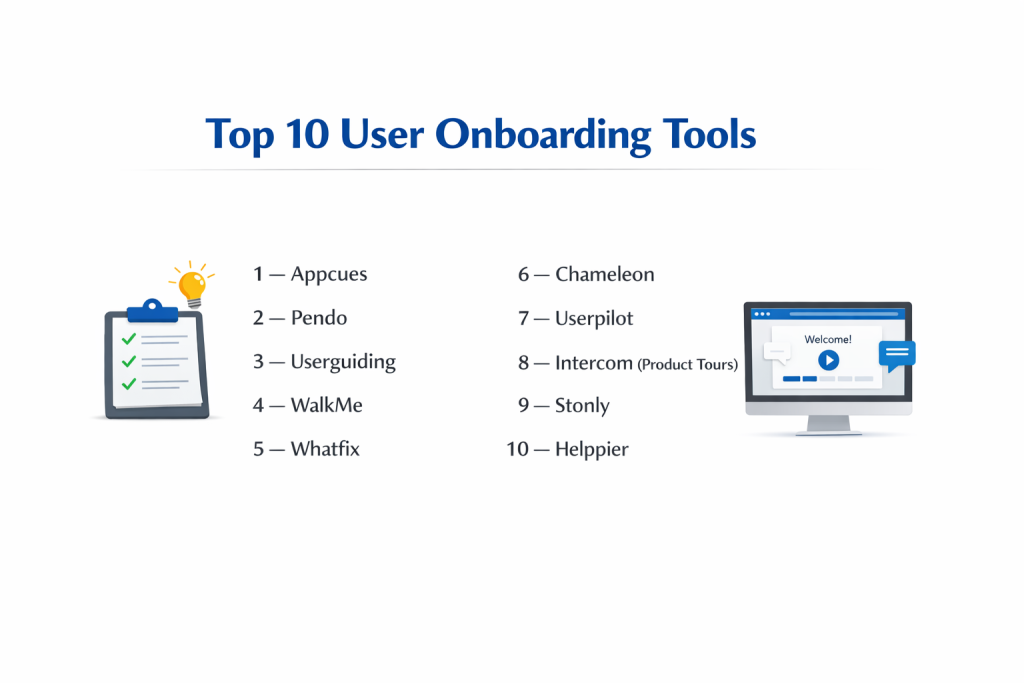
Top 10 User Onboarding Tools
1 — Appcues
Appcues is a pioneer in the no-code onboarding space, known for its user-friendly interface and powerful design capabilities. it is designed for product and marketing teams who want to build beautiful, highly engaging in-app experiences without bothering their engineering team.
- Key features
- Drag-and-drop builder for creating flows, modals, and slide-outs.
- Checklists that give users a sense of progress and accomplishment.
- “Nps” (Net Promoter Score) surveys to measure user satisfaction in-app.
- Advanced user segmentation based on behavior, attributes, or lifecycle stage.
- A “Pin” feature that lets you attach hints to specific elements of your UI.
- Detailed analytics to see where users are dropping off in a tour.
- Integration with major data platforms like Segment, HubSpot, and Salesforce.
- Pros
- Extremely fast to set up; you can have a tour live in hours.
- The visual design is highly customizable to look like a native part of your app.
- Cons
- The pricing can scale up quickly as your monthly active user (MAU) count grows.
- Mobile app support is available but not as mature as their desktop web offering.
- Security & compliance: SOC 2 Type II compliant, GDPR compliant, and supports SSO.
- Support & community: Extensive “Appcues University” for learning, active blog, and premium email support.
2 — Pendo
Pendo is a comprehensive product experience platform that combines onboarding with deep product analytics and feedback management. It is designed for mid-market and enterprise companies that want a data-driven approach to understanding and guiding their users.
- Key features
- Combined usage analytics and in-app messaging in one dashboard.
- “Paths” and “Retentions” reports to see exactly how users navigate your app.
- In-app resource centers that act as an always-available help menu.
- Guide triggers based on specific user clicks or page views.
- Multi-app support for companies managing a suite of different products.
- Visual design editor that requires no coding knowledge.
- “Pendo Free” tier for startups with fewer than 500 users.
- Pros
- Offers the most powerful analytics of any tool on this list.
- Excellent for large organizations that need to manage “Product-Led Growth” at scale.
- Cons
- The platform is very complex and can take weeks to master fully.
- High-tier enterprise pricing is often opaque and expensive.
- Security & compliance: SOC 2 Type II, ISO 27001, GDPR, and HIPAA compliant.
- Support & community: Dedicated account managers for enterprise, large user conference (Pendomonium), and robust documentation.
3 — Userguiding
Userguiding is a budget-friendly, easy-to-use alternative to the larger enterprise platforms. It focuses on providing all the core features of onboarding—tours, checklists, and surveys—at a price point accessible to small and medium businesses.
- Key features
- Interactive product tours with multiple step types.
- Onboarding checklists to drive users toward key milestones.
- Tooltips and “hotspots” for subtle, non-intrusive guidance.
- Segmentation engine to target specific groups of users.
- In-app resource centers to host help articles and videos.
- No-code Chrome extension for building flows directly on your website.
- Basic analytics to track guide completion rates.
- Pros
- One of the most affordable options for startups and small teams.
- Very simple interface that doesn’t require a technical background to use.
- Cons
- Analytics are not as deep or customizable as Pendo or Appcues.
- Fewer integrations with external CRM and data tools.
- Security & compliance: GDPR compliant and uses SSL encryption for data transfer.
- Support & community: Responsive chat support, helpful video tutorials, and a clear knowledge base.
4 — WalkMe
WalkMe is the “Digital Adoption Platform” (DAP) designed for the enterprise. It is a massive, highly technical tool used not just for customer onboarding, but also for training employees on complex internal software like Salesforce, SAP, or Workday.
- Key features
- “Smart Walk-Thrus” that can cross different domains and applications.
- Automation features that can actually complete tasks for the user.
- Deep enterprise-grade analytics on software ROI and employee productivity.
- Multi-language support with automated translation features.
- Mobile, desktop, and web-based application support.
- “ActionBot” that uses natural language to help users find what they need.
- High-level security features including private cloud deployment.
- Pros
- The most powerful and flexible tool for complex, multi-software workflows.
- Proven to significantly reduce training costs in very large corporations.
- Cons
- Requires a dedicated “WalkMe Builder” (often a full-time job) to manage.
- Implementation can take months rather than days.
- Security & compliance: SOC 2, ISO 27001, GDPR, HIPAA, and FedRAMP authorized.
- Support & community: Professional services team, “WalkMe University,” and a massive global partner network.
5 — Whatfix
Whatfix is a direct competitor to WalkMe, focusing on digital adoption and in-app guidance for both customers and employees. It prides itself on being slightly more agile and easier to maintain than other enterprise-heavy solutions while remaining very powerful.
- Key features
- Interactive flows that can be converted into PDFs or videos automatically.
- “Self-help” widgets that integrate with your existing knowledge base.
- Task lists that link directly to specific interactive tours.
- “Smart Context” which ensures guidance only appears when relevant.
- No-code editor that works across web, mobile, and desktop.
- Detailed analytics on user engagement and “bottlenecks.”
- Personalized content based on user roles and behavior.
- Pros
- Excellent at repurposing onboarding content into multiple formats (video/PDF).
- Highly praised for its customer success and onboarding support.
- Cons
- Still requires a technical mindset to set up complex “conditions.”
- Pricing is enterprise-focused and usually requires a custom quote.
- Security & compliance: SOC 2 Type II, ISO 27001, and GDPR compliant.
- Support & community: 24/7 support, dedicated account managers, and a strong user forum.
6 — Chameleon
Chameleon is designed specifically for “product-led” teams who care deeply about design and user experience. It focuses on highly customizable, “native-feeling” UI patterns that don’t look like an obvious third-party overlay.
- Key features
- “Tours” that use CSS selectors for highly accurate positioning.
- “Tooltips” that can be triggered by hovering or clicking.
- “Launchers” which are in-app menus for announcements or checklists.
- Microsurveys for collecting targeted feedback at specific moments.
- Deep integration with data tools like Mixpanel, Heap, and Amplitude.
- A “Debugger” tool to help you see exactly why a tour isn’t appearing.
- Support for “Markdown” and custom CSS for advanced styling.
- Pros
- The most design-flexible tool; it looks like you built the tours yourself.
- Great for technical product managers who want more control over “triggers.”
- Cons
- The advanced styling options have a steeper learning curve.
- Analytics are better when paired with a third-party tool like Mixpanel.
- Security & compliance: SOC 2 Type II, GDPR compliant, and supports SSO.
- Support & community: Highly technical support docs and a “Chameleon School” for best practices.
7 — Userpilot
Userpilot is a growth-focused platform that helps mid-market SaaS companies increase their “feature adoption.” It is built to be a more affordable and specialized version of Pendo, focusing purely on the onboarding and product-growth side.
- Key features
- “Flow Builder” for creating multi-step interactive guides.
- Checklists with progress bars to encourage completion.
- Native-looking tooltips and driven actions (forcing a user to click an element).
- Advanced segmentation based on “Events” (e.g., user clicked “Export”).
- A/B testing for onboarding flows to see which version performs better.
- User feedback and micro-surveys.
- Resource centers that can host external links and internal flows.
- Pros
- Very strong balance between advanced features and ease of use.
- Includes A/B testing even in its mid-tier plans.
- Cons
- Not suitable for mobile apps; it is web-only.
- Some users find the analytics dashboard a bit less intuitive than competitors.
- Security & compliance: SOC 2 Type II and GDPR compliant.
- Support & community: Direct chat support, regular webinars, and a very active blog on SaaS growth.
8 — Intercom (Product Tours)
Many companies already use Intercom for their customer support chat. Intercom “Product Tours” is an add-on that allows you to build simple, linear onboarding guides that live within the familiar Intercom ecosystem.
- Key features
- Simple “pointer” tours that move users from one step to another.
- Integration with Intercom “Messages” to trigger tours via email or chat.
- Video support within tour steps for a more human touch.
- Automatic “tour completion” data sent to your Intercom user profiles.
- Shared “Inbox” so support agents can see which tours a user has seen.
- Very easy setup for teams already using the Intercom messenger.
- Multi-language support.
- Pros
- Perfect if you already use Intercom; it uses the same user data and billing.
- One of the most “human-centric” interfaces on the market.
- Cons
- Prototypical “linear” tours; it lacks the complex logic of Appcues or Pendo.
- It is an add-on, meaning the cost can feel high if you don’t use the rest of Intercom.
- Security & compliance: SOC 2, HIPAA ready, and GDPR compliant.
- Support & community: Massive global support team and the famous “Intercom Academy.”
9 — Stonly
Stonly takes a different approach by focusing on “interactive guides” and “knowledge-base” content. Instead of just pop-up tours, it uses a branching, “choose-your-own-adventure” style to help users solve their specific problems.
- Key features
- Step-by-step interactive guides that adapt based on user choices.
- In-app widgets that can replace traditional “Help Centers.”
- Branching logic (e.g., “Are you a manager or an employee?”).
- Searchable knowledge base that lives inside your application.
- Full-page guides for complex documentation.
- Tooltips and hotspots for contextual help.
- Analytics on which “path” users take and where they get stuck.
- Pros
- The best tool for complex troubleshooting or educational content.
- Very easy to build helpful, multi-path guides without any code.
- Cons
- Less focused on the “visual pop-up” style of onboarding.
- Not ideal for very simple “look at this button” type tours.
- Security & compliance: GDPR compliant and uses enterprise-grade encryption.
- Support & community: Detailed help center and a growing community of “knowledge managers.”
10 — Helppier
Helppier is a straightforward, no-code tool designed for creating interactive manuals and online tours. It is particularly popular in Europe and among teams who want a simple, effective tool without the high price of US-based enterprise competitors.
- Key features
- Interactive step-by-step guides and tooltips.
- In-app messages and announcements for new features.
- NPS and satisfaction surveys.
- Multi-language support with an emphasis on localization.
- Analytics on guide performance and user interactions.
- Chrome extension for easy guide creation.
- Templates for common onboarding scenarios.
- Pros
- Excellent multi-language support makes it great for global products.
- Very competitive pricing for small to mid-sized teams.
- Cons
- The UI of the builder can feel a bit less modern than Chameleon or Appcues.
- Smaller integration ecosystem compared to the market leaders.
- Security & compliance: GDPR compliant and ISO 27001 certified.
- Support & community: Personal support for higher tiers and a comprehensive user guide.
Comparison Table
| Tool Name | Best For | Platform(s) Supported | Standout Feature | Rating |
| Appcues | Ease of Design | Web, Mobile (Limited) | Beautiful, Native-Look UI | 4.6/5 |
| Pendo | Data-Driven Teams | Web, Mobile | All-in-One Analytics + Tours | 4.5/5 |
| Userguiding | Budget Value | Web | Best “Bang for Buck” | 4.4/5 |
| WalkMe | Large Enterprise | Web, Desktop, Mobile | Full Workflow Automation | 4.3/5 |
| Whatfix | Employee Training | Web, Desktop, Mobile | Auto-Generated Video/PDFs | 4.5/5 |
| Chameleon | Custom Design | Web | Technical Design Flexibility | 4.4/5 |
| Userpilot | Mid-Market Growth | Web | Built-in A/B Testing | 4.5/5 |
| Intercom | Support Teams | Web, Mobile | Integrated with Support Chat | 4.2/5 |
| Stonly | Branching Logic | Web | Interactive Decision Trees | 4.6/5 |
| Helppier | Localization | Web | Strong Multi-Language Support | 4.1/5 |
Evaluation & Scoring of User Onboarding Tools
To help you decide, we have evaluated these tools based on a weighted scoring rubric that reflects the needs of a modern software company.
| Evaluation Category | Weight | Why It Matters |
| Core Features | 25% | Presence of tours, checklists, hotspots, and segmentation. |
| Ease of Use | 15% | How quickly a non-developer can build a working flow. |
| Integrations | 15% | Does it talk to your CRM (Salesforce) and Analytics (Mixpanel)? |
| Security & Compliance | 10% | Crucial for handling user data in banking, healthcare, etc. |
| Performance | 10% | Does the script slow down your website or app? |
| Support & Community | 10% | Quality of the help docs and responsiveness of support. |
| Price / Value | 15% | Is the price justified by the number of users and features? |
Which User Onboarding Tool Is Right for You?
Solo Users vs SMB vs Mid-Market vs Enterprise
If you are a solo founder or a very small team, Userguiding or Stonly are your best starting points because they are easy to set up and won’t break the bank. Mid-market companies that are scaling quickly usually find the best success with Appcues or Userpilot, as these tools offer the “pro” features needed for growth without the massive complexity of an enterprise tool. Large enterprises with thousands of employees or very complex software suites almost always require the power of WalkMe, Pendo, or Whatfix to manage their scale and security needs.
Budget-Conscious vs Premium Solutions
If budget is your primary constraint, look at Userguiding or the free tier of Pendo. These allow you to get started with basic tours for very little cost. On the other end, “premium” solutions like Appcues or Chameleon charge more but provide a level of design polish and technical reliability that can be worth the extra investment for a high-end brand.
Feature Depth vs Ease of Use
If you want to “set it and forget it” with a simple tour, Intercom Product Tours or Helppier are incredibly easy to use. However, if you need “feature depth”—meaning you want to trigger a specific guide only when a user has done X, hasn’t done Y, and lives in Z country—you will need a more robust logic engine like the one found in Userpilot or Pendo.
Integration and Scalability Needs
Before choosing, look at your “Tech Stack.” If you use Segment or Salesforce, you want a tool that has a native integration with them. Pendo and Appcues have the widest range of integrations. As for scalability, ensure the tool’s pricing model fits your growth; some tools charge per “view,” while others charge per “Monthly Active User.” If you expect a million users, a per-view model might become unaffordable.
Security and Compliance Requirements
If you work in a regulated industry like Finance or Healthcare, your security team will likely demand a SOC 2 Type II report. Pendo, WalkMe, and Whatfix have the most robust security certifications. Additionally, if you are based in Europe, ensure the tool is fully GDPR compliant and ideally has servers based in the EU to make your legal team happy.
Frequently Asked Questions (FAQs)
Will these tools slow down my website or app?
Most modern tools use a lightweight “asynchronous” script, meaning they load after your website does. While the impact is usually tiny, tools like Chameleon and Userpilot are specifically built to have a near-zero impact on performance.
Do I need a developer to set these up?
Usually, you only need a developer for 5 minutes to install a small snippet of code (like a Facebook pixel). After that, the product or marketing team can build all the tours and guides without writing any code.
Can I use these tools on mobile apps?
Yes, but not all of them. Pendo, WalkMe, and Appcues have strong mobile support. Others, like Userpilot, are strictly for web-based applications.
What is the difference between a tooltip and a hotspot?
A tooltip is a small box with text that explains an element. A hotspot is a flashing or glowing dot that draws a user’s attention to a specific button without showing text until they click or hover.
Can I personalize tours for different types of users?
Yes. Most tools allow you to “Segment” your audience. For example, you can show a “Billing Setup” tour only to users with an “Admin” role and hide it from everyone else.
What is an “Onboarding Checklist”?
It is a small widget (often in the corner of the screen) that shows a list of tasks for the user to complete, like “Upload Profile Photo” or “Invite Team Member.” It is proven to increase user engagement.
How much do these tools usually cost?
Small-team plans start around $200–$300 per month. Mid-market plans often range from $600–$1,500 per month. Enterprise plans can exceed $10,000–$50,000 per year.
Can I test different versions of a tour?
Yes, tools like Userpilot and Appcues offer A/B testing. You can show Version A to half your users and Version B to the other half to see which one leads to more people finishing the tour.
What is a “Product-Led Growth” (PLG) strategy?
PLG is a business model where the product itself (rather than sales or marketing) is the main driver of customer growth. Onboarding tools are the “engine” of PLG because they help users see the product’s value automatically.
Can these tools be used for internal employee training?
Absolutely. WalkMe and Whatfix are the leaders in this area. They help large companies train employees on internal tools like HR portals or CRM systems without needing expensive classroom sessions.
Conclusion
User onboarding tools have become the backbone of modern software success. By guiding users through the “learning curve” of a new application, these platforms ensure that your product’s value is understood immediately. We have explored a vast range of options, from the simple and helpful guides of Userguiding and Stonly to the massive, automated enterprise power of WalkMe and Pendo.
The key takeaway is that the “best” tool is the one that aligns with your specific goals. If your priority is beautiful design and ease of use, Appcues or Chameleon are fantastic choices. If you need deep data and enterprise security, Pendo or Whatfix will serve you better. Regardless of which you choose, the goal remains the same: helping your users succeed. When your users succeed, they stay; when they stay, your business grows. Take the time to try a few of these tools—most offer a free trial—and see which one feels like the right “librarian” for your digital space.