Introduction
Time blocking is a productivity technique where you divide your day into specific chunks of time, each dedicated to a particular task or group of tasks. Time Blocking Apps are digital tools designed to facilitate this method by merging your to-do list with your calendar. Instead of working from an endless list of chores, these apps help you visualize exactly when you will do your work, effectively turning your calendar into a blueprint for success. By assigning every minute a purpose, these tools help eliminate the “paradox of choice” that often leads to procrastination and burnout in the modern workplace.
Using a time blocking app is important because it forces you to acknowledge the finite nature of time. It moves you away from reactive working—where you simply answer emails as they arrive—and toward proactive working, where you prioritize deep focus and meaningful output. Key real-world use cases include protecting time for deep work projects, managing a high volume of meetings, and balancing professional responsibilities with personal health and family time. When evaluating these tools, users should look for seamless calendar syncing, intuitive “drag-and-drop” interfaces, and robust cross-platform availability. A good tool should reduce friction in your planning process, not add to it.
Best for: These tools benefit busy executives, freelance creatives, project managers, and students who struggle with distractions. They are also highly effective for small-to-medium businesses (SMBs) looking to improve team transparency and prevent employee over-scheduling in high-pressure industries like tech, design, and consulting.
Not ideal for: People whose jobs are purely reactive, such as emergency room staff or high-volume customer support agents, may find strict time blocking impossible to maintain. Similarly, those who prefer complete spontaneity and have very few deadlines may find the structured nature of these apps more restrictive than helpful.
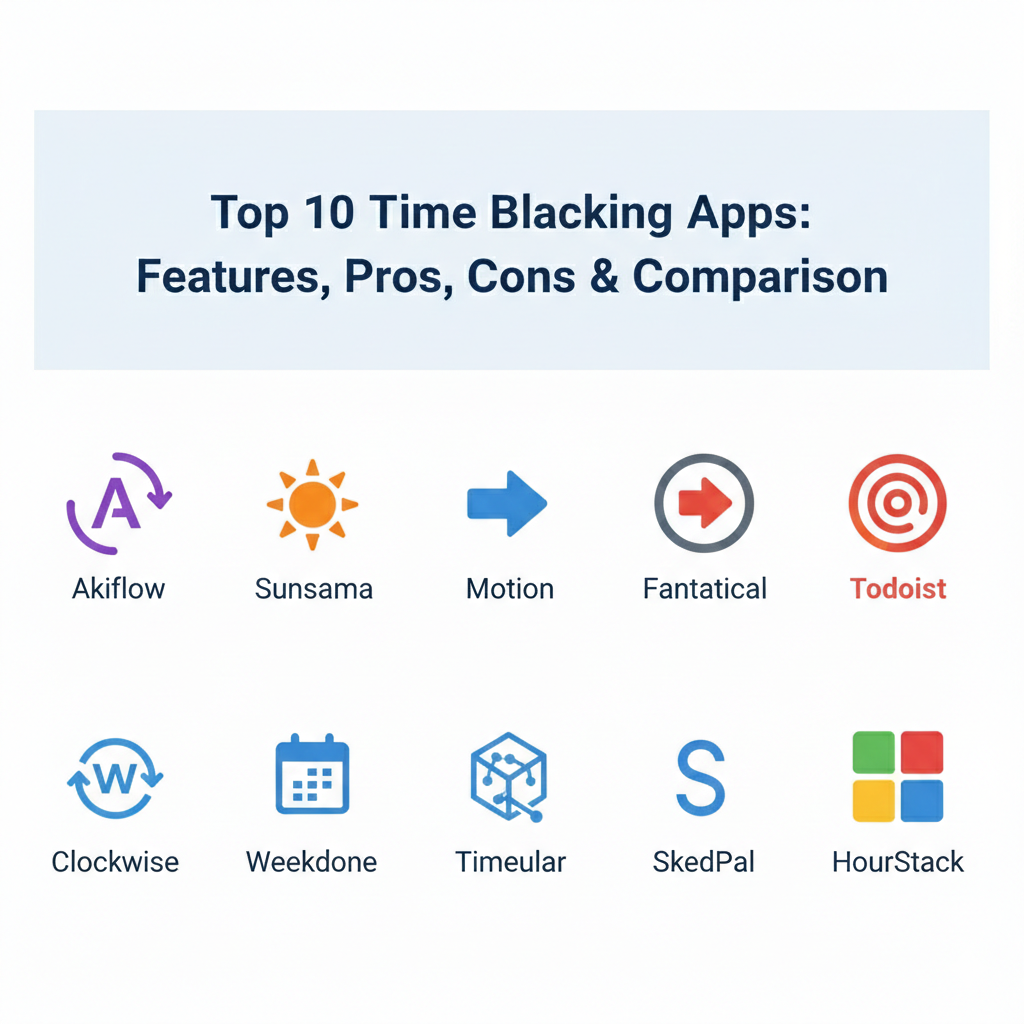
Top 10 Time Blocking Apps Tools
1 — Akiflow
Akiflow is a high-performance productivity hub that combines your tasks and calendars into a single view. It is designed for power users who need to pull tasks from multiple different platforms and “lock” them into their schedule with minimal clicks.
- Key features:
- Centralized inbox that imports tasks from Gmail, Slack, Trello, and more.
- Fast “command bar” for creating tasks and scheduling on the fly.
- Native integration with Google Calendar and Outlook.
- “Rituals” feature to help you plan your morning and review your day.
- Time blocking via simple drag-and-drop from your task list to the calendar.
- Offline mode support for planning while traveling.
- Customizable keyboard shortcuts for almost every action.
- Pros:
- It significantly reduces the time spent jumping between different apps.
- The interface is incredibly fast and responsive, catering to “keyboard-first” users.
- Cons:
- The pricing is on the higher end compared to simpler calendar apps.
- It may be too complex for a casual user who only has a few tasks.
- Security & compliance: SOC 2 Type II compliant; GDPR compliant; data encryption at rest and in transit.
- Support & community: Extensive documentation, video tutorials, and a dedicated Slack community for users.
2 — Sunsama
Sunsama focuses on a “calm” approach to productivity, emphasizing a sustainable daily workload rather than a packed schedule. It guides you through a daily planning ritual to ensure you aren’t overcommitting yourself.
- Key features:
- Daily guided walkthrough for morning planning and evening shutdown.
- Unified view of tasks from Jira, Asana, Notion, and GitHub.
- “Auto-scheduling” that finds the next available slot for a task.
- Focus mode with a built-in timer to track progress on specific blocks.
- Ability to set daily goals and “workload limits” to prevent burnout.
- Integration with Slack to update your status based on your calendar.
- Pros:
- It promotes a healthy work-life balance and intentional planning.
- The aesthetic design is clean, reducing the mental stress of a busy day.
- Cons:
- There is no free version available, and the trial period is relatively short.
- It lacks deep project management features like Gantt charts or dependencies.
- Security & compliance: GDPR compliant; uses secure AWS servers; standard industry encryption.
- Support & community: Excellent email support and a detailed “Productivity Academy” knowledge base.
3 — Motion
Motion uses Artificial Intelligence to build and rebuild your schedule automatically. It is perfect for people whose priorities change frequently throughout the day and who don’t want to spend time manually moving blocks around.
- Key features:
- AI-powered “Intelligent Calendar” that automatically reschedules missed tasks.
- Task manager that calculates deadlines and task durations.
- Meeting booking pages that automatically respect your blocked-off deep work time.
- Project management view for teams to see member availability.
- Automated alerts when you are at risk of missing a deadline.
- One-click “Focus” mode to clear away distractions.
- Pros:
- The AI does the heavy lifting of rescheduling, saving hours of manual work.
- It combines project management and personal scheduling in one tool.
- Cons:
- The AI can sometimes make choices that feel less intuitive than manual planning.
- One of the most expensive individual productivity tools on the market.
- Security & compliance: SOC 2 compliant; GDPR compliant; SSO options available for teams.
- Support & community: Priority support for enterprise users and a robust online help center.
4 — Fantastical
Fantastical is a beautifully designed calendar app for the Apple ecosystem. It is famous for its natural language processing, allowing users to type “Lunch with Sarah at 1 PM” to create an instantly blocked event.
- Key features:
- Natural language input for quick event and task creation.
- “Calendar Sets” to toggle between work, home, and hobby views.
- Integrated weather forecasts within the calendar view.
- “Interesting Calendars” to track holidays, sports, or finance.
- Zoom, Microsoft Teams, and Google Meet integration for easy joining.
- Widget support for iPhone, iPad, and Apple Watch.
- Pros:
- Widely considered the most beautiful and polished calendar app.
- The natural language processing is the best in the industry.
- Cons:
- Only available for Apple users (no Windows or Android apps).
- Requires a subscription for features that used to be a one-time purchase.
- Security & compliance: Standard Apple ecosystem security; GDPR compliant.
- Support & community: Excellent documentation and responsive developer support.
5 — Todoist
While primarily a to-do list app, Todoist is a powerful time-blocking tool when used with its two-way calendar sync. It is the best choice for users who want to start with a list and visualize it later.
- Key features:
- Two-way sync with Google Calendar and Outlook.
- “Quick Add” features to categorize and prioritize tasks instantly.
- Boards and List views for flexible task organization.
- Reminders based on time or GPS location.
- Productivity visualizations and “Karma” points for motivation.
- Collaborative projects for sharing tasks with family or coworkers.
- Pros:
- Works on almost every device imaginable.
- The “Pro” version is very affordable compared to AI-driven tools.
- Cons:
- You have to set up the calendar sync manually; it’s not “native” time blocking.
- Lacks a built-in calendar view within the mobile app without syncing elsewhere.
- Security & compliance: SOC 2 Type II; GDPR compliant; TLS encryption.
- Support & community: Massive global community and extensive help guides.
6 — Clockwise
Clockwise is an intelligent calendar assistant designed specifically for teams. It focuses on creating “Focus Time” for everyone in the company by automatically moving internal meetings to more efficient times.
- Key features:
- Automatic meeting rescheduling to maximize blocks of deep work.
- “Focus Time” protection that syncs with Slack to silence notifications.
- Team availability dashboards to see who is busy at a glance.
- Flexible meeting windows to allow the AI to find the best slot.
- Personal vs. Work calendar syncing to prevent double-booking.
- Pros:
- Incredible for large organizations where meeting bloat is a problem.
- Actually creates “free” time by optimizing the existing schedule.
- Cons:
- Only works with Google Workspace and Microsoft 365.
- Not really designed for solo users who don’t have many meetings.
- Security & compliance: SOC 2 Type II certified; GDPR and CCPA compliant; SSO support.
- Support & community: Dedicated account managers for enterprise and a comprehensive resource center.
7 — Timeular
Timeular takes a unique approach by combining a physical 8-sided tracking dice with a digital time-blocking calendar. It is designed for those who need to track billable hours while managing their schedule.
- Key features:
- Physical Bluetooth tracker for tactile time logging.
- Automated time tracking based on app usage and calendar events.
- “Insights” reports to see exactly where your time is going.
- Collaborative folders for team-based time tracking.
- Budget tracking for projects to ensure you stay within limits.
- Integration with over 3,000 apps via Zapier.
- Pros:
- The physical dice makes tracking feel like a fun game rather than a chore.
- Provides deep analytics on your productivity trends over weeks and months.
- Cons:
- The physical tracker is an additional cost.
- More focused on “tracking” the past than “blocking” the future.
- Security & compliance: GDPR compliant; data encryption; privacy-first tracking.
- Support & community: Live chat support and an active user community.
8 — SkedPal
SkedPal is the “scientific” cousin of Motion. It uses a complex algorithm to schedule your tasks based on priorities, energy levels, and deadlines, acting as a true automated personal assistant.
- Key features:
- “Fuzzy” scheduling (e.g., “Do this task sometime next week”).
- Time Maps to define when you prefer to do specific types of work.
- Automatic handling of task dependencies (Task A must be done before Task B).
- Integration with Google, iCloud, and Outlook calendars.
- Batching features to group small tasks together into one block.
- Pros:
- The most powerful logic for users with massive, complex task loads.
- Respects your personal “Time Maps” (e.g., no creative work after 4 PM).
- Cons:
- The interface is utilitarian and not as pretty as Fantastical or Sunsama.
- It has a very steep learning curve to set up correctly.
- Security & compliance: Varies / N/A (Standard encryption used; data stored on secure cloud).
- Support & community: Private Facebook group and a detailed technical wiki.
9 — Routine
Routine is a newer entry that aims to be the “OS for your life.” It combines a calendar, a task manager, and a note-taking app, allowing you to block time for tasks that started as simple notes.
- Key features:
- Unified inbox for tasks, events, and rough notes.
- “Today” view that merges your schedule with your top priorities.
- Natural language command bar for lightning-fast entry.
- Markdown support for detailed notes within tasks.
- Direct integrations with Notion and various dev tools.
- Pros:
- One of the few tools that handles “notes” as well as “tasks.”
- Very sleek, modern interface that feels very high-end.
- Cons:
- Still in active development, so some features may feel “beta.”
- The mobile app is currently less powerful than the desktop version.
- Security & compliance: Standard SaaS encryption; GDPR compliant.
- Support & community: Growing community on Discord and direct founder access for early users.
10 — HourStack
HourStack is a visual time blocking tool that focuses on the “budgeting” of time. It uses a grid system that looks like a spreadsheet, allowing you to compare your “Planned” time against your “Actual” time.
- Key features:
- Visual grid for easy time allocation.
- Compare planned vs. actual time for every task.
- Robust team scheduling to manage entire departments.
- Integration with Trello, Asana, Monday.com, and Todoist.
- Detailed reporting for client billing and internal audits.
- Support for “Workspace” views to separate different clients or projects.
- Pros:
- The best tool for seeing where your initial estimates were wrong.
- Very easy to use for teams who need to report hours to clients.
- Cons:
- The grid view can feel a bit rigid for people who want a fluid calendar.
- Lacks the AI automation found in newer tools like Motion.
- Security & compliance: GDPR compliant; SSL/TLS encryption; SOC 2 (Varies by tier).
- Support & community: Onboarding sessions for teams and email support.
Comparison Table
| Tool Name | Best For | Platform(s) Supported | Standout Feature | Rating |
| Akiflow | Power Users / Executives | Windows, Mac, iOS, Android | Centralized Task Inbox | 4.8 / 5 |
| Sunsama | Mindful Productivity | Web, Mac, Windows, Mobile | Daily Planning Ritual | 4.9 / 5 |
| Motion | High-Volume / AI Automation | Web, iOS, Android | AI Auto-Rescheduling | N/A |
| Fantastical | Apple Users | Mac, iOS, Apple Watch | Natural Language Input | 4.9 / 5 |
| Todoist | Simple Lists + Sync | All Platforms | “Karma” Motivation | 4.8 / 5 |
| Clockwise | Large Teams / Orgs | Web (Google/Outlook) | Automated Focus Time | N/A |
| Timeular | Billable Hour Tracking | All + Physical Device | Tracking Dice | 4.6 / 5 |
| SkedPal | Complex Task Dependency | Web, Windows, Mac, Mobile | “Fuzzy” Logic Scheduling | N/A |
| Routine | Notes + Tasks + Calendar | Mac, Windows, iOS | Built-in Markdown Notes | N/A |
| HourStack | Time Budgeting / Teams | Web, iOS, Android | Planned vs Actual Grid | 4.5 / 5 |
Evaluation & Scoring of Time Blocking Apps
The following table evaluates the time-blocking software category based on our weighted scoring rubric, representing the average strengths and weaknesses of the market.
| Category | Weight | Score (Avg) | Evaluation Notes |
| Core Features | 25% | 9/10 | Most tools excel at the basic merge of tasks and calendar. |
| Ease of Use | 15% | 7/10 | AI tools are easier to use but harder to “trust” at first. |
| Integrations | 15% | 9/10 | This category leads the market in connecting with other apps. |
| Security | 10% | 8/10 | Standard for SaaS, though few have full HIPAA compliance. |
| Reliability | 10% | 9/10 | Syncing is critical and generally very stable in top tools. |
| Support | 10% | 7/10 | Most focus on self-serve docs; human support is often tiered. |
| Price / Value | 15% | 6/10 | Prices are rising as “AI” is added, which may deter some. |
Which Time Blocking App Tool Is Right for You?
Selecting a tool is a personal decision that depends on your specific workflow and technical comfort level.
- Solo Users vs SMB vs Mid-market vs Enterprise: Solo users should look at Sunsama or Todoist for simplicity. SMBs will find Akiflow or Motion powerful for individual productivity. Mid-market and Enterprise companies should prioritize Clockwise, as it is the only tool designed to solve the “meeting hell” problem at a company-wide level.
- Budget-conscious vs Premium Solutions: If you want to keep costs low, Todoist is the best value. If money is no object and you want the software to do the work for you, Motion is the premium choice that essentially acts as a digital secretary.
- Feature Depth vs Ease of Use: Fantastical is the easiest to pick up and use immediately. SkedPal and SkedPal offer incredible depth but will require a few days of dedicated “learning” before you see the benefits.
- Integration and Scalability Needs: If your work is spread across Slack, Jira, and Asana, Akiflow or Sunsama are non-negotiable. They act as the “glue” that holds your digital life together as you grow.
- Security and Compliance Requirements: Large organizations should stick with Clockwise or Akiflow, as they have the most transparent SOC 2 and GDPR documentation, ensuring your sensitive calendar data stays private.
Frequently Asked Questions (FAQs)
1. Is time blocking better than a traditional to-do list?
Yes, for most people. A to-do list tells you what to do, but not when. Time blocking forces you to commit to a specific window, which makes you more likely to actually complete the task and helps prevent over-scheduling.
2. Can I use these apps with my existing Google Calendar?
Almost all modern time-blocking apps are designed to sit “on top” of Google Calendar or Outlook. They don’t replace your calendar; they just add a layer of task management and scheduling logic to it.
3. What happens if a task takes longer than I blocked?
This is where AI tools like Motion or SkedPal shine; they can automatically shift the rest of your day. With manual tools, you’ll need to drag the block to a new time, which is still faster than re-writing a paper list.
4. Are these tools worth the monthly subscription?
If a tool saves you just 30 minutes of “planning time” per week or helps you avoid one missed deadline, it usually pays for itself. Most users find the reduced stress and increased focus to be worth the price.
5. How do I start time blocking without feeling overwhelmed?
Start by blocking just two hours of “Deep Work” in the morning. Don’t try to fill every minute of your day in the first week. Use an easy tool like Todoist or Fantastical to get used to the feeling of a scheduled day.
6. Can I use time blocking for my personal life too?
Absolutely. Many users block time for the gym, grocery shopping, or “unstructured play” with their kids. This ensures that your personal life doesn’t get squeezed out by your professional responsibilities.
7. Do these apps work on mobile?
Most have mobile apps, but time blocking is generally a “desktop-first” activity because it requires a large screen to see the full calendar grid. Use the mobile app for checking your schedule and the desktop for planning it.
8. What is “Fuzzy Logic” in scheduling?
Used by tools like SkedPal, this allows you to tell the app a general preference (e.g., “I want to do this task during my high-energy hours next week”) rather than picking a specific Tuesday at 10 AM.
9. Can these tools help with team burnout?
Tools like Clockwise and Sunsama are designed specifically to prevent burnout by alerting you when you have too many meetings or when your task load exceeds your available hours.
10. Do I need a physical tracker like Timeular?
You don’t need one, but many people find that the physical act of turning a device on their desk helps “signal” their brain to focus on a new task, making the digital habit stick much better.
Conclusion
Mastering your schedule is one of the most effective ways to reclaim your mental clarity and professional momentum. Time Blocking Apps have moved far beyond simple calendars; they are now sophisticated assistants that can manage your tasks, protect your deep work, and even reschedule your day when things go wrong. Whether you prefer the “calm” approach of a tool like Sunsama or the “set it and forget it” AI power of Motion, there is a solution that can help you stop reacting to your day and start leading it.
Choosing the right tool is not about finding the one with the most buttons—it’s about finding the one that matches your specific brain and workflow. Some people need a beautiful interface like Fantastical to feel motivated, while others need the raw, logical power of SkedPal to manage a complex career. The “best” tool is the one that you actually enjoy opening every morning.
By moving your tasks into your calendar, you are making a commitment to yourself. You are deciding that your time is valuable and that your focus is worth protecting. We encourage you to try one or two of these tools using their free trials to see which one makes your workday feel lighter and more productive. In a world of infinite distractions, a well-blocked calendar is your greatest defense.