Introduction
Time & Attendance Software is a specialized digital solution designed to track employee working hours, break times, overtime, and absences in real-time. While it sounds simple, the underlying technology handles complex tasks such as geofencing for field workers, biometric verification to prevent “buddy punching,” and automated compliance checks against local labor regulations. By centralizing this data, businesses can eliminate human error, reduce administrative overhead, and gain deep insights into labor costs.
The importance of these tools extends beyond simple “clocking in.” In the real world, a retail manager might use this software to identify staffing gaps during peak hours, while a construction firm might use GPS-enabled tracking to ensure crews are at the correct job site before billing starts. When choosing a tool, users should evaluate ease of use for frontline staff, seamlessness of payroll integration, mobile accessibility, and the robustness of the compliance engine.
Best for: Human Resource managers, payroll administrators, and business owners in industries with high labor volume such as retail, manufacturing, healthcare, hospitality, and construction. It is particularly valuable for mid-sized to enterprise-level companies managing hourly workforces.
Not ideal for: Small creative agencies or startups with a few salaried employees where flexible hours are standard and labor data isn’t tied to billable hours or strict overtime regulations. In these cases, a simple project management tool is often more appropriate.
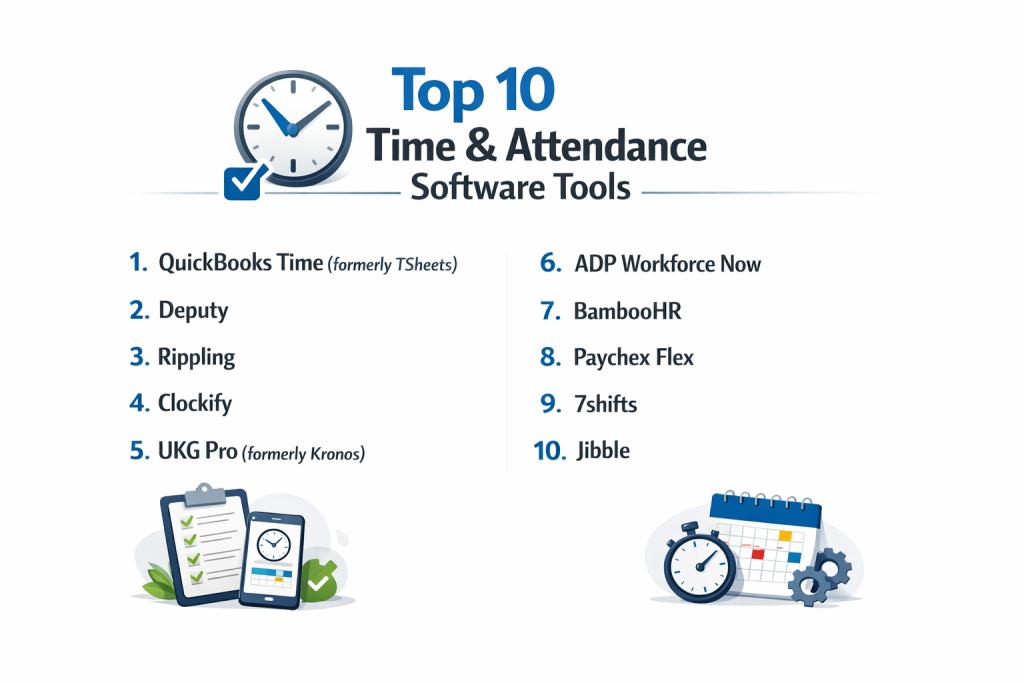
Top 10 Time & Attendance Software Tools
1 — QuickBooks Time (formerly TSheets)
QuickBooks Time is a market leader known for its powerful mobile capabilities and its legendary integration with the QuickBooks accounting ecosystem. It is designed for businesses that need highly accurate labor data for payroll and invoicing.
- Key features:
- GPS Tracking & Geofencing: Automatically reminds employees to clock in/out when they enter or leave a job site.
- Real-time Who’s Working Map: Managers can see exactly where their field team is located at any moment.
- Scheduling: Create and assign shifts to employees, who receive instant notifications on their phones.
- Photo Capture Kiosk: A shared tablet station that takes photos of employees to verify their identity.
- Customizable Alerts: Notifies managers before employees hit expensive overtime hours.
- Project Tracking: Allows employees to switch between different job codes or clients with one click.
- Pros:
- The synchronization with QuickBooks Payroll is flawless, reducing payroll processing time from hours to minutes.
- Extremely robust mobile app that works well even in areas with poor cellular service.
- Cons:
- The base monthly fee plus the per-user fee can make it expensive for very small teams.
- Some advanced scheduling features require higher-tier plans.
- Security & compliance: SOC 2 Type II, GDPR compliant, 256-bit SSL encryption, and multi-factor authentication.
- Support & community: 24/7 phone support, a massive library of video tutorials, and a dedicated community of “QuickBooks ProAdvisors.”
2 — Deputy
Deputy is a modern, intuitive platform that excels in the hospitality and retail sectors. It focuses on simplifying the “shift-work” experience for both managers and employees.
- Key features:
- Auto-Scheduling: Uses AI to generate schedules based on sales data and labor budgets.
- Shift Swapping: Allows employees to trade shifts directly through the app with manager approval.
- News Feed: A centralized hub for company announcements and shift instructions.
- Task Management: Assign specific duties to be completed during a shift.
- Fair Work Compliance: Built-in tools to help stay compliant with labor laws and “clopening” restrictions.
- Touchless Clock-In: Uses facial recognition on tablets for a hygienic and secure sign-in process.
- Pros:
- The interface is incredibly clean and requires almost no training for new employees.
- Excellent communication tools that keep everyone on the same page regarding shift changes.
- Cons:
- The reporting features are not as deep as some enterprise-grade competitors.
- Integration with certain legacy on-premise payroll systems can be difficult.
- Security & compliance: SOC 2, GDPR, and HIPAA compliant. Data is encrypted in transit and at rest.
- Support & community: 24/7 chat support, a comprehensive help center, and a growing community of small business users.
3 — Rippling
Rippling is a revolutionary platform that unifies HR, IT, and Finance. Its time and attendance module is unique because it connects labor data to the company’s entire digital infrastructure.
- Key features:
- Unified Employee Record: Time data automatically flows into payroll, benefits, and even app permissions.
- Automated Overtime Rules: Configure custom overtime triggers based on any state or local law.
- Workflow Automation: Create triggers, such as “If an employee works 50 hours, alert the CEO.”
- Tablet Kiosk: Secure stations with selfie-verification and PIN codes.
- Global Support: Manage time and attendance for employees and contractors worldwide in one system.
- Integrated Logic: Automatically adjusts pay based on different roles or locations within a single shift.
- Pros:
- Eliminates the need for manual data syncing between HR and Payroll.
- The “Workflow” engine allows for incredible customization that most other tools can’t match.
- Cons:
- To get the full value, you generally need to move your entire HR/Payroll system to Rippling.
- The pricing can be complex due to the modular nature of the platform.
- Security & compliance: SOC 2 Type II, GDPR, HIPAA, and ISO 27001 compliant.
- Support & community: 24/7 email and chat support, a dedicated implementation manager for larger accounts, and an extensive knowledge base.
4 — Clockify
Clockify disrupted the market by offering unlimited users and projects for free. It is a versatile tool that works as well for a solo freelancer as it does for a 500-person company.
- Key features:
- Timesheet & Timer: Choose between a live stopwatch or manual end-of-day entry.
- Kiosk Mode: Standardized login for physical office locations using PIN codes.
- Billable Rates: Assign different hourly rates to projects or employees.
- Attendance Reports: Visual breakdowns of who worked when and what they earned.
- Time Off Management: A dedicated module for requesting and approving vacations.
- GPS Tracking: (Paid feature) Track locations of field staff while they are on the clock.
- Pros:
- The “Unlimited Users” free tier is the most generous in the industry.
- Works across almost every platform imaginable (Web, Desktop, Mobile, Browser Extensions).
- Cons:
- Advanced features like geofencing and private reports are locked behind paid tiers.
- The UI is functional but feels a bit more “industrial” compared to the slickness of Deputy.
- Security & compliance: GDPR and ISO 27001 compliant. Data residency options available (EU, US, UK, AU).
- Support & community: Active user forum, 24/7 support for paid users, and a vast library of documentation.
5 — UKG Pro (formerly Kronos)
UKG is the “heavyweight” of the attendance world, specifically designed for large enterprises and multinational corporations with complex, multi-site labor needs.
- Key features:
- AI-Driven Labor Forecasting: Predicts how many staff you will need months in advance based on historical trends.
- Complex Compliance Engine: Handles the most intricate union rules and global labor regulations.
- Advanced Analytics: Predictive insights into employee turnover and burnout.
- Touchless Hardware: Enterprise-grade biometric time clocks with thermal sensing.
- Strategic Scheduling: Balances employee preferences with business needs to improve morale.
- Global Payroll Integration: Built-in connectors for almost every major ERP and payroll provider.
- Pros:
- Unmatched scalability; it can handle hundreds of thousands of employees effortlessly.
- The deepest compliance features on the market, ideal for highly regulated industries.
- Cons:
- Very high cost of entry and long implementation times (often several months).
- The user interface can be overwhelming for smaller, less-technical teams.
- Security & compliance: SOC 2, GDPR, HIPAA, ISO 27001, and FedRAMP (for government use).
- Support & community: Global 24/7 support, dedicated account managers, and an elite community of enterprise HR professionals.
6 — ADP Workforce Now
ADP is a household name in payroll, and their Workforce Now platform offers a fully integrated time and attendance module that is trusted by millions of businesses.
- Key features:
- Automated Attendance: Direct sync between time clocks and the ADP payroll engine.
- Exception Tracking: Highlights missed punches, late arrivals, and unapproved overtime.
- Mobile App: Allows managers to approve timesheets and view team schedules on the go.
- Regulatory Updates: ADP automatically updates the system as labor laws change in your region.
- Employee Self-Service: Portal for employees to check pay stubs, benefits, and work hours.
- Workforce Analytics: Benchmark your labor costs against industry standards.
- Pros:
- Provides “peace of mind” due to ADP’s massive scale and legal expertise in compliance.
- High-level reporting that CFOs love for budgeting and cost-control.
- Cons:
- Customer support can be slow and bureaucratic due to the company’s size.
- The system can feel fragmented if you are only using the attendance module without ADP payroll.
- Security & compliance: SOC 1 & 2, ISO 27001, GDPR, and HIPAA. One of the highest security standards in HR tech.
- Support & community: Dedicated service reps for mid-market clients, phone support, and a massive network of payroll partners.
7 — BambooHR
BambooHR is a “people-first” platform. Its time tracking module is designed to be simple, friendly, and deeply integrated into the culture of small to medium businesses.
- Key features:
- Easy Time Entry: Simple web and mobile interface for clocking in and out.
- Approval Workflows: Automated notifications to managers when timesheets are ready for review.
- Project Tracking: Employees can categorize their time by client or internal project.
- Time Off Integration: See who is on vacation directly from the attendance dashboard.
- Employee Self-Service: Staff can see their own hours and balance in real-time.
- Daily/Weekly Overtime Alerts: Visual indicators when a person is nearing their hour limit.
- Pros:
- The most “human” and approachable UI on this list; employees actually enjoy using it.
- Excellent for culture-focused companies that want tracking without the “surveillance” feel.
- Cons:
- Lacks advanced field features like geofencing or biometric hardware.
- Not suitable for businesses with complex union or multi-jurisdictional labor rules.
- Security & compliance: SOC 2, GDPR, and HIPAA compliant.
- Support & community: Award-winning customer support, a helpful blog, and a vibrant community of HR professionals.
8 — Paychex Flex
Paychex Flex is a comprehensive HCM suite that offers highly flexible time and attendance options, ranging from simple web apps to high-tech iris scanners.
- Key features:
- Iris & Facial Recognition: Enterprise hardware for secure, contact-free clocking.
- Geofencing: Ensures employees are at their assigned locations.
- Real-time Labor Costing: See exactly how much your current shift is costing you in real-time.
- Seamless Integration: Links directly to Paychex’s payroll and HR modules.
- Customizable Dashboards: Tailor the view for different levels of management.
- Employee Pay Access: Integrates with tools that allow employees to access earned wages early.
- Pros:
- Offers some of the most advanced hardware options for physical workplaces.
- Highly scalable for businesses that plan to grow from 20 to 2,000 employees.
- Cons:
- Pricing is not transparent and usually requires a sales call.
- The mobile app is functional but not as modern-feeling as Deputy or Rippling.
- Security & compliance: SOC 1 & 2, GDPR, and HIPAA.
- Support & community: 24/7 phone support and a dedicated specialist for every account.
9 — 7shifts
7shifts is a niche leader built specifically for the restaurant industry. It understands the unique chaos of the kitchen and the dining floor.
- Key features:
- POS Integration: Syncs with Toast, Square, and others to track labor vs. sales.
- Tip Tracking: Integrated tools for managing and distributing tips.
- Compliance Alerts: Prevents “clopening” and ensures legal meal breaks.
- Communication App: Dedicated messaging for the whole team to discuss shifts.
- Manager Log Book: Digital journal for daily shift notes and performance logs.
- Labor Budgeting: Real-time visibility into your labor-to-sales ratio.
- Pros:
- Tailor-made for restaurants; there is zero “bloat” from other industries.
- The mobile app is exceptionally fast for picking up or dropping shifts.
- Cons:
- Useless for any business outside of hospitality or food service.
- Lacks advanced HR features like benefit administration or LMS.
- Security & compliance: GDPR compliant and uses secure AWS infrastructure.
- Support & community: Highly rated customer success team and a community of restaurant owners.
10 — Jibble
Jibble is a rising star in the attendance space, known for its “clean and fast” approach. It is an excellent choice for teams that want professional-grade tracking without a steep learning curve.
- Key features:
- Facial Recognition: Works via a standard tablet or smartphone app.
- Geofencing & GPS: Track exactly where employees are clocking in from.
- Offline Mode: Records time even when there is no internet and syncs later.
- Automated Timesheets: Clean, exportable sheets for payroll and client billing.
- Activity Tracking: Link time entries to specific tasks or projects.
- Slack/Teams Integration: Clock in and out directly from your company chat.
- Pros:
- The setup process takes less than five minutes.
- The free version is extremely powerful, rivaling many paid competitors.
- Cons:
- Lacks the deep “Employee Engagement” or “Payroll” suites found in larger platforms.
- Customer support is primarily chat-based.
- Security & compliance: GDPR compliant and SOC 2 Type II (in progress/varies).
- Support & community: Responsive chat support and a very modern, easy-to-read knowledge base.
Comparison Table
| Tool Name | Best For | Platform(s) Supported | Standout Feature | Rating (Gartner) |
| QuickBooks Time | Field Service Teams | Web, iOS, Android | Best-in-class GPS/Geofencing | 4.5 / 5 |
| Deputy | Retail & Hospitality | Web, iOS, Android | AI Auto-Scheduling | 4.7 / 5 |
| Rippling | Tech-Forward SMBs | Web, Mobile | Unified HR/IT/Finance | 4.8 / 5 |
| Clockify | Budget Constraints | Web, Desktop, Mobile | Unlimited Free Users | 4.7 / 5 |
| UKG Pro | Global Enterprises | Web, Mobile, Hardware | Advanced AI Forecasting | 4.3 / 5 |
| ADP WFN | Mid-market Scaling | Web, iOS, Android | Compliance Confidence | 4.2 / 5 |
| BambooHR | SMB Culture | Web, iOS, Android | “People-First” UI | 4.6 / 5 |
| Paychex Flex | Advanced Hardware | Web, iOS, Android | Biometric/Iris Scanners | 4.0 / 5 |
| 7shifts | Restaurants | Web, iOS, Android | POS Labor-to-Sales Sync | 4.8 / 5 |
| Jibble | Fast Setup | Web, iOS, Android | Facial Recognition via App | 4.8 / 5 |
Evaluation & Scoring of Time & Attendance Software
To help you decide, we have evaluated the top 10 tools based on a weighted scoring rubric that represents the priorities of a modern business owner or HR leader.
| Category | Weight | Evaluation Criteria |
| Core Features | 25% | Timers, kiosks, scheduling, geofencing, and leave management. |
| Ease of Use | 15% | Employee adoption speed and manager dashboard intuitiveness. |
| Integrations | 15% | Connectivity to Payroll, Accounting, and POS systems. |
| Security & Compliance | 10% | SOC 2, GDPR, HIPAA, and labor law automation. |
| Performance | 10% | App stability, offline sync, and hardware reliability. |
| Support & Community | 10% | Quality of documentation, forums, and customer success speed. |
| Price / Value | 15% | Feature set relative to the monthly per-user investment. |
Which Time & Attendance Software Tool Is Right for You?
Solo Users vs. SMB vs. Mid-market vs. Enterprise
For solo users, Clockify is the obvious choice due to its free tier. Small businesses (SMB) should prioritize BambooHR or Deputy for their ease of use. Mid-market companies scaling rapidly will find the most value in Rippling or ADP, as these platforms handle the complexity of growing teams. Global Enterprises should almost exclusively look at UKG Pro or Paychex Flex to handle multi-national compliance.
Budget-conscious vs. Premium Solutions
If budget is your primary driver, Clockify and Jibble offer the most power for the lowest cost. If you are a premium buyer who needs every possible bell and whistle, Rippling (for tech) or UKG (for operations) are the gold standards.
Feature Depth vs. Ease of Use
If you need feature depth (e.g., managing complex union contracts), you must be prepared for a steeper learning curve with UKG. If you want Ease of Use so that your employees don’t complain about tracking their time, BambooHR and Toggl Track (honorable mention) are the clear winners.
Integration and Scalability Needs
If your business already runs on QuickBooks, don’t overthink it—QuickBooks Time is the best fit. If you are looking to scale and want a platform that grows with you, Rippling is built on a “headless” infrastructure that makes adding new employees and departments easier than any other tool on this list.
Frequently Asked Questions (FAQs)
1. Is “Buddy Punching” a real problem?
Yes. Studies suggest that “buddy punching” (one employee clocking in for another) costs businesses billions annually. Tools with facial recognition or geofencing eliminate this risk entirely.
2. Can these tools help with overtime lawsuits?
Absolutely. By keeping an immutable digital record of every minute worked and every break taken, you have a solid legal defense against wage-and-hour claims.
3. Do I need special hardware to use this software?
Not necessarily. Most modern tools work on standard smartphones and tablets. However, heavy manufacturing environments often prefer rugged, wall-mounted biometric clocks.
4. How does geofencing work?
The software uses the employee’s phone GPS. It creates a “virtual fence” around the job site. If the employee tries to clock in while they are still at home, the app will block the entry or alert the manager.
5. Are these tools compatible with remote work?
Yes. Most trackers now include features for remote staff, such as browser extensions and “screenshot” mode (optional) to provide proof of work for distributed teams.
6. Can I track time off and vacations too?
Most professional attendance software (like BambooHR and Clockify) includes a “Time Off” module so you can manage absences and worked hours in one place.
7. How much does it cost?
Pricing typically ranges from $2 to $10 per user, per month, often with a base monthly fee of $20 to $40. Enterprise solutions like UKG are significantly more expensive and custom-quoted.
8. Can I use these tools if I have a unionized workforce?
Yes, but you need an enterprise tool like UKG or Replicon that can handle the complex seniority and shift-preference rules common in union contracts.
9. How long does implementation take?
For a small business, you can be up and running in 30 minutes. For a large enterprise, it can take 3 to 6 months to properly configure all rules and integrations.
10. What happens if the internet goes down?
Most mobile apps (like Jibble and QB Time) have an “Offline Mode.” They store the clock-in data on the device and automatically sync it to the cloud once a connection is restored.
Conclusion
The “best” Time & Attendance Software isn’t the one with the most features; it’s the one that fits seamlessly into your team’s existing workflow. If you are a field-service business, QuickBooks Time remains the gold standard. If you are a restaurant owner, 7shifts is an essential partner. For those looking to unify their entire company infrastructure, Rippling is the future of the category.
Ultimately, these tools are about more than just numbers on a screen. They are about fairness—ensuring that employees are paid accurately for every minute of their hard work, and ensuring that business owners are protected from the massive costs of labor inefficiency and compliance errors.