Introduction
Test Case Management (TCM) tools are specialized software platforms designed to help QA teams plan, organize, execute, and track software testing activities. At their core, these tools act as a centralized repository for test cases—the specific sets of conditions or variables under which a tester determines whether a system is working correctly.
The importance of TCM tools cannot be overstated. They replace fragmented documentation with a “single source of truth,” ensuring that every requirement is covered by a test and every bug is traceable back to its origin. In a modern CI/CD (Continuous Integration/Continuous Delivery) pipeline, these tools serve as the bridge between development and operations, providing the visibility needed to decide if a build is “ready for prime time.”
Key Real-World Use Cases
- Regression Testing: Automatically organizing and triggering suites of tests to ensure new code hasn’t broken existing features.
- Compliance Auditing: Maintaining a rigorous, time-stamped history of test results to meet regulatory standards (e.g., ISO, HIPAA).
- Distributed Team Collaboration: Allowing global teams to work on the same test plan simultaneously without versioning conflicts.
- Automation Integration: Syncing results from automated scripts (Selenium, Playwright) with manual test results for a unified quality report.
What to Look For
When evaluating a tool, users should prioritize requirement traceability (linking tests to user stories), ease of integration with issue trackers like Jira, and reporting depth. A good tool should balance powerful features with a UI that doesn’t hinder the speed of the testing team.
Best for: QA engineers, lead testers, and DevOps managers in mid-to-large enterprises or fast-scaling startups where software quality is mission-critical.
Not ideal for: Solo developers or very small teams working on simple, static projects where a basic checklist or a free project management board is sufficient to track quality.
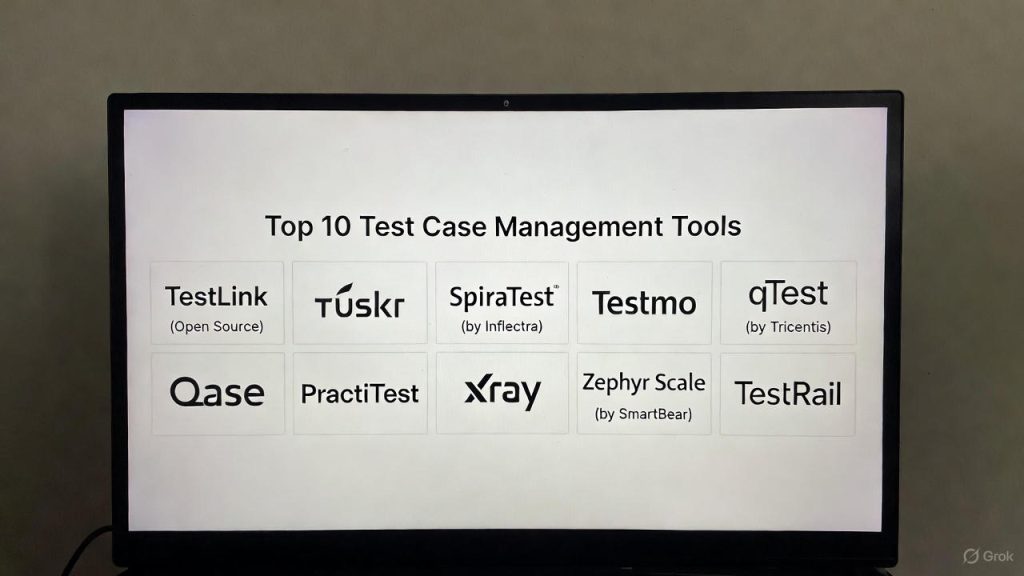
Top 10 Test Case Management Tools
1 — TestRail
TestRail is widely considered the industry standard for test management. It is designed for teams that need a highly structured but flexible environment to manage both manual and automated testing in one place.
- Key Features:
- Modern, intuitive web-based interface.
- Deep integration with Jira, GitHub, and Bugzilla.
- Powerful reporting and real-time dashboards.
- Milestone and version tracking for complex releases.
- Flexible API for automation result synchronization.
- Pros:
- Exceptional user experience with a very low learning curve.
- Comprehensive reporting that is easy to share with non-technical stakeholders.
- Cons:
- The cloud version can become expensive for very large teams.
- Some advanced customization requires technical knowledge of their API.
- Security & Compliance: Supports SSO (SAML 2.0), SOC 2 Type II compliance, and detailed audit logs.
- Support & Community: Extensive documentation, a large active user forum, and dedicated enterprise support plans.
2 — Zephyr Scale (by SmartBear)
Zephyr Scale is a Jira-native tool designed for teams that want their testing to live entirely inside their project management environment. It focuses on scalability and advanced reporting within the Atlassian ecosystem.
- Key Features:
- Full integration into the Jira interface (no separate login).
- Cross-project reporting and shared test step libraries.
- Version control for test cases to track changes over time.
- REST API for CI/CD pipeline integration.
- Detailed traceability matrix for requirements and defects.
- Pros:
- Eliminates “tool fatigue” by keeping everything in Jira.
- Excellent for large-scale enterprise environments with complex permissions.
- Cons:
- Performance can lag if Jira instances are already heavily loaded.
- Dependency on the Jira ecosystem means it isn’t ideal for teams using other PM tools.
- Security & Compliance: Inherits Jira’s security protocols (GDPR, SOC 2, ISO 27001).
- Support & Community: Strong professional support from SmartBear and extensive Atlassian community resources.
3 — Xray
Xray is another heavyweight in the Jira-native space. It treats “Tests” as a Jira issue type, allowing them to follow the same workflows as tasks or bugs, making it a favorite for Agile and DevOps-centric teams.
- Key Features:
- Native support for BDD (Behavior-Driven Development) and Cucumber.
- Built-in requirement coverage analysis.
- Advanced GraphQL API for data extraction.
- Support for manual, automated, and exploratory testing.
- Pros:
- Seamlessly follows Agile workflows (Sprints, Epics).
- Highly customizable reporting via Document Generator.
- Cons:
- The interface can feel cluttered due to the volume of data presented.
- Steeper learning curve compared to standalone tools like TestRail.
- Security & Compliance: Enterprise-grade security including SSO and field-level permissions.
- Support & Community: High-quality documentation and a responsive technical support team.
4 — PractiTest
PractiTest is an end-to-end SaaS test management platform that emphasizes transparency and business intelligence. It is built for teams that need to make data-driven decisions about their release readiness.
- Key Features:
- Unique “Hierarchical Filter Trees” for organizing data without folders.
- Integrated defect management (or sync with external trackers).
- AI-powered insights to identify duplicate bugs.
- External dashboard sharing for guest users.
- Pros:
- Powerful data organization that scales to millions of test cases.
- Best-in-class customer support and onboarding.
- Cons:
- The unique filtering system has a slight learning curve for those used to folders.
- The UI feels a bit more “corporate” and less modern than competitors.
- Security & Compliance: SOC 2 Type II, ISO 27001, and GDPR compliant.
- Support & Community: Known for “human” support with very fast response times.
5 — Qase
Qase is a modern, cloud-first test management tool designed with speed and simplicity in mind. It is popular among fast-moving startups and teams moving away from legacy systems.
- Key Features:
- Clean, minimalistic workspace.
- Shared steps and test case versioning.
- Native apps for Slack and MS Teams notifications.
- Integrated “Test Runs” that allow for rapid result entry.
- Pros:
- Extremely fast and responsive UI.
- Generous free tier for small teams.
- Cons:
- Fewer enterprise-grade reporting features compared to TestRail or qTest.
- The ecosystem of third-party integrations is still growing.
- Security & Compliance: Offers SSO and encryption at rest; SOC 2 compliance in progress.
- Support & Community: Active Slack community and documentation-heavy support.
6 — qTest (by Tricentis)
qTest is a premium enterprise solution that excels in high-scale Agile environments. It is part of the Tricentis suite, which is known for its automation-first approach to quality.
- Key Features:
- Real-time integration with Jira (bi-directional).
- qTest Insights for advanced executive-level reporting.
- Exploratory testing recording features.
- Scalable architecture for thousands of concurrent users.
- Pros:
- Handles massive volumes of data without performance degradation.
- Strong focus on “Shift-Left” testing and DevOps.
- Cons:
- High price point makes it inaccessible for many SMBs.
- Setup and configuration are complex.
- Security & Compliance: HIPAA, SOC 2, and advanced RBAC (Role-Based Access Control).
- Support & Community: Global 24/7 support and dedicated account managers for enterprise clients.
7 — Testmo
Testmo is a unified test management tool that prides itself on being the only platform to manage manual, automated, and exploratory testing in a single, modern interface.
- Key Features:
- Lightning-fast UI optimized for performance.
- Built-in support for any CI/CD tool (Jenkins, GitLab, etc.).
- Rich-text test case editor with image support.
- Milestone-based tracking.
- Pros:
- Very low overhead; no complex setup required.
- Extremely cost-effective for mid-sized teams.
- Cons:
- Relatively new to the market, so it lacks some “legacy” integrations.
- No on-premise version available.
- Security & Compliance: GDPR compliant, SSO support, and data encryption.
- Support & Community: Responsive email support and a growing knowledge base.
8 — SpiraTest (by Inflectra)
SpiraTest is an all-in-one solution that covers not just test management, but also requirements and bug tracking. It is ideal for teams that want a single tool for the entire Application Lifecycle Management (ALM).
- Key Features:
- Built-in requirement and defect management.
- Automated email notifications and workflow alerts.
- Electronic signatures for regulated industries.
- Support for mobile testing.
- Pros:
- Provides full “cradle-to-grave” traceability out of the box.
- Excellent for regulated industries (Pharma, Aerospace).
- Cons:
- The interface looks dated compared to Qase or Testmo.
- Can feel “heavy” if you only need the test management component.
- Security & Compliance: Compliant with 21 CFR Part 11 and SOC 2.
- Support & Community: Strong training programs and extensive technical manuals.
9 — Tuskr
Tuskr is a cloud-based tool that focuses on being “reliable and affordable.” It positions itself as the best value-for-money option for teams that need standard features without the enterprise price tag.
- Key Features:
- Customizable dashboards and reports.
- Test case cloning and bulk editing.
- Integration with Jira, Slack, and Zapier.
- Flexible user roles and permissions.
- Pros:
- One of the most affordable professional-grade tools available.
- Very easy to set up and migrate from spreadsheets.
- Cons:
- Lacks some of the advanced AI/Automation features of premium competitors.
- API is not as robust as TestRail’s.
- Security & Compliance: Standard SSL encryption and daily backups.
- Support & Community: Direct email support and a helpful getting-started guide.
10 — TestLink (Open Source)
TestLink is the most popular open-source test management tool. It has been around for over a decade and is the go-to for teams with zero budget for software licenses.
- Key Features:
- Completely free and open-source.
- Support for test plans, suites, and cases.
- Keyword-based test case organization.
- Community-built plugins for various integrations.
- Pros:
- Zero licensing costs.
- Total control over hosting and data.
- Cons:
- The UI is very outdated and difficult to navigate.
- Requires significant technical effort to install, maintain, and secure.
- Security & Compliance: Varies (depends entirely on how it is hosted and configured).
- Support & Community: Community forums and documentation (no official professional support).
Comparison Table
| Tool Name | Best For | Platform(s) | Standout Feature | Rating (Approx.) |
| TestRail | Professional QA Teams | Cloud / On-Prem | Comprehensive Reporting | 4.5/5 |
| Zephyr Scale | Jira Power Users | Jira App | Native Jira Integration | 4.3/5 |
| Xray | Agile/BDD Teams | Jira App | BDD & Cucumber Support | 4.4/5 |
| PractiTest | Data-Driven Orgs | Cloud | Hierarchical Filter Trees | 4.2/5 |
| Qase | Modern Startups | Cloud | Speed & Minimalism | 4.6/5 |
| qTest | Large Enterprises | Cloud / On-Prem | Enterprise Scalability | 4.1/5 |
| Testmo | Unified Testing | Cloud | Fast, Modern Interface | 4.7/5 |
| SpiraTest | Regulated Industries | Cloud / On-Prem | Full ALM Traceability | 4.0/5 |
| Tuskr | Budget-Conscious | Cloud | Value for Money | 4.4/5 |
| TestLink | Zero-Budget Teams | Self-Hosted | Open Source / Free | 3.5/5 |
Evaluation & Scoring of Test Case Management Tools
To help you decide, we have evaluated these tools against a weighted rubric that reflects the priorities of modern software teams.
| Criteria | Weight | What We Look For |
| Core Features | 25% | Repository management, versioning, and execution tracking. |
| Ease of Use | 15% | Interface speed, learning curve, and daily workflow efficiency. |
| Integrations | 15% | Bi-directional sync with Jira, CI/CD, and automation APIs. |
| Security/Compliance | 10% | SSO, SOC 2, GDPR, and data encryption standards. |
| Performance | 10% | Uptime, response speed, and ability to handle large data sets. |
| Support | 10% | Response times, documentation, and community resources. |
| Price / Value | 15% | Transparency of pricing and feature-to-cost ratio. |
Which Tool Is Right for You?
Selecting a tool isn’t about finding the one with the most checkboxes; it’s about finding the one that fits your team’s specific “shape.”
By Team Size & Market
- Solo Users & Micro-Teams: Look at Qase or Tuskr. They offer free or low-cost tiers and are simple enough to set up in minutes.
- SMBs & Mid-Market: TestRail and Testmo are the sweet spots here. They provide professional-grade reporting and organization without the complexity of a full enterprise ALM.
- Enterprise: qTest and Zephyr Scale are designed to handle the permissions, security, and massive data volume required by thousands of users.
By Budget vs. Features
- Budget-Conscious: If you have zero budget, TestLink is the only way, but be prepared for a maintenance headache. If you have a small budget, Tuskr offers the best bang for your buck.
- Premium Solutions: PractiTest and qTest are worth the investment if your organization requires deep business intelligence and risk-based testing analytics.
By Technical Needs
- Integration Needs: If your team “lives” in Jira, Xray or Zephyr Scale are non-negotiable. If you use a variety of tools (GitLab, Azure DevOps, Jira), a standalone tool like TestRail or Testmo is better.
- Security Needs: If you are in Finance or Healthcare, prioritize SpiraTest or PractiTest for their electronic signatures and compliance certifications.
Frequently Asked Questions (FAQs)
1. What is the difference between a bug tracker and a test management tool?
A bug tracker (like Jira) tracks issues that need fixing. A test management tool tracks the testing process (test cases, plans, and results) to prevent those bugs from reaching production in the first place.
2. Can I use Excel for test case management?
Yes, but it doesn’t scale. Spreadsheets lack version control, real-time collaboration, traceability to requirements, and the ability to integrate with automation tools, leading to “quality debt.”
3. Do these tools support automation?
Most modern tools provide an API or CLI that allows you to push results from automation frameworks (like Selenium or Playwright) into the tool, creating a unified view of quality.
4. Is a Jira-native tool better than a standalone tool?
It depends. Jira-native tools (like Xray) reduce context-switching. Standalone tools (like Testmo) often offer better performance and more advanced reporting features.
5. How long does it take to implement a TCM tool?
For cloud tools, you can start in minutes. However, migrating your existing test cases and setting up integrations typically takes 1 to 3 weeks, depending on team size.
6. Are cloud-based tools secure?
Top-tier tools are highly secure, offering SOC 2 compliance and encryption. However, for organizations with strict data residency requirements, on-premise versions (like TestRail or SpiraTest) are preferred.
7. What is requirement traceability?
It is the ability to link a specific requirement (user story) to the test cases that verify it and the bugs discovered during those tests. It ensures no feature goes untested.
8. Do these tools offer AI features?
Yes, newer versions of tools like PractiTest and Testmo use AI to identify duplicate test cases, suggest test steps, or predict which areas of the app are most likely to fail.
9. Can I migrate data from one tool to another?
Most professional tools offer CSV/Excel import/export functions. Some premium tools have dedicated migration wizards for moving from competitors like TestRail or ALM.
10. Is training required for these tools?
Most modern SaaS tools are designed to be intuitive. However, for enterprise platforms like qTest, a few days of training for the “Admin” users is highly recommended to maximize the tool’s ROI.
Conclusion
The “best” test case management tool is the one that your team will actually use. While Testmo and Qase lead the way in modern UI and speed, TestRail remains a reliable powerhouse for detailed reporting. For those deeply embedded in the Atlassian ecosystem, Xray or Zephyr Scale offer unparalleled convenience.
When making your choice, prioritize the integration with your current workflow and the ease of reporting. A tool that makes quality visible to everyone—from the developer to the CEO—is the one that will ultimately help you ship better software, faster.