Introduction
Tax filing consumer apps are software programs designed to help individuals and families prepare and file their annual income tax returns. They replace the need for paper forms and complex calculations by guiding users through a simple question-and-answer process. These apps automatically perform the math, check for common errors, and enable electronic filing (e-filing) directly with tax authorities like the IRS.
These tools are important because they transform a traditionally daunting, error-prone task into a manageable one. They help users maximize their refunds by identifying overlooked deductions and credits, ensure accuracy to avoid audits or penalties, and save significant time and money compared to hiring a professional accountant. Key real-world use cases include the W-2 employee, the freelancer with 1099 income, the homeowner with mortgage interest, the investor with capital gains, and the student with education expenses.
When choosing a tool, users should evaluate several key criteria: the complexity of tax situations it can handle, overall ease of use and clarity of guidance, transparent pricing structure, the quality and accessibility of customer support, and, critically, the strength of its data security and privacy protections.
Best for: These apps are ideal for individual taxpayers, freelancers, gig workers, sole proprietors, retirees, and families with common income sources and deductions. They perfectly serve anyone with a do-it-yourself attitude and a typical financial profile who wants to save on tax preparation fees.
Not ideal for: They may not be sufficient for individuals or entities with extremely complex financial landscapes. This includes owners of large, multi-member businesses (like S-Corps or Partnerships), individuals with intricate international tax obligations, those dealing with major estate or trust issues, or anyone facing an active audit or serious tax debt. In these scenarios, the personalized advice of a certified public accountant (CPA) or tax attorney is a necessary alternative.
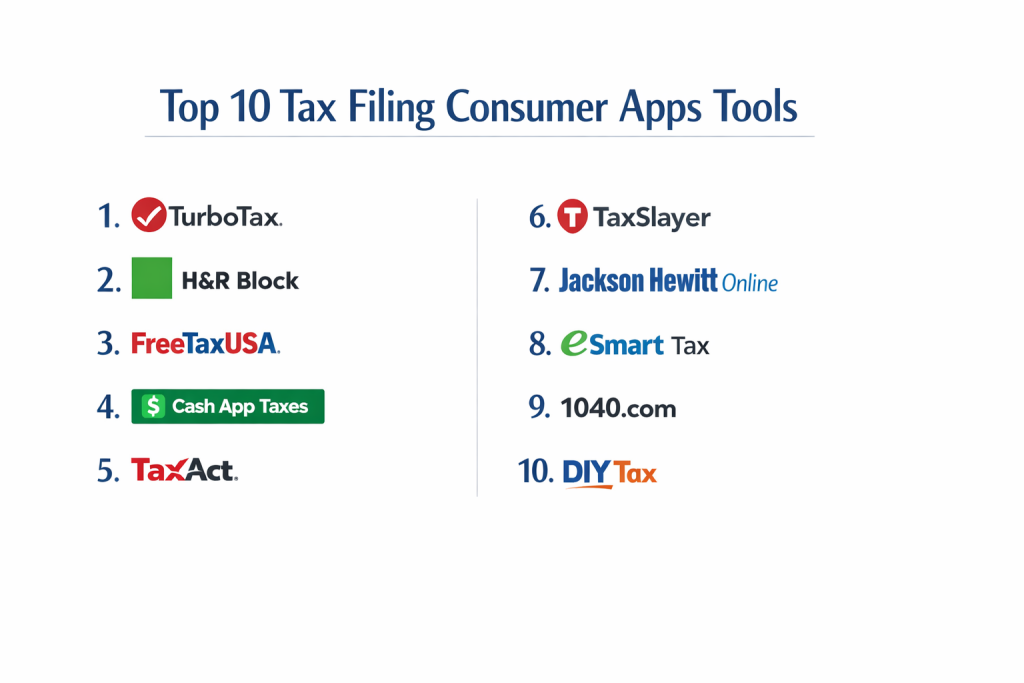
Top 10 Tax Filing Consumer Apps Tools
1 — TurboTax
TurboTax is a market-leading tax software known for its intuitive, interview-style guidance. It is designed for a wide audience, from first-time filers with simple returns to self-employed individuals and investors with more complex needs, offering tiered products for each scenario.
Key features:
- Step-by-Step Guidance: Uses a plain-language interview process to ask questions about your life and income, filling in the correct forms in the background.
- Live Expert Help: Offers optional, paid upgrades to connect with a CPA or Enrolled Agent for real-time advice, review, or even full preparation.
- Full-Service Option: A premium tier where a tax expert does your return for you, using the TurboTax platform.
- Comprehensive Form Support: Handles a vast array of tax situations, including rental property, stock sales, cryptocurrency, and business income.
- Accuracy & Audit Support: Provides a maximum refund guarantee, accuracy guarantee, and audit support guidance from experts.
- Smart Import: Allows you to snap a photo of your W-2 or import data directly from thousands of employers, banks, and financial institutions.
- Deduction Finder: Proactively searches for over 400 deductions and credits you may qualify for based on your answers.
Pros:
- Unmatched user experience that demystifies complex tax topics for beginners.
- Extremely thorough, reducing the chance of missing money-saving deductions.
- Strong ecosystem of support, from robust help articles to on-demand expert help.
Cons:
- Can be the most expensive option, especially for users who need its higher-tier packages.
- The interface includes frequent upsells to more expensive versions or add-on services, which some users find pushy.
Security & compliance: Employs 256-bit SSL encryption for data transfer and multi-factor authentication options. The company undergoes independent SOC 2 Type II audits to verify its security controls.
Support & community: Extensive knowledge base, video tutorials, and an active user community forum. Support channels include free chat and phone support, with priority access granted to paid expert help customers.
2 — H&R Block
H&R Block provides a powerful hybrid experience, combining robust DIY software with the nationwide network of its physical tax offices. It’s designed for taxpayers who value the option of in-person help and prefer a well-established brand name.
Key features:
- Seamless Hybrid Model: Unique ability to start your return online and then seamlessly transfer it to a local tax pro for review, finalization, or filing.
- Tax Pro Review: An online service where you can upload your documents and have an H&R Block expert prepare your return for you.
- Help in the App: Offers on-demand access to tax advice from professionals via chat or video for an additional fee.
- MyBlock Companion App: A separate mobile app for tracking your refund status, storing tax documents, and accessing prior-year returns.
- Accuracy Review & Guarantee: Software performs hundreds of checks before filing and backs its work with a 100% accuracy guarantee.
- W-2 Photo Import: Uses optical character recognition (OCR) to import data from a photo of your W-2 form.
- Prior-Year Import: Can import your previous year’s tax return from major competitors like TurboTax.
Pros:
- The strongest bridge between DIY and professional preparation, offering genuine peace of mind.
- Generally more affordable than TurboTax for comparable service tiers.
- Clean, logical interface that effectively guides users without overwhelming them.
Cons:
- The quality of the in-office experience can vary depending on the specific location and preparer.
- While competitive, its pricing for complex returns (Self-Employed tier) can still be significant.
Security & compliance: Uses bank-level security protocols, including data encryption and secure data centers. Complies with financial industry standards for data protection.
Support & community: Comprehensive online help center, community forums, and free chat support. Its most distinctive support feature is its network of over 10,000 local offices.
3 — FreeTaxUSA
FreeTaxUSA is a champion of value, offering a remarkably powerful tax engine at a very low cost. It’s designed for cost-conscious taxpayers, especially those with self-employment or investment income who find other software prohibitively expensive.
Key features:
- True Free Federal Filing: Offers completely free federal filing for all tax situations, including self-employment and rental income (state filing is a low flat fee).
- Unbeatable Pricing: A transparent, low-cost model where the Deluxe edition (with audit assistance and priority support) is still a fraction of competitors’ prices.
- Extensive Form Library: Supports a comprehensive list of IRS forms and schedules, rivaling and often exceeding the capabilities of premium-priced software.
- Prior-Year Amendments: Allows you to prepare and file amended returns (Form 1040-X) for previous tax years.
- Audit Assistance Center: Provides a detailed, step-by-step guide to help you understand and navigate the audit process.
- Deduction Finder & Maximizer: Actively searches for itemized deductions and tax credits applicable to your situation.
- Data Import: Can import prior-year returns from other tax software providers.
Pros:
- Exceptional price-to-performance ratio, making complex tax filing accessible.
- No aggressive upselling or confusing pricing tiers; what you see is what you pay.
- Handles advanced tax scenarios without charging premium prices.
Cons:
- The user interface is functional and straightforward but lacks the polished, conversational guidance of TurboTax.
- Customer support for the free version is primarily via email and knowledge base; phone support requires the Deluxe upgrade.
Security & compliance: Utilizes industry-standard SSL encryption to protect data. The company details its security and privacy practices transparently in its policies.
Support & community: Features a detailed help center with searchable articles. The Deluxe upgrade adds priority technical support and live chat functionality.
4 — Cash App Taxes
Cash App Taxes (formerly Credit Karma Tax) is a completely free tax filing platform with no income or form limitations. It’s designed for taxpayers of all types who want a zero-cost, no-surprises filing experience, particularly those with investment activity.
Key features:
- 100% Free Guarantee: No charges for federal or state returns, regardless of tax complexity—covers W-2, investments, self-employment, and itemized deductions.
- Investment & Crypto Support: Robust support for importing investment income (1099-B, 1099-DIV) and reporting cryptocurrency transactions without extra fees.
- Auto-Fill & Import: Can auto-fill parts of your return using data from the previous year and import W-2s from many major employers.
- Live Chat Support: Provides free, live chat support for tax questions during the filing season.
- Dediction Maximizer: Scans for over 350 tax deductions and credits to help optimize your refund.
- Refund Tracking: Integrates with the Cash App ecosystem to allow tracking of your federal and state refund statuses.
Pros:
- Genuinely free for all users, removing cost as a barrier to accurate filing.
- Clean, modern, and intuitive user interface that is easy to navigate.
- Excellent, cost-free solution for users with investment and crypto income.
Cons:
- May not support every single, highly esoteric tax form or niche international situation.
- As a non-subscription service, some users question its long-term business model and continuity.
Security & compliance: Benefits from the security infrastructure of Cash App and its parent company, Block, Inc., which includes encryption and ongoing security monitoring.
Support & community: Support is centered around in-app live chat and a help center. There is no traditional telephone support offered.
5 — TaxAct
TaxAct positions itself as a capable and more affordable alternative to the market leaders, offering a strong feature set with clear, upfront pricing. It’s designed for savvy filers who want professional-grade features without the premium price tag.
Key features:
- Price Lock Guarantee: Shows your final price before you pay, with no hidden fees or surprises based on the forms you need.
- Xpert Assist: An optional add-on that provides unlimited, on-demand advice, review, and final sign-off from a tax expert.
- Accuracy & Maximum Refund Guarantees: Backs its calculations with guarantees for accuracy and getting your maximum legal refund.
- Competitor Import: Can import your prior-year tax return data from TurboTax, H&R Block, and other major software.
- MyTaxAct Dashboard: A centralized portal to access current and prior-year returns, documents, and tax tools.
- Investment Center: A dedicated section to help with reporting capital gains, losses, and dividend income.
- Deduction Maximizer: Interactive tool to help identify every possible deduction based on your entries.
Pros:
- More transparent and often 20-30% less expensive than TurboTax or H&R Block for equivalent tiers.
- Powerful software that confidently handles itemized deductions, investments, and self-employment.
- Excellent choice for users switching from another service due to its robust import feature.
Cons:
- The interface, while logical, can feel somewhat utilitarian and dated compared to the most modern competitors.
- Has lower brand recognition, which may give some first-time users pause.
Security & compliance: Implements multi-layered security including data encryption, firewalls, and secure servers. Publishes a detailed security statement for user transparency.
Support & community: Offers support via phone, email, and live chat. The “Xpert Assist” upgrade provides a direct line to enhanced, unlimited expert help.
6 — TaxSlayer
TaxSlayer is a straightforward, value-oriented tax software with a long history, popular for its simplicity and affordability. It’s a strong choice for individuals, families, and especially military personnel seeking a no-frills, effective filing experience.
Key features:
- Simple, Sequential Interface: Guides users through a clear, step-by-step process organized by tax topics (Income, Deductions, Credits, etc.).
- Military Discount: Offers a substantial discount (often free for enlisted personnel) on its premium tier through its “Simply Free” program.
- Prior-Year Filing: Supports the preparation and filing of prior-year tax returns for a small additional fee.
- Final Review Check: Includes a comprehensive error check before filing to identify common mistakes or missing information.
- Deduction Finder: Asks targeted questions to help uncover itemized deductions you might otherwise miss.
- Support Options: Provides access to live chat, phone, and email support depending on the product tier purchased.
Pros:
- Excellent affordability, particularly for its mid-tier “Classic” version which suits most non-business filers.
- Streamlined and easy to understand, reducing confusion for novice filers.
- Outstanding value and recognition for military members and their families.
Cons:
- Less hand-holding and conversational guidance compared to market leaders; expects a bit more user initiative.
- The user experience, while simple, is not as visually engaging or polished as some competitors.
Security & compliance: Employs industry-standard SSL encryption technology and states that all customer data is protected on secure servers.
Support & community: Provides a library of help articles, video tutorials, and customer support. Phone support is included with all paid versions.
7 — Jackson Hewitt Online
Jackson Hewitt Online brings the trust of a national tax preparation network to a digital platform. It’s tailored for customers who are familiar with the Jackson Hewitt brand and appreciate the potential to escalate to in-person service.
Key features:
- Brand-Name Trust: Leverages the reputation of a large, established company with thousands of retail locations.
- Maximum Refund Guarantee: Promises to calculate the maximum refund you are owed or will refund the software fees.
- In-Person Transfer: Allows you to begin online and then visit a local office for a final review, questions, or to have a pro complete your return.
- Tax Pro Chat: Online access to chat with a tax professional for specific questions, available for an extra fee.
- Prior-Year Data Restoration: Can help restore a prior-year return if you filed with Jackson Hewitt previously.
- Accuracy Review: Software includes an error-checking system to flag potential issues before filing.
Pros:
- Provides a familiar and trusted brand for those who have used or seen their physical offices.
- The online-to-office pathway is a valuable option for users who want a safety net.
- Frequently runs competitive promotions and discounts, especially early in the tax season.
Cons:
- The core DIY software is often perceived as less feature-rich and innovative than standalone digital leaders.
- Pricing is generally aligned with other full-service brands, not budget options.
Security & compliance: Advertises the use of secure technology, including encryption, to protect personal and financial information.
Support & community: Online resources include FAQs and guides. Its most significant support asset is its network of retail locations for in-person assistance.
8 — eSmart Tax
eSmart Tax is the DIY online arm of Liberty Tax Service, offering a solid filing experience backed by another major tax preparation network. It fits users who want a reliable online tool with the brand assurance of a known tax company.
Key features:
- Liberty Tax Service Backing: Supported by the infrastructure and expertise of a major tax preparation franchise.
- Free Live Chat Support: Offers free, real-time chat support from tax associates—a standout among mid-tier options.
- Accuracy Guarantee: Provides a guarantee for calculations and basic audit assistance.
- Deduction Finder: Tool designed to help identify potential itemized deductions to reduce taxable income.
- Refund Tracker: Allows you to monitor the status of your IRS refund directly within your account.
- Basic Import Functionality: Capability to import some prior-year information and W-2 data.
Pros:
- Another viable option for users who place value on the potential for in-person service at a local Liberty Tax office.
- The inclusion of free live chat support is a significant benefit for a budget-friendly platform.
- Generally priced competitively against other hybrid brand offerings.
Cons:
- Like other hybrid models, its digital product innovation can lag behind pure-play software companies.
- Has lower standalone brand recognition in the crowded online filing space.
Security & compliance: States that it uses encryption and other security measures to protect user data, consistent with industry practices.
Support & community: Features a help center, video library, and the notable free live chat. In-person support is available at participating Liberty Tax offices.
9 — 1040.com
1040.com is a lean, no-frills online tax filing service focused exclusively on speed and simplicity for straightforward returns. It’s built for taxpayers with uncomplicated situations who want to file quickly with minimal cost and no distractions.
Key features:
- Extreme Simplicity: A clean, form-based interface designed for users who understand basic tax concepts and want to enter data directly.
- Flat-Rate Pricing: One low price includes both federal and state e-filing, with no tiered packages or upsells.
- Prior-Year Access: Allows you to view, download, and print your past returns filed through their service.
- Context-Sensitive Help: Provides clear, concise help text and explanations next to each line item on the virtual tax form.
- Basic Data Import: Can import some data from a PDF of your previous year’s tax return.
- Fast Filing Process: Engineered for users who can complete their return in a short sitting.
Pros:
- Exceptionally easy and fast for simple tax situations (e.g., one W-2, standard deduction).
- Transparent, all-inclusive pricing with no surprises or attempts to sell upgrades.
- A perfect “get it done” tool that respects the user’s time and intelligence.
Cons:
- Not suitable for any complex returns involving self-employment, rentals, or significant investments.
- Lacks the guided interview, deduction maximizers, and hand-holding of full-featured suites.
Security & compliance: Uses SSL encryption for data transmission. Maintains a straightforward privacy policy regarding user data.
Support & community: Support is provided primarily via email. The service is a streamlined operation focused on core filing functionality.
10 — DIY Tax
DIY Tax (previously known as TaxHawk) is another simplified, low-cost online filing option. It targets individuals and families with standard, uncomplicated returns who are comfortable with a basic process and appreciate included support.
Key features:
- Simple Q&A Format: Guides users through a basic question-and-answer process without extensive branching interviews.
- Low Flat Fee: Charges one affordable fee that covers both federal e-file and one state e-file.
- Free Phone Support: Includes free customer service and basic tax help via phone—a key differentiator among budget options.
- Audit Assistance Guide: Provides an informational guide to understanding the audit process.
- Prior-Year Return Access: Enables you to download copies of your past returns for your records.
- Straightforward Design: Focused on a linear, efficient filing workflow.
Pros:
- Very low cost for basic federal and state filing.
- The inclusion of phone support is a major advantage for a service at this price point.
- The process is designed to be quick and efficient for appropriate users.
Cons:
- Limited in the complexity of tax situations it can accommodate.
- The interface and user experience are functional but very basic.
Security & compliance: Employs standard security protocols like SSL encryption to safeguard user information.
Support & community: Support is anchored by its free phone support line, supplemented by email and online FAQs.
Comparison Table
| Tool Name | Best For (Target User or Scenario) | Platform(s) Supported | Standout Feature | Rating |
|---|---|---|---|---|
| TurboTax | First-time filers, those wanting maximum guidance, complex/self-employed returns | Web, iOS, Android | Best-in-class user experience & guided interview | N/A |
| H&R Block | Filers who want a seamless path to in-person expert help | Web, iOS, Android | Strongest hybrid online + in-person model | N/A |
| FreeTaxUSA | Cost-conscious filers with complex needs (self-employment, investments) | Web | Unbeatable value & comprehensive form support | N/A |
| Cash App Taxes | Anyone seeking completely free filing for any situation | Web, iOS (via Cash App) | 100% free federal & state filing | N/A |
| TaxAct | Savvy filers seeking robust features for a lower price | Web, iOS, Android | Professional features with price transparency | N/A |
| TaxSlayer | Budget-minded individuals, families, & military personnel | Web, iOS, Android | Great affordability & military discount program | N/A |
| Jackson Hewitt Online | Users loyal to or trusting of the Jackson Hewitt brand | Web | Brand-backed online/in-person hybrid option | N/A |
| eSmart Tax | Users seeking Liberty Tax backing with online ease & free chat | Web | Free live chat support & brand backing | N/A |
| 1040.com | Simple returns only, speed, and flat-rate pricing | Web | Fast, simple, all-inclusive flat fee | N/A |
| DIY Tax | Simple returns with a desire for included phone support | Web | Low cost with free phone support | N/A |
Evaluation & Scoring of Tax Filing Consumer Apps
The following rubric provides a framework for evaluating any tax filing app. Specific scores fluctuate annually, but this breakdown shows what matters most.
| Criteria | Weight | What It Means | Top Performers (General Guidance) |
|---|---|---|---|
| Core Features | 25% | Breadth of tax forms/situations handled, accuracy tools, deduction/credit finders, import capabilities. | TurboTax, H&R Block, FreeTaxUSA |
| Ease of Use | 15% | Interface clarity, quality of guidance, logical workflow, mobile experience, learning curve. | TurboTax, Cash App Taxes, H&R Block |
| Integrations & Ecosystem | 15% | Ability to import W-2/1099 data from employers/financial institutions, prior-year import from competitors. | TurboTax, H&R Block, TaxAct |
| Security & Compliance | 10% | Data encryption, privacy policies, independent audits (SOC 2), regulatory compliance, company reputation. | (All major players maintain strong, comparable security postures) |
| Performance & Reliability | 10% | Software uptime, speed, error-free performance, refund tracking accuracy. | TurboTax, H&R Block, TaxAct |
| Support & Community | 10% | Help articles, live support (chat/phone), expert access, community forums, in-person options. | TurboTax (Expert help), H&R Block (In-person network), TaxAct (Xpert Assist) |
| Price / Value | 15% | Total cost for your tax situation, transparency, lack of aggressive upselling, features per dollar. | FreeTaxUSA, Cash App Taxes, TaxSlayer, TaxAct |
Which Tax Filing Consumer Apps Tool Is Right for You?
Choosing the right tool isn’t about finding the “best” one overall, but the best one for you. Use this guide to match your specific needs with the right app.
- Solo Users / Simple Returns (One W-2, Standard Deduction):
- Priority: Ease, speed, and lowest cost.
- Top Picks: Cash App Taxes (free), 1040.com or DIY Tax (low flat fee). The free editions of TurboTax and H&R Block are also excellent if you qualify.
- Homeowners, Families, Investors (Itemized Deductions, Mortgage Interest, Investments):
- Priority: Strong guidance, deduction maximization, and form support.
- Top Picks: TurboTax or H&R Block for their superior guidance. TaxAct or TaxSlayer offer great value. FreeTaxUSA provides premium capabilities at a budget price.
- Self-Employed / Freelancers / Small Business (Schedule C, Business Expenses):
- Priority: Powerful form support for business income/expenses and excellent price-to-value ratio.
- Top Picks: FreeTaxUSA is the standout value champion. TurboTax or H&R Block have excellent dedicated editions but at a premium cost. TaxAct is a strong, more affordable middle ground.
- Those Who Value Human Help or a Safety Net:
- Priority: Access to expert review or in-person service.
- Top Picks: H&R Block or Jackson Hewitt for their physical office networks. TurboTax Live and TaxAct Xpert Assist offer integrated, on-demand expert help online.
- Budget-Conscious vs. Premium Solutions:
- Budget: Start with Cash App Taxes (free). For complex returns, FreeTaxUSA is unbeatable. TaxSlayer and TaxAct offer premium features at reduced prices.
- Premium: TurboTax Full Service or H&R Block Tax Pro Review represent the top tier, where a professional does most of the work via the platform.
- Integration and Import Needs:
- If you have multiple W-2s, 1099s, or investment accounts, check the specific import partners for TurboTax, H&R Block, and Cash App Taxes. TaxAct is also strong for importing prior-year returns from other software.
Frequently Asked Questions (FAQs)
1. Are tax filing apps actually safe to use?
Yes, reputable apps use bank-level (256-bit SSL) encryption to protect your data during transmission and storage. They have dedicated security teams and often undergo independent audits. Always use a strong, unique password and avoid public Wi-Fi when filing.
2. I’m a freelancer. Can I really use these apps?
Absolutely. Most apps have specific Self-Employed or Premium tiers that guide you through reporting business income and expenses on Schedule C. They handle deductions for home offices, mileage, equipment, and more.
3. What happens if I make a mistake on my return?
If you catch an error after e-filing, you can file an amended return (Form 1040-X). All major software providers have instructions and tools to help you prepare and mail an amended return. You generally cannot e-file amendments for prior years after a certain date.
4. Why do prices vary so much? What’s the true cost?
Prices vary based on the complexity of forms supported (e.g., self-employment costs more) and add-on services (e.g., state filing, expert help). The “true cost” is your federal fee + state fee + any add-ons. Always check the final price before paying.
5. Can I file a return for a previous tax year?
Most apps allow you to prepare prior-year returns, but you often cannot e-file them after November of the following year. You typically must print and mail the prior-year return prepared by the software.
6. What kind of help do I get if I’m audited?
Most apps offer “Audit Support,” which is typically a guide to the process or explanations of what documents you need. This is not legal representation. “Audit Defense,” where a professional represents you, is a separate, paid service offered by some companies.
7. Do these apps work for all 50 states?
Yes, all major apps support state income tax returns for all 50 states and the District of Columbia. However, you must purchase state filing separately (it’s often included in the flat fee of budget apps).
8. Is it better to file my taxes early or wait?
Filing as soon as you have all your necessary documents (W-2s, 1099s) is generally advisable. It can help prevent tax refund fraud (where someone files before you) and gets your refund to you faster if you’re owed one.
9. What’s the real difference between the various “Free” offers?
The IRS Free File Program is for taxpayers with an Adjusted Gross Income below a certain threshold. Commercial “Free” editions from companies like TurboTax are usually only for very simple returns (Form 1040 only, no itemizing). Cash App Taxes is a notable exception, offering free filing for all forms.
10. I used a different app last year. Can I switch?
Yes, and it’s easier than you think. Most apps, including TaxAct, H&R Block, and FreeTaxUSA, allow you to import a PDF of your previous year’s tax return from a competitor, saving you time on data entry.
Conclusion
Navigating the world of tax filing apps doesn’t have to be as complicated as tax law itself. The key insight is that there is a perfect tool for every type of taxpayer. Whether you prioritize a guiding hand (TurboTax), unbeatable value (FreeTaxUSA), absolute $0 cost (Cash App Taxes), or the security of in-person help (H&R Block), the market has you covered.
When making your choice, focus on what matters most: the complexity of your tax life, your comfort level with financial topics, your budget, and your need for support. An app that excels in guided interviews might be overkill for a simple return, while a bare-bones budget app could create stress for a freelancer.
Ultimately, the “best” tax filing consumer app is a personal decision. It’s the one that fits your unique situation, empowers you to file accurately and confidently, and turns a seasonal chore into a straightforward task. By using this guide to align your needs with the strengths of each platform, you can make an informed choice and take control of your tax filing this year.