Introduction
A supplier portal platform is a dedicated digital gateway that connects a company’s internal procurement and finance teams with their external vendors. In the past, managing suppliers involved a mountain of paperwork, endless email threads, and manual data entry that often led to expensive mistakes. A modern supplier portal acts as a “single source of truth.” It is a secure, cloud-based environment where both the buyer and the seller can log in to view the same information in real-time. Instead of a supplier calling your office to ask if their invoice was received, they can simply log into the portal and see the status for themselves.
These platforms are the backbone of a healthy supply chain. They handle everything from onboarding (collecting tax forms and bank details) to transactional tasks (sending purchase orders and receiving invoices) and performance tracking. By moving these interactions to a centralized platform, businesses reduce the “noise” of administrative work, lower the risk of payment fraud, and ensure they are always following local and international trade laws.
Key Real-World Use Cases
To understand the value of these platforms, it helps to look at how they function in daily business operations:
- Automated Vendor Onboarding: When a company hires a new supplier, they need dozens of documents—tax IDs, insurance certificates, and diversity stickers. A portal allows the supplier to upload these themselves. The system then checks if the documents are valid, saving the procurement team hours of manual verification.
- Real-Time Order Collaboration: When a buyer issues a Purchase Order (PO), the supplier sees it instantly. They can acknowledge the order, flag if an item is out of stock, and provide a shipping tracking number. This prevents “surprises” like missing shipments on the day of delivery.
- Dispute Resolution for Invoices: If an invoice doesn’t match the goods received, the portal flags it immediately. The supplier can see exactly why the payment is held up (e.g., “Quantity Mismatch”) and fix it right there in the system without needing a long chain of phone calls.
- Supplier Risk Management: Platforms can integrate with third-party data to monitor a supplier’s financial health or legal standing. If a supplier is suddenly flagged for a legal issue, the portal alerts the buyer so they can find an alternative before their supply chain is interrupted.
Best for:
- Large Enterprises: Companies managing 500+ vendors who need to standardize how they communicate and pay people globally.
- Procurement and AP Teams: Departments that are overwhelmed by manual data entry and want to move toward “touchless” processing.
- Highly Regulated Industries: Manufacturing, aerospace, and healthcare companies that must prove their suppliers meet strict safety and quality standards.
Not ideal for:
- Micro-Businesses: If you only have five local vendors, the cost and time of setting up a portal will likely outweigh the benefits.
- Low-Volume Transactions: Businesses that only buy items once or twice a year don’t need a dedicated portal; simple email is more efficient.
- Companies Without IT Support: While many platforms are “user-friendly,” the initial connection to your internal accounting software usually requires some technical oversight.
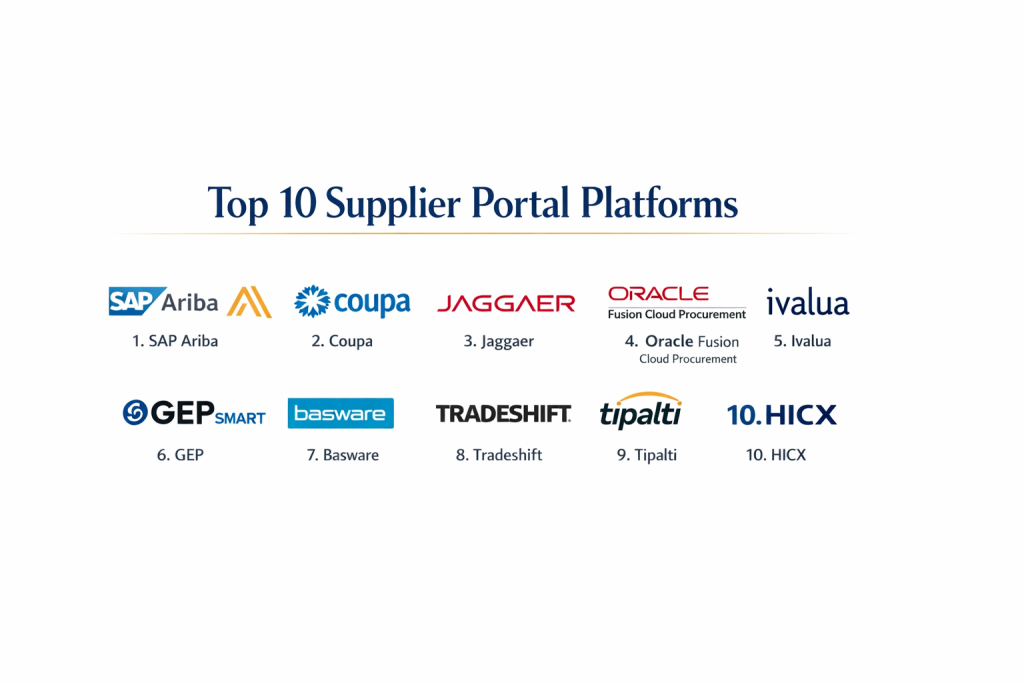
Top 10 Supplier Portal Platforms
1 — SAP Ariba
SAP Ariba is widely considered the “gold standard” for enterprise-level procurement. It is not just a portal but a massive global network that connects millions of buyers and sellers. It is designed for the world’s largest corporations that need a system capable of handling complex, multi-national supply chains.
Key features:
- The Ariba Network: A massive marketplace where you can find and connect with pre-vetted suppliers globally.
- Guided Buying: A simple, Amazon-like search interface that helps employees buy from the right, approved vendors.
- Strategic Sourcing: Tools for running complex auctions and bidding wars to get the best price for raw materials.
- Contract Management: A central vault for all legal agreements with automated alerts for renewals.
- Supplier Risk Monitoring: Real-time data feeds that track the environmental, social, and financial risks of every vendor.
Pros:
- It is the most powerful tool on the market, capable of handling any volume of data.
- Almost every large supplier in the world is already on the Ariba network, making connections fast.
Cons:
- The implementation process can take a very long time and often requires expensive outside consultants.
- The pricing structure is high, making it out of reach for many mid-sized companies.
Security & compliance: SOC 1, SOC 2, ISO 27001, and full GDPR compliance.
Support & community: Offers a massive library of training videos, global 24/7 phone support, and a huge user community.
2 — Coupa
Coupa has revolutionized the industry by focusing on “Business Spend Management.” Its main selling point is its modern, sleek interface. Unlike older corporate software, Coupa feels like a modern website, which helps employees and suppliers learn how to use it in minutes rather than weeks.
Key features:
- One-Stop Shop: Users can find everything they need—from office supplies to consulting services—in one dashboard.
- Invoicing via Email: Suppliers can send invoices directly from their email into the portal without even logging in.
- Community Intelligence: Coupa uses data from all its customers to tell you if you are paying more for a product than other companies are.
- Fraud Detection: AI tools that scan every transaction to look for duplicate payments or suspicious activity.
- Flexible Workflows: You can easily change who needs to “approve” a purchase based on the dollar amount.
Pros:
- Extremely high “User Adoption,” meaning your staff will actually use the tool instead of trying to bypass it.
- The “Community Benchmarking” provides unique insights that help you negotiate better deals.
Cons:
- Some of the best features are sold as “add-ons,” which can make the final bill higher than expected.
- While easier than SAP, it still requires a serious time commitment to set up correctly.
Security & compliance: SOC 2 Type II, PCI DSS, and HIPAA compliant.
Support & community: Very active online forums and an annual user conference for networking.
3 — Jaggaer
Jaggaer is the preferred choice for specific sectors like higher education, government, and manufacturing. It excels at managing “Direct Spend”—the actual raw materials used to create products—which is much more complicated than just buying office furniture.
Key features:
- Scientific Sourcing: Specialized tools for research labs and universities to buy chemicals and equipment.
- Production Materials Management: Deep tracking of the parts and components needed for a factory line.
- Supplier Value Management: A 360-degree view of how much a supplier is actually worth to your business.
- Advanced Document Automation: Automatically collects and checks complicated insurance and safety certifications.
- Global Sourcing: Tools to help find suppliers in emerging markets while staying compliant.
Pros:
- Incredible depth for manufacturing and specialized industries that other tools find too complex.
- Very strong customer service that understands the specific needs of university and government buyers.
Cons:
- The interface can feel a bit “clunky” and less modern compared to Coupa.
- It is so feature-rich that casual users might find it confusing at first.
Security & compliance: ISO 27001, 27017, 27018, and GDPR compliant.
Support & community: Dedicated account managers for larger clients and a helpful technical help desk.
4 — Oracle Fusion Cloud Procurement
For companies that already use Oracle’s database or accounting software, Oracle Fusion Cloud Procurement is the most logical step. It is a high-performance system designed for companies that need total data accuracy and deep financial reporting.
Key features:
- Supplier Self-Service: Vendors manage their own profiles, which keeps your internal database clean and updated.
- Social Collaboration: An internal “social network” where buyers and suppliers can chat about specific orders.
- Integrated Purchasing: Works perfectly with Oracle’s inventory and project management tools.
- Predictive Analytics: Uses data to tell you when a supplier might fail to deliver an order on time.
- Global Tax Engine: Automatically applies the correct taxes based on the supplier’s location and the type of goods.
Pros:
- The level of detail in the financial reporting is the best in the industry.
- It is incredibly stable and can handle millions of transactions without slowing down.
Cons:
- The software is very “heavy,” meaning it often requires an IT expert to make even small changes.
- The supplier side of the portal can be difficult for smaller vendors to navigate.
Security & compliance: FedRAMP, SOC 1/2, and ISO 27001.
Support & community: Huge global support network and thousands of certified third-party experts.
5 — Ivalua
Ivalua is unique because it is built on a “single code base.” This means that whether you are using it for simple invoicing or complex risk management, it is all the same system. It is famous for being the most customizable tool for companies with very specific, unique ways of working.
Key features:
- Total Customization: You can change almost any field or workflow without needing to write complex computer code.
- Supplier Collaboration: Dedicated spaces for you and your suppliers to work together on new product designs.
- Quality Management: Tools to track the quality of every batch of goods delivered.
- Sustainability Tracking: Helps you track if your suppliers are using green energy or ethical labor.
- Actionable Dashboards: High-level charts that show management exactly where money is being spent.
Pros:
- Suppliers generally like this portal because it is fast and doesn’t crash.
- It is very easy to grow with; you can start with one feature and add more as you need them.
Cons:
- The setup process requires a clear plan because there are so many options to choose from.
- It might be too powerful for a company that only has simple needs.
Security & compliance: SOC 2 Type II and ISO 27001.
Support & community: Known for high-quality, personalized customer support and clear training.
6 — GEP SMART
GEP SMART is a cloud-native platform that uses artificial intelligence to help procurement teams work faster. It is a “unified” platform, meaning it handles everything from finding a vendor to paying them within a single, unified screen.
Key features:
- AI-Powered Search: Helps you find the best supplier based on price, speed, and history.
- Mobile-First Design: Suppliers can use the portal on their phones to confirm orders while in a warehouse.
- Digital Contract Management: AI scans your contracts to find “hidden” risks or missing clauses.
- Spend Analysis: Automatically categorizes every dollar spent so you can see where to save.
- Easy Onboarding: A simple step-by-step wizard that guides new suppliers through the setup process.
Pros:
- The mobile app is excellent, which is great for suppliers who aren’t sitting at a desk all day.
- The AI features actually save time by doing the “boring” work of data entry for you.
Cons:
- The AI requires a lot of data to be accurate, so it takes time to reach full potential.
- Support is good, but the community of users is smaller than SAP or Oracle.
Security & compliance: Built on Microsoft Azure with SOC 2 and GDPR compliance.
Support & community: 24/7 global support and very detailed “how-to” guides.
7 — Basware
Basware is the world leader in “Accounts Payable Automation.” While other tools focus on finding suppliers, Basware focuses on the financial side—making sure invoices are accurate, taxes are correct, and people get paid on time.
Key features:
- Global E-Invoicing: Can receive invoices in any format (PDF, XML, or even paper) and turn them into digital data.
- Tax Compliance: Automatically stays up to date with the tax laws of over 100 countries.
- Matching Engine: Automatically compares an invoice to a purchase order and a delivery note to ensure they all match.
- Payment Financing: Allows suppliers to get paid early if they offer a small discount.
- Supplier Directory: A simple way for vendors to find you and request to work with you.
Pros:
- If your biggest problem is “messy” invoicing, this is the best tool to fix it.
- It is very effective at stopping duplicate or fraudulent payments.
Cons:
- It lacks some of the “sourcing” and “bidding” features found in SAP Ariba.
- The supplier interface is functional but not very “pretty.”
Security & compliance: ISO 27001 and ISAE 3402.
Support & community: Very strong technical documentation and a responsive help desk for vendors.
8 — Tradeshift
Tradeshift treats business like a social network. It is a cloud platform that makes it very easy for companies to connect and trade. Their big selling point is that it is free and easy for suppliers, which means vendors are much more likely to actually use it.
Key features:
- Tradeshift Apps: You can add specific “apps” to your portal for things like travel management or green energy tracking.
- Instant Messaging: Chat directly with your vendors about specific orders or invoices.
- Digital Onboarding: Suppliers can join the network and start sending invoices in minutes.
- Early Payment Services: Helps suppliers manage their cash flow by getting paid early.
- Blockchain Integration: Uses modern tech to ensure that records cannot be changed or faked.
Pros:
- Because it is free for suppliers, you will have much less trouble getting them to sign up.
- The “App Store” model means the platform can grow and change as your business does.
Cons:
- Because it is so flexible, it can sometimes feel less “solid” than a big enterprise system like Oracle.
- Customer support can be slower for smaller companies on the platform.
Security & compliance: SOC 1/2, ISO 27001, and PCI-DSS.
Support & community: A large online community and a very modern, digital approach to support.
9 — Tipalti
Tipalti is a specialized tool that focuses almost entirely on the “Payables” process. It is the best choice for companies that work with thousands of small vendors, freelancers, or international partners and need to pay them in different currencies.
Key features:
- Global Mass Payments: Send money to hundreds of people at once in 120 different currencies.
- Automated Tax Forms: The portal forces suppliers to fill out the correct W-9 or W-8 forms before they can get paid.
- Fraud Prevention: Checks every payment against “Blacklists” to make sure you aren’t sending money to criminals.
- Self-Service Billing: Suppliers can see exactly when they will be paid, which stops them from calling your office.
- ERP Sync: Automatically sends all payment data to your accounting software (like NetSuite or QuickBooks).
Pros:
- The best tool for international payments and tax compliance.
- It is very easy to set up and usually takes much less time than a full procurement suite.
Cons:
- It doesn’t help you with “Sourcing” or “Bidding” for raw materials.
- The transaction fees can become high if you are sending thousands of small payments every month.
Security & compliance: SOC 2 Type II, GDPR, and HIPAA.
Support & community: Known for having very friendly and helpful human support.
10 — HICX
HICX focuses on “Supplier Experience Management.” Their philosophy is that if you make life easy for your suppliers, they will provide you with better service and better data. It is a “Data-First” platform designed to keep your vendor information perfectly clean.
Key features:
- Supplier Master Data: A single place where all supplier info is stored and automatically cleaned of errors.
- Zero-Code Platform: You can build your own custom portal pages without needing a programmer.
- Compliance Dashboard: A clear view of which suppliers are “safe” and which are “risky.”
- Initiative Tracking: Track how your suppliers are helping you meet goals like “Reducing Carbon Footprint.”
- System Integration: Can connect to multiple different ERPs at the same time (e.g., if you use both SAP and Oracle).
Pros:
- It is the best tool for fixing “bad data” that has built up in your company for years.
- It makes the supplier feel like a partner rather than just a number.
Cons:
- It is a high-end tool designed for very large companies with complex data problems.
- Requires a strong strategy from management to get the most out of it.
Security & compliance: SOC 2 and GDPR compliant.
Support & community: High-level strategic support and expert-led onboarding.
Comparison Table
| Tool Name | Best For | Platform(s) Supported | Standout Feature | Rating |
| SAP Ariba | Massive Global Teams | Web / Mobile | The Ariba Business Network | N/A |
| Coupa | User-Friendly Design | Web / Mobile | AI-Based Community Insights | N/A |
| Jaggaer | Manufacturing/Labs | Web | Direct Spend Management | N/A |
| Oracle Fusion | Oracle Ecosystem | Web / Mobile | Deep Financial Integration | N/A |
| Ivalua | Total Customization | Web | Single Code Base Logic | N/A |
| GEP SMART | AI/Mobile Users | Web / Mobile | Unified Procurement Screen | N/A |
| Basware | Complex Invoicing | Web | Global E-Invoice Matching | N/A |
| Tradeshift | Fast Vendor Growth | Web / App | App-based Platform Model | N/A |
| Tipalti | International Pay | Web | 120+ Currency Support | N/A |
| HICX | Data Accuracy | Web | Supplier Experience Focus | N/A |
Evaluation & Scoring of Supplier Portal Platforms
To help you choose the right tool, we have evaluated these platforms based on a specific set of criteria. Each category is weighted to reflect what matters most to a business.
| Criterion | Weight | What We Look For |
| Core Features | 25% | Can it handle the basics: onboarding, POs, and invoices flawlessly? |
| Ease of Use | 15% | Is the interface simple enough for a non-tech person to use? |
| Integrations | 15% | How easily does it connect to your existing accounting software (ERP)? |
| Security | 10% | Does it have SOC 2, ISO, and GDPR protections? |
| Performance | 10% | Is the system fast? Does it have “uptime” guarantees? |
| Support | 10% | Is there a real person to call when something breaks? |
| Price / Value | 15% | Do the time savings justify the monthly or annual cost? |
Which Supplier Portal Platform Is Right for You?
Solo Users vs SMB vs Mid-Market vs Enterprise
If you are a Solo User or a very small business, you don’t need a full portal. A simple accounting tool like QuickBooks with an “Invoicing” feature is enough. For SMBs (Small to Mid-sized Businesses), look at Tipalti or Tradeshift. They are easy to set up and focus on the most important part: getting people paid. Mid-Market and Enterprise companies should look at Coupa or Ivalua because they offer the scalability to handle more complex rules and a higher volume of suppliers.
Budget-Conscious vs Premium Solutions
If you are on a tight budget, Tradeshift is a great starting point because it is free for your suppliers and has a modular “app” approach where you only pay for what you need. If you have a larger budget and want a “hands-off” experience where the software does 90% of the work, premium solutions like Coupa or GEP SMART are worth the investment because they save so much time in the long run.
Feature Depth vs Ease of Use
This is the most important trade-off. SAP Ariba and Oracle have the most depth—they can do almost anything. However, they are hard to use. If your priority is making sure your employees and vendors actually enjoy using the tool, Coupa or Ivalua are the better choices. They balance power with a much friendlier design.
Integration and Scalability Needs
If you plan to expand your business into 20 different countries, you need a tool that handles global taxes and multiple languages, like Basware or SAP Ariba. If you are already using a specific database (like Oracle or Microsoft), it is often better to choose a tool that was built to work with that system to avoid “technical headaches” during the setup phase.
Frequently Asked Questions (FAQs)
What exactly is a supplier portal?
It is a secure website where your business and your vendors can share information like purchase orders, invoices, and tax documents in one place.
Why shouldn’t I just use email?
Email is messy. Documents get lost, it’s hard to track the status of a payment, and it is much easier for hackers to send “fake” invoices via email than through a secure portal.
How do I get my suppliers to use the portal?
Choose a platform that is easy for them and free to join. Remind them that using the portal means they will get paid faster and can check their own payment status 24/7.
Is my data safe in these platforms?
Yes. These platforms use bank-level encryption and follow strict laws like GDPR to ensure that your financial data and your suppliers’ personal info are protected.
How much do these tools cost?
The price varies wildly. Small systems might cost a few hundred dollars a month, while massive enterprise systems can cost hundreds of thousands of dollars per year.
Can I use a portal if I have international suppliers?
Absolutely. Tools like Tipalti and Basware are specifically designed to handle different currencies and international tax laws.
What is a “Purchase Order Flip”?
It is a feature where a supplier can take a digital Purchase Order you sent them and “flip” it into an invoice with one click, ensuring all the numbers are identical.
Does this replace my accounting software?
No. It works with your accounting software (ERP). The portal handles the communication with the supplier, and then sends the final data to your accounting system.
How long does implementation take?
For a mid-sized company, expect 3 to 6 months. For a massive global company, it can take over a year to get every department and vendor connected.
What is the biggest mistake companies make?
Buying a tool that is too complicated. If the portal is hard to navigate, suppliers will ignore it and keep calling your finance team, which defeats the whole purpose.
Conclusion
Choosing the right supplier portal platform is one of the most important decisions a procurement or finance team can make. The “best” tool isn’t the one with the most buttons or the highest price tag; it’s the one that fits your specific business size and industry. If you are a manufacturer, you need the depth of Jaggaer. If you are a fast-growing tech company, you might prefer the simplicity of Coupa or the payment power of Tipalti.
Ultimately, a successful supplier portal should do two things: make your internal team more efficient and make your suppliers feel like valued partners. When communication is clear and payments are on time, your entire supply chain becomes more resilient. Start by identifying your biggest “bottleneck”—whether it’s onboarding, invoicing, or data accuracy—and choose the tool that solves that problem first.